How to Sell Car on Facebook Marketplace
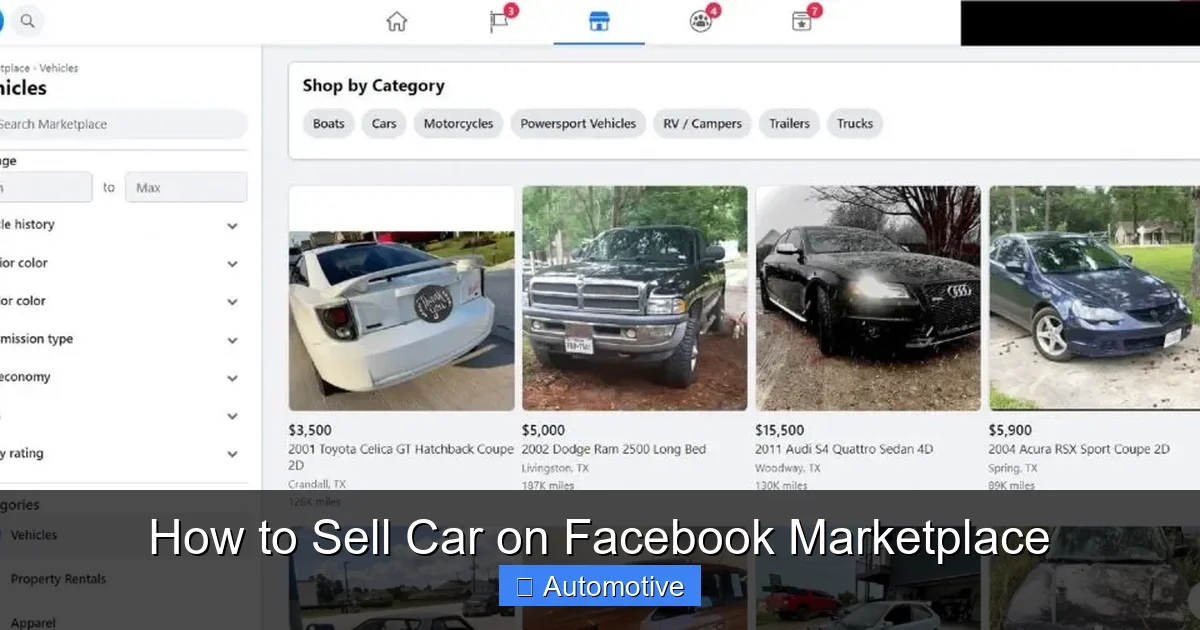
Selling your car on Facebook Marketplace is easier than you think—if you do it right. With millions of active users browsing daily, Facebook offers a powerful, free platform to reach local buyers quickly. This guide walks you through every step, from listing creation to closing the sale safely and efficiently.
In This Article
- 1 Key Takeaways
- 2 📑 Table of Contents
- 3 Why Facebook Marketplace Is a Smart Choice for Selling Your Car
- 4 Preparing Your Car for Sale: The First Step to Success
- 5 How to Create a Winning Facebook Marketplace Listing
- 6 Pricing Your Car Right: The Key to a Fast Sale
- 7 Handling Buyer Inquiries and Negotiations Like a Pro
- 8 Closing the Sale Safely and Legally
- 9 Boosting Your Listing and Staying Visible
- 10 Common Mistakes to Avoid When Selling on Facebook Marketplace
- 11 Final Thoughts: Mastering the Art of Selling Your Car Online
- 12 Frequently Asked Questions
- 12.1 How long does it take to sell a car on Facebook Marketplace?
- 12.2 Do I need to pay to list my car on Facebook Marketplace?
- 12.3 Can I sell a car with a lien on Facebook Marketplace?
- 12.4 What should I do if a buyer wants to pay with a check?
- 12.5 Is it safe to meet buyers from Facebook Marketplace?
- 12.6 Can I edit my listing after posting?
Key Takeaways
- Optimize your listing with high-quality photos and a clear title: First impressions matter—use good lighting and multiple angles to showcase your car’s best features.
- Write a detailed, honest description: Include key details like mileage, condition, service history, and reason for selling to build trust with buyers.
- Price your car competitively: Research similar vehicles in your area and price slightly below market value to attract more interest.
- Respond quickly and professionally to inquiries: Fast, friendly communication increases your chances of closing the sale.
- Meet in safe, public locations for test drives and transactions: Prioritize safety by choosing well-lit, busy areas and bringing a friend if possible.
- Complete the sale legally and securely: Use proper paperwork, verify payment, and transfer ownership correctly to avoid future issues.
- Leverage Facebook’s built-in tools: Use the “Boost” feature, share your listing in local groups, and update your post regularly to stay visible.
📑 Table of Contents
- Why Facebook Marketplace Is a Smart Choice for Selling Your Car
- Preparing Your Car for Sale: The First Step to Success
- How to Create a Winning Facebook Marketplace Listing
- Pricing Your Car Right: The Key to a Fast Sale
- Handling Buyer Inquiries and Negotiations Like a Pro
- Closing the Sale Safely and Legally
- Boosting Your Listing and Staying Visible
- Common Mistakes to Avoid When Selling on Facebook Marketplace
- Final Thoughts: Mastering the Art of Selling Your Car Online
Why Facebook Marketplace Is a Smart Choice for Selling Your Car
If you’re looking to sell your car quickly and without the hassle of traditional dealerships or classified ads, Facebook Marketplace might just be your best bet. With over 1 billion monthly active users on Facebook, the platform has become one of the most popular online marketplaces for everything from furniture to electronics—and yes, cars too. In fact, more than 30 million people use Facebook Marketplace every month to buy and sell vehicles, making it a goldmine for private sellers.
What makes Facebook Marketplace stand out is its simplicity and reach. Unlike other car-selling platforms that charge listing fees or require complex sign-ups, Facebook lets you post your vehicle for free and connect directly with local buyers. Plus, because it’s integrated into a social network, buyers can see your profile, which adds a layer of trust and transparency. This personal touch can make a big difference when someone is deciding whether to buy a used car from a stranger.
Another major advantage is the built-in communication tools. You can message potential buyers instantly through Messenger, schedule viewings, and even negotiate pricing—all within the same app. There’s no need to juggle phone calls, emails, or third-party apps. And because most users are already logged into Facebook daily, your listing has a higher chance of being seen by the right people at the right time.
But while the platform is convenient, success doesn’t come automatically. To truly master how to sell car on Facebook Marketplace, you need a smart strategy. From crafting the perfect listing to handling buyer inquiries and closing the deal safely, every step matters. The good news? With the right approach, you can sell your car faster, for a better price, and with far less stress than you might expect.
Preparing Your Car for Sale: The First Step to Success
Visual guide about How to Sell Car on Facebook Marketplace
Image source: hellosensible.com
Before you even think about posting your car on Facebook Marketplace, take the time to prepare it properly. A clean, well-maintained vehicle not only looks more appealing but also signals to buyers that you’ve taken good care of it. Think of it this way: you wouldn’t show up to a job interview in wrinkled clothes, right? The same principle applies here.
Start with a thorough cleaning—both inside and out. Wash the exterior, wax it if possible, and clean the wheels and tires. Don’t forget the windows; smudged glass can make even a nice car look neglected. For the interior, vacuum the seats, carpets, and trunk. Wipe down all surfaces, including the dashboard, door panels, and center console. If you have fabric seats, consider using a fabric cleaner to remove stains. For leather, a conditioner can restore shine and prevent cracking.
Next, address any minor issues. Fix small dents, replace burnt-out bulbs, and top off fluids like oil, coolant, and windshield washer fluid. If your tires are worn or uneven, consider replacing them—this is a major selling point. Even something as simple as replacing old floor mats or installing new air fresheners can make a big difference in how your car is perceived.
Now, gather all your documentation. Buyers will want to see the vehicle’s title, registration, maintenance records, and any warranty information. If you’ve kept receipts for repairs or upgrades, include those too. Having everything organized shows you’re serious and transparent, which builds trust.
Finally, consider getting a pre-sale inspection. Many buyers will ask for one anyway, so doing it upfront can speed up the process. A clean bill of health from a trusted mechanic can justify your asking price and reduce buyer hesitation. Plus, if any issues are found, you can fix them before listing—avoiding last-minute surprises.
How to Create a Winning Facebook Marketplace Listing
Visual guide about How to Sell Car on Facebook Marketplace
Image source: i.pinimg.com
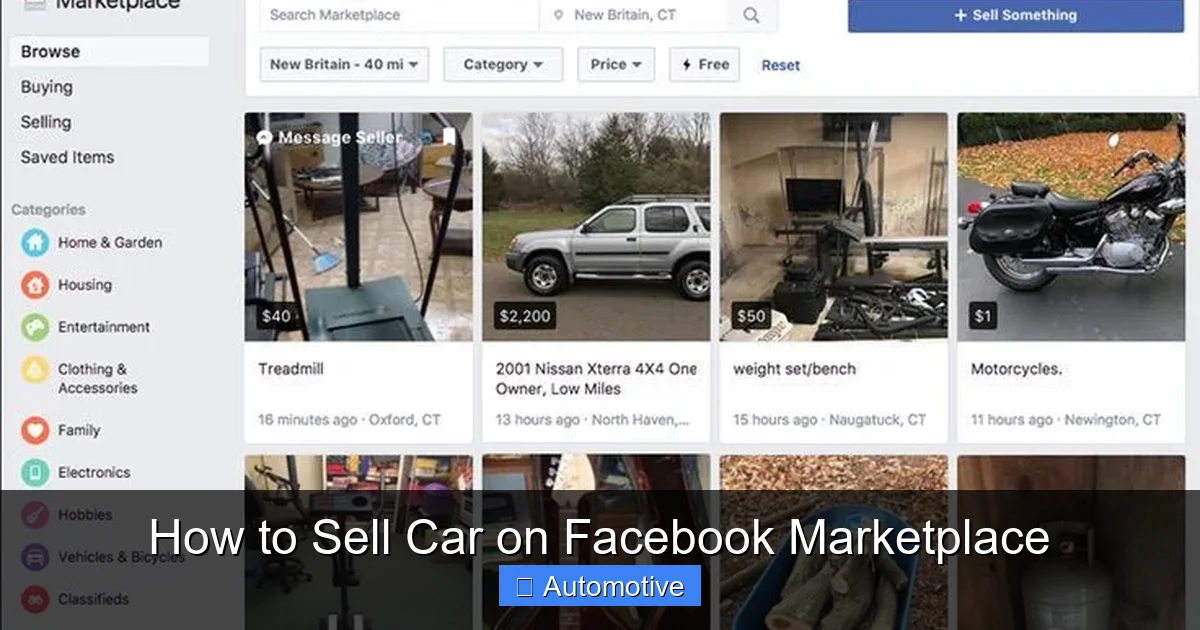
Once your car is ready, it’s time to create a listing that stands out. A great listing doesn’t just inform—it sells. And on Facebook Marketplace, where hundreds of cars may be listed in your area, yours needs to grab attention fast.
Start with the title. Keep it clear, concise, and keyword-rich. For example, “2018 Honda Civic LX – Low Miles, Excellent Condition, Clean Title” is much better than “Car for Sale.” Include the year, make, model, trim level, and a standout feature like low mileage or a recent upgrade. This helps your listing show up in search results when buyers type in specific terms.
Next, upload high-quality photos. Aim for at least 8–10 images that cover every angle of the car. Take pictures in natural daylight, preferably outdoors, to avoid shadows and glare. Include shots of the front, back, both sides, the interior (driver’s seat, passenger side, rear seats), the trunk, the engine bay, and the dashboard. If there are any flaws—like a small scratch or dent—photograph them honestly. Transparency builds credibility.
When writing the description, be detailed but concise. Start with a strong opening sentence that highlights the car’s best features. Then, list key details: mileage, transmission type, fuel efficiency, number of previous owners, and whether it’s been in any accidents. Mention recent maintenance, such as new brakes, tires, or an oil change. If you’ve added upgrades like a backup camera or premium sound system, include those too.
Don’t forget to explain why you’re selling. Whether it’s an upgrade, a move, or simply not using the car enough, a brief, honest reason can make buyers feel more comfortable. Avoid vague statements like “must sell” or “urgent”—they can raise red flags.
Finally, set a competitive price. Use tools like Kelley Blue Book, Edmunds, or local Facebook listings to see what similar cars are selling for. Price your vehicle slightly below market value to attract more interest. You can always negotiate later, but a lower starting point encourages quicker responses.
Pricing Your Car Right: The Key to a Fast Sale
Visual guide about How to Sell Car on Facebook Marketplace
Image source: gopius.com
Pricing your car correctly is one of the most important factors in how to sell car on Facebook Marketplace. Set it too high, and buyers will scroll right past. Set it too low, and you might leave money on the table—or worse, raise suspicion about the car’s condition.
Start by researching comparable vehicles in your area. Look at Facebook Marketplace, Craigslist, Autotrader, and even dealership websites. Filter by year, make, model, mileage, and condition. Pay attention to how long similar cars have been listed—if a vehicle has been up for weeks, it might be overpriced.
Use pricing guides like Kelley Blue Book (KBB) or Edmunds to get a baseline value. These tools consider factors like trim level, optional features, and regional demand. However, remember that these are estimates. The actual market value depends on local supply and demand, so always cross-check with real listings.
Once you have a range, consider pricing your car slightly below the average. For example, if similar cars are listed at $15,000, consider starting at $14,500. This creates a sense of value and urgency, encouraging buyers to act fast. You can always negotiate up if someone makes a strong offer.
Be prepared to justify your price. If your car has low mileage, a clean title, or recent repairs, mention these in your listing. Buyers are more willing to pay a fair price if they understand what they’re getting.
Avoid pricing games like “or best offer” without a clear minimum. It can attract lowballers and waste your time. Instead, state your firm price or set a reasonable range (e.g., “$14,500 OBO, serious inquiries only”).
Finally, be flexible—but not desperate. If you’re not in a rush, you can hold out for your ideal price. But if you need to sell quickly, be open to reasonable offers. Remember, a fast sale at a fair price is often better than a slow sale at a higher one.
Handling Buyer Inquiries and Negotiations Like a Pro
Once your listing goes live, inquiries will start rolling in—some serious, some not. How you respond can make or break your sale. The key is to be prompt, professional, and prepared.
Aim to reply within a few hours, if possible. Buyers often message multiple sellers, and the first to respond usually gets the edge. Use a friendly but professional tone. A simple “Hi, thanks for your interest! I’d be happy to answer any questions” sets a positive tone.
Be ready to answer common questions: How many miles does it have? Has it been in any accidents? What’s the reason for selling? Do you have service records? Prepare answers in advance so you don’t have to scramble.
When it comes to negotiations, stay calm and confident. Most buyers will try to haggle—it’s expected. Start by restating your price and the car’s value. If they offer lower, ask why. Is it the mileage? A minor flaw? Use this info to counter with facts: “I understand the mileage is a bit higher, but I’ve kept up with all maintenance and just replaced the tires last month.”
Set a minimum price you’re willing to accept and stick to it. Don’t feel pressured to drop your price just because someone is pushy. If a buyer is rude or unreasonable, it’s okay to walk away.
For serious buyers, suggest a test drive—but only after verifying their driver’s license and insurance. Meet in a public, well-lit area like a shopping mall or police station parking lot. Bring a friend for safety, and consider driving your own car to the meeting spot.
During the test drive, let the buyer take the lead. Answer questions honestly, but don’t oversell. If they seem interested, ask if they’d like to move forward. If they’re ready to buy, have the paperwork ready.
Closing the Sale Safely and Legally
The final step in how to sell car on Facebook Marketplace is completing the transaction securely. This is where many sellers make mistakes—don’t be one of them.
First, agree on the payment method. Cash is safest for private sales, but if the amount is large, consider a cashier’s check from a bank (verify it’s legitimate). Avoid personal checks or wire transfers—they’re common scam targets.
Once payment is confirmed, complete the necessary paperwork. Sign over the title, making sure to fill out the buyer’s name, sale date, and odometer reading correctly. Include a bill of sale, which should list the vehicle details, sale price, and both parties’ information. Some states require this; check your local DMV website.
Remove your license plates—most states require you to keep them. Notify your insurance company that you’ve sold the car to cancel or transfer coverage. Finally, file a release of liability form with your state’s DMV to protect yourself from future tickets or accidents.
For extra peace of mind, meet at a DMV office to complete the transfer on the spot. This ensures everything is done correctly and reduces the risk of fraud.
Boosting Your Listing and Staying Visible
Even the best listing can get lost in the crowd. To increase visibility, use Facebook’s built-in tools. Boost your post to reach more people in your area. A small investment—$10–$20—can significantly increase views.
Share your listing in local buy/sell groups. Many cities have active Facebook groups where members post vehicles for sale. Follow group rules—some require you to comment before posting or limit how often you can share.
Update your listing regularly. Facebook’s algorithm favors fresh content, so edit your post every few days to keep it near the top. Add a note like “Still available—serious buyers only!” to show it’s active.
Respond to comments and messages quickly. Engagement signals to Facebook that your listing is popular, which can improve its ranking.
Finally, be patient. Some cars sell in days; others take weeks. Stay consistent, keep your listing updated, and don’t get discouraged.
Common Mistakes to Avoid When Selling on Facebook Marketplace
Even experienced sellers make mistakes. Avoid these common pitfalls:
– **Poor photos:** Blurry, dark, or incomplete images turn buyers away.
– **Vague descriptions:** Missing key details leads to more questions and fewer serious inquiries.
– **Overpricing:** Buyers compare prices—set yours too high, and they’ll move on.
– **Slow responses:** Delayed replies mean lost sales.
– **Unsafe meetings:** Always meet in public and bring a friend.
– **Skipping paperwork:** Incomplete transfers can lead to legal issues.
By avoiding these errors, you’ll sell your car faster and with fewer headaches.
Final Thoughts: Mastering the Art of Selling Your Car Online
Selling your car on Facebook Marketplace doesn’t have to be stressful. With the right preparation, a compelling listing, and smart communication, you can turn your vehicle into cash quickly and safely. Remember, success comes down to three things: presentation, pricing, and professionalism.
Take the time to clean and detail your car, write a clear and honest description, and price it fairly. Respond to inquiries promptly and negotiate with confidence. And most importantly, prioritize safety at every step.
Facebook Marketplace is a powerful tool—but only if you use it wisely. By following this guide, you’re not just learning how to sell car on Facebook Marketplace. You’re setting yourself up for a smooth, successful sale that leaves both you and the buyer happy.
So go ahead—post that listing, take those photos, and get ready to say goodbye to your old car and hello to your next adventure.
Frequently Asked Questions
How long does it take to sell a car on Facebook Marketplace?
It varies, but most cars sell within 1–4 weeks if priced right and well-presented. High-demand models in good condition may sell in just a few days.
Do I need to pay to list my car on Facebook Marketplace?
No, listing your car is completely free. However, you can pay to boost your post for greater visibility.
Can I sell a car with a lien on Facebook Marketplace?
Yes, but you’ll need to pay off the loan before transferring ownership. Some buyers may agree to pay the lender directly, but this requires coordination.
What should I do if a buyer wants to pay with a check?
Only accept cashier’s checks from a bank, and verify they’re legitimate before handing over the car. Avoid personal checks.
Is it safe to meet buyers from Facebook Marketplace?
Yes, if you take precautions. Always meet in public, well-lit areas, bring a friend, and verify the buyer’s ID before a test drive.
Can I edit my listing after posting?
Yes, you can edit the title, description, price, and photos at any time. Regular updates also help keep your listing visible.