
How to Reset Toyota Highlander Maintenance Light with Push Button Start

Contents
- 1 Key Takeaways
- 2 📑 Table of Contents
- 3 Understanding That Pesky Maintenance Required Light
- 4 Prerequisites: What You Need Before You Start
- 5 The Step-by-Step Reset Procedure for Push-Button Start
- 6 Decoding the Display and Common Pitfalls
- 7 What If the Light Won’t Reset? Troubleshooting Guide
- 8 Beyond the Reset: Understanding Your Highlander’s Service Needs
- 9 Conclusion: A Simple Fix for a Useful Reminder
- 10 Frequently Asked Questions


Resetting the maintenance required light on a push-button start Toyota Highlander is a simple, do-it-yourself procedure you can complete in under a minute. It involves using the odometer/trip button while the vehicle is in a specific “on” but not started state. This reset only turns off the reminder light; it does not perform any actual maintenance or fix underlying issues. Always ensure the required service, like an oil change, has been performed before resetting the light.
Key Takeaways
- Purpose: The maintenance light is a reminder for scheduled service (usually oil change), not an indication of a fault.
- Prerequisite: The reset must be done with the engine OFF, but the ignition system powered ON (push button without brake).
- Tool Needed: You only need your vehicle’s factory key or key fob; no special tools are required.
- Process: The reset is performed by pressing and holding the odometer/trip meter button while cycling the ignition.
- Confirmation: The light will blink and then turn off to confirm a successful reset.
- Important: Resetting the light without performing the necessary service is not recommended and can lead to engine damage.
- Variation: While the process is standard for most Highlanders with push-button start, always consult your owner’s manual for model-year specifics.
📑 Table of Contents
- Understanding That Pesky Maintenance Required Light
- Prerequisites: What You Need Before You Start
- The Step-by-Step Reset Procedure for Push-Button Start
- Decoding the Display and Common Pitfalls
- What If the Light Won’t Reset? Troubleshooting Guide
- Beyond the Reset: Understanding Your Highlander’s Service Needs
- Conclusion: A Simple Fix for a Useful Reminder
Understanding That Pesky Maintenance Required Light
So, you’re driving your Toyota Highlander, and suddenly, a little wrench icon illuminates on your dashboard, often accompanied by the words “MAINTENANCE REQUIRED.” It’s not a check engine light, and your car seems to drive perfectly fine. So, what gives? This light is your Toyota’s friendly, yet persistent, reminder that it’s time for some scheduled love. Primarily, it’s a sophisticated mileage and time-based timer reminding you that an oil change or other routine service is due. In your push-button start Highlander, this system is part of the vehicle’s onboard computer, tracking your driving habits and intervals since the last reset.
It’s crucial to understand what this light is NOT. It is not a diagnostic trouble code indicator. It won’t tell you a sensor is failing or a component is broken. Its sole job is to remind you of preventative maintenance. Ignoring it for too long can lead to increased engine wear, as you might be running past the recommended oil change interval. But the good news? Once you’ve actually had the service performed—say, an oil and filter change—you or your mechanic can easily turn this reminder off. The process is designed to be user-friendly, and for owners of Highlanders with the push-button start system, it’s a quick, button-driven sequence you can master in seconds. For those with a traditional key ignition, the steps are slightly different, but our focus here is on your keyless entry, push-button start model.
The “Why” Behind the Wrench
Toyota’s maintenance reminder system is more advanced than the old fixed-interval lights. It calculates oil life based on actual engine operating conditions—things like engine revolutions, temperature, and driving time. Severe driving (lots of short trips, extreme temps, dusty conditions) will deplete the oil life percentage faster. When the system determines the oil life has reached a critical threshold (usually around 15% remaining), it illuminates the wrench. Resetting it after service tells the computer, “We’ve taken care of it; start the new calculation cycle.”
Prerequisites: What You Need Before You Start
Before you dive into the button-pressing ritual, let’s get a few things straight. This isn’t a complicated procedure, but doing it in the right order is key. First and foremost, and this cannot be stressed enough: only reset the maintenance light after the required service has been completed. Resetting it without changing the oil or performing the needed checks defeats the purpose of the system and risks harming your engine. Think of it like erasing a to-do list without actually doing the tasks.
Visual guide about How to Reset Toyota Highlander Maintenance Light with Push Button Start
Image source: i.ytimg.com
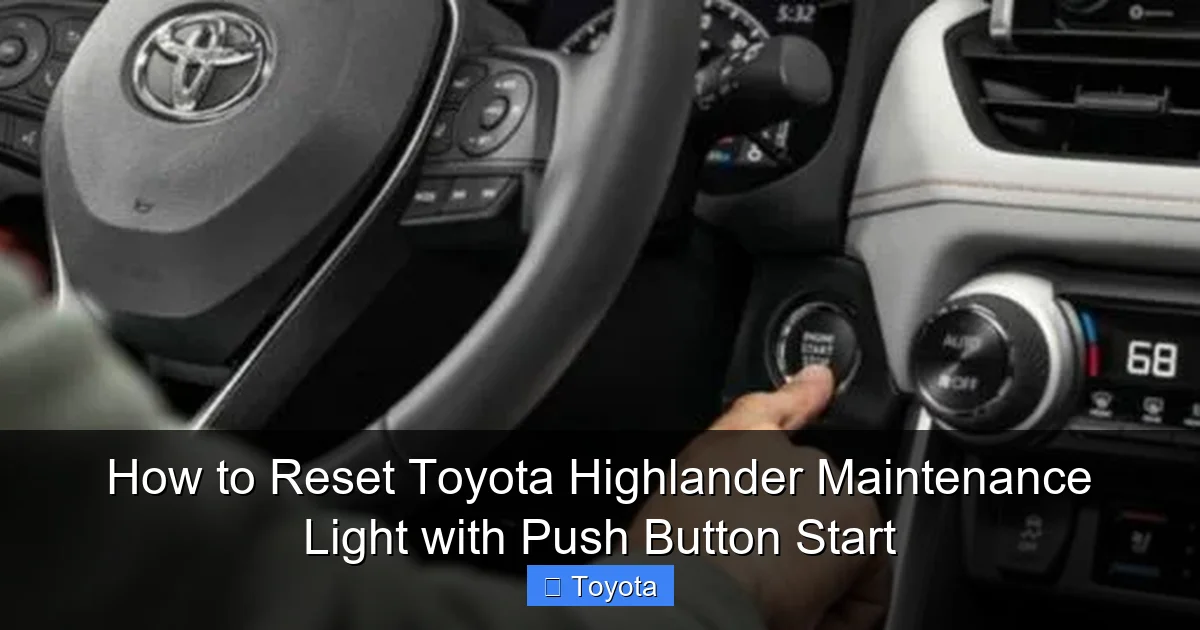
Now, for the technical setup. Your Highlander must be in a specific electrical state. You need the ignition to be in the “ON” or “IG-ON” position, but the engine must NOT be running. With a push-button start system, this means you will press the START/STOP button without touching the brake pedal. This powers up all the vehicle’s accessories and dashboard lights but keeps the engine off. You’ll see the odometer display on your multi-information screen (the screen behind the steering wheel).
You also need to know where your odometer/trip meter reset button is. On most Highlanders, it’s a stalk-mounted button on the right side of the steering column, often labeled “ODO/TRIP” or simply with a reset symbol. You’ll use this button to navigate the display and initiate the reset. Finally, ensure your key fob is inside the vehicle, as the push-button start system requires its presence to activate the ignition modes. If your key fob battery is dead, you may need to use the hidden mechanical key slot, which complicates the process, so check your fob battery if you’re having trouble.
The Step-by-Step Reset Procedure for Push-Button Start
Alright, let’s get to the heart of it. The process is a specific sequence of actions involving your ignition button and the odometer reset stalk. Here is the definitive method for most model years of the Toyota Highlander equipped with push-button start. While minor variations can exist between, say, a 2014 and a 2021 model, the core sequence remains remarkably consistent. If you own a specific model year and want a tailored guide, you can find excellent resources like our piece on how to reset the maintenance light on a 2017 Toyota Highlander, which follows this same fundamental logic.
Visual guide about How to Reset Toyota Highlander Maintenance Light with Push Button Start
Image source: m.media-amazon.com
Step 1: Power Up the Vehicle (Without Starting)
Sit in the driver’s seat with your seatbelt fastened (this is sometimes a requirement for the system to allow ignition access). Press the START/STOP button once without pressing the brake pedal. You should hear a quiet hum as the vehicle’s electrical systems power on. All your dashboard warning lights will illuminate for a few seconds, including the maintenance required wrench. Wait for this initial light-check sequence to complete. Your odometer/trip meter reading should be displayed on the small screen in your gauge cluster.
Step 2: Navigate to the Odometer Display
Using the button on the end of the turn signal stalk (the same one you use to toggle between odometer and trip A/B), press it repeatedly until the multi-information display shows the total odometer reading. It’s critical you are on the odometer, not a trip meter screen. If you see “TRIP A” or “TRIP B,” keep pressing the button until it cycles back to the overall mileage of the vehicle. This step is the most common point of failure for people, so double-check your screen.
Step 3: Initiate the Reset Sequence
Now, here’s the key maneuver. Press and hold the same odometer/trip meter button. While holding it down, you need to cycle the ignition. Press the START/STOP button once to turn the vehicle “off” (all dash lights go out). Then, while still holding the odometer button, press the START/STOP button again to turn the ignition back “on” (without brake). Continue to hold the odometer button for a few more seconds.
Step 4: Watch for Confirmation
After holding the button for about 5-10 seconds, you should see the odometer display change. A series of dashes “—–” will often appear and then be replaced by a new odometer reading, or the maintenance required light will begin to blink. This is your confirmation that the reset was successful. You can now release the button. The wrench icon should have disappeared from your dashboard. Turn the ignition off by pressing the START/STOP button one more time, wait a second, and then restart the vehicle normally (press brake and start button) to ensure the light stays off.
Decoding the Display and Common Pitfalls
What you see on that little screen during the reset can be confusing. Don’t panic if it doesn’t look exactly like you expected. On many Highlanders, after you hold the button through the ignition cycle, the display will show a series of zeros or a blinking odometer value for a moment. This is the system clearing the old maintenance interval and resetting the counter. The main confirmation is the extinguishing of the wrench light on the main dash. Always use that as your final check.

Visual guide about How to Reset Toyota Highlander Maintenance Light with Push Button Start
Image source: oilreset.com
Several things can trip you up during this process. The most frequent mistake is not having the display on the odometer before starting. If you’re on a trip meter, the reset sequence often won’t engage, or it might reset the wrong trip meter. Another common issue is not holding the button long enough through the entire off-on cycle. You must hold it from the moment you press it until after you’ve turned the ignition back on and seen the display change. If you let go too early, the sequence aborts. Also, ensure your foot is off the brake pedal when pressing the start button to get to “IG-ON.” Pressing the brake starts the engine, which changes the electrical state and breaks the sequence. If your light comes back on immediately after a reset, it means the reset wasn’t captured properly—try the sequence again, meticulously following the steps.
What If the Light Won’t Reset? Troubleshooting Guide
You followed the steps perfectly, but that wrench icon is still glaring at you. Before you panic or head to the dealer, let’s troubleshoot. First, repeat the entire process slowly and deliberately. It’s easy to rush and miss a step. Ensure you are on the full odometer reading, not a trip meter. If you have a multi-information display that shows various vehicle data, use the arrow buttons on your steering wheel to scroll through menus until you find the pure odometer screen.
If a second attempt fails, consider your vehicle’s specific year. While the push-button start reset is standard for many 2014-2023 Highlanders, some very early or specific trims might have a slightly different method involving the “Menu” button on the steering wheel. Your owner’s manual is the ultimate authority here. If you don’t have it, you can often find a digital version on the Toyota owner’s portal. Another possibility: the system might require a certain number of ignition cycles before it allows a reset after a service, though this is rare. Finally, and this is important, if the maintenance light is actually blinking instead of being steadily illuminated, it can indicate a different system issue, and a simple reset won’t work. A steady light is the reminder; a blinking light often requires diagnostic attention.
Beyond the Reset: Understanding Your Highlander’s Service Needs
Resetting the light is the final administrative step, not the service itself. Understanding what the light represents helps you be a more informed owner. For most modern Highlanders, the primary trigger is oil life degradation. However, the “MAINTENANCE REQUIRED” light can also be programmed to come on for other interval-based services like tire rotations, cabin air filter changes, or inspections, depending on your region and how the dealer set it up. The best practice is to consult your owner’s manual’s maintenance schedule. It will outline what services are due at specific mileage or time intervals (e.g., every 5,000 miles or 6 months).
If you’re a DIY enthusiast, resetting the light after you’ve completed your own oil change and filter replacement is a satisfying final touch. If you take your Highlander to a quick-lube shop or a dealership, a reputable shop will always reset the light for you as part of the service. If they forget, don’t hesitate to ask them to do it before you leave. It’s a standard part of the service. For more complex services or if the light illuminates alongside other warnings, it’s time to see a professional. Our guide on how to reset a Toyota maintenance light covers the broader philosophy that applies across the entire Toyota lineup, reinforcing that the reset is a post-service action.
Conclusion: A Simple Fix for a Useful Reminder
Your Toyota Highlander’s maintenance required light is a helpful tool designed to keep your vehicle running smoothly for the long haul. For models with the convenient push-button start system, turning that light off after you’ve completed the necessary service is a quick, button-press procedure you can easily master. Remember the golden rule: service first, reset second. By following the clear sequence of powering to “IG-ON,” navigating to the odometer, and holding the reset button through an ignition cycle, you’ll have that wrench icon cleared from your view in under 60 seconds. If you encounter issues, double-check your steps and consult your manual. Keeping up with these reminders is one of the simplest and most effective ways to protect your investment in your Highlander and ensure many more miles of reliable, worry-free driving.
Frequently Asked Questions
Can I reset the maintenance light without performing the oil change?
Technically yes, but it is strongly discouraged. The light is a critical service reminder. Resetting it without performing the service means you have no record of when the next oil change is due, which can lead to severe engine damage from neglected maintenance.
What if the maintenance light starts blinking after I reset it?
A blinking maintenance light is not normal and indicates a different issue, often related to the vehicle’s emission or engine management system. You should stop driving the vehicle if possible and have it scanned for diagnostic trouble codes by a professional mechanic immediately.
Is the reset process the same for all Toyota Highlander years with push-button start?
The process is very consistent for most model years (approximately 2014-2023). However, there can be minor variations. For example, some models might use a “Menu” button on the steering wheel instead of the stalk-mounted button. Always reference your specific owner’s manual for the definitive procedure for your model year.
Will disconnecting the battery reset the maintenance light?
No, disconnecting the battery will not reset the maintenance required light. This light’s timer is stored in a non-volatile memory that retains settings even when the battery is disconnected. You must use the specific button sequence outlined above to reset it.
Can I reset the light if my key fob battery is dead?
It’s very difficult. The push-button start system requires communication with the key fob to enter the “IG-ON” mode. If your fob battery is dead, you must use the hidden mechanical key to unlock and start the car, which typically puts the vehicle into a different electrical state that may not allow the standard reset procedure. Replacing the key fob battery first is recommended.
My light came back on immediately after a successful reset. Is my car broken?
Not necessarily. If it comes back on right away, it usually means the reset sequence was not completed correctly (e.g., you weren’t on the odometer screen, or you didn’t hold the button long enough). Try the procedure again very carefully. If it continues to return after multiple correct attempts, there may be an underlying fault with the reminder system or another component that needs diagnosis.







