
How to Reset the Maintenance Required Light on a Toyota Tacoma

Resetting the maintenance required light on your Toyota Tacoma is a simple, tool-free process you can complete in under a minute. However, it is absolutely critical to only perform this reset after you have completed the necessary maintenance, such as an oil and filter change, to prevent potential engine damage. This guide provides clear, detailed instructions for all Tacoma model years, from the older generations to the latest models.
So, that little wrench icon has appeared on your Toyota Tacoma’s dashboard. You know it means it’s time for some routine love—probably an oil change and a check-up. You’ve just handed your truck over to the mechanic or rolled up your sleeves and did the work yourself. The job is done, but now there’s this glowing reminder staring back at you. Don’t worry; turning it off isn’t some mysterious mechanic’s secret. Resetting the maintenance required light on a Toyota Tacoma is a straightforward task any owner can do. This guide will walk you through exactly how to do it, why the light comes on in the first place, and what to do if things don’t go as planned. Let’s get that dashboard clean and clear.
Key Takeaways
- The light is a reminder, not an emergency: The maintenance required light indicates scheduled service is due based on mileage or time, not an immediate critical failure like a check engine light.
- Always perform maintenance first: Never reset the light without completing the required service (e.g., oil change, tire rotation). Resetting is simply acknowledging the reminder has been addressed.
- Procedures vary by model year: The reset method differs significantly between older Tacomas (pre-2016) using the odometer button and newer models (2016+) using the steering wheel or multi-information display.
- No special tools are needed: You can reset the light using only your vehicle’s built-in controls—the ignition, odometer/trip meter button, or steering wheel buttons.
- A persistent light signals a problem: If the maintenance light returns shortly after a correct reset or illuminates alongside other warnings, it may indicate an unresolved issue or a faulty sensor requiring professional diagnosis.
- Resetting does not fix mechanical issues: The process only clears the reminder timer. It will not solve underlying problems like low oil pressure or engine faults that may trigger other warnings.
- Consult your owner’s manual: Your manual provides the definitive, model-year-specific procedure and maintenance schedule for your specific Tacoma.
📑 Table of Contents
- Understanding the Maintenance Required Light: What It Really Means
- The Golden Rule: Perform the Maintenance First
- Preparation: Getting Ready to Reset
- Reset Procedures: A Guide by Generation
- Post-Reset Verification and Troubleshooting
- When to Seek Professional Help: Beyond a Simple Reset
- Conclusion: A Simple Step for a Happy Tacoma
Understanding the Maintenance Required Light: What It Really Means
Before we dive into button-pressing, it’s essential to understand what this light is and, more importantly, what it isn’t. The maintenance required light on your Tacoma is a simple, mileage/time-based reminder system. It’s not connected to any sensors that monitor your engine’s health in real-time. Think of it like a kitchen timer. When your truck’s computer calculates that you’ve driven a certain number of miles (usually 5,000 for older models or 10,000 for newer ones with synthetic oil) or a specific amount of time has passed (often 6 months), it flips the switch. The icon—a little wrench—appears to say, “Hey, friend, it’s time for your scheduled service according to the plan.”
This is a brilliant system for busy people. It takes the guesswork out of maintenance. You don’t have to log your odometer readings or calendar dates religiously. Your Tacoma does it for you. However, this also leads to a common misconception: some drivers think the light means something is *wrong* right now. It doesn’t. It means something is *due*. That’s a critical distinction. Because of this, the reset procedure is not a diagnostic tool; it’s merely an acknowledgment that you’ve completed the recommended service. If you reset it without doing the work, you’re essentially silencing a helpful alarm while your engine’s real needs go unmet, which can lead to costly damage down the road.
The system’s logic is based on your driving conditions too. Severe driving (lots of short trips, extreme temperatures, dusty conditions) often shortens the service interval. Your owner’s manual outlines the specific schedule. The light’s primary job is to ensure you don’t forget these vital services that keep your reliable Tacoma running smoothly for hundreds of thousands of miles.
The Golden Rule: Perform the Maintenance First
Let’s state this plainly and with emphasis: You must complete the required maintenance before resetting the light. This is non-negotiable. The most common service that triggers the light is, of course, the oil and filter change. But it could also be due for a tire rotation, cabin air filter replacement, or a comprehensive inspection. Resetting the light without doing this work is like tossing your empty prescription bottle in the trash and pretending you took your medicine. The reminder is gone, but the problem remains.
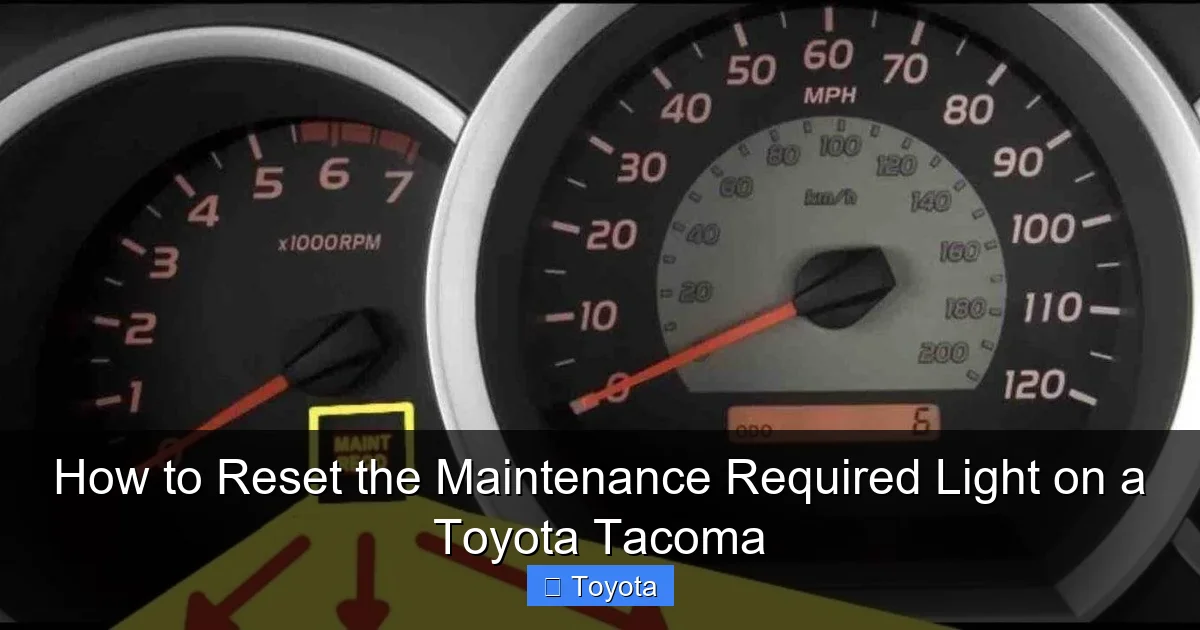
Visual guide about How to Reset the Maintenance Required Light on a Toyota Tacoma
Image source: ehcar.net
Why is this so important? Modern engine oil is a marvel of engineering, but it degrades. It loses its lubricating properties, its ability to clean, and its protection against corrosion and foaming. Driving past an oil change interval increases engine wear dramatically. The maintenance required light is your truck’s way of preventing that. If you’re a DIY enthusiast, take your time, do the job right, dispose of the old oil properly, and check all fluid levels. If you take it to a shop, ensure they reset the light for you before you leave. A reputable shop will always do this as part of the service. If they forget, don’t hesitate to ask. It’s part of the service you paid for. For those tackling their own oil changes, knowing how to reset the light is the final, satisfying step to officially mark the job as complete.
In short, view the reset as the official “check-off” in your maintenance logbook. The light coming on is the truck asking for a signature. Don’t sign your name until the work is truly done.
Preparation: Getting Ready to Reset
Okay, you’ve changed the oil (or had it changed) and checked everything else off your list. The truck is ready. Now, before you start the reset procedure, a quick moment of preparation ensures success. First, ensure your Tacoma’s battery is in good condition. A weak battery can sometimes cause electronic gremlins during the reset process. Second, make sure all your doors are closed. Some models’ systems will not allow the reset sequence to initiate if a door is ajar. Third, have your owner’s manual handy. While this guide covers the most common methods, your specific model year and trim level (like a base SR5 or a top-tier Limited) might have a slightly different menu path on the display. The manual is your ultimate reference.
Visual guide about How to Reset the Maintenance Required Light on a Toyota Tacoma
Image source: i.ytimg.com
You need no tools—no scan tools, no special OBD2 dongles, no screwdrivers. Just you, your ignition key (or key fob if you have push-button start), and a clear dashboard. It’s also a good practice to do this when the truck is parked, level, and the engine is off. You’ll be turning the ignition to the “ON” position, but you don’t need to start the engine. This saves a bit of fuel and avoids any unnecessary engine runtime during the procedure. Take a deep breath. This is one of the simplest maintenance tasks you can perform on your vehicle. It’s designed to be user-friendly.
Reset Procedures: A Guide by Generation
Here’s where we get specific. Toyota changed the reset method dramatically for the third-generation Tacoma introduced in the 2016 model year. The older second-generation trucks (2005-2015) use a purely mechanical method with the odometer button. The newer trucks use a menu-driven electronic system accessed via the steering wheel controls or the multi-information display. We’ll break it down clearly.
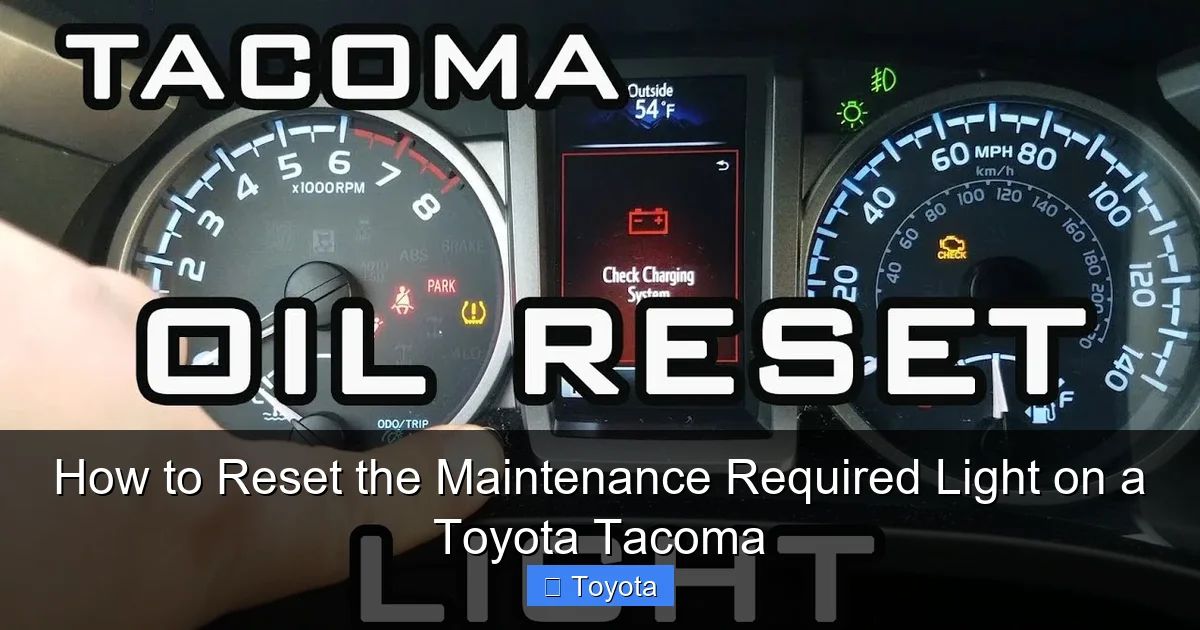
Visual guide about How to Reset the Maintenance Required Light on a Toyota Tacoma
Image source: i.ytimg.com
For 2005-2015 Model Year Tacomas (Second Generation)
If your Tacoma is from the mid-2000s to 2015, you have the classic, simple method. It uses the knob/button you use to set your trip meter and odometer. Here is the exact, step-by-step sequence:
- Turn the ignition OFF. Ensure the key is out of the cylinder or the engine is completely off if you have push-start (though these years mostly used keys).
- Press and hold the odometer/trip meter reset button. This is the small button on the instrument cluster, usually near the digital odometer display. You’ll need to hold it down continuously.
- While still holding the button, turn the ignition to the “ON” position. Do not start the engine. Just turn the key to the position where all your dashboard lights come on. You’ll see the odometer display active.
- Continue holding the button for about 5-10 seconds. You’ll notice the odometer display will change. It will cycle through different information, and eventually, you will see the maintenance required light start to blink. It might blink a few times or show a series of dashes.
- Release the button. Once the light has blinked and you see the odometer display return to normal, you can let go. The wrench icon should now be extinguished.
- Turn the ignition OFF and then back ON. This final step confirms the reset. Start the truck to ensure the light does not reappear.
Pro Tip: If it doesn’t work the first time, repeat the sequence. Make sure you’re holding the button down firmly before turning the key to “ON” and continue holding it until you see the light blink. Patience is key.
For 2016-2023 Model Year Tacomas (Third Generation & Beyond)
Your modern Tacoma uses a more complex but still manageable menu system on the multi-information display (MID) located in the speedometer cluster. You’ll use the buttons on your steering wheel to navigate. The exact button labels might say “DISP,” “MODE,” “SELECT,” or have icons like a sheet of paper and a pen. The process is uniform across this generation.
- Turn the ignition to the “ON” position. Press the start button without touching the brake pedal (if you have push-start) or turn the key to “ON.” All dash lights will illuminate.
- Use the steering wheel button to navigate to the “Settings” or “Vehicle Settings” menu. Typically, you’ll press the “DISP” or “MODE” button repeatedly until you see a menu on the central display. You might need to use the “UP/DOWN” arrow buttons (often the same as the volume knob) to scroll.
- Find the “Maintenance” or “Service” option. Scroll through the settings until you locate “Maintenance” or “Scheduled Maintenance.” Select it using the “ENTER” or “SELECT” button (often the center of the arrow cluster or the “DISP” button).
- Select “Maintenance Reset” or “Oil & Filter Reset.” Inside the maintenance menu, you should see an option to reset the maintenance required system. It might be phrased as “Reset Maintenance Data” or “Oil & Filter Reset.” Highlight it and select it.
- Confirm the reset. The system will likely ask you to confirm. It may show “Reset?” or “Yes/No.” Use the arrow buttons to select “Yes” or “Reset” and press enter. You should see a message like “Reset Completed” or “Maintenance Reset.” The wrench icon on your main dash should go out immediately.
- Turn the ignition OFF and restart the truck. To be absolutely certain, turn everything off, then start the engine. The light should remain off.
Important Note for Newer Models: Some 2020+ Tacomas with the latest multimedia systems may have the reset option accessible via the touchscreen under “Vehicle Settings.” If the steering wheel method is confusing, check your center console screen for a “Maintenance Reset” option. The underlying principle is the same: navigate to the maintenance data and clear it.
Post-Reset Verification and Troubleshooting
You’ve followed the steps. The wrench is gone. Success! But before you pop the champagne, do a quick verification. Start your Tacoma’s engine. Watch the dashboard for about 30 seconds. Does the maintenance required light stay off? Good. Now, turn the truck off and restart it one more time. This double-check ensures the reset was saved to the computer’s memory. If the light is gone, you’re all set. Reset the trip meter if you use it to track your next service interval (e.g., set it to 0 miles after an oil change).
However, what if the light comes back on immediately or within a day or two of a correct reset? This is a red flag. First, double-check that you performed the reset correctly for your specific model year. Re-read the steps above. If you’re confident the procedure was followed perfectly, the issue is likely one of two things:
- The maintenance was not fully completed: Did the mechanic forget to reset it? If you did it yourself, did you accidentally skip a step? Sometimes, if the oil level is low after a change, some systems might re-trigger the light. Check your oil level with the dipstick.
- An underlying fault exists: Rarely, a problem with the vehicle’s computer (ECU) or a glitch in the dashboard cluster can cause false illuminations. More commonly, if another, more serious warning light (like the check engine light) comes on at the same time, it points to an unrelated issue that needs diagnosis. In this case, the maintenance light might be a secondary symptom.
If the light persists after a verified correct reset and proper maintenance, it’s time to consult a professional. A mechanic can use a professional scan tool to not only reset the light but also check for any stored fault codes in the system that might be causing the premature reminder. They can also inspect the vehicle to ensure all service items were addressed correctly. Don’t just keep resetting it and ignoring the problem—that defeats the entire purpose of the reminder system.
When to Seek Professional Help: Beyond a Simple Reset
While resetting the light is a DIY task, there are scenarios where you should hand the keys to a certified technician. First, if the maintenance required light is accompanied by any other warning lights—especially the check engine light, oil pressure light, or temperature gauge in the red zone—do not reset anything. Drive the vehicle carefully (if it’s safe) to a shop immediately. These are signs of active, potentially severe problems.
Second, if you have attempted the reset procedure multiple times according to the instructions for your model year and the light refuses to go out, there may be an electrical fault or a software glitch that requires a professional diagnostic scan tool. Consumer-grade OBD2 scanners often cannot access the specific maintenance reminder module in Toyota’s system; a more advanced dealer-level tool is sometimes needed.
Third, if your Tacoma is exhibiting any unusual symptoms—rough running, strange noises, decreased fuel economy, or oil leaks—do not simply reset the light and hope for the best. The light is the least of your worries. Have a mechanic perform a full inspection to diagnose and fix the root cause. Remember, the reset is for *after* maintenance, not as a cure for mechanical ailments. Your Tacoma is a tough, reliable truck, but like all machines, it needs proper care. Using the maintenance reminder system correctly is a huge part of that care.
Conclusion: A Simple Step for a Happy Tacoma
Resetting the maintenance required light on your Toyota Tacoma is one of the most empowering basic maintenance tasks you can learn. It connects you to your vehicle and reinforces the habit of completing scheduled service. The process is intentionally simple—a 30-second sequence of button presses that gives you a clean dashboard and peace of mind. Just remember the cardinal rule: the reset is the final step, not the first. Always, always perform the actual maintenance work first. An oil change is not just a bill; it’s the lifeblood of your engine.
Now you know the difference between the old-school odometer button method for 2005-2015 models and the modern steering wheel menu system for 2016 and newer trucks. Bookmark this page or print it out for future reference. The next time that wrench icon appears, you’ll know exactly what to do. You’ll change the oil, clear the reminder, and get back on the road with a clear conscience and a clear dash. Your Tacoma will thank you with years of dependable service. For more specific guides on other Toyota models, such as how to reset the maintenance light on a Toyota RAV4 or a Toyota Highlander, the principles are similar but the menu paths can differ. Happy motoring!
Frequently Asked Questions
Can I reset the maintenance required light without changing the oil?
Technically yes, you can follow the steps to clear the light without performing the service. However, this is strongly discouraged. The light is a critical reminder that your engine needs fresh oil and filter. Resetting it without doing the work leaves your engine unprotected and can lead to accelerated wear or severe damage. Always complete the required maintenance first.
What should I do if the maintenance light comes back on after I reset it?
If the light returns within a few days or after a short drive, first verify you performed the reset correctly for your specific model year. Then, check your oil level to ensure it’s full. If it persists, it could indicate an unresolved issue with the service (e.g., a filter wasn’t changed) or a fault in the reminder system itself. Have a professional mechanic diagnose the problem.
How often will the maintenance required light come on?
It depends on your driving conditions and the oil type used. For many Tacomas using conventional oil, it’s set for a 5,000-mile interval. For models using synthetic oil, the interval is often extended to 10,000 miles. It can also be time-based (e.g., every 6 months). Your owner’s manual specifies the exact schedule for your vehicle.
Do I need any special tools or a scan tool to reset the light?
No. You do not need any special tools, scan tools, or OBD2 adapters. The reset is performed using only your vehicle’s factory-installed controls—the odometer button on older models or the steering wheel buttons and dashboard display on newer models. It’s designed to be a simple, owner-accessible procedure.
Is the maintenance required light the same as the check engine light?
No. They are completely different. The maintenance required light (wrench icon) is a simple mileage/time counter for scheduled service. The check engine light (usually an engine-shaped icon or “Check Engine” text) indicates an active fault in the engine, transmission, or emissions system diagnosed by the computer. The check engine light requires immediate attention to diagnose the trouble code.
Is it safe to drive my Tacoma with the maintenance required light on?
Yes, it is generally safe to drive for a short period to get the service done. The light is a reminder, not a warning of imminent danger. However, you should schedule and complete the recommended maintenance (especially an oil change) as soon as possible. Driving for thousands of miles past the interval with low or degraded oil can cause serious engine damage.
