

How to Reset the Maintenance Light on a 2013 Toyota Highlander

Contents
- 1 Key Takeaways
- 2 📑 Table of Contents
- 3 Understanding the Maintenance Light on Your 2013 Toyota Highlander
- 4 When Should You Reset the Maintenance Light?
- 5 Step-by-Step Guide to Resetting the Maintenance Light
- 6 Tips for a Successful Reset
- 7 Troubleshooting Common Issues
- 8 Maintaining Your Highlander Beyond the Light
- 9 Conclusion
- 10 Frequently Asked Questions

Dashboard Polish

Octane Booster

Tire Shine Spray

Brake Cleaner Spray
Resetting the maintenance light on your 2013 Toyota Highlander is quick and simple—no mechanic required. With just a few button presses and the ignition in the right position, you can clear the reminder and keep track of your next service interval. This guide walks you through the process safely and effectively.
Owning a 2013 Toyota Highlander means enjoying a reliable, spacious, and capable SUV that’s built to last. Whether you’re shuttling kids to school, heading out on a weekend camping trip, or commuting daily through city traffic, your Highlander has likely become an essential part of your routine. But like any vehicle, it needs regular maintenance to keep running at its best. One of the ways Toyota helps you stay on top of that is through the maintenance reminder light—a small but important indicator on your dashboard that flashes when it’s time for service.
While this light is helpful, it can also be a bit annoying once you’ve already completed the required maintenance. You don’t want to keep seeing that little wrench or “MAINT REQD” message every time you start your car—especially when you know you’ve just changed the oil or rotated the tires. The good news? Resetting the maintenance light on your 2013 Toyota Highlander is easier than you might think. You don’t need special tools, a trip to the dealership, or even a mechanic. With just a few simple steps, you can clear the reminder and get back to driving with peace of mind.
In this guide, we’ll walk you through the entire process step by step. We’ll explain why the light comes on, how to interpret it, and—most importantly—how to reset it safely and correctly. Whether you’re a seasoned DIYer or someone who’s never popped open a car manual, this guide is written in plain, easy-to-follow language. By the end, you’ll not only know how to reset the maintenance light, but you’ll also understand how to use this feature to better manage your vehicle’s upkeep.
Key Takeaways
- Turn the ignition to “ON” without starting the engine: This activates the vehicle’s electrical systems so you can access the maintenance reset menu.
- Use the trip meter button to navigate: Press and hold the button near the speedometer to cycle through display options until you reach the maintenance reset screen.
- Press and hold the trip button for 10–15 seconds: This triggers the reset sequence and clears the maintenance light from the dashboard.
- Verify the light is off after restarting: Turn the engine on and off once to confirm the maintenance indicator no longer appears.
- Only reset after completing scheduled maintenance: Never clear the light before performing oil changes or inspections—this ensures accurate tracking.
- Consult your owner’s manual if unsure: Toyota provides model-specific instructions that may vary slightly by trim or region.
- Use a professional scan tool for persistent issues: If the light returns immediately, there may be an underlying mechanical problem requiring diagnosis.
📑 Table of Contents
Understanding the Maintenance Light on Your 2013 Toyota Highlander
Before we dive into the reset procedure, it’s important to understand what the maintenance light actually means. On the 2013 Toyota Highlander, the maintenance reminder system is designed to alert you when routine service is due—typically every 5,000 to 10,000 miles, depending on your driving habits and the type of oil used. This isn’t a warning light like the check engine light, which signals a potential mechanical issue. Instead, it’s a proactive reminder to help you maintain your vehicle’s performance, efficiency, and longevity.
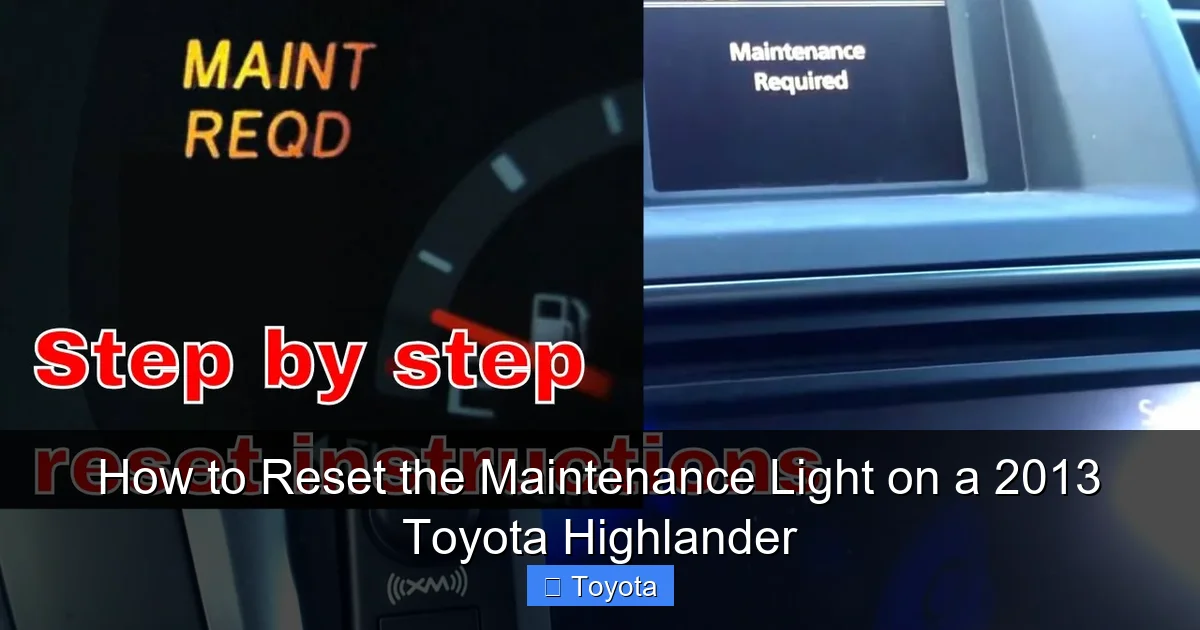
The light usually appears as a small wrench icon or the words “MAINT REQD” on your instrument cluster. It may flash briefly when you start the car, then stay illuminated until you reset it. Some drivers confuse this with an oil change light, but they’re not exactly the same. The maintenance light is part of Toyota’s Intelligent Maintenance (i-Maintenance) system, which tracks mileage and driving conditions to estimate when service is needed. It’s a smart feature—but only if you reset it after each service.
Why Does the Light Come On?
The maintenance light activates based on a pre-set mileage interval. For most 2013 Highlanders, this is every 5,000 miles if you’re using conventional oil, or up to 10,000 miles with synthetic oil. However, the system doesn’t actually monitor oil quality or engine wear—it simply counts miles. That’s why it’s crucial to follow your owner’s manual’s recommendations and not rely solely on the light. For example, if you frequently drive in severe conditions—like stop-and-go traffic, extreme temperatures, or dusty environments—you may need to service your vehicle more often than the light suggests.
What Happens If You Ignore It?
Ignoring the maintenance light won’t cause immediate damage, but it can lead to bigger problems down the road. Skipping oil changes, for instance, can result in sludge buildup, reduced engine efficiency, and even premature engine wear. The same goes for neglecting tire rotations, brake inspections, or fluid top-offs. The light is there to help you avoid these issues—so treat it as a friendly nudge, not a nuisance.
Can You Drive with the Light On?
Yes, you can safely drive your Highlander with the maintenance light on—as long as you’ve already completed the required service. The light is just a reminder, not a warning of immediate danger. However, if you haven’t serviced your vehicle and the light is on, it’s best to schedule maintenance soon. Continuing to drive without proper upkeep can shorten the life of your engine and other components.
When Should You Reset the Maintenance Light?

Visual guide about How to Reset the Maintenance Light on a 2013 Toyota Highlander
Image source: motortrend.com
Timing is everything when it comes to resetting the maintenance light. You should only reset it after you’ve completed the recommended service for that interval. This ensures that the next reminder will appear at the correct mileage, helping you stay on schedule.
For example, if your mechanic just changed your oil and rotated your tires at 45,000 miles, that’s the perfect time to reset the light. Once reset, it won’t come back on until you reach approximately 50,000 miles (or whatever your next interval is). This creates a clear, reliable cycle that keeps your Highlander in top condition.
Common Service Intervals for the 2013 Highlander
Here’s a quick breakdown of typical maintenance tasks and when they’re due:
- Every 5,000 miles: Oil and filter change (conventional oil), tire rotation, brake inspection, fluid level check.
- Every 10,000 miles: Oil and filter change (synthetic oil), cabin air filter replacement, engine air filter check.
- Every 15,000 miles: Brake fluid inspection, power steering fluid check.
- Every 30,000 miles: Transmission fluid change, fuel filter replacement (if applicable).
- Every 60,000 miles: Spark plug replacement, coolant flush, major brake inspection.
These intervals can vary based on your driving conditions, so always refer to your owner’s manual for the most accurate schedule.
Don’t Reset Too Early
One common mistake is resetting the light before completing service. This can throw off your maintenance schedule and cause you to miss important checks. For instance, if you reset the light at 44,000 miles but don’t change the oil until 46,000 miles, the next reminder might not appear until 54,000 miles—leaving you two thousand miles overdue. Always complete the service first, then reset.
Step-by-Step Guide to Resetting the Maintenance Light
Visual guide about How to Reset the Maintenance Light on a 2013 Toyota Highlander
Image source: i.ytimg.com
Now for the main event: how to reset the maintenance light on your 2013 Toyota Highlander. The process is straightforward and takes less than two minutes. You’ll only need your key and your hands—no tools or technical skills required.
Step 1: Turn the Ignition to “ON”
Start by sitting in the driver’s seat and inserting your key into the ignition. Turn it to the “ON” position—this is the second click, where all the dashboard lights illuminate, but the engine does not start. You should see the speedometer, fuel gauge, and warning lights light up. Do not start the engine yet. This step activates the vehicle’s electrical systems so you can access the maintenance menu.
Step 2: Locate the Trip Meter Button
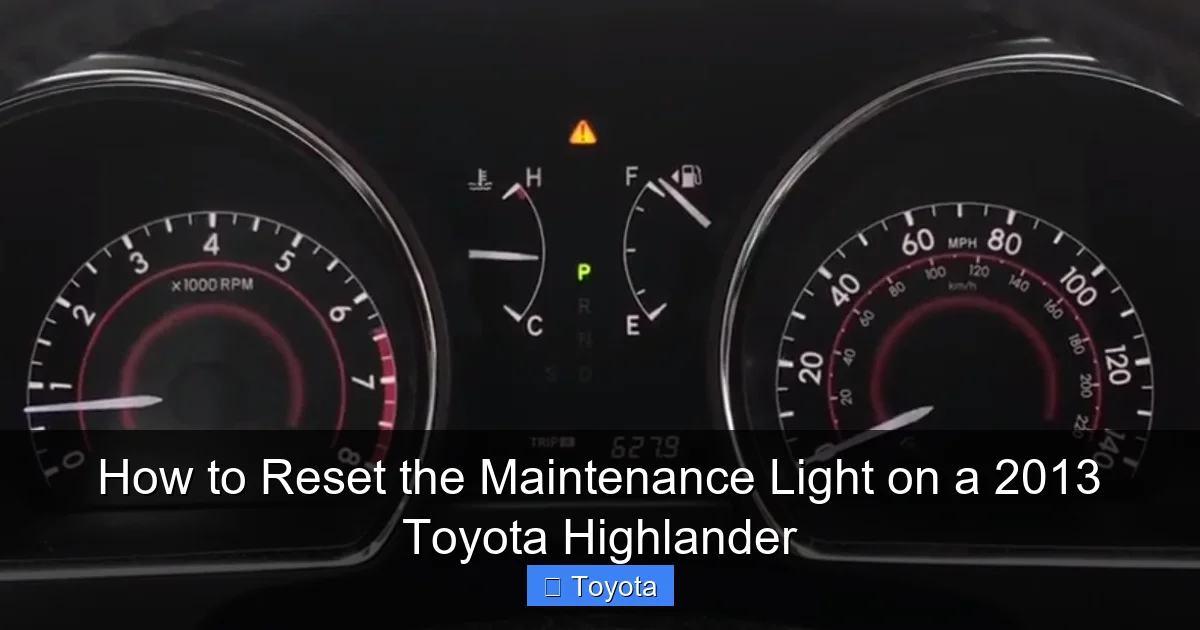
Look at your instrument cluster, just below the speedometer. You’ll see a small button labeled “TRIP” or “ODO/TRIP.” This button is used to switch between trip odometer readings (Trip A and Trip B) and the main odometer. It’s also the key to accessing the maintenance reset function.
Step 3: Press and Hold the Trip Button
With the ignition still in the “ON” position, press and hold the trip meter button. Keep holding it. After a few seconds, the odometer display will change. You’ll see it cycle through different modes—like Trip A, Trip B, and total mileage. Continue holding the button until the display shows “MAINT REQD” or a similar maintenance message.
Step 4: Wait for the Reset Prompt
Once the “MAINT REQD” message appears, keep holding the trip button. After about 10 to 15 seconds, the message will begin to flash. This is your cue that the reset process has started. Continue holding the button until the message disappears completely and the odometer returns to showing the total mileage.
Step 5: Turn Off the Ignition
Release the trip button and turn the ignition back to the “OFF” position. Remove the key. The maintenance light should now be reset.
Step 6: Verify the Reset
To confirm the reset was successful, turn the ignition back to “ON” (without starting the engine) and check the dashboard. The maintenance light should no longer be illuminated. If it’s still on, repeat the process, making sure you hold the button long enough during the flashing phase.
Alternative Method (If the First Doesn’t Work)
Some 2013 Highlander models may require a slightly different approach. If the above steps don’t work, try this:
- Turn the ignition to “ON.”
- Press the trip button to cycle to Trip A.
- Turn the ignition to “OFF.”
- Press and hold the trip button.
- Turn the ignition back to “ON” while still holding the button.
- Continue holding until the “MAINT REQD” message flashes and disappears.
This method combines button presses with ignition cycling and works for some trim levels or regional variants.
Tips for a Successful Reset
Visual guide about How to Reset the Maintenance Light on a 2013 Toyota Highlander
Image source: images.squarespace-cdn.com
Even though the process is simple, a few small mistakes can prevent the reset from working. Here are some practical tips to ensure success:
Make Sure the Ignition Is in the Right Position
The most common error is starting the engine too soon. Remember: you need the ignition in “ON” mode, not “START.” If the engine is running, the system won’t allow you to access the reset function.
Hold the Button Long Enough
Timing is critical. If you release the trip button too early, the reset won’t complete. Count to 15 slowly while holding the button during the flashing phase. Patience pays off.
Check Your Owner’s Manual
Toyota occasionally updates procedures for different models or regions. If you’re unsure, your owner’s manual will have the exact steps for your specific Highlander. It’s always a good idea to keep it in the glove compartment for quick reference.
Use the Correct Trip Mode
Some vehicles require you to be in Trip A or Trip B mode before starting the reset. If the light doesn’t respond, try switching between trip modes before beginning the process.
Don’t Rush
Take your time. Rushing can lead to missed steps or incorrect button presses. Treat this like a mini ritual—calm, focused, and deliberate.
Troubleshooting Common Issues
Sometimes, despite your best efforts, the maintenance light won’t reset. Don’t panic—there are usually simple explanations and fixes.
The Light Won’t Turn Off After Reset
If the light remains on after following the steps correctly, it could mean one of two things:
- You didn’t complete the reset properly: Try the process again, paying close attention to timing and button pressure.
- There’s an actual maintenance issue: In rare cases, the light may indicate a real problem, such as low oil pressure or a faulty sensor. If the light comes back on immediately after reset, have your vehicle inspected by a professional.
The Display Doesn’t Show “MAINT REQD”
If you can’t get the maintenance message to appear, make sure you’re holding the trip button long enough. It may take up to 30 seconds of continuous pressing to cycle through all display modes. Also, ensure the ignition is fully in the “ON” position.
The Button Feels Stiff or Unresponsive
Over time, the trip button can accumulate dust or wear out. Gently clean around the button with a soft cloth. If it’s physically damaged, you may need to have it repaired—but this is rare.
Using a Scan Tool as a Last Resort
If manual reset methods fail repeatedly, you can use an OBD2 scan tool with maintenance reset capabilities. These tools plug into your vehicle’s diagnostic port (usually under the dashboard) and allow you to clear codes and reset reminders electronically. While not necessary for most owners, they’re handy for persistent issues.
Maintaining Your Highlander Beyond the Light
Resetting the maintenance light is just one part of vehicle care. To keep your 2013 Toyota Highlander running smoothly for years to come, adopt a proactive maintenance mindset.
Keep a Service Log
Use a notebook, app, or digital spreadsheet to record every service you perform. Include the date, mileage, and work done. This helps you track intervals and provides valuable documentation if you ever sell the vehicle.
Follow the Severe Driving Schedule
If you frequently drive in harsh conditions—like extreme heat, cold, or dusty roads—follow the “severe” maintenance schedule in your owner’s manual. This often means more frequent oil changes and inspections.
Listen to Your Vehicle
Pay attention to unusual noises, vibrations, or changes in performance. These can be early signs of issues that the maintenance light won’t catch. Address them promptly to avoid costly repairs.
Use Quality Parts and Fluids
Stick to Toyota-recommended oils, filters, and fluids. Using subpar products can shorten service intervals and reduce engine life.
Schedule Regular Inspections
Even if the light hasn’t come on, have your Highlander inspected annually by a trusted mechanic. They can spot potential problems before they become serious.
Conclusion
Resetting the maintenance light on your 2013 Toyota Highlander is a simple yet important task that helps you stay on top of your vehicle’s health. With just a few button presses and the ignition in the right position, you can clear the reminder and ensure your next service interval is accurately tracked.
Remember: only reset the light after completing the required maintenance. This keeps your schedule reliable and your Highlander running at its best. Whether you’re a DIY enthusiast or prefer to leave repairs to the pros, knowing how to reset this light empowers you to take control of your vehicle’s upkeep.
By following the steps in this guide, you’ll save time, avoid unnecessary service trips, and enjoy the peace of mind that comes with a well-maintained SUV. Your 2013 Toyota Highlander has served you well—now it’s your turn to give it the care it deserves.
Frequently Asked Questions
Can I reset the maintenance light without going to a mechanic?
Yes, you can easily reset the maintenance light yourself using the trip meter button and ignition. No special tools or professional help is needed.
Will resetting the light affect my warranty?
No, resetting the maintenance light does not affect your warranty. It’s a standard procedure recommended by Toyota for tracking service intervals.
What if the light comes back on right after I reset it?
If the light returns immediately, there may be an underlying issue such as low oil level or a sensor problem. Have your vehicle inspected by a qualified technician.
Can I reset the light before changing the oil?
It’s not recommended. Always complete the required maintenance first, then reset the light to ensure accurate tracking for future services.
Does the reset procedure work on all 2013 Highlander trims?
Yes, the basic reset method works on most 2013 Highlander models, including LE, XLE, and Limited trims. Minor variations may exist, so check your owner’s manual if needed.
How often should I service my 2013 Highlander?
Typically every 5,000 to 10,000 miles, depending on oil type and driving conditions. Refer to your owner’s manual for the exact schedule tailored to your vehicle.







