
How to Reset the Jeep Compass Screen

Frozen or glitchy screen? Start with a soft reset (button hold or fuse pull). If that fails, a hard reset via settings clears software bugs but erases data. Always check your owner’s manual for model-specific steps, and don’t hesitate to consult a pro if issues persist.
Let’s be honest—there’s almost nothing more frustrating in your modern Jeep Compass than a touchscreen that decides to freeze, lag, or go completely black. That beautiful Uconnect infotainment system, which is your command center for navigation, music, and vehicle settings, suddenly becomes a useless slab of glass. Before you panic and head to the dealer, take a deep breath. In most cases, you can fix this yourself with a simple reset. Think of it like rebooting your smartphone when it acts up. This guide will walk you through every method, from the gentlest soft reset to the more drastic factory reset, tailored specifically for your Jeep Compass.
We’ll break it down step-by-step, explain why each method works, and highlight the crucial differences between model years. Whether you have a 2017 Compass with the base Uconnect 4 system or a 2023 model with the latest Uconnect 5 with wireless Apple CarPlay and Android Auto, we’ve got you covered. By the end, you’ll be equipped with the knowledge to diagnose and resolve most screen issues, saving you time and money. So, let’s get that screen back to life.
Key Takeaways
- Start Simple: Always attempt a soft reset first, as it’s safe, quick, and preserves all your personalized settings and data.
- Know Your Model: Reset procedures can vary significantly between different Jeep Compass model years and infotainment systems (Uconnect 4, 5, etc.).
- Hard Reset Has Consequences: A factory hard reset will erase all saved presets, paired Bluetooth devices, navigation history, and account logins.
- Safety First: Perform resets only when the vehicle is parked in a safe location with the ignition in the correct position (usually ON/RUN, not ACC).
- Backup Your Data: If possible, note down important radio presets, Bluetooth pairings, or navigation favorites before performing a hard reset.
- Persistent Problems Need a Pro: If the screen remains unresponsive after both reset types, the issue may be hardware-related (faulty screen, loose wiring) requiring a dealer or specialist.
- Prevention is Key: Regular software updates and avoiding downloading untrusted apps can prevent many common infotainment glitches.
📑 Table of Contents
- Understanding Your Jeep Compass Infotainment System
- Preparing for a Reset: Safety & Backups
- Method 1: The Soft Reset (Your First Line of Defense)
- Method 2: The Hard Reset (Factory Reset)
- Model-Year Specific Considerations & Troubleshooting
- When to Seek Professional Help & Warranty Considerations
- Preventive Maintenance for a Healthy Infotainment System
- Conclusion: You’ve Got This!
Understanding Your Jeep Compass Infotainment System
Before we start pressing buttons, it helps to understand what we’re dealing with. Your Jeep Compass’s screen is part of the Uconnect infotainment system. This system controls audio, navigation (if equipped), smartphone integration, climate settings (on some models), and vehicle information displays. Like any complex computer system, it can occasionally experience software hiccups—temporary bugs or memory leaks that cause it to slow down or freeze. These are usually resolved by a restart. More persistent issues might require a deeper reset.
The Brain: Uconnect Generations
The exact reset method often depends on which generation of Uconnect your Compass has. Here’s a quick guide:
- Uconnect 4 (2017-2021 Models): Typically features a 7-inch or 8.4-inch touchscreen. It has physical buttons (Home, Radio, Climate) on the bezel below the screen. Reset procedures often involve holding a physical button or accessing a hidden menu.
- Uconnect 5 (2022-2023+ Models): Features a larger, more responsive 10.1-inch touchscreen with a sleek, mostly button-free design. Resets are usually performed through the vehicle settings menu on the screen itself, though a physical button combination may still work.
You can find your system type in the owner’s manual or by looking at the startup logo on your screen. Knowing this is the first step to the correct reset process.
Common Symptoms Needing a Reset
You don’t need to wait for a total blackout. These signs all indicate a software reset may help:
- Touch input is laggy or unresponsive in certain areas.
- Apps like SiriusXM or Navigation freeze or crash repeatedly.
- The screen takes an abnormally long time to boot up when you start the car.
- Bluetooth connectivity drops constantly, or no devices can be paired.
- Settings you changed (like clock time or audio presets) randomly revert.
If your screen is physically cracked or the backlight is dead, a reset won’t help—that’s a hardware failure. But for software glitches, a reset is your best first defense.
Preparing for a Reset: Safety & Backups
Before you dive in, a few quick prep steps will ensure a smooth process and prevent any minor headaches.

Visual guide about How to Reset the Jeep Compass Screen
Image source: jeepfixes.com
Park and Prepare Your Vehicle
Safety is paramount. Park your Compass in a safe, stationary location. Apply the parking brake. You’ll need the ignition in the ON/RUN position (the position where all dashboard lights come on, but the engine isn’t necessarily started). This powers the infotainment system. Do not attempt these steps with the key in the ACC (Accessory) position, as the system may not have enough power, and do not perform them while driving.
Know What You’ll Lose (Hard Reset Only)
It’s critical to understand the difference between a soft reset and a hard (factory) reset:
- Soft Reset: This is a simple restart. It clears temporary memory (RAM) but does not delete your saved data. Your radio presets, paired phones, navigation destinations, and account logins will remain intact. This is the first thing you should always try.
- Hard Reset (Factory Reset): This restores the system to its original factory state. It will erase all personalized settings. You will lose:
- All saved AM/FM radio presets and satellite radio favorites.
- All paired Bluetooth devices (phones, audio players).
- Navigation system history, saved addresses, and map data (if downloaded).
- Uconnect account logins (SiriusXM Travel Link, connected services).
- Any downloaded apps or custom settings.
If you rely on your presets or have many paired devices, write them down or take a photo of the settings screen before doing a hard reset. For a soft reset, no backup is needed.
Method 1: The Soft Reset (Your First Line of Defense)
A soft reset is the equivalent of turning your phone off and back on. It’s safe, fast, and should be your go-to first step. There are two primary ways to do this on a Jeep Compass, depending on your model year and system.

Visual guide about How to Reset the Jeep Compass Screen
Image source: jeepfixes.com
The Classic Button Hold Method (Most Uconnect 4 Systems)
This method uses a physical button on the infotainment system’s faceplate. It’s the most common technique for 2017-2021 models.
- Ensure your vehicle is in the ON/RUN position.
- Locate the PHONE/VOICE COMMAND button on the lower bezel of your touchscreen. On many models, this button also has a microphone icon.
- Press and hold this button continuously for about 10-15 seconds. You should see the screen go black, and the Jeep/Stellantis logo will reappear as it reboots.
- Release the button and wait for the system to fully restart. This may take 1-2 minutes. Do not touch the screen during this process.
Tip: If the PHONE button doesn’t work, some models use the RADIO button or a combination of PHONE + RADIO buttons held simultaneously. Consult your owner’s manual for the exact button for your specific year and trim. The process is similar for resetting the radio in a Dodge Durango, which shares the same Uconnect platform, so the principles are consistent across Stellantis brands.
The Fuse Pull Method (The Universal Soft Reset)
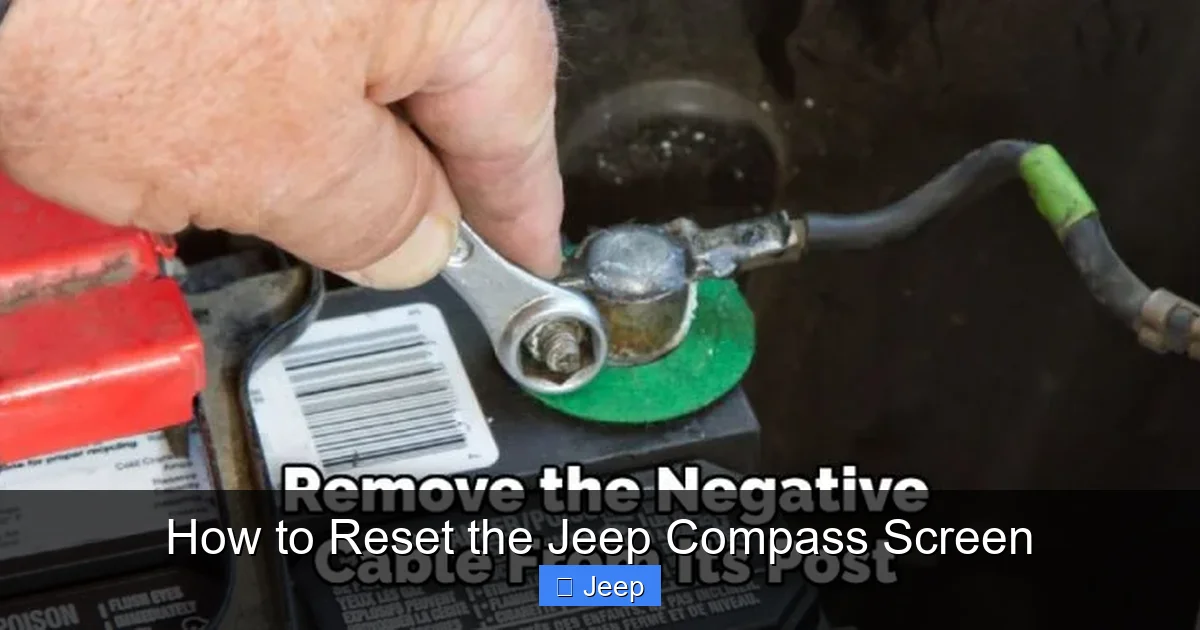
If your screen is completely black and unresponsive to button holds (or you don’t have the right physical buttons), pulling the infotainment system’s fuse is a guaranteed way to cut power and force a soft restart. This method works on virtually any vehicle with a fuse box.
- Locate your vehicle’s fuse box. In the Compass, it’s typically under the hood, near the battery. You’ll find a diagram on the fuse box cover indicating which fuse controls the INFOTAINMENT SYSTEM, RADIO, or Uconnect. The manual will have this diagram too.
- Using a fuse puller (usually provided in the fuse box) or needle-nose pliers, carefully pull out the identified fuse.
- Wait 60 full seconds. This ensures all residual power is drained from the system’s capacitors.
- Reinsert the fuse firmly into its slot, ensuring it’s seated properly.
- Return to your vehicle and start it. The infotainment system should now boot up from a complete power-off state.
Important: This is still a soft reset. Your settings will be preserved. This method is also useful if the system is drawing too much power and causing battery drain issues.
Method 2: The Hard Reset (Factory Reset)
When a soft reset doesn’t solve the problem—for example, if you have constant crashes, corrupted map data, or you’re planning to sell the vehicle—a factory reset is the next step. This is done through the on-screen menus. The path varies slightly by Uconnect generation.
Visual guide about How to Reset the Jeep Compass Screen
Image source: jeepfixes.com
Factory Reset on Uconnect 4 (2017-2021)
- With the vehicle in ON/RUN, go to the Settings icon on your home screen (it looks like a gear or wrench).
- Select System.
- Look for an option called Reset to Factory Defaults or Clear All Private Data.
- The system will prompt you with warnings about data loss. Confirm your choice.
- The screen will go black and begin the reset process, which can take several minutes. The vehicle may need to be restarted afterward.
Note: On some earlier Uconnect 4 systems, the factory reset might be hidden in a service menu accessed by holding the PHONE button for 30+ seconds. If you don’t see the option in Settings, your manual is your best friend.
Factory Reset on Uconnect 5 (2022-2023+)
The newer interface is more streamlined:
- From the home screen, tap the Apps icon (usually a grid of dots).
- Find and open the Settings app.
- Scroll to and select System.
- Tap Reset.
- You’ll see options like Reset Radio Settings (presets only) or Reset All Settings (full factory reset). Choose the appropriate one.
- Confirm. The system will reboot and restore defaults.
On these newer systems, you may need to be logged into your Uconnect account to perform a full reset, as it’s tied to your connected services profile.
Model-Year Specific Considerations & Troubleshooting
While the above methods cover most Compass models, there are nuances. The 2022+ model year redesign brought significant changes to both hardware and software.
2017-2021 Compass: The Physical Button Era
For these models, the button-hold method (PHONE button) is king. If that fails, the fuse pull is your ultimate backup. A common trick for a frozen screen that still has backlight is to simultaneously hold the PHONE and RADIO buttons for 20 seconds. Also, be aware that some base models have a smaller, non-touchscreen radio (not the full Uconnect color touchscreen). The reset process for that basic radio is different and usually involves a specific button sequence, which is detailed in the manual.
2022-2023+ Compass: The Touchscreen-Only Era
With minimal physical buttons, your options are more limited. The primary method is the on-screen factory reset via Settings > System. If the screen is so frozen you can’t navigate menus, your only recourse is the fuse pull method. There is no dedicated physical reset button on these models. If the fuse pull doesn’t bring it back, the problem is likely hardware (screen failure, loose internal connector) and needs professional diagnosis. This is a key difference from resetting a radio in a Dodge Durango, which may still have more physical controls.
What If Nothing Works?
If you’ve tried both a soft reset (button hold & fuse pull) and a factory reset (through menus when possible), and the screen is still dead, unresponsive, or displaying bizarre graphics, the issue is almost certainly hardware-related. Potential culprits include:
- A failed touchscreen digitizer or display panel.
- A loose or damaged wiring harness behind the screen.
- A faulty infotainment control module itself.
At this point, it’s time to schedule a diagnosis with a Jeep dealer or a reputable auto electronics specialist. They can run deeper diagnostics and replace the faulty component.
When to Seek Professional Help & Warranty Considerations
Knowing when to stop DIY and call for help is a sign of a smart vehicle owner.
Signs It’s Beyond a Simple Reset
Seek professional help immediately if:
- The screen is physically cracked or has visible damage.
- The screen lights up but shows only static, lines, or a completely white/black display.
- A fuse immediately blows again after replacement (indicating a short circuit).
- The system resets but the problem returns within minutes or hours.
- You smell burning plastic or electronics from the dashboard area.
Check Your Warranty First
The infotainment system is a critical component. If your Compass is still under the original 5-year/60,000-mile (or similar) basic warranty, or the 3-year/36,000-mile (or similar) power-train warranty that may cover electronics, get it fixed at the dealer. A DIY hard reset, while generally safe, could potentially be used by a dealer to deny a warranty claim if they suspect user-induced software corruption (though this is rare for simple resets). If under warranty, report the issue and let the dealer handle it. For out-of-warranty vehicles, a reputable independent shop can often repair or replace the unit for less than the dealer.
Preventive Maintenance for a Healthy Infotainment System
An ounce of prevention is worth a pound of cure. Keep your Uconnect system running smoothly with these habits.
Keep Software Updated
Fiat Chrysler Automobiles (FCA), now Stellantis, periodically releases software updates for Uconnect. These updates fix bugs, improve performance, and add features. You can check for updates in Settings > System > Software Update. You can also have them installed at the dealer during routine maintenance. An outdated system is more prone to glitches. This is similar to keeping your phone’s OS updated.
Be Mindful of What You Install
If your Uconnect system allows installing third-party apps (more common on Uconnect 5), only download apps from the official Uconnect App Store or trusted sources. Unofficial apps can introduce malware or instability.
Physical Care & Cleanliness
Use a soft, microfiber cloth to clean the screen. Avoid harsh chemicals. Ensure the USB ports (if you use them for charging or Android Auto) are clean of lint and debris, as dirty ports can cause connection issues that seem like system-wide problems. A can of compressed air is great for this.
Avoid Extreme Temperatures
Extreme cold or heat can temporarily affect screen performance and battery life. If your car has been sitting in extreme cold, the screen may be sluggish until it warms up. This is normal and not a reset issue.
Conclusion: You’ve Got This!
A frozen Jeep Compass screen is a common, usually minor nuisance. Armed with this guide, you can systematically troubleshoot it. Always start with the simplest soft reset—the button hold or fuse pull. It’s safe and preserves your settings. If that fails, proceed to a factory hard reset via the settings menu, but only after understanding it will erase your personalized data. Know your model year to choose the correct method, as 2022+ models have a different interface. Finally, recognize the signs of a deeper hardware problem and don’t hesitate to seek professional help, especially if your vehicle is still under warranty.
Your Jeep’s infotainment system is a powerful tool for an enjoyable drive. With a little know-how, you can keep it responsive and reliable for years to come. Now, go enjoy your Compass—with a fully functional screen!
Frequently Asked Questions
Will a soft reset delete my saved radio stations or paired phones?
No. A soft reset (button hold or fuse pull) only restarts the system’s software and clears temporary memory. All your saved presets, Bluetooth pairings, and settings will remain exactly as they were.
My screen is completely black. Is a reset the first thing to try?
Yes, but start with the fuse pull method since a black screen won’t respond to button holds. Pull the infotainment fuse for 60 seconds, then reinstall it. If the screen remains dead after a fuse pull, the problem is likely hardware (screen or wiring) and needs professional diagnosis.
How often is it safe to perform a factory hard reset?
As often as needed, but it’s not a routine maintenance task. Only perform a factory reset when troubleshooting persistent software glitches that a soft reset didn’t fix, or when preparing the vehicle for sale. Frequent resets may indicate a deeper software bug that should be addressed with an official update from the dealer.
I have a 2023 Compass with Uconnect 5. There are no physical buttons. How do I reset it?
For a soft reset on a 2023 model, you must use the fuse pull method since there are no dedicated reset buttons. For a hard reset, go to Apps > Settings > System > Reset. If the screen is frozen and you can’t access menus, the fuse pull is your only DIY option.
What’s the difference between resetting my Jeep Compass screen and resetting a radio in a Dodge Durango?
The underlying Uconnect system is very similar across Jeep, Dodge, and Ram vehicles. The principles of a soft reset (button hold/fuse pull) and a hard reset (factory settings menu) are identical. The specific button labels or menu paths might differ slightly, but the troubleshooting logic is the same. You can apply the same methods.
My screen froze after I installed a new app from an unofficial website. What should I do?
First, try a soft reset immediately. If the system is unstable, perform a factory hard reset through the settings menu to remove the potentially problematic app and restore the system to a clean state. In the future, only install apps from the official Uconnect store to avoid malware or instability.
