

How to Reset the Awd Light on Nissan Rogue

Contents
- 1 Key Takeaways
- 2 📑 Table of Contents
- 3 Understanding the AWD Light on Your Nissan Rogue
- 4 Common Causes of the AWD Light on Nissan Rogue
- 5 How to Reset the AWD Light on Nissan Rogue (Manual Method)
- 6 Using an OBD2 Scanner to Reset the AWD Light
- 7 When to See a Mechanic
- 8 Preventing Future AWD Light Issues
- 9 Conclusion
- 10 Frequently Asked Questions



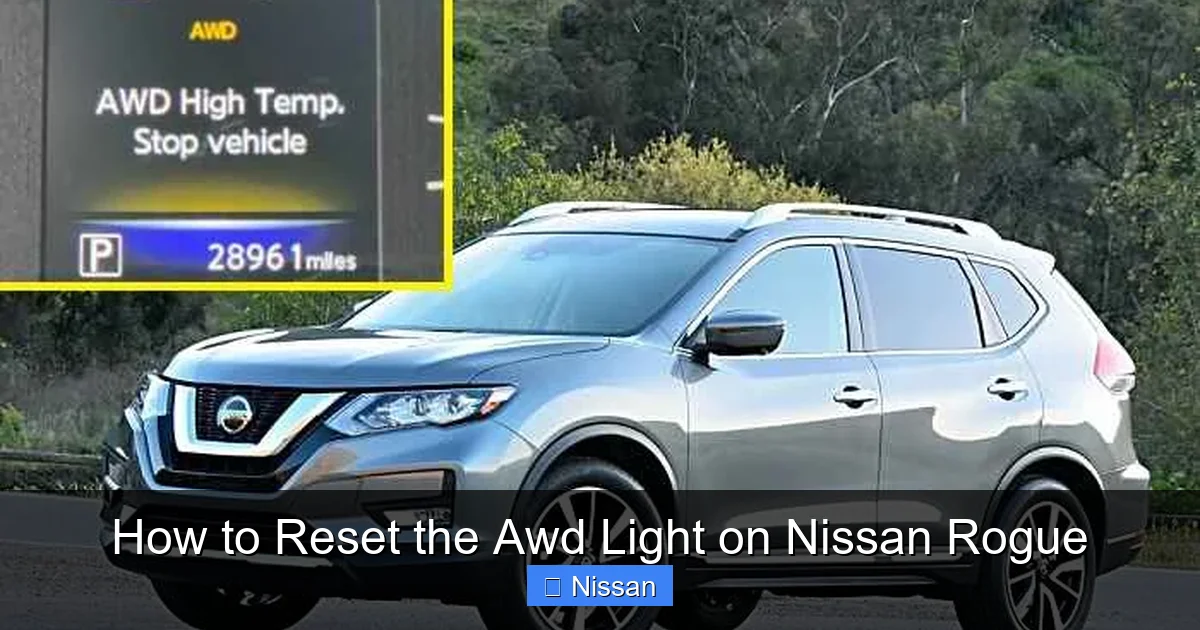
Is your Nissan Rogue’s AWD light stuck on? Don’t panic—this common issue can often be resolved with a few simple steps. Whether it’s a temporary glitch or a sensor hiccup, resetting the AWD light is easier than you think and can save you a trip to the dealership.
Key Takeaways
- Understand the AWD Light: The AWD warning light indicates a potential issue with your Nissan Rogue’s all-wheel drive system, but it doesn’t always mean serious damage.
- Common Causes: Low tire pressure, faulty wheel speed sensors, or a weak battery can trigger the AWD light—even if the system is functioning normally.
- Manual Reset Method: For many Rogue models, turning the ignition on and off in a specific sequence can reset the AWD light without tools.
- Use an OBD2 Scanner: A diagnostic tool can clear error codes and reset the light if the manual method doesn’t work.
- Check Tire Pressure and Tread: Uneven tire wear or pressure differences can confuse the AWD system—always inspect tires first.
- When to See a Mechanic: If the light returns repeatedly or you notice performance issues, professional diagnosis is recommended.
- Prevent Future Issues: Regular maintenance, battery checks, and tire rotations help keep the AWD system healthy.
📑 Table of Contents
Understanding the AWD Light on Your Nissan Rogue
If you’ve ever been driving your Nissan Rogue and noticed a yellow or orange light on the dashboard with an icon that looks like a car with all four wheels highlighted, you’ve seen the AWD warning light. This light is part of your vehicle’s all-wheel drive system monitoring—and while it can be alarming the first time it appears, it’s not always a sign of a major problem.
The AWD (All-Wheel Drive) system in the Nissan Rogue is designed to automatically send power to the wheels that have the most traction, especially in slippery conditions like rain, snow, or gravel. It’s a smart system that works behind the scenes, but like any electronic system, it can occasionally throw a false alarm. The AWD light may illuminate for a variety of reasons—some minor, some more serious. But in many cases, it’s simply a glitch that can be cleared with a quick reset.
It’s important to note that the AWD light is different from the check engine light. While the check engine light relates to the engine and emissions systems, the AWD light specifically monitors the all-wheel drive components. That includes wheel speed sensors, the transfer case, and the control module. When the system detects an inconsistency—like one wheel spinning faster than the others when it shouldn’t—it triggers the warning light to alert you.
But here’s the good news: in most cases, the AWD light doesn’t mean your Rogue is about to break down. It could be something as simple as low tire pressure, a weak battery, or even a temporary loss of signal from one of the wheel sensors. That’s why knowing how to reset the AWD light on your Nissan Rogue is such a valuable skill—it can save you time, money, and unnecessary stress.
What Does the AWD Light Mean?
When the AWD light comes on, your vehicle’s onboard computer has detected a potential issue with the all-wheel drive system. This doesn’t necessarily mean the system has failed—just that it’s not operating as expected. The light may appear as a steady glow or flash intermittently, depending on the severity of the issue.
A steady AWD light usually indicates a minor fault, such as a temporary loss of signal from a wheel speed sensor. This can happen if you’ve recently driven through deep snow, mud, or water, which may have temporarily obscured a sensor. In these cases, the light may go off on its own after a few drives as the system recalibrates.
A flashing AWD light, on the other hand, suggests a more serious problem. This could mean there’s an electrical fault, a malfunctioning sensor, or an issue with the transfer case. If the light is flashing, it’s best to have your vehicle inspected by a professional as soon as possible.
Why the AWD Light Might Come On
There are several common reasons why the AWD light might illuminate on your Nissan Rogue. Understanding these causes can help you determine whether a simple reset will fix the issue or if further diagnosis is needed.
One of the most frequent culprits is uneven tire pressure. The AWD system relies on all four wheels rotating at similar speeds. If one tire is significantly underinflated, it will spin faster than the others, tricking the system into thinking there’s a problem. This is especially common in colder weather when tire pressure drops naturally.
Another common cause is worn or mismatched tires. If your tires have different tread depths—even slightly—it can affect how they rotate. The AWD system may interpret this as a fault and trigger the warning light. This is why tire rotation and regular maintenance are so important.
A weak or dying battery can also cause the AWD light to come on. The all-wheel drive system relies on electrical signals from various sensors and modules. If the battery voltage is low, these signals can become unstable, leading to false warnings. This is particularly common in older vehicles or during extreme temperatures.
Faulty wheel speed sensors are another possibility. These sensors monitor how fast each wheel is spinning and send that data to the AWD control module. If one sensor fails or becomes dirty, it can send incorrect information, causing the light to illuminate.
Lastly, software glitches or temporary communication errors between modules can also trigger the AWD light. These are usually harmless and can often be resolved with a simple reset.
Common Causes of the AWD Light on Nissan Rogue

Visual guide about How to Reset the Awd Light on Nissan Rogue
Image source: nissannationpodcast.com
Now that you understand what the AWD light means, let’s dive deeper into the most common reasons it appears on your Nissan Rogue. Knowing these causes can help you troubleshoot the issue before attempting a reset—and in some cases, fix the root problem without any tools at all.
1. Uneven Tire Pressure
One of the simplest and most common reasons for the AWD light to come on is uneven tire pressure. The all-wheel drive system is designed to work when all four tires are rotating at roughly the same speed. If one tire is significantly underinflated, it will have a smaller effective diameter and spin faster than the others. This difference in rotation speed can confuse the AWD control module, which interprets it as a fault.
For example, imagine you have three tires at 35 PSI and one at 28 PSI. That’s a noticeable difference, especially over long drives. The system detects the discrepancy and triggers the warning light. This is why checking your tire pressure regularly is so important—not just for fuel efficiency and safety, but also for AWD system health.
To fix this, simply check all four tires with a reliable pressure gauge and inflate them to the recommended level, which you can find on the sticker inside the driver’s door jamb. After adjusting the pressure, take your Rogue for a short drive. In many cases, the AWD light will turn off on its own as the system recalibrates.
2. Worn or Mismatched Tires
Another frequent cause of the AWD light is tire wear. Over time, tires naturally wear down, but if one tire wears faster than the others—due to alignment issues, driving habits, or improper inflation—it can lead to differences in tread depth. Even a difference of 2/32 of an inch can be enough to trigger the AWD warning.
For instance, if your front tires are more worn than the rear ones, the front wheels may rotate slightly faster, especially under acceleration. The AWD system detects this and assumes there’s a problem with the drivetrain.
To prevent this, rotate your tires every 5,000 to 7,500 miles as recommended in your owner’s manual. This helps ensure even wear across all four tires. Also, avoid mixing different brands or models of tires, as they may have slightly different rolling diameters.
If you’ve recently replaced only one or two tires, that could also cause the issue. Always try to replace tires in sets of four, or at least ensure the new tires match the old ones in size, brand, and tread pattern.
3. Weak or Dying Battery
Believe it or not, a weak battery can cause the AWD light to come on. The all-wheel drive system relies on a network of sensors, modules, and electrical signals to function properly. If your battery is old or losing its charge, it may not provide enough stable voltage to keep these systems communicating correctly.
This is especially common in cold weather, when batteries are more likely to fail. A battery that struggles to start the engine may also cause intermittent electrical issues, including false AWD warnings.
If you notice the AWD light comes on shortly after starting the car—especially in the morning—it could be a sign of a weak battery. Other symptoms might include dim headlights, slow cranking, or electrical glitches like flickering dashboard lights.
To check, have your battery tested at an auto parts store. Most offer free testing. If it’s more than three to five years old or showing signs of weakness, consider replacing it. A new battery often resolves not just the AWD light, but other electrical quirks as well.
4. Faulty Wheel Speed Sensors
Wheel speed sensors are small devices located near each wheel that monitor how fast the wheel is spinning. They’re essential for systems like ABS, traction control, and AWD. If one of these sensors fails or becomes dirty, it can send incorrect data to the AWD control module, triggering the warning light.
These sensors can fail due to age, corrosion, or physical damage—especially if you drive on rough roads or through deep water. Dirt, mud, or metal shavings can also accumulate around the sensor, interfering with its signal.
For example, if the sensor on your front passenger wheel is covered in mud after off-roading, it might not detect wheel speed accurately. The system assumes that wheel is slipping or malfunctioning, and the AWD light comes on.
In some cases, cleaning the sensor area can resolve the issue. However, if the sensor is damaged or faulty, it will need to be replaced. This is a job best left to a mechanic, as it requires specialized tools and knowledge.
5. Software Glitches or Communication Errors
Modern vehicles like the Nissan Rogue rely heavily on software and electronic communication between modules. Sometimes, these systems experience temporary glitches—like a computer freezing or losing connection. This can cause the AWD light to come on even when there’s no mechanical problem.
These glitches might occur after a software update, a jump start, or even a sudden power loss. In most cases, they’re harmless and can be resolved with a simple reset.
Think of it like restarting your phone when an app freezes. A power cycle can clear temporary errors and restore normal operation. That’s exactly what happens when you reset the AWD system.
How to Reset the AWD Light on Nissan Rogue (Manual Method)
Visual guide about How to Reset the Awd Light on Nissan Rogue
Image source: topicmotor.com
If your Nissan Rogue’s AWD light is on and you’ve ruled out serious mechanical issues, you can try resetting it using a simple manual method. This process works on many Rogue models from 2014 to 2023 and doesn’t require any special tools—just your key and a few minutes of your time.
The manual reset method essentially forces the AWD system to reboot by cycling the ignition in a specific sequence. It’s similar to turning a computer off and on again. Here’s how to do it step by step.
Step-by-Step Manual Reset
1. **Park Your Vehicle and Turn Off the Engine**
Make sure your Rogue is parked on a level surface, the parking brake is engaged, and the engine is completely off. This ensures safety and prevents any electrical surges during the reset.
2. **Turn the Ignition to the “ON” Position**
Insert your key and turn it to the “ON” position—but do not start the engine. You should see the dashboard lights illuminate, including the AWD light if it’s still on. Wait about 10 seconds to allow the system to fully power up.
3. **Turn the Ignition Back to “OFF”**
After 10 seconds, turn the key back to the “OFF” position. Wait another 10 seconds. This brief pause allows the electronic control modules to fully power down.
4. **Repeat the Cycle Three Times**
Repeat steps 2 and 3 two more times, for a total of three complete cycles. Each cycle should include turning the ignition to “ON” for 10 seconds, then back to “OFF” for 10 seconds.
5. **Start the Engine**
On the fourth cycle, turn the ignition to “ON” and immediately start the engine. Let it idle for a few minutes. During this time, the AWD system will recalibrate and check all sensors.
6. **Check the Dashboard**
After idling for 2–3 minutes, check to see if the AWD light is still on. If the reset was successful, the light should be off. If it remains on, you may need to try another method or have the vehicle diagnosed.
Tips for Success
– Make sure the battery is fully charged before attempting the reset. A weak battery can prevent the system from rebooting properly.
– Perform the reset in a quiet environment where you won’t be distracted. It’s easy to lose count of the cycles.
– If the light comes back on after a few drives, the issue may be more serious than a temporary glitch.
This manual method works best for minor electrical hiccups or sensor communication errors. It’s a great first step before moving on to more advanced solutions.
Using an OBD2 Scanner to Reset the AWD Light

Visual guide about How to Reset the Awd Light on Nissan Rogue
Image source: enginepartsdiagram.com
If the manual reset doesn’t work, or if you want a more thorough solution, using an OBD2 (On-Board Diagnostics) scanner is your next best option. This tool connects to your vehicle’s diagnostic port and can read error codes, clear warnings, and reset systems—including the AWD light.
OBD2 scanners are widely available and range from basic models under $20 to advanced professional tools over $200. For most Nissan Rogue owners, a mid-range scanner with ABS and AWD capabilities is sufficient.
How to Use an OBD2 Scanner
1. **Locate the OBD2 Port**
In the Nissan Rogue, the OBD2 port is usually located under the dashboard on the driver’s side, near the steering column. It’s a 16-pin connector that’s easy to spot once you know where to look.
2. **Plug in the Scanner**
Turn off the engine, then plug the OBD2 scanner into the port. Turn the ignition to the “ON” position (do not start the engine) to power the scanner.
3. **Turn On the Scanner**
Power on the scanner and follow the on-screen prompts to select your vehicle make, model, and year. Most scanners will automatically detect this information.
4. **Read the Error Codes**
Navigate to the “Read Codes” or “Scan” option. The scanner will communicate with your vehicle’s computer and retrieve any stored trouble codes. Look for codes related to the AWD system, such as C1145 (wheel speed sensor) or U1000 (communication error).
5. **Clear the Codes**
Once you’ve reviewed the codes, select the “Clear Codes” or “Erase” option. This will reset the AWD light and any other warning lights related to the issue.
6. **Turn Off the Ignition and Unplug**
After clearing the codes, turn off the ignition and unplug the scanner. Start the engine and check if the AWD light is off.
Choosing the Right OBD2 Scanner
Not all OBD2 scanners can reset the AWD system. Basic code readers can only read and clear generic engine codes (P0xxx), but not manufacturer-specific systems like AWD or ABS. For the Nissan Rogue, you’ll need a scanner that supports enhanced diagnostics.
Look for scanners that mention “ABS,” “SRS,” or “AWD” compatibility. Popular brands like BlueDriver, Autel, and Foxwell offer affordable models with these features. Many also come with smartphone apps for easier use.
What If the Light Comes Back?
If the AWD light returns after using an OBD2 scanner, it likely means the underlying issue hasn’t been resolved. The scanner only clears the warning—it doesn’t fix mechanical or electrical problems. In this case, it’s time to dig deeper or consult a professional.
When to See a Mechanic
While many AWD light issues can be resolved at home, there are times when professional help is necessary. Ignoring a persistent warning light can lead to more serious problems down the road.
Signs You Need Professional Help
– The AWD light comes on and stays on, even after multiple resets.
– You notice performance issues, such as jerking, slipping, or unusual noises from the drivetrain.
– The light flashes continuously, indicating a serious fault.
– You’ve checked tire pressure, battery, and sensors, but the problem persists.
A certified Nissan technician has access to advanced diagnostic tools and factory service information. They can perform a full system scan, test individual components, and determine if a sensor, module, or mechanical part needs replacement.
What to Expect at the Shop
During a diagnostic visit, the mechanic will likely:
– Perform a full scan of all vehicle systems.
– Inspect wheel speed sensors and wiring.
– Check the transfer case and AWD control module.
– Test the battery and alternator.
– Review recent driving conditions and maintenance history.
Depending on the findings, repairs might include replacing a sensor, updating software, or servicing the transfer case. While this can be costly, it ensures your AWD system is functioning safely and efficiently.
Preventing Future AWD Light Issues
The best way to deal with the AWD light is to prevent it from coming on in the first place. Regular maintenance and good driving habits can go a long way in keeping your Nissan Rogue’s all-wheel drive system in top shape.
Regular Maintenance Tips
– **Check Tire Pressure Monthly:** Use a reliable gauge and inflate tires to the recommended PSI. Do this when tires are cold for accuracy.
– **Rotate Tires Every 5,000–7,500 Miles:** This promotes even wear and prevents tread depth differences.
– **Inspect Tires for Damage:** Look for cuts, bulges, or uneven wear patterns.
– **Test Your Battery Annually:** Especially before winter. Replace if it’s more than five years old.
– **Keep Sensors Clean:** After off-roading or driving in mud, clean around wheel hubs to prevent sensor interference.
Driving Habits That Help
– Avoid sudden acceleration on slippery surfaces, which can cause wheel slip and confuse the AWD system.
– Don’t ignore warning lights—address them early to prevent bigger issues.
– Use winter tires in snowy climates to reduce strain on the AWD system.
By staying proactive, you can minimize the chances of the AWD light coming on and enjoy smooth, confident driving in all conditions.
Conclusion
The AWD light on your Nissan Rogue doesn’t have to be a source of stress. In most cases, it’s a minor issue that can be resolved with a simple reset or routine maintenance. Whether you use the manual ignition cycle method or an OBD2 scanner, knowing how to reset the AWD light puts you in control.
Start by checking the basics—tire pressure, battery health, and sensor cleanliness. If those don’t solve the problem, try the manual reset. If the light persists, an OBD2 scanner can clear error codes and give you more insight into what’s happening under the hood.
And remember, if the light keeps coming back or you notice performance issues, don’t hesitate to see a mechanic. Your AWD system is a vital part of your Rogue’s safety and performance, and it deserves proper care.
With the right knowledge and a little patience, you can keep your Nissan Rogue running smoothly—no warning lights required.
Frequently Asked Questions
Why is my Nissan Rogue AWD light on?
The AWD light may come on due to low tire pressure, worn tires, a weak battery, faulty wheel speed sensors, or a temporary software glitch. It doesn’t always indicate a serious problem.
Can I drive my Rogue with the AWD light on?
Yes, you can usually drive short distances with the light on, but avoid high speeds or slippery conditions. Have the issue checked soon to prevent potential damage.
How do I reset the AWD light without a scanner?
Try the manual reset: turn the ignition on and off three times in a row, then start the engine. This often clears temporary glitches.
Will the AWD light reset itself?
In some cases, yes—especially if the cause was temporary, like low tire pressure. After correcting the issue, the light may turn off after a few drives.
How much does it cost to fix the AWD light?
If it’s a simple reset, it’s free. If a sensor or part needs replacement, costs can range from $100 to $500, depending on the issue and labor rates.
Does the AWD light affect fuel economy?
Not directly, but if the AWD system isn’t working properly, it could cause drivetrain inefficiencies. Fixing the underlying issue may improve overall performance and efficiency.



