
How to Reset Oil Light Toyota

Resetting the oil light on your Toyota is a simple DIY task that takes just minutes. Whether you’ve just changed your oil or the warning light won’t turn off, this guide walks you through the exact steps for various Toyota models—no mechanic required.
Key Takeaways
- Know your model year: Reset procedures vary slightly between older and newer Toyota vehicles, so always check your owner’s manual first.
- Use the trip meter button: Most Toyotas use the trip odometer button to navigate the reset menu—no special tools needed.
- Turn the ignition on (but don’t start the engine): This powers the dashboard electronics without engaging the motor during the reset process.
- Press and hold buttons in sequence: Timing matters—follow the exact button-press pattern for your specific Toyota to avoid errors.
- Confirm the reset: Watch for the oil light to blink or turn off completely, indicating a successful reset.
- Don’t skip regular maintenance: Resetting the light doesn’t replace oil changes—stick to your recommended service schedule.
- When in doubt, consult a professional: If the light persists after a proper reset, there may be an underlying issue requiring expert diagnosis.
📑 Table of Contents
- Why Does the Oil Light Come On in a Toyota?
- Tools You’ll Need to Reset the Oil Light
- Step-by-Step Guide to Reset the Oil Light on Most Toyota Models
- Model-Specific Reset Instructions
- Troubleshooting Common Reset Issues
- When to Seek Professional Help
- Final Tips for Maintaining Your Toyota’s Engine Health
Why Does the Oil Light Come On in a Toyota?
If you’ve ever been driving your Toyota and noticed that little oil can symbol flashing on your dashboard, you know how unsettling it can be. That warning light isn’t just a nag—it’s your car’s way of saying, “Hey, something’s up with your engine oil!” But here’s the good news: in most cases, especially after an oil change, it’s not a sign of trouble. It’s simply a reminder that needs resetting.
Toyota vehicles are equipped with an oil life monitoring system designed to track how long your engine oil has been in use. This system considers factors like mileage, driving conditions, engine temperature, and even how often you’ve started and stopped the engine. Once the system determines that your oil has reached the end of its optimal life, it triggers the oil change reminder light. This isn’t necessarily based on a fixed mileage interval—some Toyotas might alert you at 5,000 miles, while others wait until 7,500 or even 10,000 miles, depending on your driving habits.
The oil light serves two main purposes: first, it reminds you to change your oil to protect your engine from wear and sludge buildup. Second, it helps maintain your vehicle’s performance and fuel efficiency. Clean oil lubricates engine parts, reduces friction, and helps dissipate heat. When oil gets old or dirty, it can’t do its job as effectively, which is why Toyota built this reminder system into nearly every model from the early 2000s onward.
But here’s the catch: after you’ve changed the oil—whether at a dealership, an independent shop, or in your own garage—the light doesn’t automatically turn off. That’s because the system doesn’t “know” you’ve replaced the oil. It still thinks the old oil is in there. So, you need to manually reset the oil light to tell the computer, “Hey, I’ve done the job—start the countdown again!”
Common Reasons the Oil Light Stays On
Even after an oil change, some drivers find the oil light remains illuminated. This can happen for a few reasons. The most common is simply forgetting to reset the system. It’s easy to overlook, especially if you’re in a hurry or not familiar with the process. Another reason could be that the oil change wasn’t completed correctly—maybe the oil filter wasn’t replaced, or the wrong type of oil was used. In rare cases, a faulty oil pressure sensor or low oil level could trigger the light, but this is less likely if you’ve just had a proper oil change.
It’s also worth noting that some older Toyota models use a mechanical oil pressure warning light (which alerts you to actual low oil pressure), while newer models use an electronic oil life monitor. The reset process applies primarily to the electronic reminder system, not the mechanical pressure warning. If your oil light comes on while driving and you haven’t recently changed your oil, pull over safely and check your oil level immediately. But if you’ve just changed the oil and the light won’t turn off, it’s almost certainly just waiting for a reset.
Tools You’ll Need to Reset the Oil Light
Visual guide about How to Reset Oil Light Toyota
Image source: oilreset.com
The great thing about resetting the oil light on a Toyota is that you don’t need any special tools or equipment. Everything you need is already built into your vehicle. No scanners, no laptops, no fancy gadgets—just your hands and a few seconds of your time.
All you really need is access to the ignition switch and the trip odometer button on your dashboard. This button is usually located on the instrument cluster, near the speedometer, and is used to switch between trip A and trip B readings. On most Toyotas, this same button is used to navigate the reset menu for the oil light.
You’ll also want to make sure your vehicle is parked on a level surface and the engine is off. While you don’t need to start the car, you will need to turn the ignition to the “ON” position (also called “Accessory” or “Key On, Engine Off”). This powers up the dashboard electronics without cranking the engine. You’ll know you’re in the right position when all the warning lights illuminate briefly—this is the car’s self-check routine.
In rare cases, especially with older models, you might need a flathead screwdriver or a paperclip to press a hidden reset button under the dashboard. But this is uncommon. For the vast majority of Toyota owners, the trip button method works perfectly.
What If You Don’t Have the Owner’s Manual?
If you’ve misplaced your owner’s manual, don’t worry—you’re not alone. Many drivers lose theirs over the years, or they bought a used car without one. The good news is that the reset procedure is fairly consistent across most Toyota models from the early 2000s to today. However, there are slight variations depending on the year and model, so it’s always best to double-check if you’re unsure.
You can usually find a digital copy of your owner’s manual on Toyota’s official website by entering your vehicle’s year, make, and model. Many third-party sites also host PDF versions of Toyota manuals. Alternatively, you can visit a Toyota dealership and request a copy—they often provide them free of charge, especially if you’re a current customer.
Even without the manual, the steps outlined in this guide will work for most popular Toyota models, including the Camry, Corolla, RAV4, Highlander, Tacoma, and Prius. Just remember: when in doubt, take it slow and follow the sequence carefully.
Step-by-Step Guide to Reset the Oil Light on Most Toyota Models
Visual guide about How to Reset Oil Light Toyota
Image source: youcanic.com
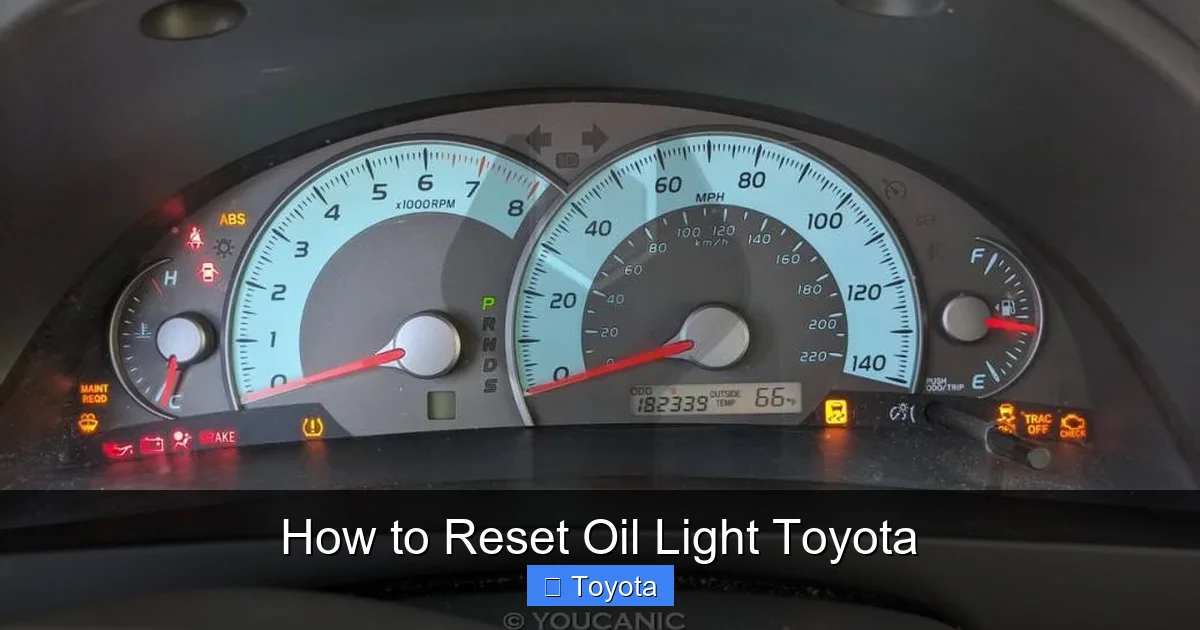
Now that you understand why the oil light comes on and what tools you need, let’s walk through the actual reset process. This method works for the majority of Toyota vehicles manufactured from 2000 to the present, including sedans, SUVs, and trucks. The key is consistency and timing—follow these steps exactly as described.
Step 1: Turn the Ignition to the “ON” Position
Sit in the driver’s seat and insert your key into the ignition. Turn it to the “ON” position—this is the second click when you turn the key clockwise. You’ll see all the dashboard lights come on, including the oil light, check engine light, and others. Do not start the engine. The engine should remain off throughout this process. This step powers up the vehicle’s computer system so it can receive your reset command.
Step 2: Locate the Trip Odometer Button
Look at your instrument cluster, usually just below or to the side of the speedometer. You’ll see a small button labeled “TRIP” or “ODO/TRIP.” This button is used to switch between your main odometer reading and trip A or trip B. On some models, it might be a stalk on the steering column—press the end of the stalk to cycle through the trip readings.
Step 3: Press and Hold the Trip Button
With the ignition on and the engine off, press and hold the trip odometer button. Keep it held down. While you’re holding it, watch the odometer or trip display. After a few seconds, the display should begin to change. On most Toyotas, the mileage will start to count down or flash, indicating that the oil life reset mode has been activated.
Step 4: Turn the Ignition Off and Back On (If Needed)
On some models, especially older ones, you may need to turn the ignition off while still holding the trip button, then turn it back to “ON” within a few seconds. This two-step process helps the system recognize the reset command. If your display doesn’t respond after holding the button for 10–15 seconds, try this method: hold the trip button, turn the key to “OFF,” wait two seconds, then turn it back to “ON” while still holding the button.
Step 5: Watch for the Oil Light to Reset
Once the reset mode is active, the oil light on the dashboard should begin to blink or turn off completely. This usually happens within 10 to 30 seconds of holding the button. When the light goes out, release the trip button. The system has now been reset, and the oil life monitor will begin tracking from 100% again.
Step 6: Confirm the Reset
To make sure the reset was successful, turn the ignition off, wait a few seconds, then turn it back on. The oil light should come on briefly during the startup self-check, then turn off and stay off. If it stays on or comes back on after driving, the reset may not have worked—try the process again, or consult your owner’s manual for model-specific instructions.
Model-Specific Reset Instructions
Visual guide about How to Reset Oil Light Toyota
Image source: i.ytimg.com
While the general method works for most Toyotas, there are slight variations depending on your vehicle’s year and model. Below are detailed instructions for some of the most popular Toyota vehicles.
Toyota Camry (2007–2017)
For Camry models in this range, the process is straightforward. Turn the ignition to “ON” (engine off). Press and hold the trip button. Within 10 seconds, the odometer will display “000000” or begin flashing. Continue holding the button until the oil light blinks and turns off—usually after 15–20 seconds. Release the button and turn the ignition off.
Toyota Corolla (2009–2018)
The Corolla uses a similar method. Turn the ignition to “ON.” Press and hold the trip button. The trip mileage will start to count down. Hold until the oil light flashes and turns off. On some models, you may need to cycle through trip A and trip B first before the reset mode activates.
Toyota RAV4 (2013–2018)
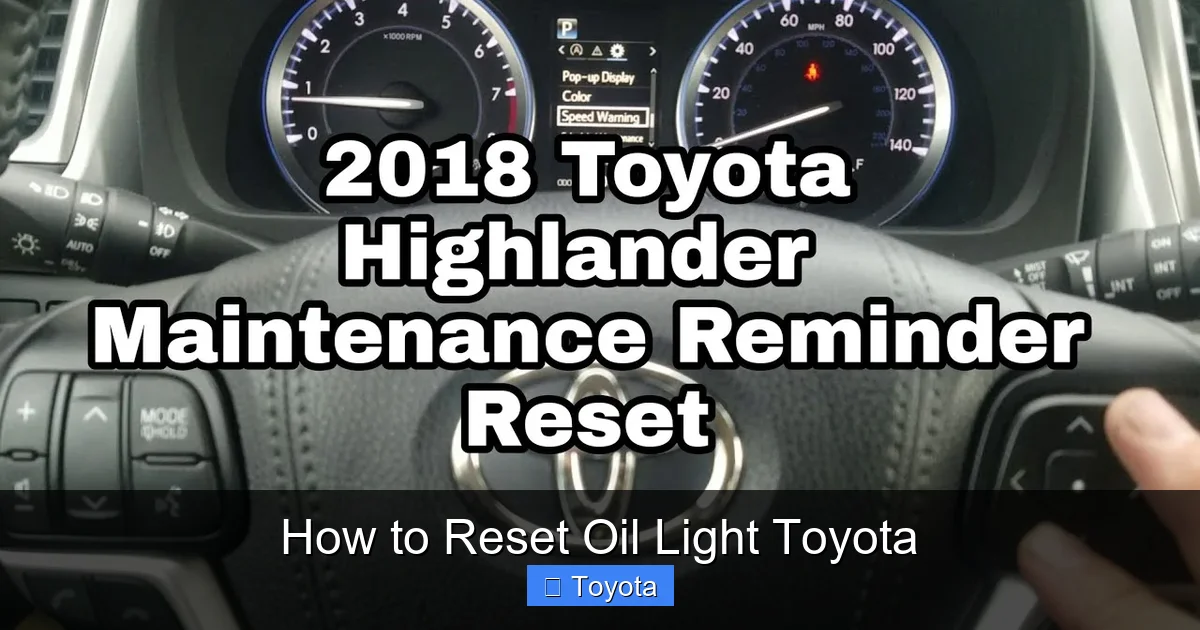
For the RAV4, turn the ignition to “ON.” Press and hold the trip button. The display will show “OIL” or “OIL RESET.” Continue holding until the oil light turns off. Some newer RAV4 models with a multi-information display (MID) may require you to use the steering wheel controls to navigate to the maintenance menu.
Toyota Highlander (2008–2019)
The Highlander follows the standard procedure. Turn ignition to “ON,” hold the trip button, wait for the oil light to blink and turn off. On models with a digital display, you might see a message like “Oil Maintenance Reset Complete.”
Toyota Tacoma (2005–2015)
For the Tacoma, the process is nearly identical. Turn the ignition on, hold the trip button, and wait for the oil light to reset. Some older Tacomas may require you to press the trip button multiple times to enter reset mode.
Toyota Prius (2004–2015)
The Prius can be a bit trickier due to its hybrid system. Turn the ignition to “ON” (power mode, not engine start). Press and hold the trip button. The display will show “OIL” or “MAINT.” Hold until the oil light turns off. On newer Prius models with a touchscreen, you may need to go into the settings menu under “Vehicle Settings” > “Maintenance” > “Reset.”
Troubleshooting Common Reset Issues
Even with the right steps, sometimes the oil light just won’t reset. Don’t panic—this happens more often than you’d think. Here are some common issues and how to fix them.
The Light Won’t Turn Off After Following the Steps
If you’ve followed the procedure correctly and the light still won’t turn off, double-check that you’re holding the trip button long enough. Some systems require a full 20–30 seconds of continuous pressure. Also, make sure the ignition is fully in the “ON” position—some drivers accidentally leave it in “ACC” (accessory), which doesn’t power the full system.
The Display Doesn’t Change When Holding the Button
If nothing happens when you press and hold the trip button, try cycling through trip A and trip B first. On some models, the reset mode only activates when the display is set to trip A. Also, ensure the battery isn’t weak—a low battery can prevent the dashboard from responding properly.
The Light Comes Back On After Driving
If the oil light resets successfully but comes back on after you start driving, there may be an underlying issue. Check your oil level using the dipstick. If it’s low, top it off with the correct type of oil. If the level is fine, the oil pressure sensor might be faulty. This is rare but possible—especially in high-mileage vehicles.
Your Toyota Has a Touchscreen or Digital Display
Newer Toyotas (2018 and later) often have advanced infotainment systems with digital maintenance menus. In these cases, you may need to use the touchscreen or steering wheel controls to reset the oil light. Go to “Settings” > “Vehicle” > “Maintenance” > “Oil Change” > “Reset.” The exact path varies by model, so consult your owner’s manual.
When to Seek Professional Help
While resetting the oil light is a simple DIY task, there are times when it’s best to let a professional handle it. If you’ve tried the reset process multiple times and the light still won’t turn off, there could be a deeper issue. For example, a malfunctioning oil life sensor, a wiring problem, or a software glitch in the vehicle’s computer could prevent the reset from working.
Additionally, if the oil light comes on while you’re driving and you haven’t recently changed your oil, don’t ignore it. Pull over safely and check your oil level. Low oil can cause serious engine damage if left unchecked. If the oil level is fine but the light remains on, it could indicate low oil pressure—a serious condition that requires immediate attention.
Finally, if you’re not comfortable performing the reset yourself, or if your Toyota has a complex infotainment system you’re not familiar with, visit a Toyota service center. Most dealerships will reset the oil light for free or for a small fee, especially if you’ve had your oil changed there.
Final Tips for Maintaining Your Toyota’s Engine Health
Resetting the oil light is just one part of keeping your Toyota running smoothly. To get the most out of your vehicle, follow these best practices:
– Stick to the recommended oil change interval in your owner’s manual—usually every 5,000 to 10,000 miles depending on driving conditions.
– Use the correct type of oil (e.g., 0W-20 synthetic for most newer Toyotas).
– Replace the oil filter every time you change the oil.
– Check your oil level monthly using the dipstick.
– Keep an eye on other dashboard warning lights—they’re there to help you.
– Schedule regular maintenance at a trusted service center.
By taking care of your engine and staying on top of oil changes, you’ll extend the life of your Toyota and avoid costly repairs down the road. And when it’s time to reset that oil light, you’ll know exactly what to do.
Frequently Asked Questions
How often should I reset the oil light on my Toyota?
You should reset the oil light every time you change your oil, regardless of mileage. The system tracks oil life, so it needs to be reset to start a new countdown.
Can I reset the oil light without turning on the ignition?
No, you must turn the ignition to the “ON” position (engine off) to power the dashboard electronics. The reset won’t work if the ignition is off or in accessory mode.
Will resetting the oil light affect my warranty?
No, resetting the oil light is a normal maintenance procedure and won’t affect your warranty. In fact, keeping up with oil changes and resets helps maintain warranty coverage.
What if my Toyota has a push-button start?
For push-button start models, press the “START” button twice without pressing the brake pedal to turn the ignition to “ON.” Then follow the same trip button reset steps.
Can I reset the oil light after an oil change at a shop?
Yes, but some shops may not reset it for you. If the light stays on after your service, ask the technician to reset it, or follow the steps in this guide to do it yourself.
Is it safe to drive with the oil light on?
If the oil light comes on and you haven’t changed your oil recently, check your oil level immediately. Driving with low oil can cause engine damage. If you’ve just changed the oil and the light won’t reset, it’s usually safe to drive—but get it reset as soon as possible.
