How to Reset Oil Change on a Jeep Grand Cherokee

Contents
- 1 Key Takeaways
- 2 📑 Table of Contents
- 3 Understanding Your Jeep’s Oil Life Monitoring System
- 4 Preparing for the Reset: The Golden Rules
- 5 Step-by-Step Reset Procedures by Model Year
- 6 Troubleshooting: What If the Reset Doesn’t Work?
- 7 The Bigger Picture: Holistic Maintenance for Your Grand Cherokee
- 8 Conclusion: Your Empowered DIY Moment
- 9 Frequently Asked Questions

Solar Car Battery Maintainer
Car Neck Pillow

Engine Flush Cleaner
Car Phone Holder
Resetting the oil change light on your Jeep Grand Cherokee is a simple, crucial step after an oil and filter change. The process varies slightly by model year, typically using the steering wheel controls or the instrument cluster. Failing to reset the system means your vehicle won’t accurately track oil life, leading to confusing service reminders. This guide provides clear, model-specific instructions to complete the reset correctly the first time.
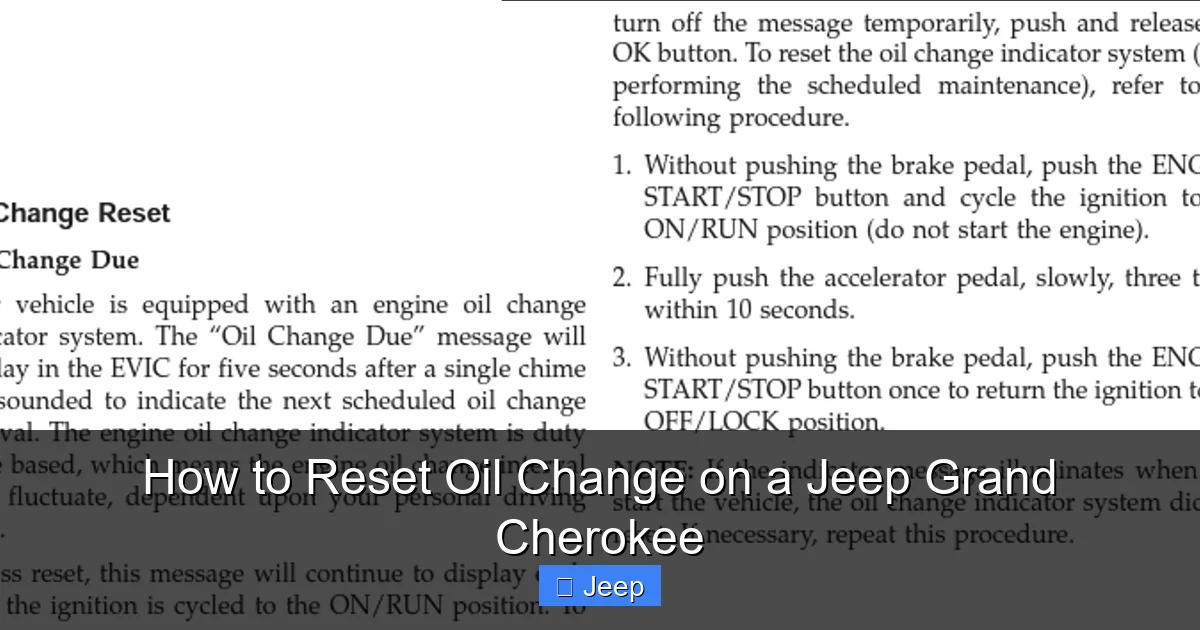
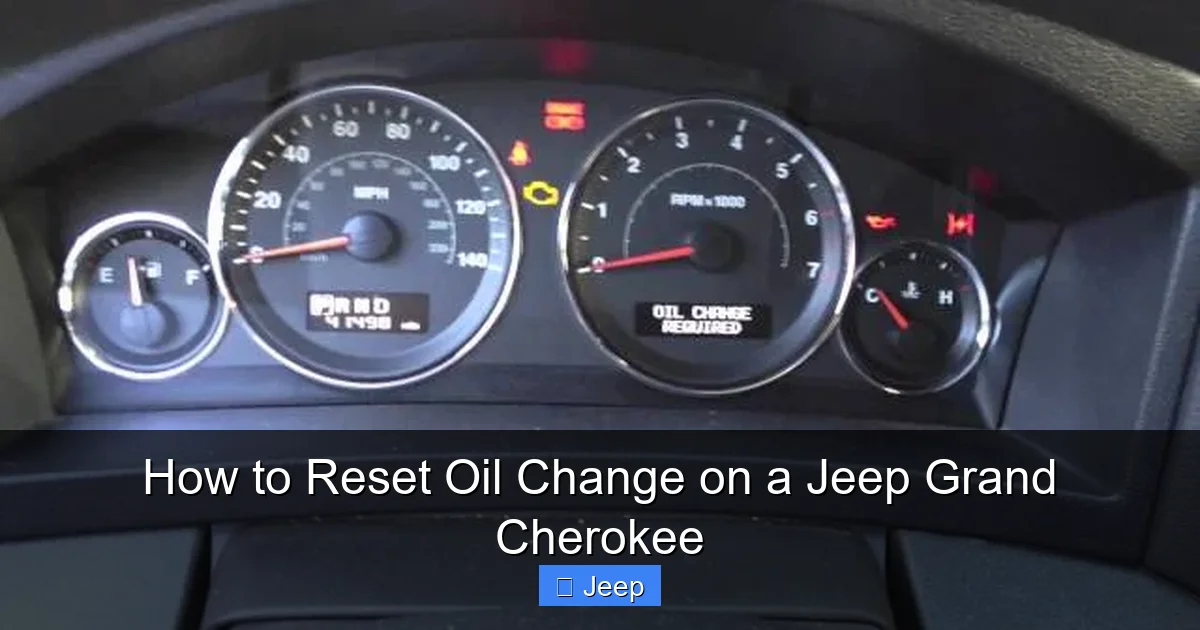
So, you just finished the hard work of draining the old oil, swapping the filter, and filling your Jeep Grand Cherokee with fresh, clean oil. You’re feeling accomplished, maybe even a little proud of your DIY skills. Then you start the engine, and right there on the dashboard, staring back at you, is that pesky “Oil Change Required” or “Oil Life” message. It hasn’t even been 10 seconds! What gives? The answer is simple: you haven’t reset the oil life monitor. Learning how to reset oil change on a Jeep Grand Cherokee is the final, non-negotiable step in the oil change process. It tells your vehicle’s computer, “Hey, the oil is new! Start the countdown over.” Skipping this step leaves the system confused, and you’ll get reminders at the wrong times, or worse, forget when the next change is actually due.
This comprehensive guide will walk you through every step. We’ll break down the process by your Grand Cherokee’s model generation because, trust us, the steps changed over the years. Whether you own a classic 2005 WJ, a popular 2014 WK2, or the latest 2023 WL model, we’ve got you covered. We’ll keep things simple, use plain language, and give you the confidence to handle this quick five-minute task yourself. Forget paying a dealership or shop just for a button press. Let’s get that light out and your oil life monitor back on track.
Key Takeaways
- Reset After Every Oil Change: You must reset the oil life monitor after every oil and filter change, regardless of mileage, to ensure accurate tracking.
- Model Year Matters: The reset procedure differs significantly between older models (pre-2011) and newer ones (2011-2021 vs. 2022+). Identify your Grand Cherokee’s generation first.
- No Special Tools Needed: The reset is performed using only your vehicle’s built-in steering wheel controls or instrument cluster buttons—no scan tools are required for a standard reset.
- It’s Not Just a Light: The system is an “Oil Life Monitor” that calculates degradation based on engine conditions, not just mileage, making the manual reset essential.
- Confirm the Reset: After completing the steps, the oil change message or percentage should disappear from the cluster, and a new service interval will begin counting down.
- Consult Your Manual: Your owner’s manual has the definitive procedure for your specific VIN and configuration, making it the best reference.
📑 Table of Contents
Understanding Your Jeep’s Oil Life Monitoring System
Before we start pushing buttons, it helps to understand what we’re resetting. It’s not just a simple “mileage timer.” Modern Jeeps, including the Grand Cherokee, use a sophisticated algorithm called an Oil Life Monitoring System (OLMS). This system doesn’t just count miles; it counts engine revolutions, monitors engine temperature, tracks your driving habits (short trips vs. long highway cruises), and even considers things like climate. All this data helps it estimate how much your oil has degraded. Severe driving—lots of cold starts, dusty conditions, or towing—degrades oil faster than gentle highway driving. The system adapts, which is why your service interval might be 5,000 miles one time and 7,000 the next.
Why You Can’t Just Ignore It
That little wrench or oil can icon isn’t a suggestion; it’s a calculated warning from your engine’s brain. Ignoring it means you’re driving on potentially degraded oil that has lost its lubricating and cleaning properties. This can lead to increased engine wear, sludge buildup, and costly repairs down the line. Conversely, changing your oil too often based on a generic 3,000-mile rule is wasteful and bad for the environment. The OLMS is designed to optimize oil change intervals for your specific driving style, but only if you reset it properly after each change. If you don’t reset it, the system’s calculations are thrown off completely, rendering it useless.
The Difference Between a Light and a Percentage
In older Grand Cherokees (pre-2011), you typically saw a simple “Oil Change Required” message or a wrench light. In newer models (2011+), the display often shows a percentage (e.g., “Oil Life 15%”). This percentage is the remaining life of your current oil charge. When it reaches 0%, the “Oil Change Required” message illuminates. The reset procedure essentially sets this percentage back to 100%. Understanding your display is the first step to knowing which reset procedure to use. Take a moment to start your Jeep and note exactly what the cluster says about oil life before you begin.
Preparing for the Reset: The Golden Rules
You’re eager to push buttons, but hold on! A few quick preparations will ensure a smooth, error-free reset. Following these simple steps will save you from frustration.
Visual guide about How to Reset Oil Change on a Jeep Grand Cherokee
Image source: oilreset.com
Rule #1: The Oil Must Be Changed First
This is the most important rule. Never reset the oil life monitor before you have physically changed the oil and filter. Resetting tells the computer the maintenance is complete. If you reset first and then forget to do the oil change, you’ve just started a countdown with old, dirty oil in the engine. Always perform the oil and filter change first, fill to the correct level (check the dipstick!), start the engine, let it run for 30 seconds to circulate oil and build oil pressure, then turn it off. Now you’re ready to reset.
Rule #2: Know Your Model Year and Generation
Jeep has produced five main generations of the Grand Cherokee. The reset method is tied to the vehicle’s electronics, which changed with each generation. Here’s a quick cheat sheet:
- 1993-1998 (ZJ/ZJ): Rarely has a programmable monitor; often just a service reminder light.
- 1999-2004 (WJ): Uses a basic “Oil Change Required” light. Reset via the odometer button with a specific key-on/off sequence.
- 2005-2010 (WK): Similar to WJ but with more integrated cluster displays. Reset often via the “Step Button” on the steering wheel.
- 2011-2021 (WK2): The most common on the road today. Reset via the steering wheel-mounted controls and the vehicle information menu on the digital cluster.
- 2022+ (WL): The current generation with a full Uconnect 5 touchscreen. Reset is done through the touchscreen menus.
If you’re unsure, your VIN (found on the driver’s door jamb) can decode the model year, or simply check your owner’s manual cover.
Rule #3: Have the Ignition On, Engine Off
For virtually all reset procedures, you need the ignition in the “ON” or “RUN” position (the position right before you start the engine, where all dash lights come on) but the engine must be completely off. Do not attempt these steps with the engine running. Insert the key (or press the start button without your foot on the brake for keyless models) to turn the ignition on. Make sure the parking brake is set and the transmission is in Park (or Neutral for some older models).
Step-by-Step Reset Procedures by Model Year
Now for the meat of the guide. We’ll go generation by generation. Find your model year range and follow those steps precisely. If one method doesn’t work, double-check you’re in the correct year group.
Visual guide about How to Reset Oil Change on a Jeep Grand Cherokee
Image source: i.ytimg.com
For 1999-2004 Grand Cherokee (WJ) & 2005-2010 (WK) with Steering Wheel Controls
These models use a “Step Button” on the steering wheel (often a button with an up/down arrow or labeled “Step”). The process involves cycling the ignition and using this button to navigate a hidden menu.
- Ensure the ignition is ON, engine OFF. The cluster should display the odometer or a default screen.
- Press and release the “Step Button” repeatedly until the display shows “Oil Life” or “Oil Life %”. If you don’t see it, cycle through all the display options (trip A, trip B, odometer, etc.).
- Once “Oil Life” is displayed, press and hold the “Step Button” for about 5-10 seconds. You may see the percentage begin to flash or change.
- Continue holding until the display reads “100%” or shows a confirmation like “Oil Life Reset” or a checkmark icon. This can take 10-15 seconds of steady holding.
- Release the button. Turn the ignition OFF for 10 seconds, then back ON to verify the oil life now reads 100%.
Pro Tip: On some WK models (2005-2010), you may need to press the “Step Button” three times quickly to enter the reset mode after displaying the oil life. The manual for your specific year will confirm this. If you get stuck, a fantastic resource is the detailed guide for resetting the oil change light on a Dodge Grand Caravan. While it’s a different vehicle, the Stellantis (formerly Fiat Chrysler) platform shares many similar electronic procedures for this era, and the logic is identical.
For 2011-2021 Grand Cherokee (WK2) with Digital Cluster
The WK2 generation moved to a more digital, menu-driven system accessed via buttons on the steering wheel. The process is very consistent across these years.
- Ignition ON, engine OFF. Do not start the engine.
- Using the RIGHT steering wheel button (often with a “Menu” or right arrow icon), press it to scroll through the vehicle information menus on the digital cluster display.
- Continue scrolling until you find the menu for “Vehicle Info” or “System Check“. Press the center button (often the “OK” or “Enter” button) to select it.
- Inside that menu, scroll until you find “Oil Life” or “Oil Life Remaining”. Select it. It will show the current percentage (e.g., 15%).
- Now, press and hold the OK/Enter button for 3-5 seconds. The display will change, often showing a blinking “Reset” or a progress bar.
- Continue holding until the Oil Life percentage resets to 100% and you see a confirmation message like “Oil Life Reset” or a checkmark.
- Release the button. Turn the ignition OFF, wait a few seconds, and turn it back ON to confirm the reset was successful and the 100% reading is stable.
Common Pitfall: Make sure you are in the “Oil Life” submenu before you hold the button. Holding it on a different menu screen (like “Tire Pressure”) will do nothing or reset the wrong system. If the percentage doesn’t change, you may be in the wrong menu or need to hold longer (up to 10 seconds).
For 2022+ Grand Cherokee (WL) with Uconnect 5 Touchscreen
The newest Grand Cherokees have largely moved physical buttons to the touchscreen. The reset is done through the vehicle settings menus on the Uconnect 5 system.
- Ignition ON, engine OFF. The Uconnect screen should power on.
- On the home screen, tap the “Apps” button (usually a grid of dots icon).
- Find and tap the “Settings” app (gear icon).
- In the Settings menu, select “Vehicle”.
- Look for an option called “Oil Life” or “Service”. Tap it.
- The screen will show the current oil life percentage. There should be a button or option that says “Reset” or “Reset Oil Life”. Tap it.
- A confirmation prompt will appear (e.g., “Are you sure you want to reset the oil life?”). Confirm by tapping “Yes” or “Reset”.
- The percentage should immediately jump to 100%. Exit the menus and turn the ignition OFF and back ON to verify the cluster display also shows 100% (some models sync the cluster with the touchscreen setting).
Note: If your 2022+ model still has physical steering wheel controls, you may also be able to use the method described for the 2011-2021 WK2 generation. Check your owner’s manual for the definitive method for your specific trim and package.
For Older Models (1993-1998 ZJ) & Basic Service Lights
The earliest Grand Cherokees often have a simpler service reminder system. There may not be a “percentage” readout, just a “Service” or wrench light that illuminates after a set interval. Resetting these usually involves a sequence with the odometer button.
- Turn the ignition ON, engine OFF.
- Press and hold the odometer reset button (the button you use to toggle between trip and odometer, usually on the instrument cluster).
- While holding that button, turn the ignition key to the ON position (do not start).
- Continue holding the button. The cluster will go through a series of tests, and the odometer will display a series of dashes or a “reset” message.
- After a few seconds, the service light should blink and then go out. Release the button.
- Turn the ignition OFF. The light should remain off when you restart the vehicle.
If this doesn’t work, consult your specific year’s manual. The procedure can vary. For any of these procedures, if you find yourself stuck, it’s perfectly acceptable to visit a quick-lube shop or dealership. They have professional scan tools that can reset the system in seconds, often for a small fee or even for free if you just had the oil changed there.
Troubleshooting: What If the Reset Doesn’t Work?
You followed the steps to the letter, but that oil change message is still glaring at you. Don’t panic. This is a common issue with a few usual suspects. Let’s diagnose the problem.

Visual guide about How to Reset Oil Change on a Jeep Grand Cherokee
Image source: jeepspecs.com
The Light Returns Immediately After Reset
If you reset the oil life to 100%, start the engine, and the message reappears within seconds or minutes, you have a deeper problem. The system is likely detecting a fault. Possible causes include:
- Low Oil Pressure: Your new oil filter might be defective, not properly lubricated, or the engine is low on oil. The system sees low pressure and triggers a warning. Check your oil level with the dipstick immediately. Is it at the full mark? If not, add oil. If it’s full, the sensor or pressure switch may be faulty.
- Faulty Oil Pressure Sensor: The sensor itself could be bad, sending incorrect data to the computer. This will trigger a warning light that resets won’t fix.
- Bad Connection: The wiring to the sensor or the cluster could be loose or corroded.
In this case, you need to diagnose the oil pressure warning, not just the reset procedure. A mechanic will need to check for diagnostic trouble codes.
The Reset Procedure Doesn’t Seem to Register
You hold the button, but the percentage never changes from, say, 15% to 100%. Or the display doesn’t show the “Oil Life” menu option at all. This usually means:
- Wrong Model Year Group: Double-check you’re using the correct procedure for your specific Grand Cherokee. A 2010 model is very different from a 2012.
- Ignition Not Properly On: Ensure you’re in the “ON” position, not “ACC” or “OFF.” All dash lights should be illuminated.
- Button Malfunction: The steering wheel control button or cluster button you’re pressing might be faulty. Try the other button on the wheel (left vs. right).
- System Glitch: Sometimes the vehicle’s computer just needs a hard reset. Disconnect the negative battery terminal for 5 minutes (you’ll need your radio code), reconnect, and try the reset procedure again.
There Is No Oil Life Percentage, Just a “Service” Light
On some base models or older years, the system is very basic. It may not show a percentage at all. In these cases, the reset procedure is often the simple “hold odometer button while turning key on” method described earlier. The goal is simply to extinguish the illuminated service/wrench light. If that procedure doesn’t work, the system may require a professional scan tool to communicate with the Body Control Module (BCM).
When to Seek Professional Help
If you’ve tried the correct procedure for your model year multiple times, verified the oil level is perfect, and the light still won’t reset or returns instantly, it’s time to call a pro. There could be a failing sensor, a software glitch that needs a dealer-level reflash, or a wiring issue. A reputable independent mechanic or the dealership can plug in a scan tool, read the specific fault codes, and reset the system properly once the underlying issue is fixed. Remember, a persistent oil warning light is your engine’s cry for help—don’t ignore it.
The Bigger Picture: Holistic Maintenance for Your Grand Cherokee
Resetting the oil life monitor is one small part of a much larger maintenance picture. Doing it correctly is vital, but it’s only one piece of the puzzle. A true oil change service involves several critical steps, and skipping any of them can harm your engine.
The Full Oil Change Checklist
Next time you’re under the hood, make sure you’re completing the entire job:
- Use the Correct Oil: This is paramount. Your Grand Cherokee’s engine (whether it’s a 3.6L V6, 5.7L V8, or the newer turbo 2.0L) has specific oil viscosity and specification requirements (e.g., 5W-20, meeting Chrysler MS-6395 or API SP standards). Using the wrong oil can void your warranty and damage engine components. Your owner’s manual or the oil cap itself usually states the requirement.
- Replace the Oil Filter: Always use a high-quality filter from a reputable brand (Mopar, Wix, Fram, Mobil 1). A cheap filter can allow contaminants to circulate or fail under pressure.
- Check and Fill All Fluids: While you’re there, check your coolant, brake fluid, power steering fluid (if applicable), and windshield washer fluid. Top them off if needed.
- Inspect for Leaks: Look around the engine bay and under the vehicle for any signs of fresh leaks from the oil filter, drain plug, or other seals.
- Reset the Monitor: And, of course, perform the reset procedure correctly for your model year.
If you’re new to DIY car maintenance, performing a full oil change is a great starting project. You can find a general, model-agnostic guide on how to do an oil change on a car that covers the universal fundamentals of the process, from jacking the vehicle safely to properly disposing of old oil.
Beyond the Oil Change: Other Maintenance Lights
Your Grand Cherokee’s dashboard is a command center of information. Just like the oil life monitor, other systems have their own service reminders. You might also encounter lights for:
- Tire Pressure Monitoring System (TPMS): After rotating tires or replacing a sensor, you’ll need to reset the tire pressure light so the system learns the new sensor positions.
- Brake System: After replacing brake pads (especially on models with electronic wear sensors), you may need to reset the brake service light.
- Transmission: Some models have a transmission fluid life monitor that may need resetting after a fluid change.
Each system has its own procedure, often found in the same vehicle information menus you use for the oil life reset. Familiarizing yourself with these menus in your owner’s manual will make you a true master of your Grand Cherokee’s maintenance schedule.
Conclusion: Your Empowered DIY Moment
Congratulations! You now possess the knowledge to take complete control of one of the most routine yet critical maintenance items for your Jeep Grand Cherokee. Resetting the oil change light is not a mysterious dealer-only ritual; it’s a simple, user-performable task that closes the loop on your oil change. By identifying your model generation and following the precise steps—whether it’s holding a steering wheel button, navigating a digital menu, or tapping a touchscreen—you ensure your Oil Life Monitoring System accurately reflects the health of your engine’s lifeblood.
Remember the golden rule: always change the oil and filter first. Then, armed with your ignition in the ON position and a clear understanding of your cluster’s menus, execute the reset. Verify it worked by confirming 100% oil life on the display. This small act of diligence saves you from confusing future reminders and keeps your engine’s protection schedule perfectly in sync with your driving habits. It’s one more way you can save money, save time, and build a deeper connection with your vehicle. Now, go enjoy that freshly changed oil and that blissfully clear dashboard. You’ve earned it.
Frequently Asked Questions
What if my Grand Cherokee doesn’t show an oil life percentage, just a wrench light?
For older Grand Cherokee models (typically pre-2011), the system is simpler. You need to perform the classic “key cycle” reset: turn the ignition ON (do not start), press and hold the odometer reset button, then turn the key to ON while holding. The service light should blink and go out. Consult your owner’s manual for the exact sequence for your year.
Can I reset the oil light without changing the oil?
Technically yes, but you should never do this. Resetting the system without performing the maintenance lies to your vehicle’s computer and defeats the purpose of the monitoring system. You will lose track of your engine’s actual oil condition, risking severe damage. Always change the oil and filter first.
My 2015 Grand Cherokee’s reset procedure isn’t working. What am I doing wrong?
For a 2011-2021 WK2, ensure you are using the RIGHT steering wheel button to enter the “Vehicle Info” menu, then select “Oil Life” before holding the OK button. You must hold the OK button for 3-5 seconds while in the Oil Life menu until the percentage resets to 100%. If it still fails, try turning the ignition OFF for a full minute and repeating the steps.
Will disconnecting the battery reset the oil life monitor?
No. Disconnecting the battery will reset the radio and clock, but it will not reset the oil life monitor. The oil life data is stored in a non-volatile memory within the vehicle’s computer (PCM/BCM) that retains its data even when power is disconnected. You must use the specific button-press procedure for your model.
Is the reset procedure the same for the 3.6L V6 and the 5.7L V8 engines?
Yes, absolutely. The engine size has no bearing on the reset procedure. The process is determined solely by the vehicle’s model year, electronic cluster type, and infotainment system. A 2014 Grand Cherokee with a 3.6L and one with a 5.7L will use the exact same steps.
What does it mean if the oil change message comes back on right after I reset it?
This indicates a serious problem, not a failed reset. The system is likely detecting a low oil pressure condition. Immediately check your oil level with the dipstick. If it’s low, add oil. If it’s full, you may have a faulty oil pressure sensor, a clogged filter, or a failing oil pump. Do not continue driving; have the vehicle towed to a mechanic for diagnosis.