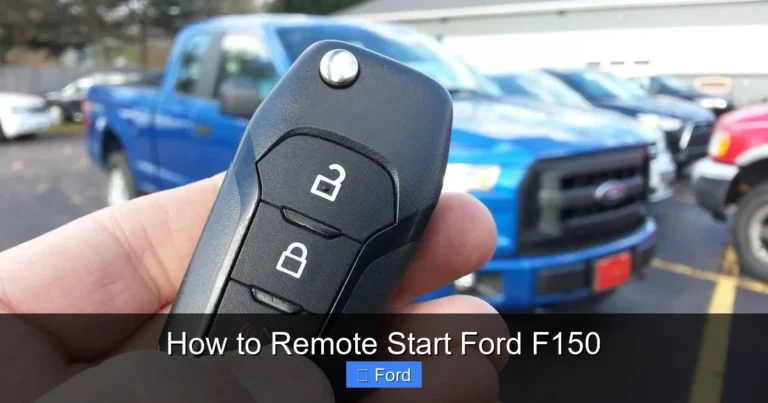
How to Reset Keyless Entry on a Ford F-150

Contents
- 1 Key Takeaways
- 2 📑 Table of Contents
- 3 Introduction to Keyless Entry on the Ford F-150
- 4 How the Keyless Entry System Works
- 5 Common Reasons Your Keyless Entry Might Need Resetting
- 6 Step-by-Step: Resetting Keyless Entry on Your F-150
- 7 What to Do When a Reset Doesn’t Fix the Problem
- 8 Keeping Your Keyless System Healthy: Maintenance Tips
- 9 Conclusion
- 10 Frequently Asked Questions

Car Windshield Wiper Blades

Anti Rust Spray

Car MP3 Player

Magnetic Car Phone Mount
Resetting the keyless entry on your Ford F-150 is often a simple DIY fix you can do in minutes. Most resets involve using the door lock buttons to reprogram the vehicle’s Body Control Module (BCM). If that fails, you may need a scan tool or professional help. Always start by checking your key fob battery and owner’s manual for model-specific steps.
Key Takeaways
- Most resets are DIY: The standard manual reset using door locks takes under 5 minutes and requires no tools.
- Year matters: Procedures differ between older models (pre-2009) and newer ones (2009+) with keypad systems.
- Check the battery first: A dead key fob battery is the most common cause of keyless entry failure.
- BCM is the brain: The Body Control Module manages keyless entry; resetting it often solves glitches.
- Scan tools are powerful: For persistent issues, a professional scan tool can reprogram the BCM directly.
- Preventive care helps: Protect key fobs from water and physical damage to avoid future resets.
- Know when to call a pro: If resets fail, a dealer or locksmith can diagnose wiring or module faults.
📑 Table of Contents
- Introduction to Keyless Entry on the Ford F-150
- How the Keyless Entry System Works
- Common Reasons Your Keyless Entry Might Need Resetting
- Step-by-Step: Resetting Keyless Entry on Your F-150
- What to Do When a Reset Doesn’t Fix the Problem
- Keeping Your Keyless System Healthy: Maintenance Tips
- Conclusion
Introduction to Keyless Entry on the Ford F-150
You’re standing by your Ford F-150, groceries in hand, and you press the unlock button on your key fob. Nothing happens. You try again. Still nothing. That sinking feeling is all too familiar for many truck owners. Keyless entry is a modern convenience we rely on daily. When it fails, it’s more than a nuisance—it’s a lockout waiting to happen. The good news? Resetting your F-150’s keyless entry system is often a straightforward process you can handle yourself. This guide will walk you through every step, from the quick manual reset to understanding when you need deeper intervention.
Ford has equipped the F-150 with keyless entry for decades, but the technology has evolved. Early systems used a simple radio signal from the fob. Newer models integrate with the truck’s complex computer network. This means reset procedures vary by year. Don’t worry. We’ll break it down clearly. Whether you have a 2004 XL or a 2023 Limited, you’ll find the right method here. By the end, you’ll not only know how to reset the system but also understand how it works and how to keep it healthy. Let’s get you back in your truck and back on the road.
How the Keyless Entry System Works
To reset something effectively, you need to understand what you’re resetting. Your F-150’s keyless entry isn’t just a remote and a lock. It’s a small network. The key fob sends a coded radio signal to a receiver in the truck. That receiver talks to the main computer, called the Body Control Module (BCM). The BCM then tells the door lock actuators to move. It’s a chain of communication. A break anywhere—dead fob battery, faulty receiver, confused BCM—stops the chain.

Visual guide about How to Reset Keyless Entry on a Ford F-150
Image source: vehiclefreak.com
The Key Components
There are four main parts to this system:
- The Key Fob: This is your transmitter. It houses a small battery and a chip with a unique code. When you press a button, it broadcasts that code.
- The Receiver: Located somewhere in the truck’s cabin, usually behind the glovebox or under a trim panel. It “listens” for your fob’s specific signal.
- The Body Control Module (BCM): This is the system’s brain. It receives the signal from the receiver, verifies the code, and powers the door locks. It also controls other features like the alarm and interior lights.
- The Door Lock Actuators: These are the small motors inside the doors that physically move the lock mechanism when the BCM tells them to.
A reset essentially tells the BCM, “Forget what you know about the key fobs. Relearn them.” In older systems, the manual door lock sequence forces this relearn. In newer systems, a scan tool might be needed to clear a fault code or reprogram the BCM’s memory.
Common Reasons Your Keyless Entry Might Need Resetting
Why does a perfectly good system suddenly stop working? Several reasons, ranging from simple to complex. Knowing the cause helps you choose the right fix.

Visual guide about How to Reset Keyless Entry on a Ford F-150
Image source: vehq.com
Dead or Weak Key Fob Battery
This is the #1 culprit. Key fob batteries last 1-3 years. As they weaken, the signal range drops. You might have to be right next to the truck for it to work, then it dies completely. Replacing the battery is often all you need. If a new battery doesn’t help, the system may still need a reset to recognize the fob again after the power interruption.
After Battery Disconnect or Jump-Start
If you’ve recently disconnected the truck’s main battery or jumped it incorrectly, the BCM can lose its memory for the key fobs. This is a classic scenario requiring a reset. The system “forgets” which remotes are paired. A manual reset relearns them. This is also why you might need to reset your radio presets after a battery disconnect—the BCM lost power, just like the radio’s memory.
Faulty Key Fob or Receiver
Physical damage to the fob (water, drops) can break the internal circuit. The receiver can fail due to moisture or corrosion. If you’ve tried a fresh battery and a reset with no luck, one of these components might be bad. Diagnostic tools can test the receiver’s signal strength.
BCM Software Glitch
Like any computer, the BCM can have a software hiccup. A simple reset—cycling the truck’s power or using the door lock sequence—can clear temporary glitches. Sometimes, a software update from the dealer is needed for persistent bugs.
Wiring Issues
The wires between the BCM and the door lock actuators run through the door jamb, a spot prone to wear. A broken wire will prevent the lock from working even if the BCM is fine. This usually causes one door to fail, not all. You might hear a click from the door panel but no movement.
Step-by-Step: Resetting Keyless Entry on Your F-150
Now for the meat of the guide. The reset procedure depends heavily on your F-150’s model year. Ford changed the system significantly around 2009. We’ll cover both major types.

Visual guide about How to Reset Keyless Entry on a Ford F-150
Image source: vehq.com
For 2008 and Older Models (Manual Keypad/Keyless Entry)
These trucks use a simpler system. The reset is done entirely with the door lock buttons. No key in the ignition needed. Here’s the classic Ford procedure:
- Enter the truck and close all doors.
- Turn the ignition ON (do not start the engine). The dashboard lights should come on.
- Within 10 seconds, press the UNLOCK button on the driver’s door panel three times. You’ll hear the door locks cycle (click) after the third press.
- Turn the ignition OFF. The system is now in “learn” mode.
- Press any button on your key fob. The locks should cycle again, confirming the fob is programmed.
- Repeat for additional fobs. Press a button on each remote you want to program, one after the other. Each should cause the locks to cycle.
- Test the fobs. Turn the ignition ON to exit learn mode, then test the locks.
Important: If the locks don’t cycle during step 3, your BCM may not be entering learn mode. Ensure you’re doing it within 10 seconds of turning the ignition ON. Try again. If it still fails, your BCM might be faulty or there’s a wiring issue.
For 2009 and Newer Models (Integrated Keyless System)
These trucks often have a keypad on the door and more integrated electronics. The reset is similar but sometimes requires the key in the ignition. There are two common methods.
Method A: The 8-Second Cycle (Most Common 2009-2014)
- Close all doors and the liftgate.
- Insert the key into the ignition and turn it to ON/RUN (do not start).
- Press the UNLOCK button on the driver’s door panel eight times within 10 seconds. The eighth press should be held. The door locks will cycle to confirm.
- Turn the ignition OFF. The system is now in learn mode.
- Press any button on the key fob. The locks will cycle to confirm programming.
- Repeat for other fobs, then turn ignition ON to exit.
Method B: The Keypad Sequence (If Equipped)
Some models with a door keypad allow resetting via the keypad. This is less common but worth trying if the button method fails.
- Enter the factory code (found in your owner’s manual or on the card from the dealer).
- Press and hold the 1/2 button on the keypad until you hear a single beep, then release.
- Within 30 seconds, press and release the 1/2 button again, then enter a new 5-digit personal code.
- Press the 1/2 button to store. The system will beep twice. This resets the keypad memory and often relearns the fobs.
Note: For 2015+ models with MyFord Touch/SYNC, the process is usually the same as 2009-2014. However, some require a scan tool if the BCM is locked. Always consult your owner’s manual first. It has the exact procedure for your specific year and trim.
What to Do When a Reset Doesn’t Fix the Problem
You followed the steps perfectly. The locks cycled. But the fob still doesn’t work. Now what? This points to a deeper issue. Don’t panic. There are logical next steps.
Diagnostic Scan Tool
This is the professional’s best friend. A scan tool plugs into the OBD-II port under your dash. It can communicate with the BCM directly. It can:
- Read fault codes stored in the BCM. A code like “B1234 – Keyless Entry Receiver Fault” points to the receiver.
- Clear codes after repairs.
- Manually program new key fobs (sometimes called “adding a key” or “remote programming”).
- Reset the BCM to factory defaults.
You can buy a basic OBD-II scanner for $50-$100, but not all read BCM codes. You need one that supports “body” or “accessory” systems. Advanced tools like the Ford IDS or a high-end Autel or Launch scanner are needed for full BCM control. If you don’t have one, a mechanic or locksmith will. This is where you might need professional help. The cost for a simple fob reprogram is often $50-$100 at a locksmith, much less than a dealer.
Checking the Receiver and Wiring
If scan tools show no codes, the problem might be physical. The receiver is usually located behind the glovebox or in the headliner. Accessing it requires removing panels. You can test if the receiver is getting power and if it’s sending a signal to the BCM with a multimeter or oscilloscope—definitely advanced DIY. More commonly, a visual inspection of wiring at the door jambs is done. Look for frayed or broken wires in the rubber boot that bends when the door opens/closes. This is a common failure point on all vehicles, not just Fords. For instance, similar wiring issues on a Dodge Ram 1500 might cause multiple electrical gremlins, including keyless entry problems. If you find a broken wire, splicing and soldering it can fix the issue.
BCM Failure
The BCM itself can fail. Symptoms include multiple weird electrical issues: keyless entry dead, interior lights not working, chimes going haywire. If the BCM is dead, it needs replacement. A used BCM from a junkyard can work if it’s the exact same year, trim, and options. But a used BCM will need to be programmed to your truck’s VIN and key fobs by a dealer or locksmith with the proper tools. A new BCM from Ford is expensive but comes with a warranty and can be programmed at the dealer. This is the last resort after ruling out fob, battery, receiver, and wiring.
Keeping Your Keyless System Healthy: Maintenance Tips
An ounce of prevention is worth a pound of cure. A few simple habits can keep your keyless entry reliable for years.
Protect Your Key Fob
Your fob is a small, fragile computer.
- Avoid water: Don’t take it swimming or leave it in a wet car. Water inside can short the circuit. If it gets wet, remove the battery immediately and let it dry completely.
- Use a case: A silicone skin protects against drops and scratches.
- Don’t expose to extreme heat: Leaving it on a hot dashboard can damage the battery and electronics.
- Spare fobs: Keep a spare in a safe place. Program it now before you need it.
Battery Management
Don’t wait for failure. Replace the fob battery every 2-3 years as preventive maintenance. Use the exact battery type listed in your manual (usually a CR2032). When replacing, gently pry open the fob—they can break if forced. Take a photo before opening so you remember how it reassembles.
Regular System Checks
Every few months, test all functions: lock, unlock, panic alarm, and trunk release (if equipped). Walk away from the truck to test range. If range seems shorter, the battery might be weakening. Also, listen for the door lock actuators. A weak or grinding sound can indicate they’re failing and need replacement before they fail completely.
Be Mindful of Aftermarket Devices
Aftermarket remote starters or alarm systems can interfere with the factory keyless entry. If you’ve installed one and have problems, it might be the culprit. Consult the installer. Sometimes, these systems need their own programming steps that conflict with the factory reset.
Conclusion
Resetting the keyless entry on your Ford F-150 is a skill that saves time, money, and frustration. For the vast majority of cases—especially after a battery disconnect—the manual door lock sequence is your golden ticket. It’s quick, free, and empowers you as a truck owner. Always start there. Check the fob battery, consult your owner’s manual for your specific year, and perform the reset. If that fails, escalate logically: scan tool for codes, then inspect wiring, then consider the BCM. Remember, many other vehicle systems can also be reset with similar principles. For example, resetting a tire pressure monitor on a Honda Civic or a check engine light on a Dodge Ram 1500 follows a comparable troubleshooting mindset: identify the system, clear the memory, and verify function.
Your F-150 is a workhorse. Treat its electronics with care, and it will return the favor. Keep those key fobs dry, change batteries proactively, and don’t ignore intermittent problems—they’re warnings. With this knowledge, you’re not just resetting a system; you’re understanding your truck a little better. Now, go ahead and try that reset. You’ll have that satisfying *click* of the door locks in no time.
Frequently Asked Questions
Will resetting the keyless entry delete my other settings?
No. Resetting the keyless entry only affects the remote fob programming stored in the Body Control Module. It will not delete radio presets, seat memory, or clock settings. Those are stored in separate modules.
How many key fobs can I program to my F-150?
Ford F-150s can typically store up to eight key fobs. The system uses a rolling code, so each fob has a unique identity. You can program them all yourself using the manual door lock sequence, one after another.
My key fob works sometimes but not others. What’s wrong?
Intermittent operation usually points to a weak battery or a failing fob. Replace the battery first. If that doesn’t help, the fob’s internal circuit may be damaged. It could also be a wiring issue at the door jamb that only breaks when the door is in a certain position.
Can I program a brand new, blank key fob myself?
It depends on the year. For older F-150s (pre-2009), yes, you can use the manual sequence. For most 2009+ models, a completely blank fob (with no prior programming) often requires a scan tool to be initialized by the BCM. You can try the manual reset, but if it doesn’t work, you’ll need a professional with the right equipment.
What if I lost all my key fobs?
If you have no working fobs, you cannot use the standard manual reset procedure because it requires pressing buttons on the existing fobs. You will need a dealer or locksmith with a diagnostic scan tool to perform a “key add” procedure. They can also cut and program a new mechanical key if your truck has a hidden key slot.
Is there a way to reset the system without using the door lock buttons?
Not reliably. The door lock button sequence is the factory-designed method to put the BCM into “learn” mode. Disconnecting the truck’s battery for 10 minutes can sometimes reset the BCM, but it’s not guaranteed to put it into learn mode for fobs. The manual sequence is the correct, intended process. For some models, a scan tool is the only guaranteed method to clear BCM memory and reprogram fobs.