How to Program a Subaru Remote Start Fob

Contents
- 1 Key Takeaways
- 2 📑 Table of Contents
- 3 Understanding Subaru Remote Start Options
- 4 Checking Compatibility and Requirements
- 5 How to Program a Factory Subaru Remote Start Fob
- 6 Using Subaru Starlink for Remote Start
- 7 Installing and Programming Aftermarket Remote Start
- 8 Safety, Legal, and Maintenance Tips
- 9 Conclusion
- 10 Frequently Asked Questions


Programming a Subaru remote start fob is easier than you think—whether you’re setting up a factory key fob or an aftermarket system. This guide walks you through every step, from checking compatibility to testing your remote, so you can start your car from the comfort of your home.
So, you’ve got your hands on a shiny new Subaru—or maybe you’ve had yours for a while and just discovered the magic of remote start. Either way, you’re probably wondering: *How do I actually program this thing?* You’re not alone. Many Subaru owners are surprised to learn that remote start isn’t just a “press and go” feature. It requires a bit of setup, especially if you’re using the factory key fob. But don’t worry—this guide will walk you through everything you need to know, step by step.
Remote start is one of those features that feels like a luxury until you use it daily. Imagine starting your car on a freezing winter morning while you’re still sipping coffee in your warm kitchen. Or cooling down your vehicle on a scorching summer day before you even step outside. That’s the power of remote start. And the good news? If your Subaru came with a remote start-compatible fob, you might already have the hardware—you just need to activate it.
But here’s the catch: not all Subarus are created equal when it comes to remote start. Some models require a subscription service (like Subaru Starlink), while others let you use the factory fob with a specific button sequence. And if your car didn’t come with remote start, you might be looking at an aftermarket solution. Don’t stress—we’ll cover all the bases, from factory programming to third-party installs, so you can get your remote start working smoothly and safely.
Key Takeaways
- Check Compatibility First: Not all Subaru models support remote start via the factory fob—verify your vehicle’s year, trim, and options before proceeding.
- Use the Right Fob: Factory remote start requires a fob with a dedicated “remote start” button; older or basic fobs won’t work.
- Follow the Sequence Carefully: Programming involves precise timing—missing a step or pausing too long can reset the process.
- Battery Matters: A weak key fob battery can prevent successful programming—replace it if needed.
- Aftermarket Systems Need Professional Help: Third-party remote starters often require a certified installer for proper integration and warranty protection.
- Test After Programming: Always test the remote start function in a safe, open area to ensure it works and doesn’t trigger alarms.
- Consult Your Owner’s Manual: Subaru provides model-specific instructions—always refer to your manual for the most accurate guidance.
📑 Table of Contents
Understanding Subaru Remote Start Options
Before you dive into programming, it’s important to understand the different types of remote start systems available for Subaru vehicles. Knowing which one you have—or which one you need—will save you time, money, and frustration down the road.
Factory Remote Start (Built-In)
Many newer Subaru models (typically 2015 and later) come with factory-installed remote start capabilities. This means the hardware is already in your car, and you just need to activate it using your key fob. These systems are integrated with your vehicle’s security and climate control, so they’re reliable and safe.
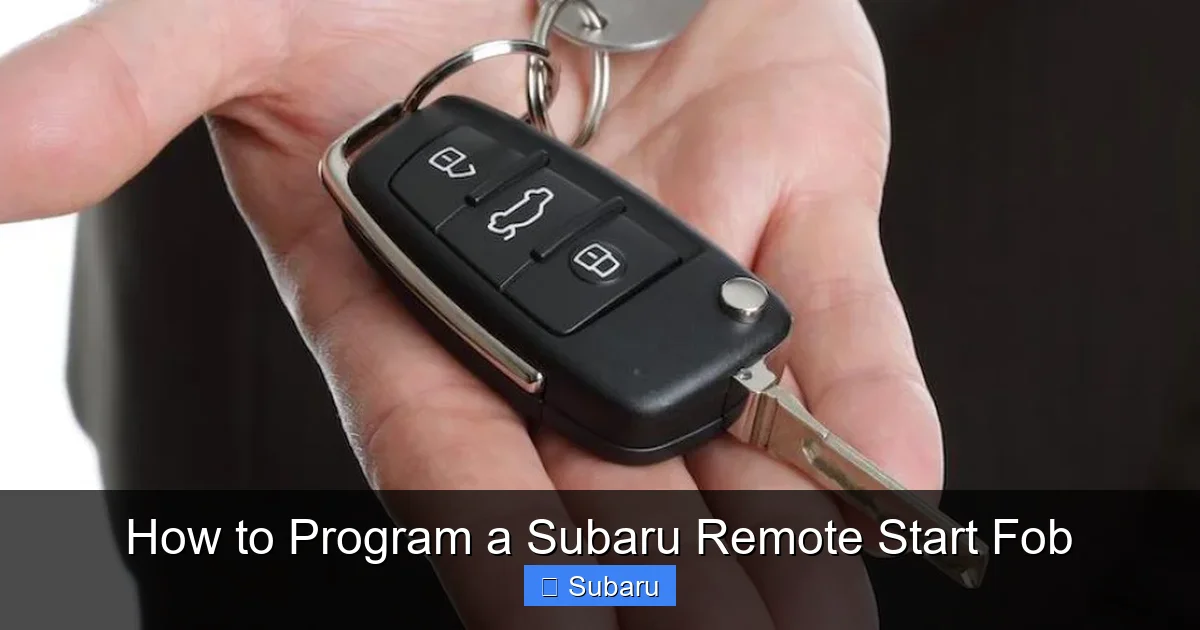
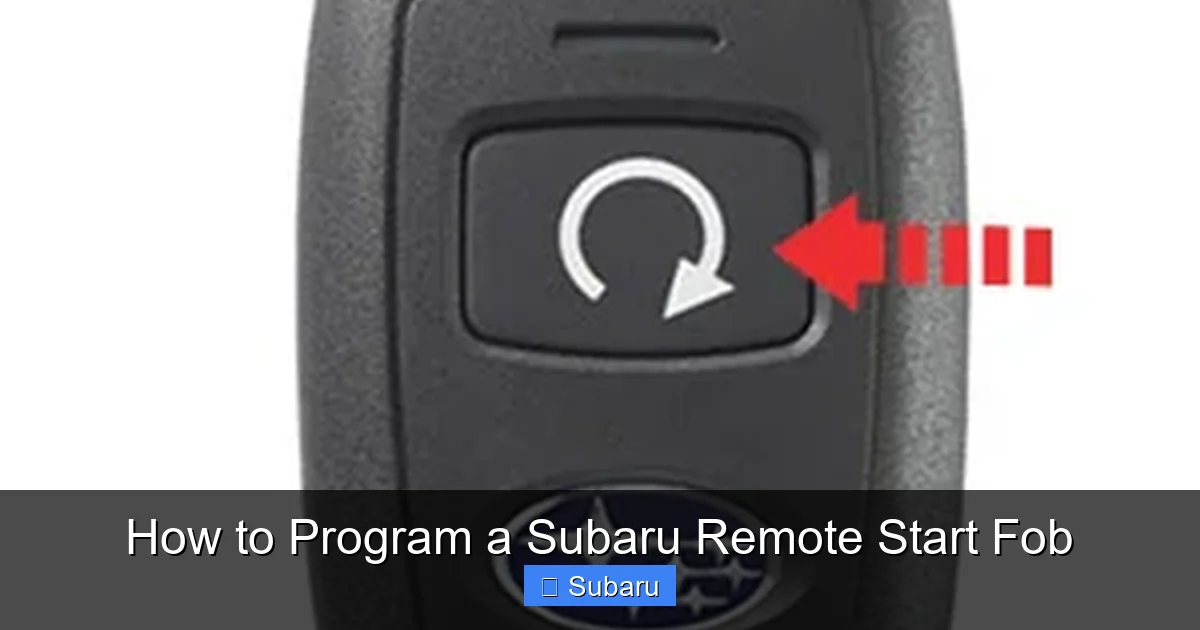
The most common way to use factory remote start is through a key fob that has a dedicated “remote start” button—usually marked with a circular arrow or a snowflake icon. If your fob has this button, you’re in luck. You can often activate remote start by pressing the lock button once, then holding the remote start button for a few seconds.
But here’s a common misconception: not all Subaru fobs with a remote start button are pre-programmed. Some vehicles require you to enable the feature through the infotainment system or by visiting a dealership. For example, certain trims of the Subaru Outback, Forester, and Ascent allow you to turn on remote start via the “Vehicle Settings” menu on the touchscreen.
Starlink Remote Start (Subscription-Based)
If your Subaru is equipped with Subaru Starlink (especially on models from 2016 onward), you might have access to remote start through the Starlink mobile app. This system uses cellular connectivity to let you start your car, lock/unlock doors, and even check vehicle status from your smartphone.
To use Starlink remote start, you’ll need to:
– Download the Subaru Starlink app (available on iOS and Android).
– Create an account and link it to your vehicle.
– Activate a Starlink subscription (some features require a paid plan).
While convenient, this option isn’t free. Basic safety and security features may be included for a limited time, but remote start often requires a “Remote Services” or “Concierge” package. Also, if you lose cellular signal or your subscription lapses, the feature won’t work.
Aftermarket Remote Start Systems
If your Subaru didn’t come with remote start—or if you want longer range or additional features—you might consider an aftermarket system. These are third-party devices installed by professionals and can include features like two-way feedback (so you know if your car started), smartphone control, and extended range.
Popular brands include Compustar, Viper, and Directed Electronics. These systems typically require professional installation because they interface with your car’s immobilizer, alarm, and ignition systems. Attempting a DIY install can void your warranty or damage your vehicle’s electronics.
One major advantage of aftermarket systems is compatibility. Even older Subaru models (like the 2008 Impreza or 2010 Legacy) can be retrofitted with remote start. However, you’ll need to ensure the installer is familiar with Subaru’s specific wiring and security protocols.
Checking Compatibility and Requirements
Visual guide about How to Program a Subaru Remote Start Fob
Image source: wheelsjoint.com
Now that you know the types of remote start available, let’s talk about whether your Subaru can actually use them. Not every model or trim level supports remote start, and even if it does, there may be limitations.
Model and Year Considerations
Remote start availability varies widely across Subaru’s lineup. Here’s a quick breakdown:
– **2015–2024 Outback, Legacy, Forester, Ascent, and Crosstrek:** Most trims include factory remote start or Starlink compatibility.
– **2010–2014 Models:** Limited support—usually only on higher trims or with optional packages.
– **Pre-2010 Models:** Rarely have factory remote start; aftermarket is the only option.
Always check your owner’s manual or contact a Subaru dealer to confirm your vehicle’s capabilities. You can also use Subaru’s VIN decoder tool online to see what features your car came with.
Fob Requirements
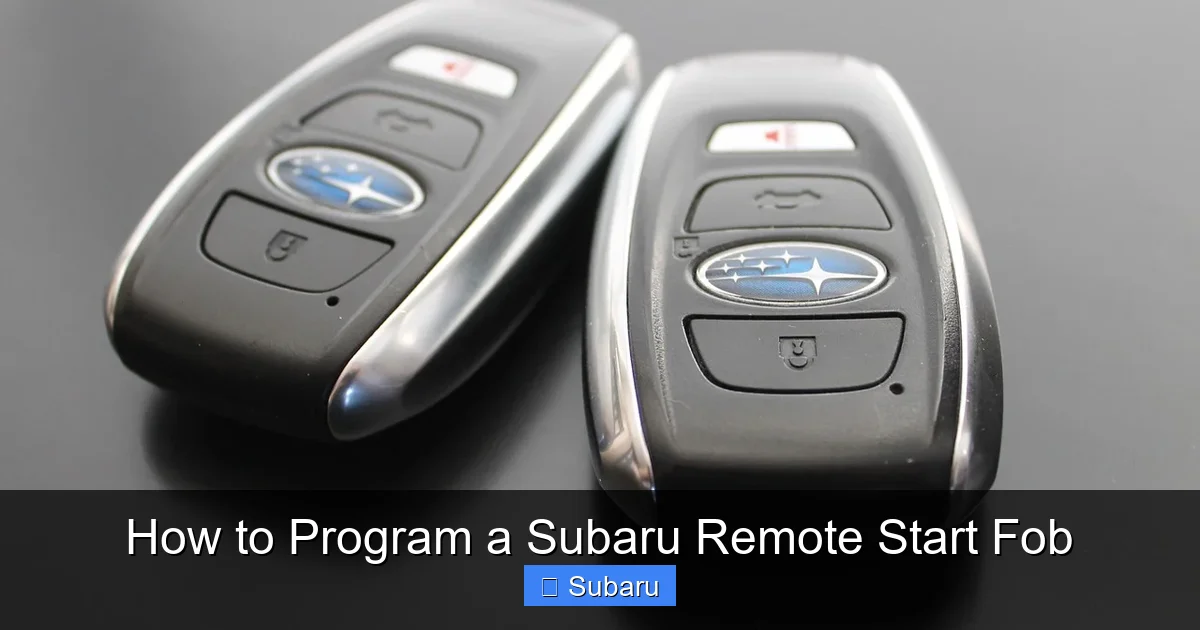
If you’re using the factory system, your key fob must have a remote start button. Older fobs (like those from 2010–2014) often only have lock, unlock, and trunk release buttons. These won’t work for remote start, even if your car supports it.
Some Subaru fobs look nearly identical but have different internal programming. For example, a 2018 Forester might come with two different fobs—one with remote start and one without—depending on the trim. If you’re unsure, compare your fob to images in the owner’s manual or ask a dealer.
Battery and Signal Strength
A weak fob battery is one of the most common reasons remote start fails. If your fob’s range has decreased or buttons feel sluggish, replace the battery (usually a CR2032 coin cell). You can buy these at any hardware or electronics store.
Also, keep in mind that remote start typically works within 300–500 feet, depending on obstacles like walls or interference. If you’re far from your car, the signal might not reach.
How to Program a Factory Subaru Remote Start Fob
Visual guide about How to Program a Subaru Remote Start Fob
Image source: cdn.pixabay.com
If your Subaru has a compatible fob and supports factory remote start, you can often program it yourself—no dealership visit required. Here’s how to do it safely and correctly.
Step-by-Step Programming Guide
Follow these steps carefully. Timing is crucial, and skipping a step can reset the process.
1. **Sit in the Driver’s Seat:** Close all doors and ensure the key is out of the ignition.
2. **Press and Hold the Brake Pedal:** Keep it pressed throughout the process.
3. **Turn the Ignition to “ON”:** Do not start the engine—just turn the key or press the start button until the dashboard lights up.
4. **Press the Lock Button on the Fob:** Do this once.
5. **Press and Hold the Remote Start Button:** Hold it for 5–10 seconds until the hazard lights flash twice.
6. **Release the Brake Pedal:** The car should remain in “ON” mode.
7. **Turn the Ignition Off:** Remove the key or press the start button to turn off the engine.
8. **Test the Remote Start:** Stand within range, press the lock button once, then press and hold the remote start button for 3–5 seconds. The engine should start, and the climate control should activate.
If the car doesn’t start, repeat the process. Some models require the sequence to be done within 30 seconds.
Troubleshooting Common Issues
– **Hazard Lights Flash Once:** This usually means the fob isn’t recognized. Check the battery or try a different fob.
– **Engine Starts Then Stops Immediately:** This could be due to a faulty hood pin switch or low fuel. Ensure the hood is fully closed and you have at least 1/4 tank of gas.
– **No Response at All:** Make sure you’re within range and that the car isn’t in “valet mode” (if equipped).
Model-Specific Tips
– **Subaru Outback (2015–2024):** Some trims require enabling remote start in the “Vehicle Settings” menu under “Climate Control.”
– **Subaru Forester (2019–2024):** The remote start button may be labeled with a snowflake. Hold it for 3 seconds after locking.
– **Subaru Ascent (2019–2024):** Remote start works for up to 10 minutes. Press the button twice to extend the runtime.
Using Subaru Starlink for Remote Start
If your vehicle is Starlink-equipped, you can use the app for remote start—no fob needed. Here’s how to set it up.
Setting Up the Starlink App
1. **Download the App:** Search “Subaru Starlink” in your app store.
2. **Create an Account:** Use the email associated with your Subaru account.
3. **Add Your Vehicle:** Enter your VIN and follow the prompts to link your car.
4. **Activate Services:** Choose a subscription plan that includes remote start (usually “Remote Services”).
5. **Test the Feature:** Open the app, select your vehicle, and tap “Start Engine.”
Pros and Cons of Starlink Remote Start
**Pros:**
– Start your car from anywhere with cellular service.
– Receive alerts if the engine starts or if there’s an issue.
– Integrates with other features like door lock and vehicle locator.
**Cons:**
– Requires a paid subscription (typically $100–$150/year).
– Dependent on cellular network—won’t work in remote areas.
– Slower response time compared to a fob (5–10 seconds).
Tips for Best Performance
– Keep your phone charged and connected to Wi-Fi or cellular data.
– Ensure your car has a clear view of the sky for GPS and signal.
– Update the app regularly to avoid bugs.
Installing and Programming Aftermarket Remote Start
If your Subaru doesn’t support factory remote start, an aftermarket system is your best bet. But this isn’t a DIY job—professional installation is strongly recommended.
Choosing the Right System
Look for a system that’s compatible with your Subaru’s make, model, and year. Brands like Compustar offer vehicle-specific kits that include all necessary wiring and modules.
Features to consider:
– **Two-Way Feedback:** Lets you know if the car started via LED lights or a remote display.
– **Smartphone Control:** Some systems work with apps for remote start from your phone.
– **Runtime Options:** Choose how long the engine runs (5, 10, or 15 minutes).
– **Security Integration:** Ensures the system works with your car’s immobilizer and alarm.
Professional Installation Process
A certified installer will:
1. Disconnect the battery for safety.
2. Locate and connect to the ignition, starter, and security wires.
3. Program the remote and test all functions.
4. Reconnect the battery and verify operation.
The entire process usually takes 2–4 hours and costs $200–$500, depending on the system and labor rates.
Programming the Remote
After installation, the technician will program the remote fob. This often involves:
– Pressing a “valet” or “program” button on the module.
– Sending a signal from the remote.
– Confirming with a light flash or beep.
Some systems allow you to program multiple remotes or adjust settings like runtime and horn chirp.
Safety, Legal, and Maintenance Tips
Remote start is convenient, but it comes with responsibilities. Here’s how to use it safely and keep it working.
Safety Precautions
– **Never Remote Start in an Enclosed Space:** Carbon monoxide can build up in garages or poorly ventilated areas.
– **Check the Hood Sensor:** If the hood isn’t fully closed, remote start may not work—or worse, the engine could start with the hood open.
– **Monitor Runtime:** Most systems shut off after 10–15 minutes. Don’t leave your car running unattended for long periods.
Legal Considerations
In some states, leaving a vehicle running unattended is illegal—even with remote start. Check local laws to avoid fines.
Maintenance and Troubleshooting
– **Replace Fob Batteries Annually:** Prevent signal issues.
– **Keep the System Updated:** For Starlink or app-based systems, install software updates.
– **Test Monthly:** Ensure remote start works before you really need it.
Conclusion
Programming a Subaru remote start fob might seem intimidating at first, but with the right information, it’s totally doable. Whether you’re using the factory fob, the Starlink app, or an aftermarket system, the key is understanding your vehicle’s capabilities and following the steps carefully.
Start by checking your owner’s manual and confirming compatibility. If you have a factory system, try the programming sequence at home. For Starlink, download the app and activate your subscription. And if you need more features or have an older model, consult a professional installer.
Remote start isn’t just a nice-to-have—it’s a game-changer for comfort and convenience. Once you’ve got it working, you’ll wonder how you ever lived without it. So grab your fob, follow this guide, and enjoy the luxury of a pre-warmed (or pre-cooled) car every time you drive.
Frequently Asked Questions
Can I program a Subaru remote start fob myself?
Yes, if your vehicle supports factory remote start and you have the correct fob, you can program it at home using the step-by-step sequence. Always refer to your owner’s manual for model-specific instructions.
Why won’t my Subaru remote start work after programming?
Common causes include a weak fob battery, incorrect programming sequence, or a faulty hood sensor. Ensure the hood is closed, the battery is fresh, and you’re following the steps precisely.
Do I need a subscription for Subaru remote start?
Only if you’re using the Starlink app. Factory fob-based remote start does not require a subscription, but Starlink remote services typically do.
Can I add remote start to an older Subaru?
Yes, but you’ll need an aftermarket system installed by a professional. Older models lack the factory hardware, so a third-party solution is required.
How far does the Subaru remote start fob work?
Most factory fobs work within 300–500 feet, depending on obstacles and interference. Aftermarket systems may offer longer range.
Is it safe to use remote start in cold weather?
Yes, as long as your car is in a well-ventilated area and the hood is closed. Remote start helps warm the engine and cabin, improving safety and comfort in winter.