How to Permanently Disable Auto Start Stop Ford F150

Contents
- 1 Key Takeaways
- 2 📑 Table of Contents
- 3 Understanding the Beast: What is Auto Start Stop in Your Ford F150?
- 4 Why Bother Disabling It? The Common Complaints
- 5 Your Permanent Disable Options: A Clear Comparison
- 6 Step-by-Step: Installing a Popular Aftermarket Disable Module
- 7 Legal, Warranty, and Real-World Considerations
- 8 Frequently Asked Questions (FAQs)
- 9 Frequently Asked Questions
Car Inverter

Jack Stands

Car Door Edge Guard

Anti-Slip Dashboard Mat
Tired of your Ford F150’s engine shutting off at every red light? You’re not alone. This guide cuts through the confusion to show you exactly how to permanently disable the Auto Start Stop system. We’ll cover the most reliable methods, from simple plug-and-play modules to professional reprogramming, and explain the crucial trade-offs involving warranty, legality, and daily drivability. Get the definitive answer and reclaim your truck’s instant responsiveness.
Key Takeaways
- The Auto Start Stop system is federally mandated for emissions, but can be permanently disabled. While designed to save fuel and reduce emissions in city driving, many F150 drivers find the system’s intrusive restarts, reduced HVAC performance, and wear concerns outweigh the benefits.
- There are three primary permanent disable methods: aftermarket modules, dealer software reprogramming, and advanced DIY tools. Aftermarket modules are the most popular and cost-effective, dealer reprogramming is the cleanest but most expensive, and DIY tools require technical skill and carry higher risk.
- An aftermarket “disable module” is the go-to solution for most owners. These devices plug into a sensor harness under the hood, tricking the computer into thinking conditions are unsafe for auto stop, effectively disabling the system without triggering warning lights.
- Permanent disablement may impact your warranty and has legal gray areas. While the EPA prohibits tampering with emissions equipment, the Start Stop system is classified as an “emissions-related” feature, meaning a dealer could potentially deny warranty claims for related components. It remains legal for personal use but may affect state emissions inspections in rare cases.
- Disabling the system is generally safe but changes driving characteristics. You’ll regain immediate throttle response and consistent cabin temperature, but you will lose a small amount of estimated fuel economy (typically 1-2 MPG in heavy city traffic) and your truck will idle at stops, using a tiny amount of gas.
- Never simply disconnect the battery or the system’s fuse. This causes multiple dashboard warning lights and error codes, triggers a “limp mode” drive cycle for the engine, and is not a permanent solution—the system will re-activate after a few drive cycles.
- Always diagnose for pre-existing issues first. If your Auto Start Stop is already inactive due to a fault (e.g., weak battery, low coolant, AC issues), fixing that root cause is necessary. A disable module will not work if the PCM has already logged a fault disabling the system.
📑 Table of Contents
- Understanding the Beast: What is Auto Start Stop in Your Ford F150?
- Why Bother Disabling It? The Common Complaints
- Your Permanent Disable Options: A Clear Comparison
- Step-by-Step: Installing a Popular Aftermarket Disable Module
- Legal, Warranty, and Real-World Considerations
- Frequently Asked Questions (FAQs)
Understanding the Beast: What is Auto Start Stop in Your Ford F150?
Let’s start with the basics. The Auto Start Stop (sometimes called Auto Stop-Start or Engine Start-Stop) system in your Ford F150 is a piece of software-controlled hardware designed to do one thing: shut off your truck’s engine when you come to a complete stop, and automatically restart it when you take your foot off the brake. It’s a fuel-saving and emissions-reducing technology, mandated by regulatory pressures to help manufacturers meet Corporate Average Fuel Economy (CAFE) standards.
In your F150, the system uses a network of sensors. It monitors your brake pedal position, vehicle speed, steering wheel angle, engine coolant temperature, battery state of charge, and even the climate control settings. For it to activate, a complex set of “enable criteria” must be met. The engine must be fully warmed up, the battery must have sufficient charge, the driver’s seatbelt must be fastened, and the HVAC system must not be struggling to meet a temperature set point. When you creep up to a stoplight and press the brake firmly enough to hold the truck, the system kills the engine. You’ll see the idle stop indicator light on your dash. The moment you press the accelerator or sometimes just lift your foot from the brake, the starter motor (a heavy-duty, reinforced one) cranks the engine back to life.
On paper, it sounds great. In the real world of a heavy-duty truck like the F150, especially one with a powerful EcoBoost or V8 engine, the system can feel jarring and out of place. The restart isn’t always instantaneous, leading to a moment of hesitation when the light turns green. If you’re using the air conditioning on a hot day, the system may refuse to shut off the engine to keep the compressor running, or it will shut off and you’ll feel a rush of warm air before it restarts. For many truck owners who value immediate throttle response and constant cabin comfort, this system is an unwelcome guest. It’s no surprise that “how to disable Auto Start Stop on Ford F150” is one of the most searched topics for this truck.
Why Bother Disabling It? The Common Complaints
Before we dive into the “how,” let’s cement the “why.” Understanding the pain points helps you confirm that disabling is the right move for you. The frustrations are consistent across the F150 community.
Visual guide about How to Permanently Disable Auto Start Stop Ford F150
Image source: thegeekpub.com
The Hesitation and Lag
The most common complaint is the perceived lag when you need to move. While the system is designed to restart quickly, it’s never as fast as an engine that’s already running. In a situation where you need to accelerate suddenly—like making a left turn across traffic—that half-second delay can feel like an eternity and can be a safety concern. The truck feels sluggish and unresponsive just when you need it most. Disabling the system restores that instant, connected feeling between your foot and the truck’s power.
HVAC (Heating & Cooling) Compromise
Your F150’s air conditioning and heating are powered by the engine. When the engine stops, the refrigerant flow and coolant circulation stop. On a scorching summer day in Texas or a frigid winter morning in Canada, this is unacceptable. The truck will often keep the engine running if the cabin temperature is far from the set point, but not always. You’ll experience a gradual warming of the cabin air at a stop, which is both uncomfortable and defeats the purpose of having a powerful climate control system. Disabling Auto Start Stop ensures your engine—and thus your compressor and heater core—are always running, maintaining a constant, comfortable temperature.
Increased Starter and Battery Wear (Perceived)
There’s a long-standing debate about wear and tear. The system uses a heavier-duty starter motor designed for more cycles, but it’s still an extra component doing more work. Similarly, the battery is a more robust Absorbent Glass Mat (AGM) type in many F150s to handle the frequent charge-discharge cycles. Some owners worry this leads to premature failure. While modern components are engineered for this, the peace of mind of eliminating that constant cycling is a valid reason for many to disable it.
The “Annoying” Factor and Habit Disruption
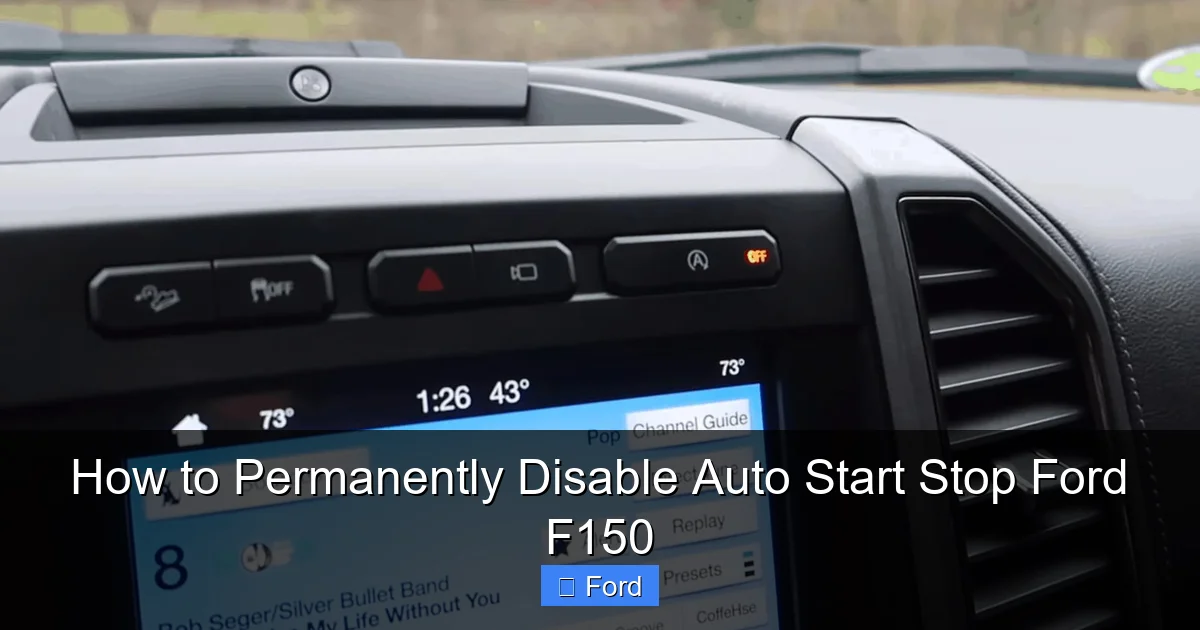
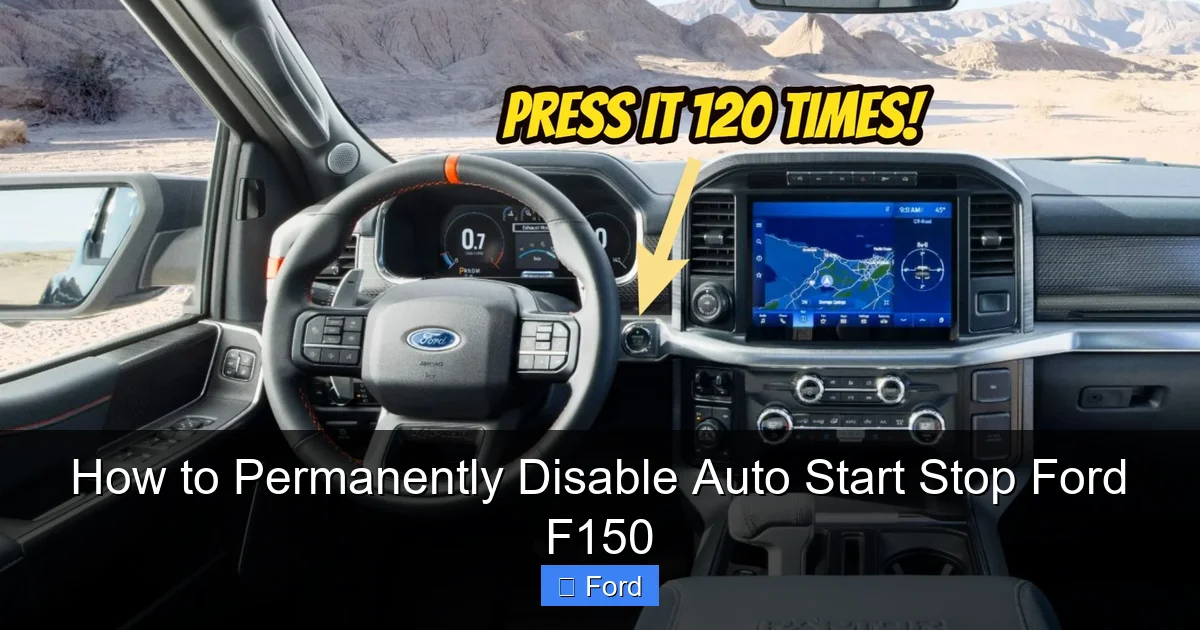
Sometimes, it’s just plain annoying. The ritual of the engine dying, the slight lurch as it restarts, the need to re-acclimate to the silence at a stop—it breaks your driving rhythm. For a vehicle used for work, towing, or as a daily driver where you want a seamless experience, this constant on-off cycle is a distraction. Many owners simply press the “Auto Start Stop” button on the dash to temporarily disable it every single time they get in the truck. A permanent fix removes this repetitive, forgettable step.
Your Permanent Disable Options: A Clear Comparison
Now, to the meat of the matter. You have three main paths to a permanent solution. Each has a different cost, complexity, and permanence level. We’ll break them down.
Visual guide about How to Permanently Disable Auto Start Stop Ford F150
Image source: s1.cdn.autoevolution.com
Method 1: Aftermarket Disable Modules (The Most Popular Choice)
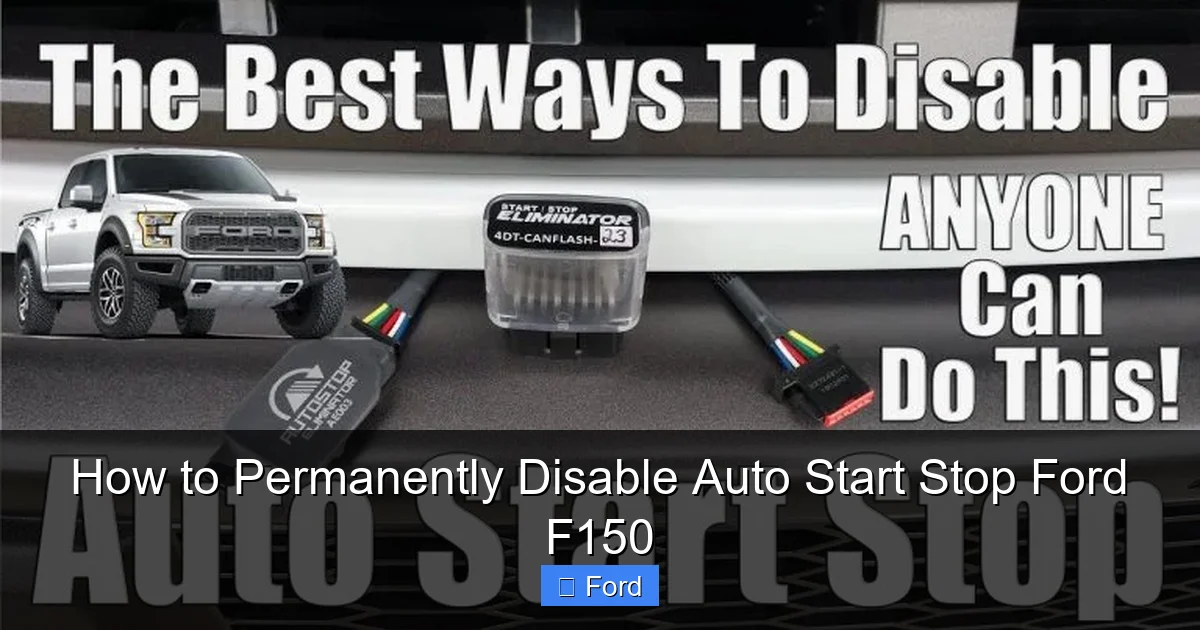
This is the route taken by the vast majority of F150 owners. Companies like AutoStopDelete, Forscan (via a modified strategy), and others create small electronic modules that plug into your truck’s wiring harness. These devices do not “hack” the computer; they simply simulate a sensor condition that tells the Powertrain Control Module (PCM) that the Auto Start Stop system should remain disabled. They are essentially “always-on” signals that mimic the “system not ready” state.
How it works: The module is typically installed on the sensor for the Brake Pedal Position (or a related circuit). It sends a constant voltage signal that the PCM interprets as the brake not being pressed (or a fault condition), which prevents the engine shutdown logic from ever engaging. Because it’s a passive, constant signal, it doesn’t throw any Diagnostic Trouble Codes (DTCs) or trigger warning lights. The system simply believes it’s never safe or able to stop the engine.
Pros: Inexpensive ($50-$200), DIY-friendly (usually 30-60 minutes with basic tools), completely reversible (just unplug it), no dealer or software needed.
Cons: Requires locating the correct harness/connector (which varies by model year and engine), potential for poor-quality modules to cause electrical gremlins if not properly isolated, and it’s an aftermarket part (though quality ones are very reliable).
Method 2: Dealer or Professional Software Reprogramming
This is the “cleanest” factory method. Using proprietary Ford diagnostic software (like IDS/FDRS) or advanced third-party tools (like FORScan with a compatible OBD2 adapter and paid license), a technician can reprogram the PCM’s strategy to turn the feature off permanently at a software level.
How it works: The technician connects to the truck’s OBD2 port, accesses the PCM’s configuration, and changes a parameter from “Active” to “Inactive” for the Auto Start Stop function. This alters the truck’s own “brain” to remove the logic entirely.
Pros: 100% factory-like integration, no extra wires or boxes under the hood, absolutely no chance of warning lights or codes, retains all other vehicle functionality perfectly. It’s the most seamless and professional solution.
Cons: Significantly more expensive ($200-$600+ at a dealer or specialist), requires finding a shop willing to do it (some dealers refuse due to policy), and if the truck’s PCM is ever reflashed with an updated factory software (e.g., during a recall or other repair), the setting may revert and need to be disabled again.
Method 3: Advanced DIY with FORScan and a Modified Strategy
This is for the true tech-savvy enthusiast. FORScan is a powerful, Windows-based software that can interface with your F150’s modules. With a compatible OBD2 adapter (like an OBDLink EX) and a paid “Extended License,” you can access deep PCM settings. Some community members have created “modified PIDs” or strategies that can disable Auto Start Stop. This is essentially a middle ground between the module and full dealer reprogramming.
How it works: You load a modified configuration file into FORScan and write it to the PCM, changing the same software parameter a dealer would.
Pros: One-time cost (adapter + license), permanent software-level change, no hardware under the hood.
Cons: High risk. If you brick the PCM, you have a very expensive paperweight. Requires precise knowledge of your truck’s exact configuration (year, engine, transmission, axle ratio). Not for the faint of heart. This method is not recommended for most users.
Step-by-Step: Installing a Popular Aftermarket Disable Module
Since this is the most accessible and common method, let’s walk through a general installation. Always consult the specific instructions that come with your purchased module. This is a generalized guide based on common F150 installations.
Visual guide about How to Permanently Disable Auto Start Stop Ford F150
Image source: carglassadvisor.com
Tools and Preparation
You’ll typically need: a socket set (usually 10mm), a flat-head screwdriver, a trim removal tool (plastic pry tool), your disable module, and perhaps some zip-ties for tidy wire management. Park your truck on a level surface, engage the parking brake, and open the hood. It’s a good practice to disconnect the negative battery terminal for a few minutes before starting any electrical work to prevent any accidental shorts or module initialization errors.
Locating the Brake Pedal Position Sensor Connector
This is the critical step. The connector you need is almost always found at the top of the brake pedal assembly, under the dash, on the driver’s side. You’ll need to get your head and shoulders into the footwell. Gently pry off the plastic knee bolster (the panel at the top of the footwell) using your trim tools. This usually snaps in place. Once removed, you’ll see the brake pedal linkage and a wiring harness clipped to a bracket near the pedal pivot. The connector you’re looking for is the one that goes to the Brake Pedal Position (BPP) sensor. It’s often a small, two or three-wire connector. Tip: Your module’s instructions should have a diagram or photo specific to your F150’s model year. Searching online for “F150 brake pedal position sensor connector location [your year]” can yield invaluable video guides.
Making the Connection
Once you’ve identified the correct connector, you’ll unplug it from the sensor. Your disable module will have two halves: one that plugs into the truck’s wiring harness (the “female” side), and the other that plugs back into the sensor (the “male” side). Simply insert the module in-line between these two connectors. It should click firmly into place. Ensure the module’s body is secured away from moving pedals, sharp edges, or hot surfaces. Most modules have adhesive pads or you can use a zip-tie to attach it to a stable bracket.
Final Steps and Testing
Reinstall the knee bolster panel. Reconnect the negative battery terminal. Start your F150 and let it idle for a minute. The Auto Start Stop system should now be inactive. The “Auto Start Stop” indicator light on your dash will likely not illuminate at all, or it may illuminate and then go out, signifying the system is off. Go for a drive. Come to a stop at a traffic light. The engine should remain running. Press the accelerator—there should be no hesitation. The system is now permanently disabled. If you see any warning lights (like a check engine light or a specific Auto Start Stop warning), double-check your connection and ensure the module is compatible with your exact truck configuration. A quality module from a reputable vendor should not cause this.
Legal, Warranty, and Real-World Considerations
You can’t talk about disabling a factory emissions-related system without addressing the elephant in the room. Let’s be clear.
The Emissions and Warranty Reality
The Clean Air Act prohibits the removal or tampering of any emissions control device on a vehicle. The EPA classifies the Auto Start Stop system as an “emissions control” device because its primary certified purpose is to reduce tailpipe pollutants in city driving. Therefore, technically, disabling it is a violation of federal law if your vehicle is still under its original emissions warranty period (typically 8 years/80,000 miles for certain components). However, enforcement for personal vehicle modifications is virtually non-existent. The real-world impact is on your Ford warranty. Ford’s warranty policy states that if a failure of a covered component is caused by a modification that alters the vehicle from its original certified configuration, they can deny the claim. If your engine or transmission has a failure and a dealer technician can trace it, even circumstantially, to the aftermarket module (e.g., they see it during a routine inspection), they could use it as grounds to deny warranty coverage for that repair. This is a risk, albeit a low one for a simple signal simulator, but it exists. Dealer reprogramming carries a similar risk, though it’s less visibly “aftermarket.”
State Inspections and “Check Engine” Lights
For states with annual emissions testing (smog checks), a permanently disabled Auto Start Stop system will not cause your vehicle to fail the test. The emissions test does not check for the operational status of the Start Stop system; it measures tailpipe output of hydrocarbons, CO, and NOx. As long as your truck passes those numbers, you’re fine. However, a poorly installed or defective module could cause a check engine light for a sensor circuit fault. A check engine light, regardless of cause, will cause an immediate fail in most inspection lanes. This is why choosing a high-quality, well-designed module that doesn’t throw codes is critical. The methods described above (quality modules, software reprogram) are designed to be “stealthy” and code-free.
The Fuel Economy Trade-Off
Be honest with yourself. You are disabling a fuel-saving feature. The EPA and Ford estimate the Auto Start Stop system can save you up to 4-5% in fuel consumption in heavy stop-and-go traffic. For a truck that gets 18 MPG combined, that’s less than 1 MPG. For most F150 drivers, the annoyance and loss of drivability far outweigh the microscopic fuel savings. You will use slightly more gas at idle. Accept this trade-off. The benefit is a more enjoyable, responsive, and comfortable driving experience. If you’re hyper-miling in city traffic, you might notice the difference. For highway cruisers and those who value performance, the trade is almost always worth it.
Frequently Asked Questions (FAQs)
Will disabling Auto Start Stop drain my battery faster?
No. The system is designed to save fuel by stopping the engine, but the alternator must then work slightly harder to recharge the battery after a restart. When disabled, the engine runs continuously at stops, and the alternator maintains a steady, predictable charge. The net effect on battery life is negligible. Your battery’s health is far more dependent on its age and your driving habits than this one system.
Can I turn off Auto Start Stop without any parts or tools?
No. There is no hidden menu, no sequence of button presses, and no permanent fuse pull that will disable it without causing other problems. The “Auto Start Stop” button on your dash is only a temporary, per-drive-cycle disable. The system will re-enable on the next ignition cycle. A physical modification—either a module, a software change, or a wire cut (not recommended)—is required for a permanent fix.
My Auto Start Stop is already not working. Is there a problem?
Yes. The system has automatic fault detection. If it’s inactive, it’s because one of its many enable criteria is not being met. Common culprits are: a weak or old battery (the #1 cause), low engine coolant level, a faulty brake pedal position sensor, an active check engine light, or the climate control being set to maximum cooling/heating. Before installing a disable module, you should diagnose and fix the underlying issue. Otherwise, your module might not work because the PCM has already disabled the system due to a fault. A simple battery test is a great first step.
Will a module affect my truck’s performance or towing?
No. The module only sends a signal to prevent the engine shutdown. It does not alter engine timing, fuel delivery, boost pressure (on EcoBoost), or transmission behavior. Your truck’s horsepower, torque, and towing capacity remain exactly the same. The only performance-related change is the elimination of the restart hesitation, making the truck feel more responsive from a stop.
Is this similar to systems in other trucks like the GMC Sierra or Chevy Silverado?
Yes and no. The fundamental goal is the same, but the implementation differs. GM’s system is also sensor-based and can be disabled with similar aftermarket modules. However, the specific sensor location and wiring logic are different. You cannot use a Ford module in a GM truck. If you own a GM truck, you would need a module designed for your specific Sierra or Silverado model year. The principles are identical, which is why guides for other brands, like our ultimate guide for the GMC Sierra, follow a similar installation philosophy.
What about the new hybrid F150s? Is it the same?
No. The hybrid (PowerBoost) F150 has a fundamentally different system. Its “Auto Start Stop” is seamlessly integrated with the hybrid drive motor. The engine can shut off and the electric motor can propel the truck from a stop up to a certain speed. Disabling this system is vastly more complex, involves the hybrid battery control modules, and is not possible with a simple plug-in module. This guide is strictly for conventional gasoline (Coyote V8 or EcoBoost) F150s. Attempting to apply these methods to a PowerBoost hybrid will cause severe errors and unsafe conditions.
Frequently Asked Questions
Will disabling Auto Start Stop drain my battery faster?
No. The system is designed to save fuel by stopping the engine, but the alternator must then work slightly harder to recharge the battery after a restart. When disabled, the engine runs continuously at stops, and the alternator maintains a steady, predictable charge. The net effect on battery life is negligible. Your battery’s health is far more dependent on its age and your driving habits than this one system.
Can I turn off Auto Start Stop without any parts or tools?
No. There is no hidden menu, no sequence of button presses, and no permanent fuse pull that will disable it without causing other problems. The “Auto Start Stop” button on your dash is only a temporary, per-drive-cycle disable. The system will re-enable on the next ignition cycle. A physical modification—either a module, a software change, or a wire cut (not recommended)—is required for a permanent fix.
My Auto Start Stop is already not working. Is there a problem?
Yes. The system has automatic fault detection. If it’s inactive, it’s because one of its many enable criteria is not being met. Common culprits are: a weak or old battery (the #1 cause), low engine coolant level, a faulty brake pedal position sensor, an active check engine light, or the climate control being set to maximum cooling/heating. Before installing a disable module, you should diagnose and fix the underlying issue. Otherwise, your module might not work because the PCM has already disabled the system due to a fault. A simple battery test is a great first step.
Will a module affect my truck’s performance or towing?
No. The module only sends a signal to prevent the engine shutdown. It does not alter engine timing, fuel delivery, boost pressure (on EcoBoost), or transmission behavior. Your truck’s horsepower, torque, and towing capacity remain exactly the same. The only performance-related change is the elimination of the restart hesitation, making the truck feel more responsive from a stop.
Is this similar to systems in other trucks like the GMC Sierra or Chevy Silverado?
Yes and no. The fundamental goal is the same, but the implementation differs. GM’s system is also sensor-based and can be disabled with similar aftermarket modules. However, the specific sensor location and wiring logic are different. You cannot use a Ford module in a GM truck. If you own a GM truck, you would need a module designed for your specific Sierra or Silverado model year. The principles are identical, which is why guides for other brands, like our ultimate guide for the GMC Sierra, follow a similar installation philosophy.
What about the new hybrid F150s? Is it the same?
No. The hybrid (PowerBoost) F150 has a fundamentally different system. Its “Auto Start Stop” is seamlessly integrated with the hybrid drive motor. The engine can shut off and the electric motor can propel the truck from a stop up to a certain speed. Disabling this system is vastly more complex, involves the hybrid battery control modules, and is not possible with a simple plug-in module. This guide is strictly for conventional gasoline (Coyote V8 or EcoBoost) F150s. Attempting to apply these methods to a PowerBoost hybrid will cause severe errors and unsafe conditions.