
How to Disable Gps Tracking on a Dodge Ram

Disabling GPS tracking on a Dodge Ram is possible through several methods, including disabling Uconnect services, removing the TCU, or using signal blockers—but always consider legal and safety implications. This guide walks you through each option with clear, practical steps to help you take control of your vehicle’s location data.
Key Takeaways
- Understand why GPS tracking exists: Many Dodge Rams come with built-in telematics systems like Uconnect for safety, navigation, and remote services—but they also collect location data.
- Use the Uconnect app or website to disable tracking features: You can turn off location sharing and remote services through your account settings without physical modifications.
- Physically disconnect the Telematics Control Unit (TCU): Located under the dashboard or in the fuse box, removing this module stops cellular and GPS data transmission.
- Consider legal and warranty implications: Tampering with factory-installed systems may void your warranty or violate lease agreements—always check terms first.
- Signal blockers are a temporary fix: GPS jammers or Faraday bags can block signals but are often illegal and unreliable for long-term use.
- Privacy settings matter: Regularly review your Uconnect privacy preferences and opt out of data collection where possible.
- Consult a professional if unsure: If you’re not comfortable working with electronics, seek help from a trusted mechanic or dealership technician.
📑 Table of Contents
- Why Would You Want to Disable GPS Tracking on a Dodge Ram?
- Understanding How GPS Tracking Works in Dodge Rams
- Method 1: Disable Tracking Through Uconnect Settings
- Method 2: Physically Disconnect the Telematics Control Unit (TCU)
- Method 3: Use a GPS Signal Blocker or Faraday Bag
- Method 4: Remove or Disable the GPS Antenna
- Legal, Safety, and Ethical Considerations
- Alternative Solutions: Privacy-Focused Upgrades
- Conclusion: Taking Control of Your Privacy
Why Would You Want to Disable GPS Tracking on a Dodge Ram?
So, you’ve got a Dodge Ram—maybe it’s a 2020 Ram 1500, a 2023 Ram 2500, or even an older model—and you’re starting to wonder: *Is someone tracking my every move?* It’s a fair question. Modern vehicles, especially trucks like the Ram, come packed with tech that makes driving safer, more convenient, and… well, a little more transparent.
Dodge equips many of its newer Rams with the Uconnect system, which includes GPS navigation, emergency services (like automatic crash response), remote start, and even Wi-Fi hotspot capabilities. All of this relies on a built-in cellular and GPS connection. That means your truck knows where you are—and in some cases, so does Dodge, your dealership, or even your employer if the vehicle is company-owned.
Now, don’t panic. This tech isn’t there to spy on you. It’s designed to help in emergencies, assist with navigation, and offer convenience features like locking your doors from your phone. But for some drivers, the idea of constant location monitoring raises privacy concerns. Maybe you’re worried about stalking, data misuse, or simply want more control over your personal information. Whatever your reason, knowing how to disable GPS tracking on a Dodge Ram gives you peace of mind.
It’s also worth noting that GPS tracking isn’t just about privacy—it can affect insurance rates, fleet management, and even resale value. Some drivers disable tracking to avoid being monitored by employers or to prevent insurers from using location data in rate calculations. Others just prefer the simplicity of a truck that doesn’t “phone home” every time they drive.
The good news? You have options. From simple software settings to physical modifications, there are several ways to reduce or eliminate GPS tracking on your Dodge Ram. But before you start pulling wires or downloading apps, it’s important to understand what you’re dealing with—and the potential consequences of disabling these systems.
Understanding How GPS Tracking Works in Dodge Rams
Visual guide about How to Disable Gps Tracking on a Dodge Ram
Image source: automohub.com
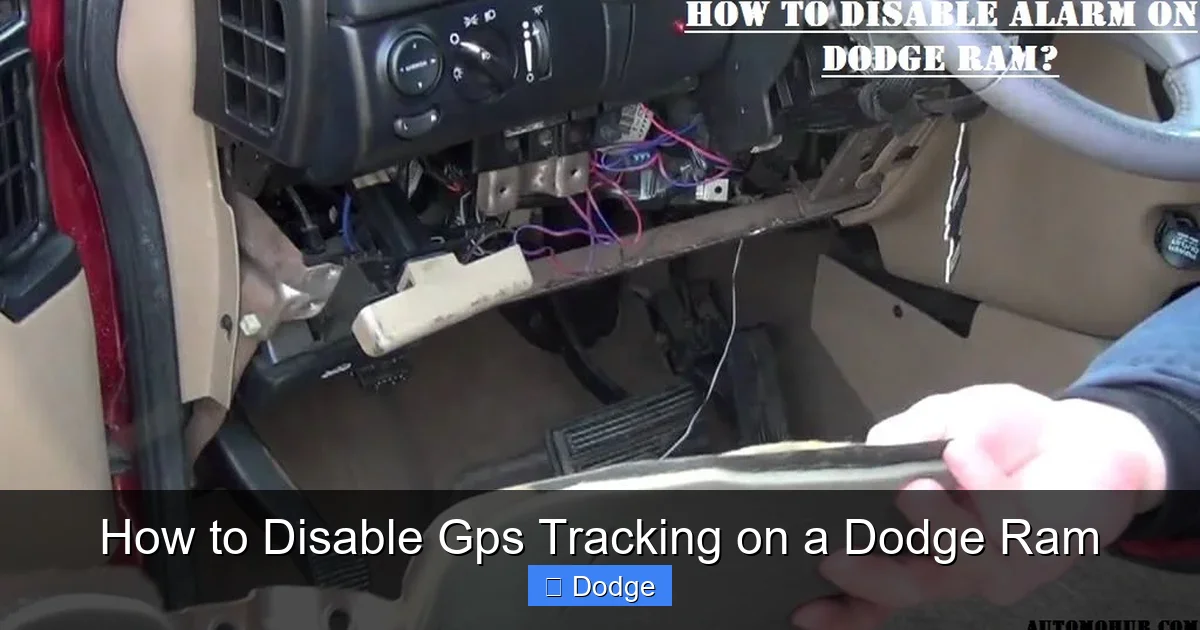
To effectively disable GPS tracking, you first need to understand how it works in your Dodge Ram. Most modern Rams (especially models from 2013 onward) come equipped with a Telematics Control Unit (TCU), sometimes called the “black box” of the vehicle. This small device is the brain behind features like Uconnect, emergency calling (eCall), remote start, and real-time location tracking.
The TCU connects to both the vehicle’s internal network (via the CAN bus) and external networks through a built-in SIM card and GPS antenna. When you use the Uconnect app to start your truck remotely, the command travels from your phone to Dodge’s servers, then to the TCU in your vehicle. The same goes for GPS data—your location is constantly being logged and can be accessed by authorized users or services.
Here’s a breakdown of the key components involved:
The Telematics Control Unit (TCU)
This is the core of the tracking system. It’s usually located under the dashboard near the steering column, in the glove box area, or sometimes behind the center console. The TCU communicates with satellites for GPS positioning and uses a cellular connection (often through AT&T or Verizon) to send data back to Dodge or third-party services.
Uconnect System
Uconnect is Dodge’s infotainment and connectivity platform. It includes navigation, voice commands, smartphone integration (Apple CarPlay, Android Auto), and cloud-based services. If you’ve ever used the “Send & Go” feature to send a destination from your phone to your truck, that’s Uconnect in action—and it relies on GPS and internet connectivity.
Built-in GPS Antenna
Most Rams have a dedicated GPS antenna, often mounted on the roof or rear window. This antenna receives signals from satellites to determine your precise location. Even if you turn off navigation, the antenna may still be active if the TCU is powered.
Cellular Connectivity
The TCU uses a SIM card (similar to a phone) to connect to cellular networks. This allows for real-time data transmission, including location, speed, and diagnostic information. This connection is what enables features like remote start and vehicle tracking.
Data Collection and Sharing
Dodge collects data through Uconnect for various purposes: improving services, providing roadside assistance, and offering personalized features. According to their privacy policy, they may share anonymized data with partners, but they claim not to sell personal location data. Still, many drivers are uncomfortable with any level of tracking.
Understanding these components helps you see why simply turning off navigation in the infotainment system isn’t enough. The GPS and cellular systems often run independently, meaning your truck could still be reporting its location even if the map screen is off.
Method 1: Disable Tracking Through Uconnect Settings

Visual guide about How to Disable Gps Tracking on a Dodge Ram
Image source: cartrack.spysat.eu
The easiest and least invasive way to reduce GPS tracking on your Dodge Ram is by adjusting the settings in the Uconnect system. This method doesn’t require any tools or technical know-how—just a few taps on your touchscreen or a visit to the Uconnect website.
Step 1: Access Uconnect Settings
Start your truck and turn on the infotainment system. From the home screen, tap the “Settings” icon (usually a gear or wrench symbol). Navigate to “Vehicle” or “System” settings, then look for options related to “Privacy,” “Location Services,” or “Uconnect Services.”
Step 2: Turn Off Location Sharing
Look for a toggle or checkbox labeled “Share Location,” “Enable GPS Tracking,” or “Location Services.” Switch it off. This will prevent the system from sending your location to Dodge or third-party apps. Note that this may disable features like real-time traffic updates or remote navigation.
Step 3: Disable Remote Services
Go to the “Remote” or “My Uconnect” section and disable features like remote start, door lock/unlock, and vehicle finder. These services rely on GPS and cellular data, so turning them off reduces tracking significantly.
Step 4: Use the Uconnect Website or App
You can also manage these settings online. Visit [myuconnect.com](https://myuconnect.com) and log in with your account. From the dashboard, go to “Vehicle Settings” or “Privacy Preferences.” Here, you can opt out of data collection, disable location sharing, and even delete stored location history.
Step 5: Opt Out of Data Collection
Dodge allows users to opt out of certain data-sharing practices. In your Uconnect account, look for a “Privacy” or “Data Preferences” section. You can choose to stop sharing diagnostic data, location history, and usage patterns. While this doesn’t completely disable GPS, it limits how your data is used.
Limitations of This Method
While adjusting Uconnect settings is convenient, it’s not foolproof. Some systems may re-enable tracking after a software update or if the vehicle is serviced at a dealership. Also, emergency services (like automatic crash notification) may still use GPS even if other features are disabled. Always check your settings after updates.
Method 2: Physically Disconnect the Telematics Control Unit (TCU)
Visual guide about How to Disable Gps Tracking on a Dodge Ram
Image source: assets-global.website-files.com
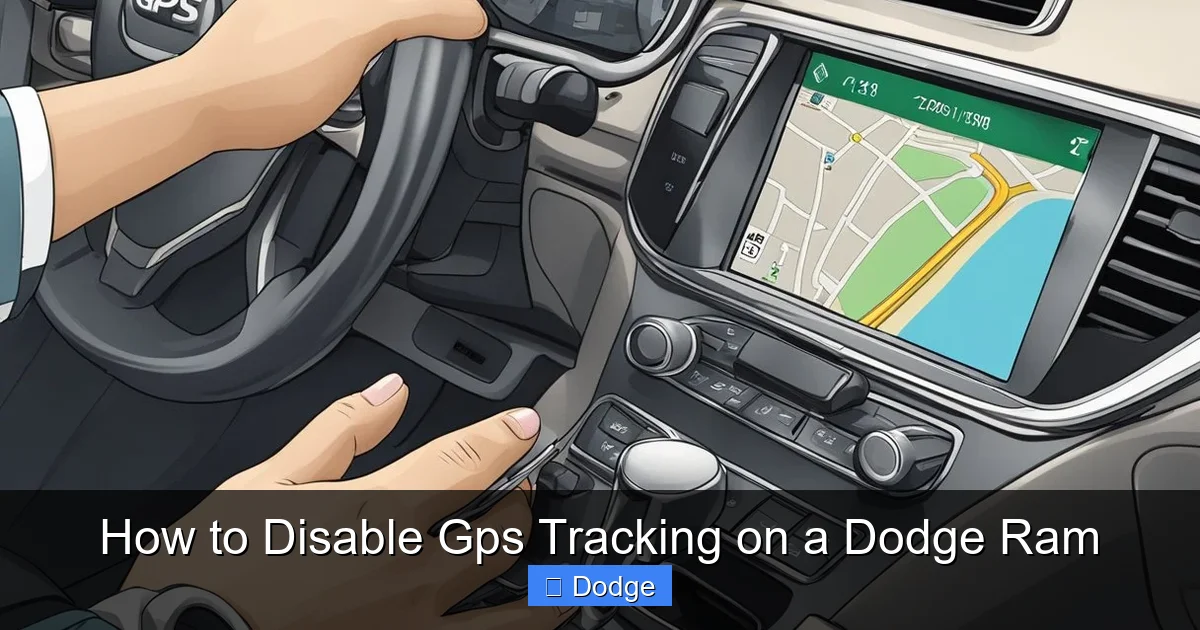
If software settings aren’t enough, you can physically disconnect the TCU to stop GPS and cellular tracking entirely. This method is more effective but requires some mechanical skill and carries risks.
Locating the TCU
The TCU is typically found in one of three places:
– Under the dashboard, near the steering column (often behind a plastic panel)
– In the glove box area (behind the trim)
– Near the fuse box under the hood or inside the cabin
Refer to your owner’s manual or search online for your specific Ram model and year. For example, in a 2021 Ram 1500, the TCU is usually under the center console, accessible by removing the trim panels.
Tools You’ll Need
– Trim removal tools (plastic pry tools)
– Screwdrivers (Phillips and flathead)
– Flashlight
– Electrical tape (optional)
Step-by-Step Disconnection
1. **Turn off the ignition** and disconnect the negative terminal of the battery for safety.
2. **Remove the necessary trim panels** to access the TCU. Be gentle to avoid breaking clips.
3. **Locate the TCU**—it’s a small black or gray box with multiple wires connected.
4. **Unplug the main harness** from the TCU. This usually involves pressing a clip and pulling the connector.
5. **Optionally, disconnect the GPS antenna** (a small cable often labeled “GPS” or “ANT”).
6. **Reassemble the trim** and reconnect the battery.
What Happens After Disconnection?
Once the TCU is unplugged:
– GPS tracking stops immediately
– Remote start, door lock, and vehicle finder features no longer work
– Emergency calling (eCall) is disabled
– Uconnect services (like navigation updates) may not function
Risks and Considerations
– **Warranty voidance:** Modifying factory electronics may void your warranty.
– **Safety concerns:** Disabling eCall means no automatic emergency response in a crash.
– **Resale value:** Future buyers may be wary of a truck with disconnected systems.
– **Legal issues:** In some states, tampering with safety systems is illegal.
If you’re not confident doing this yourself, consult a professional mechanic. Some dealerships may even offer to disable the TCU upon request, though they’re not obligated to do so.
Method 3: Use a GPS Signal Blocker or Faraday Bag
For a non-invasive, temporary solution, you can use a GPS signal blocker or Faraday bag. These devices prevent GPS and cellular signals from reaching your truck’s antenna, effectively “hiding” your location.
How GPS Blockers Work
A GPS blocker (or jammer) emits radio signals on the same frequency as GPS satellites, overpowering them and preventing your truck from getting a location fix. Faraday bags, on the other hand, are lined with conductive material that blocks all electromagnetic signals—like putting your phone in airplane mode, but physically.
Using a Faraday Bag
Some drivers place their key fob in a Faraday bag when parked to prevent relay attacks. Similarly, you can use a large Faraday bag or pouch to cover the GPS antenna (usually on the roof or rear window). This blocks signals but only works when the bag is in place.
Using a GPS Jammer
Portable GPS jammers are available online, but **they are illegal in most countries, including the U.S.**, under FCC regulations. Using one can result in hefty fines and even criminal charges. They also interfere with emergency services and aviation systems, posing serious safety risks.
Effectiveness and Drawbacks
– **Faraday bags:** Safe and legal, but only work when manually applied. Not practical for daily driving.
– **GPS jammers:** Highly effective but illegal and dangerous. Not recommended.
– **Signal-blocking paint or window film:** Some aftermarket films claim to block GPS signals, but results vary.
This method is best for short-term privacy (e.g., parking in a sensitive location) but not a long-term solution.
Method 4: Remove or Disable the GPS Antenna
Another physical approach is to disconnect or remove the GPS antenna itself. This stops the truck from receiving satellite signals, effectively disabling GPS tracking.
Locating the GPS Antenna
The GPS antenna is usually mounted on the roof, rear window, or dashboard. It’s a small, flat device (about the size of a matchbook) with a thin coaxial cable running into the cabin.
Disconnecting the Antenna
1. **Access the antenna** by removing the headliner or rear trim (depending on location).
2. **Unplug the coaxial cable** from the antenna or the TCU.
3. **Secure the loose cable** with tape to prevent damage.
Effects of Antenna Removal
– GPS navigation won’t work
– Real-time traffic and location-based services are disabled
– The truck may still send location data via cellular triangulation (less accurate)
Pros and Cons
– **Pros:** Simple, reversible, no software changes needed.
– **Cons:** May trigger warning lights on the dashboard; navigation features become unusable.
This method is less invasive than removing the TCU but still affects functionality.
Legal, Safety, and Ethical Considerations
Before disabling GPS tracking on your Dodge Ram, it’s crucial to consider the broader implications.
Legal Issues
– **Federal law:** The FCC prohibits the use of GPS jammers. Tampering with safety systems may violate regulations.
– **State laws:** Some states have laws against disabling vehicle safety features.
– **Lease agreements:** If you lease your Ram, modifying the TCU could breach your contract.
Warranty and Insurance
– **Warranty:** Physical modifications may void your powertrain or electronics warranty.
– **Insurance:** Some insurers offer discounts for vehicles with tracking systems (e.g., for theft recovery). Disabling GPS could affect your rates.
Safety Concerns
– **Emergency services:** Disabling eCall means no automatic crash notification.
– **Theft recovery:** GPS tracking helps locate stolen vehicles. Without it, recovery is harder.
– **Family safety:** If you share the truck with family, they may rely on location sharing for safety.
Ethical Use
If the vehicle is company-owned, disabling tracking without permission could be considered misuse of company property. Always get approval before making changes.
Alternative Solutions: Privacy-Focused Upgrades
Instead of disabling GPS entirely, consider privacy-focused alternatives:
Use a Privacy Screen in Uconnect
Some third-party apps and tools allow you to encrypt or anonymize location data before it’s sent to Dodge.
Install an Aftermarket Head Unit
Replace the factory Uconnect system with an aftermarket unit that doesn’t include telematics. This gives you full control over connectivity but requires professional installation.
Regularly Clear Location History
Use the Uconnect website to delete stored location data periodically.
Opt for Manual Navigation
Use paper maps or offline GPS apps (like Google Maps in offline mode) to avoid real-time tracking.
Conclusion: Taking Control of Your Privacy
Disabling GPS tracking on a Dodge Ram is entirely possible, but it’s not a decision to take lightly. Whether you choose to adjust Uconnect settings, disconnect the TCU, or use signal-blocking methods, each approach comes with trade-offs in functionality, safety, and legality.
For most drivers, starting with software settings is the safest and easiest option. If you need more privacy, physical modifications like TCU disconnection offer stronger protection—but only if you’re prepared for the consequences.
Ultimately, the goal isn’t to eliminate technology, but to use it on your terms. By understanding how GPS tracking works and knowing your options, you can enjoy the benefits of your Dodge Ram while protecting your personal privacy.
Remember: if you’re unsure, consult a professional. Your safety, warranty, and peace of mind are worth the extra step.
Frequently Asked Questions
Is it legal to disable GPS tracking on my Dodge Ram?
Yes, it’s generally legal to disable GPS tracking on a personally owned vehicle, but using GPS jammers is illegal under FCC regulations. Always check local laws and your vehicle’s warranty terms before making changes.
Will disabling GPS tracking void my warranty?
Physically modifying the TCU or antenna may void parts of your warranty, especially related to electronics. Software-based changes through Uconnect settings are less likely to affect coverage.
Can I re-enable GPS tracking after disabling it?
Yes, most methods are reversible. Reconnecting the TCU or re-enabling settings in Uconnect will restore GPS functionality.
Will my insurance company know if I disable GPS tracking?
Not directly, but if you’re enrolled in a usage-based insurance program, disabling tracking could affect your eligibility or discounts.
Does disabling GPS tracking stop all data collection?
No. While GPS location data stops, other data (like speed, mileage, and diagnostics) may still be collected through the vehicle’s onboard systems.
Can I disable GPS tracking without affecting navigation?
It’s difficult. Most navigation systems rely on GPS signals. Disabling GPS will likely disable real-time navigation, though offline maps may still work.
