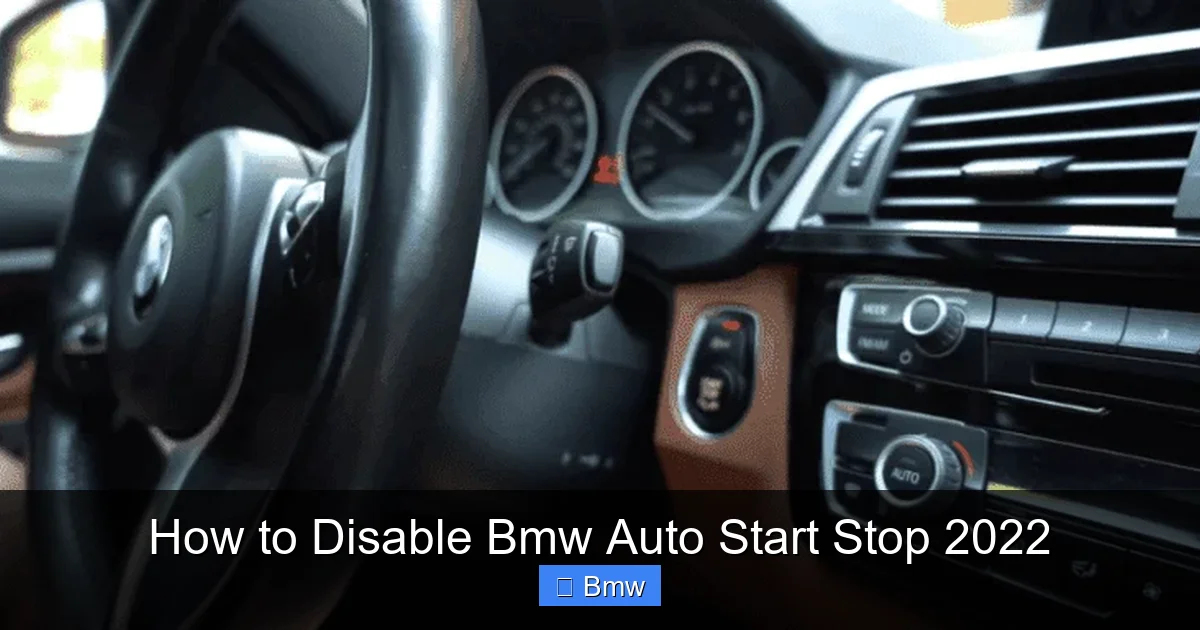
How to Disable Bmw Auto Start Stop 2022

Contents
- 1 Key Takeaways
- 2 📑 Table of Contents
- 3 Introduction: Why Disable a Fuel-Saving Feature?
- 4 Understanding Your 2022 BMW’s Auto Start Stop System
- 5 Method 1: The Simple, Temporary Override (The Button)
- 6 Method 2: Changing the iDrive Default Setting
- 7 Method 3: Permanent Disable via Coding (BimmerCode/ESYS)
- 8 Method 4: Aftermarket Plug-and-Play Modules
- 9 Method 5: Dealer/Independent Shop Coding
- 10 Pros, Cons, and Important Considerations
- 11 Conclusion: Choosing Your Path
- 12 Frequently Asked Questions

Portable Work Light

LED Emergency Road Flares

Steering Wheel Cover
Wiper Blade Refills
Disabling the Auto Start Stop system in your 2022 BMW is simpler than you think. You can temporarily turn it off with a button press for each drive cycle. For a more lasting solution, you can explore iDrive menu settings or consider professional coding and aftermarket modules. Understanding your options helps you choose the right balance of convenience, cost, and permanence.
Key Takeaways
- Temporary disable is built-in: Every 2022 BMW has a dedicated Auto Start Stop button on the dashboard for a quick, per-journey override.
- iDrive menu offers a setting: Some models allow you to change the default behavior from “Active” to “Last Selection” or “Inactive” via the vehicle settings menu.
- Permanent disable requires coding: For a factory-level permanent solution, you need to use specialized coding tools like BimmerCode to change the vehicle’s software parameters.
- Aftermarket modules exist: Plug-and-play devices can emulate a signal to keep the system off, but quality and reliability vary significantly between brands.
- Consider your driving style: If you frequently drive in heavy traffic, the fuel savings might be meaningful. For highway or spirited driving, disabling often improves satisfaction.
- Warranty and legality: Simple button use and iDrive changes are 100% safe. Coding may be frowned upon by dealers, while aftermarket modules carry more risk. The system is not illegal to disable.
- Model-year variations matter: The exact steps and available options can differ between a 2022 BMW 3 Series, X5, and X7 due to different iDrive versions and factory configurations.
📑 Table of Contents
- Introduction: Why Disable a Fuel-Saving Feature?
- Understanding Your 2022 BMW’s Auto Start Stop System
- Method 1: The Simple, Temporary Override (The Button)
- Method 2: Changing the iDrive Default Setting
- Method 3: Permanent Disable via Coding (BimmerCode/ESYS)
- Method 4: Aftermarket Plug-and-Play Modules
- Method 5: Dealer/Independent Shop Coding
- Pros, Cons, and Important Considerations
- Conclusion: Choosing Your Path
Introduction: Why Disable a Fuel-Saving Feature?
You bought your shiny new 2022 BMW for its legendary driving dynamics, its smooth power delivery, and that feeling of precision control. Then, at the first red light, the engine abruptly shuts off. The silence is jarring. The restart, while smooth in a BMW, can feel hesitant. This is the Auto Start Stop system, a fuel-efficiency feature mandated in many regions to help manufacturers meet corporate average fuel economy (CAFE) standards. While it does save a small amount of fuel in stop-and-go traffic, many BMW drivers find it intrusive, annoying, or contrary to the engaging driving experience they expect.
If you’re searching for how to disable BMW Auto Start Stop 2022, you’re not alone. It’s one of the most common queries among new BMW owners. The good news is you have options, ranging from a simple button press for the current drive to more permanent software changes. This comprehensive guide will walk you through every method, from the easiest to the most involved, for all 2022 BMW models including the 3 Series, 5 Series, X3, X5, and X7. We’ll also discuss the pros and cons of each approach so you can make an informed decision.
Understanding Your 2022 BMW’s Auto Start Stop System
Before we dive into disabling, it helps to understand what you’re dealing with. The Auto Start Stop system in your 2022 BMW is a sophisticated network of sensors and control modules. It uses inputs from the brake pedal, steering wheel, battery state of charge, cabin temperature, and engine load to decide when to shut off the engine at a complete stop and when to restart it.

Visual guide about How to Disable Bmw Auto Start Stop 2022
Image source: thedailyautomotive.com
When Does It Activate?
For the system to engage, several conditions must be met: the vehicle must be at a complete stop (e.g., at a traffic light), your foot must be firmly on the brake pedal, the steering wheel must be straight or only slightly turned, the engine must be at normal operating temperature, the battery must have sufficient charge, and the climate control system must not be struggling to maintain cabin temperature. If any of these conditions aren’t met, the engine will remain running.
The “Why” Behind the Feature
BMW, like all automakers, faces stringent global emissions regulations. Auto Start Stop is a cost-effective (for the manufacturer) way to reduce tailpipe emissions and improve published fuel economy numbers during standardized testing, which involves many stop-and-go cycles. The official fuel savings in real-world highway driving are minimal, but in dense urban traffic, you might see a 3-8% improvement. However, many drivers feel this small benefit is outweighed by the nuisance of the engine cycling on and off.
Method 1: The Simple, Temporary Override (The Button)
This is the easiest and universally available method on every single 2022 BMW. You do not need any special tools or knowledge. The system is designed to be overridden by the driver.
Visual guide about How to Disable Bmw Auto Start Stop 2022
Image source: thedailyautomotive.com
Locating the Auto Start Stop Button
Look at your center console, near the gear selector or drive mode buttons. You are searching for a button with a symbol that looks like an “A” inside a circle, with an arrow pointing from the “A” to a smaller “OFF” symbol. It is often labeled “A/START-STOP” or simply has the iconic icon. On some models, it might be on the dashboard to the left of the steering column or integrated into a cluster of buttons on the left side of the center console.
How to Use It
Press this button once. An indicator light will illuminate on the button itself, and a corresponding message will appear briefly on your instrument cluster or head-up display (HUD) saying “Auto Start Stop: Deactivated” or showing the symbol with a line through it. From that moment until you turn off the car, the system will remain inactive for that entire drive cycle. Important: The default setting usually resets to “Active” every time you start the car. You will need to press the button again on your next trip.
Pro Tip: Make this your first habit when you get in the car. Press it before you shift into Drive or Reverse. It becomes second nature.
Method 2: Changing the iDrive Default Setting
Many 2022 BMWs equipped with the iDrive 7.0 or 8.0 system have a hidden menu that allows you to change the default behavior of the Auto Start Stop system. Instead of it always being “Active” at startup, you can set it to remember your last selection or be permanently “Inactive” by default. This is a software setting change, not a permanent hardware disable, but it’s very convenient.

Visual guide about How to Disable Bmw Auto Start Stop 2022
Image source: thedailyautomotive.com
Step-by-Step Guide
The exact menu path can vary slightly by model and iDrive version, but the general process is as follows:
- Start your car and ensure the parking brake is disengaged.
- Press the “MENU” button on the iDrive controller.
- Navigate to “My Vehicle” (car icon).
- Select “Vehicle Settings.”
- Look for a sub-menu called “Auto Start Stop” or “Efficient Dynamics.”
- Inside, you should see options like “Last Selection” or “Inactive.”
- Select “Inactive” to have the system default to off every time you start the car.
On some models, this setting might be buried under “Driving Assistant” or “Driving Experience.” If you can’t find it, consult your owner’s manual’s index for “Auto Start Stop.”
Limitations of This Method
This setting is not available on all 2022 BMW models. It depends on the specific vehicle configuration and software version. If the option is greyed out or not present, your car’s firmware does not support this user-configurable default. Don’t worry; the coding method below will still work.
Method 3: Permanent Disable via Coding (BimmerCode/ESYS)
This is the method that truly disables the system at the software level, mimicking a factory option that wasn’t ordered. It requires a bit of technical comfort and a small investment in hardware/software. Once coded, the system will never activate unless you reverse the code. This is the preferred method for enthusiasts who want a clean, OEM-like solution without aftermarket modules.
What You Need
You need a compatible OBD2 adapter that supports BMW’s proprietary protocols. The most popular and user-friendly is the ENET cable (Ethernet to OBD2) or a high-quality Bluetooth/Wi-Fi adapter like the BimmerCode adapter (sold as a bundle). You also need a laptop (Windows or macOS) or a compatible Android device. Finally, you need coding software. BimmerCode is the consumer-friendly, paid app that simplifies the process with a graphical interface. ESYS is a more powerful, free tool used by professionals but with a steeper learning curve.
The Coding Process with BimmerCode
1. Research: Before you do anything, search forums like BimmerPost for your exact model, year, and software version (e.g., 2022 BMW G20 330i with iDrive 7.0). Find the exact parameter name for Auto Start Stop. It’s often called “START_STOP” or “MSA” (Motor Stop Automatik).
2. Backup: Always, always read and save your vehicle’s current coding backup before making any changes. BimmerCode does this automatically.
3. Connect: Plug the ENET cable into your car’s OBD2 port (under the dash, near the driver’s knee) and into your laptop. Turn the car’s ignition to “ON” (do not start the engine).
4. Code: Open BimmerCode, connect to your car, navigate to the correct module (usually the “DME” – Digital Motor Electronics or “FRM” – Footwell Module), find the START_STOP parameter, and change its value from “aktiv” (active) to “inaktiv” (inactive).
5. Apply & Verify: Apply the changes. The module will reset. Start the car. The Auto Start Stop button should no longer illuminate, and the system should be completely dead. The icon on the iDrive screen should be gone or greyed out.
Warning: Incorrect coding can cause module errors. Stick to well-documented parameters for your specific vehicle. If you’re unsure, pay a specialist at a local shop or use a service like our guide on permanently disabling Auto Start Stop in an Audi as a conceptual reference for the coding process, which is similar across German brands.
Method 4: Aftermarket Plug-and-Play Modules
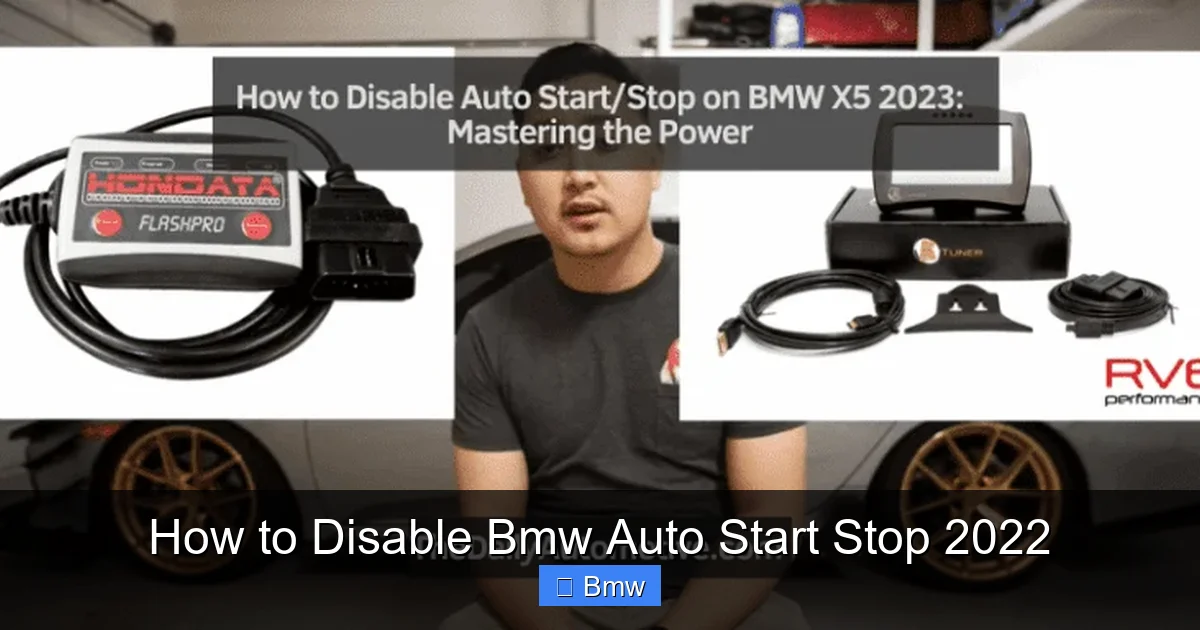
For those who are not tech-savvy and want a permanent solution without coding, the market offers small electronic modules that plug into your car’s OBD2 port or specific harness under the dash. These devices work by sending a false signal to the car’s computer, tricking it into thinking conditions are never right for Auto Start Stop activation.
How They Work
The most common type is an OBD2 dongle. It’s a small plastic “box” that plugs into your OBD2 port. Inside, it contains a simple microcontroller programmed to constantly broadcast a signal that the brake pedal is not pressed or that the battery is low, preventing the system from ever engaging. They are advertised as “plug-and-play” and “no coding required.”
Pros and Cons
Pros: Extremely easy to install (just plug it in). No laptop or technical knowledge needed. Instantly reversible (unplug to revert to stock). Often the cheapest permanent solution.
Cons: Quality varies wildly. A poorly made module can cause communication errors on the car’s bus network, leading to other warning lights or glitches. They are an “untested” electronic component in your car’s sensitive data stream. Some may be detected during a dealer service. They are not an OEM solution and rely on “fooling” the system rather than properly reconfiguring it.
Choosing a Module
If you go this route, buy from a reputable vendor with excellent reviews and clear return policies. Look for modules specifically designed and tested for your BMW’s chassis code (e.g., G20, G30, G01). Avoid generic “universal” modules. Read forums extensively to see which brands other BMW owners are successfully using without issues.
Method 5: Dealer/Independent Shop Coding
If the DIY coding route feels too daunting, your best and safest bet for a permanent, clean disable is to have a professional do it. This can be done at a reputable independent BMW specialty shop or, in some cases, at the dealer.
The Independent Shop Route
Many independent BMW shops offer coding as a standard service. They have the professional-grade tools (like ISTA, ESYS) and the experience to make changes safely and reversibly. A typical coding session for Auto Start Stop disable might take 15-30 minutes and cost between $100 and $250, depending on the shop and your location. This is often money well spent for peace of mind and a guaranteed correct implementation. Be sure to call ahead and confirm they can disable Auto Start Stop on your specific 2022 model.
The Dealer Dilemma
Official BMW dealerships are generally not going to code out a federally mandated emissions-related feature like Auto Start Stop. They are bound by manufacturer policies and regulations. While a tech might be able to do it, they would likely refuse the request. Therefore, the independent shop is your primary professional option.
Pros, Cons, and Important Considerations
Now that you know the methods, let’s weigh the decision. Disabling the system has real trade-offs.
The Case For Disabling
- Driving Experience: Eliminates the annoying shutdown/restart cycle, providing seamless, uninterrupted power delivery, which is core to the BMW driving feel.
- Perceived Reliability: Removes wear concerns on the starter motor and battery (though BMW’s system is robust).
- Immediate Power: No millisecond delay when you press the accelerator from a stop.
- Climate Control: The engine won’t shut off if you’re using the A/C or heater aggressively, which the system already tries to prevent, but you have full control.
The Case Against Disabling
- Fuel Economy: You will lose the small but real fuel savings in heavy traffic. Expect a 1-2 MPG drop in city driving.
- Emissions: Your car will produce slightly more local emissions at idle.
- Warranty (for coding/modules): While a simple button press is 100% fine, a dealer could theoretically refuse a warranty claim on the starter or electrical system if they can prove an aftermarket module or non-factory coding caused a fault. This is rare but a non-zero risk.
- Resale Value: A future private buyer might see a coded car as “modified” and be wary. A dealer will likely re-flash the car to stock before resale, erasing your coding.
Final Verdict: For the vast majority of BMW drivers who find the feature intrusive, using the built-in button or the iDrive menu setting is the perfect, risk-free solution. For those who want to never think about it again and are comfortable with a small risk, professional coding is the cleanest permanent fix. We strongly advise against cheap, unknown-brand OBD2 modules due to potential for electronic gremlins.
Conclusion: Choosing Your Path
Your 2022 BMW’s Auto Start Stop system is a well-intentioned but often misunderstood feature. Disabling it is a personal choice that prioritizes driving purity over marginal efficiency gains. The path you take should match your technical comfort and risk tolerance. Start with the simplest method: use the button. Live with it for a week. If the daily annoyance persists, check your iDrive settings for a default change. If those aren’t satisfactory and you’re sure you want it gone forever, invest in a professional coding session at a trusted independent BMW shop. This method is reversible, clean, and effective. Avoid the shortcut of a random OBD2 dongle unless you’ve done exhaustive research on a specific, proven model. By understanding your options, you can reclaim the seamless driving experience your BMW was designed to deliver, one smooth stop at a time.
Frequently Asked Questions
Will disabling Auto Start Stop void my BMW’s warranty?
Simply pressing the button or changing the iDrive setting will absolutely not affect your warranty. Professional coding may be noted in the vehicle’s software logs, and an aftermarket OBD2 module is a physical add-on. While unlikely to void a warranty on unrelated components, a dealer could potentially deny a claim if they directly link a failure to your modification. The risk is very low for coding but higher for unknown aftermarket electronics.
Can I disable Auto Start Stop permanently without coding or modules?
Yes, but only if your specific 2022 BMW model and software version includes the “Inactive” default setting in the iDrive vehicle menus. Not all models have this option. If yours does, setting it to “Inactive” is a permanent software change made through the official user interface, requiring no special tools. This is the ideal “set it and forget it” method if available.
Does disabling Auto Start Stop drain my battery faster?
No, the opposite is technically true. With the system active, the engine shutting off reduces alternator load, preserving battery charge. With it disabled, the engine runs continuously at idle, meaning the alternator is always charging, which actually keeps the battery in a higher state of charge. A healthy BMW battery is more than capable of handling continuous operation.
Will my 2022 BMW’s engine be damaged by frequent start-stop cycles?
Modern BMW engines and their robust start-stop systems are designed from the ground up to handle thousands of extra starts. They use a more powerful, durable starter motor (often a belt-driven starter-generator) and have enhanced bearing and lubrication designs. There is no evidence that normal use of the factory Auto Start Stop system causes premature engine wear.
Is it illegal to disable Auto Start Stop?
No. The Auto Start Stop system is an emissions control feature, but there is no law that prohibits a vehicle owner from disabling or modifying it on their personal property. However, in some jurisdictions, a vehicle may fail a periodic emissions inspection if the system is completely inoperative and the inspector checks for it. This is uncommon for standard OBD2 inspections, which primarily check for fault codes.
My Auto Start Stop button doesn’t seem to work. What’s wrong?
First, ensure you are pressing the correct button with the A/START-STOP symbol. Second, the system may not be able to be deactivated if certain conditions are met, such as a very low battery charge, the engine not being at operating temperature, or if you are using the manual transmission in a specific gear (on the rare manual BMW). If the button light does not illuminate at all, there may be a system fault, and you should see a message in the iDrive screen or have it scanned for trouble codes by a professional.