
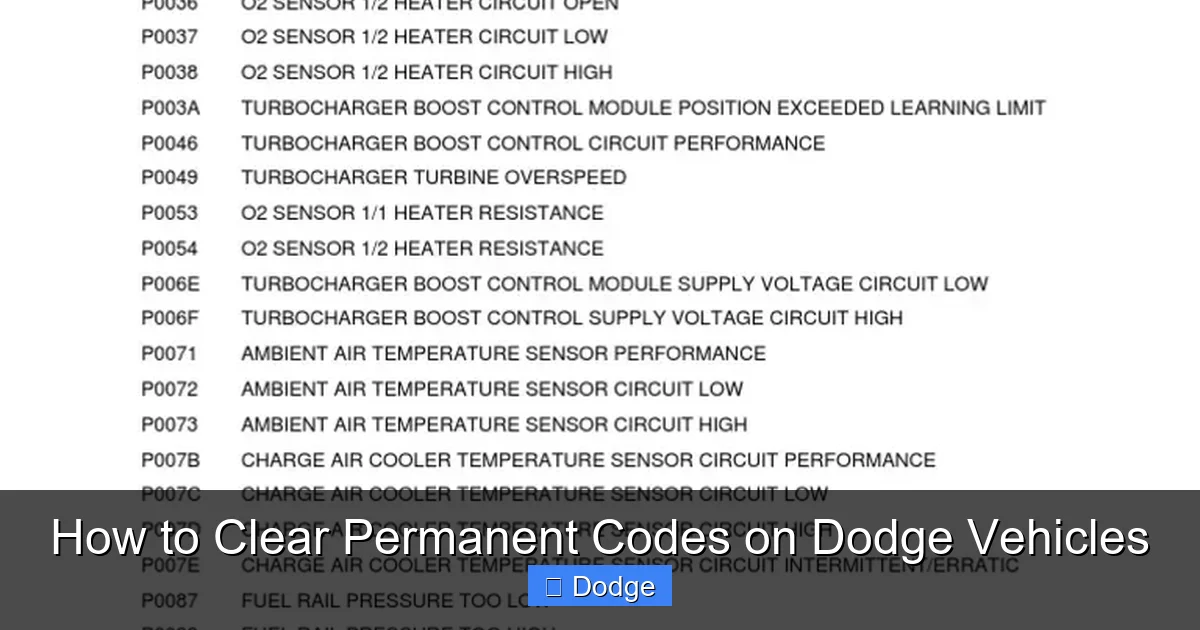
How to Clear Permanent Codes on Dodge Vehicles

Contents
- 1 Key Takeaways
- 2 📑 Table of Contents
- 3 What Are Permanent Codes on Dodge Vehicles?
- 4 Why Can’t You Clear Permanent Codes With Basic Tools?
- 5 Tools Required to Clear Permanent Codes on Dodge
- 6 Step-by-Step Guide to Clearing Permanent Codes
- 7 Common Mistakes and How to Avoid Them
- 8 When to Seek Professional Help
- 9 Frequently Asked Questions


Clearing permanent codes on Dodge vehicles isn’t as simple as resetting a check engine light—it requires specific tools and procedures. This guide walks you through the process, explains why these codes exist, and helps you avoid common pitfalls.
If you’ve ever had a check engine light come on in your Dodge—whether it’s a Ram, Charger, Durango, or Journey—you know how frustrating it can be. You plug in an OBD2 scanner, read the code, maybe even clear it… only to see it pop right back up. Worse yet, some codes seem impossible to erase no matter what you try. That’s because they’re not just regular trouble codes—they’re *permanent codes*, and they behave very differently.
Unlike standard diagnostic trouble codes (DTCs), which can often be cleared with a basic scan tool or by disconnecting the battery, permanent codes are stored in your vehicle’s non-volatile memory. This means they survive power loss, battery removal, and even multiple resets. They’re designed that way for a reason: to ensure critical emissions-related issues aren’t accidentally ignored or hidden. But once you’ve fixed the problem, you’ll want to clear them—otherwise, your vehicle may fail emissions testing, trigger limp mode, or simply keep that annoying warning light glowing.
In this guide, we’ll walk you through everything you need to know about how to clear permanent codes on Dodge vehicles. We’ll explain what these codes are, why they exist, the tools required, step-by-step procedures, and common mistakes to avoid. Whether you’re a DIY enthusiast or a weekend mechanic, this article will give you the confidence and knowledge to handle permanent DTCs like a pro.
Key Takeaways
- Permanent codes are stored in non-volatile memory and cannot be cleared with basic OBD2 scanners or battery disconnects.
- Only advanced scan tools with bi-directional control can erase permanent diagnostic trouble codes (DTCs) on most modern Dodge models.
- Clearing a permanent code doesn’t fix the underlying issue—always diagnose and repair the root cause first.
- Some Dodge models require a drive cycle after clearing to allow the PCM to relearn and verify system readiness.
- Using incompatible or outdated software may damage your vehicle’s ECU—always use manufacturer-approved or reputable third-party tools.
- Permanent codes often relate to emissions systems, so ignoring them can lead to failed inspections or reduced performance.
- Professional help is recommended if you’re unsure—incorrect handling can trigger new faults or void warranties.
📑 Table of Contents
What Are Permanent Codes on Dodge Vehicles?
Permanent diagnostic trouble codes (also called “hard codes” or “non-volatile DTCs”) are special types of fault codes that remain stored in your Dodge’s powertrain control module (PCM) even after the ignition is turned off or the battery is disconnected. These codes are part of the On-Board Diagnostics II (OBD2) system, which monitors emissions-related components and systems.
Unlike temporary or “soft” codes—which may clear themselves after a few drive cycles if the issue resolves—permanent codes are locked in until explicitly erased using the correct procedure. They typically appear when the PCM detects a confirmed fault that could affect emissions, such as a malfunctioning oxygen sensor, catalytic converter issue, EVAP system leak, or misfire that persists over multiple drive cycles.
For example, if your 2018 Dodge Ram 1500 throws a P0420 code (Catalyst System Efficiency Below Threshold), and the problem isn’t fixed, the PCM will store it as a permanent code. Even if you clear it with a cheap scanner, it’ll return because the underlying issue still exists—and the PCM knows it.
Why does Dodge use permanent codes? Primarily for regulatory compliance. The Environmental Protection Agency (EPA) and California Air Resources Board (CARB) require automakers to ensure emissions faults aren’t easily masked. Permanent codes help technicians and inspectors verify that repairs have been completed and that the vehicle is truly compliant.
It’s important to note that not all Dodge models use permanent codes in exactly the same way. Older models (pre-2010) may not support them at all, while newer ones (especially those from 2013 onward) rely heavily on this feature. Always check your owner’s manual or consult a service database to confirm whether your specific model uses permanent DTCs.
Why Can’t You Clear Permanent Codes With Basic Tools?
Visual guide about How to Clear Permanent Codes on Dodge Vehicles
Image source: imgv2-1-f.scribdassets.com
Many Dodge owners make the mistake of assuming that any OBD2 scanner can clear all types of trouble codes. Unfortunately, that’s not true—especially when it comes to permanent codes. Basic code readers and even some mid-range scanners can read and clear generic (P0xxx) and manufacturer-specific (P1xxx) codes, but they lack the capability to access the secure memory where permanent codes are stored.
Here’s why:
Permanent Codes Are Protected by Security Protocols
Dodge implements security measures to prevent unauthorized clearing of emissions-related faults. This includes encryption, authentication routines, and write-protection on certain memory sectors. Only tools that can communicate with the PCM using advanced protocols (like UDS—Unified Diagnostic Services) and have the proper credentials can modify this data.
Standard Scanners Lack Bi-Directional Control
Clearing a permanent code isn’t just about sending a “clear” command. It often requires a multi-step handshake between the scan tool and the PCM, including verification that the fault is no longer present. Basic scanners can’t perform these complex interactions—they’re designed for reading, not writing, to protected memory.
Battery Disconnection Doesn’t Work
Some people try disconnecting the negative battery terminal for 10–15 minutes, hoping to reset the PCM. While this might clear volatile memory (like adaptive fuel trims), it won’t touch permanent codes. In fact, on some newer Dodge models, disconnecting the battery can actually trigger additional faults or require relearning procedures.
Even Some “Advanced” Scanners Fall Short
Not all professional-grade scanners can clear permanent codes. For instance, generic ELM327-based Bluetooth adapters paired with smartphone apps usually can’t do it. You need a tool that’s specifically programmed to handle Dodge’s implementation of permanent DTCs—such as those from Snap-on, Autel, Launch, or OEM-level software like WiTECH or Dodge’s own diagnostic system.
A real-world example: A 2020 Dodge Durango owner used a popular $80 OBD2 scanner to clear a P0171 (System Too Lean) code. The light went off—but came back within two drive cycles because the scanner couldn’t clear the permanent version stored in deep memory. Only after using a compatible professional tool was the code fully erased.
Tools Required to Clear Permanent Codes on Dodge

Visual guide about How to Clear Permanent Codes on Dodge Vehicles
Image source: imgv2-1-f.scribdassets.com
To successfully clear permanent codes on your Dodge, you’ll need more than just a standard code reader. Here’s a breakdown of the tools and software that actually work:
Professional-Grade Scan Tools
These are the gold standard for clearing permanent DTCs. They offer full-system access, bi-directional control, and support for manufacturer-specific protocols.
– **Snap-on MODIS, Verus, or Solus Edge**: Widely used by dealerships and independent shops. Supports Dodge permanent code clearing via secure authentication.
– **Autel MaxiCOM MK908P or MS906BT**: Popular among DIYers for their balance of price and capability. Can clear permanent codes on most 2010–2023 Dodge models.
– **Launch X431 V+ or CRP129X**: Affordable yet powerful options with regular updates for Dodge systems.
– **Foxwell NT530 or NT650**: Good mid-range choices with strong Dodge compatibility.
OEM Diagnostic Software
If you want factory-level access, consider these:
– **WiTECH 2.0**: Dodge’s official diagnostic system used by dealerships. Requires a compatible interface (like the WiTECH MicroPod II) and a subscription. Offers the most reliable permanent code clearing but comes at a high cost.
– **Dodge Connect**: A newer cloud-based system replacing WiTECH in some applications. Requires internet connectivity and dealer-level credentials.
Reputable Aftermarket Software + Hardware Bundles
Some companies offer integrated solutions:
– **BlueDriver Professional Scan Tool**: Works with the BlueDriver app and supports permanent code clearing on select Dodge models (check compatibility list).
– **OBDLink MX+ with OBDwiz or Torque Pro (with plugin)**: With the right configuration, this combo can sometimes clear permanent codes—but success varies by model year and code type.
Important Considerations When Choosing a Tool
– **Model Year Compatibility**: Newer Dodges (2018+) often require updated software. Always verify your tool supports your vehicle’s year, make, and engine.
– **Subscription Fees**: Many advanced tools require annual subscriptions for updates and full functionality.
– **User Skill Level**: Some tools have steep learning curves. If you’re a beginner, look for intuitive interfaces and guided procedures.
– **Warranty & Support**: Choose brands with good customer service—you don’t want to be stuck with a bricked ECU because of a software glitch.
Pro tip: Before investing in expensive equipment, check local auto parts stores. Some (like AutoZone or O’Reilly) offer free code reading and may even clear certain codes—but don’t expect them to handle permanent DTCs. However, they can help confirm whether a code is permanent or not.
Step-by-Step Guide to Clearing Permanent Codes

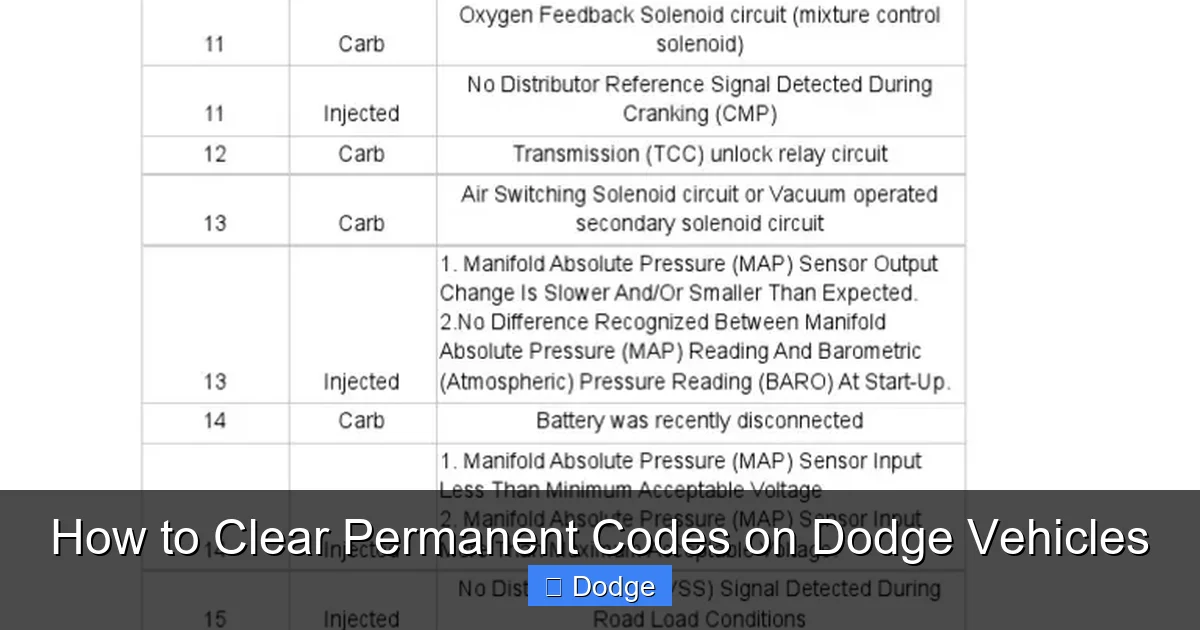
Visual guide about How to Clear Permanent Codes on Dodge Vehicles
Image source: motorriderz.com
Once you’ve confirmed the underlying issue is fixed and you have the right tool, follow these steps to safely clear permanent codes on your Dodge:
Step 1: Verify the Repair Is Complete
Never attempt to clear a permanent code unless you’ve diagnosed and resolved the root cause. Use your scan tool to monitor live data—for example, check oxygen sensor voltages, fuel trims, or EVAP system pressure—to ensure everything is operating within normal parameters.
Step 2: Connect Your Scan Tool
Turn off the ignition. Plug your scan tool into the OBD2 port (usually under the dashboard near the steering column). Turn the ignition to the “ON” position (do not start the engine unless instructed by the tool).
Step 3: Access Advanced Diagnostics
Navigate to the “Diagnostics” or “Service” menu. Look for options like “Clear DTCs,” “Erase Codes,” or “Reset Fault Memory.” On some tools, you may need to go into “Powertrain” > “PCM” > “Fault Codes.”
Step 4: Select “Permanent Codes” or “Non-Volatile DTCs”
Not all tools label this clearly. You might see options like:
– “Clear All Codes”
– “Clear Confirmed DTCs”
– “Reset Adaptive Values & Clear DTCs”
Choose the option that specifically mentions permanent or non-volatile codes. If unsure, consult your tool’s manual or support team.
Step 5: Follow Authentication Prompts
Many Dodge models will require a security login or confirmation. This might involve entering a PIN, confirming vehicle VIN, or waiting for the tool to authenticate with the PCM. Do not skip this step—it’s critical for accessing protected memory.
Step 6: Confirm Clearing
The tool should display a message like “DTCs Cleared Successfully” or “Permanent Codes Erased.” Turn the ignition off, wait 10 seconds, then turn it back on. Re-scan to confirm no codes remain.
Step 7: Perform a Drive Cycle (If Required)
Some Dodge models need a specific drive cycle to reset monitors and ensure the PCM recognizes the repair. A typical drive cycle includes:
– Cold start (engine off for 8+ hours)
– Idle for 2–3 minutes
– Drive at 30–45 mph for 5 minutes
– Accelerate to 55–60 mph, cruise for 10 minutes
– Decelerate without braking
– Repeat if necessary
Check your repair manual or use your scan tool’s “Monitor Status” feature to verify all readiness monitors are complete.
Example: Clearing a P0430 on a 2019 Dodge Charger
After replacing the downstream oxygen sensor and catalytic converter, the owner used an Autel MS906BT. They connected the tool, selected “PCM,” navigated to “Clear DTCs,” chose “Permanent Codes,” entered the VIN when prompted, and confirmed the erase. After a 20-minute drive cycle, all monitors showed “Ready,” and the check engine light stayed off.
Common Mistakes and How to Avoid Them
Even with the right tools, things can go wrong. Here are frequent errors and how to prevent them:
Clearing Codes Before Fixing the Problem
This is the #1 mistake. Permanent codes exist for a reason—they indicate a real fault. Clearing them without repair will only cause them to return, wasting time and money. Always diagnose first using live data, wiring diagrams, and component tests.
Using Incompatible or Outdated Software
Dodge frequently updates its PCM software. An old version of your scan tool’s firmware might not recognize newer permanent code structures, leading to failed clears or communication errors. Update your tool regularly.
Skipping the Drive Cycle
Some owners assume the job is done once the code is gone. But without a proper drive cycle, emissions monitors may remain “Not Ready,” causing your vehicle to fail state inspections. Always complete the required drive procedure.
Attempting to Clear Codes During Active Faults
If the PCM still detects the issue (e.g., a misfire is still occurring), it may refuse to clear the permanent code—or immediately re-store it. Ensure the fault is truly resolved before attempting clearance.
Ignoring Battery Voltage
Low battery voltage during the clearing process can corrupt PCM memory. Use a battery maintainer or charger if your battery is weak. Most tools will warn you, but it’s better to be proactive.
Overlooking TSBs (Technical Service Bulletins)
Sometimes, permanent codes are caused by known issues with software glitches or design flaws. Check NHTSA or Dodge’s TSB database for your VIN. A free software update from a dealer might be all you need—no parts replacement required.
When to Seek Professional Help
While many Dodge owners successfully clear permanent codes at home, there are situations where visiting a dealership or certified mechanic is the smartest move:
– **You don’t own or can’t afford a compatible scan tool**: Professional shops have WiTECH or equivalent systems and can often clear codes for $50–$150.
– **The code returns immediately after clearing**: This suggests an intermittent fault, wiring issue, or PCM problem that requires advanced diagnostics.
– **You’re uncomfortable working with electronics**: Mistakes can lead to ECU damage or unintended system resets.
– **Your vehicle is under warranty**: Unauthorized modifications or improper clearing could void coverage.
– **Multiple permanent codes are present**: Complex interactions between systems (e.g., transmission and engine codes) may need expert analysis.
Remember: Clearing a code is not a repair—it’s the final step *after* a repair. If you’re not confident in your diagnostic skills, get help. A few hundred dollars spent on professional diagnosis now can save thousands in unnecessary parts later.
Clearing permanent codes on Dodge vehicles might seem intimidating at first, but with the right knowledge and tools, it’s entirely manageable. These codes exist to protect the environment and ensure your vehicle runs efficiently—not to frustrate you. By understanding how they work, using proper equipment, and following correct procedures, you can keep your Dodge running smoothly and your check engine light off for good.
Whether you drive a rugged Ram truck, a sporty Challenger, or a family-friendly Grand Caravan, taking control of your vehicle’s diagnostics empowers you to maintain it better and save money in the long run. Just remember: fix the problem first, then clear the code. Your Dodge—and your wallet—will thank you.
Frequently Asked Questions
Can I clear permanent codes by disconnecting the battery?
No, disconnecting the battery will not clear permanent codes on Dodge vehicles. These codes are stored in non-volatile memory and remain even after power loss. You need a compatible scan tool with bi-directional capabilities.
Will a free OBD2 scan at AutoZone clear permanent codes?
Most likely not. While AutoZone and similar stores can read and clear basic trouble codes, they typically cannot access or erase permanent DTCs, which require advanced diagnostic tools and authentication.
Do all Dodge models have permanent codes?
Not all. Permanent codes are primarily found on Dodge vehicles from 2010 onward, especially those subject to strict emissions regulations. Older models may only use standard volatile DTCs.
Can I clear permanent codes with a Bluetooth OBD2 adapter?
Generally, no. Most Bluetooth adapters (like ELM327-based devices) lack the security protocols and write-access needed to clear permanent codes. Some advanced adapters with custom software may work, but success is inconsistent.
What happens if I don’t clear a permanent code after fixing the issue?
The check engine light may remain on, your vehicle could fail emissions testing, and some systems (like EVAP or catalyst monitoring) might stay disabled. It’s best to clear the code once the repair is confirmed.
Is it safe to clear permanent codes myself?
Yes, if you use the correct tool and have diagnosed the problem properly. However, if you’re unsure about the repair or lack experience with diagnostics, consult a professional to avoid further issues.


