
How to Clear a Flat Tire Warning on an Infiniti Q50

Clearing a flat tire warning on an Infiniti Q50 is quick and simple once you understand the process. After ensuring all tires are properly inflated, use the steering wheel controls to navigate to the “Settings” menu, select “TPMS,” and confirm “Reset” to clear the alert. This resets the Tire Pressure Monitoring System and turns off the warning light, restoring normal dashboard function.
Key Takeaways
- Check tire pressure first: Ensure all tires are properly inflated to the recommended PSI.
- Use the TPMS reset button: Locate and hold the reset button until the warning light blinks.
- Drive the vehicle briefly: Travel at 15+ mph for a few minutes to complete the reset process.
- Verify warning light status: Confirm the flat tire warning turns off after resetting.
- Inspect for actual tire damage: Rule out punctures or leaks before resetting the system.
- Consult the owner’s manual: Follow model-specific instructions for accurate TPMS reset steps.
📑 Table of Contents
- How to Clear a Flat Tire Warning on an Infiniti Q50
- Understanding the Infiniti Q50 Tire Pressure Monitoring System (TPMS)
- Step-by-Step Guide to Clearing the Flat Tire Warning
- Troubleshooting: When the Warning Light Won’t Go Off
- Preventing Future TPMS Warnings
- When to See a Professional
- Final Thoughts: Stay Safe, Stay Informed
How to Clear a Flat Tire Warning on an Infiniti Q50
Picture this: You’re cruising down the highway in your sleek Infiniti Q50, the engine purring like a contented cat, the sun glinting off the hood. Suddenly, a small yellow light appears on your dashboard—your tire pressure monitoring system (TPMS) has detected a problem. Your heart skips a beat. Is it a flat? A slow leak? Or just a glitch?
Don’t panic. Most of the time, that warning light doesn’t mean you’ve got a full-blown flat. It could be as simple as a drop in tire pressure due to cold weather, a minor puncture, or even just the system needing a reset after you’ve already fixed the issue. But here’s the catch: the Infiniti Q50’s TPMS won’t just turn off on its own. You’ve got to manually clear the warning—and if you don’t, that little light will keep nagging you every time you start the car.
In this guide, I’ll walk you through exactly how to clear a flat tire warning on your Infiniti Q50—step by step, no mechanic required. Whether you’ve just replaced a tire, inflated it to the correct pressure, or simply want to reset the system after a seasonal change, this post will help you get that warning light off your dashboard for good. And don’t worry—I’ll keep it real, practical, and easy to follow, just like I’d explain it to a friend over coffee.
Understanding the Infiniti Q50 Tire Pressure Monitoring System (TPMS)
Before we dive into the reset process, let’s take a moment to understand what’s actually going on under the hood—or rather, under the wheels. The Infiniti Q50 comes equipped with a direct Tire Pressure Monitoring System (TPMS), which means each tire has its own sensor mounted inside the wheel. These sensors constantly monitor air pressure and send real-time data to your car’s onboard computer.
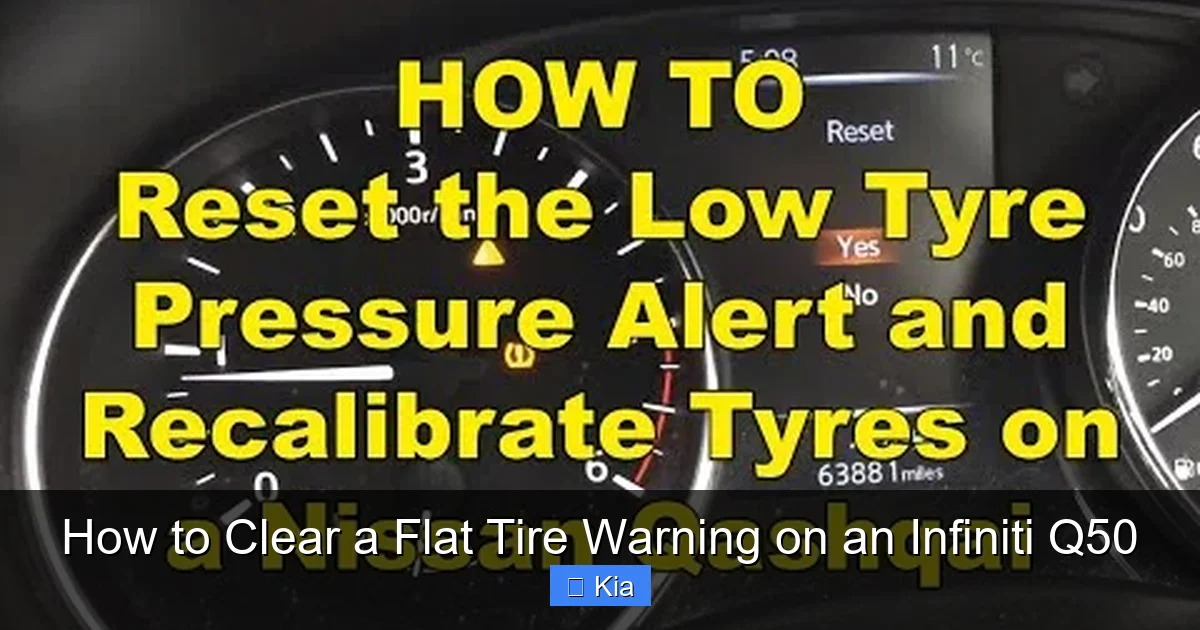
Visual guide about How to Clear a Flat Tire Warning on an Infiniti Q50
Image source: tech-outdoors.com
When the system detects that one or more tires are underinflated—typically 25% below the recommended pressure—it triggers a warning light on your dashboard. This isn’t just a suggestion; it’s a safety feature designed to prevent blowouts, improve fuel efficiency, and extend tire life. The recommended tire pressure for most Infiniti Q50 models is around 35 PSI (pounds per square inch), but always check your owner’s manual or the sticker on the driver’s side door jamb to confirm.
How the TPMS Works in Your Q50
Each TPMS sensor is battery-powered and communicates wirelessly with the car’s central module. The system doesn’t just detect low pressure—it can also identify which specific tire is affected. That’s why you might see a message like “Left Front Tire Low” on your infotainment screen. This precision helps you address the issue quickly without guessing.
One important thing to note: the TPMS in the Q50 doesn’t automatically reset after you fix the problem. Even if you’ve inflated the tire to the correct pressure, the warning light may stay on until you manually clear it. This is a common point of confusion for many drivers, especially those new to the Infiniti brand or TPMS technology in general.
Common Reasons for a TPMS Warning
So, what triggers that pesky warning light in the first place? Here are the most common causes:
- Underinflated tires: The #1 culprit. Cold weather can cause tire pressure to drop by about 1 PSI for every 10°F decrease in temperature.
- Punctures or slow leaks: A nail, screw, or valve stem issue can lead to gradual air loss.
- Recently replaced or rotated tires: If a tire was removed and reinstalled, the sensor may need to be relearned.
- Faulty TPMS sensor: Sensors have a lifespan of 5–10 years and can fail over time.
- System glitch or software hiccup: Sometimes, the system just needs a reset.
Understanding these causes helps you diagnose the real issue before jumping into a reset. For example, if your tire is visibly flat or you hear a hissing sound, you’ll need to address the physical problem first—like patching a puncture or replacing a damaged valve stem—before clearing the warning.
Step-by-Step Guide to Clearing the Flat Tire Warning
Now for the main event: how to actually clear that flat tire warning on your Infiniti Q50. The good news? It’s easier than you might think. The process involves a combination of inflating your tires to the correct pressure and using the vehicle’s onboard menu system to reset the TPMS. Let’s break it down into simple, actionable steps.
Step 1: Check and Inflate All Tires
Before you even think about resetting the system, make sure all four tires are properly inflated. Use a reliable tire pressure gauge—don’t rely solely on the gas station air pump’s built-in gauge, as they’re often inaccurate.
Here’s how to do it right:
- Park your Q50 on a level surface and turn off the engine.
- Locate the tire pressure recommendation sticker (usually on the driver’s door jamb).
- Remove the valve cap from each tire.
- Press the gauge onto the valve stem and read the pressure.
- If the pressure is low, use an air compressor to inflate the tire to the recommended PSI.
- Recheck the pressure after inflating—overinflation can be just as problematic as underinflation.
Pro tip: Check tire pressure when the tires are cold (i.e., the car hasn’t been driven for at least 3 hours). Heat from driving can increase pressure readings and give you a false sense of security.
Step 2: Start the Vehicle and Access the TPMS Menu
Once your tires are properly inflated, it’s time to reset the system. Start your Infiniti Q50 and let it idle for a few minutes. This allows the TPMS sensors to communicate with the car’s computer.
Next, you’ll need to access the TPMS reset menu through the infotainment system. Here’s how:
- Press the “Menu” button on your steering wheel or center console.
- Navigate to “Vehicle Settings” or “Settings” (depending on your model year).
- Select “TPMS” or “Tire Pressure Monitor”.
- Look for an option like “Reset TPMS” or “Initialize TPMS”.
Note: The exact menu path may vary slightly depending on your Q50’s model year and infotainment system version. If you can’t find the TPMS option, consult your owner’s manual or search for “TPMS reset Infiniti Q50 [your year]” online.
Step 3: Confirm the Reset
After selecting the reset option, the system will prompt you to confirm. Press “Yes” or “OK” to proceed. The car will then begin a calibration process, which may take a few minutes.
During this time, you might see a message like “TPMS Initializing” or “Please Drive to Complete Reset.” This means the system is learning the new pressure values from each sensor. To complete the process:
- Drive the vehicle at a speed of at least 19 mph (30 km/h) for about 10–15 minutes.
- Avoid sudden braking or sharp turns during this time.
- The system will automatically detect the correct pressure and clear the warning light.
Once the reset is complete, the TPMS warning light should turn off. If it doesn’t, don’t panic—there might be another issue at play, which we’ll cover in the next section.
Troubleshooting: When the Warning Light Won’t Go Off
So you’ve followed all the steps—tires are inflated, the reset menu was used, you drove around the block—but that stubborn yellow light is still glowing on your dashboard. What now?
Don’t worry. This happens more often than you’d think, and it doesn’t necessarily mean your car is broken. Let’s explore some common reasons why the TPMS warning might persist and how to fix them.
Sensor Battery Failure
TPMS sensors are powered by small lithium batteries that typically last 5 to 10 years. If one of your sensors has died, it can’t send pressure data to the car, which may cause the system to assume the tire is flat—even if it’s perfectly inflated.
Signs of a dead sensor include:
- The warning light stays on even after a reset.
- The infotainment screen shows “No Signal” or “Sensor Fault” for a specific tire.
- The light flickers or behaves erratically.
If you suspect a dead sensor, you’ll need to have it replaced. This usually requires removing the tire and installing a new sensor—something best left to a professional tire shop or Infiniti dealership. Replacement sensors can cost between $50 and $150 each, plus labor.
Incorrect Tire Pressure After Reset
Sometimes, the issue isn’t the sensor—it’s the pressure. If you inflated your tires but didn’t double-check with a gauge, you might have over- or underinflated them. Even a small deviation can trigger the warning.
For example, if your Q50 recommends 35 PSI and you inflated to 38 PSI, the system might still flag it as abnormal. Always use a high-quality digital tire pressure gauge to verify the reading after inflating.
System Needs More Time to Learn
The TPMS reset process isn’t always instant. In some cases, the system needs more driving time to fully calibrate. If the light is still on after your first reset attempt, try this:
- Drive the car for 20–30 minutes at varying speeds (city and highway).
- Make sure all tires are cold when you start.
- Repeat the reset process if necessary.
Sometimes, patience is the key. The system just needs a little more time to “learn” the new pressure values.
Software Glitch or Module Issue
In rare cases, the problem might be with the car’s central TPMS module or software. This can happen after a software update, battery replacement, or electrical issue.
If you’ve ruled out sensor and pressure problems, consider visiting an Infiniti service center. They can run a diagnostic scan to check for error codes and reset the system using specialized tools.
Preventing Future TPMS Warnings
Now that you’ve cleared the warning, let’s talk about how to avoid seeing it again. A little proactive maintenance can go a long way in keeping your Infiniti Q50’s TPMS happy and your drives worry-free.
Regular Tire Pressure Checks
The simplest and most effective prevention method? Check your tire pressure at least once a month. Make it part of your routine—like checking your oil or washing the car.
Here’s a quick checklist:
- Use a reliable digital tire pressure gauge.
- Check pressure when tires are cold.
- Compare readings to the recommended PSI (found on the door jamb sticker).
- Adjust as needed, especially before long trips or seasonal changes.
Pro tip: Keep a portable tire inflator in your trunk. They’re affordable, easy to use, and can save you from a roadside emergency.
Seasonal Adjustments
Temperature fluctuations have a big impact on tire pressure. In winter, cold air causes pressure to drop. In summer, heat can cause it to rise.
As a rule of thumb:
- In cold weather, check pressure more frequently—ideally every two weeks.
- In hot weather, monitor for overinflation, especially after long drives.
- Adjust pressure gradually to avoid sudden changes.
For example, if you live in a region with harsh winters, you might notice your TPMS light comes on every December. That’s normal—just inflate the tires and reset the system.
Tire Rotation and Maintenance
Regular tire rotation (every 5,000 to 7,500 miles) helps ensure even wear and can prevent pressure imbalances. When you rotate your tires, take the opportunity to inspect them for damage, cracks, or embedded objects.
Also, make sure your valve stems are in good condition. A cracked or leaking valve stem can cause slow air loss and trigger the TPMS warning.
Avoid Overloading the Vehicle
Carrying heavy loads increases tire stress and can lead to overheating and pressure changes. If you frequently transport heavy items, consider using a tire pressure monitoring system with higher load ratings or adjusting pressure according to the manufacturer’s recommendations for loaded conditions.
When to See a Professional
While most TPMS issues can be resolved at home, there are times when it’s best to call in the experts. Here’s when you should consider visiting an Infiniti service center or trusted tire shop:
- The warning light won’t turn off after multiple reset attempts.
- You suspect a damaged or dead TPMS sensor.
- You’ve had a tire repaired or replaced and the system isn’t recognizing it.
- You notice uneven tire wear or handling issues.
- The infotainment screen shows error codes like “TPMS Fault” or “Sensor Not Found.”
Professionals have access to diagnostic tools that can read TPMS sensor IDs, check battery levels, and perform advanced resets. They can also replace sensors and reprogram the system if needed.
And remember: if you’re ever unsure, it’s always better to be safe than sorry. A quick visit to the shop can save you from a potential blowout or unsafe driving condition.
Final Thoughts: Stay Safe, Stay Informed
Dealing with a flat tire warning on your Infiniti Q50 doesn’t have to be stressful. With the right knowledge and a little patience, you can clear that warning light and get back to enjoying your drive. Remember, the TPMS is there to protect you—not annoy you. It’s a smart feature that helps prevent accidents, saves fuel, and extends the life of your tires.
By checking your tire pressure regularly, understanding how the system works, and knowing how to reset it, you’ll stay one step ahead of potential issues. And if something does go wrong, you’ll know exactly what to do—whether it’s inflating a tire, resetting the system, or calling a professional.
So the next time that yellow light pops up, take a deep breath. You’ve got this. Your Infiniti Q50 is a reliable, high-performance vehicle, and with a little care, it’ll keep running smoothly for years to come. Safe travels!
| Step | Action | Details |
|---|---|---|
| 1 | Check Tire Pressure | Use a gauge to ensure all tires are at recommended PSI (usually 35 PSI). |
| 2 | Inflate if Needed | Add air using a compressor; recheck pressure. |
| 3 | Access TPMS Menu | Go to Settings > TPMS > Reset via infotainment system. |
| 4 | Confirm Reset | Press “Yes” and drive at 19+ mph for 10–15 minutes. |
| 5 | Verify Light is Off | Warning should disappear after calibration. |
Frequently Asked Questions
What is How to Clear a Flat Tire Warning on an Infiniti Q50?
How to Clear a Flat Tire Warning on an Infiniti Q50 is an important topic with many practical applications and benefits.
How can How to Clear a Flat Tire Warning on an Infiniti Q50 help me?
Understanding How to Clear a Flat Tire Warning on an Infiniti Q50 can improve your knowledge and provide practical solutions.