
How to Check the Awd System on a Toyota Highlander

Contents
- 1 Key Takeaways
- 2 📑 Table of Contents
- 3 Why the AWD System Matters in Your Toyota Highlander
- 4 How the Toyota Highlander AWD System Works
- 5 Signs Your AWD System May Need Attention
- 6 Step-by-Step Guide to Checking Your AWD System
- 7 Common AWD System Problems and How to Fix Them
- 8 Preventative Maintenance Tips
- 9 When to See a Professional
- 10 Conclusion
- 11 Frequently Asked Questions


Keeping your Toyota Highlander’s AWD system in top shape is essential for safety and performance, especially in challenging weather. This guide walks you through easy ways to inspect, test, and maintain your all-wheel-drive system—no mechanic required.
Key Takeaways
- Understand how the AWD system works: The Toyota Highlander uses an on-demand AWD system that automatically sends power to the rear wheels when slippage is detected.
- Look for dashboard warning lights: The “AWD” or “4WD” light, or a check engine light, may indicate a problem with the AWD system.
- Perform a visual inspection: Check for leaks, damaged components, and worn tires, which can affect AWD performance.
- Test drive on loose surfaces: Drive on gravel or snow to feel if the AWD engages properly when needed.
- Use the AWD lock button (if equipped): Some Highlander models have a button to manually engage AWD for low-speed traction.
- Scan for diagnostic trouble codes: Use an OBD2 scanner to check for stored codes related to the AWD system.
- Schedule regular maintenance: Follow the owner’s manual for fluid changes and system checks to prevent long-term issues.
📑 Table of Contents
Why the AWD System Matters in Your Toyota Highlander
If you own a Toyota Highlander, you’ve likely chosen it for its reliability, comfort, and—especially if you live in a region with rain, snow, or uneven terrain—its all-wheel-drive (AWD) capability. The AWD system is one of the Highlander’s standout features, designed to improve traction and stability by automatically sending power to all four wheels when needed. But like any complex system in your vehicle, it needs attention and care to keep working properly.
You might not think about your AWD system until the roads get slippery or you’re climbing a steep, muddy driveway. That’s when you’ll be glad it’s there—if it’s working right. Unfortunately, many drivers don’t realize there’s an issue until it’s too late. A failing AWD system can lead to poor handling, reduced fuel efficiency, or even safety risks in bad weather. The good news? Checking your AWD system doesn’t require a degree in automotive engineering. With a few simple steps, you can monitor its health and catch problems early.
In this guide, we’ll walk you through everything you need to know about how to check the AWD system on a Toyota Highlander. Whether you’re a seasoned DIYer or just want to stay informed, this article will give you the knowledge and confidence to keep your Highlander running smoothly in all conditions.
How the Toyota Highlander AWD System Works
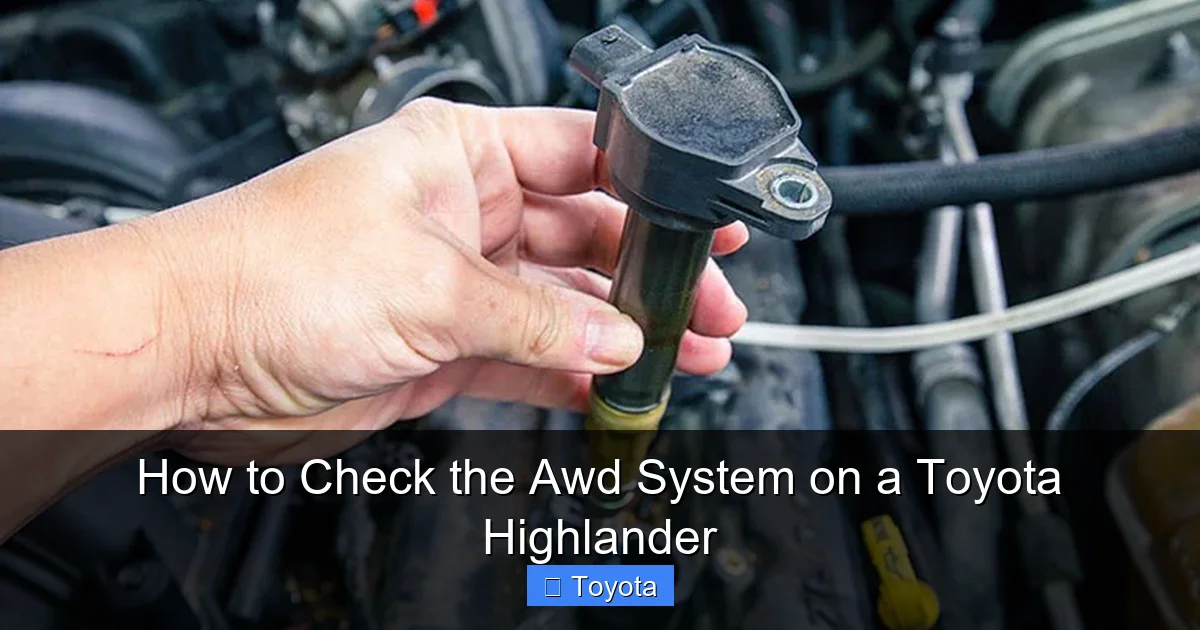
Visual guide about How to Check the Awd System on a Toyota Highlander
Image source: bryansgarage.com
Before diving into how to check the system, it’s helpful to understand how it actually works. The Toyota Highlander uses an on-demand AWD system, which means it primarily operates in front-wheel drive (FWD) mode under normal driving conditions. This helps save fuel and reduces wear on the drivetrain. But when the system detects wheel slippage—like when you’re accelerating on ice or driving through mud—it automatically sends power to the rear wheels to improve traction.
This system relies on a combination of sensors, a transfer case, a rear differential, and an electronic control unit (ECU). The front wheels are powered by the engine through the transmission, while the rear wheels receive power via a driveshaft connected to the transfer case. When the ECU detects a difference in wheel speed (indicating slippage), it engages a clutch pack in the transfer case to send torque to the rear axle.
One key feature on some Highlander models is the AWD lock button, usually found near the gear shifter. This allows you to manually engage the AWD system at low speeds (typically under 25 mph) for extra traction in snow, sand, or mud. Once you exceed that speed, the system automatically disengages and returns to on-demand mode. This gives you control when you need it most, without compromising efficiency during normal driving.
It’s also worth noting that the AWD system works closely with other safety systems like traction control and vehicle stability control (VSC). These systems communicate with each other to keep your Highlander stable and under control. If one system fails, it can affect the others, which is why it’s important to monitor the entire network.
Signs Your AWD System May Need Attention

Visual guide about How to Check the Awd System on a Toyota Highlander
Image source: vehiclebright.com
Even the most reliable systems can develop issues over time. The key is catching problems early—before they turn into costly repairs or leave you stranded in bad weather. Here are some common signs that your Toyota Highlander’s AWD system might need a check-up.
Dashboard Warning Lights
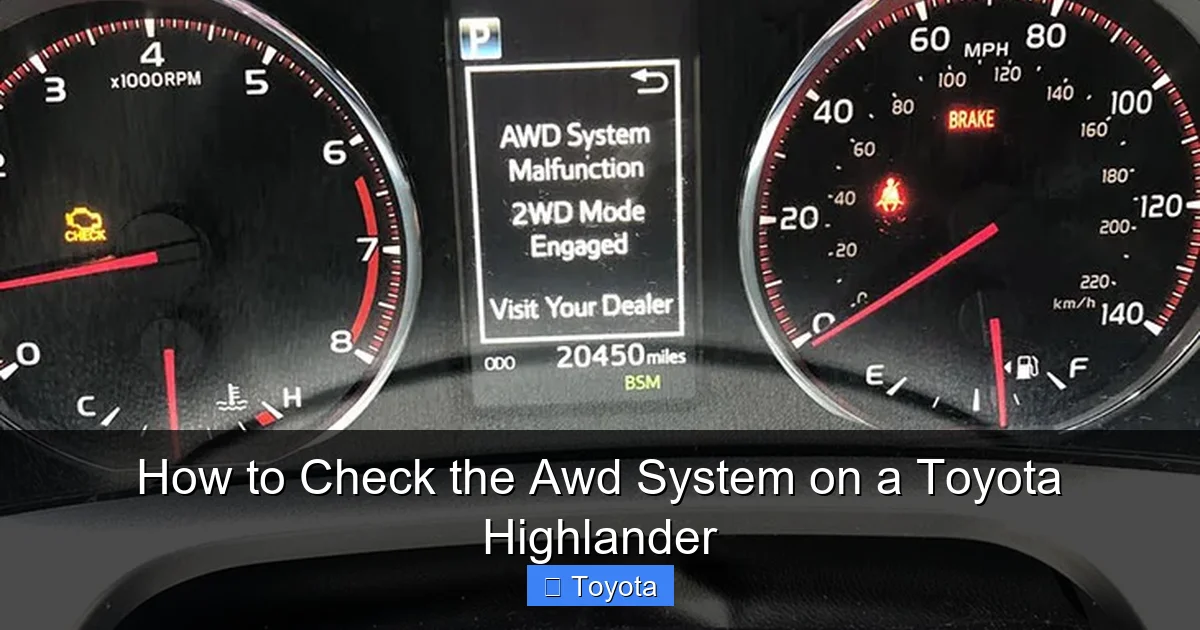
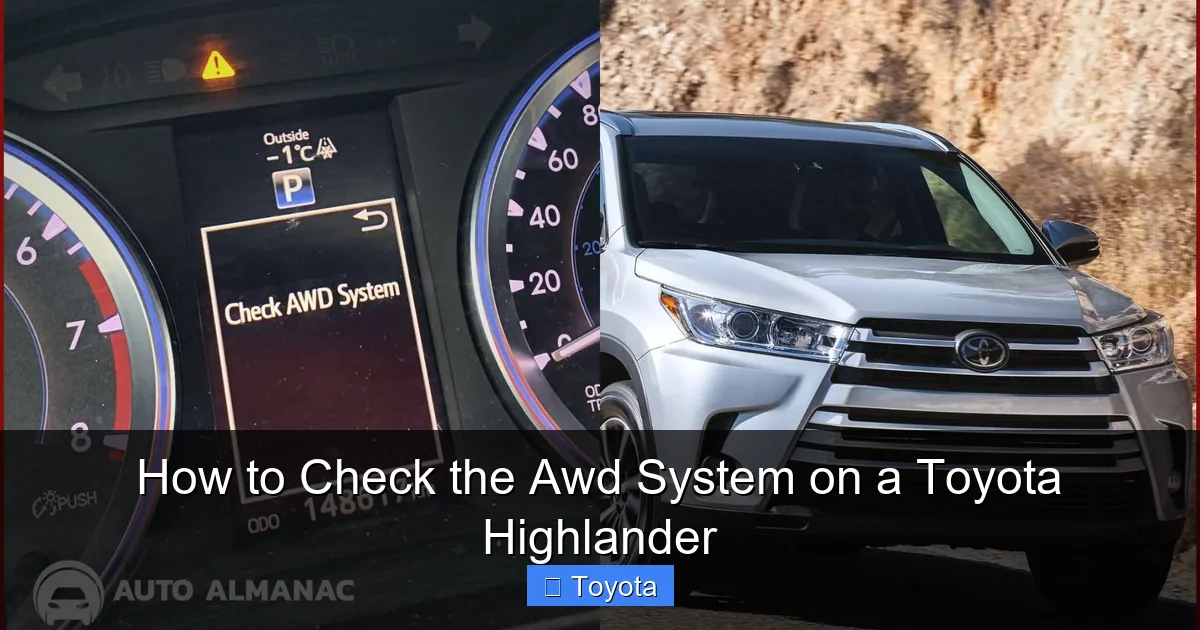
One of the most obvious indicators is a warning light on your dashboard. Depending on your Highlander’s model year, you might see an “AWD” light, a “4WD” light, or a general “Check Engine” light. These lights can mean anything from a minor sensor issue to a serious mechanical problem. Don’t ignore them—even if the vehicle seems to be driving fine. A flashing or illuminated AWD light usually means the system has detected a fault and may not be engaging properly.
Unusual Noises
Listen for strange sounds when driving, especially during acceleration or turning. Grinding, whining, or clunking noises from underneath the vehicle could indicate worn components in the transfer case, driveshaft, or differential. These parts are critical to the AWD system, and damage to any of them can reduce performance or cause complete failure.
Poor Traction in Slippery Conditions
If you notice your Highlander slipping more than usual on wet roads, snow, or gravel, it could be a sign that the AWD system isn’t engaging. You might feel the front wheels spinning while the rear wheels remain inactive. This is especially noticeable when starting from a stop on a slippery surface.
Vibrations or Shaking
Excessive vibration, particularly at higher speeds, can point to an imbalance in the driveshaft or worn universal joints (U-joints). While this isn’t always AWD-related, it can affect how smoothly power is transferred to the rear wheels.
Reduced Fuel Economy
If your Highlander is suddenly getting worse gas mileage, it could be due to the AWD system staying engaged longer than necessary. This can happen if a sensor is stuck or a clutch isn’t disengaging properly. While a small drop in fuel economy is normal in winter, a significant change should be investigated.
Fluid Leaks Under the Vehicle
Check under your Highlander regularly for any signs of fluid leaks. AWD systems use transmission fluid and differential fluid, and leaks can lead to overheating and component failure. Look for dark red or brown fluid near the center or rear of the vehicle.
Step-by-Step Guide to Checking Your AWD System
Visual guide about How to Check the Awd System on a Toyota Highlander
Image source: autoalmanac.com
Now that you know what to look for, let’s walk through a practical, step-by-step process to check your Toyota Highlander’s AWD system. You don’t need special tools or a lift—just a safe place to drive and a little time.
Step 1: Perform a Visual Inspection
Start by parking your Highlander on a level surface and turning off the engine. Pop the hood and look for any obvious signs of damage or leaks around the transmission and transfer case. Check the fluid levels using the dipstick (if equipped) or inspection plug. The fluid should be clean and at the proper level. If it’s dark, burnt-smelling, or low, it may need to be changed.
Next, get under the vehicle (use jack stands if needed) and inspect the driveshaft, U-joints, and rear differential. Look for cracks, rust, or loose bolts. Also, check the condition of your tires. Uneven wear or mismatched tires can cause the AWD system to work harder or not engage properly. Ideally, all four tires should be the same brand, model, and tread depth.
Step 2: Check the Dashboard for Warning Lights
Start the engine and watch the dashboard. If any AWD-related lights are on, note which ones and whether they stay illuminated or flash. A steady light usually indicates a stored fault, while a flashing light may signal an active problem. Even if the light turns off after a few seconds, it’s worth investigating further.
Step 3: Test the AWD Lock Button (If Equipped)
If your Highlander has an AWD lock button, test it to make sure it’s working. With the vehicle stopped and the brake applied, press the button. You should hear a click or see a confirmation light on the dashboard. Then, drive slowly (under 25 mph) on a loose surface like gravel or snow. You should feel the rear wheels engaging and improved traction. If nothing happens, the button, switch, or system may be faulty.
Step 4: Take a Test Drive on a Loose Surface
Find a safe, open area with loose gravel, snow, or mud. Drive slowly in a straight line, then accelerate gently. Pay attention to how the vehicle responds. If the front wheels spin and the rear wheels don’t engage, the AWD system may not be working. You can also try turning in a circle—this often triggers the system to send power to the rear wheels. If you hear clunking or feel jerking, there could be a mechanical issue.
Step 5: Use an OBD2 Scanner to Check for Codes
Modern Toyotas store diagnostic trouble codes (DTCs) when a system fault is detected. You can use an OBD2 scanner (available at auto parts stores or online) to read these codes. Plug the scanner into the OBD2 port, usually located under the dashboard near the steering column. Turn the ignition to the “ON” position (without starting the engine) and follow the scanner’s instructions to retrieve codes.
Look for codes related to the AWD system, such as:
– C1256: AWD system malfunction
– C1281: Transfer case control system
– P1800: Transfer case range sensor
These codes can help pinpoint the issue. If you’re not comfortable interpreting them, take the scanner readout to a trusted mechanic.
Step 6: Monitor Performance Over Time
After your initial check, keep an eye on how your Highlander performs in different conditions. Note any changes in handling, noise, or fuel economy. Regular monitoring helps you catch small issues before they become big problems.
Common AWD System Problems and How to Fix Them
Even with regular checks, AWD systems can develop issues. Here are some of the most common problems in Toyota Highlanders and what you can do about them.
Faulty Wheel Speed Sensors
The AWD system relies on wheel speed sensors to detect slippage. If one or more sensors fail, the system may not engage properly. Symptoms include an AWD warning light and poor traction. Replacing a faulty sensor is relatively inexpensive and can often be done at home with basic tools.
Worn Transfer Case Clutch Pack
The clutch pack inside the transfer case can wear out over time, especially in vehicles with high mileage. This can cause the AWD system to slip or not engage at all. Replacing the clutch pack is a more involved repair, usually requiring a mechanic, but it’s essential for restoring full AWD function.
Low or Contaminated Fluids
Dirty or low transmission and differential fluid can cause overheating and damage to AWD components. Regular fluid changes (every 30,000 to 60,000 miles, depending on driving conditions) can prevent this. Always use the fluid type recommended in your owner’s manual.
Damaged Driveshaft or U-Joints
A bent driveshaft or worn U-joints can cause vibrations and reduce power transfer. These parts should be inspected during routine maintenance and replaced if damaged.
Electrical or Sensor Issues
Corroded connectors, faulty wiring, or a bad ECU can disrupt communication between AWD components. These issues often require diagnostic tools and professional repair.
Preventative Maintenance Tips
The best way to keep your AWD system in great shape is through regular maintenance. Here are some tips to help you avoid problems down the road.
Follow the Maintenance Schedule
Your Toyota Highlander’s owner’s manual includes a recommended maintenance schedule. Stick to it, especially for fluid changes and system inspections. Even if you don’t drive in harsh conditions, regular checks can extend the life of your AWD components.
Use the Right Tires
Always use the same type and size of tires on all four wheels. Mismatched tires can cause the AWD system to work improperly or even damage the drivetrain. Consider investing in a set of winter tires if you live in a cold climate.
Avoid Overloading the Vehicle
Excessive weight can strain the AWD system, especially when driving on slippery surfaces. Stay within the vehicle’s payload limit and distribute weight evenly.
Drive Responsibly in AWD Mode
While the AWD system improves traction, it doesn’t make your Highlander invincible. Avoid aggressive driving on icy or uneven roads, and always allow extra stopping distance.
Keep the Undercarriage Clean
After driving in snow, mud, or salt, rinse the undercarriage to remove debris and prevent corrosion. This helps protect AWD components from damage.
When to See a Professional
While many AWD checks can be done at home, some issues require professional attention. If you notice persistent warning lights, unusual noises, or poor performance, it’s time to visit a certified Toyota technician. They have the tools and expertise to diagnose and repair complex AWD problems.
Don’t wait until you’re stuck in the snow to find out your AWD system isn’t working. Regular checks and timely repairs can save you money and keep you safe on the road.
Conclusion
Your Toyota Highlander’s AWD system is a valuable feature that enhances safety and performance in challenging conditions. By understanding how it works and knowing how to check it, you can ensure it’s always ready when you need it most. From visual inspections to test drives and OBD2 scans, the steps outlined in this guide are simple, effective, and accessible to any driver.
Remember, prevention is key. Regular maintenance, proper tire care, and attention to warning signs can go a long way in keeping your AWD system in top condition. And if you ever suspect a problem, don’t hesitate to get it checked by a professional.
With a little effort and awareness, you can enjoy the full benefits of your Highlander’s all-wheel-drive system for years to come—no matter what the road throws your way.
Frequently Asked Questions
How often should I check the AWD system on my Toyota Highlander?
It’s a good idea to inspect your AWD system every 6 months or during routine oil changes. Pay special attention before winter or if you notice any warning lights or performance issues.
Can I drive my Highlander if the AWD light is on?
You can drive short distances, but it’s not recommended for long trips or in slippery conditions. The system may not engage properly, reducing traction and safety.
Does the AWD system affect fuel economy?
Yes, but only slightly. Since the Highlander uses on-demand AWD, it primarily runs in front-wheel drive, minimizing fuel impact. However, a malfunctioning system can reduce efficiency.
Do I need special tools to check the AWD system?
Most checks require only basic tools and observation. An OBD2 scanner is helpful for reading diagnostic codes but isn’t mandatory for initial inspections.
Can I replace AWD components myself?
Some parts, like wheel speed sensors, can be replaced at home. However, transfer case or differential repairs are complex and best left to professionals.
Is AWD the same as 4WD on a Toyota Highlander?
No. The Highlander uses AWD, which is always active and automatic. 4WD is typically found on trucks and SUVs with manual engagement and is not used in the Highlander.







