How to Add Navigation to an Infiniti Qx60

Contents
- 1 Key Takeaways
- 2 📑 Table of Contents
- 3 Understanding Your Infiniti QX60’s Infotainment System
- 4 Path 1: Activating Pre-Installed Factory Navigation
- 5 Path 2: Installing an Aftermarket Navigation System
- 6 Path 3: The Simplest Solution—Smartphone Integration
- 7 Installation Considerations and Common Pitfalls
- 8 Maintenance, Updates, and Long-Term Satisfaction
- 9 Conclusion: Choosing Your Best Path Forward
- 10 Frequently Asked Questions




Adding navigation to your Infiniti QX60 is absolutely possible through three main paths: activating a pre-installed factory system (if equipped), installing a comprehensive aftermarket unit, or leveraging your smartphone via Apple CarPlay/Android Auto. The correct method depends entirely on your specific model year and whether your vehicle already has the necessary hardware behind the scenes. For a seamless, integrated look, factory activation is best if available. For older models or maximum features, a quality aftermarket stereo from brands like Pioneer or Alpine is the go-to solution. For most drivers today, the simplest and most cost-effective way is to use the built-in smartphone mirroring, which provides constantly updated maps through apps like Google Maps or Waze.
Key Takeaways
- Your QX60’s model year is the first deciding factor. Models from 2014-2018 may have a “navigation-ready” factory system requiring only a software/activation code, while 2019+ models almost always rely on smartphone integration.
- Check for pre-existing hardware before buying anything. Many QX60s were built with the navigation antenna and wiring already installed; activating it is cheaper than a full aftermarket install.
- Aftermarket stereos offer the most power and features. You can get a larger screen, better audio, and advanced navigation in one package, but installation is more complex and may require additional parts.
- Smartphone integration is the modern standard. Using Apple CarPlay or Android Auto via your car’s USB port provides real-time traffic, frequent map updates, and voice control for free.
- Professional installation is highly recommended for factory/aftermarket routes. These jobs often involve dash disassembly, wiring integrations, and antenna placement best left to experts to avoid damaging your vehicle’s interior or systems.
- Map updates are an ongoing cost for dedicated nav systems. Whether factory or aftermarket, you will need to purchase update discs or subscriptions periodically to keep roads current.
[FEATURED_IMAGE_PLACEHOLDER]
📑 Table of Contents
- Understanding Your Infiniti QX60’s Infotainment System
- Path 1: Activating Pre-Installed Factory Navigation
- Path 2: Installing an Aftermarket Navigation System
- Path 3: The Simplest Solution—Smartphone Integration
- Installation Considerations and Common Pitfalls
- Maintenance, Updates, and Long-Term Satisfaction
- Conclusion: Choosing Your Best Path Forward
Understanding Your Infiniti QX60’s Infotainment System
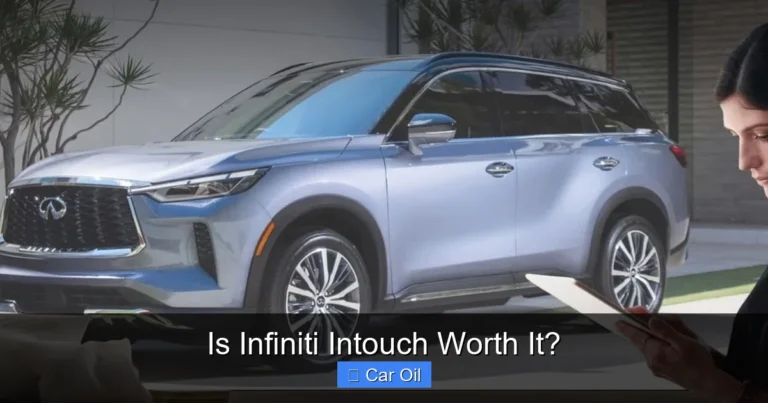
So, you’re staring at the dashboard of your Infiniti QX60, and you realize that glorious 8-inch (or sometimes 9-inch) screen isn’t guiding you to your destination. It’s a common point of frustration for owners of this comfortable three-row SUV. Before we dive into solutions, we need to understand what we’re working with. The Infiniti QX60, closely related to the Nissan Pathfinder, has evolved significantly in its technology over its production run from the 2014 model year through the present.
Early QX60 models (2014-2018) often came from the factory with an infotainment system that had the physical hardware for navigation—like a GPS antenna and specific software modules—but it was only “activated” on higher trims. This means your vehicle might already be 90% ready for navigation; we just need to unlock that final 10%. Later models, particularly the complete redesign for 2022 and beyond, shifted strategy. Infiniti began prioritizing seamless smartphone integration via Apple CarPlay and Android Auto as the primary navigation method, often making a dedicated, built-in navigation system a less common or even unavailable factory option.
How to Identify Your System’s Capabilities
The first and most critical step is to determine exactly what your QX60 has. Start with your VIN (Vehicle Identification Number). You can find it on your driver’s side dashboard (visible through the windshield) or on your registration and insurance documents. Use this VIN on Infiniti’s official owner’s portal or contact an Infiniti dealer’s service department. Ask them: “Does my VIN have the factory navigation hardware installed, and is it deactivated?” They can look up your specific build sheet. Alternatively, look at your current infotainment screen. If you see a “Navigation” app icon that is grayed out or says “Insert Map Disc” or “Navigation Unavailable,” that’s a strong sign the hardware is present but dormant. If you see no such icon at all, you likely lack the hardware and must consider aftermarket or smartphone solutions.
This is the “holy grail” for owners of compatible earlier-model QX60s. It provides a perfectly integrated, OEM-quality navigation system that works with the vehicle’s steering wheel controls, voice command button, and rear-view camera guidelines. The experience is seamless—the maps appear on your factory screen as if it was always there. The process is not about adding physical parts; it’s about purchasing and entering a proprietary activation code that unlocks software already in your car’s computer.

Visual guide about How to Add Navigation to an Infiniti Qx60
Image source: infiniti.navigation.com
The Activation Process: Step-by-Step
If your VIN check confirms you have the “navigation-ready” system, here is the typical process. First, you must obtain the activation code. This is not something you can get from a standard parts counter. You must contact an Infiniti dealership’s service department or use Infiniti’s official customer service channels. Be prepared to provide your full VIN. The cost for this code varies but is typically between $150 and $300. It is a one-time fee for the software unlock. Once you have the code, the activation is a simple menu dive on your car’s screen. The exact steps can vary slightly by year, but generally: Go to Settings > System or General > Navigation > Activate Navigation or Enter Code. You’ll input the alphanumeric code provided by Infiniti. The system will verify it online (your car needs a cellular data connection, usually via a built-in modem or your paired phone’s Bluetooth tethering) or accept it immediately. After a brief process, the Navigation app icon will become active and fully functional.
A crucial note: This method only works if the physical GPS antenna is installed. This is usually located under the dashboard near the windshield or on the roof. A dealer can confirm this during the VIN check. If the antenna is missing, the activation will fail, and you’d need a costly retrofit, often making an aftermarket system more sensible.
For QX60 models without the factory hardware (most 2019+ models, and some earlier base trims) or for owners who want more features, an aftermarket double-DIN or single-DIN multimedia receiver is the most powerful solution. This replaces your entire factory stereo head unit with a new unit that has built-in GPS, a larger, higher-resolution touchscreen, and often superior audio processing. Brands like Pioneer, Alpine, Kenwood, and Sony make excellent models compatible with the QX60.

Visual guide about How to Add Navigation to an Infiniti Qx60
Image source: infinitipartsdeal.com
Choosing the Right Aftermarket Unit
Compatibility is key. You need a unit that fits the QX60’s dashboard opening and integrates with its factory wiring and steering wheel controls. This requires specific “vehicle integration” adapters. Look for packages from retailers like Crutchfield that include the correct wiring harness (like a Metra or PAC harness) and a steering wheel control adapter (like a PAC or iDatalink Maestro). These adapters ensure your volume and track skip buttons on the steering wheel continue to work with the new stereo. When shopping, ensure the unit has Apple CarPlay and Android Auto as a standard feature—this gives you the best of both worlds: a dedicated navigation system and flawless smartphone integration. Some high-end aftermarket units even have embedded Google Maps or can run Waze directly without a phone connection, though this is less common.
Installation: DIY or Professional?
This is the big question. Installing an aftermarket stereo in a QX60 is rated as a moderate to difficult DIY project. It involves carefully prying off plastic trim panels around the factory stereo and climate controls, disconnecting numerous wiring clips, and potentially dealing with a factory amplifier that requires a special line-output converter (LOC). The antenna is also a consideration; the factory antenna is often a “shark fin” on the roof, and the aftermarket unit may need a different antenna or an adapter. For most people, professional installation is the wise choice. A good car audio shop will ensure all integrations work perfectly, retain factory features like the backup camera and USB ports, and give you a clean, factory-like finish. They will also handle the complex wiring for a retained accessory power (RAP) circuit so your stereo stays on for a few minutes after turning off the ignition.
Path 3: The Simplest Solution—Smartphone Integration
Before you spend a single dollar on hardware or codes, check this: does your QX60 already have Apple CarPlay or Android Auto? Nearly all models from 2017 onward, and many from 2015-2016, have this capability built into the factory infotainment system. This is your easiest, cheapest, and most up-to-date navigation solution. Your smartphone’s screen is mirrored on your car’s display, giving you access to Google Maps, Waze, or Apple Maps with real-time traffic, incident reports, and automatic updates—something no DVD-based factory system can match.

Visual guide about How to Add Navigation to an Infiniti Qx60
Image source: infiniti.navigation.com
How to Use and Optimize CarPlay/Android Auto
The setup is blissfully simple. Ensure your iPhone (for CarPlay) or Android phone (for Android Auto) is compatible (most from 2015+ are). Use a high-quality USB cable (preferably the one that came with your phone) and plug it into the USB port in your QX60’s center console. The CarPlay/Android Auto interface should launch automatically on your car screen within a few seconds. If it doesn’t, go to your phone’s settings, find the CarPlay/Android Auto section, and enable it. For the best experience, use a long enough cable to rest your phone in a cupholder or a dedicated mount. The voice command button on your steering wheel will now activate Siri or Google Assistant, allowing you to say “Navigate to 123 Main Street” without taking your hands off the wheel. Pro Tip: Download your maps for offline use in Google Maps or Waze before a long trip into areas with poor cell service. This uses your phone’s data plan but works without a signal once downloaded.
Installation Considerations and Common Pitfalls
Whether you choose factory activation or an aftermarket unit, there are hurdles to be aware of. One common issue with the QX60 is its factory amplifier. Many higher-trim QX60s use a separate amplifier located in the rear of the vehicle. If you replace the head unit without the correct integration module, you may lose all sound or only have front speakers working. The solution is a high-quality interface module like the PAC AmpPro or a similar product that communicates with the factory amp, allowing the aftermarket stereo to use it. Another pitfall is the backup camera. Your QX60’s camera signal is typically sent through the factory stereo. When you replace it, you need a harness that carries that video signal back to the new unit. Most good installation kits include this, but it’s vital to confirm. Finally, consider the USB port functionality. The factory USB port in the console is often used for both data (CarPlay) and charging. Aftermarket units have their own USB ports, but you may need to relocate the factory port or use a new one provided with the kit to maintain a clean interior.
Maintenance, Updates, and Long-Term Satisfaction
Once your navigation is up and running, the work isn’t over. For dedicated navigation systems—whether factory-activated or aftermarket—map updates are a recurring expense. Factory navigation updates from Infiniti are typically sold on USB drives or SD cards and can cost $150-$200 for a single update. They are not released frequently, sometimes only once a year or less. Aftermarket navigation updates vary by brand. Some, like certain Alpine models, offer lifetime update subscriptions for a one-time fee. Others sell annual subscriptions. Always check the update policy before purchasing an aftermarket unit. For smartphone integration, updates are free and automatic via your phone’s app store, which is a massive advantage. Beyond maps, keep your system’s firmware updated. Aftermarket head units often have firmware updates that fix bugs and add compatibility for new phones. These are usually free downloads from the manufacturer’s website that you install via a USB drive. Finally, to keep your entire infotainment system healthy, it’s wise to occasionally check your car’s battery health. A weak battery can cause all sorts of strange electronic glitches in modern cars like the QX60. You can find guides on checking this yourself, but for most, a quick load test at a auto parts store is sufficient.
Conclusion: Choosing Your Best Path Forward
Adding navigation to your Infiniti QX60 is a project with a clear path for every owner. Start with the diagnostic step: use your VIN to determine your factory system’s capabilities. If you have the dormant hardware, the factory activation is the cleanest, most OEM solution. If not, or if you crave a bigger screen and better audio, a professional aftermarket installation is the definitive upgrade. And for the vast majority of drivers, especially those with 2017 or newer models, the answer is already in your pocket: simply use Apple CarPlay or Android Auto. It’s free, always current, and remarkably effective. Weigh your budget against your desire for integration versus features. There is no wrong answer, only the right one for your specific QX60 and your personal needs. Take your time, research your exact model year, and don’t hesitate to consult with a reputable car audio specialist—they can provide a quote and show you demo units in person, which is invaluable for making the final decision.
Frequently Asked Questions
Can I add navigation to a 2020 Infiniti QX60 that doesn’t have it?
For a 2020 QX60, factory hardware is almost certainly not present. Your best and simplest option is to use the built-in Apple CarPlay or Android Auto via your smartphone. For a dedicated, always-visible screen solution, you would need a full aftermarket head unit installation.
How much does it cost to activate factory navigation on an Infiniti QX60?
The activation code from an Infiniti dealer typically costs between $150 and $300. This is a one-time software fee. You must first verify your vehicle has the required GPS antenna and hardware installed, which a dealer can confirm with your VIN.
Will adding an aftermarket stereo void my Infiniti QX60’s warranty?
No, installing an aftermarket stereo will not void your vehicle’s overall warranty. However, if a subsequent electrical problem arises that the dealer can directly link to the aftermarket installation, they could deny coverage for that specific issue. Using proper integration harnesses and professional installation minimizes this risk significantly.
Can I use the old navigation map DVD from a friend’s Infiniti?
No. Factory navigation map updates are tied to your vehicle’s VIN and the specific navigation system’s serial number. Discs are not transferable between vehicles. You must purchase an update directly from Infiniti for your specific VIN.
Do I need a subscription for Google Maps on Apple CarPlay?
No. Google Maps and Waze are free apps on your iPhone. When used via Apple CarPlay in your QX60, they use your phone’s existing cellular data plan for real-time traffic and routing. There is no separate Infiniti subscription fee for using your phone’s navigation.
My QX60’s screen says ‘Navigation Unavailable.’ What does that mean?
This is a common message on models that have the hardware but lack the activation code. It means your car is “navigation-ready.” Contact an Infiniti dealer with your VIN to purchase and apply the activation code. If the hardware is missing, the message may differ, or the option may be absent entirely.