

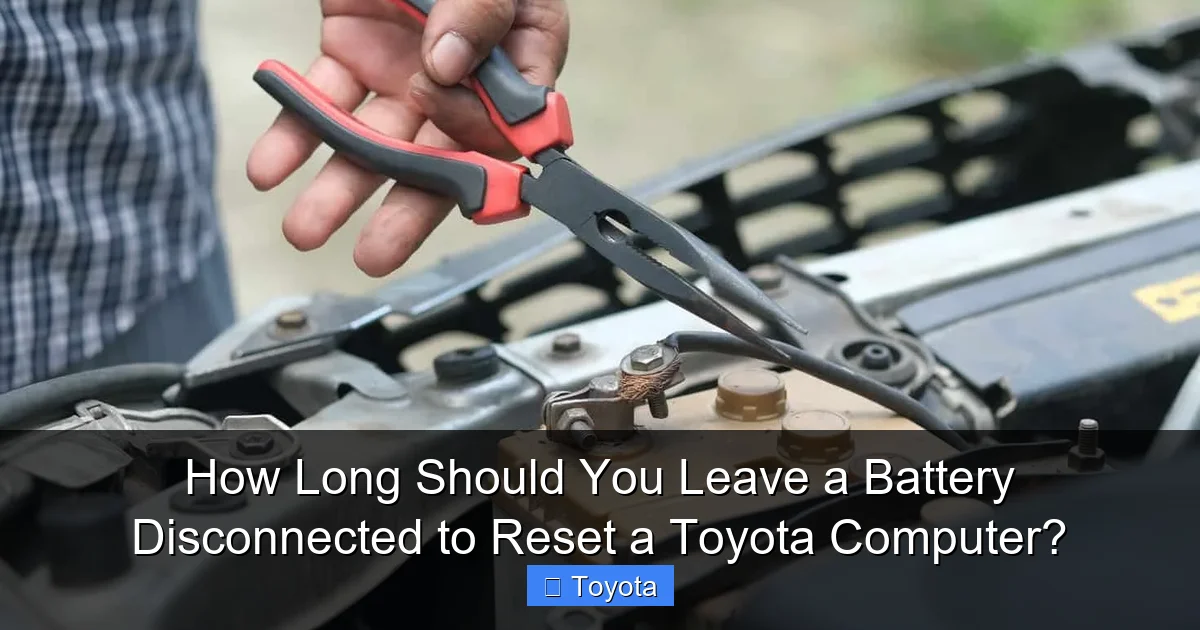
How Long Should You Leave a Battery Disconnected to Reset a Toyota Computer?

Contents
- 1 Key Takeaways
- 2 📑 Table of Contents
- 3 Why Would You Want to Reset Your Toyota’s Computer?
- 4 The Step-by-Step Guide: How to Disconnect Your Toyota Battery Properly
- 5 What to Expect After Reconnecting the Battery
- 6 Important Precautions and Warnings
- 7 Are There Better Alternatives to a Full Battery Disconnect?
- 8 Special Considerations for Specific Toyota Models
- 9 Frequently Asked Questions

Engine Oil Additive

Jack Stands

Rear View Camera

Octane Booster
Resetting your Toyota’s computer by disconnecting the battery typically requires leaving it disconnected for at least 10-15 minutes to ensure a full power drain. However, the process involves more than just timing—proper safety steps and post-reset procedures are critical to avoid issues like radio codes or idle relearn problems. Always consult your owner’s manual first, as some models have specific procedures.
Key Takeaways
- Minimum Time is 10-15 Minutes: Disconnecting the battery for at least 10-15 minutes allows the ECU’s capacitors to fully discharge, clearing temporary memory.
- Safety First: Always disconnect the NEGATIVE terminal first and reconnect it LAST to prevent sparks or short circuits.
- Expect Relearn Periods: After reconnection, the engine may run rough for 10-20 minutes as the ECU recalibrates fuel trims and idle speed.
- Radio & Clock Will Need Codes: Disconnecting the battery will often lock the audio system, requiring a security code from your dealer or manual.
- Not a Fix for All Problems: This reset clears temporary faults but will NOT repair a persistent mechanical or electrical issue causing a check engine light.
- Alternative Methods Exist: Many Toyota models allow computer resets via fuse pulls or diagnostic tools without battery disconnect.
- Model-Specific Variations: Newer Toyotas with complex electronics may require longer disconnect times or have different procedures.
📑 Table of Contents
- Why Would You Want to Reset Your Toyota’s Computer?
- The Step-by-Step Guide: How to Disconnect Your Toyota Battery Properly
- What to Expect After Reconnecting the Battery
- Important Precautions and Warnings
- Are There Better Alternatives to a Full Battery Disconnect?
- Special Considerations for Specific Toyota Models
Why Would You Want to Reset Your Toyota’s Computer?
Let’s be honest—the term “resetting the computer” sounds like a magic fix. You see that check engine light glaring at you, or maybe your Toyota is idling a little rough after a repair, and someone says, “Just disconnect the battery.” It’s a common piece of automotive folk wisdom, and like many such tips, it has a kernel of truth but also some critical nuances. The “computer” in your Toyota is officially called the ECU (Engine Control Unit) or ECM (Engine Control Module). It’s a sophisticated little brain that constantly monitors dozens of sensors—from oxygen levels in the exhaust to the position of the throttle—and adjusts fuel delivery, ignition timing, and other parameters for optimal performance, efficiency, and emissions.
Over time, the ECU learns and adapts to your specific driving style and the gradual wear of your engine’s components. This “adaptation” or “learned” data is stored in its memory, which remains powered even when you turn off the car, thanks to a constant small draw from the battery (often called “keep-alive memory” or KAM). Sometimes, this learned data can become skewed. Maybe you had a sensor unplugged for a while during a repair, or you used a low-quality fuel that threw off the fuel trims. In these cases, the ECU might be using incorrect “baseline” data, leading to poor idle, hesitation, or even a false trouble code. The goal of a battery disconnect reset is to wipe this temporary, learned memory slate clean, forcing the ECU to start fresh and rebuild its strategies from scratch based on current, accurate sensor readings.
However, it’s vital to understand what a simple battery disconnect does not do. It is not a diagnostic tool. If there is a genuine, ongoing problem—like a faulty oxygen sensor, a vacuum leak, or a failing catalytic converter—the check engine light will return, often within a few drive cycles, because the ECU will detect the same fault again. A reset simply clears the stored fault code and its associated “freeze frame” data. Think of it like rebooting your smartphone when an app is acting funny. It might solve the glitch, but if the app itself is buggy, the problem will recur. So, a battery disconnect is best used after you’ve performed a repair to clear the code and allow the ECU to adapt to the new part or corrected condition, or as a last-resort troubleshooting step for driveability issues with no obvious cause.
The “Full Drain” vs. “Quick Reset” Myth
You might hear conflicting advice: “Five minutes is plenty,” or “You need to leave it overnight.” The truth lies in understanding what needs to be reset. There are generally two levels of memory in your Toyota’s electronics:
- Volatile RAM (Random Access Memory): This holds the real-time adaptation data (fuel trims, idle learn) and most trouble codes. It loses power almost instantly when battery voltage is removed.
- Non-Volatile Memory / EEPROM: This stores permanent data like the radio security code, clock settings, and some long-term diagnostic data. It is designed to retain information without power. You cannot clear this by simply disconnecting the battery; it requires a specific scan tool command.
The goal of the battery disconnect is to ensure the volatile RAM is completely drained. Modern vehicles have many “keep-alive” circuits that can maintain a tiny trickle of power. Simply turning the key off and removing the negative cable might not be enough if there are hidden parasitic drains or backup systems. Waiting 10-15 minutes is the widely accepted safe zone to allow all residual power to bleed off from the ECU and other control modules. For most pre-2000s Toyotas, 5 minutes might suffice, but for anything from the mid-2000s onward with more complex multiplexed wiring, 15 minutes is a much safer bet to guarantee a true reset.
The Step-by-Step Guide: How to Disconnect Your Toyota Battery Properly
Okay, you’ve decided it’s time. Let’s walk through the process correctly. Rushing or doing this wrong can lead to a world of headaches—from a dead radio to a car that won’t start or runs terribly.
Visual guide about How Long Should You Leave a Battery Disconnected to Reset a Toyota Computer?
Image source: batterytools.net
Gather Your Tools & Prepare
You’ll need a basic set of wrenches (usually 10mm or 12mm for the battery terminal nuts), a good quality battery terminal puller (highly recommended to avoid damaging the clamps), and optionally, a memory saver or 9V battery trickle charger. A memory saver is a device that plugs into your cigarette lighter or OBD-II port and provides a small, constant voltage from an external 9V battery to maintain power to the ECU and radio during the battery removal. This is the best way to avoid losing radio presets and security codes. If you don’t have one, be prepared to find your radio code.
The Critical Order: Negative First, Positive LAST
This is non-negotiable for safety. Your car’s chassis and engine are grounded to the negative battery terminal. If you accidentally touch your wrench from the positive terminal to any metal part of the car while loosening it, you’ll create a massive short circuit, potentially causing sparks, burns, or even an explosion. Always follow this sequence:
- Turn OFF everything: Ignition, lights, radio, accessories. Open the hood.
- Locate the NEGATIVE (-) terminal. It’s usually black and marked with a minus sign. Loosen the nut with your wrench.
- Use a terminal puller to gently pry the clamp off the post. Do not twist or hammer it.
- Secure the negative cable away from the battery so it cannot accidentally touch the post or the car’s body. A zip-tie or tucking it into a nearby plastic part works.
- Now, and only now, repeat for the POSITIVE (+) terminal (usually red). Secure it away as well.
If you are not using a memory saver, you are now in the “reset window.” The ECU power is officially cut.
The Waiting Game: How Long is Long Enough?
This is the core of your question. Once both cables are off and secured, you need to wait. The commonly cited minimum is 10-15 minutes. During this time, you can perform other tasks: inspect the battery terminals for corrosion (clean them with a baking soda/water mix and a wire brush if needed), check the battery hold-down clamp, or simply relax.
Why 15 minutes? It’s a practical compromise that ensures even the most stubborn residual capacitance in the ECU’s power circuits has fully bled off. There’s no magical “reset” timer inside the computer counting down seconds; it’s purely about physical electricity draining. Some mechanics swear by 30 minutes or even an hour for complete certainty, especially on vehicles with known “sticky” adaptations. For a Toyota Camry, Corolla, or RAV4 from the last 15 years, 15 minutes is almost always sufficient. For a complex hybrid system like in a Prius, the procedure is different and often involves specific fuse pulls—never disconnect the main 12V battery without consulting the hybrid-specific service manual.
Reconnection: The Reverse Order
After your wait, it’s time to reconnect. The order is the exact reverse of removal:
- POSITIVE (+) FIRST: Place the clamp on the positive post, tighten the nut securely (don’t over-tighten and crack the post).
- NEGATIVE (-) SECOND: Finally, reconnect the negative clamp and tighten it.
Reconnecting the negative last prevents any potential spark during the final connection, as the positive terminal is now live but the circuit isn’t complete until the negative is attached.
What to Expect After Reconnecting the Battery
You’ve done the deed. You turn the key. What happens now? This is where many people get nervous, but it’s usually normal.

Visual guide about How Long Should You Leave a Battery Disconnected to Reset a Toyota Computer?
Image source: rxmechanic.com
The Initial Start & Rough Idle
When you first start the engine, it will likely run very poorly. It may stumble, surge, or have a noticeably low, uneven idle. This is because the ECU has lost all its learned fuel trim and idle air control data. It’s essentially using factory default maps, which are generic and not optimized for your specific engine’s current state (age, fuel quality, minor wear). It is now in a “relearn” or “re-adaptation” mode. It must take sensor readings—primarily from the MAF (Mass Air Flow) sensor, IAT (Intake Air Temp) sensor, and oxygen sensors—to calculate the correct fuel mixture and idle speed.
You must drive the car normally for this to happen. The process typically takes between 10 and 30 minutes of varied driving (including some steady-speed highway cruising and some low-speed city driving). During this time:
- The idle should gradually smooth out and settle to a normal RPM (usually 600-800 RPM for most 4-cylinders).
- Throttle response will improve.
- Fuel economy may be slightly worse during this relearn period.
Do not try to “help” it by revving the engine or making constant adjustments. Just drive calmly. If the rough idle persists for more than 45 minutes of driving, there may be another issue, or you may have a vacuum leak that became apparent only after the reset.
Resetting Other Systems: Radio, Clock, and Steering Angle Sensor
Your battery disconnect affected more than just the engine computer. You will need to:
- Radio/Infotainment: It will likely request a “code.” This is an anti-theft feature. You need the 4-digit code from your owner’s manual card or sticker. If lost, a Toyota dealer can retrieve it using your VIN. Resetting a Toyota touch-screen often involves this same security code process after a battery loss.
- Clock & Date: Reset these manually via your vehicle’s menu settings.
- Steering Angle Sensor (SAS):strong> On many models, the ESP/VDSC (Vehicle Stability Control) system will detect a loss of steering angle calibration. The dashboard will show a warning light (often a car with squiggly lines). This usually requires a simple calibration procedure performed by turning the steering wheel lock-to-lock a few times while stationary, then driving at a low, steady speed for a minute or two. Consult your manual for the exact procedure for your model year.
- Power Windows/Sunroof: You may need to re-initialize the one-touch open/close feature by manually holding the switch in the full-open or full-close position for a few seconds after moving the window.
Important Precautions and Warnings
Before you pop that hood, there are some serious “gotchas” you must consider. Skipping these can turn a simple reset into an expensive repair.

Visual guide about How Long Should You Leave a Battery Disconnected to Reset a Toyota Computer?
Image source: blogger.googleusercontent.com
Know Your Model: Hybrids and Newer Complex Electronics
This is the most important warning. If you own a Toyota hybrid (Prius, Camry Hybrid, RAV4 Hybrid, etc.), do NOT disconnect the 12V auxiliary battery without specific instructions. While the main high-voltage traction battery is isolated, the 12V system powers the hybrid control systems. Disconnecting it incorrectly can cause system errors, require expensive dealer reinitialization, and in some models, may even trigger a shutdown of the hybrid system. Always refer to the hybrid supplement in your owner’s manual. For conventional gas models, this is less risky but still requires caution.
Additionally, vehicles from roughly 2020 onward have even more sensitive electronics and multiple control modules (BCM, BCM, HVAC, etc.). A simple battery disconnect can cause modules to lose communication with each other, leading to multiple warning lights that may require a professional scan tool to clear. It’s often better to use a fuse-pull method for the ECU fuse (if accessible) on these newer models.
Radio Codes and Security Systems
As mentioned, you will lose your radio code. If you don’t have it, you cannot get it from a third-party. You must provide proof of ownership to a Toyota dealer. Some aftermarket radios behave differently. The cost and hassle of retrieving this code sometimes outweigh the benefit of the reset. Consider if a resetting the check engine light via a scan tool might be a better first step, as it avoids this issue entirely.
Potential for Other Electrical Glitches
After reconnection, you might see temporary warnings for the tire pressure monitoring system (TPMS), which may need a few minutes of driving to reset, or for the airbag system (SRS). If any warning light stays on solidly after 20-30 minutes of driving, have the system scanned. Do not ignore a persistent SRS light.
Are There Better Alternatives to a Full Battery Disconnect?
Yes! For many common issues, a full battery disconnect is a blunt instrument. Here are more precise alternatives:
The Fuse Pull Method
This is the preferred method for many technicians. Instead of disconnecting the battery, you locate and remove the ECU’s main fuse (often labeled “ECU-IG” or “ECU” in the under-hood fuse box). Leave it out for 10-15 minutes. This cuts power to the ECU specifically, leaving the rest of the vehicle’s systems (radio, memory seats, etc.) powered. This avoids the radio code problem and is less stressful on the vehicle’s overall electrical system. The downside is finding the correct fuse, which can vary by model and year. Your owner’s manual fuse box diagram is your friend.
Using an OBD2 Scan Tool
This is the most professional and controlled method. A basic OBD2 scanner (even an inexpensive Bluetooth one) can read and clear diagnostic trouble codes (DTCs). More advanced tools can also perform specific “adaptation resets” or “ECU initializations” for things like throttle body adaptation or fuel trim reset, which is often what you actually want. Clearing codes with a scan tool does not always clear the long-term fuel trim adaptation data, but many professional-grade tools have that function. For the average DIYer, a simple code clearer is safer than a battery disconnect because it doesn’t mess with radio codes or steering angle sensors.
The “Drive Cycle” Wait
Sometimes, the problem you’re trying to solve (like a check engine light after a gas cap was tightened) will clear itself after the vehicle completes a specific “drive cycle” monitored by the ECU. This can take several days of normal driving. A battery disconnect forces an immediate reset, but if the fault condition still exists (e.g., a loose gas cap), the light will just come back. Before you disconnect, ensure you’ve addressed the basic, common causes.
Special Considerations for Specific Toyota Models
While the general 15-minute rule holds for most Toyotas from the 1990s-2010s, there are exceptions and model-specific tips.
Pre-1996 OBD-I Vehicles
On older models like early 4Runners, Camrys, and pickups, the ECU memory might clear much faster—sometimes in under 5 minutes. However, they also often have simpler radios without complex anti-theft codes. The procedure is the same, but the consequences are less severe.
2000s Era Vehicles (Early Multiplex)
This era (e.g., 2000-2010 Camry, Corolla, Highlander) is where the 10-15 minute rule becomes critical. The introduction of multiplex wiring means many modules talk to each other. A full reset is effective but expect the steering angle sensor light to come on, requiring the wheel-lock-to-lock procedure.
2010s and Newer (Complex Networked Systems)
On a 2015+ RAV4, 2018+ Camry, or any recent model, be extra cautious. The risk of triggering multiple module communication errors is higher. The fuse-pull method is strongly recommended here. Also, be aware that some models have a “battery current sensor” that may need to be reset via a scan tool after a total power loss, or it may report inaccurate data for a short time.
Hybrid Models (Prius, Camry Hybrid, etc.)
Consult your owner’s manual first. There is often a specific procedure that may involve putting the car in “service mode” or pulling a particular hybrid fuse. Disconnecting the 12V battery in a Prius can cause the hybrid system to go into a protective state and may require a dealer visit to reinitialize the main battery’s charging system. Charging a Toyota hybrid battery is a complex, dealer-level procedure; do not confuse this with the 12V system reset.
Diesel Models (e.g., Older Tacoma/4Runner with D-4D)
Diesel engines with high-pressure common rail injection systems can be particularly finicky after a battery disconnect. The fuel system may need to be bled manually, and the ECU may require a longer relearn period. The risk of a no-start condition is higher. If you own a diesel Toyota, research the specific procedure thoroughly or consider professional help.
Frequently Asked Questions
Will disconnecting the battery clear a check engine light permanently?
No. It will temporarily turn off the light, but if the underlying problem (like a faulty sensor or emissions issue) still exists, the light will return, usually within 50-100 miles of driving. The reset only clears the stored code, not the fault.
How long should I actually wait? Is 5 minutes enough?
For most Toyotas built from the mid-2000s onward, 5 minutes is often insufficient to fully discharge the ECU’s keep-alive memory circuits. A safe minimum is 10-15 minutes. For complex 2015+ models, consider 20-30 minutes or use the fuse-pull method instead.
What’s the biggest risk of doing this wrong?
The biggest risks are: 1) Causing a short circuit by touching the positive terminal to the car body, damaging electronics; 2) Forgetting to note your radio code, leaving you with a locked audio system; 3) On newer/hybrid models, triggering module communication errors that require a dealer scan tool to fix.
Do I need to do anything special for my 2020 RAV4?
Yes. For a 2020+ RAV4 (and most 2018+ Toyotas), the fuse-pull method is highly recommended over a battery disconnect to avoid multiple system warnings. Locate the “ECU-IG” or “EFI” fuse in the under-hood box, pull it for 15 minutes, and reinsert. Also, be prepared to perform the steering angle sensor calibration after.
My car idles rough for 20 minutes after the reset. Is that normal?
Yes, that is a completely normal part of the ECU’s “relearn” process. The computer is rebuilding its fuel trim and idle air control strategies based on live sensor data. The idle should progressively smooth out over 10-30 minutes of driving. If it remains dangerously rough or stalls after 45 minutes, there is likely another issue.
Can I use this method to reset my Toyota’s maintenance required light?
No. The maintenance required light (the “MAINT REQD” light) is not controlled by the main ECU in the same way. It is a separate timer or mileage-based system. Disconnecting the battery may turn it off temporarily, but it will often come back on after a few drive cycles. You should use the specific reset procedure for your model, which usually involves a button sequence with the odometer display. A battery disconnect is the wrong tool for this job.







