How Long Does a Kia Software Update Take?

Contents
- 1 Key Takeaways
- 2 📑 Table of Contents
- 3 How Long Does a Kia Software Update Take?
- 4 Types of Kia Software Updates and Their Timeframes
- 5 Factors That Affect Kia Software Update Duration
- 6 How to Prepare for a Kia Software Update
- 7 What to Do During and After the Update
- 8 Common Issues and Troubleshooting
- 9 Tips to Speed Up Your Kia Software Update
- 10 Conclusion
- 11 Frequently Asked Questions

Car Cleaning Brush Set

Car MP3 Player

Octane Booster

Car Armrest Cushion
Most Kia software updates take between 15 minutes and 2 hours, depending on the system being updated and your vehicle model. While some updates happen over-the-air (OTA) in just minutes, others require a visit to the dealership and can take longer. Knowing what to expect helps you plan and avoid surprises.
Key Takeaways
- Update duration varies by type: Over-the-air (OTA) updates typically take 15–30 minutes, while dealership-installed updates can last 30 minutes to 2 hours.
- Vehicle model and year matter: Newer Kia models with advanced infotainment and driver-assist systems may require longer updates due to more complex software.
- Wi-Fi and battery level are critical: A strong Wi-Fi connection and at least 50% battery (or engine running) are essential for a successful update.
- Some updates require a dealership visit: Critical safety or engine control module (ECM) updates often need professional installation at a Kia service center.
- Preparation saves time: Ensure your vehicle is parked, ignition is on (or engine running), and no apps are in use during the update.
- Post-update checks are important: After the update, test key features like navigation, Bluetooth, and driver-assist systems to confirm everything works properly.
- Stay informed through UVO or Kia Connect: Use the Kia Connect app or UVO system to receive update notifications and track progress.
📑 Table of Contents
- How Long Does a Kia Software Update Take?
- Types of Kia Software Updates and Their Timeframes
- Factors That Affect Kia Software Update Duration
- How to Prepare for a Kia Software Update
- What to Do During and After the Update
- Common Issues and Troubleshooting
- Tips to Speed Up Your Kia Software Update
- Conclusion
How Long Does a Kia Software Update Take?
If you own a Kia, chances are you’ve seen a notification pop up on your dashboard or infotainment screen saying, “Software update available.” Maybe you’ve wondered, “How long does a Kia software update take?” or “Can I drive during the update?” You’re not alone. As Kia vehicles become smarter—packed with advanced infotainment, safety, and connectivity features—software updates are now a regular part of ownership.
These updates aren’t just about adding new features. They can improve performance, fix bugs, enhance safety systems, and even boost fuel efficiency. But like any tech upgrade, they take time. The good news? Most Kia software updates are designed to be quick and hassle-free. However, the exact time it takes can vary depending on several factors, including the type of update, your vehicle’s model, and how it’s delivered.
In this guide, we’ll walk you through everything you need to know about Kia software update duration, what affects the timeline, and how to make the process as smooth as possible. Whether you’re updating over Wi-Fi at home or visiting a dealership, you’ll be prepared.
Types of Kia Software Updates and Their Timeframes
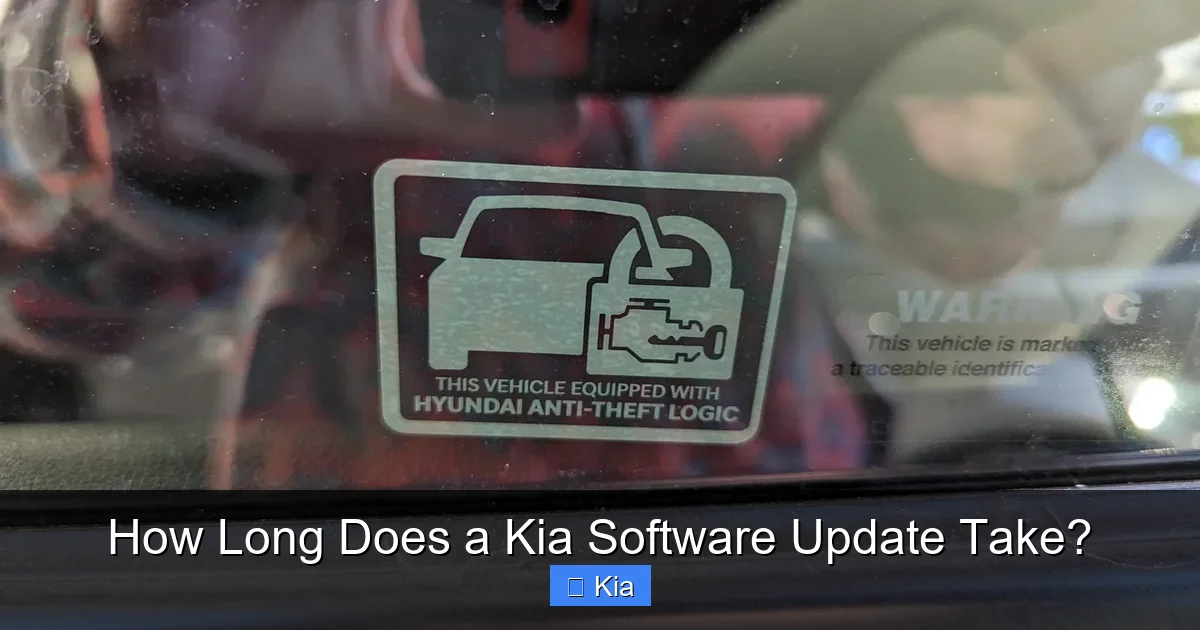
Visual guide about How Long Does a Kia Software Update Take?
Image source: thecarhow.com
Not all Kia software updates are created equal. Some are small and quick, while others are more comprehensive and take longer. Understanding the different types of updates helps you estimate how long the process will take.
Over-the-Air (OTA) Updates
Over-the-air updates are the most convenient. These are delivered wirelessly to your vehicle via Wi-Fi, just like a smartphone update. Kia has been rolling out OTA capabilities in newer models, especially those equipped with the Kia Connect (formerly UVO) system.
These updates typically take 15 to 30 minutes, depending on the size of the update and your internet speed. For example, a minor bug fix for the infotainment system might take just 15 minutes. A larger update that includes new navigation maps or voice assistant improvements could take up to 30 minutes.
One of the best parts? You can start the update from the comfort of your driveway. Just make sure your vehicle is parked, the ignition is on (or the engine is running), and you’re connected to a strong Wi-Fi network. You’ll receive a notification on your dashboard or through the Kia Connect app when an update is ready.
Dealership-Installed Updates
Some updates—especially those involving critical systems like the engine control module (ECM), transmission, or advanced driver-assistance systems (ADAS)—require a visit to a Kia service center. These are often more complex and need specialized tools and certified technicians.
Dealership updates can take anywhere from 30 minutes to 2 hours. For instance, a software patch for the adaptive cruise control system might take about 45 minutes. A full ECM recalibration could take closer to 90 minutes, especially if the technician needs to run diagnostics afterward.
While this might sound inconvenient, these updates are essential for safety and performance. Dealerships also ensure the update is installed correctly and test all related systems before you drive away.
Hybrid Updates (Partial OTA + Dealer Visit)
Some newer Kia models support hybrid updates. This means part of the update is downloaded over-the-air, but a final installation or calibration must be done at the dealership. For example, your vehicle might download new firmware for the forward collision warning system at home, but the sensors need to be recalibrated by a technician.
In these cases, the total time includes both the OTA download (15–30 minutes) and the dealership visit (30–60 minutes). While it’s a two-step process, it’s often faster than a full dealer-only update.
Factors That Affect Kia Software Update Duration

Visual guide about How Long Does a Kia Software Update Take?
Image source: playbite.com
Now that you know the types of updates, let’s look at what actually influences how long a Kia software update takes. Several factors can speed up or slow down the process.
Vehicle Model and Year
Newer Kia models—like the 2023 Kia EV6, 2024 Kia Sportage, or 2024 Kia Sorento—come with more advanced software systems. These vehicles have larger infotainment screens, more sensors, and complex driver-assist features. As a result, their updates tend to be larger and take longer.
For example, a 2024 Kia EV6 with the latest Kia Connect system might take 30 minutes for an OTA update, while a 2018 Kia Optima with basic UVO might only need 15 minutes. Older models have simpler systems, so their updates are smaller and faster.
Size and Complexity of the Update
Not all updates are the same size. A minor patch to fix a Bluetooth pairing issue might be just a few megabytes and take 10–15 minutes. A major update that includes new navigation maps, voice recognition improvements, and system optimizations could be hundreds of megabytes and take 30–45 minutes.
The more features being updated, the longer it takes. Think of it like updating your phone: a small app update is quick, but a full iOS upgrade takes much longer.
Internet Connection Speed
For OTA updates, your Wi-Fi speed plays a big role. If you’re connected to a slow or unstable network, the download phase can take much longer—or fail altogether. Kia recommends using a strong, reliable Wi-Fi connection with at least 10 Mbps download speed.
For example, if you’re parked near your home router with a fast connection, the update might take 20 minutes. But if you’re using a weak public Wi-Fi signal at a mall, it could take twice as long or not complete at all.
Battery Level and Power Source
Kia vehicles need a stable power source during updates. If you’re doing an OTA update, the vehicle must have at least 50% battery charge—or the engine must be running. Updates draw power, and if the battery drops too low, the process could be interrupted.
This is especially important for electric vehicles like the Kia EV6 or Niro EV. If the battery is below 50%, the system may delay the update until it’s charged. For hybrid or gas models, keeping the engine running ensures consistent power.
Number of Systems Being Updated
Some updates target a single system—like the infotainment unit. Others update multiple systems at once, such as the instrument cluster, climate control, and driver-assist features. The more systems involved, the longer the update takes.
For instance, a comprehensive update that improves navigation, voice commands, and lane-keeping assist might take 45 minutes. A simple update for the radio presets might be done in 10.
How to Prepare for a Kia Software Update

Visual guide about How Long Does a Kia Software Update Take?
Image source: citizenside.com
A little preparation goes a long way in ensuring your Kia software update goes smoothly and finishes on time. Here’s how to get ready.
Check for Update Notifications
Kia will notify you when an update is available. You’ll see a message on your dashboard screen or receive a push notification through the Kia Connect app. Don’t ignore these—updates often include important fixes and improvements.
Open the app or check your vehicle’s system menu to see what’s being updated. This helps you understand the scope and estimated time.
Ensure a Strong Wi-Fi Connection
For OTA updates, connect your vehicle to a reliable Wi-Fi network. Park close to your router if possible. Avoid public or password-protected networks that might disconnect.
You can also use your phone’s hotspot, but make sure it has a strong signal and sufficient data. Some updates can use 500MB or more of data.
Charge Your Battery or Keep the Engine Running
Make sure your vehicle has at least 50% battery charge. For EVs, plug in if needed. For gas or hybrid models, start the engine and let it run during the update.
Never turn off the vehicle or open the doors during the update—this can interrupt the process and cause errors.
Close All Apps and Systems
Before starting the update, close any open apps on the infotainment screen, such as navigation or music. Turn off Bluetooth if not needed. This reduces system load and helps the update run faster.
Plan Ahead
Schedule the update when you don’t need to use the vehicle for at least 30–60 minutes. Avoid starting an update right before a trip. If it takes longer than expected, you won’t be stranded.
What to Do During and After the Update
Once the update starts, there are a few things to keep in mind.
Stay Near the Vehicle
Even though you can’t drive during the update, you should stay nearby. If something goes wrong—like a power loss or error message—you’ll want to address it quickly.
Don’t Interrupt the Process
Never turn off the ignition, open the doors, or disconnect the battery during the update. Interrupting the process can corrupt the software and require a technician to fix it.
Wait for Confirmation
The update will show a progress bar on the screen. Once it reaches 100%, the system will restart automatically. You’ll see a confirmation message when it’s complete.
Test Key Features
After the update, test important systems:
– Pair your phone via Bluetooth
– Use navigation and voice commands
– Check driver-assist features like lane departure warning
– Test climate control and seat heaters
If anything seems off, contact Kia support or visit a dealership.
Common Issues and Troubleshooting
Even with preparation, issues can happen. Here’s how to handle them.
Update Fails or Gets Stuck
If the update freezes or fails, don’t panic. Wait a few minutes—sometimes the system just needs time. If it doesn’t resume, restart the vehicle and try again.
If it keeps failing, visit a Kia service center. They can diagnose the issue and reinstall the software.
Slow Download Speed
If the download is taking too long, check your Wi-Fi signal. Move closer to the router or try a different network. You can also schedule the update for a time when internet traffic is low, like early morning.
System Glitches After Update
Rarely, an update can cause new issues—like a blank screen or unresponsive touch controls. In most cases, a simple restart fixes it. If not, a dealership can roll back the update or apply a patch.
Tips to Speed Up Your Kia Software Update
Want to make the process faster? Try these tips:
– Use a 5GHz Wi-Fi network (faster than 2.4GHz)
– Park indoors or in a garage for better signal
– Update during off-peak hours (early morning or late night)
– Keep your Kia Connect app updated
– Regularly check for updates to avoid large, infrequent downloads
Conclusion
So, how long does a Kia software update take? On average, expect 15 minutes to 2 hours, depending on the type of update, your vehicle model, and preparation. Over-the-air updates are the quickest, while dealership visits take longer but are sometimes necessary for safety and performance.
The key is to stay informed, prepare properly, and allow enough time. With the right setup, your Kia software update can be a smooth, stress-free experience that keeps your vehicle running at its best.
Regular updates ensure your Kia stays safe, smart, and up-to-date with the latest technology. So the next time you see that notification, don’t delay—your car will thank you.
Frequently Asked Questions
How long does a typical Kia software update take?
Most Kia software updates take between 15 minutes and 2 hours. Over-the-air updates are usually faster (15–30 minutes), while dealership updates can take up to 2 hours depending on the system being updated.
Can I drive my Kia during a software update?
No, you should not drive your vehicle during a software update. The system needs to remain powered and stationary. Interrupting the process can cause errors or damage the software.
Do I need to go to a dealership for every Kia software update?
No. Many updates are delivered over-the-air and can be installed at home. However, critical updates for safety or engine systems often require a dealership visit for proper installation and calibration.
What happens if my Kia’s battery dies during an update?
If the battery dies or drops below a safe level during an update, the process may be interrupted. This can corrupt the software and require a technician to fix it. Always ensure at least 50% charge or keep the engine running.
How often does Kia release software updates?
Kia releases software updates periodically—usually every few months. Updates may include bug fixes, new features, or performance improvements. You’ll be notified via the dashboard or Kia Connect app when one is available.
Can I cancel a Kia software update once it starts?
It’s not recommended to cancel an update once it begins. Doing so can leave the system in an unstable state. If you must stop it, contact Kia support or visit a dealership for assistance.