
How Do You Roll Down Windows with a Toyota Highlander Key Fob?

Rolling down your Toyota Highlander’s windows with the key fob is a convenient feature that saves time and effort. This guide provides the precise button sequence, explains why it might fail, and highlights crucial safety precautions. Mastering this simple function enhances your daily driving experience and vehicle utility.
Key Takeaways
- The Function is Standard: Most Toyota Highlanders from the mid-2000s onward have a remote window operation feature built into the key fob, allowing you to roll down all windows without entering the vehicle.
- The Button Sequence is Specific: You must press and hold the UNLOCK button on the key fob, not the LOCK button, to activate the window-down function. The exact hold time is typically 2-3 seconds.
- A Dead Key Fob Battery is the #1 Culprit: If the feature stops working, the first and most common fix is to replace the small coin-cell battery inside your key fob.
- Safety is Paramount: Never use this feature while driving or when children/pets are unsupervised in the vehicle. It can lead to accidental ejection or theft.
- Model Year Matters: The exact functionality and button combination can vary slightly between generations (e.g., 2014-2020 vs. 2021+). Always consult your owner’s manual for your specific year.
- It’s a Diagnostic Tool: If the windows roll down with the fob but not the interior switches, the problem is likely a faulty driver’s door switch or a blown fuse, not the key fob itself.
- Aftermarket Alarms Can Interfere: Non-OEM remote start or security systems can sometimes disrupt the factory window control signal, requiring professional reconfiguration.
📑 Table of Contents
- Unlocking Convenience: An Introduction to Your Highlander’s Hidden Feature
- How It Works: The Technology Behind the Button
- The Standard Procedure: A Step-by-Step Guide
- Troubleshooting: Why Your Windows Won’t Roll Down
- Safety and Security: Critical Considerations
- Model Year Differences and Advanced Features
- Maintaining Your Key Fob for Optimal Performance
Unlocking Convenience: An Introduction to Your Highlander’s Hidden Feature
You’re standing in a crowded parking lot, arms full of groceries, the afternoon sun beating down on your Toyota Highlander’s dark interior. The last thing you want to do is fumble for the door handle, get inside, and then manually roll down all four windows to vent that trapped heat. This is the exact scenario for which your key fob’s remote window feature was designed. It’s one of those subtle, brilliant conveniences that transforms a simple task into a one-button solution. But if you’re reading this, you might be pressing that unlock button over and over, wondering why nothing is happening. Don’t worry. This feature exists on your Highlander, and we’re here to demystify it completely.
The ability to roll down windows with a Toyota Highlander key fob is not a gimmick; it’s a well-engineered part of the vehicle’s remote entry system. It uses the same radio frequency signal that locks and unlocks your doors to command the body control module to activate the power window motors. However, it’s not always active by default, and the sequence is precise. Whether you have a 2015 Limited or a 2023 XSE, understanding how this works—and what to do when it doesn’t—is essential knowledge for any Highlander owner. This guide will walk you through everything, from the basic button press to advanced troubleshooting, ensuring you can always enjoy a cooler, more accessible vehicle.
How It Works: The Technology Behind the Button
Before we dive into the “how,” let’s quickly understand the “why” and “how” from a technical perspective. This isn’t magic; it’s a coordinated conversation between your key fob, your Highlander’s receiver, and its computer brain.
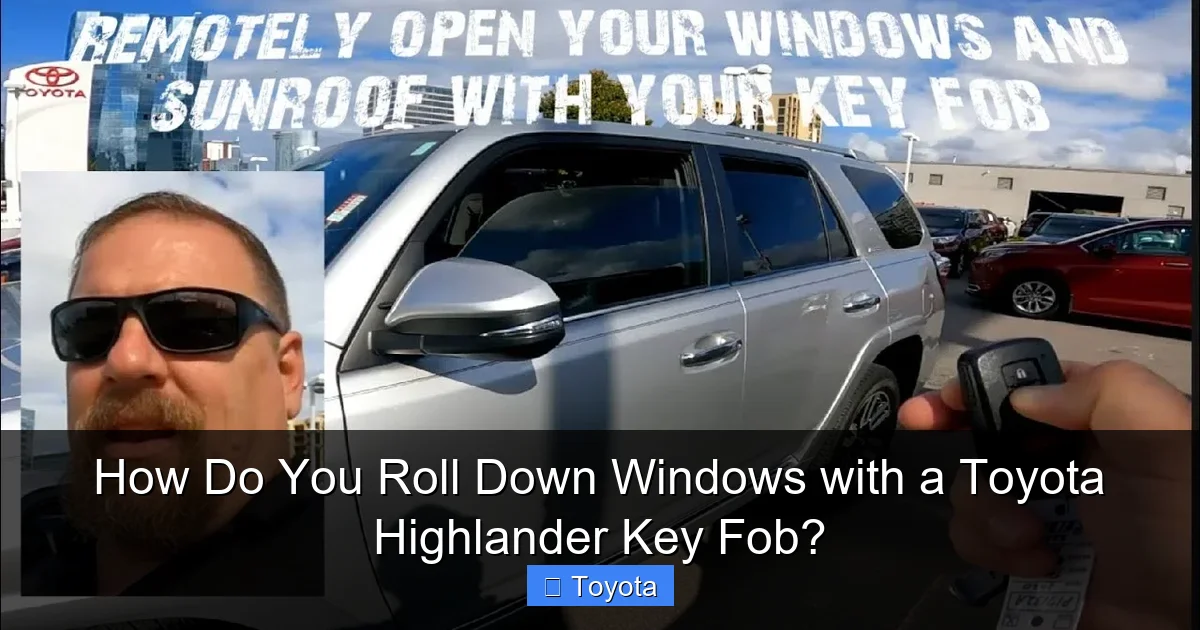
Visual guide about How Do You Roll Down Windows with a Toyota Highlander Key Fob?
Image source: automotivian.com
The Signal and The Command
When you press a button on your key fob, it emits a unique, encrypted radio frequency signal. Your Highlander’s antenna (often located around the rearview mirror or in the key cylinder) picks up this signal and sends it to the vehicle’s main computer, the Body Control Module (BCM). The BCM is the switchboard for all your comfort and convenience features. For the standard lock/unlock function, it tells the door actuators to move. For the window function, it receives a different command code from the fob and, if the conditions are right, tells the power window motors to activate.
Why a “Hold” and Not a “Press”?
You might notice that locking and unlocking the doors happens with a quick press. Rolling the windows down requires you to press and hold. This deliberate design is a critical safety feature. A quick press could accidentally trigger the windows if the fob is jostled in your pocket or purse. The “hold” command (typically for 2-3 seconds) ensures you intend to execute this larger action. The BCM is programmed to only accept the window-down command after it receives a continuous signal for that specific duration. This prevents accidental window deployment, which could be a hazard or a security risk.
Pre-Conditions for Success
The system has built-in safeguards. For the remote window operation to work, several conditions must be met:
- Ignition Off: The engine must be completely off. The system is designed to prevent window operation when the vehicle is running or in “accessory” mode, likely as an anti-theft and safety measure.
- All Doors Closed: Most systems require all doors to be closed and latched. An ajar door will typically interrupt the command.
- No Key Inside: The system often checks that the key fob is not inside the vehicle (detected by the interior antenna). If it is, the command is ignored to prevent locking yourself out.
- Battery Power: Both the key fob battery and the vehicle’s main 12V battery must have sufficient charge.
The Standard Procedure: A Step-by-Step Guide
Now for the practical part. While the core principle is the same, the exact button and hold time can vary slightly by model year and trim level. However, the vast majority of Toyota Highlanders follow this universal pattern.
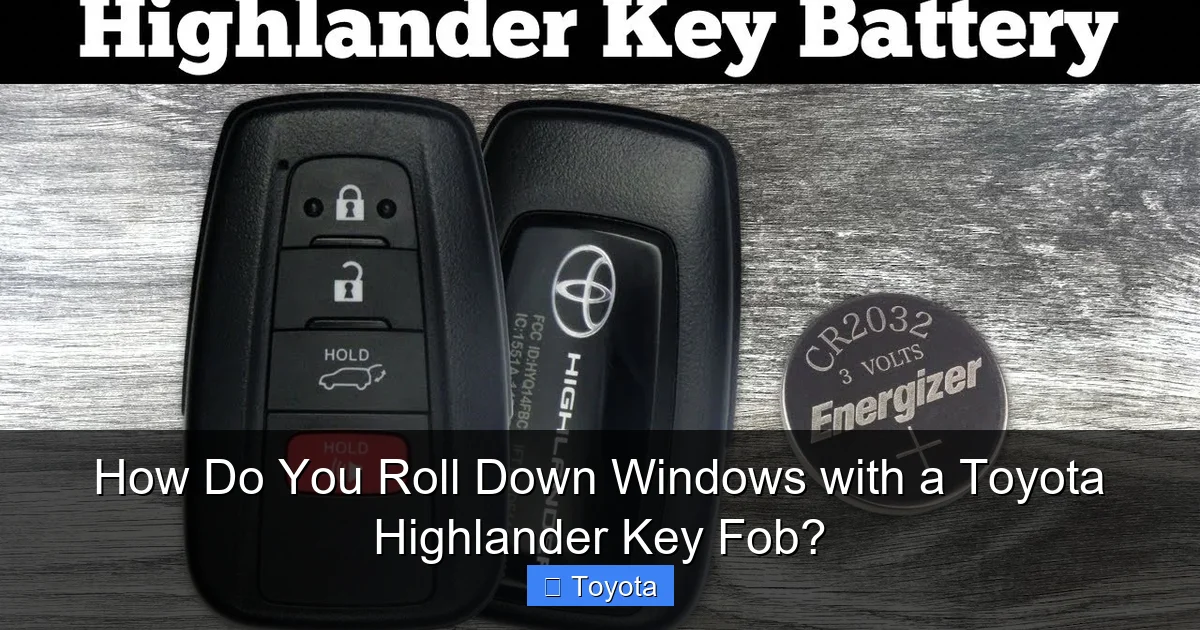
Visual guide about How Do You Roll Down Windows with a Toyota Highlander Key Fob?
Image source: i.ytimg.com
Step 1: Identify the Correct Button
Look at your key fob. You are looking for the button that has an icon of a car with an open window or simply the word “UNLOCK.” Do not use the LOCK button. On many Highlander fobs, the UNLOCK button is the larger of the two main buttons. On some models with a separate trunk release, the window-down function is exclusively on the UNLOCK button. On others, it might be a third button with a window icon. Your owner’s manual is the final authority, but for 99% of Highlanders, it’s the main UNLOCK button.
Step 2: Ensure Vehicle is Ready
Walk to the front of your Highlander. Stand within effective range (usually 20-50 feet, but this can be reduced by obstacles or interference). Ensure:
- The driver’s door is closed.
- All other doors and the tailgate are closed.
- The ignition is OFF (key removed or push-button not pressed).
- You do not have the key fob in your pocket inside the vehicle.
Step 3: Execute the Command
Point the key fob at the vehicle (the front of the fob toward the driver’s door or front of the car). Press and hold the UNLOCK button firmly. You should see the hazard lights flash once or twice, which is your confirmation that the signal was received. Continue holding the button for 2-3 full seconds. You will then hear the distinct whirring sound of all four power windows (and sometimes the sunroof, if equipped) rolling down simultaneously. Release the button once the windows are at your desired position or fully down.
Step 4: The Reverse Function (Rolling Up)
This is a common point of confusion. The standard factory key fob on a Toyota Highlander does not have a one-button command to roll all windows back up. To roll them up, you must use the interior switches. However, some aftermarket remote start systems or regional specifications (like certain Canadian models) may have a lock-and-hold function for roll-up. If your manual states this feature exists, the procedure is typically: press and hold the LOCK button for 2-3 seconds with all doors closed. If you’re unsure, assume your Highlander only rolls windows down remotely. For detailed instructions on other models, you might find resources on how to roll up windows with a Nissan key fob, which sometimes uses a different sequence.
Troubleshooting: Why Your Windows Won’t Roll Down
So you’re pressing and holding, seeing the lights flash, but hearing nothing. Don’t panic. This is almost always a simple fix. Let’s diagnose the problem from most to least likely.
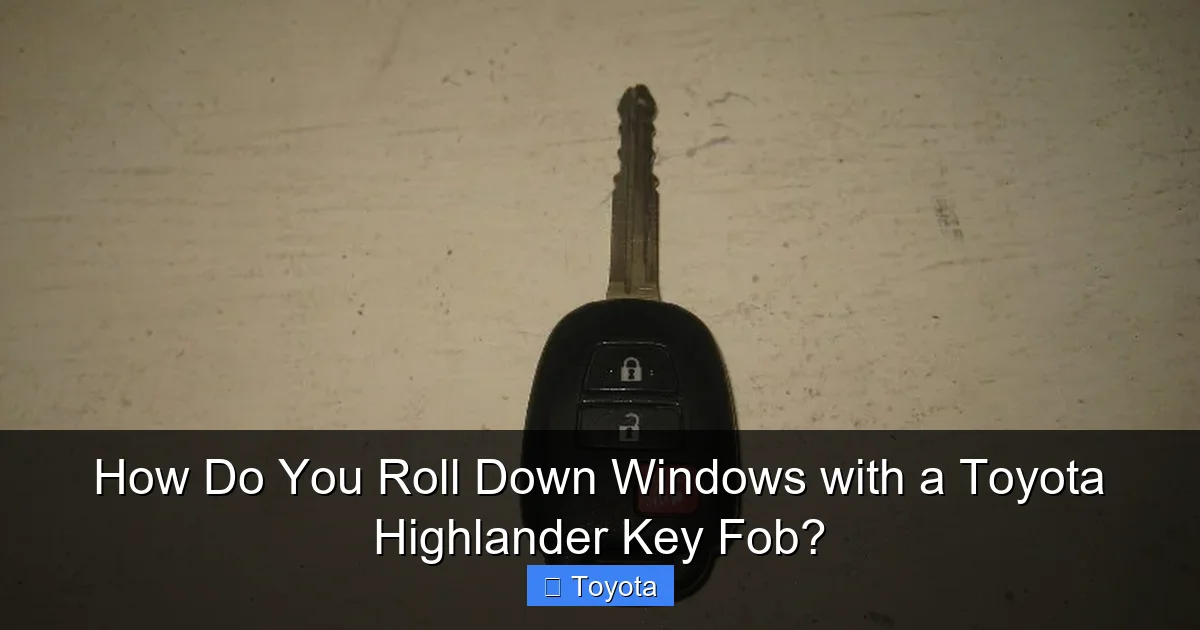
Visual guide about How Do You Roll Down Windows with a Toyota Highlander Key Fob?
Image source: paulstravelpictures.com
1. The Key Fob Battery is Dead or Weak
This is the culprit 70% of the time. The signal strength for the window function is more demanding than the lock signal. A battery with just enough charge to unlock the door may not have the “oomph” to send the sustained signal needed for the window command. Solution: Replace the CR2025 or CR2032 coin cell battery inside your fob. It’s a quick DIY job—just pry open the fob case, swap the battery, and reassemble. Always use a fresh, high-quality battery.
2. Signal Interference
You’re in a “radio frequency dead zone.” Tall buildings, dense urban areas, strong cellular towers, or even a large metal object between you and the car can block or weaken the signal. Solution: Move closer to the vehicle, away from large metal structures or other vehicles. Try standing directly in front of the driver’s door. If it works from one spot but not another, you’ve found an interference issue.
3. Vehicle System Settings
The feature can sometimes be turned off via the vehicle’s settings menus, especially if it was disabled by a previous owner or during a service. Solution: Get inside the vehicle (using the physical key if necessary), turn the ignition ON (do not start), and navigate through the multi-information display or infotainment screen to the “Vehicle Settings” or “Door & Lock” menu. Look for an option like “Remote Window Operation” or “Key Fob Windows” and ensure it is enabled.
4. Faulty Key Fob or Vehicle Receiver
Less common, but possible. The button contacts inside the fob could be worn out, or the antenna in the fob could be damaged. The vehicle’s receiver antenna or the BCM itself could have a fault. Solution: First, try your spare key fob. If the spare works, your primary fob is faulty. If neither works, the vehicle’s system is at fault. This requires a visit to a Toyota dealer or a qualified locksmith/technician with a diagnostic computer (like Techstream) to check for codes and test the system.
5. Blown Fuse or Faulty Window Motor
If the remote works but the windows don’t move, but you can roll them down using the driver’s door switch, the problem is isolated to the remote function circuit or the BCM programming. If no window switch works, you have a more general electrical problem (blown fuse, faulty motor, or broken wire). Solution: Check the “POWER WINDOW” fuse in the interior fuse box (see owner’s manual). If the fuse is good, the issue is likely the BCM’s ability to receive the window command, pointing back to the receiver or key fob.
Safety and Security: Critical Considerations
This convenience feature is fantastic, but it comes with serious responsibilities. Using it improperly can lead to danger or loss.
The “Never Do This” List
There are three absolute rules for using your Highlander’s remote windows:
- NEVER use it while the vehicle is in motion. Rolling down a window at highway speed creates massive drag, destabilizes the car’s aerodynamics, and can cause loose items to become dangerous projectiles. It also dramatically increases wind noise.
- NEVER use it when children or pets are in the vehicle without supervision. A child could accidentally activate it, or a pet could jump or be thrown from the vehicle. The risk of ejection is severe and real.
- NEVER use it in heavy rain, snow, or dust storms. You are inviting the elements into your cabin, which can damage electronics, seats, and create hazardous driving conditions with water on the windows.
Theft and Security Implications
While rolling your windows down from a distance is convenient, it can also be a security vulnerability if used carelessly. Imagine rolling your windows down to let a pet have air, then walking away to run an errand. You’ve just created an easy point of entry for a thief. Always ensure the vehicle is locked after rolling windows down. The key fob’s lock button will still work after rolling the windows down. Make it a habit to press LOCK immediately after your window-down command if you are leaving the vehicle. Furthermore, never roll windows down in an unfamiliar or high-crime area simply for ventilation; the risk is not worth the comfort.
Child Safety Locks and the Rear Windows
Your Highlander has rear door child safety locks. When these are engaged (via a small lever on the rear door edge), the rear interior window switches are disabled. However, the remote key fob command typically bypasses these locks and will still operate the rear windows. This is an important distinction. If you want to prevent rear passengers (like children) from operating the windows, you cannot rely on the child safety lock to stop the key fob function. The only way to prevent remote operation of the rear windows is to disable the entire feature in the vehicle settings menu, which also disables the front windows.
Model Year Differences and Advanced Features
Not all Highlanders are created equal. The remote window feature has evolved over the generations, and its implementation can differ.
Generational Overview (Approximate)
- 2008-2013 (XW40): This generation popularized the feature for Toyota. It was standard on most trims. The procedure is the classic press-and-hold UNLOCK.
- 2014-2020 (XW50): Feature remained standard. Some Limited and Hybrid trims may have had the ability to also roll up windows via a lock-and-hold sequence, but this was not universal. The settings menu for enabling/disabling became more accessible via the instrument cluster screen.
- 2021-Present (XW70): The current generation continues the feature. The key fob design changed (more rectangular, with a separate trunk button). The window-down function remains on the main UNLOCK button. The digital key and smartphone app integration on higher trims adds another layer, allowing window control via the Toyota app, which is a separate system from the physical key fob.
The Role of the Smart Key System
If your Highlander has a push-button start (Smart Key system), your fob is a “smart key.” It uses proximity sensing for entry and start. The window-down function is a separate, active command that requires you to press the button; it does not happen automatically when you approach the car. However, the smart key’s internal antenna and circuitry are more complex. A weak battery in a smart key can cause intermittent issues with all functions, including the windows.
Aftermarket Systems and Compatibility
If your Highlander has an aftermarket remote starter or alarm system installed, it can sometimes interfere with the factory window control. These systems often hijack the door lock circuits and may not properly pass through the window-down command signal. If your feature stopped working after an aftermarket install, that’s your likely suspect. You’ll need to consult the installer or a specialist to reprogram the interface module to recognize and transmit the window-down command code. For those with other brands, understanding how a Dodge key fob handles this function can highlight how manufacturer implementations vary, but the underlying principle is similar.
Maintaining Your Key Fob for Optimal Performance
Preventative care is the best way to avoid being stranded with non-functioning windows. Your key fob is a small, rugged, but not indestructible device.
Battery Replacement Schedule
Don’t wait for failure. The CR2025/CR2032 battery in your Highlander key fob typically lasts 2-3 years under normal use. A proactive replacement every two years is a cheap insurance policy against multiple fob failures (loss of remote start, lock, and window functions). When replacing, note the orientation of the old battery (+ side usually faces up) and use a fresh, name-brand battery. Sealing the fob carefully after replacement is crucial to maintain its water resistance.
Physical Care and Damage Prevention
- Avoid Water: While the fob is water-resistant, do not submerge it. If it gets wet, dry it thoroughly with a soft cloth.
- Protect from Impact: Don’t toss your fob onto hard surfaces or overload your keychain. A heavy keychain can wear the ignition cylinder over time and stress the fob’s internal components. Consider a separate keyring for your car key/fob.
- Extreme Temperatures: Don’t leave the fob on the dashboard in scorching summer sun or on the frozen windshield in winter. Extreme heat can damage the battery and circuitry; extreme cold can shorten battery life.
- Spare Key Storage: Always keep a spare key fob in a safe, known location. Do not hide it on the vehicle (under a mat, in a magnetic box) as modern security systems can often detect it, and it’s a major theft risk.
When to Seek Professional Help
If you’ve replaced the battery, verified the settings, and the feature still doesn’t work, it’s time to call in the pros. A Toyota dealer can run a full diagnostic on the vehicle’s Body Control Module and key fob system using proprietary software. They can determine if the fob’s transmitter is faulty, if the vehicle’s receiver antenna is damaged, or if the BCM needs a software update or replacement. For lost key fobs or complete failures, programming a new Toyota Highlander smart key is a specialized process that requires dealer or locksmith equipment and access to your vehicle’s security PIN.
Frequently Asked Questions
Can I roll up all the windows with the Toyota Highlander key fob?
For most model years, the factory key fob is programmed to only roll windows down remotely. Rolling them up with the fob is not a standard feature on the Highlander and is typically not possible without an aftermarket remote start system that adds this function. You must use the interior switches to roll windows up.
What if my key fob unlocks the doors but won’t roll the windows down?
This is a classic symptom of a weak key fob battery. The lock function requires less power than the sustained signal for window operation. Replace the coin-cell battery in your fob first. If that doesn’t work, check your vehicle’s settings menu to ensure “Remote Window Operation” is enabled.
Is it safe to use the remote window feature?
It is safe only when used correctly. Never use it while driving, and never use it when children or pets are in the vehicle without direct supervision. Always lock your vehicle after rolling windows down if you are leaving it, as you have created an open access point.
Does the remote window feature work on the Toyota Highlander Hybrid models?
Yes, the remote window operation feature is standard on Hybrid models of the Toyota Highlander, just like their gasoline counterparts. The procedure is identical: press and hold the UNLOCK button on the key fob. The hybrid battery does not affect this 12V system function.
My 2018 Highlander’s windows used to roll down with the fob, but now they don’t. What changed?
The most likely cause is a worn-out key fob battery. Other possibilities include a changed setting in the vehicle’s menu (someone may have disabled it), a fault in the driver’s door jamb switch (which signals the BCM that the door is closed), or a failed Body Control Module. Start with the battery replacement.
Can I disable the remote window feature?
Yes, you can. Go to your vehicle’s Settings menu (usually accessible via the odometer/trip meter screen or the infotainment display when the car is on). Navigate to “Vehicle Settings” or “Door & Lock” and look for “Remote Window Operation” or a similar option. You can toggle it OFF. This will disable the function for both front and rear windows.
