

How Do You Reset the Maintenance Required Light on a Toyota Rav4?

Contents
- 1 Key Takeaways
- 2 📑 Table of Contents
- 3 Understanding the “Maintenance Required” Light: It’s Not a Check Engine Light
- 4 Preparing to Reset: The Golden Rule and Your Tools
- 5 Method 1: The Classic Odometer Button Reset (For Older RAV4 Models)
- 6 Method 2: The Multi-Information Display (MID) Reset (For Newer RAV4 Models)
- 7 What If the Reset Doesn’t Work? Troubleshooting Common Issues
- 8 The Importance of Actual Maintenance vs. Just Resetting the Light
- 9 Conclusion: Empowered Ownership Through Simple Maintenance
- 10 Frequently Asked Questions

Steering Wheel Cover

Phone Mount for Bike

Car Scratch Remover
Power Steering Fluid
The maintenance required light on your Toyota RAV4 is a friendly reminder that scheduled service is due, typically an oil change. Resetting it is a simple process you can do at home after performing the necessary maintenance, but it’s crucial to understand that resetting the light does not replace the actual service. The method varies slightly between older models with a dedicated button and newer models with a digital display, but both involve a precise sequence using your odometer or steering wheel controls. Always complete the required maintenance first to keep your RAV4 running reliably and to avoid voiding your warranty.
That little wrench icon or “MAINT REQD” message glowing on your Toyota RAV4’s dashboard is impossible to ignore. It’s your vehicle’s way of tapping you on the shoulder, saying, “Hey, it’s time for some care.” For many RAV4 owners, the immediate question is: “How do I make this light go away?” The answer is both reassuringly simple and critically important. Resetting the maintenance required light is a straightforward procedure you can perform yourself in under a minute, but it must be done at the right time and for the right reason. This comprehensive guide will walk you through everything you need to know, from what that light truly means to the exact steps for your specific model year, ensuring you can confidently and correctly reset it.
Key Takeaways
- The light is a reminder, not an emergency: It illuminates based on mileage/time intervals for scheduled maintenance like oil changes, tire rotations, and inspections. It is not a diagnostic trouble code.
- Reset only after maintenance is complete: You must perform the actual required service (e.g., change the oil and filter) before resetting the light. Resetting without service is misleading and harmful to your vehicle.
- Two primary methods exist: Older RAV4s (pre-2013-ish) often use a physical odometer button, while newer models (2013+) use the Multi-Information Display (MID) accessed via steering wheel controls.
- Model year matters: The exact button sequence can differ. Always confirm your specific model year’s procedure in your owner’s manual, as variations exist even within the same generation.
- A persistent light may indicate a problem: If the light returns immediately after a correct reset or flashes, it could signal a sensor issue or that the maintenance wasn’t properly performed, requiring a professional diagnosis.
- Resetting is a user-performable task: This is designed as a customer convenience feature. No special tools or technical knowledge are needed, just patience to follow the steps correctly.
- Ignoring the light has consequences: Prolonged neglect can lead to accelerated engine wear, poor performance, and potentially void certain aspects of your warranty if scheduled maintenance is skipped.
📑 Table of Contents
- Understanding the “Maintenance Required” Light: It’s Not a Check Engine Light
- Preparing to Reset: The Golden Rule and Your Tools
- Method 1: The Classic Odometer Button Reset (For Older RAV4 Models)
- Method 2: The Multi-Information Display (MID) Reset (For Newer RAV4 Models)
- What If the Reset Doesn’t Work? Troubleshooting Common Issues
- The Importance of Actual Maintenance vs. Just Resetting the Light
- Conclusion: Empowered Ownership Through Simple Maintenance
Understanding the “Maintenance Required” Light: It’s Not a Check Engine Light
Before we dive into button combinations, it’s essential to understand what this light is and, more importantly, what it isn’t. The maintenance required light (often depicted as a wrench or the words “MAINT REQD”) is a completely separate system from the dreaded check engine light. While the check engine light warns of an active fault in the engine or emissions system, the maintenance required light is a predictive reminder system.
How the System Works: A Simple Mileage/Time Counter
Your RAV4’s onboard computer constantly tracks two primary metrics: the total miles driven since your last reset and, in many models, the time that has passed. The system is pre-programmed with service intervals based on Toyota’s recommended maintenance schedule. For example, it might be set to illuminate every 5,000 miles or 6 months, whichever comes first, to remind you of an oil change and tire rotation. Once you (or your mechanic) perform that service and manually reset the counter, the light will turn off and start counting again from zero. It’s a “dumb” timer in the best sense—it doesn’t know if you actually changed your oil; it only knows that 5,000 miles have been driven since the last reset.
Why It’s a Valuable Tool (When Used Correctly)
This system is a fantastic ownership tool. It takes the guesswork out of maintenance scheduling. Instead of trying to remember when you last changed your oil or glancing at a service sticker on your windshield (which can fall off or get obscured), you have a clear, unmistakable signal directly from your vehicle’s computer. Following this reminder helps ensure your RAV4 receives the regular care it needs to deliver its renowned reliability, fuel efficiency, and longevity. Ignoring it is like ignoring the “change oil” light on your kitchen range hood filter—eventually, performance suffers, and damage can occur.
Preparing to Reset: The Golden Rule and Your Tools
Here is the single most important rule in this entire guide: You must perform the required maintenance before you reset the light. Resetting the light without changing the oil, rotating the tires, or completing the necessary inspections is not a clever hack; it is a dangerous deception. You are telling your car’s computer to forget about the service it just reminded you of, effectively erasing the evidence that maintenance is overdue. This leads to accelerated engine wear, can void your warranty on related components, and defeats the entire purpose of the reminder system.

Visual guide about How Do You Reset the Maintenance Required Light on a Toyota Rav4?
Image source: i.ytimg.com
What Maintenance is Typically Due?
The specific service associated with the maintenance required light depends on the interval. For most modern RAV4s, the first reminder (usually at 5,000 miles/6 months) is for an oil change and tire rotation. Subsequent reminders may include additional items like cabin air filter replacement, engine air filter inspection, brake inspection, and fluid level checks. Your owner’s manual provides a detailed maintenance schedule chart. If you’re unsure what service is due, a quick glance at your last service receipt or a call to your trusted mechanic is a wise step before you even think about the reset procedure.
Gather Your Tools (Spoiler: You Just Need Yourself)
The beauty of resetting the RAV4’s maintenance light is that it requires no tools. No wrenches, no diagnostic scanners (for the basic reset), no special software. You only need:
- The RAV4’s ignition key or key fob.
- A clear understanding of your vehicle’s odometer display and, for newer models, the steering wheel-mounted controls (buttons on the left side of the steering column).
- About 60 seconds of uninterrupted time.
- Your owner’s manual (highly recommended for model-specific confirmation).
If your RAV4 has a traditional key ignition, you’ll use the key to turn the ignition on and off. If it has a push-button start, you’ll use the “Start/Stop” button without your foot on the brake for certain steps. We’ll cover both.
Method 1: The Classic Odometer Button Reset (For Older RAV4 Models)
This method applies primarily to RAV4 models from the early 2000s up through approximately the 2012 model year, and some very early 2013 models depending on specific trim. These vehicles feature a simple, mechanical-feeling reset process using the button on the instrument cluster that you normally press to switch between odometer and trip meter readings. If your RAV4 has a small, round button on the dash near the speedometer and you can cycle through “ODO,” “TRIP A,” and “TRIP B” displays, this is almost certainly your method.
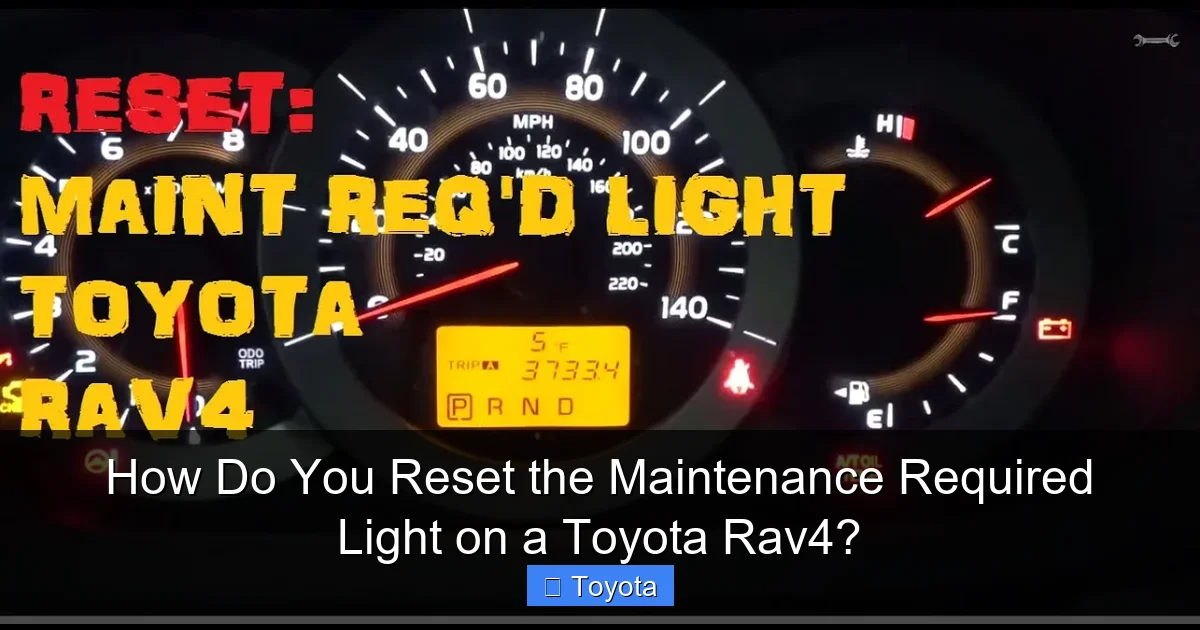
Visual guide about How Do You Reset the Maintenance Required Light on a Toyota Rav4?
Image source: i.ytimg.com
Step-by-Step Button Sequence
Follow these steps precisely. The timing is important.
- Turn the ignition ON. Do not start the engine. Simply turn the key to the “ON” or “ACC” position (the position right before the engine cranks). All dashboard lights should illuminate, including the maintenance required light.
- Locate the Odometer/Trip Meter button. This is the button you press to toggle your odometer reading between total miles and trip A/B. It’s usually on the instrument panel itself, near the gauge cluster.
- Press and hold the button. While the ignition is ON and the maintenance light is on, press and hold this button down.
- Turn the ignition OFF while holding the button. While you continue to hold the button, turn the ignition key to the OFF position. You may need to turn it fully counter-clockwise to lock it.
- Release the button. After turning the key off, you can release the button.
- Turn the ignition back ON. Turn the key back to the ON position.
- Check the display. The maintenance required light should now be off. You may see the odometer display briefly flash or show dashes (“—”) during the reset process, which is normal. If the light is still on, repeat the sequence, ensuring you hold the button long enough during step 3 and 4.
For push-button start models of this era, the process is slightly different. With the engine off and your foot off the brake, press the “Start/Stop” button once to put the vehicle in “ON” mode. Then proceed with steps 2-7 above. To turn the ignition “OFF,” press the “Start/Stop” button again (again, with foot off brake).
Pro Tip: The “Trip A” Confirmation
On many older RAV4s, a successful reset is confirmed when you cycle the display to “TRIP A” and it shows “0000” or “0.0” instead of your previously stored trip distance. This indicates the maintenance interval counter has been cleared. If you see your old trip distance, the reset likely failed.
Method 2: The Multi-Information Display (MID) Reset (For Newer RAV4 Models)
Starting around the 2013 model year and continuing through the current generation (2019+), Toyota shifted to using the vehicle’s color Multi-Information Display (MID) for most settings and resets. This is the screen in the center of your gauge cluster that shows fuel economy, warning messages, and trip data. The reset is performed using the buttons on the left side of your steering wheel column, often labeled with a “Menu” or “Info” icon and arrow buttons. If your RAV4 has a digital screen in the dash and you use steering wheel buttons to scroll through menus, this is your method.

Visual guide about How Do You Reset the Maintenance Required Light on a Toyota Rav4?
Image source: oilreset.com
Step-by-Step MID Menu Navigation
The sequence is a bit more involved but becomes intuitive with practice.
- Turn the ignition ON. Again, do not start the engine. Turn the key to ON or press the start button twice with your foot off the brake.
- Navigate to the Settings/Speedometer menu. Use the UP/DOWN arrow buttons on the left side of the steering wheel to scroll through the MID display. You are looking for an icon that looks like a speedometer with a wrench or a gear/settings symbol. The exact name varies: it might be “Settings,” “Vehicle Settings,” or simply a wrench icon. Press the ENTER or OK button (the button in the center of the arrow pad) to select it.
- Find the “Maintenance” or “Service” option. Once inside the settings menu, use the arrows to scroll to find “Maintenance,” “Service,” or “Maintenance Reset.” Select it with the ENTER button.
- Select “Yes” or “Reset.” The display will likely ask you to confirm. It may show the current mileage since last reset. You must select “Yes,” “Reset,” or “Confirm” to proceed. Use the arrows to highlight the correct option and press ENTER.
- Exit and verify. The maintenance required light should extinguish immediately. You can now turn the ignition off and restart your RAV4 to confirm it remains off. Use the steering wheel buttons to navigate back to your normal odometer or trip screen.
Important Note for 2020+ RAV4s: Some newer models, particularly 2020 and later, have a slightly different menu structure. You may need to first press the “Info” button on the steering wheel to bring up the main menu, then navigate to “Settings,” then “Vehicle Settings,” and finally “Maintenance.” If the above doesn’t work, consult your owner’s manual for the exact path. The process for a 2020 Toyota RAV4 is a good reference point for this newer generation’s menu system.
What If the Reset Doesn’t Work? Troubleshooting Common Issues
You followed the steps perfectly, but that stubborn wrench icon is still glaring at you. Don’t panic. There are a few common reasons for a failed reset, and most are easy to diagnose.
Incorrect Sequence or Timing
The most frequent cause of a failed reset is a misstep in the sequence. Did you hold the button long enough before turning the key off? Did you accidentally start the engine? Go back to the instructions for your model type (Classic vs. MID) and try again, meticulously following each step. On the MID method, ensure you are in the correct sub-menu (“Maintenance Reset” not “Settings” alone).
The Light is On for a Different Reason
On some newer RAV4s, the MID can display multiple warning messages. It’s possible the “MAINT REQD” text is actually part of a different alert, such as a “Service Required” message for a specific system (like the hybrid battery in a RAV4 Hybrid, though this is rare). If the light is solid and says “MAINT REQD,” it’s almost certainly the interval reminder. But if it’s flashing or accompanied by other text, you may have a different issue.
A Faulty Sensor or Computer Glitch
In rare cases, the maintenance reminder system itself can have a fault. If you are 100% certain you completed the service and followed the reset procedure correctly multiple times, there could be an issue with the vehicle’s computer or a sensor that tracks oil life (on models with variable intervals). This is uncommon but possible. At this point, a visit to your Toyota dealer or a trusted mechanic with a proper diagnostic scan tool is warranted. They can check for any stored trouble codes and manually reset the system if needed.
You Have a Different Model Year Variation
Toyota occasionally tweaks procedures between model years within the same generation. A 2015 RAV4 might have a slightly different menu path than a 2019. This is where your owner’s manual is your best friend. It has the definitive, model-year-specific procedure. If you don’t have the physical manual, you can often find a digital copy on the Toyota owner’s portal. For a general overview of how these systems work across the Toyota lineup, you can also review guides for other models like the Tacoma or Highlander, which often share similar technology platforms.
The Importance of Actual Maintenance vs. Just Resetting the Light
This bears repeating until it’s absolutely clear: Resetting the light is not maintenance. It is merely the act of telling the computer, “The maintenance you reminded me about is now done. Please start counting to the next interval.” Skipping the actual service to simply turn off the light is the automotive equivalent of tearing the battery out of your smoke detector because it’s beeping. The danger is still present; you’ve just silenced the alarm.
What Happens If You Skip an Oil Change?
The most common service tied to the first maintenance reminder is the oil change. Engine oil degrades over time and with heat. It loses its lubricating properties, its ability to clean, and its capacity to neutralize acids. Driving with old, degraded oil leads to:
- Increased Engine Wear: Metal-on-metal contact in critical bearings and camshafts.
- Sludge and Varnish Buildup: Old oil breaks down and forms deposits that clog oil passages, starving parts of lubrication.
- Reduced Fuel Economy: A struggling engine works harder and uses more fuel.
- Potential Engine Failure: In extreme cases, complete lack of lubrication can cause a seized engine, a catastrophic and costly failure.
- Tire Rotation: Promotes even tire wear, extending tire life and ensuring safe, predictable handling.
- Brake Inspection: Worn brakes are a primary safety issue. Catching worn pads or rotors early prevents damage to more expensive calipers and ensures stopping power.
- Fluid Checks: Coolant, brake fluid, transmission fluid, and power steering fluid all degrade. Low or dirty fluids can lead to overheating, transmission damage, or brake failure.
- Air Filter Replacement: A clogged engine air filter starves your engine of air, reducing power and fuel economy. A clogged cabin air filter hurts HVAC performance and air quality.
Resetting the light without changing the oil gives you a false sense of security while your engine slowly wears itself out. The $50 oil change becomes a $5,000 engine replacement.
Other Critical Services Linked to the Reminder
Beyond oil, the maintenance schedule includes other vital items:
By performing the full recommended service at each interval, you are investing in your RAV4’s health, safety, and long-term value. The light is your prompt to do that work, not to skip it.
Conclusion: Empowered Ownership Through Simple Maintenance
Knowing how to reset the maintenance required light on your Toyota RAV4 is a small but powerful piece of automotive knowledge. It moves you from a passive recipient of dashboard warnings to an active, empowered owner. The process is intentionally simple—a testament to Toyota’s design philosophy of user-friendly ownership. Whether you’re using the classic odometer button method on a 2010 model or navigating the digital menus of a 2023 RAV4, the steps are clear and quick. However, this convenience comes with a profound responsibility. The reset is the final, ceremonial step that closes the loop on a cycle of proper care. It is the “checkmark” next to a completed task. Never use it as a “mute button” for a problem you’ve chosen to ignore. By pairing the simple reset procedure with a commitment to the actual, scheduled maintenance it represents, you honor the engineering and reliability that make the RAV4 such a beloved vehicle. You’ll keep your SUV running smoothly, efficiently, and safely for hundreds of thousands of miles, and that glowing wrench will remain a helpful friend, not a ignored nuisance.
Frequently Asked Questions
Can I reset the maintenance required light without changing the oil?
Technically, yes, the reset procedure will turn the light off. However, this is strongly discouraged. You would be erasing the reminder for a critical service your engine needs. Driving with degraded oil causes internal engine damage over time, leading to expensive repairs. Always perform the required maintenance first.
Why did my maintenance light come back on immediately after I reset it?
This usually indicates one of two things: either the reset procedure was not completed correctly (try again, carefully), or, more likely, the underlying maintenance was not performed to the system’s standards. If you did change the oil, ensure you used the correct oil type and capacity and that the oil filter was properly installed. A faulty oil level or quality sensor could also cause this, requiring a professional diagnosis.
How often does the maintenance required light come on?
It depends on your RAV4’s model year and configuration. Most RAV4s are set to illuminate every 5,000 miles or 6 months for an oil change and tire rotation. Some models with an “Oil Maintenance” system (not all) use a more complex algorithm based on driving conditions to calculate oil life and may have longer intervals, such as 7,500 or 10,000 miles. Your owner’s manual specifies the exact interval for your vehicle.
Will disconnecting the battery reset the maintenance light?
No. The maintenance required light is stored in a non-volatile memory that is not cleared by disconnecting the battery. This is intentional, as it prevents the reminder from being accidentally erased during a battery change. You must use the specific manual reset procedure outlined for your model year.
Is the maintenance required light the same as the service engine soon light?
No, they are completely different. The “MAINT REQD” or wrench light is a scheduled service reminder. The “Check Engine” or “Service Engine Soon” light indicates an active fault in the engine, transmission, or emissions system detected by the computer. The procedures to turn them off are also different; the check engine light requires addressing the underlying fault and then clearing the diagnostic trouble code, often with a scan tool.
My RAV4 is a Hybrid. Does the reset procedure differ?
The basic procedure for resetting the maintenance required light is the same for hybrid and non-hybrid RAV4s of the same model year, as they share the same instrument cluster and reminder system. The maintenance schedule for a hybrid may include some different items (like hybrid system inspections), but the light reset method itself is identical. Always follow the hybrid-specific maintenance schedule in your manual.







