
How Do You Remove the Maint Reqd Light on a 2007 Toyota Camry?

The “Maint Reqd” light on a 2007 Toyota Camry is a service reminder, not an emergency. You can reset it yourself after completing the required oil change and filter replacement. The two primary methods are using the odometer button combo or an OBD2 scan tool. Never ignore the reminder; always perform the actual maintenance first to protect your engine.
Key Takeaways
- It’s a Reminder, Not a Problem: The “Maint Reqd” light is a mileage-based timer for scheduled maintenance, primarily oil changes. It is not the same as a diagnostic Check Engine Light.
- Two Main Reset Methods: You can reset it manually via the odometer/trip meter button sequence or by using an OBD2 scan tool that has maintenance reset capabilities.
- Maintenance Must Come First: Always complete the required service (oil, filter, etc.) before resetting the light. Resetting without servicing leads to engine damage and false reminders.
- Process is Similar Across Toyotas: The manual odometer reset procedure for a 2007 Camry is nearly identical to many other Toyota models from that era, like the 2017 Highlander or Avalon.
- No Special Tools for Manual Reset: The button method requires no tools, just your ignition key and the odometer reset button on the dash.
- Scan Tools Offer More Control: An OBD2 scanner provides a menu-driven reset and can also clear other codes, making it a versatile tool for any Toyota owner.
- Light Will Return: The system will automatically illuminate again after another 5,000 miles (or the set interval) to remind you of the next service, regardless of how you reset it.
📑 Table of Contents
Understanding Your Camry’s “Maint Reqd” Light
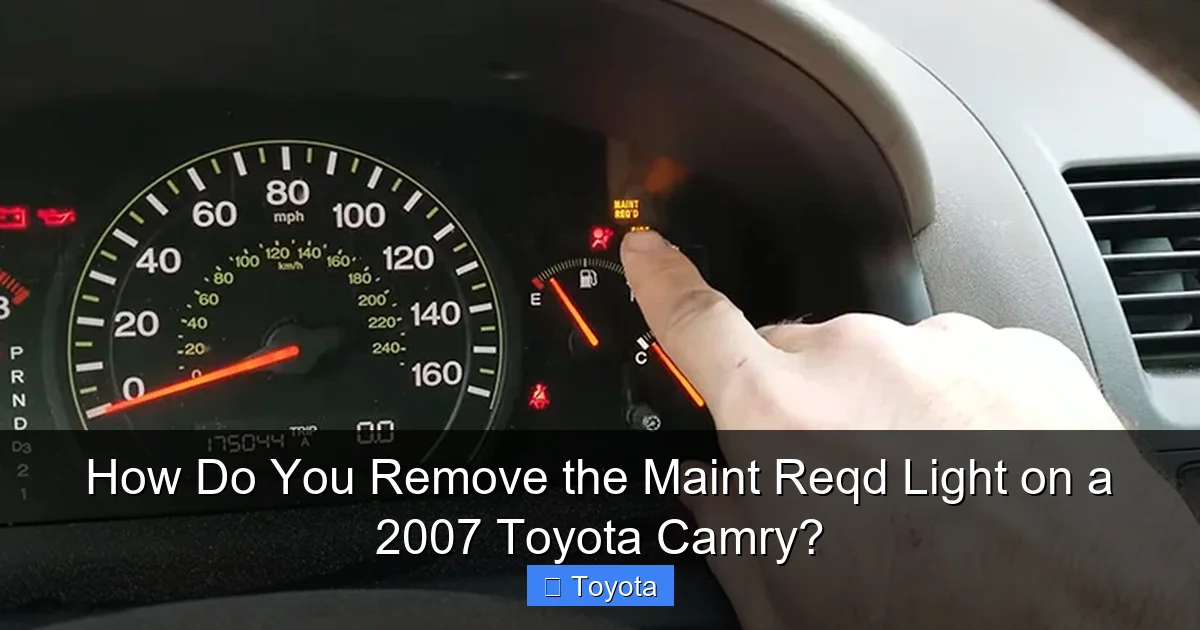
That little wrench icon glowing on your 2007 Toyota Camry’s dashboard can be a nuisance. It’s the “Maint Reqd” light, and its purpose is simple: to remind you it’s time for scheduled maintenance. Unlike the ominous Check Engine Light, which signals a fault, this is a proactive service timer. Toyota designed it to come on after a predetermined mileage interval, typically 5,000 miles, following your last oil change. Its appearance means it’s time to check your owner’s manual, inspect your vehicle, and perform the necessary services—most commonly an oil and filter change. Ignoring it won’t cause an immediate breakdown, but it will lead to accelerated engine wear and potentially void parts of your warranty if you have extended coverage. The good news? Once you’ve done the work, turning it off is a straightforward DIY task you can handle in under a minute, saving you a dealership trip fee.
The Difference Between “Maint Reqd” and “Check Engine”
Many drivers confuse these two lights. The “Check Engine” light (usually an engine-shaped icon) illuminates when the car’s computer (ECU) detects a problem with the emissions system, engine, or transmission. It requires a diagnostic scan to find the fault code. The “Maint Reqd” light (a wrench icon) is purely a mileage counter. It has no intelligence about your engine’s actual health. It’s a simple clock that ticks down from your last reset. This is a critical distinction because you should never use a scan tool to simply clear a Check Engine Light without diagnosing and fixing the underlying issue. For the maintenance light, clearing it is the final, approved step after you’ve completed the service.
Preparation: The Crucial First Step
Before you even think about resetting the light, you must perform the maintenance it’s asking for. For a 2007 Camry with the standard 2.4L 4-cylinder or 3.5L V6, this almost always means an oil and filter change. The interval is every 5,000 miles if you use conventional oil, or up to 10,000 miles with full synthetic. The light doesn’t know what oil you used; it just counts miles. Here’s your pre-reset checklist:
Visual guide about How Do You Remove the Maint Reqd Light on a 2007 Toyota Camry?
Image source: hondatheotherside.com
- Change the Engine Oil and Filter: This is non-negotiable. Use the correct oil viscosity (likely 5W-20 or 5W-30) and a high-quality filter.
- Inspect Other Fluids: Check coolant, brake fluid, power steering fluid, and windshield washer fluid. Top off as needed.
- Check Tire Pressure: Inflate to the PSI listed on the driver’s door jamb sticker, not the tire sidewall.
- Inspect Basic Components: Look at belts, hoses, battery terminals, and lights. Replace the engine air filter if it’s dirty—a clogged filter hurts fuel economy.
Skipping these steps and just resetting the light is like erasing a to-do list without doing the work. Your engine will suffer. If you’re not comfortable doing the oil change yourself, a quick lube shop or mechanic can do it. Just make sure they reset the light for you, or you can do it yourself afterward. For other Toyota models, the process is consistent; you can find guides for resetting the light on a Highlander or Avalon that follow the same principles.
Method 1: The Classic Odometer Button Reset
This is the most common and tool-free method. It uses your Camry’s built-in trip meter/odometer display and the reset button on the dash. The process is a specific sequence of button presses while the ignition is in a particular position. It works on the 2007 Camry and most 2002-2011 models. Here is the exact, step-by-step procedure:

Visual guide about How Do You Remove the Maint Reqd Light on a 2007 Toyota Camry?
Image source: i.ytimg.com
Step-by-Step Button Sequence
Step 1: Turn the ignition to the “ON” position (the position right before the engine starts where all dash lights come on). Do not start the engine.
Step 2: Press the “ODO/TRIP” button on the instrument cluster repeatedly until the display shows the odometer (the total miles the car has driven), NOT the trip meter A or B. You should see a number like 123456.
Step 3: Now, turn the ignition key to the “OFF” position.
Step 4: While holding down the “ODO/TRIP” button, turn the ignition back to the “ON” position (again, do not start the engine). Keep holding the button.
Step 5: Continue holding the button. The odometer display will change. It will first show a series of dashes “——”, then the word “DON’T” may flash, and finally, it will display a series of zeros “000000”. Some models will show the wrench icon blink a few times and go out.
Step 6: Release the “ODO/TRIP” button. Turn the ignition off and then back on to verify the “Maint Reqd” wrench light is gone.
Pro Tip: If it doesn’t work on the first try, repeat the sequence. Ensure you are starting from the actual odometer reading display in Step 2. The timing of holding the button while turning the key is the key to success.
What If It Doesn’t Work?
A small percentage of 2007 Camrys, particularly some V6 models or those with specific packages, might have a slightly different procedure. If the above fails, try this variation: With the ignition ON and the odometer displayed, turn the key OFF. Press and hold the ODO/TRIP button, then turn the key back to ON while continuing to hold for about 5-10 seconds until the display cycles. If you still have issues, your car might require a scan tool, or the system could have a fault. For broader troubleshooting, resources on resetting maintenance lights on newer Toyotas like the RAV4 show how technology has evolved, but the core principle remains.
Method 2: Using an OBD2 Scan Tool
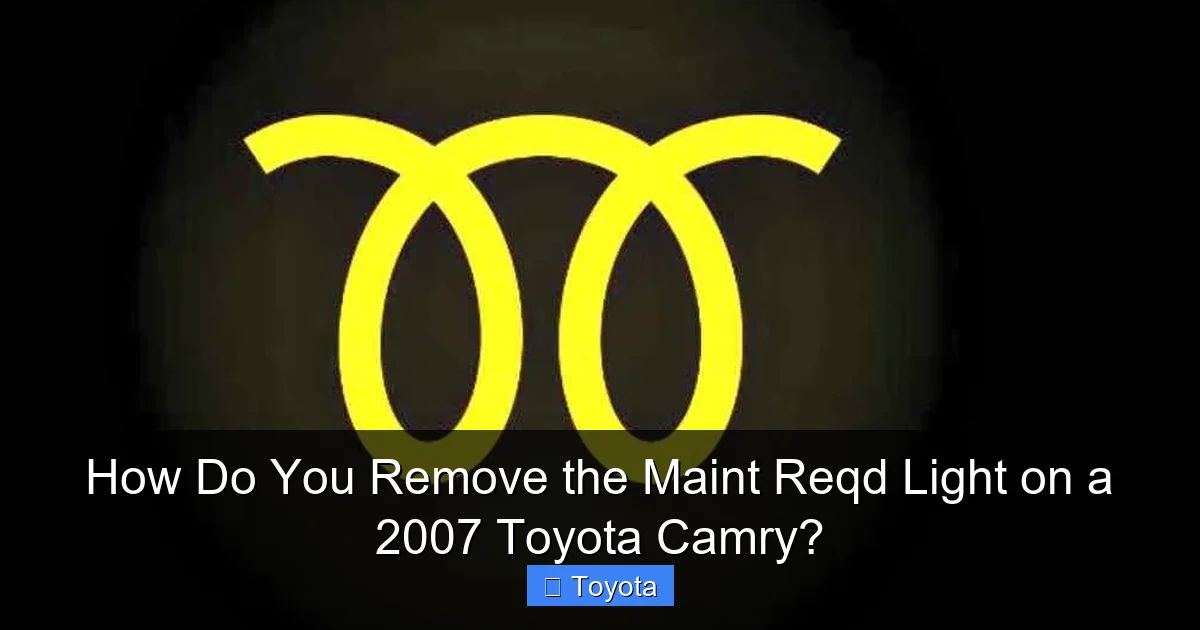
For a more modern, menu-driven approach, or if the button method fails, an OBD2 scanner is your best friend. Any basic OBD2 scanner that supports “maintenance reset” or “oil light reset” functions will work. You don’t need an expensive factory-level tool. Models like the Autel, Launch, Innova, or even some cheaper Bluetooth adapters with a good phone app (like Torque Pro with the right plugin) can do it. This method is foolproof and gives you more control.
Visual guide about How Do You Remove the Maint Reqd Light on a 2007 Toyota Camry?
Image source: cdn.lavoz.com.ar
Step-by-Step Scan Tool Reset
Step 1: Perform all your maintenance. Then, locate the OBD2 port under your dash, just below the steering column. It’s usually a 16-pin trapezoidal connector.
Step 2: Plug your scan tool into the port.
Step 3: Turn the ignition to the “ON” position (do not start the engine). The scan tool will power on and may prompt you to turn the key further or press a button on the tool.
Step 4: Navigate the tool’s menu. Look for options like “Maintenance Reset,” “Oil Service Reset,” “Service Light Reset,” or “Maint Reqd Reset.” The exact wording varies by brand. Select it.
Step 5: The tool will communicate with your Camry’s computer. It will ask you to confirm the reset. It may also ask for the new mileage or interval (e.g., 5,000 miles). Follow the on-screen prompts to confirm and execute the reset.
Step 6: Once the tool says the reset was successful, unplug it. Turn the ignition off and back on. The wrench light should be extinguished.
Why Use a Scan Tool? It’s more reliable for finicky systems. It also lets you read and clear other diagnostic trouble codes (DTCs), making it a fantastic investment for any car owner. If you own multiple vehicles, including non-Toyotas, a universal scanner is invaluable. For example, resetting a light on a Nissan Altima or Clearing a Check Engine Light on a Corolla requires similar, but often model-specific, scan tool menus.
Common Mistakes and Troubleshooting
Even with a simple procedure, things can go wrong. Here’s how to avoid and fix the most common issues:
- Mistake: Resetting the light without doing the oil change. Solution: This is the #1 error. It’s not a shortcut; it’s a fast track to engine sludge and wear. Always service first.
- Mistake: Trying to reset while the engine is running. Solution: The car must be in the “ON” position with the engine OFF. The sequence is sensitive to the ignition switch state.
- Mistake: Not starting from the true odometer display. Solution: Use the “ODO/TRIP” button to cycle through until you see the total vehicle miles. Trip meters will not work.
- Mistake: The light comes back on immediately after reset. Solution: This usually means you didn’t perform the full reset sequence correctly. Try again, holding the button longer in Step 4. If it persists, the system may have an electrical glitch or the maintenance interval may have been set too short by a previous scan tool.
- Mistake: The “Maint Reqd” light is flashing. Solution: A flashing maintenance light is not standard for a 2007 Camry. This might indicate a system fault or could be confused with another warning light. Consult a professional if it flashes.
When to Seek Professional Help
If you’ve correctly serviced the vehicle and attempted both the manual and scan tool reset methods multiple times without success, there may be a deeper issue. A faulty instrument cluster or a problem with the vehicle’s Body Control Module (BCM) could be preventing the reset. A dealership or a reputable independent shop with advanced Toyota-specific diagnostic software (like Techstream) can access the maintenance system directly and force a reset while also checking for related faults.
The Bigger Picture: Why This Light Matters
Resetting the light is the final step in a maintenance cycle. Understanding why the cycle exists helps you appreciate it. The 5,000-mile interval for conventional oil is a conservative estimate to prevent oil breakdown and contamination. Modern full synthetics can extend this, but the light doesn’t adjust automatically. You must manually change the interval if you use synthetic, often by resetting the light at a higher mileage (e.g., 7,500 or 10,000 miles). Your owner’s manual has the official schedule. Beyond oil changes, the reminder prompts you to inspect critical safety items like brakes, tires, and steering components. Regularly addressing these prevents costly repairs and, more importantly, keeps you safe. A well-maintained Camry can easily surpass 300,000 miles. That little wrench is your friend—it’s a low-cost insurance policy for your engine.
For context, other Toyota models use similar reminder systems. The process to reset the light on a 2017 Tundra or a Yaris follows the same logic, though the button sequence might differ slightly. The philosophy is universal across the brand: remind, service, reset.
Conclusion: A Simple Task with Big Importance
Removing that “Maint Reqd” light from your 2007 Toyota Camry’s dashboard is one of the easiest pieces of maintenance you’ll ever perform. Whether you choose the no-tool odometer button dance or the precise scan tool method, the goal is the same: to acknowledge that the scheduled service has been completed. Remember, the reset is just the bookend to the actual work. Never substitute the reset for the oil change and inspection. By following this guide, you’ll keep your Camry’s maintenance system accurate and your engine running smoothly for years to come. That glowing wrench doesn’t have to be a source of annoyance; with a few minutes of your time after a service, you can make it disappear, confident that you’ve done right by your reliable sedan.
Frequently Asked Questions
Can I drive my Camry with the Maint Reqd light on?
Yes, you can drive it for several hundred miles, but you should schedule the required oil change and service as soon as possible. The light is a reminder, not an immediate danger signal like low oil pressure.
Is the Maint Reqd light the same as the Check Engine light?
No. The Maint Reqd light (wrench icon) is a mileage-based service reminder. The Check Engine light (engine icon) indicates a diagnostic fault with the engine or emissions system that needs to be scanned and repaired.
How often does the Maint Reqd light come on?
It is programmed to come on every 5,000 miles after you reset it. If you use full synthetic oil, you can manually reset it at a longer interval (e.g., 7,500-10,000 miles), but the car does not automatically adjust this interval.
Do I need a special tool to reset the light?
No. For a 2007 Camry, you can reset it using only the ignition key and the odometer reset button on the dash. An OBD2 scan tool is an alternative method that also works.
Will the light turn off by itself after I get an oil change?
No. The system does not automatically detect that you’ve changed the oil. You or your mechanic must manually perform the reset procedure after the service is completed for the light to go out.
What happens if I forget to reset the light?
Nothing mechanically bad will happen, but the light will continue to glow, which is annoying and can mask other warning lights. It also means your next service reminder will be inaccurate since it counts from your last reset, not your last actual service.
