
How Do You Check Tire Pressure on a Toyota Dashboard

Contents
- 1 Key Takeaways
- 2 📑 Table of Contents
- 3 Understanding Your Toyota’s TPMS: The Brain Behind the Light
- 4 Step-by-Step: How to Check Tire Pressure on Your Toyota Dashboard
- 5 Interpreting the Dashboard Warnings: More Than Just a Light
- 6 Resetting the TPMS After Inflation: Making the Light Go Out
- 7 The Unbeatable Importance of Manual Checks: Your Gauge is King
- 8 Maintaining Your System: Beyond the Basic Check
- 9 Frequently Asked Questions


Keeping your Toyota’s tires properly inflated is a non-negotiable safety and efficiency task. Your vehicle’s Tire Pressure Monitoring System (TPMS) is the primary electronic tool, displaying real-time PSI for each wheel directly on your dashboard or multi-information display. However, this system is a warning tool, not a replacement for monthly manual checks with a gauge. Understanding how to access these readings, interpret the warning lights, and perform a proper manual check ensures you maintain optimal handling, fuel economy, and tire longevity. Always consult your owner’s manual for model-specific procedures, as button locations and menu paths can vary between a Camry, RAV4, and Tacoma.
Picture this: you’re cruising down the highway in your trusty Toyota, the music is playing, and everything feels smooth. Suddenly, a small, amber light shaped like a tire with an exclamation point illuminates on your dashboard. Your heart might skip a beat. What does it mean? More importantly, how do you actually check the tire pressure that triggered this alert? For many Toyota owners, the dashboard is a command center of lights and symbols, but decoding the tire pressure message is one of the most critical things you can do for your safety, your fuel budget, and your tires’ lifespan. This guide will walk you through everything you need to know, from finding the digital readout to understanding when a manual check with a gauge is still your best friend.
Toyota, like all modern automakers, equips its vehicles with a Tire Pressure Monitoring System (TPMS). This is a network of sensors, one in each wheel (excluding the spare), that continuously measures air pressure and temperature. When pressure falls below a certain threshold—typically 25% below the manufacturer’s recommended level—the system sends a signal to your car’s computer, which then illuminates the warning light on your dash. Some newer Toyotas also display the individual pressure for each tire on the multi-information display between the speedometer and tachometer. Knowing how to access and interpret this information is the first step in proactive vehicle care.
Key Takeaways
- TPMS is Your Electronic Assistant: The Tire Pressure Monitoring System provides real-time, per-tire pressure readings on your dashboard, but it only alerts you when pressure is significantly low (usually 25% below spec).
- Manual Checks Are Still Essential: You must physically check all tires, including the spare, with a reliable pressure gauge at least once a month and before long trips, as TPMS is not a maintenance substitute.
- Check When Cold: For an accurate reading, check tire pressure when tires are “cold,” meaning the car hasn’t been driven for at least three hours or driven less than a mile. Driving heats tires and increases pressure, giving a falsely high reading.
- Know Your Warning Lights: A solid TPMS light means low pressure in at least one tire. A flashing light usually indicates a system malfunction, such as a dead sensor battery or damaged sensor.
- Resetting Requires Correct Pressure: After inflating tires to the proper PSI (found on the driver’s door jamb sticker), you must often reset the TPMS using a dedicated button or through the vehicle’s menu settings for the light to turn off.
- Seasonal Changes Matter: Tire pressure drops about 1 PSI for every 10°F decrease in temperature. Check pressures more frequently during fall and winter to compensate for this natural loss.
- The Toyota App Can Help: Many newer Toyota models connect to the Toyota app, allowing you to monitor tire pressure remotely from your smartphone, adding a layer of convenience to your maintenance routine.
📑 Table of Contents
- Understanding Your Toyota’s TPMS: The Brain Behind the Light
- Step-by-Step: How to Check Tire Pressure on Your Toyota Dashboard
- Interpreting the Dashboard Warnings: More Than Just a Light
- Resetting the TPMS After Inflation: Making the Light Go Out
- The Unbeatable Importance of Manual Checks: Your Gauge is King
- Maintaining Your System: Beyond the Basic Check
Understanding Your Toyota’s TPMS: The Brain Behind the Light
Before we dive into button-pressing, it’s helpful to understand what you’re working with. There are two main types of TPMS: direct and indirect. Toyota almost exclusively uses direct TPMS. This means each wheel has a small, battery-powered sensor mounted on the valve stem inside the tire. These sensors transmit radio signals with the exact pressure and temperature data to your vehicle’s main computer. This is the most accurate system and allows for the individual tire readouts you see on the dash.
The Advantages and Limitations of Direct TPMS
The big advantage of a direct system is precision. Your dashboard can show you that your left front tire is at 28 PSI while the others are at 32 PSI. This is invaluable for pinpointing a slow leak. However, this system has its limits. The TPMS is a warning system, not a maintenance reminder. Its primary job is to alert you to a potentially dangerous condition, not to ensure your tires are at the optimal pressure for comfort, handling, and maximum fuel efficiency. The recommended PSI for your specific Toyota is found on a sticker on the driver’s side door jamb or in the owner’s manual. This is the number you should aim for, not just the “above minimum” number that turns off the light.
Another limitation is sensor lifespan. The batteries in these sensors typically last 7-10 years. When they die, the TPMS light will start flashing, indicating a system fault that needs professional diagnosis and sensor replacement. Physical damage to the sensor during a tire service can also cause a fault. This is why it’s crucial to have your tires mounted and balanced by professionals who understand TPMS sensors and may need to replace the valve stem seal or sensor.
Step-by-Step: How to Check Tire Pressure on Your Toyota Dashboard
Now, for the hands-on part. The exact steps can vary slightly depending on your Toyota’s model year and trim level, as the interface between a basic 2015 Corolla and a 2024 Limited RAV4 is different. However, the general principles are the same. We’ll start with the most common method for vehicles with a multi-information display.
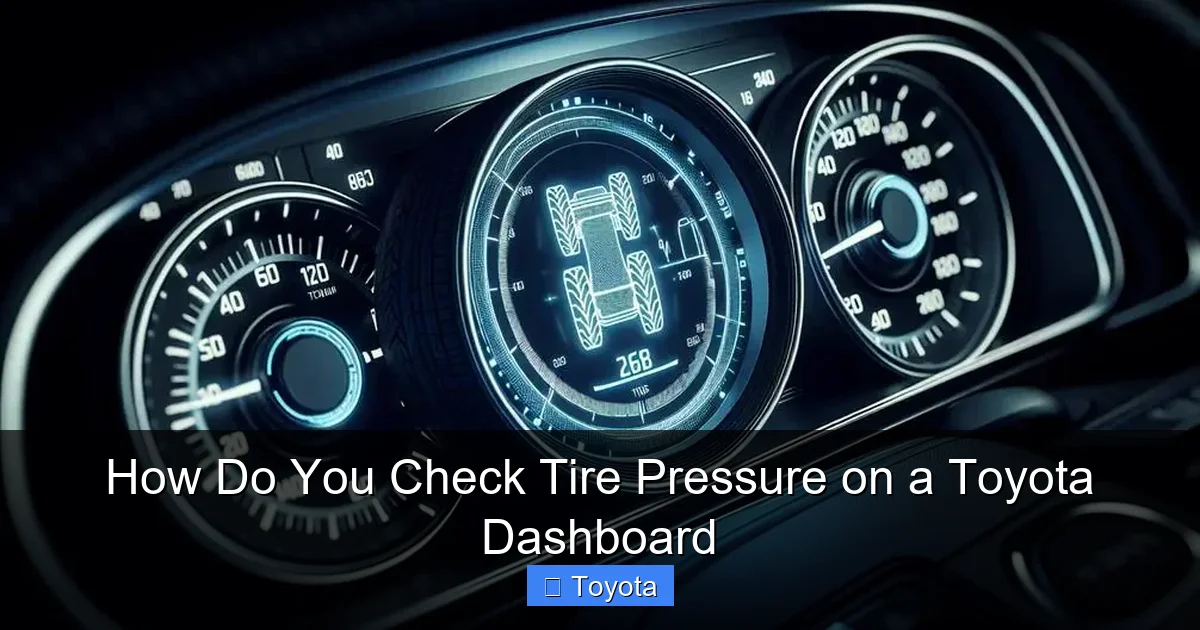
Visual guide about How Do You Check Tire Pressure on a Toyota Dashboard
Image source: diycarexpert.com
Method 1: Using the Steering Wheel Controls (Most Common)
This is the standard method for hundreds of thousands of Toyotas on the road today. You’ll use buttons on your steering wheel to navigate menus on the instrument cluster screen.
- Turn the Ignition On: Press the “Start” button without touching the brake pedal (or turn the key to “ON” or “ACC” position). This powers up the vehicle’s electronics without starting the engine.
- Locate the Display Controls: Find the buttons on the left or right spoke of your steering wheel. You’re looking for a button labeled with a page icon (often looks like a sheet of paper) or an “Info” or “Menu” button. There is often a separate button with up/down arrows or a “Set” button for selections.
- Navigate to the Tire Pressure Screen: Press the “Info” or “Menu” button repeatedly until you cycle through the available display options. You’re looking for a screen that says “Tire Pressure,” “TPMS,” or shows four little tire icons. On some models, it might be under a “Vehicle Settings” sub-menu.
- Read the Values: Once on the correct screen, the display will show the pressure in PSI (pounds per square inch) for each tire. It will usually label them as “FL” (Front Left), “FR” (Front Right), “RL” (Rear Left), “RR” (Rear Right). Some systems also show the spare tire if equipped with a sensor.
- Interpret the Data: Compare these readings to your vehicle’s recommended cold inflation pressure, found on the driver’s door jamb sticker. Remember, these are live readings. If the car has been driven, the pressures will be higher than the “cold” spec, which is normal.
Pro Tip: If your display only shows a single number like “Low” or an icon without numbers, your Toyota may have a basic system that only triggers a warning light without providing individual readouts. In this case, you must use a manual gauge to determine which tire is low.
Method 2: Accessing Through the Central Touchscreen
On newer Toyota models equipped with a large touchscreen (like the Toyota Audio Multimedia system), the tire pressure data is often buried in the vehicle settings menus on the screen itself.
- Power On: Turn the car to accessory mode or start the engine.
- Navigate to “Settings”: Tap the “Menu” or “Apps” button on the touchscreen. Look for a “Vehicle” or “Settings” icon.
- Find TPMS: Within the vehicle settings, scroll to find an option for “Tire Pressure” or “TPMS.”
- View the Screen: Selecting this should bring up a graphical or numerical display of each tire’s pressure.
The layout varies by model year and software version. For a 2021 Toyota Corolla, the path is often: Apps > Settings > Vehicle > TPMS. For a 2022 RAV4, it might be: Vehicle > TPMS Status. If you struggle, your owner’s manual is the ultimate authority. You can also find model-specific guides online; for instance, our detailed guide for the 2021 Toyota Corolla breaks down that specific model’s menu structure.
Interpreting the Dashboard Warnings: More Than Just a Light
Your TPMS indicator is a communicator. Its behavior tells you different things. Paying attention to how it illuminates is your first diagnostic step.
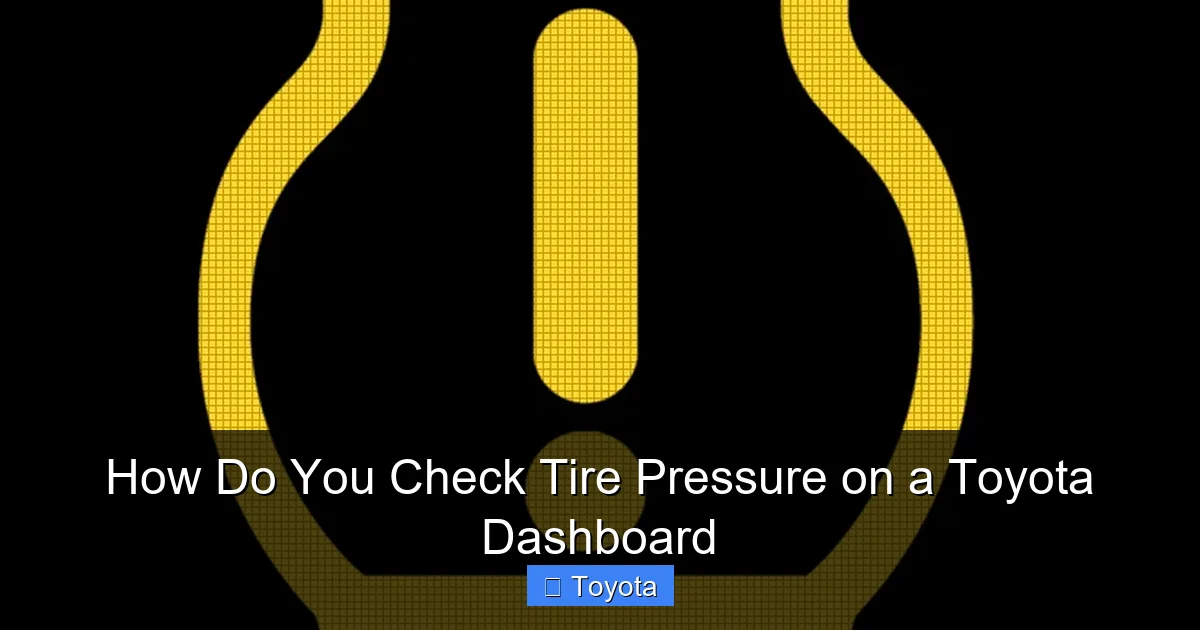
Visual guide about How Do You Check Tire Pressure on a Toyota Dashboard
Image source: dash-lights.com
The Solid, Steady TPMS Light
This is the most common scenario. A tire (or tires) has dropped below the safe pressure threshold. The light will remain on solidly as long as the pressure is low. Your immediate action should be to:
- Safely pull over when possible and visually inspect all tires for obvious damage, nails, or flats.
- Check the pressures with a manual gauge as soon as you can, even if your dash shows a reading. This confirms the dashboard data.
- Inflate the tire(s) to the correct pressure specified on your door jamb sticker.
- Reset the system (more on this in the next section). The light should turn off after a short drive (usually 1-2 miles) once the system re-reads the correct pressures.
The Flashing TPMS Light
This is a more urgent signal, but not about tire pressure itself. A TPMS light that flashes for 30-90 seconds upon starting the car and then stays solid usually indicates a system malfunction. Common causes include:
- A dead battery in one or more of the wheel sensors (they last 7-10 years).
- Physical damage to a sensor during a tire change or from road debris.
- An issue with the vehicle’s TPMS receiver module.
When you see a flashing light, you need to have the system scanned by a professional. They will use a diagnostic tool to identify which sensor or part of the system is failing. This is not something you can fix by adding air. You can learn more about the general process of resetting a tire pressure sensor, but a flashing light often requires part replacement, not just a reset.
Resetting the TPMS After Inflation: Making the Light Go Out
Once you’ve inflated your tires to the correct pressure, the TPMS light may not turn off immediately. The system needs to re-learn the new, correct pressure values. Here’s how to reset it on most Toyotas.
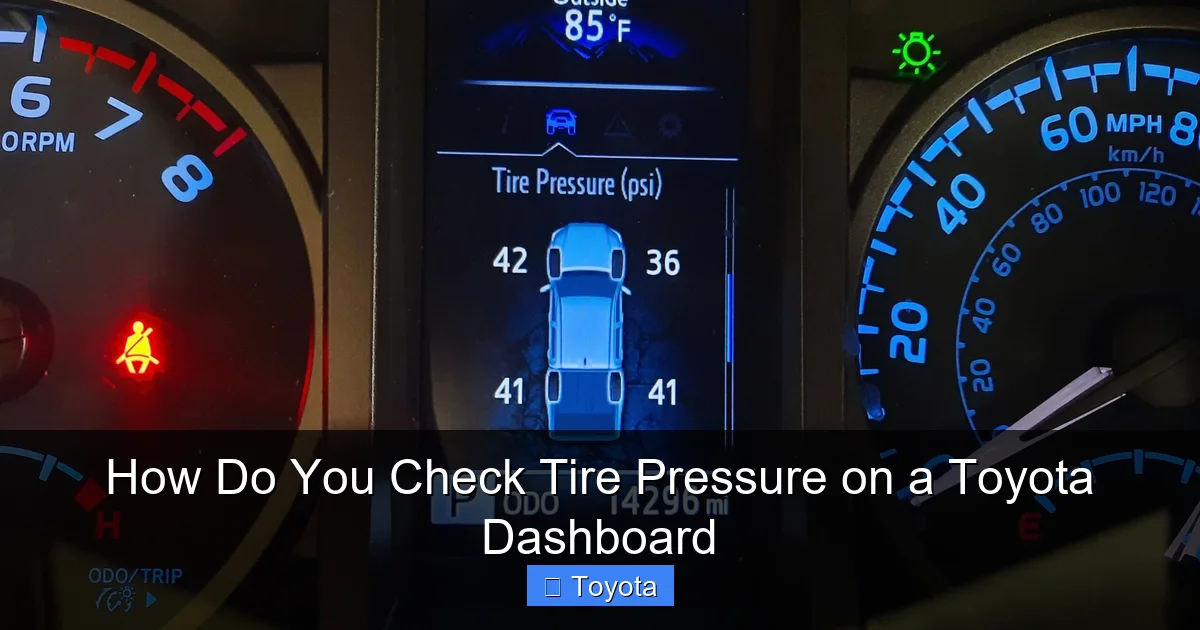
Visual guide about How Do You Check Tire Pressure on a Toyota Dashboard
Image source: tacomaexplorer.com
The Dedicated TPMS Reset Button
Many Toyota models (especially from the late 2000s through the 2010s) have a small, black button located under the dashboard, near the steering column, or sometimes in the glove box. It’s often labeled “TPMS” or with the tire pressure icon.
- Ensure all tires are properly inflated to the spec on the door jamb sticker.
- Turn the ignition to ON.
- Press and hold the TPMS reset button. You’ll usually hear a beep after about 3 seconds.
- Release the button. The TPMS light on the dash may blink three times to confirm the reset process has started.
- Drive the vehicle. The system needs to verify the new pressures at driving speeds (above 25-30 mph) for several minutes. The light should turn off after this verification period.
Resetting Through the Vehicle Menu (No Button)
On newer Toyotas without a dedicated button, the reset is done through the steering wheel controls or touchscreen menu.
- Inflate tires correctly.
- Navigate to the Tire Pressure screen using the methods described earlier.
- Look for a “Set” or “Register” option. This might require you to press the “Set” button on the steering wheel while on the TPMS screen, or there may be an on-screen “Initialize” or “Register” button. The owner’s manual will give the exact sequence.
- The system will confirm with a message or beep. Drive the vehicle as above.
If the light returns after a reset and drive cycle, or if it flashes, you have a persistent problem—likely a faulty sensor—that needs professional attention. For owners of specific models like the Sienna, the reset process can have particular quirks; our article on how to reset the tire pressure light on a Toyota Sienna details those steps.
The Unbeatable Importance of Manual Checks: Your Gauge is King
Relying solely on your Toyota’s TPMS is a risky gamble. The system is designed as a last-resort warning, not a daily maintenance tool. Here’s why you must break out the good old-fashioned tire pressure gauge monthly.
The 25% Rule and Its Dangers
Federal law mandates that TPMS must illuminate when pressure is 25% or more below the vehicle’s recommended level. For a Toyota that calls for 32 PSI, the light won’t come on until the tire is at 24 PSI or lower. That is dangerously low! Driving on tires at 24 PSI causes excessive sidewall flex, generates extreme heat, and can lead to a blowout. It also causes premature, irreversible tire wear (called “tire cupping” or “shoulder wear”). By the time the TPMS light is on, you’ve already been driving on unsafe, damaging pressure for who knows how long. A monthly manual check catches this slow leak when it’s just a few PSI low, long before it becomes a safety hazard.
How to Perform a Perfect Manual Check
- Get a Quality Gauge: Invest in a digital or high-quality pencil gauge. Cheap ones can be inaccurate. Keep one in your glove box.
- Check “Cold”: This is the golden rule. Check first thing in the morning, or ensure the car has been parked for at least 3 hours and has not been driven more than a mile. Driving even a short distance warms the tires and air inside, increasing pressure and giving a falsely high reading.
- Remove the Valve Cap: Unscrew the small plastic cap on the valve stem. Keep it in a clean place so you don’t lose it.
- Press the Gauge On Firmly: Press the gauge’s chuck straight onto the valve stem. You should hear a brief hiss of air escaping as it seals. Push hard enough to prevent leaks around the seal.
- Read the Pressure: Look at the gauge’s readout. For digital, it’s instant. For analog, note where the indicator bar points.
- Compare and Adjust: Compare to the recommended PSI on your door jamb sticker. If it’s low, add air in short bursts, re-checking frequently. If it’s high (common in hot weather), use the gauge’s small knob or a separate deflator tool to release air in small increments.
- Replace the Valve Cap: Always screw the cap back on tightly. It keeps dirt and moisture out of the valve core, preventing leaks.
Don’t forget the spare tire! Many people forget it exists until they need it, only to find it’s flat or severely underinflated. Check its pressure at the same time, especially if it’s a full-size spare that’s meant for extended use. For a temporary “donut” spare, inflate it to the much higher pressure specified on its sidewall (often 60 PSI). You can learn more about how fast you can drive on a donut tire and its limitations.
Maintaining Your System: Beyond the Basic Check
Your tire pressure system is more than just sensors and a light. Proper tire maintenance overall supports the TPMS and keeps your Toyota performing its best.
Seasonal Pressure Changes
Air is a gas. It expands when it gets hot and contracts when it gets cold. This is a fundamental law of physics that directly impacts your tire pressure. For every 10°F drop in outside temperature, your tire pressure will decrease by about 1 PSI. This means that crisp autumn morning or deep winter freeze can cause your tires to become significantly underinflated overnight, potentially triggering the TPMS light. Be vigilant about checking pressures during seasonal transitions. You may need to add a few PSI in the fall and winter to compensate for this natural loss and maintain the manufacturer’s specified cold inflation pressure.
The Impact of Tire Rotation and Replacement
When you rotate your tires (which you should do every 5,000-8,000 miles to promote even wear), the TPMS sensors move with them. This doesn’t usually cause a problem. However, if a sensor is damaged during the rotation or if the valve stem seal is replaced, the sensor may need to be reprogrammed to the vehicle’s computer. A professional tire shop will handle this. When you buy new tires, the technician will typically transfer your old sensors to the new wheels (or install new ones if needed) and will ensure the TPMS is functional. Always confirm with the shop that the TPMS light is off and all sensors are communicating before you leave.
Furthermore, if you install a different set of wheels (aftermarket alloys), you will need new TPMS sensors designed for those wheels. The old sensors are specific to the original equipment wheel size and valve stem type. This is an important cost to factor in when modifying your Toyota.
Leveraging Technology: The Toyota App
For many newer Toyota models (2018 and newer with connected services), you can extend your tire pressure awareness beyond the dashboard. The Toyota app on your smartphone can connect to your vehicle via its built-in cellular connection (if your model has the Connected Services trial or subscription). Within the app’s vehicle status section, you can often view the real-time tire pressures for each wheel. This is incredibly convenient for a quick check before a trip without even walking to the car. It also allows you to monitor pressures remotely, so you might notice a slow leak developing over days before it becomes a dashboard alert. To set this up, you’ll need to link your vehicle to your Toyota account, which is a simple process outlined in your owner’s manual and within the app itself.
Frequently Asked Questions
What does a flashing tire pressure light mean on my Toyota?
A flashing TPMS light, especially if it flashes for 30 seconds when you start the car and then stays solid, indicates a system malfunction, not just low pressure. This is usually caused by a dead sensor battery or physical damage to a sensor. The system needs professional diagnosis with a scan tool to identify the faulty component.
Can I reset the TPMS without driving?
You can initiate the reset procedure (by pressing the button or using the menu) without driving, but the reset is not complete until the system has verified the new pressures at driving speeds, typically above 25 mph for several minutes. The light will only turn off after this successful verification drive.
How often should I manually check my tire pressure?
You should manually check all tires, including the spare, with a pressure gauge at least once a month and before any long road trip. This is essential because the TPMS is only a warning system that activates when pressure is 25% low, which is already dangerously underinflated.
Is the tire pressure reading on my Toyota dashboard accurate?
The dashboard reading from the direct TPMS is generally very accurate, as it comes from a sensor inside the wheel. However, it’s always a good idea to confirm it with a manual gauge, especially if the reading seems off. The key limitation is that the dashboard reading reflects the current “hot” pressure if the car has been driven, which will be higher than the “cold” pressure specified on your door jamb sticker.
Why does my TPMS light come on in cold weather?
This is very common. For every 10°F drop in temperature, tire pressure decreases by about 1 PSI. A cold snap can cause your tires to drop below the TPMS trigger threshold overnight. Simply adding air to bring the pressure back up to the spec on your door jamb (when tires are cold) will turn the light off after a reset/drive cycle.
Do tire rotations affect the TPMS?
The sensors move with the tires during a rotation, which normally doesn’t cause an issue. However, if a sensor is damaged or its valve stem seal is replaced during the service, it may need to be reprogrammed to the vehicle’s computer. A reputable tire shop will handle this and ensure the TPMS light is off before you leave.







