
How Do I Turn Off the Maintenance Reminder on My Toyota

The maintenance reminder light on your Toyota is a helpful system that alerts you when scheduled service is due. It’s not an emergency warning, but a mileage/time-based counter. You should only reset it after completing the required maintenance, such as an oil change. Resetting is typically done manually via the odometer button or with a professional scan tool, depending on your model year. Always consult your owner’s manual for the exact procedure for your specific vehicle.
Key Takeaways
- The light is a reminder, not a diagnosis: It illuminates based on a preset mileage or time interval since your last service, not because a sensor detected a problem.
- Always perform maintenance first: Never reset the light without completing the necessary service (like an oil and filter change). Doing so is unsafe and defeats the system’s purpose.
- Two primary reset methods exist: The traditional “key and odometer button” sequence works for many older models, while newer vehicles often require a diagnostic scan tool.
- Your owner’s manual is your best friend: It contains the definitive, model-specific reset instructions for your Toyota.
- A recurring light indicates a problem: If the reminder comes back on shortly after a reset, it often points to an unresolved issue, like low oil level or a faulty sensor.
- Resetting doesn’t clear other codes: This process only affects the maintenance required light. Check engine lights or other warnings require separate diagnosis.
📑 Table of Contents
- Understanding Your Toyota’s Maintenance Reminder System
- When Should You Actually Reset the Light?
- Manual Reset Methods: The Classic “Button Push” Technique
- Using a Scan Tool: The Professional Method
- Special Cases and Model-Specific Instructions
- Troubleshooting: What If the Light Won’t Turn Off or Comes Back?
- Conclusion: A Simple Task with Big Importance
Understanding Your Toyota’s Maintenance Reminder System
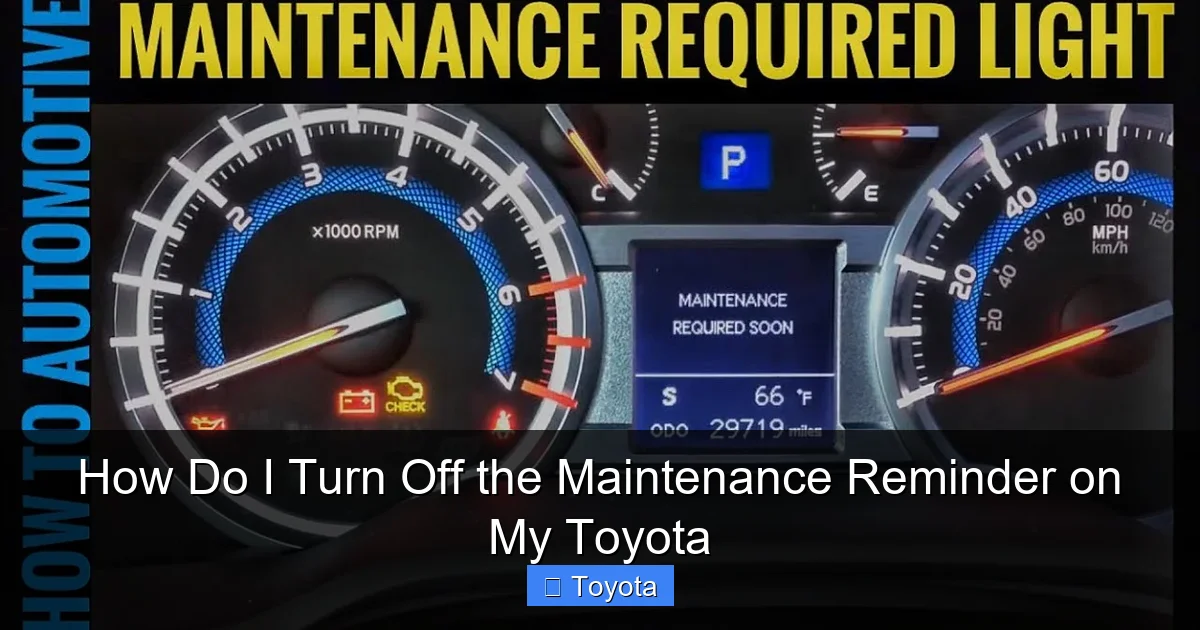
That little wrench icon or “MAINT REQD” message on your dashboard isn’t trying to stress you out. It’s actually one of the most thoughtful features in your Toyota. This system is a straightforward, computer-controlled timer designed to take the guesswork out of regular vehicle upkeep. Unlike a check engine light, which signals a fault, the maintenance reminder simply counts down from a set mileage or time interval—usually around 5,000 miles or six months—and then lights up to say, “Hey, it’s time for your scheduled service!”
What Is the Maintenance Reminder, Exactly?
Think of it as your car’s built-in service scheduler. For decades, many cars had a simple service interval light that you had to reset manually after an oil change. Modern Toyotas, especially from the early 2000s onward, use a more sophisticated system. The car’s computer, often called the ECU or ECM, tracks your driving habits, mileage, and engine run time. When it calculates that you’ve reached the manufacturer’s recommended interval for basic maintenance (typically an oil change, tire rotation, and inspection), it illuminates the reminder. It’s a proactive nudge to help you maintain your vehicle’s health, performance, and warranty compliance.
Why Does It Come On? The Science Behind the Wrench
The system isn’t psychic. It’s programmed with a default interval. For many older Toyota models, this was a simple 5,000-mile counter that started after you manually reset it. For newer models with more advanced software, the interval can be “adaptive,” meaning it might adjust slightly based on your driving conditions—severe stop-and-go traffic or extreme temperatures might shorten the effective interval. However, the core principle remains: the light turns on after a set number of miles or months have passed since the last reset. It does not measure oil life directly with a sensor (though some newer models integrate more complex systems). It’s a countdown timer, plain and simple.
Common Misconceptions to Dispel
First, it is not a “check engine” light. The check engine light (MIL) indicates a malfunction detected by the emissions or engine management system. The maintenance light is informational. Second, it does not mean your oil is low or dirty right now. It means it’s *time* to change it based on the schedule. You could have perfectly clean oil at 4,999 miles, and the light will still be off. At 5,001 miles, it will likely be on. Third, resetting it does not fix any underlying problem. If your oil was low due to a leak, resetting the light won’t stop the leak. The light will simply come back on after the new mileage interval is reached, possibly sooner if the issue causes abnormal parameters.
When Should You Actually Reset the Light?
This is the most critical rule: Only reset the maintenance reminder after the required service has been completed. Resetting it prematurely is like erasing a todo list before doing the work. You’ll forget when the next service is truly due, potentially leading to neglected maintenance, accelerated wear, and even costly repairs. The light is your ally in maintaining your Toyota’s longevity and reliability.
Visual guide about How Do I Turn Off the Maintenance Reminder on My Toyota
Image source: i.ytimg.com
After Routine Maintenance is Complete
The standard scenario is this: you take your Toyota to a dealer or trusted mechanic for its scheduled service—usually an oil and filter change, along with a multi-point inspection that checks brakes, tires, fluids, belts, and more. The technician performs the work and, as a final step, resets the maintenance reminder light. This action tells the car’s computer, “The service for interval #X is complete. Start counting for interval #Y.” If you do the work yourself in your garage, the responsibility to reset the light falls on you. Forgetting this step means your dashboard will continue to display the reminder, even though the car is fully serviced.
What If You Did the Work Yourself?
Many Toyota owners are handy and perform their own oil changes and basic maintenance. This is great! Just remember that resetting the light is part of the process. After you’ve disposed of the old oil, installed a new filter, refilled with the correct grade and amount of fresh oil, and checked other items like tire pressure, you must complete the reset procedure. The method varies by model and year, which we’ll detail in the next section. Keeping a small notebook with your service dates, mileage, and the reset confirmation can be a helpful backup log.
When NOT to Reset the Light
Never, under any circumstances, use the reset procedure as a “fix” for a light you don’t understand. If your maintenance reminder is on, but you haven’t serviced the car in 10,000 miles, you need to do the service first. Also, if other warning lights are illuminated simultaneously—like a low oil pressure warning, check engine light, or any red or flashing light—do not reset the maintenance light. Address the primary warning first. The maintenance reminder is the least urgent light on your dash. A flashing check engine light, for example, indicates a severe misfire that can damage your catalytic converter and requires immediate professional attention.
Manual Reset Methods: The Classic “Button Push” Technique
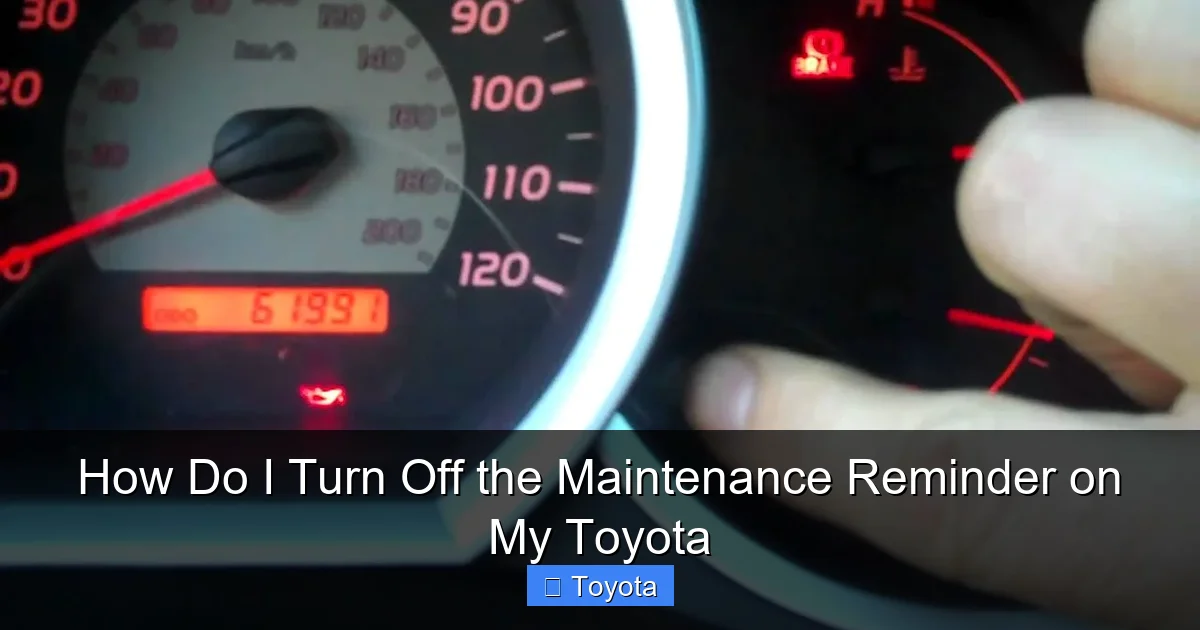
For a huge swath of Toyota vehicles, particularly those from the late 1990s through the mid-2010s, the maintenance reminder can be reset without any special tools. It’s a sequence of actions using your ignition key and the trip meter/odometer reset button on your dashboard. This method is fantastic because it’s free, instant, and you can do it in your driveway. However, the exact button presses and timing can differ. The general principle is: turn the key to “ON” (but don’t start), turn it “OFF,” then back to “ON” while pressing and holding the odometer reset button until the light blinks and goes out.
Visual guide about How Do I Turn Off the Maintenance Reminder on My Toyota
Image source: i.ytimg.com
The Key and Odometer Button Trick (General Procedure)
Here is the most common sequence. Your car must be parked, engine off, and the parking brake set.
- Insert the key and turn it to the “ON” or “ACC” position (the position right before the engine starts, where dashboard lights come on). Do not start the engine.
- Using the button on your dashboard that toggles between trip A, trip B, and the odometer (often labeled “ODO/TRIP”), press it until the display shows the total odometer reading, not a trip meter.
- Turn the key to the “OFF” position.
- Now, press and hold the odometer reset button down.
- While still holding the button, turn the key back to the “ON” position (again, do not crank the engine).
- Continue holding the button. The maintenance required light will typically start to blink, then go out. The odometer display may show a series of dashes or a “SET” message.
- Release the button and turn the key off, then back on to verify the light is off.
This sequence works for countless models: Camry, Corolla, RAV4, Highlander, Tacoma, Tundra, Sienna, and more from specific years. The key is getting the total odometer on the display before starting the sequence.
Step-by-Step for Most Models (Pre-2015ish)
Let’s walk through a concrete example for a 2012 Toyota Camry, which is highly representative.
- Step 1: Ensure the car is in park (automatic) or neutral (manual), parking brake on. Engine off.
- Step 2: Press the “ODO/TRIP” button until the dash shows the total miles/kilometers on the odometer.
- Step 3: Turn the ignition key to the “LOCK” or “OFF” position.
- Step 4: Press and hold the “ODO/TRIP” button.
- Step 5: While holding the button, turn the key to the “ON” position (the dash lights up).
- Step 6: Keep holding the button. After about 5-10 seconds, the “MAINT REQD” light will blink several times and then go out. The odometer may display “000000” or “SET.”
- Step 7: Release the button. Turn the key off and then back on to confirm the light stays off.
Pro Tip: If it doesn’t work the first time, repeat the sequence. Ensure you are on the total odometer display, not trip A or B. Sometimes the key-on/key-off timing needs to be quick.
Model-Specific Variations and Pitfalls
Not all Toyotas follow this script. Some later models (roughly 2016+) integrated the reminder into the multi-information display (MID) on the gauge cluster, requiring navigation through a menu system using steering wheel buttons. For example, many 2020+ models require you to: 1) Turn car on, 2) Use steering wheel “DISP” or “MENU” button to go to “Settings,” 3) Go to “Vehicle Settings,” 4) Find “Maintenance” and select “Reset.” Always check your manual. Another pitfall: some models have a separate “Service” light that is different from the “MAINT REQD” light. Be sure you’re resetting the correct indicator. If the manual method fails after several tries, your vehicle likely requires a scan tool, which brings us to the next section.
Using a Scan Tool: The Professional Method
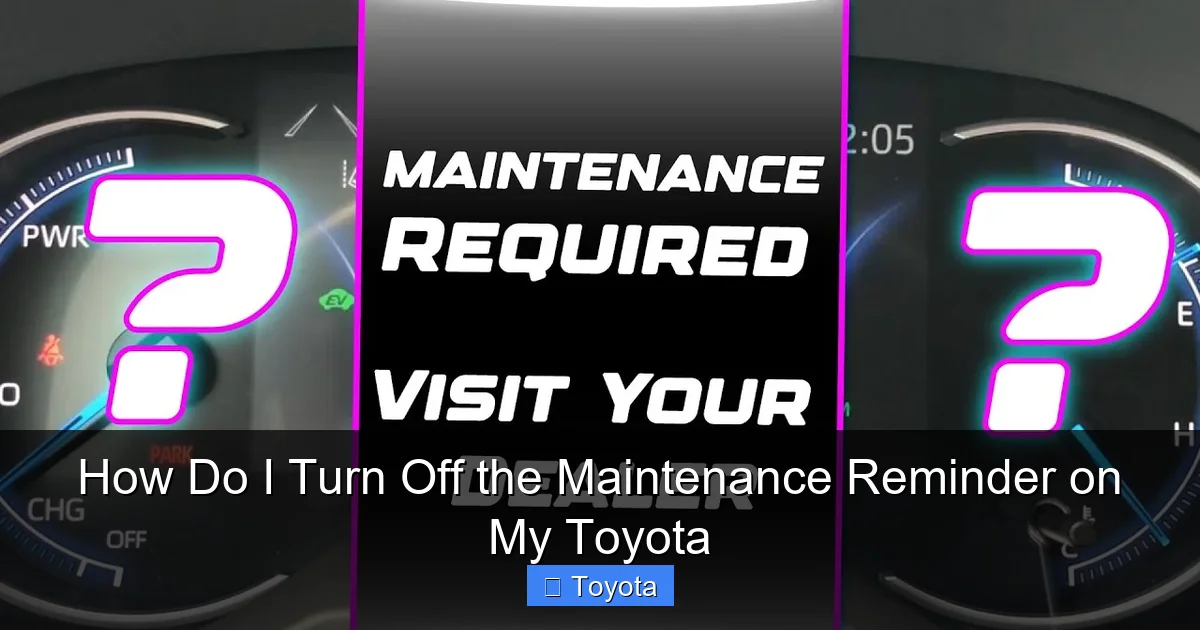
As Toyota’s technology evolved, the simple button-press reset was often replaced or supplemented by a system that requires electronic communication with the vehicle’s computer. This is especially true for models with advanced gauge clusters or integrated infotainment systems. In these cases, a physical scan tool is necessary to access the maintenance reset function in the car’s software. Don’t panic—this doesn’t always mean a trip to the dealer.
Visual guide about How Do I Turn Off the Maintenance Reminder on My Toyota
Image source: i.ytimg.com
Why Use a Scan Tool?
Scan tools “talk” to your car’s various control modules. The maintenance reminder is stored in the combination meter module or the ECU. A basic OBD2 scanner, the kind you might buy at an auto parts store for $30-$100, often has a “Maintenance Reset” or “Service Reset” function for Toyota vehicles. It bypasses the physical button sequence and sends a direct command to the computer to clear the reminder flag. This method is foolproof if you have the right tool and know how to navigate its menus. It’s the only way to reset the light on many 2017+ Toyotas, including the current RAV4, Camry, and Corolla.
Types of Scan Tools Available
You have options, ranging from free to very expensive:
- Dealership Diagnostic System (Techstream): The official Toyota software. Incredibly powerful but requires a costly proprietary interface and subscription. Used by dealers.
- Professional-Grade Scanners: Tools from brands like Autel, Launch, or Snap-on. They are expensive ($500-$3000+) but have extensive vehicle coverage and functions. Used by shops.
- Consumer/DIY Scanners: This is your best bet. Models like the Autel MaxiCOM MK808, Launch CRP123, or even some higher-end BlueDriver options can perform maintenance resets on most Toyotas. Read product descriptions carefully to confirm “Maintenance Reset” or “Service Light Reset” for your model year is supported.
- Smartphone Adapters & Apps: Some adapters (like certain OBDLink models) paired with advanced apps (like Torque Pro) *might* have this function, but support is spotty. It’s not a reliable primary method for this task.
How to Reset with a Scan Tool: The Basic Process
Once you have a compatible scanner:
- Plug the scanner’s OBD2 connector into your Toyota’s port, located under the dashboard near the steering column.
- Turn the ignition to the “ON” position (dashboard lights on, engine off).
- Power on the scanner and navigate its menu. Look for sections like “Maintenance,” “Service,” “Oil Reset,” or “Special Functions.”
- Select your vehicle make (Toyota) and model/year if prompted.
- Choose the “Maintenance Reset” or “Service Light Reset” function.
- The tool will guide you. It may ask you to confirm the mileage or interval. Accept/confirm.
- The tool will send the reset command. You should see a “Reset Successful” or similar message.
- Turn the ignition off and then back on. Check that the wrench light or message is gone.
For specific model guidance, resources like our dedicated article on resetting the light on a 2020 Toyota RAV4 can be invaluable, as it details the menu path for that particular vehicle’s system.
Special Cases and Model-Specific Instructions
While the general methods above cover most vehicles, some popular Toyota models have their own quirks. Knowing these can save you time and frustration. Always start with your owner’s manual, but here are common patterns for major models.
Toyota RAV4 (2020 and Newer)
The current generation RAV4 moved the reset into the digital gauge cluster menu. The manual method is almost always ineffective. You need to use the steering wheel buttons. Here’s the typical procedure: With the car on (engine off or running), press the “DISP” or “MENU” button on the steering wheel. Use the arrow buttons to navigate to “Settings,” then “Vehicle Settings.” Scroll to find “Maintenance” or “Service Reminder.” Select it, then choose “Reset.” You’ll likely need to confirm by selecting “Yes” or entering your current odometer reading. For a foolproof walkthrough with pictures, a model-specific guide like how to turn off the maintenance light on a 2020 Toyota RAV4 is highly recommended.
Toyota Camry and Corolla (2018+)
Similar to the RAV4, these sedans use the multi-information display. The process is: Turn ignition on. Use the steering wheel “DISP” or “INFO” button to cycle to the gear icon (Settings) on the MID. Navigate to “Vehicle Settings” > “Maintenance” > “Maintenance Reset.” You may need to input the new maintenance interval (e.g., 5000 miles) or just confirm. Some model years may also allow a reset via the physical odometer button if you have the base model with analog gauges, but the digital display models definitely use the menu.
Trucks and SUVs: Tacoma, 4Runner, Tundra, Highlander
These vary widely. The Toyota Tacoma, especially the 2016+ model, often uses the steering wheel menu method. The Toyota Highlander is a mix; some years use the button sequence, others use the menu. The full-size Tundra and Sequoia have also transitioned to menu-based resets in recent generations. For instance, the process for a Toyota Highlander can differ between a 2015 model (button press) and a 2022 model (steering wheel menu). Your VIN and exact model year are your best clues. When in doubt, search for “maintenance reset [Your Year] [Your Model]” online, prioritizing official sources like Toyota’s owner portal or reputable automotive forums.
Troubleshooting: What If the Light Won’t Turn Off or Comes Back?
You followed the steps perfectly, but that wrench icon is still glaring at you, or it reappeared after just a few hundred miles. Don’t assume you did the reset wrong. This is your car’s way of telling you something else is amiss. Here’s your diagnostic checklist.
First, Check the Obvious: Oil Level and Quality
This is the #1 culprit for a maintenance reminder that returns too quickly. After your service, was the oil filled to the correct level? Too little oil can trigger the light prematurely on some models. Was the correct oil weight and type used? Using the wrong viscosity (like 5W-20 instead of 0W-16 in a newer engine) can affect engine performance parameters and might cause the system to think service is due sooner. Pull the dipstick, clean it, reinsert, and check the level. It should be between the “F” and “L” marks. Also, consider the quality of the oil and filter. A poor-quality filter with a faulty bypass valve can cause inadequate lubrication.
Could It Be a Faulty Sensor or Computer Module?
The system relies on input from various sensors. A faulty oil pressure sensor, a malfunctioning combination meter (the gauge cluster itself), or a glitch in the ECU can cause the maintenance light to behave erratically—staying on after a reset, or illuminating without the mileage counter reaching zero. If you’ve confirmed the oil level is perfect and the reset was done correctly on a compatible model, a hardware fault is possible. This often requires a professional diagnosis with a high-level scan tool that can read live data from the relevant modules.
When to See a Mechanic or Dealer
If you’ve:
- Tried the manual reset procedure multiple times correctly.
- Verified the oil level is perfect.
- Used a scan tool (or had a shop use one) and the reset still fails or the light returns immediately.
- …then it’s time to consult a professional. A Toyota dealer’s service department has the proprietary Techstream system that can perform deep diagnostics on the maintenance reminder system itself. They can check for stored trouble codes in the combination meter module, verify the internal mileage counter, and reset it with absolute certainty. There may be a small diagnostic fee, but it’s cheaper than guessing and potentially causing damage. For complex issues, you can also find excellent help at independent shops specializing in Toyota vehicles.
Conclusion: A Simple Task with Big Importance
Turning off the maintenance reminder on your Toyota is a small, simple act of responsible ownership. It’s the final step in a cycle of care: reminder -> service -> reset. By understanding what that light truly means—a helpful mileage counter, not an emergency signal—you empower yourself to keep your vehicle running smoothly for years. Start with your owner’s manual. Try the manual key-and-button method if your model allows. If that fails, consider investing in a capable DIY scan tool or visiting a professional. Never ignore the reminder, but also never reset it without doing the work. This small habit protects your investment, ensures your safety, and maintains your Toyota’s legendary reliability. Remember, a well-maintained Toyota is a happy Toyota, and a happy Toyota means fewer unexpected repairs and more worry-free miles on the road. For more model-specific guidance, our library of articles, including detailed posts on the Toyota Highlander and other popular models, is always here to help.
Frequently Asked Questions
Can I reset the maintenance light without changing the oil?
Technically yes, using the reset procedure, but you absolutely should not. The light is a reminder that service is due. Resetting it without performing the maintenance is unsafe, leads to neglected upkeep, and can cause severe engine damage over time. Always change the oil and filter first.
Will turning off the maintenance light hurt my engine?
The act of resetting the light itself does nothing to the engine. The potential harm comes from when you reset it. Resetting it after proper service is correct. Resetting it to avoid an overdue oil change is dangerous and will lead to increased engine wear, sludge buildup, and potentially catastrophic failure.
Why does my maintenance light come on so soon after I reset it?
> This usually indicates an unresolved issue. First, check your oil level—it may be low. Second, you may have reset it incorrectly, and the old counter is still active. Third, a faulty sensor or gauge cluster could be sending bad data. Finally, if you have a serious engine problem causing abnormal operation, the system might count mileage faster.
How often does the maintenance reminder come on?
It’s programmed by the manufacturer. For most older Toyotas, it’s every 5,000 miles. For many newer models with synthetic oil, the interval is often 10,000 miles. Some models have an adaptive interval that can extend to 7,500-10,000 miles under ideal driving conditions. Your owner’s manual specifies the exact interval for your model.
Will the maintenance light reset itself?
No. The system is designed to stay illuminated until a reset command is given, either manually via buttons or electronically via a scan tool. It will not turn off on its own after you drive a few miles. This ensures you don’t forget that service is due.
What does a flashing maintenance light mean?
A flashing maintenance required light is uncommon but can occur on some models. It typically indicates the maintenance interval has been greatly exceeded—you are severely overdue for service. It’s a more urgent version of the steady light. Stop driving as soon as it’s safe and schedule service immediately. Do not just reset it; complete the overdue maintenance first.