
How Do I Turn Off the Maintenance Light on My 2015 Toyota Tacoma

The maintenance light on your 2015 Toyota Tacoma signals it’s time for scheduled service, usually an oil change. You can reset it yourself after maintenance using the odometer button. Follow our simple steps to turn off the light and keep your truck in top condition.
Have you ever been driving your 2015 Toyota Tacoma and noticed that little wrench icon or “MAINTENANCE REQUIRED” message glowing on your dashboard? It’s a common sight for many Tacoma owners, and it often sparks a question: “How do I turn off the maintenance light on my 2015 Toyota Tacoma?” Don’t worry—it’s not a cause for alarm. This light is simply your truck’s way of saying it’s time for routine upkeep, like an oil change or tire rotation. In this guide, we’ll walk you through everything you need to know, from what the light means to exactly how to reset it. We’ll keep things simple and conversational, so you can handle this like a pro without needing a mechanic.
First things first: the maintenance light is not a warning of immediate danger. Unlike the check engine light, which signals a problem, the maintenance required light is a friendly reminder based on mileage or time intervals. For your 2015 Tacoma, it’s programmed to come on after about 5,000 miles since your last reset, prompting you to schedule service. But here’s the key—you should only reset it after you’ve actually completed the maintenance. Ignoring it or resetting it prematurely can lead to engine wear and tear, so always address the underlying service first. If you’ve just had your oil changed or performed other scheduled tasks, resetting the light is a quick DIY task that takes seconds. Let’s dive in.
Key Takeaways
- The maintenance light indicates scheduled service is due, not an emergency. It typically illuminates after 5,000 miles to remind you of oil changes or other maintenance tasks.
- You must perform the required maintenance before resetting the light. Resetting without actual service can lead to engine damage and void warranties.
- Resetting the light is a simple DIY process using the odometer button. No tools are needed, and it takes less than a minute once you know the steps.
- If the light won’t reset, there may be an underlying issue. Check for unresolved service codes or consult a professional if problems persist.
- Regular maintenance keeps your Tacoma running smoothly and saves money long-term. The light is a helpful reminder to follow Toyota’s recommended schedule.
- Always consult your owner’s manual for model-specific instructions. While the 2015 Tacoma process is standard, variations can exist between trims.
📑 Table of Contents
- What is the Maintenance Light and Why Does It Come On?
- When Should You Reset the Maintenance Light?
- How to Reset the Maintenance Light on a 2015 Toyota Tacoma: Step-by-Step
- Troubleshooting: What to Do If the Light Won’t Reset
- The Importance of Regular Maintenance for Your Tacoma
- Additional Tips and Best Practices
- Conclusion
What is the Maintenance Light and Why Does It Come On?
Your 2015 Toyota Tacoma’s maintenance light is part of its onboard diagnostic system. It’s designed to help you stay on top of regular service intervals, ensuring your truck remains reliable and efficient. But what exactly triggers it, and what does it mean when it illuminates?
The Maintenance Required Indicator in Toyota Tacoma
In the 2015 Tacoma, this light is usually represented by a wrench icon or the words “MAINTENANCE REQUIRED” on the instrument cluster. It’s not tied to a specific sensor like oil pressure; instead, it’s based on a mileage counter stored in the vehicle’s computer. Toyota sets default intervals—often every 5,000 miles—for oil changes and other maintenance. When you reach that threshold, the light turns on to remind you. It’s a proactive feature, not a reactive one, meaning it comes on before any issues arise, giving you time to schedule service.
For example, if your last oil change was at 45,000 miles, the light might come on at 50,000 miles. It’s a helpful nudge to prevent neglect. But remember, driving conditions can affect this. Severe conditions, like towing or dusty environments, might require more frequent service, so adjust accordingly based on your owner’s manual.
Common Triggers for the Light
While the primary trigger is mileage, other factors can cause the maintenance light to illuminate. Sometimes, it might come on due to time-based intervals—even if you haven’t driven 5,000 miles, if a year has passed since last service, it could light up. Additionally, if you’ve recently disconnected the battery or had electrical work done, the system might reset incorrectly, causing the light to appear prematurely. Also, if a service was performed but the light wasn’t reset, it will continue to glow. Understanding these triggers helps you diagnose why it’s on and ensures you take appropriate action.
In rare cases, a faulty instrument cluster or computer glitch could cause false illuminations. If the light comes on shortly after resetting it without significant mileage, there might be an electrical issue. But for most owners, it’s simply a reminder that service is due. So, before turning it off, confirm that maintenance like oil changes, filter replacements, or inspections have been completed. This brings us to when you should actually reset the light.
When Should You Reset the Maintenance Light?
Resetting the maintenance light is the final step after completing the required service. But timing is crucial. Resetting it too early defeats the purpose, while delaying reset can cause confusion. Let’s break down the appropriate scenarios.
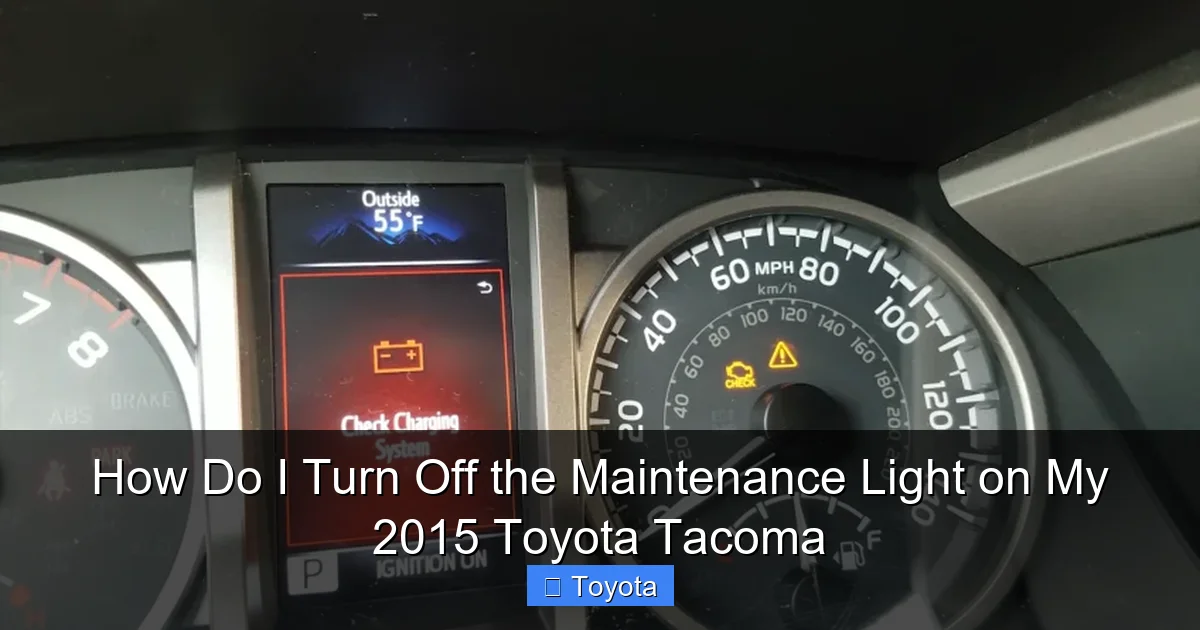
Visual guide about How Do I Turn Off the Maintenance Light on My 2015 Toyota Tacoma
Image source: outlawoffroad.com
After an Oil Change
The most common reason for the maintenance light to come on in a 2015 Tacoma is the need for an oil change. Toyota recommends changing the oil every 5,000 miles under normal conditions. Once you’ve had the oil and filter replaced—whether at a dealership, quick-lube shop, or DIY—you should reset the light. This action tells the truck’s computer that the service is done, and it starts counting down to the next interval. If you skip resetting, the light will stay on, making you think service is still due even after you’ve completed it.
For instance, after your oil change, the mechanic might reset it for you, but it’s good to know how to do it yourself in case they forget. Always verify the light is off before driving away from the service center. If you change your own oil, reset it immediately after to maintain accurate tracking.
Following Other Scheduled Services
Oil changes aren’t the only maintenance that triggers this light. The Tacoma’s system is designed to remind you of various services at different mileage milestones. For example, at 10,000 miles, it might remind you to rotate tires; at 15,000 miles, to inspect brakes; and at 30,000 miles, for more comprehensive checks like spark plugs or fluid changes. The light doesn’t specify what’s needed—it’s a generic reminder. So, whenever you complete any scheduled maintenance from Toyota’s list, reset the light to keep the cycle accurate.
Consult your owner’s manual for the full maintenance schedule. It outlines what’s due at each interval. If you’ve had multiple services done at once, like an oil change and tire rotation, reset the light after all are complete. This ensures the computer resets the counter correctly for the next interval.
What If You Skip Resetting?
Skipping the reset won’t harm your truck mechanically, but it can lead to confusion. You might forget when the next service is due, or you could mistakenly think maintenance is needed when it’s not. Over time, this can cause you to either neglect service or perform it too early, wasting money. Additionally, if you plan to sell your Tacoma, a constantly lit maintenance light can scare off buyers or lower the resale value, as it suggests poor upkeep. So, make resetting a habit after every service. It’s a small step that keeps your maintenance tracking accurate and your dashboard clear.
Some owners worry that resetting the light without doing service is okay, but that’s a bad idea. The light is there to protect your engine. If you ignore it, you risk oil degradation, component wear, and costly repairs down the line. Always perform the maintenance first, then reset. If you’re unsure what service is needed, use a code reader or visit a dealer for a diagnostic. They can tell you what the system is requesting based on mileage and history.
How to Reset the Maintenance Light on a 2015 Toyota Tacoma: Step-by-Step
Now, the moment you’ve been waiting for: resetting that pesky light. The good news is that for a 2015 Tacoma, it’s incredibly straightforward. You don’t need any special tools—just your ignition key and a few seconds of your time. The process uses the odometer button on your dashboard. Below, we’ll detail the standard method, note any variations for different trims, and share tips to ensure success.

Visual guide about How Do I Turn Off the Maintenance Light on My 2015 Toyota Tacoma
Image source: outlawoffroad.com
Method 1: Using the Odometer Button (Standard Procedure)
This is the official method for all 2015 Toyota Tacoma models, regardless of trim level (SR, SR5, TRD Off-Road, etc.). Follow these steps carefully:
- Turn the ignition to the “ON” position. Do not start the engine. Simply insert your key and turn it to the position where the dashboard lights come on, but the engine is off. You should see the maintenance light illuminated.
- Locate the odometer display button. This is the button you use to toggle between trip odometers and the total odometer. It’s usually on the dashboard near the speedometer, labeled “ODO/TRIP” or with a similar icon.
- Press and hold the button. While the ignition is on, press and hold the odometer button for about 5-10 seconds. You should see the odometer display change. It might show dashes or a blinking “MAINTENANCE REQUIRED” message.
- Release the button. After a few seconds, the display should revert to showing the odometer reading, and the maintenance light should turn off. If it doesn’t, repeat the process, holding the button a bit longer.
- Turn the ignition off and on again to confirm. Cycle the key to ensure the light stays off. If it comes back on, you may need to repeat the steps or check if maintenance was truly completed.
That’s it! In under a minute, your dashboard should be clear. For visual learners, many online videos demonstrate this process for the 2015 Tacoma, but the steps are consistent. If your Tacoma has a multi-information display (MID), the process is identical—the button controls the display where the light appears.
Method 2: Alternative Methods for Different Trim Levels
While the above method works for all 2015 Tacomas, some owners with higher trims or optional packages might have slight variations. For instance, if your Tacoma has a full digital instrument cluster, the button might be on the steering wheel instead of the dash. In that case, use the “DISP” or “INFO” button on the wheel to cycle through displays until you see the maintenance message, then hold it to reset. However, for the 2015 model year, the standard odometer button method is universal. If you try the standard method and it doesn’t work, consult your owner’s manual—it has model-specific diagrams. But in practice, 99% of 2015 Tacomas use the same procedure.
Another note: if your battery was recently disconnected, the system might need a few drive cycles to recognize the reset. After resetting, drive normally for 20-30 miles; the light should stay off. If it reappears quickly, double-check that maintenance was done and retry the reset.
Tips for a Successful Reset
To avoid frustration, here are some pro tips. First, ensure the ignition is in the “ON” position but the engine is off—starting the engine during reset can interrupt the process. Second, hold the button firmly for at least 5 seconds; some Tacomas require up to 10 seconds. You’ll know it’s working when the odometer display blinks or changes. Third, perform the reset in a quiet environment so you can hear or see any feedback from the dash. Finally, if the light persists after multiple attempts, it might indicate an unresolved service code. In that case, you may need a scan tool to clear it, which we’ll cover in troubleshooting.
Also, remember that resetting the light doesn’t reset other service monitors like tire pressure or oil quality sensors. Those have separate systems. So, if other lights are on, address them individually. For example, if you need to turn off the tire pressure light on a Honda Civic, the process differs, but for Tacoma, it’s specific to maintenance.
Troubleshooting: What to Do If the Light Won’t Reset
Sometimes, despite your best efforts, the maintenance light might stubbornly stay on. Don’t panic—this usually means there’s an underlying issue preventing the reset. Let’s explore common reasons and solutions.
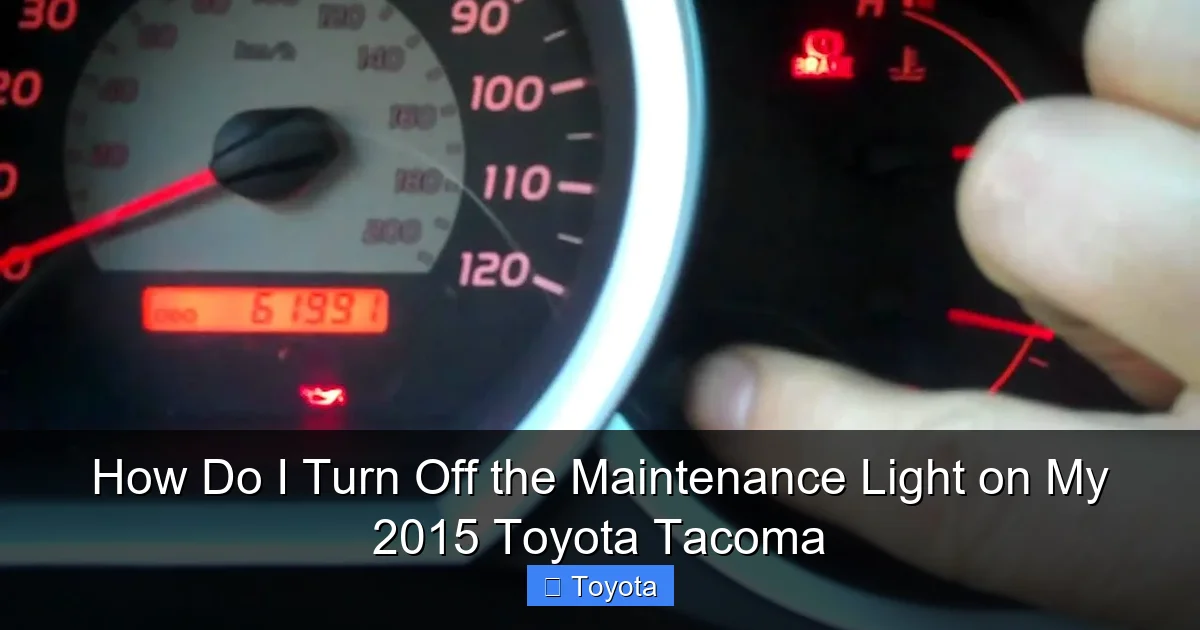
Visual guide about How Do I Turn Off the Maintenance Light on My 2015 Toyota Tacoma
Image source: i.ytimg.com
Check for Underlying Issues
The most common reason the light won’t reset is that the maintenance hasn’t been fully completed or recorded. For instance, if you changed the oil but didn’t reset the oil life monitor on some models, the system might still flag it. However, the 2015 Tacoma’s maintenance light is mileage-based, not oil-life-based, so as long as you’ve driven past the service interval and done the work, it should reset. But if a sensor is faulty—like an oil pressure sensor—it might trigger a different light, not the maintenance one. Still, check if any other warnings are present, like the check engine light, which could indicate a separate problem.
Another possibility: the system has multiple maintenance reminders. If you’ve only done part of the required service (e.g., oil change but not tire rotation), the light might not reset because the full interval isn’t met. Review your maintenance schedule to ensure all due items are addressed. If you’re unsure, a Toyota dealership can run a diagnostic to see what’s pending.
When to Seek Professional Help
If you’ve tried the reset procedure multiple times and the light remains, it’s time to consult a professional. A mechanic with a Toyota-specific scan tool can access the vehicle’s computer and manually reset the maintenance counter. They can also check for any stored trouble codes that might be inhibiting the reset. This is rare for a simple maintenance light, but it can happen if there’s an electrical glitch or a failed instrument cluster. Don’t attempt to force reset by disconnecting the battery—this can cause other issues like radio presets loss and might not clear the maintenance light anyway.
Professional help is also wise if the light comes back on immediately after resetting. That suggests the system thinks service is still due, possibly due to a mileage sensor error. A technician can recalibrate if needed. For most owners, though, the DIY method works perfectly, so don’t overcomplicate it unless necessary.
Common Mistakes to Avoid
To prevent reset issues, avoid these pitfalls. First, don’t reset the light before doing maintenance—this is the biggest mistake. It defeats the purpose and can lead to engine damage. Second, ensure you’re using the correct button; on some Tacomas, the trip meter reset button is separate, so confirm you’re holding the odometer button. Third, avoid resetting with the engine running; always have the ignition on but engine off. Fourth, if you have a aftermarket stereo or modifications, they might interfere with the dash electronics—temporarily revert to stock if possible. Lastly, be patient; hold the button long enough. Rushing can cause the reset to fail.
If you encounter persistent problems, refer to resources like our guide on how to reset the maintenance required light on a Toyota Tacoma for model-specific nuances. While focused on Tacoma, similar principles apply across Toyota trucks.
The Importance of Regular Maintenance for Your Tacoma
Resetting the light is one thing, but understanding why maintenance matters is crucial for your Tacoma’s longevity. This truck is built for durability, but without regular upkeep, even the toughest vehicles can suffer. Let’s talk about why following the maintenance schedule—and heeding that light—is so important.
Benefits of Following the Maintenance Schedule
Your 2015 Tacoma’s maintenance schedule is designed by Toyota engineers to optimize performance, fuel efficiency, and reliability. Regular oil changes, for example, keep the engine lubricated, reducing friction and wear. Skipping them can lead to sludge buildup, overheating, and eventually engine failure—costing thousands in repairs. Beyond oil, services like brake inspections, fluid flushes, and belt replacements prevent catastrophic breakdowns. For a truck often used for work or adventure, staying on schedule ensures it’s ready when you need it most.
Moreover, consistent maintenance improves resale value. A well-maintained Tacoma with documented service history commands a higher price. Buyers look for evidence of care, and a clear maintenance light (when appropriate) is a small but positive sign. It shows you’re proactive, which builds trust. On the flip side, a constantly lit light can hint at neglect, deterring potential buyers or lowering offers.
How the Maintenance Light Helps You Stay on Track
The maintenance required light is your built-in reminder system. It takes the guesswork out of when to service. Without it, you might rely on memory or vague intervals, leading to missed services. By resetting it after each service, you create a cycle: it comes on at 5,000 miles, you service, you reset, and it starts counting again. This simple loop keeps you accountable. It’s especially helpful for busy owners who juggle work and family—your truck tells you what it needs.
Additionally, the light encourages timely action. When it illuminates, you have a window (usually 500-1,000 miles) to get service before potential issues arise. It’s a buffer that prevents emergencies. Think of it as a friendly nudge from your Tacoma, saying, “Hey, I need some love!” Heeding that nudge saves you from costly repairs and downtime. For more on maintaining your Toyota, explore our general resources on how to reset the maintenance light on Toyota models, which cover similar systems.
Additional Tips and Best Practices
Beyond resetting the light, there are best practices to maximize your Tacoma’s health and your ownership experience. These tips will help you stay organized and avoid common pitfalls.
Keeping a Maintenance Log
While the maintenance light tracks intervals, keeping a physical or digital log is wise. Note dates, mileage, services performed, and receipts. This log complements the truck’s system and provides a detailed history. If you ever sell, buyers will appreciate the documentation. It also helps you spot patterns—like if you’re burning oil faster than expected. Use a notebook, spreadsheet, or apps like Toyota’s maintenance planner if available. In the log, record when you reset the light to cross-reference with actual work done.
For instance, after an oil change at 50,000 miles, write: “Oil change, filter replaced, tire rotated. Maintenance light reset.” This creates a clear record. If the light comes on unexpectedly, you can check your log to see if it’s due or if there’s an error.
Using Toyota’s Maintenance Planner
Some Tacoma models come with Toyota’s maintenance planner feature, accessible via the infotainment system or a connected app. This tool provides personalized reminders based on your driving habits and vehicle data. It can sync with your schedule and even book service appointments. If your 2015 Tacoma has this (more common in higher trims), utilize it. It’s an advanced version of the maintenance light, offering more specificity. You can check what’s due next and get estimates. If not, the light is your primary tool, but consider aftermarket solutions like dash cams with maintenance alerts.
Integrating tech with traditional methods ensures you never miss a service. For example, set phone reminders a week before the light is due, so you can plan ahead. This proactive approach reduces stress and keeps your Tacoma in peak shape.
Understanding Other Dashboard Lights
The maintenance light is just one of many indicators on your Tacoma’s dash. Familiarize yourself with others, like the check engine light, tire pressure monitor, or oil pressure warning. Each has a different meaning and urgency. The check engine light, for instance, signals a problem that needs immediate attention, while the tire pressure light indicates low inflation. Don’t confuse them—resetting the maintenance light won’t affect these. If multiple lights are on, address them separately. For specific issues, such as AC light flashing on a Toyota Tacoma, consult targeted guides.
By knowing your dash lights, you’ll respond appropriately. The maintenance light is low-priority but important; others might be urgent. Keep this in mind to avoid overlooking critical warnings while focusing on routine upkeep.
Conclusion
Turning off the maintenance light on your 2015 Toyota Tacoma is a simple yet essential skill for any owner. It’s not about masking a problem; it’s about acknowledging that you’ve completed the required service and updating your truck’s internal clock. By following the step-by-step guide—turning the ignition on, holding the odometer button, and confirming the reset—you can clear that wrench icon in seconds. But remember, always perform the maintenance first. This light is your partner in keeping your Tacoma reliable for years to come.
We’ve covered what the light means, when to reset it, how to do it, and what to do if issues arise. With this knowledge, you’re empowered to handle this task confidently. Regular maintenance, signaled by that light, is key to your truck’s health—it prevents costly repairs, maintains performance, and boosts resale value. So, next time that maintenance required message appears, don’t dread it. See it as a helpful reminder, complete the service, and reset it with ease. Your 2015 Tacoma will thank you with many more miles of dependable driving. If you have other Toyota questions, from how to pop the hood on a Toyota Tacoma to resetting other lights, we’ve got resources to help you stay in control.
Frequently Asked Questions
How often does the maintenance light come on a 2015 Toyota Tacoma?
The maintenance light typically comes on every 5,000 miles to remind you of oil changes and other scheduled services. It may also illuminate based on time intervals, such as once a year, even if mileage is low.
Can I reset the maintenance light without changing the oil?
No, you should only reset the light after completing the required maintenance. Resetting it without actual service can lead to engine damage and will not address the underlying need for oil changes or inspections.
What if the maintenance light won’t reset after I’ve done the service?
First, ensure you followed the reset procedure correctly. If it still won’t reset, there may be an unresolved service code or electrical issue. Try repeating the steps, and if persistent, consult a mechanic with a Toyota scan tool.
Does the maintenance light affect my vehicle’s warranty?
The light itself doesn’t affect the warranty, but ignoring it and skipping maintenance can void parts of your warranty, especially if neglect leads to damage. Always follow Toyota’s recommended schedule to maintain warranty coverage.
Is the maintenance light the same as the check engine light?
No, they are different. The maintenance required light indicates scheduled service is due, while the check engine light signals a problem with the engine or emissions system that needs immediate attention.
Can I reset the light if I’ve had service done at a quick-lube shop?
Yes, but verify that they performed all required services and reset the light. If they forgot, you can reset it yourself using the odometer button method. Keep receipts to track what was done.
