
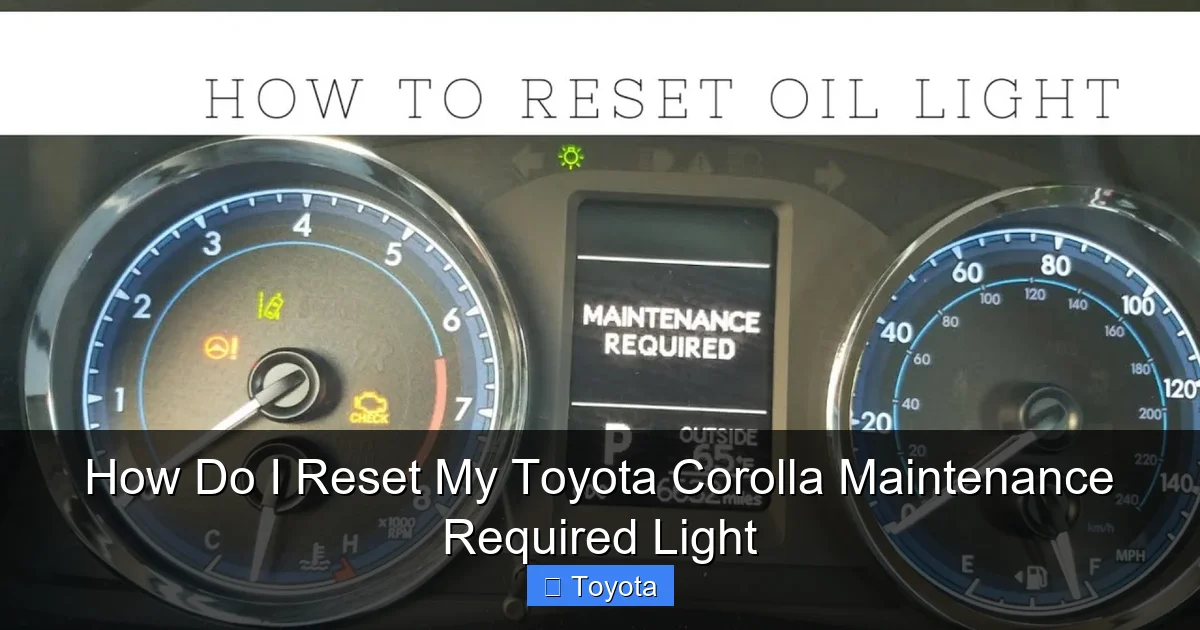
How Do I Reset My Toyota Corolla Maintenance Required Light

Contents
- 1 Key Takeaways
- 2 📑 Table of Contents
- 3 Understanding Your Corolla’s “Maintenance Required” Light
- 4 Resetting for Pre-2014 Model Year Corollas (Traditional Method)
- 5 Resetting for 2014 and Newer Model Year Corollas (Multi-Information Display Method)
- 6 When You Should NOT Reset the Light (Critical Warning)
- 7 Common Mistakes and Troubleshooting Tips
- 8 Beyond the Oil Change: Holistic Maintenance for Your Corolla
- 9 Conclusion: Your Simple Path to a Clear Dashboard
- 10 Frequently Asked Questions
Wiper Blade Refills

Waterless Car Wash Spray

Car Windshield Wiper Blades

Parking Sensor Kit
Resetting the maintenance required light on your Toyota Corolla is a simple process, but it must only be done after the scheduled maintenance is actually performed. The method varies slightly depending on your model year, typically involving the odometer button or the multi-information display. This guide provides precise, model-specific instructions to help you turn off that light safely and correctly, ensuring your vehicle’s service reminders remain accurate.
That little amber wrench icon glowing on your dashboard—the “maintenance required” light. It’s a familiar sight for Toyota Corolla owners, and it’s designed to be! This handy reminder is one of Toyota’s best features for helping you stay on top of your car’s regular service needs. But what happens after you’ve dutifully taken your Corolla in for its oil change and inspection? The light doesn’t turn itself off automatically. You have to manually reset it. If you’re scratching your head wondering, “How do I reset my Toyota Corolla maintenance required light?” you’ve come to the right place. This guide will walk you through the process for every model year, explain why it’s crucial to only reset it after service, and highlight common pitfalls to avoid.
Resetting this light is not a complicated, dealer-only procedure. It’s a simple task you can do in your driveway in under a minute. However, doing it correctly requires knowing the specific steps for your vehicle’s year. The system evolved significantly around the 2014 model year, shifting from a simple button-press method to a menu-driven process on the digital display. We’ll break it down clearly. Remember, this light is your car’s way of saying, “Hey, it’s time for some TLC!” Ignoring it can lead to premature wear, poor fuel economy, and even expensive repairs down the road. Let’s get that light off your dash the right way.
Key Takeaways
- The light is a reminder, not a sensor: The maintenance required light is a mileage-based timer triggered by your car’s computer, not a direct sensor that checks oil quality or other fluid levels.
- Always perform maintenance first: You must complete the scheduled service (usually an oil change and inspection) before resetting the light. Resetting it without doing the work is unsafe and defeats the purpose of the system.
- Two primary methods exist: For pre-2014 models, you use the odometer/trip meter button. For 2014 and newer models with a multi-information display, you navigate the menu system using steering wheel controls.
- The procedure is model-year specific: The exact steps differ between older and newer Corollas. Using the wrong method will not work and can cause frustration.
- A persistent light may indicate a problem: If the light returns immediately after a proper reset or illuminates with other warnings, it could signal an electrical issue or a fault in the maintenance reminder system that needs professional diagnosis.
- Resetting does not clear other codes: This process only turns off the maintenance reminder. It will not reset a check engine light, which indicates a separate problem requiring diagnosis.
- Keep your service records: Document when you perform the maintenance. This helps you track your car’s history and is valuable for resale, even after you reset the light.
📑 Table of Contents
- Understanding Your Corolla’s “Maintenance Required” Light
- Resetting for Pre-2014 Model Year Corollas (Traditional Method)
- Resetting for 2014 and Newer Model Year Corollas (Multi-Information Display Method)
- When You Should NOT Reset the Light (Critical Warning)
- Common Mistakes and Troubleshooting Tips
- Beyond the Oil Change: Holistic Maintenance for Your Corolla
- Conclusion: Your Simple Path to a Clear Dashboard
Understanding Your Corolla’s “Maintenance Required” Light
Before we dive into the “how,” let’s quickly cover the “what” and “why.” This light is part of Toyota’s Maintenance Reminder System. It’s not a smart sensor that dips into your oil pan to check viscosity. Instead, it’s a sophisticated mileage and time counter built into the vehicle’s computer (ECU).
How the System Works
The system is pre-programmed with service intervals. For most modern Corollas, it’s set to illuminate every 5,000 miles or 6 months, whichever comes first, prompting for an oil change and general inspection. Once you (or your mechanic) complete that service, you must manually reset the counter to zero. The system then starts counting down from zero again until the next 5,000-mile/6-month interval. This ensures your service schedule is always accurately tracked based on your actual driving.
Why You Should Never Skip the Reset
Some people are tempted to just reset the light without doing the service to make the annoying icon go away. This is a terrible idea. You’re essentially silencing your car’s only reminder for critical maintenance. The oil in your engine degrades over time and miles. Filters get clogged. Belts and hoses wear. The maintenance reminder is there to protect your investment and ensure your safety. Always perform the required service first. If you’re unsure what service is due, consult your owner’s manual or a trusted mechanic. Resetting the light is the final, celebratory step after the work is done.
Resetting for Pre-2014 Model Year Corollas (Traditional Method)
If you own a Corolla from the 2013 model year or earlier, your reset procedure is delightfully simple. It uses the dedicated odometer/trip meter button usually located on the dashboard near the speedometer. This method is often called the “button press” or “trip meter” reset.
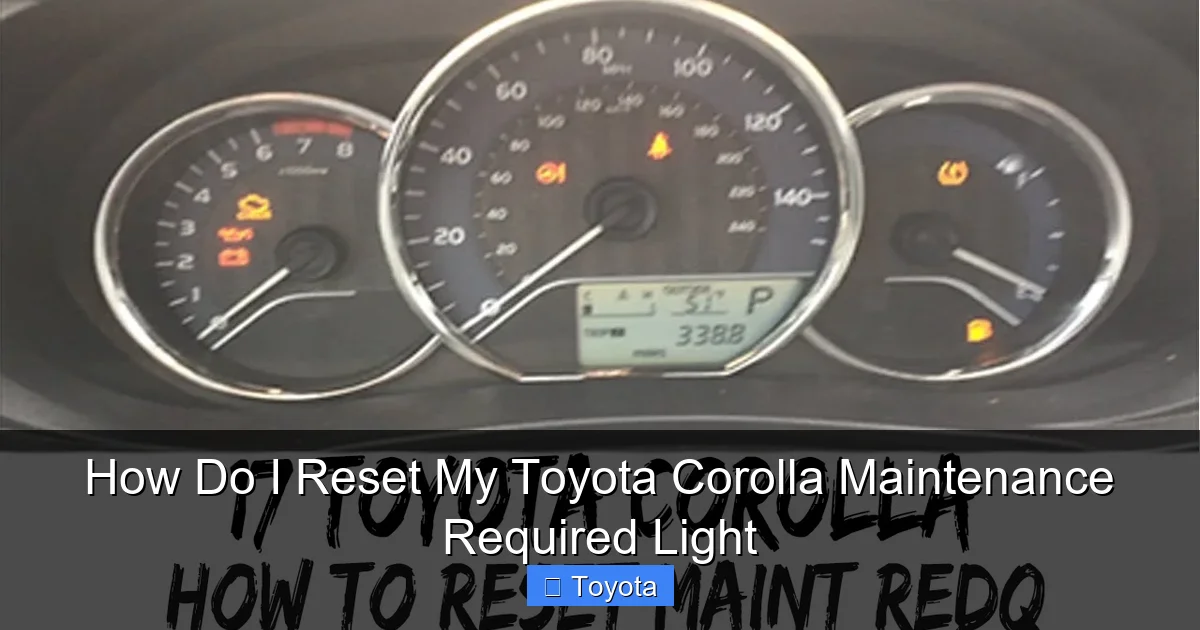
Visual guide about How Do I Reset My Toyota Corolla Maintenance Required Light
Image source: i.ytimg.com
Step-by-Step Button Reset Procedure
Follow these exact steps. Timing is key!
- Turn the ignition ON. Do not start the engine. Simply insert your key and turn it to the “ON” position (the position right before “START”). All dashboard lights, including the maintenance required light, should be illuminated.
- Locate your odometer/trip meter button. This is the small button you normally press to cycle between your total odometer reading and your trip A/B meters. It’s typically on the instrument cluster itself or on the steering column stalk.
- Press and hold the button. While the ignition is ON, press and hold down this button. You must hold it continuously.
- Watch the odometer display. After holding the button for approximately 5-10 seconds, the odometer display will change. You’ll see a series of dashes “—–” or a counter counting down (e.g., “C100” or “S100” depending on model). This is the system telling you it’s in reset mode.
- Continue holding until it blinks and resets. Keep the button held down. The display will eventually start to blink, and then it will reset to show “00000” or “C000” or simply return to displaying your normal odometer reading.
- Release the button. Once the display shows zeros or returns to normal, you can release the button.
- Verify the reset. The maintenance required light (the wrench icon) should now be OFF. Start your engine to confirm, then turn it off. The light should remain off. If it comes back on immediately, you likely didn’t hold the button long enough, or there’s an electrical fault.
Pro Tip: If the light doesn’t go out, turn the car off, wait 10 seconds, and try the process again from Step 1. Ensure you’re holding the correct button—it’s the one that changes your odometer display, not the one that resets your trip meters individually.
Resetting for 2014 and Newer Model Year Corollas (Multi-Information Display Method)
Starting with the completely redesigned 2014 Corolla, Toyota introduced a new digital multi-information display (MID) behind the steering wheel. The simple button press was replaced by a menu-driven system accessed via buttons on the steering wheel. This method gives you more information but requires a few more steps.

Visual guide about How Do I Reset My Toyota Corolla Maintenance Required Light
Image source: i.ytimg.com
Step-by-Step Menu Reset Procedure
- Turn the ignition ON. Again, do not start the engine. Just turn the key to the “ON” position.
- Use the steering wheel buttons. You will use the up/down arrow buttons (often on the left side of the steering wheel) and the “OK” or “Enter” button (usually in the center or on the right side). Consult your owner’s manual for the exact layout for your specific trim.
- Navigate to the Settings menu. Press the up or down arrow button to scroll through the display screens on your MID. You’re looking for a menu option that says “Settings” or an icon that looks like a wrench or gear. Press the “OK” button to enter the Settings menu.
- Find the Maintenance Settings. Inside the Settings menu, use the arrow buttons to scroll until you find an option like “Maintenance” or “Maintenance Reset”. Select it with the “OK” button.
- Select “Reset” or “Set”. You should now see options for different maintenance items (e.g., “Oil,” “Tire Rotation”). The one you want to reset is typically the “Oil” or “Engine Oil” item, as this is what triggers the main wrench light. Highlight it and press “OK”.
- Confirm the reset. The display will likely ask you to confirm. It may say “Reset?” or show a counter like “100%”. Select “Yes” or “Reset” and press “OK”. You should see a message like “Maintenance Reset Complete” or the percentage drop to 0%.
- Exit and verify. Turn the ignition off, wait a few seconds, and turn it back on. The wrench icon should be gone. Start the car to double-check.
Important Note: Some later models (around 2018+) may have the reset option under a sub-menu called “Vehicle Settings” instead of just “Settings.” The core principle is the same: Settings -> Maintenance -> Oil Reset. If you get lost, you can often just hold the “OK” button on the main screen for a few seconds to bring up a shortcut menu. For the most precise instructions, your factory owner’s manual is always the definitive source.
When You Should NOT Reset the Light (Critical Warning)
This section is so important it deserves its own headline. Resetting the maintenance light is a final step in a service procedure. It is NOT a diagnostic tool or a way to silence a warning for an unresolved problem. Here are clear scenarios where you must not reset the light and should seek professional help instead.
The Light Comes On Alongside Other Warnings
If your maintenance required wrench is illuminated at the same time as a check engine light (engine-shaped icon), a battery/charging light, an oil pressure light, or any other red/yellow warning, do not reset it. This combination indicates a potentially serious problem. For example, a check engine light could mean a misfire that is damaging your catalytic converter. Reset the maintenance light first, but the underlying issue must be diagnosed and fixed. If you’re ever in doubt, a quick scan with an OBD2 reader can tell you if there are stored trouble codes. You can find guides on how to reset a Toyota Corolla check engine light, but remember: resetting the code does not fix the problem that caused it.
The Light Returns Immediately After Reset
If you perform the reset procedure correctly, the light should stay off until the next service interval (5,000 miles/6 months). If it comes back on within a few days or after a short drive, something is wrong. Possible causes include:
- A faulty odometer/trip button: The switch might be worn out or stuck, causing the computer to think a reset was never completed.
- A glitch in the ECU: A software hiccup might have prevented the counter from clearing.
- An electrical issue: A blown fuse related to the instrument cluster can cause erratic behavior.
In this case, try the reset process one more time, being extra careful to hold the button long enough (for older models). If it persists, you need a technician to investigate the electrical system. They may need to use a professional scan tool to access and reset the maintenance module.
You Haven’t Actually Performed the Service
This is the most common and dangerous mistake. If your car is overdue for an oil change by 2,000 miles and you just reset the light to make it go away, you are actively harming your engine. The system is designed to remind you of necessary upkeep. Disabling the reminder without performing the work is like disabling a fire alarm because you don’t want to hear it—you’re ignoring a critical safety signal for your engine’s health. Always change the oil and filter, check all fluids, tires, and brakes before you even think about pressing that reset button.
Common Mistakes and Troubleshooting Tips
Even with clear instructions, things can go wrong. Here’s how to troubleshoot the most frequent issues people encounter when trying to reset their Corolla’s maintenance light.
“I Held the Button, But Nothing Happened.”
This is the #1 complaint for pre-2014 models. First, ensure you are holding the correct button—the one that switches your display between odometer and trip meters. Second, you must hold it continuously for at least 5-10 seconds. Don’t press and release quickly. You should see the display change. If after 15 seconds of firm, continuous pressing nothing happens, your button may be faulty. Also, confirm the ignition is in the “ON” position, not “ACC” or “LOCK.”
“My 2015 Corolla Doesn’t Have a ‘Settings’ Menu.”
Make sure you are using the steering wheel controls, not the buttons on the infotainment screen. The multi-information display (the digital screen behind the steering wheel) has its own separate control system. Use the arrow buttons on the left spoke of the steering wheel to navigate the screens on that specific display. The central infotainment screen has a different menu altogether.
“The Light Went Off, But Came Back On a Week Later.”
This suggests the reset did not fully complete or there is a underlying electrical fault. For a 2014+ model, go through the menu process again very carefully. Make sure you select “Oil” and not just “Tire Rotation” or another item. For older models, try the reset procedure two more times. If the problem persists, it’s time to visit a mechanic. They can connect a diagnostic computer that has deeper access to the maintenance module to force a reset or identify a circuit problem.
“Can I Reset It Without the Steering Wheel Buttons?”
For 2014+ models, the reset is designed to be done via the steering wheel controls to the MID. There is generally no alternative method using only the dashboard or infotainment system. If your steering wheel buttons are broken, you will need to have a technician use a professional scan tool to perform the reset. This is a good reason to address any faulty steering wheel controls promptly.
Beyond the Oil Change: Holistic Maintenance for Your Corolla
Resetting the light is the easy part. The hard, and important, part is the maintenance itself. The “maintenance required” reminder is primarily tied to oil changes, but the service it prompts for is a comprehensive check-up. When that light comes on, here’s a checklist of what a good mechanic should inspect and service:
The Core: Engine Oil & Filter
This is the non-negotiable heart of the service. Use the oil viscosity specified in your owner’s manual (e.g., 0W-20 for most modern Corollas). A high-quality filter is equally important. This single service does more for your engine’s longevity than any other.
Essential Inspections
A proper service should include:
- Tire Pressure & Tread: Inflate to the PSI on the driver’s door jamb sticker. Check for uneven wear, which can indicate alignment issues.
- All Fluid Levels: Coolant, brake fluid, power steering fluid (if applicable), and windshield washer fluid.
- Brake System: Inspect pad and rotor thickness, brake lines for leaks, and brake fluid condition.
- Battery: Check terminals for corrosion and test battery health.
- Lights & Wipers: Ensure all exterior lights work and wiper blades are effective.
- Belts & Hoses: Look for cracks, fraying, or leaks, especially the serpentine belt and timing belt (if your model has one; many modern Corollas have a timing chain).
For specific models, you might also need to address other components. For instance, if you own a Toyota Tacoma, the service intervals and components checked can differ significantly from a Corolla. You can learn more about the process for other Toyota models by exploring resources on how to reset the maintenance required light on a Toyota Tacoma to see how procedures vary across the lineup.
Why Following the Full Checklist Matters
That little wrench is prompting you for this entire checklist, not just an oil change. Catching a small coolant leak, worn brake pad, or weak battery during this scheduled visit saves you from a breakdown on the side of the road and a much larger repair bill. Think of the reset as your receipt, confirming that all these items were verified or addressed.
Conclusion: Your Simple Path to a Clear Dashboard
Knowing how to reset my Toyota Corolla maintenance required light empowers you as a car owner. It’s a quick, satisfying task that marks the completion of your vehicle’s necessary upkeep. To recap: for older Corollas (pre-2014), it’s a button-hold ritual with the odometer button. For newer models (2014+), it’s a few clicks through the steering wheel menu system. The golden rule is immutable: never reset the light without first performing the scheduled service. The system is your friend, not a nuisance to be silenced.
By following the precise steps for your model year outlined in this guide, you can confidently turn off that wrench icon and enjoy a clear dashboard. Keep your owner’s manual handy for the most specific details, and don’t hesitate to consult a professional if the light behaves erratically or you’re ever unsure about the service itself. A well-maintained Corolla is one of the most reliable and economical vehicles on the road today. Keeping up with its maintenance schedule, and resetting the reminder accordingly, is a small effort that pays massive dividends in performance, safety, and long-term value. Now, go ahead and give your Corolla the care it deserves, and then enjoy that pristine, light-free dashboard!
Frequently Asked Questions
What if the maintenance required light starts blinking before it stays solid?
A blinking maintenance light is a more urgent reminder that your service interval is imminent or that a specific maintenance item (like an oil change) is critically overdue. It’s not a different procedure—you still reset it the same way after performing the service, but it’s a stronger signal from your car that you shouldn’t ignore the reminder.
Can I reset the maintenance light if I just added oil but didn’t change the filter?
Technically, you can follow the reset steps, but you should not. An oil change involves replacing both the oil and the filter. The old filter is full of contaminants and will immediately degrade your new, clean oil. Resetting the light without a full oil and filter change short-changes your engine and defeats the purpose of the maintenance schedule.
Will disconnecting the battery reset the maintenance light?
No. Disconnecting the battery will reset the radio presets and clock, and may clear some electronic settings, but it will not reset the maintenance reminder system. This system is designed to retain its mileage count even during a battery disconnect. You must use the specific button or menu procedure described for your model year.
My 2012 Corolla’s light won’t reset even after holding the button for 20 seconds. Now what?
First, triple-check you are using the correct button (the odometer/trip meter switch). Ensure the ignition is in the “ON” position, not “START.” If it still fails, the button switch itself may be worn out or broken. A technician can test the switch or use a professional scan tool to force a reset of the maintenance module in the ECU.
Is the procedure the same for a Toyota Corolla and a Toyota Camry?
The principle is the same, but the exact steps and button locations can differ between models and model years. For example, a Camry from the same era as your Corolla might use a similar button press, but the location could be different. Always refer to the owner’s manual for your specific vehicle. You can also find model-specific guides, such as how to reset the airbag light on a Toyota Camry, which illustrates that different systems and models have their own unique procedures.
Do I need any special tools to reset the maintenance light?
No. For the traditional button-press method, you only need your finger. For the menu method on newer models, you only need to use the buttons already on your steering wheel. No wrenches, no scan tools, no special equipment is required for the standard owner reset procedure.







