Does My Bmw Have a Tracking Device

Contents
- 1 Key Takeaways
- 2 📑 Table of Contents
- 3 Does My BMW Have a Tracking Device? The Straight Answer
- 4 The Factory System: Understanding BMW ConnectedDrive
- 5 Aftermarket Tracking Devices: The “Hidden” Possibility
- 6 How to Check If Your BMW Has an Aftermarket Tracker
- 7 Legal and Privacy Considerations: What Are Your Rights?
- 8 Protecting Your Privacy: Practical Steps for BMW Owners
- 9 Conclusion: Knowledge is Power and Control
- 10 Frequently Asked Questions

Liquid Car Polish

Anti-Slip Dashboard Mat

Tire Repair Kit

Interior Cleaner Spray
Yes, your BMW almost certainly has tracking technology, but it’s likely the factory-installed ConnectedDrive system, not a secret spy device. This system provides essential services like emergency calls and remote features but also collects location data. Aftermarket trackers can be added by previous owners or dealers. You have control and can manage settings, understand your legal rights, and physically inspect your vehicle if concerned.
Key Takeaways
- Factory Tracking is Standard: All modern BMWs come with ConnectedDrive, a telematics system with GPS for navigation, emergency services, and remote apps. This is the primary “tracking” source.
- Aftermarket Trackers Exist: Previous owners, dealers, or lienholders can install separate GPS trackers. These are not part of BMW’s system and require separate power sources.
- You Have Control & Can Opt-Out: You can disable most location-sharing features in the iDrive menu or via the ConnectedDrive app, though emergency functions may remain active.
- Legal Protections Vary: Laws govern who can track a vehicle. Generally, the registered owner can track it. Tracking someone else’s car without consent is illegal in most areas.
- Physical Inspection is Possible: You can look for aftermarket trackers in common hiding spots like under the dash, in the wheel wells, or behind panels, but professional help is recommended.
- Data Ownership is Complex: BMW’s privacy policy details how your location data is used, stored, and shared. Reviewing this policy is crucial for understanding your digital footprint.
- Privacy vs. Convenience Trade-off: Disabling tracking may sacrifice useful features like stolen vehicle recovery or remote climate control. Weigh the benefits against your privacy comfort level.
📑 Table of Contents
- Does My BMW Have a Tracking Device? The Straight Answer
- The Factory System: Understanding BMW ConnectedDrive
- Aftermarket Tracking Devices: The “Hidden” Possibility
- How to Check If Your BMW Has an Aftermarket Tracker
- Legal and Privacy Considerations: What Are Your Rights?
- Protecting Your Privacy: Practical Steps for BMW Owners
- Conclusion: Knowledge is Power and Control
Does My BMW Have a Tracking Device? The Straight Answer
It’s a question that sparks a mix of curiosity and concern for any BMW owner. You hear about tracking in movies and worry about your privacy. The short, direct answer is: yes, your BMW almost certainly has tracking technology. But before you panic, let’s be clear about what that means. It’s almost never a nefarious, hidden “spy” device planted by a third party without your knowledge. Instead, it’s a sophisticated, factory-installed system called BMW ConnectedDrive (or BMW Assist in older models). This system is a core part of your car’s modern identity, enabling navigation, emergency assistance, and smartphone connectivity. Understanding this distinction is the first step to taking control of your vehicle’s data and privacy.
However, the story doesn’t end there. There is also the possibility of an aftermarket tracking device—a separate unit that could have been installed by a previous owner, a dealership for inventory management, or a lienholder/financing company. These are less common but are the source of many “hidden tracker” fears. This guide will walk you through everything: what’s in your car from the factory, how to spot an add-on, your legal rights, and the practical steps you can take. We’ll break it down into simple terms so you can confidently manage your BMW’s digital presence.
The Factory System: Understanding BMW ConnectedDrive
When you drive a BMW from the last decade or so, you’re driving a connected computer on wheels. The heart of this connectivity is the ConnectedDrive platform. It’s not a single device but an integrated suite of hardware and software. At its core is a telematics control unit (TCU) with a built-in GPS receiver, a cellular modem (for 4G LTE or 5G data), and sometimes a satellite radio module. This hardware is hardwired into your car’s CAN bus network, allowing it to access vehicle data and transmit it.
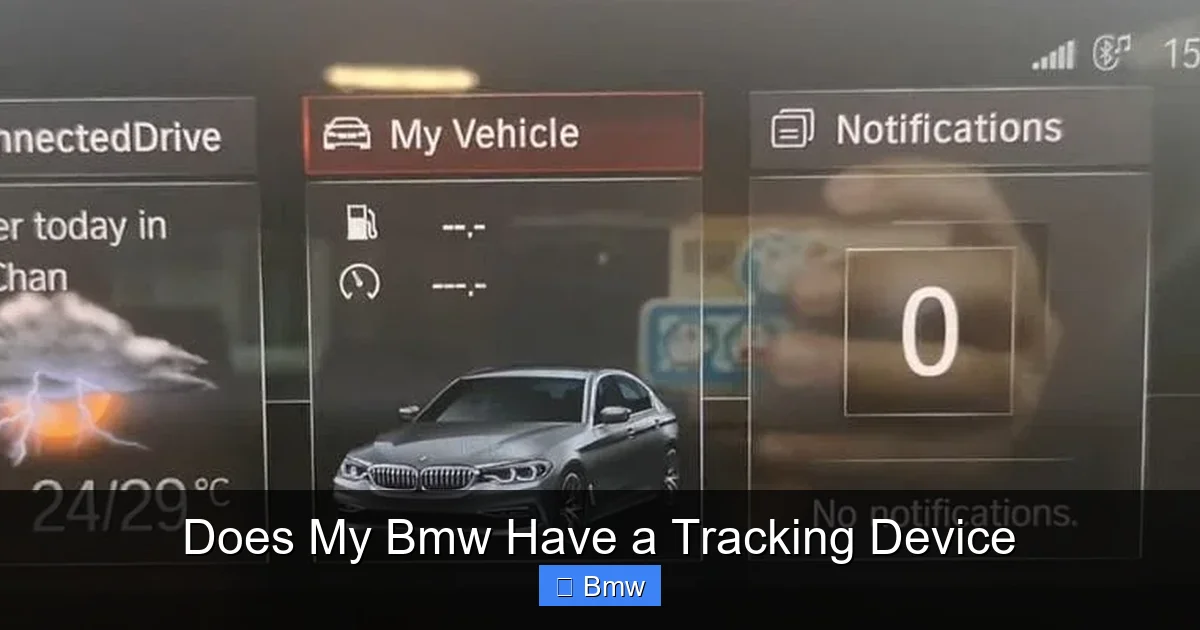
Visual guide about Does My Bmw Have a Tracking Device
Image source: cdn.thedailyautomotive.com
How ConnectedDrive Tracking Works
This system constantly receives signals from GPS satellites to determine your car’s precise location. This location data is used for several features you likely use regularly:
- Navigation: Your map system needs to know where you are to give directions.
- Real-Time Traffic Information: Services like BMW Traffic Information use aggregated, anonymized location data from many vehicles to show congestion.
- BMW Connected App: The app on your phone can show your car’s location, lock/unlock doors, and blast the horn/flash lights—all because the car is communicating its status and location.
- ConnectedDrive Services: Features like Concierge Services (where an agent sends destinations to your car) or Remote Services rely on this link.
- Safety & Security: This is the most critical function. In the event of a severe accident, the system can automatically place an emergency call (eCall) to a response center, transmitting your exact location. The Stolen Vehicle Recovery service, if activated, allows authorities to track a stolen BMW.
So, is your BMW being “tracked”? In the most literal sense, yes, its location is known to BMW’s servers whenever these services are active and the car is in a coverage area. The key question is: who has access to that data and for what purpose? BMW’s privacy policy states the data is used to provide and improve services, for safety, and may be shared with law enforcement in cases of theft or emergency. They do not sell your personal location data to third-party advertisers in the way some apps might, but aggregated, anonymized data can be used for research.
Managing Your ConnectedDrive Privacy Settings
You are not powerless. BMW provides ways to manage your data sharing. The exact steps vary by model year and iDrive version, but the principle is the same:
- Go to the iDrive main menu.
- Select “Communication” or “ConnectedDrive” or “Settings”.
- Look for “Data Transmission”, “Privacy Settings”, or “Location Services”.
- You will see toggles for various services. You can often disable:
- BMW Connected App remote functions (though this may also disable the app entirely).
- Real-Time Traffic Information (this may revert to standard TMC traffic).
- Concierge Services.
- Important: The automatic emergency call (eCall) and the basic vehicle health report are typically mandatory and cannot be disabled, as they are regulatory and safety requirements in many regions.
You can also manage settings through the My BMW App on your smartphone. Within the app’s vehicle settings, you’ll find options to disable location sharing for certain features. The most drastic step is to remove the car’s SIM card or fuse for the telematics unit, but this will completely disable all ConnectedDrive services and may trigger a fault code. It is generally not recommended unless you are prepared to lose all connected functionality. For context, if you’re concerned about the technology in your car, you might also wonder about other systems, like whether your Toyota spare tire has TPMS, which is a much simpler sensor system.
Aftermarket Tracking Devices: The “Hidden” Possibility
While the factory system is a known quantity, the fear of a hidden, third-party tracker is very real for some. These are separate GPS units purchased and installed by someone other than BMW. They are commonly used by:
Visual guide about Does My Bmw Have a Tracking Device
Image source: thedailyautomotive.com
- Previous Owners: A prior private owner might have installed one for their own security.
- Dealerships: Some dealers install temporary trackers on vehicles in their inventory for inventory management and test drive monitoring.
- Lienholders/Financial Institutions: If your BMW was leased or financed, the lender may have placed a device to monitor the vehicle’s location and mileage, especially in “subprime” loans. They have the legal right to do this as part of the loan agreement.
- Private Investigators or Individuals: In rare, illegal cases, someone with access to the car (like a suspicious partner) might install one.
How Aftermarket Trackers Work and Where They Hide
These devices are typically small, battery-powered, or hardwired. Hardwired versions tap into the car’s electrical system, often by splicing into a fuse box or connecting to a constant power source, so they work even when the car is off. They use a cellular network (like a basic phone) to transmit location data to a server, which the owner can then view on an app or website.
Because they are added after production, installers have to hide them. Common hiding spots include:
- Under the Dashboard: Behind the glovebox or under the steering column. This is a classic spot for easy access to wiring.
- Inside Bumpers: Behind the front or rear bumper covers. They are plastic and easy to remove for placement.
- Wheel Wells: Behind the plastic lining of the front fenders.
- Under Seats: Tucked into the tracks or under the seat cushion.
- Inside Trunk/Luggage Compartment: Behind panels, under the spare tire well, or inside the liner.
- Under the Hood: Near the firewall or tucked into a corner of the engine bay.
- Inside Door Panels or Center Console.
Detecting these requires a methodical search and often a professional electronic sweep with a GPS signal detector (also called a bug sweeper). These devices can detect the radio frequencies used by trackers. For a DIY check, you can visually inspect common areas and use a multimeter to look for unusual parasitic battery drain, which might indicate a constantly powered device.
How to Check If Your BMW Has an Aftermarket Tracker
If you have a specific reason to suspect an aftermarket tracker (e.g., you bought a used car and are unsure of its history, or you have a contentious personal situation), you can perform a check. Start with the least invasive methods.
Visual guide about Does My Bmw Have a Tracking Device
Image source: thedailyautomotive.com
Step-by-Step Visual and Physical Inspection
- Gather Tools: A good flashlight, a mirror on a flexible arm, and possibly a trim removal tool kit.
- Check the Obvious: Look under the driver’s and passenger’s dash. Feel for any loose wires, unusual boxes, or magnets (some trackers are magnetically attached to metal surfaces).
- Inspect the Trunk: Lift the trunk liner. Check the spare tire well, behind the liner panels, and under the trunk floor. Look for any wires that don’t seem to belong to the factory system.
- Examine Wheel Wells: Look behind the plastic fender liners in all four wheel wells.
- Review Under the Car: With the car safely lifted on jack stands, scan the underside for any suspicious boxes attached to the frame or chassis. Pay attention to areas near the fuel tank or along the drivetrain tunnel.
- Check Glovebox and Center Console: Remove any storage bins and feel behind panels.
What to look for: Small, rectangular black boxes (often 2×3 inches or smaller), clusters of wires that aren’t part of a factory loom, antennas (small wires or rods), or magnetic mounts. Factory wiring is typically neatly bundled and labeled with color-coded sleeves. Aftermarket wiring is often messier.
Professional Detection and Diagnostic Scans
Your best bet for a thorough check is a professional. Take your BMW to:
- A Specialized Car Audio/Security Shop: They frequently install and remove trackers and have sophisticated RF detectors.
- A Trusted Independent BMW Mechanic: They know the factory wiring layout intimately and can spot anomalies. They can also perform a parasitic drain test on the battery, which can indicate a device drawing power when the car is off.
- A Counter-Surveillance Professional: For the most sensitive situations, these experts use advanced equipment to sweep for all types of RF signals.
- You: Obviously, you can track your own car using any system, factory or aftermarket.
- The Bank/Lessor: If there is an outstanding loan or lease, the financial institution typically has the right to track the vehicle to protect their asset, as stipulated in your contract. They can do this even after repossession.
- Law Enforcement: With a valid warrant based on probable cause, police can install a tracker on any vehicle.
- Employers: If the BMW is a company car, the employer generally has the right to track it during business hours, but policies should be clear.
- What data is collected (vehicle location, speed, diagnostic data, voice commands if using voice-activated services).
- How it is used (to provide services, improve products, for safety, legal compliance).
- Who it is shared with (service providers, emergency contacts, law enforcement when required).
- How long it is stored.
- Your rights to access, correct, or delete your personal data (these rights vary by region, such as GDPR in Europe or CCPA in California).
An OBD-II port scanner (like those used for diagnostics) will not detect a standalone aftermarket tracker, as these devices do not communicate with the car’s diagnostic port. They operate independently.
Legal and Privacy Considerations: What Are Your Rights?
This is the most complex part of the equation. The legality of vehicle tracking hinges on ownership, consent, and jurisdiction.
Who Can Legally Track the Car?
The general rule in the United States is that the registered owner and legal title holder of a vehicle has the right to track it. This includes:
What is almost always illegal: A private individual (like a spouse, partner, or competitor) installing a tracker on a vehicle they do not own or have a legal interest in. This is a violation of privacy laws and, in many states, a specific criminal offense (e.g., “wiretapping” or “stalking” statutes). If you discover a tracker you did not install and do not consent to, you should document it (take photos) and contact law enforcement.
BMW’s Data Privacy Policy
When you激活 or use ConnectedDrive services, you agree to BMW’s privacy policy. This policy outlines:
Key takeaway: BMW is transparent that your car’s location is a piece of data they collect for service delivery. They are not secretly spying on your daily coffee runs. The data is tied to your vehicle’s VIN and your BMW ID/account. You can request a data report from BMW to see what they have on file. For more on how car technology integrates with your life, consider how other systems work, like the Bluetooth system in a 2012 Nissan Altima, which also involves data handling but on a different scale.
Protecting Your Privacy: Practical Steps for BMW Owners
Feeling more informed but still uneasy? Here is a actionable checklist to regain control.
1. Audit and Adjust Your ConnectedDrive Settings
As described earlier, dive into your iDrive menu and the My BMW App. Turn off any location-based services you do not actively use. Disable the “Send to Vehicle” feature if you never use it. The goal is to minimize the “digital exhaust” your car produces.
2. Review Your Lease or Finance Agreement
If you are leasing or have a loan, find the section about GPS tracking or vehicle monitoring. The lender has the right, but you should be aware of it. Once you own the car outright (title in hand), you can legally remove any tracking device they installed, though it’s good practice to inform them you are doing so if you believe it was part of the agreement.
3. Conduct a Physical Inspection (or Have One Done)
If you have a compelling reason—like you bought the car from a private seller who was vague about its history, or you are going through a divorce—spend an hour checking the common spots. For peace of mind, spend $100-$200 on a professional sweep from a reputable security or automotive shop. It’s a small price for certainty.
4. Understand the Limits of “Disabling” Tracking
You cannot easily or safely disable the core GPS receiver without major surgery and triggering multiple fault lights. Even if you pull the fuse for the telematics module, you will lose all ConnectedDrive benefits, including the life-saving eCall. The system is designed to be robust. Your real control lies in data sharing permissions, not in physically turning the GPS off.
5. Keep Software Updated
Regularly install BMW’s iDrive/ConnectedDrive software updates. These often include security patches that protect the telematics system from being hacked or compromised, which is a different but related privacy threat.
Conclusion: Knowledge is Power and Control
So, does your BMW have a tracking device? The definitive answer is yes, but context is everything. The factory-installed ConnectedDrive system is a permanent, integrated feature that balances incredible convenience and safety with a continuous, consensual flow of location data to BMW. This is the modern automotive reality. The separate, aftermarket tracker is a variable—a potential add-on that depends on your car’s specific history with previous owners, dealers, or lenders. By understanding this distinction, you can move from vague anxiety to specific, empowered action.
Your path forward is clear: First, manage your factory settings to align data sharing with your comfort level. Second, know your legal rights regarding ownership and consent. Third, if a legitimate suspicion exists, inspect or professionally sweep the vehicle for non-factory hardware. Remember, a BMW is a complex machine, and its technology extends far beyond tracking. Issues can range from windshield replacement costs to intricate engine management. The same diligence you apply to your privacy should apply to all aspects of your vehicle’s maintenance and ownership. Ultimately, your BMW’s “tracking” is a tool—one you now understand how to operate, restrict, or, if necessary, investigate. Drive with confidence, knowing you are in the driver’s seat, both literally and digitally.
Frequently Asked Questions
Can I completely turn off GPS tracking in my BMW?
No, you cannot physically disable the built-in GPS receiver without causing system errors. However, you can disable most location-sharing features for ConnectedDrive services like the app and remote functions through the iDrive menu. The mandatory emergency call (eCall) system will always retain basic location capability.
How can I tell if a tracker is aftermarket or from BMW?
Factory trackers are integrated into the telematics control unit, which is hidden behind the dashboard or in the trunk and has neatly bundled factory wiring. Aftermarket trackers are separate, often magnetic or bolted boxes with loose, non-factory wiring, typically found in common hiding spots like under the dash, in wheel wells, or behind trunk panels.
Is it illegal for someone to put a tracker on my BMW?
Yes, in most cases. It is generally illegal for a private individual to install a GPS tracker on a vehicle they do not own or have a legal interest in (like a lien). The registered owner, a lienholder with a contract, or law enforcement with a warrant can legally track the vehicle. If you find an unknown tracker, document it and contact police.
Will removing a tracker damage my BMW’s electrical system?
An improperly removed aftermarket tracker that was poorly installed could potentially damage wiring if cut or shorted. A professional removal minimizes this risk. Removing the factory telematics unit is not advised, as it will cause multiple system faults and disable critical safety features.
Does BMW sell my location data to advertisers?
No. BMW’s privacy policy states they do not sell your personal, identifiable location data to third parties like advertisers. They use aggregated, anonymized data for traffic services and research. Your personal trip data is used solely to provide and improve ConnectedDrive services and for safety/legal purposes as outlined in their policy.
If I sell my BMW, do I need to remove my personal data?
Absolutely. Before selling, you must perform a full system reset. Go to iDrive Settings > Vehicle > Data Reset or “Delete Private Data.” This erases your personal accounts, navigation history, and connected phone data from the car’s system. You should also delete the car from your My BMW App account. This is a critical step for privacy, similar to wiping your phone before selling it. The new owner will then set up their own account.