
Do I Need Subaru Starlink to Use Apple Carplay?

You do NOT need Subaru Starlink to use Apple CarPlay. Apple CarPlay works independently through a wired or wireless connection, though Starlink enhances the overall infotainment experience with features like remote start and navigation.
Key Takeaways
- Apple CarPlay is separate from Subaru Starlink: CarPlay runs via your iPhone and doesn’t require a Starlink subscription or active account.
- Wired and wireless options available: Depending on your Subaru model and trim, you can connect via USB cable or wirelessly over Wi-Fi.
- Starlink enhances but isn’t required: While Starlink offers remote services and cloud-based features, it doesn’t affect basic CarPlay functionality.
- Compatible with most recent Subaru models: Vehicles from 2017 onward with compatible infotainment systems support Apple CarPlay.
- Setup is simple and user-friendly: Once connected, CarPlay mirrors essential iPhone apps like Maps, Messages, and Music directly on your dashboard screen.
- Subscription-free core features: Unlike some connected car services, using CarPlay doesn’t incur monthly fees—just your regular cellular data plan.
- Future updates may improve integration: Subaru continues to refine both Starlink and CarPlay compatibility with over-the-air software updates.
📑 Table of Contents
- Do I Need Subaru Starlink to Use Apple CarPlay?
- Understanding Apple CarPlay in Subaru Vehicles
- What Is Subaru Starlink—and Why Might You Want It?
- Step-by-Step: How to Set Up Apple CarPlay in Your Subaru
- Cost Comparison: CarPlay vs. Starlink
- Future of CarPlay and Starlink in Subaru
- Final Verdict: Should You Use CarPlay Without Starlink?
Do I Need Subaru Starlink to Use Apple CarPlay?
If you’re a Subaru owner—or considering buying one—you’ve probably heard about two key tech features: Apple CarPlay and Subaru Starlink. They both live on your car’s touchscreen, but they serve very different purposes. And if you’re like many drivers, you might be wondering: *Do I actually need Subaru Starlink to use Apple CarPlay?*
The short answer? No—you don’t need Subaru Starlink to use Apple CarPlay. In fact, Apple CarPlay operates independently of Starlink. It connects directly to your iPhone and uses your phone’s processing power, apps, and data connection to deliver a seamless, driver-friendly interface on your Subaru’s infotainment screen. Think of CarPlay as your iPhone’s “driving mode,” while Starlink is Subaru’s built-in connected vehicle platform for things like emergency assistance, remote start, and navigation services.
This distinction matters because it affects cost, convenience, and how you use your car’s technology daily. You can enjoy full CarPlay functionality—including turn-by-turn directions, hands-free messaging, music streaming, and voice control via Siri—without ever activating or paying for a Starlink subscription. That said, Starlink does add useful extras that complement CarPlay, especially if you value remote vehicle access or integrated cloud-based features.
In this guide, we’ll break down exactly how Apple CarPlay works in Subaru vehicles, clarify its relationship (or lack thereof) with Starlink, walk through setup steps, and help you decide which features are worth your time—and money.
Understanding Apple CarPlay in Subaru Vehicles
Visual guide about Do I Need Subaru Starlink to Use Apple Carplay?
Image source: di-uploads-pod2.dealerinspire.com
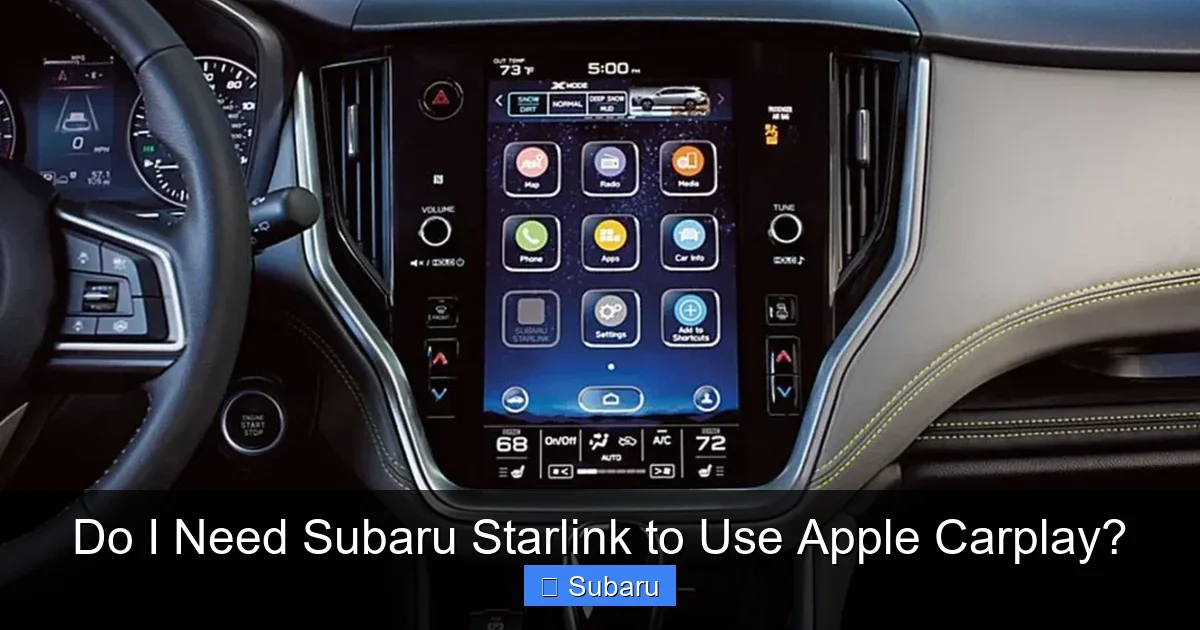
Apple CarPlay has become a staple in modern cars, and Subaru was among the early adopters. Since 2017, most new Subaru models—including the Outback, Forester, Crosstrek, Impreza, and Legacy—have offered Apple CarPlay compatibility. The system allows you to mirror select iPhone apps onto your car’s central display, creating a safer, more intuitive way to interact with your phone while driving.
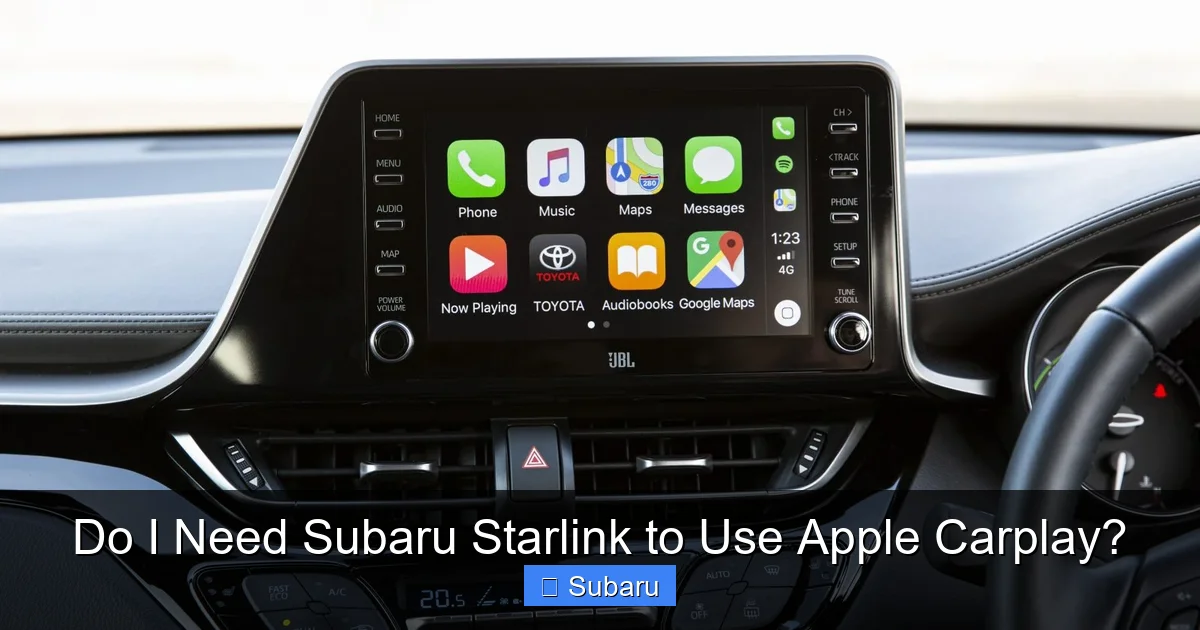
When you connect your iPhone to your Subaru via USB (or wirelessly, if supported), CarPlay launches automatically. You’ll see a simplified home screen with large icons for Maps, Phone, Messages, Music, Podcasts, and third-party apps like Spotify, WhatsApp, or Google Maps (if installed on your iPhone). Everything is optimized for minimal distraction: big buttons, voice-first controls, and glanceable info.
What makes CarPlay so valuable is that it leverages your iPhone’s intelligence. For example, if you say “Hey Siri, navigate to the nearest coffee shop,” CarPlay uses Apple Maps (or your preferred navigation app) to plot the route using real-time traffic data from your phone’s cellular connection. Similarly, incoming texts appear as notifications, and you can reply using voice dictation—all without touching your phone.
Importantly, CarPlay doesn’t rely on your car’s built-in modem or Subaru’s servers. It’s essentially a projection of your iPhone’s screen, governed by Apple’s strict safety and usability guidelines. This means performance depends largely on your iPhone’s speed and signal strength—not on whether your Subaru has an active Starlink plan.
How CarPlay Connects: Wired vs. Wireless
Subaru offers both wired and wireless Apple CarPlay, depending on the model year and trim level. Here’s what you need to know:
– **Wired CarPlay**: Available on nearly all Subaru models with CarPlay support (typically 2017 and newer). You simply plug your iPhone into the USB port using a Lightning or USB-C cable (depending on your iPhone model). The system recognizes your device and launches CarPlay within seconds. This method is reliable, charges your phone, and works even in areas with weak Wi-Fi or cellular signals.
– **Wireless CarPlay**: Introduced in later model years (usually 2020+ on higher trims like Limited, Touring, or Wilderness), wireless CarPlay uses a combination of Bluetooth and Wi-Fi to connect your iPhone to the infotainment system without cables. Once paired, your phone connects automatically when you start the car—no plugging in required. However, wireless CarPlay drains your battery faster and may lag slightly compared to wired connections.
To check if your Subaru supports wireless CarPlay, consult your owner’s manual or look for “Wireless Apple CarPlay” in the vehicle specs. If it’s not listed, you’ll need to use a cable.
Which Subaru Models Support Apple CarPlay?
As of 2024, Apple CarPlay is standard or available on virtually all current Subaru models. Here’s a quick rundown:
– **Subaru Outback**: Standard on all trims since 2017.
– **Subaru Forester**: Available from 2019 onward; standard on Premium and above.
– **Subaru Crosstrek**: Standard on Sport, Limited, and Wilderness trims (2020+); optional on Base and Premium.
– **Subaru Impreza**: Standard on Sport and Limited trims (2017+).
– **Subaru Legacy**: Standard on all trims since 2018.
– **Subaru Ascent**: Standard on all trims since launch (2019).
– **Subaru BRZ**: Supports CarPlay from 2022 onward.
Always verify with your dealer or Subaru’s official compatibility tool, as features can vary by region and model year.
What Is Subaru Starlink—and Why Might You Want It?
Visual guide about Do I Need Subaru Starlink to Use Apple Carplay?
Image source: mag.toyota.co.uk
Now that we’ve clarified that CarPlay doesn’t require Starlink, let’s explore what Starlink actually does. Subaru Starlink is the brand’s proprietary connected vehicle system, similar to GM’s OnStar or Toyota’s Safety Connect. It bundles safety, security, convenience, and infotainment features into a single platform.
Starlink isn’t a single service—it’s a suite of tools divided into two main categories:
1. **Safety & Security Services**: These include automatic collision notification, SOS emergency button, stolen vehicle recovery, and roadside assistance. Many of these features are free for the first 12 months (or longer, depending on your model), after which a paid subscription is required.
2. **Convenience & Remote Services**: These let you control your car remotely via the MySubaru app. Features include remote start, door lock/unlock, horn & lights activation, vehicle locator, and climate pre-conditioning. Some models also offer cloud-based navigation with real-time traffic and points-of-interest updates.
Importantly, Starlink uses its own embedded cellular modem (separate from your iPhone) to communicate with Subaru’s servers. This allows certain functions—like remote start—to work even when your phone isn’t in the car.
Does Starlink Affect CarPlay Performance?
No. Starlink and CarPlay operate on separate systems. Your CarPlay experience—whether wired or wireless—won’t slow down, crash, or change based on your Starlink subscription status. Even if your Starlink plan expires, CarPlay continues working normally.
However, there is one subtle overlap: **navigation**. If your Subaru has built-in navigation (often tied to Starlink), you might see two map options—Apple Maps (via CarPlay) and Subaru’s cloud-connected nav. Some drivers prefer Subaru’s system for its integration with traffic cameras or local event data, but most find Apple Maps (or Google Maps via CarPlay) more accurate and up-to-date.
Another point of confusion: early Subaru infotainment systems (pre-2020) sometimes bundled CarPlay activation with Starlink setup during initial pairing. But this was just a workflow quirk—not a technical dependency. Today, you can set up CarPlay independently.
Do You Need a Starlink Subscription to Use CarPlay?
Absolutely not. Apple CarPlay requires only:
– A compatible Subaru model
– An iPhone running iOS 7.1 or later (iOS 13+ recommended for best experience)
– A USB cable (for wired) or Bluetooth/Wi-Fi (for wireless)
No Starlink account, no login, no subscription. You don’t even need to download the MySubaru app to use CarPlay. Of course, if you want remote start or emergency services, you’ll need Starlink—but those are entirely optional add-ons.
Step-by-Step: How to Set Up Apple CarPlay in Your Subaru
Visual guide about Do I Need Subaru Starlink to Use Apple Carplay?
Image source: imore.com
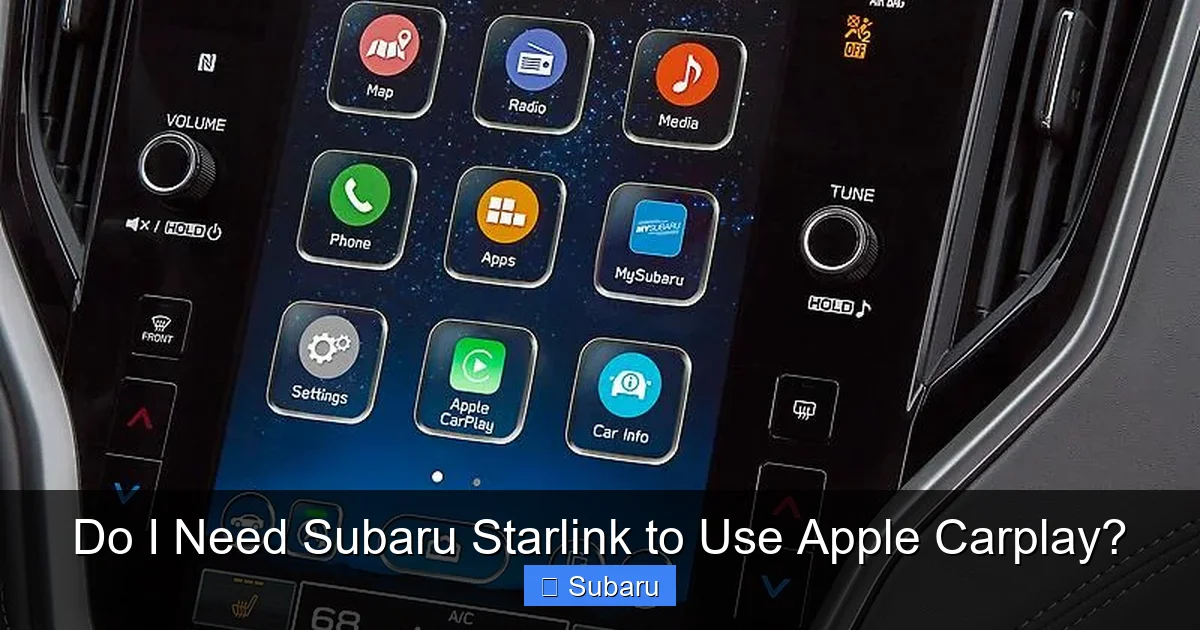
Setting up Apple CarPlay in your Subaru is straightforward. Follow these steps based on your connection type:
For Wired CarPlay
1. **Update your iPhone**: Ensure your iPhone is running the latest version of iOS (go to Settings > General > Software Update).
2. **Use a high-quality cable**: Apple-certified Lightning or USB-C cables work best. Cheap third-party cables may cause connection issues.
3. **Plug into the correct USB port**: Look for the USB port labeled with a phone icon (usually in the center console). Avoid charging-only ports.
4. **Allow CarPlay when prompted**: Your iPhone will ask if you want to enable CarPlay. Tap “Allow.”
5. **Grant permissions**: Enable access to Messages, Phone, and Siri if requested.
6. **Start driving**: CarPlay should appear on your Subaru’s screen within 10–15 seconds.
Tip: If CarPlay doesn’t launch automatically, go to your Subaru’s home screen and tap the “Phone” or “CarPlay” icon.
For Wireless CarPlay
1. **Ensure your Subaru supports wireless CarPlay** (check your manual or Subaru’s website).
2. **Enable Bluetooth and Wi-Fi on your iPhone**.
3. **Put your Subaru in pairing mode**: Go to Settings > Bluetooth on the infotainment screen and select “Add Device.”
4. **On your iPhone, go to Settings > General > CarPlay > Add New Car**.
5. **Select your Subaru from the list** and follow the on-screen prompts to complete pairing.
6. **Confirm the security code** displayed on both screens.
7. **Enable “Automatically Start”** so CarPlay launches when you enter the car.
Note: Wireless CarPlay may take 30–60 seconds to connect the first time. Subsequent connections are usually faster.
Troubleshooting Common CarPlay Issues
– **CarPlay won’t connect**: Try a different cable, restart your iPhone, or reset the infotainment system (hold the power button for 10 seconds).
– **Apps not appearing**: Make sure the app is CarPlay-compatible and enabled in iPhone Settings > General > CarPlay > [Your Car] > Customize.
– **Audio cutting out**: Check that your iPhone isn’t in Low Power Mode, and ensure the audio source is set to “CarPlay” in your Subaru’s media menu.
– **Siri not responding**: Verify Siri is enabled in iPhone Settings > Siri & Search, and that your microphone isn’t blocked.
Cost Comparison: CarPlay vs. Starlink
One of the biggest misconceptions is that using CarPlay requires ongoing fees. In reality, Apple CarPlay is free to use—no subscriptions, no hidden costs. You only pay for your regular iPhone data plan (if using cellular for maps or streaming).
Subaru Starlink, on the other hand, often comes with a free trial (typically 12 months), after which subscriptions range from $150 to $250 per year, depending on the package:
– **Safety Plus**: ~$150/year – Includes emergency services, roadside assistance, and stolen vehicle recovery.
– **Safety Plus & Security**: ~$200/year – Adds remote services like door lock/unlock and remote start.
– **Convenience Package**: ~$250/year – Includes everything above plus cloud navigation and Wi-Fi hotspot (on select models).
If your main goal is smartphone integration, CarPlay alone delivers tremendous value at no extra cost. Starlink becomes worthwhile only if you frequently use remote features or live in an area with poor cellular coverage (where Subaru’s built-in modem might offer better reliability).
Future of CarPlay and Starlink in Subaru
Subaru continues to improve both systems. Recent updates have brought faster response times, better voice recognition, and enhanced wireless CarPlay stability. The 2024 models feature larger, higher-resolution touchscreens with improved graphics—making CarPlay even more enjoyable.
Looking ahead, Subaru may deepen integration between CarPlay and Starlink. For example, future versions could allow CarPlay to access Starlink’s real-time parking availability or fuel price data. However, core CarPlay functionality will remain independent, ensuring compatibility across iPhone updates and Subaru model years.
Apple’s upcoming “CarPlay Next” (expected in late 2024) promises even greater vehicle integration—controlling climate, charging, and instrument clusters—but this will still operate alongside, not replace, Subaru’s native systems like Starlink.
Final Verdict: Should You Use CarPlay Without Starlink?
Yes—and most Subaru owners do exactly that. Apple CarPlay delivers essential smartphone functionality safely and intuitively, with zero subscription fees. Whether you’re navigating to a new restaurant, listening to a podcast, or sending a hands-free text, CarPlay enhances your drive without complicating your wallet.
Subaru Starlink is a nice-to-have, not a must-have—for CarPlay users. If you rarely use remote start or don’t care about built-in navigation, you can skip the Starlink subscription entirely and still enjoy a fully modern infotainment experience.
That said, if you value peace of mind (emergency services) or convenience (remote climate control on cold mornings), Starlink adds meaningful benefits. Just remember: it’s an optional layer on top of CarPlay, not a prerequisite.
In short: **Use Apple CarPlay. Decide on Starlink separately.** Your wallet—and your driving experience—will thank you.
Frequently Asked Questions
Do I need a Starlink subscription to activate Apple CarPlay?
No, you do not need a Starlink subscription to use Apple CarPlay. CarPlay connects directly to your iPhone and works independently of Subaru’s connected services.
Can I use wireless Apple CarPlay without Starlink?
Yes. Wireless CarPlay relies on your iPhone’s Bluetooth and Wi-Fi, not Subaru Starlink. As long as your Subaru model supports it, you can use wireless CarPlay with or without a Starlink plan.
Will my CarPlay stop working if my Starlink subscription expires?
No. CarPlay continues to function normally even if your Starlink subscription lapses. The two systems operate separately.
Which Subaru models support Apple CarPlay?
Most Subaru models from 2017 onward support Apple CarPlay, including the Outback, Forester, Crosstrek, Impreza, Legacy, Ascent, and BRZ (2022+). Check your trim level for confirmation.
Do I need the MySubaru app to use CarPlay?
No. The MySubaru app is only required for Starlink remote services. Apple CarPlay works without it.
Is Apple CarPlay free to use in Subaru vehicles?
Yes. Apple CarPlay itself is free. You only pay for your regular iPhone data plan if using cellular for maps or streaming.
