

Can Toyota Unlock My Car Remotely?

Contents
- 1 Key Takeaways
- 2 📑 Table of Contents
- 3 How Toyota Remote Unlocking Works
- 4 Toyota Connected Services: The App That Unlocks Your Car
- 5 Calling Toyota Roadside Assistance for Remote Unlock
- 6 Which Toyota Models Support Remote Unlocking?
- 7 Setting Up Remote Unlocking: A Step-by-Step Guide
- 8 Security and Privacy: Is Remote Unlocking Safe?
- 9 What to Do If Remote Unlocking Fails
- 10 Tips to Avoid Getting Locked Out in the First Place
- 11 Conclusion
- 12 Frequently Asked Questions

LED Indicator Light

Car Tool Kit Set

Portable Air Pump
Reflective Safety Triangle
Yes, Toyota can unlock your car remotely in many cases—thanks to advanced connected services like Toyota Connected Services and 24/7 roadside assistance. Whether you’ve locked your keys inside or lost your fob, Toyota offers multiple ways to get back in quickly and securely, often without needing a tow or locksmith.
Have you ever walked up to your Toyota, reached for the door handle, and realized—your keys are locked inside? Or worse, you left the key fob on the kitchen counter while the engine’s still running? It’s a frustrating, all-too-common scenario that can throw off your entire day. But here’s the good news: **Toyota has been quietly building a suite of smart, connected features designed to help drivers like you get back into your vehicle—remotely.**
Gone are the days when locking yourself out meant calling a locksmith, waiting hours, or even breaking a window (please don’t do that!). Today, many Toyota vehicles come equipped with technology that allows the manufacturer or authorized service providers to unlock your car from afar. Whether it’s through a smartphone app, a phone call to customer support, or integration with emergency roadside services, Toyota is making it easier than ever to regain access without stress or damage.
But how exactly does it work? Is it available on your specific model? And what do you need to do to set it up? In this guide, we’ll walk you through everything you need to know about remote car unlocking with Toyota—from the tech behind it to step-by-step instructions, real-world examples, and smart tips to avoid getting locked out in the first place.
Key Takeaways
- Toyota Connected Services enables remote unlocking: If your vehicle is equipped with this feature and you have an active subscription, you can unlock your doors via the Toyota app.
- 24/7 roadside assistance is available to all Toyota owners: Even without connected services, calling Toyota’s roadside support can lead to remote unlocking or dispatch of a technician.
- Not all Toyota models support remote unlocking: Older vehicles or base trims may lack the necessary hardware for app-based access.
- You’ll need to verify your identity: For security, Toyota requires proof of ownership before performing any remote unlock.
- Keep your Toyota app updated and linked: Ensure your vehicle is properly registered in the app to avoid delays during emergencies.
- Physical key fobs still matter: Always carry a spare key or keep one in a secure location as a backup.
- Remote unlocking isn’t instant: While fast, the process may take a few minutes depending on network connectivity and verification steps.
📑 Table of Contents
- How Toyota Remote Unlocking Works
- Toyota Connected Services: The App That Unlocks Your Car
- Calling Toyota Roadside Assistance for Remote Unlock
- Which Toyota Models Support Remote Unlocking?
- Setting Up Remote Unlocking: A Step-by-Step Guide
- Security and Privacy: Is Remote Unlocking Safe?
- What to Do If Remote Unlocking Fails
- Tips to Avoid Getting Locked Out in the First Place
- Conclusion
How Toyota Remote Unlocking Works
At the heart of Toyota’s remote unlocking capability is its **Toyota Connected Services** platform. This cloud-based system links your vehicle to Toyota’s secure network, allowing data and commands—like locking or unlocking doors—to be sent directly to your car via cellular or Wi-Fi connections. Think of it like your car having its own smartphone that can receive instructions from Toyota’s servers.
When you use the Toyota app to request a remote unlock, here’s what happens behind the scenes:
1. You open the Toyota app and select “Unlock Doors.”
2. The app sends a secure request to Toyota’s servers.
3. Toyota verifies your identity and checks that the vehicle is eligible.
4. If approved, a command is sent to your car’s onboard computer.
5. Your car receives the signal and unlocks the doors—usually within 1–3 minutes.
This process relies on your vehicle being equipped with the necessary telematics hardware, which is standard on most newer Toyota models (typically 2018 and later). The system uses encrypted communication to prevent hacking or unauthorized access, so you can feel confident your car is secure.
It’s important to note that remote unlocking isn’t magic—it requires an active data connection. If your car is in a parking garage with poor signal or the battery is completely dead, the command might not go through. That’s why Toyota also offers alternative solutions, like dispatching a technician with specialized tools.
Toyota Connected Services: The App That Unlocks Your Car

Visual guide about Can Toyota Unlock My Car Remotely?
Image source: lockorunlock.com
If your Toyota was built in the last five to six years, there’s a strong chance it’s compatible with **Toyota Connected Services (TCS)**—the brand’s suite of digital features that includes remote start, vehicle health reports, stolen vehicle tracking, and yes, remote door unlocking.
To use remote unlocking via the app, you’ll need to:
– Own a compatible Toyota model (most 2018+ vehicles with Safety Connect or Remote Connect)
– Have an active TCS subscription (often free for the first few years, then paid)
– Download the official Toyota app (available on iOS and Android)
– Link your vehicle to your Toyota owner account
Once set up, unlocking your car is as simple as opening the app, selecting your vehicle, and tapping “Unlock Doors.” You’ll receive a confirmation notification once the command is sent and again when the doors are successfully unlocked.
Let’s say you’re at the grocery store and realize your key fob is still in the cart you just returned. Instead of frantically searching or calling for help, you pull out your phone, open the Toyota app, and unlock the doors in under a minute. No stress, no damage, no extra cost (if your subscription is active).
But what if you’re not near your phone? Or your phone battery dies? That’s where Toyota’s 24/7 customer support comes in.
Calling Toyota Roadside Assistance for Remote Unlock

Visual guide about Can Toyota Unlock My Car Remotely?
Image source: lockorunlock.com
Not every Toyota owner uses the app regularly—or maybe you’re helping a family member who doesn’t have it set up. The good news? **You don’t need the app to get remote unlocking help.** Toyota offers 24/7 roadside assistance to all owners, regardless of whether they have Connected Services.
Here’s how it works:
1. Call Toyota Roadside Assistance at 1-800-444-4195 (U.S.) or the local equivalent.
2. Provide your vehicle identification number (VIN), location, and proof of ownership (like your driver’s license and registration).
3. Explain that you’re locked out and request a remote unlock.
If your vehicle is eligible and connected, a Toyota representative can initiate the unlock command remotely—just like the app does. This service is typically free for the first few years of ownership (varies by model and region), and even after that, it’s often included in extended service plans.
In some cases, especially with older vehicles or those without telematics, Toyota may dispatch a mobile technician equipped with diagnostic tools to unlock your car manually. These technicians use non-destructive methods, such as slim jims or inflatable wedges, to safely open the door without damaging locks or windows.
One real-world example: A Toyota Camry owner in Chicago locked his keys inside while dropping off his kids at school. He didn’t have the app set up, so he called roadside assistance. Within 15 minutes, a technician arrived and unlocked the car using a specialized tool—no scratches, no broken glass, and no charge because he was still within his complimentary service period.
Which Toyota Models Support Remote Unlocking?
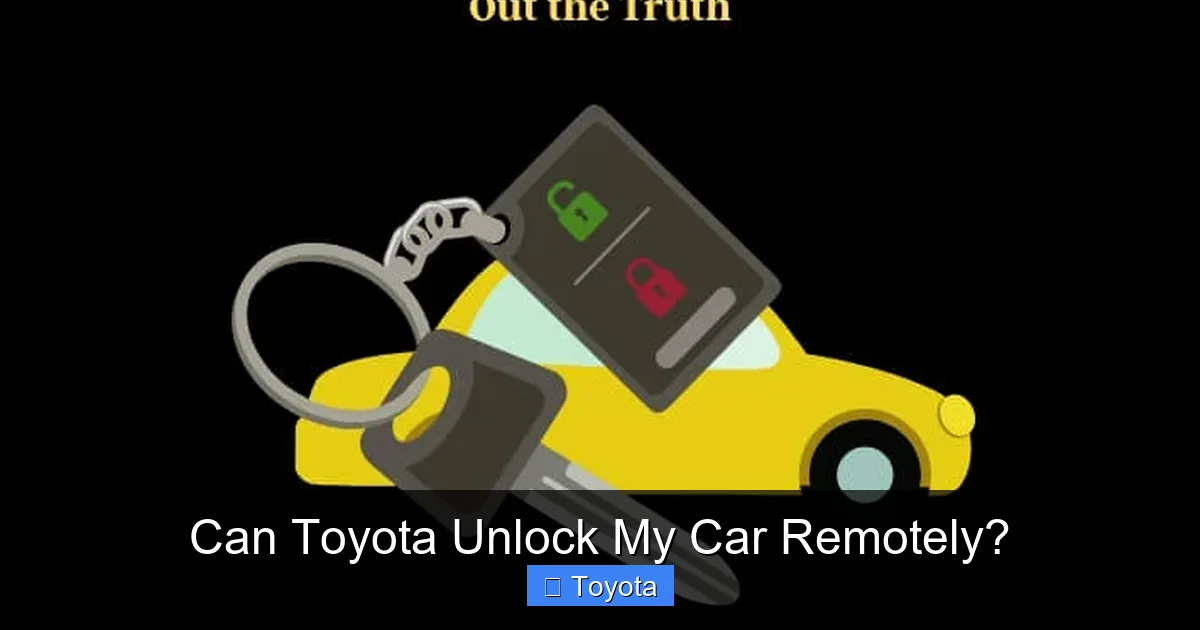
Visual guide about Can Toyota Unlock My Car Remotely?
Image source: lockorunlock.com
Not every Toyota can be unlocked remotely—it depends on the model, year, trim level, and available technology packages. Here’s a general breakdown:
Models with Standard Remote Unlocking (2018 and Newer)
Most Toyota vehicles from 2018 onward come with some level of connected services. This includes:
– Toyota Camry (2018+)
– Toyota Corolla (2020+)
– Toyota RAV4 (2019+)
– Toyota Highlander (2020+)
– Toyota Prius (2017+)
– Toyota Tacoma (2020+)
– Toyota Tundra (2022+)
– Toyota Sienna (2021+)
These models typically include **Remote Connect** as part of Toyota Connected Services, which enables app-based locking and unlocking.
Older or Base Models May Not Qualify
If you drive a 2015 Corolla or a 2017 RAV4 without the Tech Package, you likely won’t have remote unlocking capabilities. These vehicles lack the embedded telematics module needed to receive remote commands.
Hybrid and Electric Models
Toyota’s hybrid and plug-in models—like the Prius Prime, RAV4 Prime, and bZ4X—almost always include advanced connectivity features, including remote unlocking, due to their higher trim levels and tech-focused positioning.
To check if your specific Toyota supports remote unlocking:
– Look for the Toyota app compatibility on the window sticker or owner’s manual.
– Log into your Toyota owner account online and see if “Remote Connect” is listed under your vehicle’s features.
– Contact Toyota customer service with your VIN for confirmation.
Setting Up Remote Unlocking: A Step-by-Step Guide
If your Toyota is compatible, setting up remote unlocking is straightforward—but it’s not automatic. You need to activate and link your services. Here’s how:
Step 1: Create a Toyota Owner Account
Go to toyota.com and click “Sign In” or “Create Account.” Use the email and phone number associated with your vehicle purchase.
Step 2: Add Your Vehicle
Enter your VIN and follow the prompts to link your car to your account. You may need to verify ownership with your registration or proof of purchase.
Step 3: Download the Toyota App
Search for “Toyota” in the App Store (iOS) or Google Play (Android). Download the official app and log in with your owner account credentials.
Step 4: Activate Remote Connect
Open the app, select your vehicle, and look for “Remote Connect” or “Connected Services.” Follow the on-screen instructions to activate. This may require accepting terms and confirming your subscription status.
Step 5: Test the Feature
Once activated, try locking and unlocking your doors from the app while standing near your car. This ensures everything is working correctly.
Pro Tip: Keep your app updated and your subscription active. If your free trial expires and you don’t renew, remote unlocking will stop working—even if your car is compatible.
Security and Privacy: Is Remote Unlocking Safe?
With any connected car feature, security is a top concern. After all, you don’t want just anyone unlocking your Toyota with a few taps on a phone.
Toyota takes this seriously. Here’s how they protect your vehicle:
– **Multi-Factor Authentication:** The app requires your login credentials and often a PIN or biometric verification (like fingerprint or face ID).
– **Encrypted Communication:** All data between the app, Toyota’s servers, and your car is encrypted using industry-standard protocols.
– **Identity Verification:** When calling roadside assistance, you must prove ownership before any action is taken.
– **Geofencing and Alerts:** Some features allow you to set boundaries and receive alerts if your car is moved or accessed unexpectedly.
Additionally, remote unlocking only works when the vehicle is stationary and in park. You can’t accidentally unlock your car while driving, and the system won’t respond if the engine is running and in gear.
That said, no system is 100% hack-proof. To minimize risk:
– Use strong, unique passwords for your Toyota account.
– Enable two-factor authentication if available.
– Never share your login details or leave your phone unlocked in public.
– Report any suspicious activity to Toyota immediately.
What to Do If Remote Unlocking Fails
Even with the best technology, things don’t always go as planned. Here are common reasons remote unlocking might fail—and what you can do:
Poor Cellular Signal
If your car is in a basement garage, rural area, or underground parking, the signal may be too weak. Try moving your car to a location with better reception, or call roadside assistance for manual help.
Dead 12-Volt Battery
The telematics system relies on your car’s battery. If it’s completely dead, the car can’t receive commands. In this case, you’ll need a jump start or battery replacement before remote unlocking will work.
Expired Subscription
If your Toyota Connected Services subscription has lapsed, remote features will be disabled. Log into your account to check your status and renew if needed.
App Glitches
Sometimes the app freezes or fails to send commands. Try closing and reopening the app, restarting your phone, or using the web version of Toyota Connected Services.
Vehicle Not Linked Properly
If your car isn’t correctly registered in the app, commands won’t go through. Double-check your vehicle details and re-link if necessary.
When all else fails, **call Toyota Roadside Assistance**. They have access to multiple tools and can often resolve the issue remotely or send help quickly.
Tips to Avoid Getting Locked Out in the First Place
While remote unlocking is a lifesaver, prevention is always better than cure. Here are some smart habits to reduce the chances of locking yourself out:
– **Use a Key Fob with a Physical Key:** Many Toyota fobs have a hidden mechanical key inside. Keep it accessible (e.g., in your wallet or a magnetic key holder on the car).
– **Install a Keyless Entry Keypad:** Some Toyota models (like the Highlander and Sienna) offer an optional keypad on the B-pillar. Enter a code to unlock without a fob.
– **Leave a Spare Key with a Trusted Person:** Give a spare fob or key to a family member or friend who lives nearby.
– **Use a Key Finder:** Attach a Bluetooth tracker like Tile or Apple AirTag to your keychain. If you misplace it, you can locate it via your phone.
– **Develop a Routine:** Before walking away from your car, do a quick check: keys in hand, phone charged, wallet secured.
Bonus Tip: If you frequently forget your keys, consider upgrading to a Toyota with **Digital Key** (available on select 2023+ models). This feature lets you use your smartphone as a key—no fob needed.
Conclusion
So, can Toyota unlock your car remotely? **Absolutely—if your vehicle is equipped with the right technology and services.** Thanks to Toyota Connected Services, the Toyota app, and 24/7 roadside assistance, getting locked out doesn’t have to mean calling a locksmith or breaking a window.
Whether you’re using the app for a quick unlock or calling support for help, Toyota’s systems are designed to be secure, reliable, and user-friendly. Just remember to keep your subscription active, your app updated, and your contact information current.
And while remote unlocking is incredibly convenient, it’s no substitute for good habits. Keep a spare key handy, stay aware of your fob’s location, and take advantage of built-in safety features like keyless entry keypads or Digital Key.
With the right preparation and Toyota’s smart technology on your side, you can drive with confidence—knowing that even if you forget your keys, help is just a tap or a phone call away.
Frequently Asked Questions
Can Toyota unlock my car remotely if I don’t have the app?
Yes, you can still get remote unlocking help by calling Toyota Roadside Assistance at 1-800-444-4195. They can initiate the unlock command if your vehicle is connected, or dispatch a technician if needed.
Is remote unlocking free with Toyota?
Remote unlocking is typically free for the first few years of ownership as part of Toyota Connected Services. After that, it may require an active subscription, though roadside assistance often covers lockout help regardless.
How long does it take for Toyota to remotely unlock my car?
Once the command is sent, most vehicles unlock within 1–3 minutes. Delays can occur due to poor signal, app glitches, or verification steps.
Can someone else unlock my Toyota remotely?
No. Only the registered owner (or someone with verified access) can request a remote unlock. Toyota requires identity verification for security.
What if my Toyota doesn’t have remote unlocking?
If your model isn’t compatible, Toyota can still send a technician to unlock your car manually using non-destructive tools—usually at no extra cost under roadside assistance.
Will remote unlocking work if my car battery is dead?
No. The telematics system needs power to receive commands. If the battery is dead, you’ll need a jump start first before remote unlocking can work.







