
How Do You Remote Start a Toyota Camry with a Key Fob?

Remote starting your Toyota Camry with the key fob is a convenient feature that lets you start the engine from outside the vehicle to adjust cabin temperature before you get in. The process is simple: press the lock button twice, then press and hold the start button within a few seconds. However, this feature requires specific prerequisites like a properly paired key fob, a functional battery, and the vehicle being in ‘Park’ with all doors closed.
Key Takeaways
- Prerequisites are Mandatory: Your Camry must be in ‘Park,’ all doors and the hood must be securely closed, and the key fob must have a good battery and be within range (typically 50-100 feet).
- The Standard Sequence is Lock-Lock-Hold: The most common method is to press the lock button twice quickly, then press and hold the remote start button (usually a circular arrow icon) for about one second.
- Confirmation is Visual and Audible: A successful remote start is confirmed by the parking lights flashing and/or the horn honking once, and the engine will start and run for a preset time (usually 10-15 minutes).
- Safety Systems Prevent Remote Start: The feature will not activate if the hazard lights are on, if the key is inside the car, if any door is ajar after the sequence, or if there’s a fault in the security system.
- Key Fob Battery Health is Critical: A weak key fob battery is the most common cause of remote start failure. Replacing it is often the first and easiest troubleshooting step.
- Model Year and Trim Level Matters: Not all Camry models have remote start as standard. It is typically found on higher trims (XLE, XSE, Limited) and may require a connected services subscription on newer models.
- Entry is Still Required: After remote starting, you must physically use the key fob or key to unlock and enter the vehicle, then press the brake pedal and push the start button to drive.
📑 Table of Contents
- What is Remote Start and Why is It Useful for a Camry?
- Prerequisites: Is Your Camry Ready to Be Remote Started?
- The Standard Remote Start Button Sequence for a Toyota Camry
- Troubleshooting: Why Your Remote Start Might Not Work
- Safety Features and Limitations of Remote Start
- Advanced and Model-Specific Considerations
- Conclusion: Simplifying Your Daily Drive
What is Remote Start and Why is It Useful for a Camry?
Imagine stepping into your Toyota Camry on a frigid winter morning or a scorching summer afternoon to find the seats comfortably warm or cool, and the cabin air already at a bearable temperature. That’s the magic of the remote start feature. It’s a convenience function that allows you to start your vehicle’s engine from a distance using your key fob, without needing to be inside the car. For a reliable sedan like the Camry, which is often used for daily commutes and family duties, this feature significantly enhances comfort and can even improve safety by defrosting windows or cooling the interior before departure.
The system works through a secure, encrypted radio frequency communication between your key fob and the vehicle’s receiver. When you perform the correct button sequence, a signal is sent to the car’s computer, which checks a series of safety parameters before engaging the starter motor. It’s a sophisticated but user-friendly piece of technology designed to make your life a little easier. Understanding exactly how it works, and what it needs to work, is the first step to mastering it.
Prerequisites: Is Your Camry Ready to Be Remote Started?
Before you even think about pressing buttons, your Toyota Camry must meet several conditions. The vehicle’s onboard computer is programmed with multiple safety locks to prevent accidental remote starting, which could be dangerous. If any single condition isn’t met, the system will simply ignore your command. Knowing these prerequisites will save you from frustration and help you diagnose why a remote start might fail.
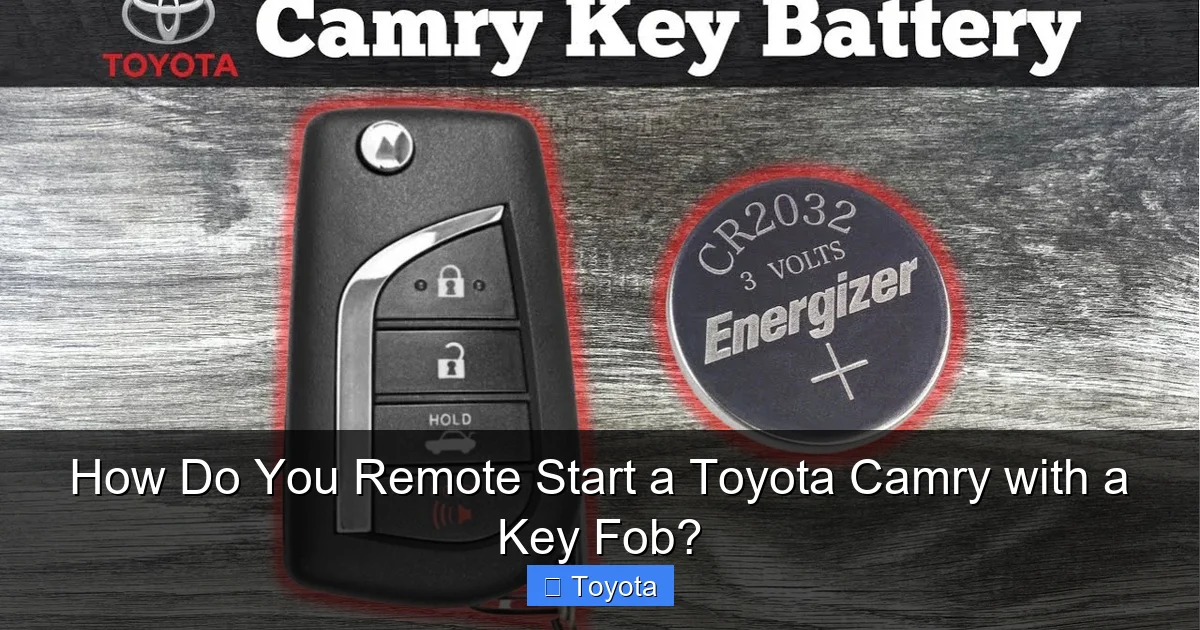
Visual guide about How Do You Remote Start a Toyota Camry with a Key Fob?
Image source: i.ytimg.com
The Vehicle Must Be in ‘Park’
This is non-negotiable. The transmission must be in the ‘Park’ (P) position. The system has a neutral safety switch that physically prevents the starter from engaging unless the gear selector is in Park. This is a fundamental safety feature on all automatic transmission vehicles to prevent the car from lurching forward unexpectedly. Always double-check your gear indicator on the dashboard before attempting a remote start.
All Doors, Trunk, and Hood Must Be Closed
The vehicle’s door ajar sensors must report that all doors, the trunk, and the hood are fully latched and closed. An open door presents an obvious safety risk—someone could reach in and put the car in gear—so the computer will block the start sequence. This includes the trunk. A slightly ajar trunk lid will also disable the function.
Key Fob Must Be Within Range and Have a Good Battery
Your key fob needs to be within a specific operational range, typically 50 to 100 feet in a clear line of sight. Obstacles like walls, large metal objects, or other vehicles can reduce this range significantly. More importantly, the key fob’s internal coin cell battery (usually a CR2032) must have sufficient charge. A weak battery produces a weaker signal, which may not reach the car or may be too garbled for the receiver to understand. If your remote start suddenly stops working, a battery replacement is the most likely fix. You can find a guide on how to program a Toyota Camry key fob if a simple battery change doesn’t restore full functionality, as sometimes the fob can lose its pairing.
The Parking Brake Does Not Need to Be Set
Contrary to what some might think, the electronic parking brake does not need to be engaged for remote start to function on a Camry. The system only checks for ‘Park’ and closed doors. However, if you have an aftermarket remote start system, its requirements might differ.
The Gas Tank Must Have Fuel
This might seem obvious, but the system will not start if the fuel level is critically low. It’s a protective measure to prevent you from being stranded with a dead battery after a short remote start run.
The Standard Remote Start Button Sequence for a Toyota Camry
Now for the main event. The process is designed to be deliberate enough to prevent accidental activation but simple enough to remember. The exact button layout can vary slightly by model year and trim, but the logic is consistent. On most Toyota key fobs, the remote start button is a circular arrow icon, often located on the top or side of the fob. It may be a dedicated button or share a button with the trunk release (requiring a long press for trunk, short press for remote start).
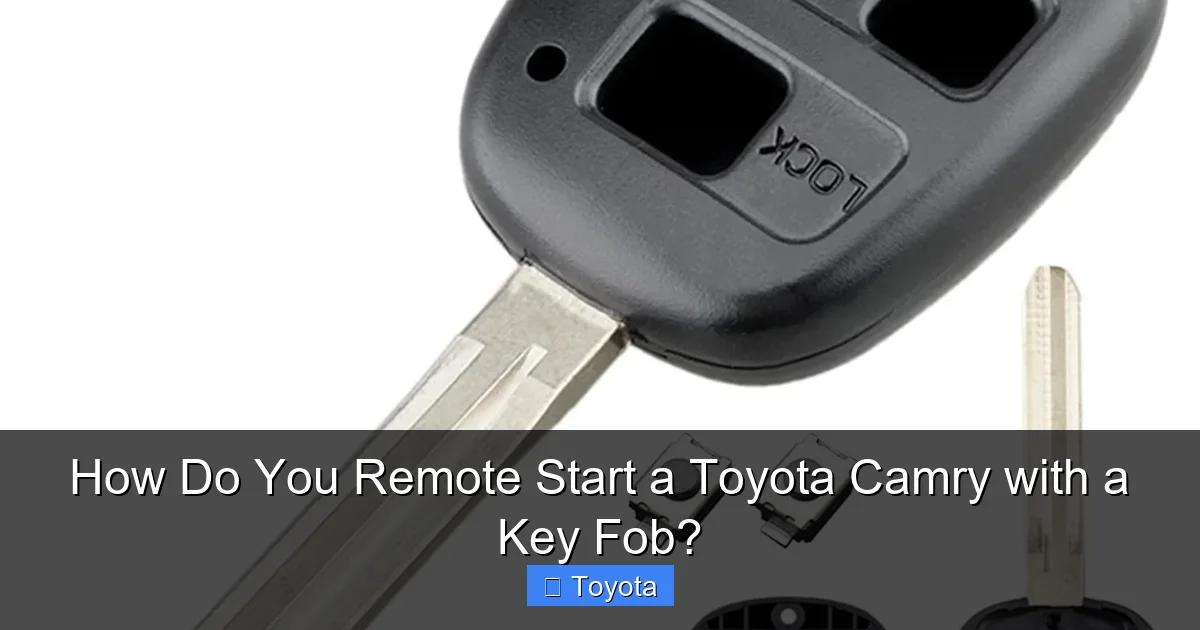
Visual guide about How Do You Remote Start a Toyota Camry with a Key Fob?
Image source: m.media-amazon.com
Step-by-Step Button Press Guide
Follow these steps precisely:
- Ensure Prerequisites Are Met: Confirm the car is in Park, all doors/hood/trunk are shut, and you are within range.
- Unlock the Doors (Optional but Recommended): You can start from a locked or unlocked state. Many users press the unlock button first to ensure the fob is communicating.
- Press the Lock Button Twice Quickly: Press the lock button on your fob firmly two times in rapid succession. You should hear two separate lock activations from the car. This step is crucial for the sequence on most models.
- Immediately Press and Hold the Remote Start Button: Within 2-3 seconds of the second lock press, locate the remote start button (the circular arrow) and press and hold it down for approximately 1-2 seconds. You don’t need to hold it for a long time.
If the sequence is successful, you will see the parking lights on your Camry flash, and you will often hear a single honk from the horn. The engine will then crank and start. The HVAC system will automatically turn on to a preset temperature (usually a comfortable default or the last setting used). The engine will run for a set duration—commonly 10 or 15 minutes—before automatically shutting off.
Important Notes on the Sequence
- Timing is Flexible but Not Infinite: The “press lock twice, then hold start” sequence must be completed within a short window (about 5-10 seconds total). If you wait too long between steps, the car will not register the command.
- No Need to Aim: The key fob uses radio frequency (RF), not infrared, so you do not need to point it at the car. Just ensure you are within range and there are minimal major obstructions.
- Feedback is Key: Always look for the flashing lights and listen for the honk. If you get neither, the start command was not accepted. Do not assume it worked; always verify.
- To Cancel a Remote Start: You can cancel the remote start at any time by pressing the lock button once, or by unlocking the door with the fob and then pressing any button on the fob. You can also simply get in the car, press the brake, and push the start button—this will disengage the remote start and put you in full control.
Troubleshooting: Why Your Remote Start Might Not Work
Even when you follow the steps perfectly, remote start can fail. Don’t panic. Most issues are simple to diagnose and fix. Here’s a systematic approach to troubleshooting your Camry’s remote start function.
Visual guide about How Do You Remote Start a Toyota Camry with a Key Fob?
Image source: assets.howtune.com
Check the Obvious First: Doors, Hood, and Gear
Walk around the vehicle. Is every single door, including the driver’s door, fully closed? Is the trunk lid flush? Is the hood securely latched? Get in the driver’s seat and confirm the gear selector shows a solid ‘P’. A door that seems closed but isn’t fully latched is a classic culprit. Open and firmly close each one again.
Key Fob Battery Replacement
As mentioned, this is the #1 cause. A weak battery will have reduced range and may fail to send a strong enough signal for the more complex remote start command (which requires multiple signals in quick succession). Replacing the battery is easy: find the small slot on the fob, insert a flathead screwdriver or your fingernail to pry open the case, swap the old CR2032 for a new one (ensure the + side is facing up), and snap it back together. If you’re unsure, there are plenty of videos specific to your Camry model year. After replacing the battery, you may need to re-sync the fob by placing it in the ignition and turning to ‘ON’ (if your model requires it), but usually, a simple battery swap restores function immediately. For more complex issues, you might need to consult a guide on how to program a Toyota Camry key fob.
Verify Feature Availability on Your Specific Model
Not every Camry comes with remote start standard. On many models, it is part of a convenience package or only available on higher trims like the XLE, XSE, or Limited. On some newer model years (e.g., 2020+), it might be tied to a connected services subscription like Toyota’s Safety Connect or a paid app-based remote start. Check your owner’s manual or window sticker. If your key fob simply does not have the remote start button (the circular arrow icon), then your vehicle was not equipped with the feature from the factory, and an aftermarket system would be required.
Check for Technical Issues or Faults
If all prerequisites are met, the battery is new, and the feature is confirmed to be equipped, there may be a deeper electronic issue. The most common is a faulty hood latch switch. This switch tells the car the hood is closed. If it fails, the car thinks the hood is open and disables remote start. A diagnostic scan at a Toyota dealership or a qualified locksmith/mechanic can read the body control module for stored fault codes. Other potential issues include a malfunctioning key fob itself (try your spare fob if you have one) or a problem with the vehicle’s receiver module.
Environmental Factors
Extreme cold can weaken the key fob battery signal temporarily. Being too close to the vehicle (within 1-2 feet) can sometimes cause the signal to be “overpowered” and not read correctly—step back a few paces. Strong radio frequency interference from large power lines, cell towers, or other devices in the immediate vicinity can also disrupt the signal.
Safety Features and Limitations of Remote Start
Remote start is a convenience feature, but Toyota has built in multiple layers of safety to prevent accidents and misuse. Understanding these limitations is part of responsible ownership.
How Long Can the Engine Run?
For security and fuel economy, the remote start runtime is limited. On most Camry models, the engine will run for 10 minutes on the first remote start activation. You can usually extend this by pressing the remote start button again while the engine is running, which will add another 10 minutes (for a total of 20). After the maximum time, the engine will shut off automatically. Some newer models with connected services may have different timers. The engine will also shut off automatically if any door is opened after the start, if the gear selector is moved out of Park, or if the brake pedal is pressed.
You Cannot Drive Away Remotely
This is the most important safety point. Remote start only cranks and starts the engine. The vehicle remains in Park, and all security systems are active. To drive, you must physically unlock the vehicle with your key fob (or key), get inside, press the brake pedal, and push the start/stop button (or turn the key) to shift control from the remote start mode to driver control. The car will not move without these steps.
Location and Legal Restrictions
Never use remote start in an enclosed garage, even with the garage door open. A running vehicle in a closed or semi-closed space can quickly fill the area with dangerous, odorless carbon monoxide fumes. Always ensure your Camry is parked in a well-ventilated, open area. Be aware of local idling laws in your city or state, as some jurisdictions have restrictions on how long a vehicle can idle unattended.
Security and Theft Deterrence
The encrypted signal between your fob and car is unique and difficult to clone, providing good security against casual thieves. However, the feature does not disable the ignition lock. A thief could not simply drive off in your Camry after a remote start because the key fob (or a programmed key) would still be required to press the brake and push the start button to shift out of Park. The running engine might actually draw attention, acting as a mild deterrent.
Advanced and Model-Specific Considerations
While the core process is the same, details can vary between different Camry generations and trims. Knowing these nuances can clear up confusion.
Differences Between Model Years (2018-2025)
On older models (pre-2018), the remote start button is often a distinct red or green circular arrow on the fob. On newer models (2018+), the fob design changed, and the remote start function is often integrated, requiring you to press the lock button twice, then press the trunk release button (which has a dual function) for about one second. Always consult your owner’s manual for the exact procedure for your specific year and trim. The how to remote start a 2023 Toyota Camry guide will have the most up-to-date sequence for the latest models.
The Role of Connected Services (Toyota App)
For Camry models equipped with Toyota’s connected services (like Safety Connect or Remote Connect), you can also start your car via the Toyota smartphone app. This uses cellular data instead of direct RF from the fob, meaning you can start your car from virtually anywhere with a cell signal. The app-based start has similar prerequisites (Park, doors closed) but offers greater range. Some models even require an active subscription for the key fob’s remote start to work, making the app the primary method. Check your subscription status if your fob-based remote start suddenly stops working.
Aftermarket Remote Start Systems
If your Camry didn’t come with factory remote start, an aftermarket system can be installed. These systems work differently, often using a separate, longer-range fob. Installation can be complex, involving tapping into the vehicle’s starter wire, ignition wire, and door sensors. It must be done professionally to avoid damaging the car’s computer or voiding warranties. Aftermarket systems may also bypass some of the factory safety interlocks, so it’s crucial to choose a reputable brand and installer.
Remote Start vs. Keyless Entry and Push-Button Start
Don’t confuse remote start with the keyless entry system (which unlocks the doors when you touch the handle) or the push-button start (which ignites the engine when you press the button with the fob inside). Remote start is a distinct function that runs the engine while you are outside. Your Camry almost certainly has keyless entry and push-button start if it has remote start, but the reverse is not true. You can have keyless entry and push-button start without having the remote start feature.
Conclusion: Simplifying Your Daily Drive
Mastering the remote start function on your Toyota Camry transforms a routine task into a moment of comfort. The process is wonderfully simple—a quick double-lock press followed by a hold of the start button—but its reliability hinges on a few key conditions: the car in Park, all doors shut, and a healthy key fob battery. By understanding the prerequisites, the exact sequence, and the built-in safety protocols, you can use this feature with confidence every day.
When issues arise, as they sometimes do, methodical troubleshooting—starting with the fob battery and door sensors—will resolve most problems. Remember that this feature is a convenience, not a substitute for proper entry and start procedure. You must still use your fob to unlock and your brake/start button to drive. For any persistent electronic faults, a professional diagnosis is recommended. Embrace this small piece of automotive technology to make every journey in your Camry start off on the right foot, quite literally, from the comfort of your home or office.
Frequently Asked Questions
What is the typical range for the key fob to remote start a Camry?
The effective range is usually 50 to 100 feet in a clear, unobstructed line of sight. Walls, other vehicles, and severe weather can significantly reduce this range. Always test from your usual starting point.
Can I remote start my Camry if the key fob battery is low?
A low battery is the most common cause of remote start failure. The signal may be too weak to reach the car or be properly decoded. Replacing the key fob battery with a fresh CR2032 coin cell is the first and easiest fix.
Does my Camry need to be unlocked to use remote start?
No, the vehicle can be locked or unlocked. The remote start sequence works from either state. Many users prefer to unlock first to ensure the fob is communicating, but it’s not a requirement for the function.
Is it safe to remote start my Camry in an attached garage?
Absolutely not. Never use remote start in an enclosed or even partially enclosed space like a garage. Carbon monoxide from the exhaust can quickly fill the area and seep into your home, posing a deadly risk. Only use it in a wide-open, well-ventilated area.
How long does the engine run after a remote start?
The default runtime is typically 10 minutes on the initial activation. You can usually extend it by another 10 minutes by pressing the remote start button again while the engine is running, for a total of 20 minutes. The engine will then shut off automatically.
Can I drive my Camry immediately after a remote start without using the key?
No. After the engine is running via remote start, you must physically approach the vehicle, unlock it with your key fob (or manual key), get inside, press the brake pedal, and then push the engine start/stop button to take full control and shift the car out of Park. The car will not drive without these steps.
