
How to Remote Start a 2023 Toyota Camry

Remote starting your 2023 Toyota Camry is easy and convenient, especially in extreme weather. This guide walks you through the process, required equipment, and common troubleshooting tips to ensure smooth operation every time.
Key Takeaways
- Remote start is available on select 2023 Camry trims: Not all models come standard with remote start—check your trim level and optional packages.
- Use the key fob or Toyota app: You can start your Camry remotely using the physical key fob or the Toyota app on your smartphone.
- Engine runs for 5 or 10 minutes: The default runtime is 5 minutes, but it can be extended to 10 minutes with a second press.
- Vehicle must be in Park and locked: Remote start won’t work if the car is in gear, unlocked, or has the hood open.
- Climate control pre-sets activate: Your last-used heating or cooling settings will automatically engage when the engine starts.
- Security features remain active: The alarm system and immobilizer stay armed even when the engine is running remotely.
- Troubleshooting tips included: If remote start fails, check battery levels, signal range, and system settings.
📑 Table of Contents
- Introduction: Why Remote Start Matters in the 2023 Toyota Camry
- Which 2023 Toyota Camry Trims Include Remote Start?
- How to Remote Start Your 2023 Toyota Camry Using the Key Fob
- Using the Toyota App to Remote Start Your Camry
- Climate Control and Comfort Features During Remote Start
- Troubleshooting Common Remote Start Issues
- Conclusion: Enjoy Comfort and Convenience with Remote Start
Introduction: Why Remote Start Matters in the 2023 Toyota Camry
Imagine stepping out of your house on a freezing winter morning. The ground is icy, your breath is visible, and the thought of sitting in a cold car makes you shiver. Now, picture this: you press a button on your key fob from the warmth of your kitchen, and your 2023 Toyota Camry starts up, heater blasting, defroster clearing the windshield—all before you’ve even left the driveway. That’s the magic of remote start, and it’s one of the most appreciated features in modern vehicles.
The 2023 Toyota Camry brings this convenience to the forefront, blending reliability with smart technology. Whether you’re dealing with scorching summer heat or biting winter cold, remote start lets you precondition your cabin so you can step into a comfortable car every time. But it’s not just about comfort—remote start also helps protect your engine by allowing it to warm up gradually, which is especially important in colder climates.
In this guide, we’ll walk you through everything you need to know about how to remote start a 2023 Toyota Camry. From understanding which trims support the feature to using the key fob or Toyota app, we’ve got you covered. We’ll also share practical tips, explain safety features, and help you troubleshoot common issues. By the end, you’ll be a remote start pro, ready to enjoy a more comfortable and efficient driving experience.
Which 2023 Toyota Camry Trims Include Remote Start?

Visual guide about How to Remote Start a 2023 Toyota Camry
Image source: i.ytimg.com
Before you can remote start your 2023 Toyota Camry, it’s important to confirm whether your specific model includes this feature. Unfortunately, remote start isn’t standard across all trims—it depends on the package and optional equipment you selected when purchasing the vehicle.
Trim Levels with Standard or Available Remote Start
The 2023 Toyota Camry comes in several trim levels: LE, SE, SE Nightshade, XLE, XSE, and TRD. Here’s a breakdown of which trims offer remote start:
– **LE and SE trims:** Remote start is not standard. However, it may be available as part of the **Convenience Package** or as a dealer-installed option.
– **XLE and XSE trims:** These higher-end models typically include remote start as standard equipment, especially when paired with the **Premium Audio with Navigation** package.
– **TRD trim:** Designed for performance, the TRD includes remote start as standard, along with sport-tuned suspension and unique styling.
If you’re unsure whether your Camry has remote start, check your owner’s manual or look for a key fob with a circular arrow button (usually labeled “Remote Engine Start”). You can also visit a Toyota dealership with your VIN to confirm.
Optional Packages That Add Remote Start
Even if your base trim doesn’t include remote start, you may still be able to add it. Toyota offers several packages that bundle remote start with other convenient features:
– **Convenience Package:** Often includes remote start, smart key entry, and a power-adjustable driver’s seat.
– **Premium Audio with Navigation Package:** Adds remote start, JBL audio, and a larger touchscreen.
– **Dealer-Installed Accessories:** If your Camry didn’t come with remote start, many dealerships can install a factory-approved remote start system for a fee.
Keep in mind that aftermarket remote starters are also available, but they may void your warranty or interfere with Toyota’s built-in safety systems. For the best experience, stick with Toyota-approved options.
How to Remote Start Your 2023 Toyota Camry Using the Key Fob
Visual guide about How to Remote Start a 2023 Toyota Camry
Image source: accessorides.com
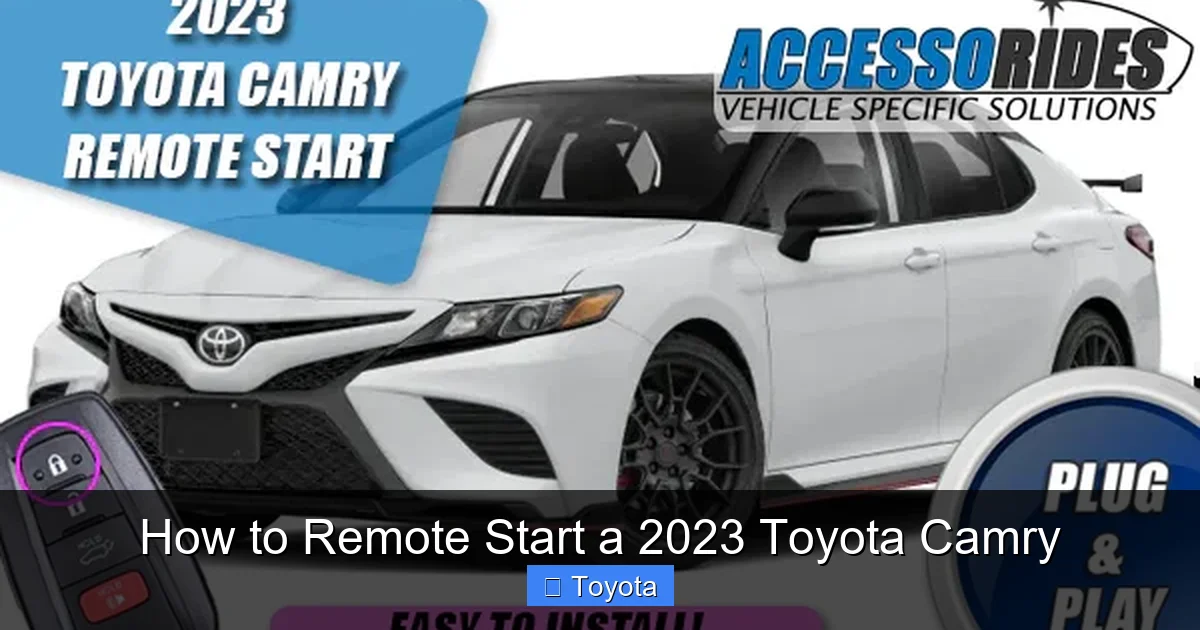
If your 2023 Camry is equipped with remote start, using the key fob is the most straightforward method. The process is quick, intuitive, and works from up to 80 feet away—perfect for starting your car from your home, office, or shopping center.
Step-by-Step Instructions
Follow these simple steps to remote start your Camry using the key fob:
1. **Ensure the vehicle is locked and in Park.**
The car must be fully locked and the gear selector must be in Park. If the doors are unlocked or the car is in gear, remote start won’t activate.
2. **Press the Lock button once.**
This confirms that the vehicle is secure and arms the security system.
3. **Press and hold the Remote Engine Start button.**
This button usually has a circular arrow icon and is located on the side or back of the key fob. Hold it for about two seconds until the hazard lights flash once.
4. **Wait for confirmation.**
The hazard lights will flash twice, and the engine will start. You’ll also hear the engine turn on if you’re within earshot.
5. **Enter the vehicle.**
When you’re ready to drive, simply unlock the car with the key fob or smart key, get in, press the brake pedal, and press the Start/Stop button to take control.
Extending the Runtime
By default, the engine will run for **5 minutes** after remote start. If you need more time—say, to fully defrost the windshield or cool down the cabin—you can extend the runtime:
– After the initial 5-minute period, press the Lock button again.
– Then press and hold the Remote Engine Start button for two seconds.
– The engine will restart and run for an additional **10 minutes**, giving you a total of 15 minutes of remote operation.
This is especially useful on very cold or hot days when the cabin takes longer to reach a comfortable temperature.
Safety and Security Features
Toyota has built several safety measures into the remote start system to protect you and your vehicle:
– **Hood sensor:** If the hood is open, remote start won’t work. This prevents accidental engine starts during maintenance.
– **Brake pedal requirement:** You must press the brake pedal before shifting out of Park, even after remote start.
– **Automatic shutdown:** If the fuel level is low, the engine will shut off after a few minutes to prevent stalling.
– **Immobilizer active:** The anti-theft system remains armed, so the car can’t be driven without the key fob inside.
These features ensure that remote start is both convenient and secure.
Using the Toyota App to Remote Start Your Camry
Visual guide about How to Remote Start a 2023 Toyota Camry
Image source: wheelsjoint.com
For even greater convenience, Toyota offers a smartphone app that lets you remote start your 2023 Camry from virtually anywhere—no need to be within range of the key fob.
Setting Up the Toyota App
To use the app for remote start, you’ll need to:
1. **Download the Toyota app** (available for iOS and Android).
2. **Create a Toyota Owner account** or log in if you already have one.
3. **Add your vehicle** by entering your VIN and following the on-screen prompts.
4. **Enroll in Toyota Connected Services.**
Remote start via the app requires an active subscription. The first 3 years are often included with new vehicles, after which a paid plan is required.
How to Remote Start via the App
Once set up, starting your Camry remotely is simple:
1. Open the Toyota app and log in.
2. Tap on your vehicle.
3. Select “Remote Start” from the menu.
4. Confirm the action when prompted.
5. The engine will start, and you’ll receive a notification on your phone.
You can also use the app to lock/unlock doors, check fuel level, locate your car, and view maintenance alerts—all from your smartphone.
Benefits of Using the App
The Toyota app offers several advantages over the key fob:
– **Longer range:** Start your car from miles away—perfect for airport trips or long commutes.
– **Real-time alerts:** Get notifications if the engine turns off due to low fuel or time limit.
– **Climate control preview:** See current cabin temperature before starting the engine.
– **Multiple vehicle support:** Manage more than one Toyota from a single app.
Just remember that the app requires a cellular connection and an active subscription. If you’re traveling in an area with poor service, the key fob method may be more reliable.
Climate Control and Comfort Features During Remote Start
One of the best parts of remote starting your 2023 Camry is that it doesn’t just start the engine—it also activates your preferred climate settings. This means you can step into a car that’s already warm in winter or cool in summer.
How Climate Settings Are Preserved
When you remote start your Camry, the system automatically recalls the last-used climate control settings. For example:
– If you had the heater on high with the defroster activated, those settings will reactivate when the engine starts.
– If you used the air conditioning at full blast, it will resume cooling the cabin.
– Seat heaters and steering wheel warmers (if equipped) will also turn on if they were active before the engine was turned off.
This smart feature ensures maximum comfort without any extra effort on your part.
Tips for Optimal Comfort
To get the most out of remote start, consider these tips:
– **Pre-set your climate before parking:** If you know you’ll be remote starting later, adjust the temperature and fan speed before turning off the engine. This ensures your preferred settings are saved.
– **Use the app to check cabin temp:** The Toyota app shows the current interior temperature, so you can decide whether to remote start or wait.
– **Park in the shade in summer:** Even with remote start, a car parked in direct sunlight will heat up quickly. Parking under cover helps the AC work more efficiently.
– **Clear snow and ice first:** Remote start won’t clear snow from your windshield—do that manually before driving.
Fuel Efficiency Considerations
While remote start is convenient, it does use fuel. The engine consumes about 0.1 to 0.2 gallons per 10 minutes of idling, depending on temperature and accessories used.
To minimize fuel use:
– Limit remote start to 5–10 minutes.
– Avoid remote starting unnecessarily—only use it when you’re about to leave.
– In mild weather, consider opening windows or using a sunshade instead of running the AC.
Troubleshooting Common Remote Start Issues
Even with advanced technology, remote start can sometimes fail. Here are the most common issues and how to fix them.
Remote Start Doesn’t Work
If pressing the button doesn’t start the engine, check the following:
– **Key fob battery:** A weak battery can reduce signal range. Replace it if the fob feels sluggish.
– **Vehicle in gear:** Make sure the car is in Park and the parking brake is engaged.
– **Hood open:** The hood sensor prevents remote start for safety. Close it fully.
– **Low fuel:** If the fuel level is below 1/4 tank, remote start may be disabled.
– **Extreme temperatures:** In very cold weather, the system may delay start to protect the engine.
App Says “Command Failed”
If the Toyota app shows an error, try these steps:
– **Check internet connection:** Ensure your phone has cellular or Wi-Fi access.
– **Restart the app:** Close and reopen the Toyota app.
– **Verify subscription:** Confirm your Connected Services plan is active.
– **Update the app:** Make sure you’re using the latest version.
Engine Starts But Shuts Off Immediately
This could be due to:
– **Security system trigger:** If the car detects a fault (like an open door), it may shut down.
– **Low battery voltage:** A weak car battery can cause instability. Have it tested.
– **Faulty sensor:** A malfunctioning hood or door sensor may prevent sustained operation.
If problems persist, visit a Toyota service center for diagnosis.
Conclusion: Enjoy Comfort and Convenience with Remote Start
Remote starting your 2023 Toyota Camry is more than just a luxury—it’s a practical feature that enhances comfort, safety, and efficiency. Whether you’re braving a snowstorm or escaping summer heat, being able to start your car from a distance makes every trip more pleasant.
From using the key fob to leveraging the Toyota app, the process is simple and secure. Just remember to check your trim level, ensure your vehicle is properly locked and in Park, and take advantage of the climate pre-sets to maximize comfort. And if you run into issues, the troubleshooting tips in this guide will help you get back on track.
With the 2023 Camry’s reliable engineering and smart features, remote start is one more reason this sedan continues to be a top choice for drivers who value convenience and innovation. So go ahead—press that button, feel the engine purr to life, and step into a perfectly conditioned cabin. Your future self will thank you.
Frequently Asked Questions
Can I remote start my 2023 Toyota Camry if it’s not equipped with the feature?
No, you cannot remote start a 2023 Camry that doesn’t have the hardware installed. However, you may be able to add it through a dealer-installed kit or optional package, depending on your trim.
How far away can I be to remote start my Camry?
Using the key fob, you can typically remote start your Camry from up to 80 feet away. The Toyota app allows remote start from virtually anywhere with cellular service.
Will remote start drain my car battery?
Remote start uses a small amount of battery power, but the engine recharges the battery while running. As long as you don’t remote start excessively, it won’t cause battery drain.
Can I drive the car immediately after remote start?
No. You must enter the vehicle, press the brake pedal, and press the Start/Stop button to take control. The engine will continue running, but you can’t shift out of Park until you do this.
Does remote start work if the fuel tank is low?
Remote start may be disabled if the fuel level is below 1/4 tank. This is a safety feature to prevent the engine from stalling due to low fuel.
Is the Toyota app free to use for remote start?
The Toyota app is free to download, but remote start requires an active Toyota Connected Services subscription. The first 3 years are often included with new vehicles.