
How to Start a Hyundai Tucson with a Key

Starting your Hyundai Tucson with a key is straightforward once you know the method for your specific key type. This guide details the exact steps for both traditional metal keys and modern smart key fobs with push-button start. We also cover essential emergency procedures if your key fob battery dies or the system malfunctions, ensuring you’re never stranded. Understanding your Tucson’s key system is key to a stress-free start every time.
Key Takeaways
- Identify Your Key Type: Your Tucson either uses a traditional metal key that inserts into the ignition or a modern smart key fob with a push-button start system. The steps differ significantly.
- Traditional Key Start: For models with an ignition cylinder, insert the key, turn to “ON” (dashboard lights on), then to “START” to crank the engine. Release the key once the engine runs.
- Smart Key Push-Button Start: With the key fob inside the vehicle, press the brake pedal and the engine start/stop button. The system verifies the key’s presence wirelessly before starting.
- Emergency Key Use: If the smart key fob battery is dead, use the hidden physical emergency key to unlock the door. Then, place the key fob directly against the start button to start the engine.
- Common Issues: A weak key fob battery is the most frequent cause of start failures. Also, ensure the brake pedal is fully depressed for push-button starts and check for steering wheel lock engagement.
- Preventative Maintenance: Replace your key fob battery proactively every 2-3 years. Keep the physical emergency key in a safe, accessible place (like a wallet) separate from the fob.
[FEATURED_IMAGE_PLACEHOLDER]
📑 Table of Contents
- Understanding Your Hyundai Tucson’s Key System
- Starting a Hyundai Tucson with a Traditional Metal Key
- Starting a Hyundai Tucson with a Smart Key & Push-Button Start
- Emergency Procedures: When the Key Fob is Dead or Lost
- Troubleshooting Common Starting Problems
- Maintenance and Best Practices for Your Tucson Key
- Conclusion: Confidence Behind the Wheel
Understanding Your Hyundai Tucson’s Key System
Before we dive into the “how-to,” it’s crucial to understand that Hyundai has equipped the Tucson with two primary key systems over its recent model years. Knowing which one you have is the first step to starting your vehicle correctly. The system dictates the entire process, from unlocking the door to cranking the engine.
The first system is the traditional mechanical key. This is a metal key that physically inserts into a lock cylinder on the driver’s door and an ignition switch on the steering column. If your Tucson is from the early 2000s to perhaps the mid-2010s, depending on the trim, this is likely your setup. It’s simple, reliable, and requires no batteries.
The second, and now more common, system is the Hyundai smart key with push-button start. This key fob is a small, plastic remote that stays in your pocket or purse. It uses advanced radio frequency identification (RFID) technology to communicate with your Tucson. There is no physical ignition slot. Instead, you press a button on the dashboard or center console to start the engine, provided the key fob is inside the vehicle. This system often includes a hidden physical emergency key inside the fob for dire situations.
How to Identify Your System Instantly
Look at your driver’s side door. Is there a keyhole? If yes, you have the traditional key system. If there is no keyhole and only a remote unlock button on the door handle, you have the keyless entry system. Now, look at the area around your steering wheel. Do you see a traditional ignition lock cylinder (a slot for a key)? If not, and you see a circular button marked with a power symbol (⏻) or an icon of an engine, you have the push-button start system. This quick check will save you from confusion later.
Starting a Hyundai Tucson with a Traditional Metal Key
If your Tucson is equipped with the classic ignition system, starting it is a process familiar to drivers from decades past. It’s a purely mechanical sequence that, when followed correctly, is foolproof. The steps are universal for virtually all models using this system.
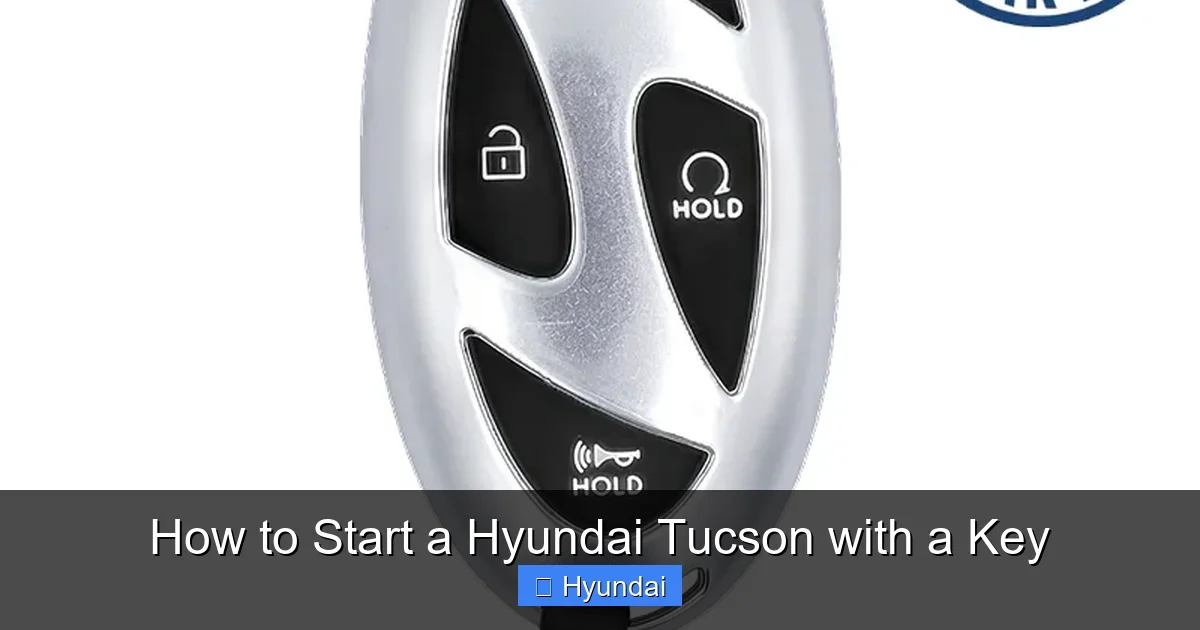
Visual guide about How to Start a Hyundai Tucson with a Key
Image source: remotesandkeys.com
First, ensure you have the correct key. Hyundai often uses a distinctive “bow” shape on the key head. Insert this key fully into the ignition cylinder, which is located on the lower right side of the steering column. You’ll feel it click into place. The ignition has distinct positions, usually marked: LOCK, ACC (Accessory), ON, and START.
The Step-by-Step Sequence
1. **Insert and Secure:** Insert the key and make sure it’s seated properly.
2. **Turn to ACC/ON:** Turn the key clockwise to the first detent. This is the ACC position. Your dashboard lights, radio, and climate control should power on. This is also the position you’d use to listen to the radio without the engine running.
3. **Start the Engine:** From the ON position, turn the key further clockwise to the START position. This engages the starter motor. You’ll hear the engine crank.
4. **Release:** As soon as the engine fires and begins running smoothly, release the key. It will automatically spring back from the START position to the ON position. Do not hold the key in the START position after the engine begins running, as this can damage the starter motor.
5. **To Turn Off:** To shut off the engine, turn the key back to LOCK and then remove it.
Pro Tip: If the steering wheel lock is engaged (you can’t turn the key), gently wiggle the steering wheel left and right while attempting to turn the key. This is a common issue if the wheels are turned against a curb.
Starting a Hyundai Tucson with a Smart Key & Push-Button Start
The modern Hyundai Tucson with a smart key offers a seamless, key-free experience. However, the “start” procedure is different and has a critical safety feature: you must have your foot on the brake pedal. This prevents accidental starting while the vehicle is in park.
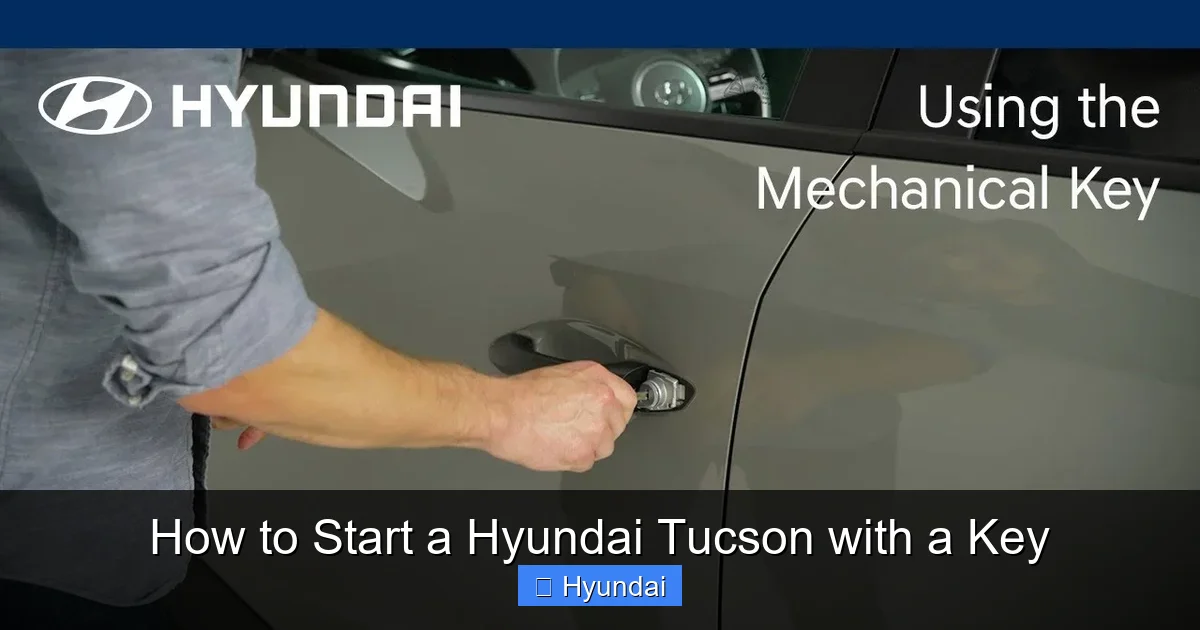
Visual guide about How to Start a Hyundai Tucson with a Key
Image source: thecarhow.com
First, understand that the key fob doesn’t need to be removed from your pocket or bag. As long as it’s somewhere inside the passenger compartment (front or rear seats, not in a closed trunk), the car’s antennas will detect it. The engine start/stop button is typically located to the right of the steering wheel, on the dashboard or center console, near the gear selector.
The Correct Push-Button Start Procedure
1. **Enter and Secure:** Unlock and enter the vehicle. Fasten your seatbelt. Ensure the key fob is inside. Close all doors.
2. **Press the Brake:** Place your foot firmly on the brake pedal. This is non-negotiable for starting.
3. **Press the Start Button:** While holding the brake, press the engine start/stop button once. You should hear the engine crank and start. The dashboard will illuminate, and the “Ready” indicator (often a green car icon) may appear.
4. **To Stop the Engine:** To turn the engine off, bring the vehicle to a complete stop, place the gear selector in Park (P), and press the start button once (while the brake is pressed). The engine will shut off.
What the Different Button Presses Do
It’s useful to know other functions of the start button:
- Without Brake, Press Once: Turns the vehicle’s electrical system to ACC mode (radio on, etc.). Press again for ON mode (all dash lights on). Press a third time to return to OFF.
- Engine Running, Press Once: Shuts off the engine (as described above).
- Engine Off, Press and Hold (3 sec): This is an emergency function to activate the vehicle’s hazard lights and horn if you need to signal for help.
Important Note: If your vehicle has a proximity key, you might also have a button on the door handle to lock/unlock. Starting always requires the brake pedal and the dashboard button.
Emergency Procedures: When the Key Fob is Dead or Lost
Even with a smart key system, you’re not completely out of luck if the fob’s battery dies. Hyundai builds in a clever fail-safe. The physical emergency key is your backup plan. This small metal key is hidden inside your smart key fob.
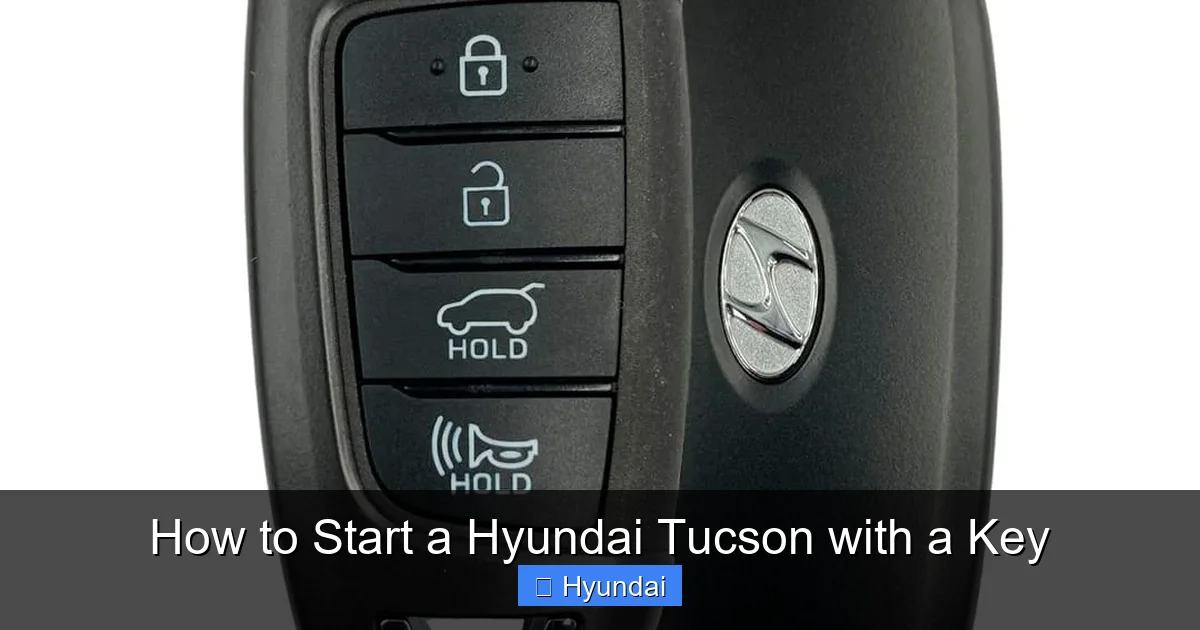
Visual guide about How to Start a Hyundai Tucson with a Key
Image source: hyundaikiaremotes.com
Accessing and Using the Emergency Key
1. **Locate the Release:** On the side of your smart key fob opposite the buttons, there is usually a small slider or a tiny button. Press/slide this to release a small plastic cap.
2. **Extract the Key:** Pull the cap off to reveal a small keyhole. Insert your finger or a tool and pull out the physical metal key. It’s tiny and folds into the fob.
3. **Unlock the Door:** Use this emergency key to manually unlock the driver’s door. There will be a small keyhole on the door handle, often hidden under a plastic cover. Pry the cover off with the key itself or your fingernail to expose the lock cylinder.
4. **Start the Engine (The Critical Step):** Once inside, you cannot start the engine normally because the dead fob won’t be detected. Here’s the workaround: place the dead key fob directly against the engine start/stop button. Hyundai designed the system so that when the key’s chip is in very close proximity (touching), the car can still read it. Press the brake pedal and press the start button firmly while holding the fob against it. The engine should start. This method can also work if the key fob battery is just weak.
Immediate Action: Once you’ve started the engine using this method, drive directly to a service center or a store to buy a replacement battery for your key fob. Do not rely on this method long-term.
What If I’ve Truly Lost the Key?
If the key fob is lost and you have no spare, you will need to contact a Hyundai dealer. They can provide a new, programmed key fob using your vehicle’s VIN. This is an expensive process, often costing several hundred dollars. This is why it’s vital to have a spare key made and keep it in a safe place. For situations where you’re locked out but have the key inside the car, the process is different; you can learn more about how to unlock a Dodge Charger with the key inside, as the principles of manual unlocking are similar across many brands.
Troubleshooting Common Starting Problems
Even with the correct key and procedure, issues can arise. Let’s diagnose the most common problems a Tucson owner might face when trying to start their vehicle.
“Key Not Detected” or No Response from Push-Button
This is the most frequent complaint with smart key systems. The dashboard may display a warning like “Key not detected” or the start button may blink but not crank the engine.
- First, check the key fob battery. This is the culprit 80% of the time. The fob uses a standard CR2032 coin cell battery. Replace it. You’ll need a small flat-head screwdriver to pry open the fob case.
- Check for interference. Are you near a strong radio tower, cell tower, or operating a large electrical device? Metal objects in the bag with the fob, like a foil wrapper or another key fob, can block the signal. Remove the fob from your bag and hold it against the start button.
- Check the vehicle battery. A severely discharged 12V car battery can sometimes prevent the keyless system from powering up fully to detect the fob. A jump start may be necessary. Learn the proper steps for how to start a car with a dead battery.
Engine Cranks but Won’t Start
This indicates the starter is working, but the engine isn’t firing. The key system is likely fine. The problem is elsewhere: fuel delivery (empty tank, bad fuel pump), ignition (no spark from spark plugs), or air intake (clogged filter). This requires mechanical diagnosis.
Steering Wheel Lock is Engaged
On many Tucsons, especially with the traditional key, turning the key in the ignition while the wheel is turned sharply can activate a steering lock. You’ll be unable to turn the key past the LOCK position. The solution is to gently turn the steering wheel left and right while applying light pressure to the key to turn it to ON. The lock will disengage.
Key Won’t Turn in Ignition (Traditional Key)
Ensure you are pressing the brake pedal (if your model has an interlock). Also, try jiggling the steering wheel as mentioned. If the key is worn out or the ignition cylinder is damaged, it may need repair or replacement by a locksmith or dealer.
Maintenance and Best Practices for Your Tucson Key
Preventive care for your key system will save you from future headaches. A little attention goes a long way.
Proactive Key Fob Battery Replacement
Don’t wait for the battery to die. The low-battery warning on your dashboard is your cue. For a smart key fob, the battery typically lasts 2-3 years. Replacing it is a simple DIY task. Purchase a CR2032 battery from any pharmacy, electronics store, or big-box retailer. Open the fob, replace the battery noting the positive (+) side orientation, and snap it shut.
Protecting Your Physical Emergency Key
That little metal key is a lifesaver. Do not leave it inside the smart key fob permanently if you frequently misplace the fob. Keep it in a separate, memorable place—a dedicated spot in your wallet or a magnetic box under your car. Practice using it once so you’re not fumbling in an emergency.
Keeping Spare Keys
Always have at least one spare key. For traditional keys, a locksmith can cut a copy. For smart keys, you must go through a Hyundai dealer to have a new fob programmed to your vehicle’s immobilizer system. This is expensive, so budget for a spare when you buy the car. Store the spare in a secure location, like with a trusted family member or in a home safe.
General Care for Key Fobs
Avoid exposing your key fob to extreme temperatures (leaving it on a hot dashboard or in a freezing car), moisture, or physical impact. A broken case can let dirt and moisture in, damaging the internal circuit. Consider using a protective silicone cover. If you have multiple key fobs for different cars, keep them separated to avoid signal confusion.
Conclusion: Confidence Behind the Wheel
Knowing how to start your Hyundai Tucson with a key is fundamental knowledge for every owner. Whether you turn a cylinder in the dash or press a button while your foot is on the brake, the process is designed to be intuitive and secure. By identifying your key system, following the correct steps, understanding the emergency override with the hidden physical key, and performing basic maintenance like battery replacement, you ensure your Tucson is always ready to go.
Remember, your key is the primary interface between you and your vehicle’s complex security and starting systems. Treat it with care, have a plan for a dead battery, and don’t hesitate to consult your owner’s manual for model-specific details. With this knowledge, a simple start becomes a guaranteed first step on every journey in your Hyundai Tucson.
Frequently Asked Questions
What should I do if my Hyundai Tucson’s key fob battery is completely dead?
Use the hidden physical emergency key extracted from the fob to unlock the driver’s door. Once inside, hold the dead key fob directly against the engine start/stop button. Press the brake pedal and the button firmly. The car should detect the chip and start. Replace the fob battery as soon as possible.
My push-button start just blinks and the engine doesn’t crank. Why?
The most common reason is a weak or dead key fob battery. Replace the CR2032 battery inside the fob. If that doesn’t work, ensure you are pressing the brake pedal fully and that there is no interference (like other key fobs or metal objects) blocking the signal between the fob and the car.
Can I start my Hyundai Tucson if I lose the only key fob?
No, you cannot start it without the programmed key fob. You will need to contact a Hyundai dealer with your vehicle’s VIN to purchase and program a new smart key fob. This is a security feature to prevent theft. Always keep a spare key.
Why won’t my key turn in the ignition?
First, ensure you are pressing the brake pedal if your model has a brake/ignition interlock. Second, the steering wheel lock may be engaged. Gently wiggle the steering wheel left and right while trying to turn the key. If the key or ignition cylinder is worn, it may need repair by a professional.
Is it bad to hold the key in the start position after the engine cranks?
Yes. With a traditional key, you must release it as soon as the engine starts. Holding it in the START position can overheat and damage the starter motor. The key is designed to spring back to the ON position automatically once you release it.
My Tucson has a smart key, but the doors don’t unlock when I touch the handle. What’s wrong?
This is likely another symptom of a dead or weak key fob battery. Replace the battery. Also, check that the key fob’s internal emergency key is not extended, as this can sometimes interfere with the fob’s signal. Ensure you are pulling the door handle firmly and that you are within the proximity range (typically a few feet).
