
How to Enable the Horn When Locking a Hyundai

Enabling the horn to sound when you lock your Hyundai is a simple but useful feature that provides audible confirmation your vehicle is secure. This feature is typically controlled through the vehicle’s settings menu or, on some models, requires a diagnostic scan tool for activation. The process varies by model year and trim, so identifying your specific Hyundai is the first step. This guide walks you through every method, from easiest to most advanced, ensuring you can set up your car’s lock confirmation sound.
Have you ever walked away from your Hyundai, pressed the lock button on your key fob, and felt a moment of uncertainty? Did it lock? In a crowded parking lot or at night, you might not see the lights flash or hear the doors click. That’s where the handy “horn feedback” or “lock confirmation” feature comes in. A quick, satisfying beep or short horn blast tells you definitively that your vehicle is secure. But what if your Hyundai doesn’t do this by default? You’re not alone. Many owners discover this convenient feature is disabled from the factory or simply not present in their model’s settings. The good news is, enabling the horn when locking your Hyundai is usually a straightforward process of navigating a few menus or, in some cases, using a specialized tool. This comprehensive guide will walk you through every step, for virtually every Hyundai model and year, so you can get that audible peace of mind.
Key Takeaways
- Check Your Vehicle’s Settings First: Many modern Hyundai models (2019+) have the “Horn Feedback” or “Lock Confirmation” option directly in the infotainment or instrument cluster settings menu.
- Model Year & Trim are Critical: The availability of this feature and the method to enable it depends heavily on your Hyundai’s specific year, model, and equipped technology package.
- A Scan Tool May Be Required: For some older models or specific trims without a menu option, a professional-grade OBD2 scan tool with Hyundai-specific software is necessary to enable the function.
- It’s About Safety & Convenience: The audible horn confirmation provides peace of mind in noisy or dark environments, confirming your car is locked without needing to visually check.
- Don’t Confuse It with the Panic Alarm: This is a single short horn blast upon locking, distinct from the continuous, loud panic alarm triggered by holding the fob’s lock button.
- Key Fob Battery Health Matters: A weak key fob battery can sometimes prevent signals from being sent properly, so ensure your fob battery is fresh before troubleshooting.
- Consult Your Owner’s Manual: Your vehicle’s manual is the definitive source for feature availability and exact menu navigation paths for your specific VIN.
📑 Table of Contents
- Why Enable the Horn When Locking? The Benefits of Audible Confirmation
- Which Hyundai Models Have This Feature? A Model-by-Model Breakdown
- Method 1: Enabling the Horn via the Vehicle’s Settings Menu
- Method 2: Using a Diagnostic Scan Tool (For Models Without a Menu)
- Troubleshooting: Why Isn’t My Horn Sounding After Enabling It?
- The Importance of Your Owner’s Manual and Dealer Resources
- Safety, Etiquette, and Considerations
- Conclusion: Securing Your Hyundai with Confidence
Why Enable the Horn When Locking? The Benefits of Audible Confirmation
Before we dive into the “how,” let’s talk about the “why.” Enabling your Hyundai’s horn to sound upon locking offers several practical benefits that enhance your daily ownership experience. It’s a small feature that makes a big difference in convenience and security.
Enhanced Security and Peace of Mind
The primary benefit is unambiguous confirmation. In a loud environment—like next to a busy street, in a parking garage with echoing sounds, or with other people talking—the subtle click of the door locks or the flash of the hazard lights can be easily missed. A horn blast is a distinct, universally recognized sound that cuts through background noise. It immediately reassures you that your command was received and executed. This is especially valuable for individuals with hearing impairments who may rely more on auditory cues, or for anyone who has ever experienced the anxiety of walking back to their car to check if it’s locked.
Convenience in Low-Light Situations
Imagine locking your car in a dimly lit parking garage or on a dark street at night. You might not be able to clearly see the headlights or taillights flash. A quick horn sound provides instant, clear feedback without requiring you to strain your eyes or walk back to the vehicle. It streamlines your routine, allowing you to walk away with confidence after a single button press.
Discouraging Potential Theft
While not a primary security system, the audible confirmation can have a secondary benefit. That short horn blast signals to anyone nearby that a driver is actively securing their vehicle. It draws brief, casual attention to the car, which can act as a mild deterrent to opportunistic thieves who prefer to work unnoticed.
Building a Habit of Secure Locking
The positive reinforcement of hearing the horn can help build a consistent habit of always locking your vehicle. The satisfying “beep-honk” becomes a small ritual that confirms you’ve completed the action of securing your car, making it more likely you’ll remember to do it every single time you walk away.
Which Hyundai Models Have This Feature? A Model-by-Model Breakdown
Hyundai has implemented this feature inconsistently across its lineup and over the years. There is no single rule that applies to all vehicles. The availability depends on the model year, the specific trim level (like SE, SEL, Limited, or Ultimate), and the optional feature packages selected (such as the Convenience Package or Tech Package). Generally, newer models (2019 and later) are more likely to have the setting available in the infotainment system, while older models may require a dealer-level scan tool or simply lack the hardware capability altogether.
Visual guide about How to Enable the Horn When Locking a Hyundai
Image source: vroom.zone
Models Likely to Have a Menu Setting (2019+)
If you own a Hyundai from the last five years, your chances are good. This includes popular models like the Tucson, Santa Fe, Palisade, Sonata, Elantra, Kona, and Venue. Within these model lines, the feature is most commonly found on mid-level trims and above. For instance, a 2022 Tucson SEL or Limited will almost certainly have the option, while a base SE might not. The feature is often bundled with other convenience items like a smart key with remote start.
Models That May Require a Scan Tool (Pre-2019 or Base Trims)
For vehicles from approximately 2015 to 2018, the setting is less commonly found in the user-accessible menus. Models like the Genesis (prior to becoming its own brand), older Santa Fe and Sonata generations, and the Veloster often require a technician to use a Hyundai-specific diagnostic computer (like the Hyundai GDS or a capable aftermarket tool) to enable the “Horn Feedback” parameter in the vehicle’s Body Control Module (BCM). Some base model trims of newer vehicles also fall into this category if the manufacturer chose not to expose the setting to the driver.
Models That Likely Do Not Support It
A small number of Hyundai’s most basic or oldest models in the current lineup may not have the hardware or software capability to produce a horn sound upon locking at all. This is rare but possible on very low-cost variants or vehicles from the early 2010s. In these cases, no menu setting or scan tool adjustment will add the function because the necessary relay or programming simply isn’t present.
How to Find Out for Your Specific Car: The best first step is to check your owner’s manual. Look in the index for “Lock Confirmation,” “Horn Feedback,” “Audible Lock,” or “Security Feedback.” You can also explore the settings menus on your infotainment screen and instrument cluster thoroughly. If you can’t find it there, a quick call to your Hyundai dealer’s service department with your VIN handy will give you a definitive answer.
Method 1: Enabling the Horn via the Vehicle’s Settings Menu
This is by far the easiest and most common method for newer Hyundai vehicles. If your car has the option, it’s usually buried within the infotainment system’s settings or the digital instrument cluster’s menu. The exact path varies, but the logic is similar.
Visual guide about How to Enable the Horn When Locking a Hyundai
Image source: vroom.zone
Step-by-Step Navigation Guide
Start by turning your ignition to the “ON” position (do not start the engine) or simply have the key fob inside the car with the doors closed. Power on your infotainment screen. You are looking for a menu called “Settings” or a gear icon. Within Settings, you need to navigate to a sub-menu related to vehicle operation, convenience, or doors/locks. Common names for this parent menu include:
- Vehicle
- Convenience
- Doors & Locks
- Door Lock
- Driver Assistance (less common, but possible)
Once inside the appropriate sub-menu, scan the list of options for terms like:
- Horn Feedback
- Lock Confirmation Sound
- Audible Lock/Unlock
- Sound Horn on Lock
- Lock Confirmation Beep
Select this option and toggle it to “ON” or “Enabled.” You may have the choice between “Horn” and “Light” only. Choose “Horn.” Exit the menus, turn the car off, and test it by locking the car with your key fob from a short distance away. You should hear the single short horn blast.
Tips for Finding Elusive Settings
If you can’t find it, try this: some Hyundai models (especially 2020-2023) place this setting within the digital instrument cluster’s menu, not the main infotainment screen. Use the steering wheel buttons (usually the “Mode” or “Menu” button on the left spoke) to scroll through the cluster’s display options until you find a “Settings” or “Vehicle Settings” menu. The navigation will be similar to the infotainment path described above. Also, remember that settings can sometimes be under a “User Settings” or “Convenience Features” header. Be patient and explore every sub-menu related to the vehicle’s operation.
Method 2: Using a Diagnostic Scan Tool (For Models Without a Menu)
If you’ve scoured every menu in your Hyundai and cannot find a “Horn Feedback” option, your vehicle likely requires a scan tool to enable the feature. This method involves connecting a computer to your car’s OBD2 port and changing a parameter in the Body Control Module (BCM). This is what dealership technicians do.
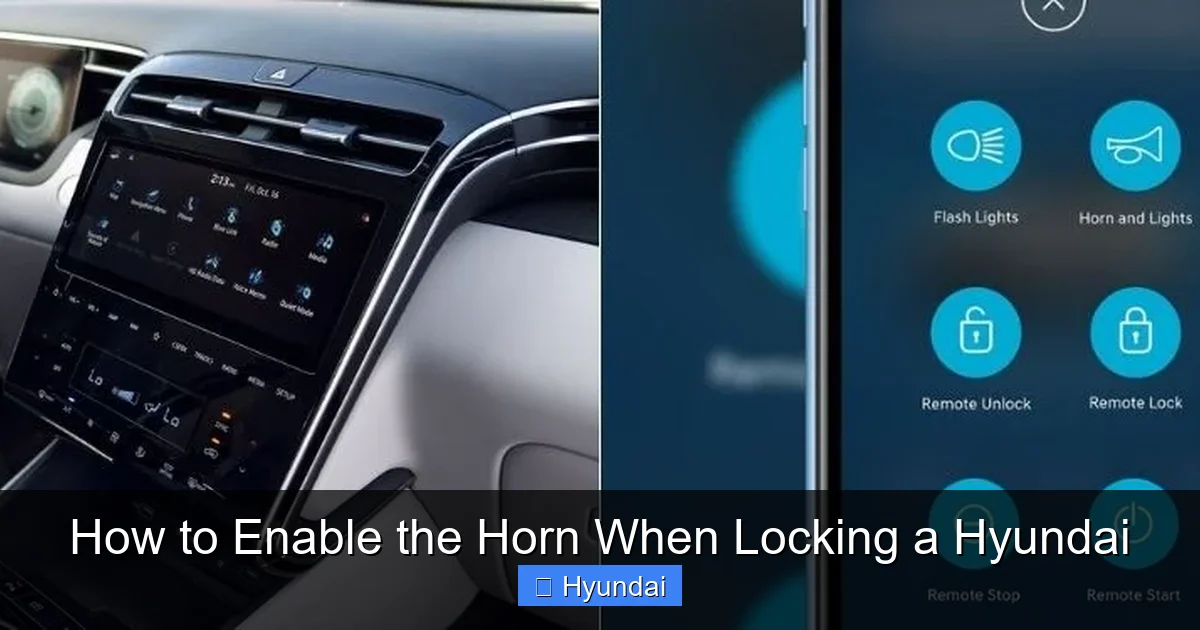
Visual guide about How to Enable the Horn When Locking a Hyundai
Image source: santanhyundai.com
Understanding the Required Equipment
You cannot use a basic, generic OBD2 code reader for this. Those tools only read and clear engine/transmission trouble codes. You need a professional-grade scan tool that has access to the manufacturer-specific systems. For Hyundai, this means tools like the Hyundai Global Diagnostic System (GDS), the Kia/Hyundai GDS, or high-end aftermarket tools from brands like Launch, Autel, or Bosch that have active subscriptions or licenses for Hyundai body control module programming. The software must allow you to view and change “Configuration” or “Parameter Settings” for the BCM.
The General Process (For Technicians or Advanced Users)
1. Connect and Identify: Plug the scan tool into the OBD2 port (under the dashboard, near the steering column). Turn the ignition to ON. The tool will communicate with the vehicle and identify all its control modules.
2. Select Body Control Module (BCM): Navigate to the BCM. You are not looking for codes here. You are looking for a menu called “Configuration,” “Parameter Setup,” “Setting,” or “Customization.”
3. Find the Horn Feedback Parameter: Within the BCM configuration, you will need to find the specific parameter. The naming varies. It might be called “Horn Feedback,” “Lock Horn,” “Audible Lock,” or “Confirmation Horn.” The scan tool’s software database should provide a description.
4. Change the Setting: The parameter will likely have options like “OFF,” “ON,” or “Light Only.” Change it to “ON” or “Horn.”
5. Save and Exit: Save the changes to the BCM. The tool will likely prompt you to cycle the ignition or perform a reset.
6. Test: Disconnect the tool, lock the car with the fob, and listen for the horn.
Should You Do This Yourself?
This method is not recommended for the average DIYer. The risk of changing the wrong setting and causing a malfunction (like making the horn honk randomly or disabling other door lock functions) is real. Furthermore, the cost of a capable scan tool and software license is prohibitive for a one-time use. The most practical solution is to visit a Hyundai dealership service department or a reputable independent mechanic who specializes in Hyundai/Kia and owns the proper equipment. The labor time for this is usually minimal (often less than 0.5 hours), so the cost should be reasonable. If you’re a dedicated enthusiast with the right tools, proceed with extreme caution and consult model-specific service forums for exact parameter names and procedures for your year and model.
Troubleshooting: Why Isn’t My Horn Sounding After Enabling It?
So you followed the steps, toggled the setting to ON, but you still get silence when you lock the car. Don’t panic. There are several common reasons for this, and most are easy to check.
1. The Setting Didn’t Save or Was Overridden
Sometimes, after changing a setting, the car’s system needs a full reset. Turn the car completely off, remove the key fob from the vehicle, close all doors, and wait 5-10 minutes. Then, reconnect the fob and try locking again. In rare cases, a disconnected battery reset (negative terminal for 10 minutes) may be necessary, but this will reset other settings like radio presets and seat memory.
2. Your Key Fob Battery is Weak or Dead
A weak battery in your key fob can still operate the lock button but may not send a strong enough signal for the car to execute the full command sequence, which includes the horn. This is a very common culprit. Replace the key fob battery with a fresh, high-quality coin cell (usually a CR2032). This is a cheap and easy fix. You can find instructions for your specific Hyundai fob in many online guides or videos. For example, the process to change a key fob battery is similar in principle across many brands, though the physical disassembly differs.
3. Your Model/Trim Simply Doesn’t Support It
This is the unfortunate truth for some base-model or older Hyundai owners. If you cannot find the setting in any menu and a dealer scan tool confirms there is no BCM parameter for horn feedback, then your vehicle’s firmware does not include this feature. There is no workaround. You would need to install an aftermarket alarm system with a confirmation chirp, but that is a separate project.
4. a Faulty Horn or BCM
Extremely rarely, the vehicle’s horn itself could be faulty, or the Body Control Module (the computer that controls the locks and horn) could have an issue. If your horn works normally when you press it manually on the steering wheel, then the horn is fine. The problem is isolated to the lock command signal path. This would require professional diagnosis.
5. Aftermarket Alarm or Starter Interference
If your Hyundai has an aftermarket remote starter or security system installed, it may have its own programming for lock confirmation sounds that overrides or conflicts with the factory setting. You would need to consult the aftermarket system’s manual or installer to adjust its settings.
The Importance of Your Owner’s Manual and Dealer Resources
Throughout this process, your most valuable resource is your vehicle’s official owner’s manual. It is the definitive source for what features your specific VIN-equipped Hyundai has and how to operate them. If the manual mentions “Audible Lock Confirmation” or similar, it will provide the exact menu path. If it doesn’t mention it at all, the feature is likely unavailable.
When the manual is unclear or the setting is missing, your Hyundai dealer’s service department is the next best resource. Call them. Give them your VIN. Ask the simple question: “Does my [Year, Model, Trim] have the factory horn feedback on lock feature, and if so, is it enabled in the menu or does it require a scan tool to activate?” A knowledgeable service advisor or technician can look up your car’s build sheet and configuration in Hyundai’s internal systems and give you a 100% accurate answer. This can save you hours of menu-diving and potential diagnostic fees if you take the car in for a “problem” that is just a missing feature.
Furthermore, if you decide to have the dealer enable it via scan tool, this is a perfect opportunity to ask them to perform a general system check or update your vehicle’s software (a TSB or Technical Service Bulletin update). Keeping your car’s various control modules updated can fix bugs and improve performance across the board, similar to how you might reset a maintenance light after an oil change on a Honda—it’s part of routine upkeep.
Safety, Etiquette, and Considerations
Before you enable that horn blast, there are a few practical and social considerations to keep in mind. While the feature is designed for your benefit, it’s good to be aware of its impact.
Noise Pollution and Neighborhood Etiquette
A single short horn honk is generally considered acceptable in most settings. However, if you live in a very quiet residential area, an apartment complex, or come home late at night, that honk—even a brief one—might disturb neighbors, pets, or sleeping family members. Be mindful of your environment. You might choose to disable the feature at night or in such neighborhoods, relying on the light flash instead. Some systems allow you to set different behaviors for “Day” and “Night” modes.
Potential for False Alarms
If you have the horn enabled and accidentally press the lock button on your key fob while it’s in your pocket or purse, you’ll get a horn blast. This can startle people nearby or draw unwanted attention if you’re in a secluded area. It’s a minor inconvenience, but worth noting. Being aware of where your fob is can prevent this.
Legal Considerations
Using your vehicle’s horn in an aggressive or prolonged manner can be prohibited by local noise ordinances. However, a single, factory-programmed short honk as a lock confirmation is universally accepted as a normal vehicle operation and is not something you would get a citation for. The feature is designed and approved by the manufacturer for this purpose.
Battery Impact
The energy used by a single short horn blast when locking is negligible and will not have any measurable impact on your key fob’s battery life or your car’s 12V battery. The convenience far outweighs any microscopic power draw.
Conclusion: Securing Your Hyundai with Confidence
Enabling the horn to sound when locking your Hyundai transforms a simple action into a confident, verified one. Whether you navigate the intuitive settings menu on your 2023 Sonata or rely on a dealership technician to flip a software switch in your 2016 Santa Fe, the result is the same: a clear audible signal that your vehicle is secure. Start by consulting your owner’s manual and exploring your infotainment and cluster settings thoroughly. If that fails, a quick call to your dealer with your VIN will provide a clear path forward. Remember to also check your key fob battery, as a simple battery change can sometimes resolve mysterious issues. By taking these steps, you add a layer of convenience and peace of mind to every journey, ensuring you never have to wonder, “Did it lock?” again. Your Hyundai is equipped with the tools to keep you informed; you just need to know how to activate them.
Frequently Asked Questions
Is the horn feedback feature available on all Hyundai models?
No, it is not available on all models, trims, and years. It is most common on mid-to-higher trims of vehicles from 2019 onward. Base models and older vehicles may not have the software option or the hardware capability to support it.
Can I enable the horn feedback myself without a scan tool?
Yes, if your vehicle has the setting in its user-accessible menus. You must check your infotainment system and digital instrument cluster settings under menus like “Vehicle,” “Convenience,” or “Doors & Locks” for an option named “Horn Feedback” or “Lock Confirmation.” If you cannot find it, a scan tool is required.
Will enabling this feature drain my key fob battery faster?
No. The energy used for a single, short horn blast upon locking is extremely minimal. It will have no noticeable effect on your key fob’s battery life, which is typically rated for 1-2 years of normal use.
My horn works when I press the steering wheel, but not when I lock the car. Why?
This indicates the issue is with the lock command signal, not the horn itself. The most common causes are: 1) The “Horn Feedback” setting is turned off in the vehicle menus, 2) Your key fob battery is weak and needs replacement, or 3) Your specific vehicle model/trim does not support the feature at all.
Is there a way to make the horn sound longer or louder?
No. The factory “lock confirmation” horn blast is programmed to be a single, short pulse (typically about 0.5 seconds). Its duration and volume are fixed by the vehicle’s Body Control Module software and cannot be adjusted by the user. It is intentionally distinct from the continuous, loud panic alarm.
Will the horn sound if I unlock the car with the key fob?
Typically, no. The horn feedback feature is almost exclusively tied to the LOCK command. The UNLOCK command usually only flashes the lights. Some vehicles may have a separate setting for an unlock confirmation sound (often a beep from the vehicle’s speaker), but this is less common and separate from the horn.
