
How to Remote Start Mazda Cx-30 with Key

Remote starting your Mazda CX-30 with the key fob is a straightforward process that combines convenience with a few key safety checks. First, ensure your CX-30 is equipped with Mazda’s Remote Start System, which is typically an optional feature on higher trims. The process involves pressing the remote start button on your key fob twice within a few seconds while inside the vehicle’s range. Always remember to engage the parking brake and ensure the vehicle is in ‘Park’ before attempting to remote start. If your system isn’t working, common issues include a dead key fob battery, being out of range, or the parking brake not being set.
Picture this: it’s a chilly winter morning in 2026, and you’re sipping your coffee inside your warm house. You glance out the window at your sleek Mazda CX-30, covered in a light frost. Wouldn’t it be perfect if you could start the engine and let the heater warm up the cabin before you even step outside? That’s the magic of remote start. But how exactly do you do it with your Mazda CX-30 key fob? Many CX-30 owners assume it’s as simple as pressing a button, but there are specific steps, safety interlocks, and potential pitfalls to understand. This comprehensive guide will walk you through everything you need to know, from the basic button press to advanced troubleshooting, ensuring you can confidently use this fantastic feature. We’ll break it down so clearly that you’ll be warming up (or cooling down) your SUV like a pro in no time.
Key Takeaways
- Feature Requirement: Your Mazda CX-30 must have the factory-installed Remote Start System, which is not standard on all models and years.
- The Correct Button: The remote start function is activated by the dedicated remote start button (often a red or distinct icon) on the key fob, NOT the lock or unlock buttons.
- Critical Safety Step: The parking brake MUST be engaged for the remote start sequence to work. This is a non-negotiable safety feature.
- Range is Limited: Effective remote start range is typically 100-200 feet in an open area. Obstructions like walls and other vehicles drastically reduce this.
- Engine Run Time: Once started remotely, the engine will run for a set cycle (usually 10-15 minutes) before automatically shutting off if you don’t enter the vehicle and drive.
- Key Fob Battery Health: A weak or dead key fob battery is the most common reason for remote start failure. Replace it with a fresh CR2025 or CR2032 battery as needed.
- No Manual Override: You cannot start a CX-30 with a remote start system using the physical emergency key alone. The system is electronic and fob-dependent.
📑 Table of Contents
- Understanding Your CX-30’s Remote Start System
- Step-by-Step: How to Remote Start Your Mazda CX-30
- Troubleshooting: Why Your Remote Start Might Fail
- Safety Features and Important Limitations
- Aftermarket Remote Start Systems: A Different Ballgame
- Comparing Remote Start Across Brands
- Conclusion: Mastering the Convenience
Understanding Your CX-30’s Remote Start System
Before we dive into the button-pressing, it’s crucial to understand what you’re working with. The remote start system in your Mazda CX-30 isn’t just a simple radio signal; it’s a sophisticated network of electronic modules and safety protocols. In the 2026 model year, Mazda has refined this system for better reliability and integration with the vehicle’s overall security architecture.
Is My CX-30 Equipped with Remote Start?
This is the first and most important question. Not every Mazda CX-30 comes with remote start from the factory. On most 2026 trims (Sport, Carbon Edition, Preferred, Premium, Premium Plus, Signature), remote start is either part of an optional convenience package or standard on the top-tier Signature trim. The easiest way to check is to look at your key fob. Do you see a dedicated button with a symbol that looks like a circular arrow or a key with a circular arrow? That’s your remote start button. If you only have lock, unlock, panic, and trunk release buttons, your vehicle does not have the factory remote start feature. For models without it, aftermarket systems are an option, but they require professional installation and can void parts of your warranty.
Another way to confirm is to check your owner’s manual in the “Remote Start” or “Convenience Features” section. You can also look for a small, usually black, antenna module on the driver’s side near the rear window or inside the center console. Its presence indicates the vehicle is equipped to receive the remote start signal.
How the System Works: A Simple Overview
When you press the remote start button on your key fob, it sends a unique, encrypted radio frequency signal to a receiver module in your CX-30. This receiver communicates with the vehicle’s main computer (the PCM or Power Train Control Module). The PCM then performs a series of safety checks before allowing the engine to start. These checks include: confirming the transmission is in ‘Park,’ verifying the parking brake is engaged, ensuring no key is inside the vehicle (to prevent lock-in), and scanning for any diagnostic trouble codes that might inhibit starting. If all checks pass, the PCM activates the starter motor, and the engine begins to run. The system also activates the climate control to your last-set temperature, which is a wonderful touch on extreme days.
Step-by-Step: How to Remote Start Your Mazda CX-30
Alright, you’ve confirmed you have the feature. Now, let’s get that engine running. The process is designed to be simple but requires precision. Follow these steps exactly for a successful start.
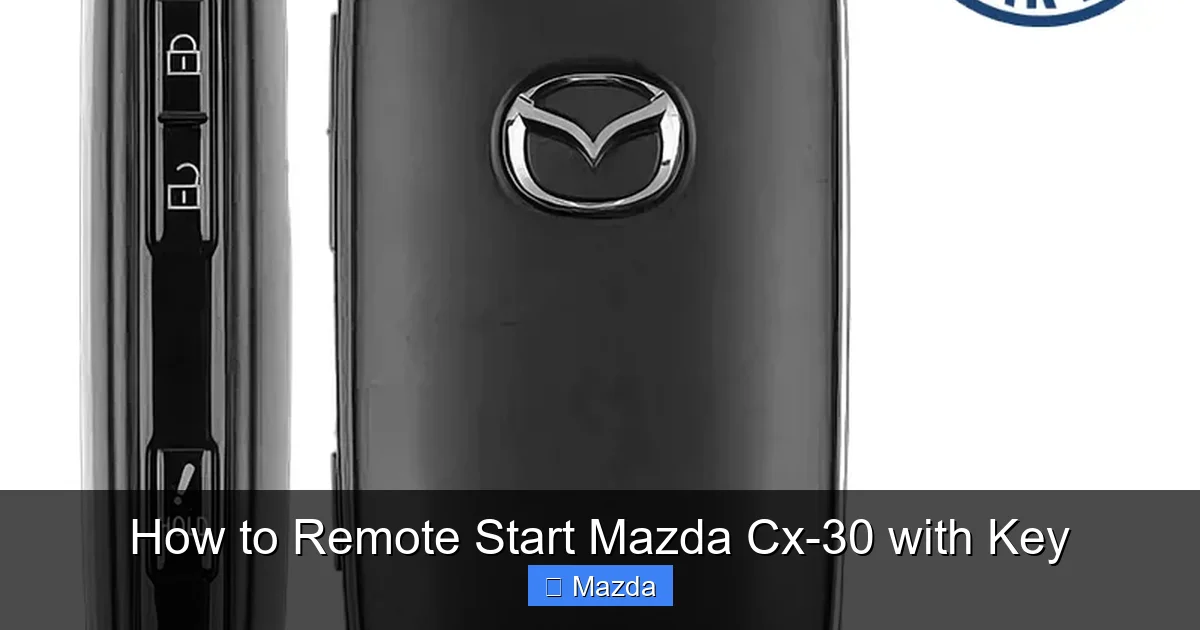
Visual guide about How to Remote Start Mazda Cx-30 with Key
Image source: remotesandkeys.com
The Prerequisite Checklist (Do This First!)
Skipping this checklist is why most remote start attempts fail. Before you even touch the fob, walk up to your CX-30 and verify these four things:
- Vehicle is in PARK: The gear selector must be firmly in the ‘P’ (Park) position. The ‘P’ indicator should be lit on your instrument cluster.
- Parking Brake is ENGAGED: This is the #1 reason for failure. Pull the electronic parking brake switch (usually a ‘P’ button with a brake symbol on the center console) or, if you have a manual parking brake, press the foot pedal firmly. The parking brake indicator light on your dashboard must be illuminated.
- All Doors & Trunk are CLOSED and LOCKED: The system requires all entry points to be secure. An ajar door will prevent remote start.
- Hood is CLOSED: An open hood is a major safety inhibitor. The hood switch must indicate it’s closed.
Also, ensure your key fob battery is good. If the LED light on the fob is dim when you press any button, it’s time for a replacement. A weak signal won’t travel the necessary distance.
The Activation Sequence (Button Presses)
Now, stand within effective range of your vehicle—typically 100-200 feet in an open area with a clear line of sight to the front of the car. Point your key fob at the CX-30. The sequence is:
- Press the LOCK button once. This ensures the vehicle is locked and resets the system’s state. You should hear the doors lock and see the hazard lights flash once.
- Immediately press the REMOTE START button (the circular arrow) TWICE in rapid succession. Do not hold it. A quick press-release, press-release. You must do this within about 3 seconds of the first lock press or after a short pause; the timing is forgiving but deliberate.
If successful, you will see the hazard lights flash twice, and you may hear the engine start. The climate control fans will likely come on at a moderate setting. If nothing happens, the hazard lights might flash once (indicating a failed attempt due to a safety interlock) or not at all (indicating a range or fob issue).
Troubleshooting: Why Your Remote Start Might Fail
So you followed the steps, but the CX-30 stays silent. Don’t panic. Here’s a systematic approach to diagnose the problem, starting with the most common culprits.
Visual guide about How to Remote Start Mazda Cx-30 with Key
Image source: aautomotives.com
The Usual Suspects: Battery and Range
Over 50% of “failed” remote start attempts are due to these two factors. First, test your key fob battery. Replace it with a fresh CR2025 or CR2032 (check your manual for the exact type). Second, get closer. Walk right up to the driver’s door and try again. If it works from close range but not from your kitchen window, you have a range issue. Range can be reduced by:
- Other vehicles parked between you and your CX-30.
- Building materials (metal, concrete, thick glass).
- Strong radio frequency interference from other devices.
- A severely weakened fob battery.
Safety Interlock Failures
Your CX-30 is designed to prevent starting if it senses an unsafe condition. If the hazard lights flash once after your remote start attempt, it means a safety check failed. You must diagnose which one:
- Parking Brake: This is the prime suspect. Re-engage it firmly. Listen for the electronic brake motor’s whir and watch the brake indicator light on the dash.
- Gear Selector: Wiggle the shifter slightly while in ‘P’ to ensure it’s fully seated. Sometimes it can be between ‘P’ and ‘N’.
- Door/Hood Ajar: Visually and physically check all doors, the trunk, and the hood. Push on each one to ensure it’s latched.
- Low Fuel: Some systems inhibit remote start if fuel is critically low (below 1-2 gallons). Refuel if the tank is near empty.
- Check Engine Light: If your ‘Check Engine’ light is on, the PCM may store a fault code that disables remote start until addressed.
After correcting the issue, wait about 30 seconds for the system to reset, then try the sequence again.
Safety Features and Important Limitations
Mazda builds multiple layers of safety into the remote start system. Understanding these is key to using the feature correctly and avoiding dangerous situations.
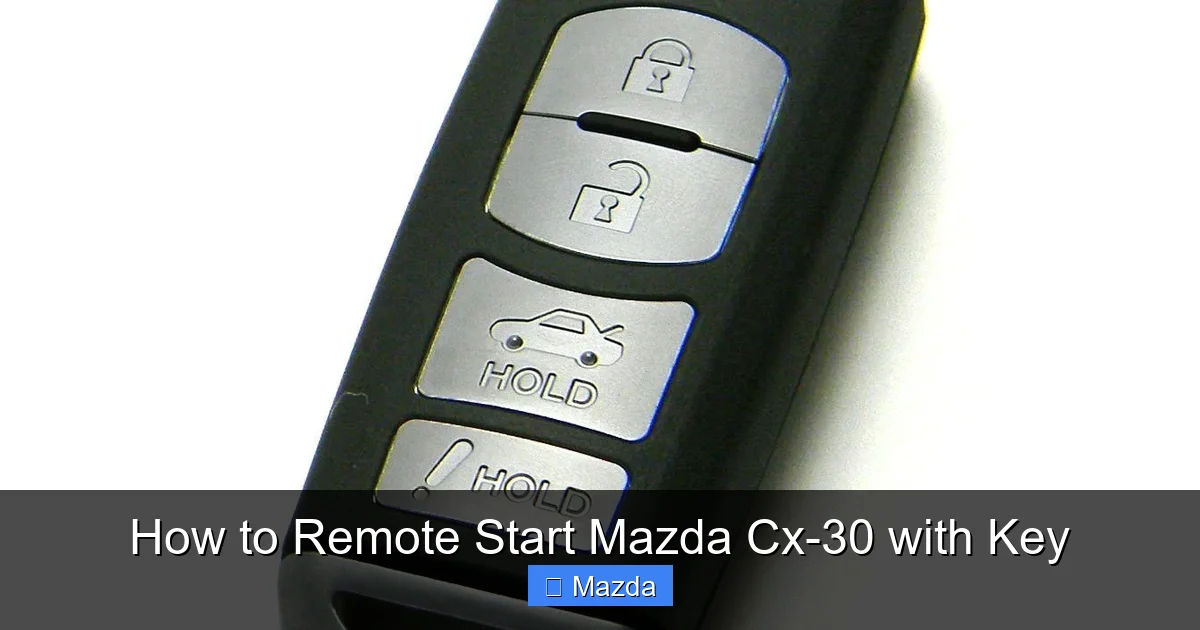
Visual guide about How to Remote Start Mazda Cx-30 with Key
Image source: i.pinimg.com
How the System Prevents Theft and Accidents
The CX-30’s remote start is designed to be “secure by design.” Once the engine starts remotely, you have a limited time (usually 10-15 minutes) to enter the vehicle and drive. If you don’t, the engine shuts off automatically. Critically, the engine will not remain running if you exit the vehicle with the key fob after a remote start. As soon as you open the driver’s door with the key fob outside, the engine will shut off. This prevents someone from stealing the car after a remote start. To drive away, you must have the key fob inside the vehicle, press the brake pedal, and press the engine start/stop button (if equipped with push-button start) or insert the key (if equipped with a traditional ignition). This process seamlessly transitions the vehicle from “remote started” to “driver present” mode.
Environmental and Operational Limits
There are practical limits to what remote start can do. It will start the engine and run the climate control at the last-set temperature, but it does not:
- Defrost the windows. The rear defroster may activate, but you’ll still need to manually clear the windshield.
- Unlock the doors. You must still use the fob or key to enter.
- Adjust seat heaters or steering wheel heat (unless these were on when you last drove).
- Work if the outside temperature is extremely low (below -20°F/-29°C) or high (above 110°F/43°C), as the system protects the engine.
- Function if the vehicle’s battery is weak or dead. A strong 12V battery is required to crank the engine.
For towing enthusiasts, it’s important to note that remote start is typically disabled when a trailer is connected via the factory wiring harness, as a safety precaution. If you’re planning to use your CX-30 for light towing, you’ll want to understand this interaction. You can learn more about your CX-30’s towing capabilities and related systems in our detailed guides on how much a Mazda CX-30 can tow.
Aftermarket Remote Start Systems: A Different Ballgame
If your CX-30 doesn’t have factory remote start, you might consider an aftermarket system from brands like Compustar, Viper, or Directed Electronics. These can add the feature, but they come with significant caveats.
Installation Complexity and Challenges
Modern vehicles like the 2026 CX-30 have complex, integrated electrical systems. Installing an aftermarket remote start is not a simple DIY plug-and-play job. It often requires “tapping” into critical wiring harnesses behind the dashboard—the steering column, the ignition switch harness, and the brake switch circuit. This requires expert knowledge to avoid damaging airbag circuits, triggering immobilizer systems, or causing electrical gremlins. Professional installation is highly recommended, and you must choose a shop experienced with Mazda’s specific systems. A poor installation can lead to no-start conditions, drained batteries, or even voiding parts of your vehicle’s warranty.
Compatibility and Warranty Concerns
Before purchasing any aftermarket system, verify it is explicitly compatible with the 2026 Mazda CX-30. Compatibility lists change yearly. The system must interface with the CX-30’s factory immobilizer (the anti-theft system). This usually requires an ” immobilizer bypass module” or a “data-to-data” interface that communicates with the vehicle’s CAN bus network. Using an incompatible system can leave you stranded. Regarding warranty, the Magnuson-Moss Warranty Act protects you: a dealer cannot void your entire vehicle warranty because of an aftermarket part. However, they can deny warranty coverage for any damage caused *by* that part or its installation. If an improperly installed remote start module causes a fault in the engine computer, Mazda may deny that specific repair.
For owners of other brands exploring similar modifications, our guide on programming a Subaru remote start fob illustrates the factory process, which is inherently more seamless than aftermarket integration.
Comparing Remote Start Across Brands
While we’re focused on the Mazda CX-30, it’s helpful to understand how its system compares to others. Mazda’s implementation is straightforward and secure, but not all brands are the same.
Mazda vs. The Competition
Many mainstream brands offer similar factory remote start features. For instance, Toyota and Nissan systems often work on a similar two-press sequence and have identical safety interlocks (parking brake, park). However, some brands like Hyundai and Kia have moved heavily towards app-based remote start (Blue Link, UVO) as their primary method, with the key fob button being secondary or absent on some models. Mazda, for now, has kept the physical fob button as the primary method, which many users prefer for its reliability and lack of subscription fees (unlike some connected app services). The core principles—safety interlocks, range limits, and engine run timers—are universal across the industry for good reason: safety.
Conclusion: Mastering the Convenience
Remote starting your Mazda CX-30 with the key fob is a brilliantly simple convenience that, once mastered, becomes second nature. The secret isn’t in complicated procedures but in respecting the system’s design: the dedicated button, the mandatory safety checks (especially the parking brake), and the understanding of its limits. By performing the quick prerequisite checklist every time, you eliminate 90% of potential failures. If issues persist, methodically troubleshoot the battery, range, and interlock systems. Remember, this feature is about enhancing your driving experience with comfort and predictability, not about circumventing safety. So go ahead, press that button twice on a cold morning, and step into a pre-warmed CX-30. You’ve earned that little moment of modern luxury. For more specific Mazda CX-30 information, including towing capacity details and windshield replacement costs, explore our library of Mazda-focused resources.
Frequently Asked Questions
Why does my Mazda CX-30 remote start not work even when I follow the steps?
The most common reasons are an unengaged parking brake, the vehicle not being in ‘Park,’ or a dead key fob battery. Always verify these first. If the hazard lights flash once after your attempt, it indicates a specific safety interlock failure, with the parking brake being the most frequent culprit.
Can I remote start my CX-30 if the parking brake is off but the car is in Park?
No. The parking brake being engaged is a mandatory, non-overridable safety requirement for the remote start system to activate. This prevents the vehicle from potentially moving if the transmission’s park pawl fails.
What is the exact range for the remote start function?
Mazda typically rates the effective range at about 100-200 feet in an open, unobstructed area. Real-world range is highly dependent on obstacles like walls, other vehicles, and even severe weather. Always test from your intended starting point.
How long will the engine run once I remote start it?
The engine will run for a preset cycle, usually 10 or 15 minutes, before automatically shutting off. This timer cannot be extended. You must enter the vehicle, buckle up, and begin driving within that window to keep the engine running.
Is it safe to remote start my CX-30 in an enclosed garage?
Never remote start a vehicle in an enclosed or poorly ventilated space, including a garage. Carbon monoxide from the exhaust is deadly and can quickly fill the area, posing a severe risk of poisoning to anyone inside or nearby. Only use remote start in a fully open, outdoor area.
Can I add factory remote start to a CX-30 that didn’t come with it?
Adding the genuine Mazda factory remote start system to a vehicle that wasn’t originally equipped is generally not possible or cost-effective post-production. It requires extensive wiring and module integration that is not designed as a retrofit. Your viable options are a professional aftermarket installation or, in some cases, a dealer-installed accessory package if Mazda offered one for your specific model year and trim at the time of purchase.