
Does the 2018 Hyundai Elantra Have Apple Carplay

The 2018 Hyundai Elantra offers Apple CarPlay as a standard or available feature on most trims above the base model, allowing iPhone users to connect for navigation, music, and messaging. Setup is simple via a USB cable, though some units may require a free software update from Hyundai for full functionality. It’s a wired-only system in this model year, but it significantly enhances convenience and safety by mirroring your iPhone’s apps on the car’s touchscreen.
Key Takeaways
- Not on the Absolute Base Model: Apple CarPlay is typically unavailable on the most basic 2018 Elantra trim but becomes standard or optional on SE, SEL, and Limited models.
- Requires a Compatible iPhone: You need an iPhone 5 or newer running iOS 7.1 or later for the system to function properly.
- Wired Connection Only: Unlike newer models, the 2018 Elantra uses a USB cable for CarPlay—there is no wireless capability in this model year.
- Potential Software Update Needed: Some early 2018 models may have a buggy initial firmware; a dealership or USB update can resolve issues.
- Part of a Larger Infotainment Suite: CarPlay is integrated alongside Android Auto, Bluetooth, and Hyundai’s own Blue Link telematics in the touchscreen system.
- Easy, Menu-Driven Setup: Activation involves plugging in your iPhone, accepting prompts on both phone and screen, and selecting CarPlay in the vehicle’s settings menu.
📑 Table of Contents
- Apple CarPlay in the 2018 Hyundai Elantra: The Direct Answer
- Understanding Hyundai’s Infotainment Evolution Leading to 2018
- Trim-Level Breakdown: Where You’ll Definitely Find CarPlay
- How to Set Up and Use Apple CarPlay in Your 2018 Elantra
- Troubleshooting: Why CarPlay Might Not Be Working
- The Bigger Picture: How the 2018 Elantra’s CarPlay Compares
- Conclusion: A Connected and Practical Choice
Apple CarPlay in the 2018 Hyundai Elantra: The Direct Answer
So, you’re looking at a used 2018 Hyundai Elantra and wondering about that modern smartphone integration. It’s a great question, because in 2018, having your phone’s apps safely on your dashboard was becoming a must-have feature. The short answer is yes, the 2018 Hyundai Elantra does have Apple CarPlay—but with a very important caveat. It’s not available on every single trim level. If you’re shopping for a base-model Elantra, you might be out of luck. But if you’re looking at an SE, SEL, or Limited, you should find it either as standard equipment or a very common option. This was a big deal for Hyundai, as they were one of the more aggressive mainstream brands in rolling out smartphone projection across their lineup earlier than some competitors.
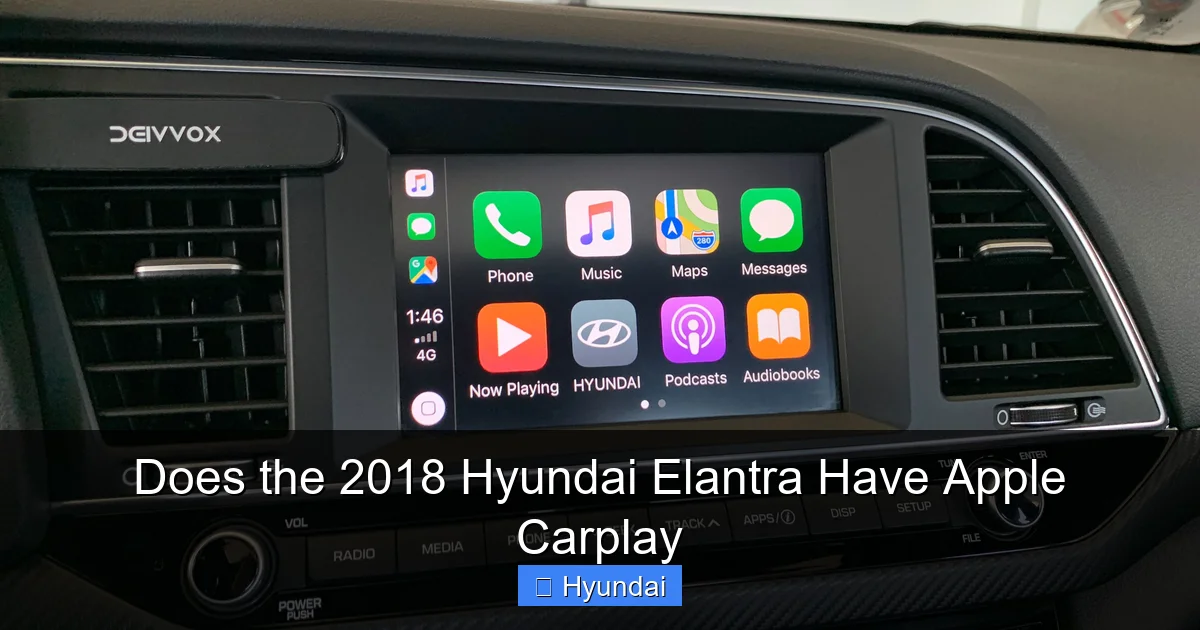
Think of it this way: Apple CarPlay takes the familiar interface of your iPhone—your Maps, Messages, Music, Podcasts, and compatible third-party apps—and projects them onto the Elantra’s central touchscreen. You control them with the car’s touch, voice commands via Siri, or steering wheel buttons. For daily commutes, it means you can get turn-by-turn directions from Apple Maps, listen to your Spotify playlists, or have your text messages read aloud without ever touching your phone. In a 2018 Elantra, this integration was a significant step up from the older, more basic infotainment systems Hyundai used to offer. It made the car feel thoroughly modern and connected.
Why This Matters for Used Car Buyers
If you’re in the market for a used compact sedan, feature availability like Apple CarPlay can be a deal-maker or breaker. A 2018 Elantra with CarPlay offers a level of tech convenience that rivals newer base-model cars. It means you don’t have to buy a mount for your phone or fumble with it at red lights. The system is designed to be a safer, more integrated solution. However, because it’s trim-dependent, you must check the specific vehicle’s window sticker (if available) or, better yet, physically test the feature. Turn on the car, plug in an iPhone (with a good cable), and see if the CarPlay icon appears on the home screen. This is the only way to be 100% certain.
Understanding Hyundai’s Infotainment Evolution Leading to 2018
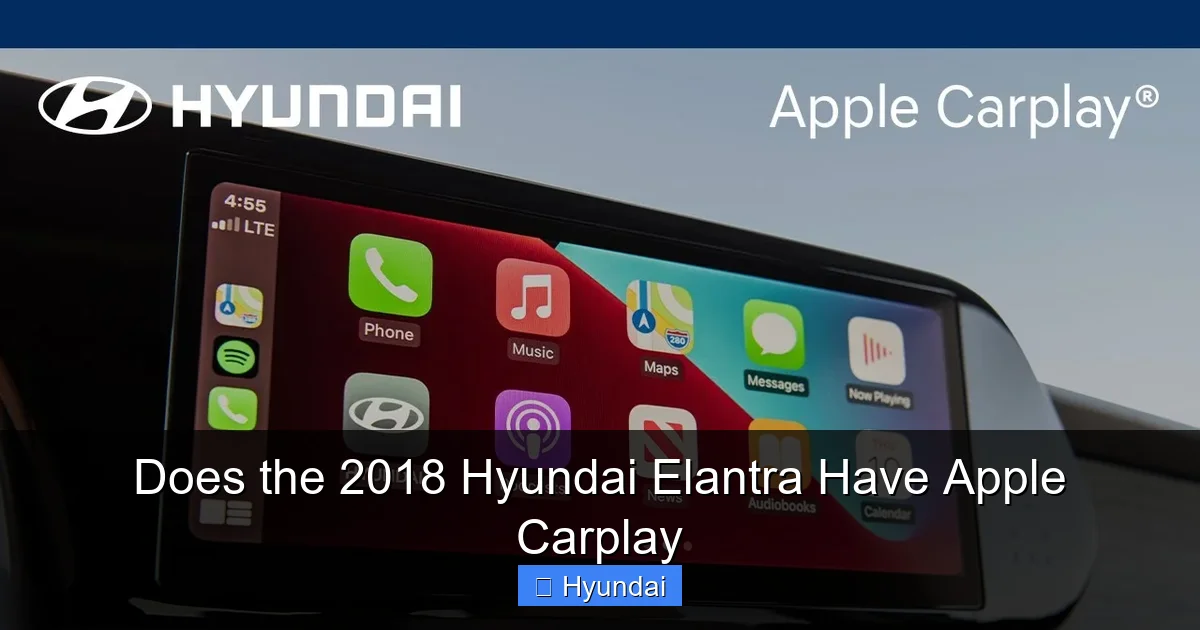
To fully appreciate the 2018 Elantra’s capabilities, it helps to understand where Hyundai was coming from. Just a few model years prior, Hyundai’s standard infotainment systems were fairly basic. They had Bluetooth for audio and calls, and maybe a navigation system on higher trims, but they were proprietary, often clunky systems. The industry-wide shift towards “projection” systems—where the car’s hardware simply displays your phone’s OS—was a game-changer. Hyundai embraced this early. For the 2018 model year, the Elantra’s system was part of Hyundai’s third-generation infotainment architecture, which officially supported both Apple CarPlay and Android Auto.
Visual guide about Does the 2018 Hyundai Elantra Have Apple Carplay
Image source: i.ytimg.com
This move was strategic. Instead of trying to develop and maintain their own app ecosystem (a costly and often frustrating endeavor for users), Hyundai partnered with Apple and Google. The result was a system that felt instantly familiar to iPhone users. The screen layout, app icons, and even the way you type with the on-screen keyboard mirrored your phone. For Hyundai, it meant they could offer a cutting-edge tech experience without the massive R&D cost. For you, the owner, it meant your 2018 Elantra wouldn’t feel technologically obsolete the moment you bought it. This philosophy continues today, making Hyundai a strong contender in the value-packed tech space.
The Hardware: What Screen Are You Looking At?
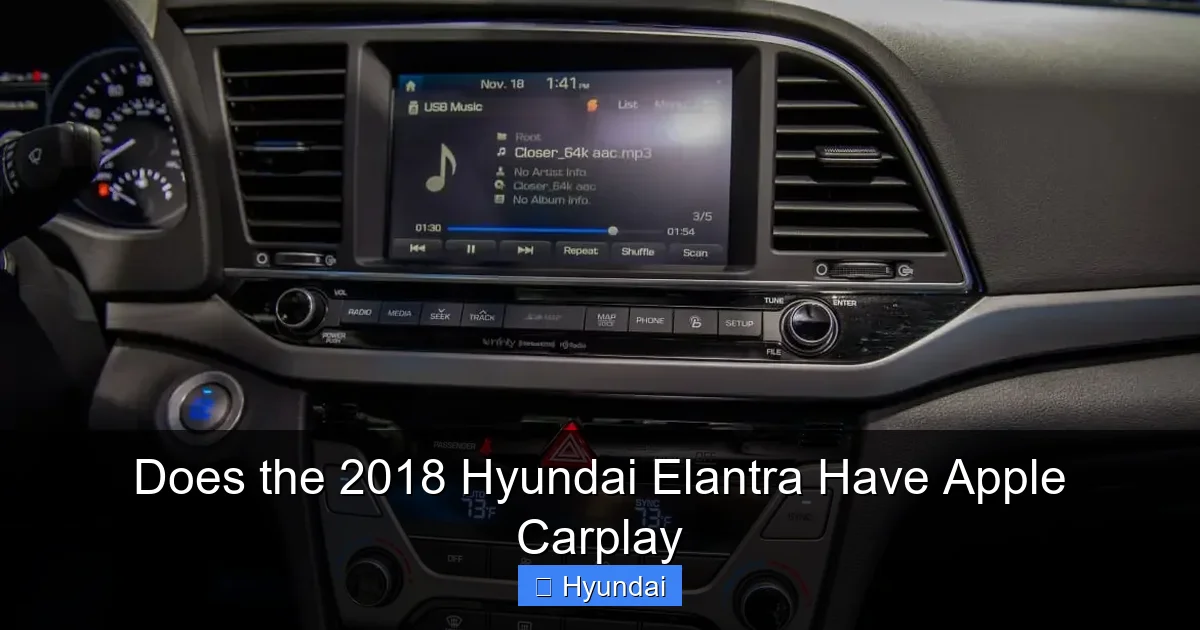
The 2018 Elantra came with either a 5-inch or a 7-inch touchscreen, depending on the trim. The Apple CarPlay functionality is identical on both, but the larger screen on SEL and Limited trims simply gives you more real estate for your maps and music controls. The system itself is responsive for its era, though it doesn’t have the lightning-fast processing of a 2023 model. You’ll notice a slight lag when launching apps, but once running, it’s perfectly functional. The physical buttons and knobs below the screen for climate and audio shortcuts are also well-placed, allowing for quick adjustments without diving into the touch menu—a thoughtful design touch.
Trim-Level Breakdown: Where You’ll Definitely Find CarPlay
This is the most critical section for a buyer. Hyundai did not make Apple CarPlay universal across the entire 2018 Elantra lineup. Here’s a clear breakdown:
Visual guide about Does the 2018 Hyundai Elantra Have Apple Carplay
Image source: images.cars.com
- Base Model (often just “Elantra” or “GDS”): This trim, with its manual transmission and minimal features, typically does not include the touchscreen with Apple CarPlay. It usually has a smaller, non-touch radio with Bluetooth. If you see a base model with a 5-inch screen, it might have CarPlay, but it’s not guaranteed. Always verify.
- SE Trim: This is the sweet spot for value. The 2018 Elantra SE almost universally comes with the 5-inch touchscreen and Apple CarPlay/Android Auto as standard equipment. This made it a massively popular choice for buyers wanting tech on a budget.
- SEL Trim: Steps up to the larger 7-inch touchscreen and adds features like a sunroof. Apple CarPlay is standard on this trim.
- Limited Trim: The top-of-the-line model includes leather seats, premium audio, and all the safety tech. The 7-inch touchscreen with CarPlay is, of course, standard.
For the sportier Elantra Sport model (which shares its infotainment with the SEL/Limited), CarPlay is also standard. The key takeaway: if you are looking at any 2018 Elantra that is an SE or higher, you should expect to have Apple CarPlay. The base model is the only real question mark. When in doubt, the Vehicle Identification Number (VIN) can be decoded by a Hyundai dealer to confirm the exact factory equipment.
What About the “Eco” and “GT” Models?
The 2018 lineup also included the fuel-focused Elantra Eco and the performance-oriented Elantra GT (hatchback). The Eco sedan followed the same trim logic as the regular Elantra—CarPlay on SE and above. The Elantra GT, being a different body style, had its own trim structure (Base, GT, GT N Line). Here, CarPlay was standard on the GT and GT N Line trims, which came with the larger touchscreen. The very base GT model might not have had it. So, the rule remains: look for the presence of the color touchscreen, and you’ll almost certainly have CarPlay.
How to Set Up and Use Apple CarPlay in Your 2018 Elantra
Assuming you have a compatible trim, getting CarPlay working is refreshingly simple. The entire process should take less than two minutes. Here’s the step-by-step guide:
Visual guide about Does the 2018 Hyundai Elantra Have Apple Carplay
Image source: photo2.tinhte.vn
- Prerequisites: Ensure your iPhone is an iPhone 5 or newer and is running iOS 7.1 or later (all modern iPhones will be fine). Use a high-quality, certified USB cable—a flimsy or damaged cable is the #1 cause of setup failures.
- Connect: Start your Elantra. Plug the USB cable into the port in the center console (it’s often hidden under a small flap or inside a cubby). Then plug the other end into your iPhone.
- Initial Prompt: Almost immediately, a prompt will appear on the Elantra’s touchscreen asking if you want to enable Apple CarPlay. It will also ask if you want to enable it every time you connect. Select “Enable” or “Yes.”
- Phone Prompt: Simultaneously, your iPhone will display a prompt about trusting the car. Tap “Trust” and, if asked, confirm the CarPlay settings.
- Launch: The CarPlay home screen should appear on your Elantra’s display. You’ll see the familiar app icons for Phone, Messages, Apple Music, Podcasts, Maps, etc. You’re now ready to go.
Once set up, every time you plug your iPhone in with the car running or in accessory mode, CarPlay should launch automatically. You can also press the “Media” or “Phone” hard buttons on the steering wheel to summon the CarPlay interface. To exit CarPlay and return to Hyundai’s native system, you’ll usually press a “Home” or “Source” button on the touchscreen or steering wheel.
Essential Tips for a Smooth Experience
To avoid headaches, keep these tips in mind. First, always use the USB port designated for data/charging—some cars have a “charge-only” port that won’t work. Second, if CarPlay doesn’t launch automatically, unplug and replug your phone, or try a different USB cable. Third, be aware that using CarPlay will charge your phone, but it can drain the car’s battery if the engine is off for a very long time. Finally, remember that your iPhone’s screen will be locked during CarPlay use, which is a security feature. You must use the car’s interface or Siri to interact with apps.
Troubleshooting: Why CarPlay Might Not Be Working
Even with everything set up correctly, you might occasionally hit a snag. Here are the most common issues and how to fix them:
- “CarPlay Not Available” Message: This is the most frequent error. First, check your USB cable—try a different, known-good one. Second, clean the iPhone’s charging port; lint and debris can prevent a solid connection. Third, restart your iPhone. Fourth, restart your Elantra (turn it completely off and on again).
- CarPlay Connects but Apps Won’t Open: This is often a software compatibility issue. Make sure your iPhone is updated to the latest iOS version. Also, check if your Elantra’s infotainment firmware needs an update.
- Intermittent Disconnections: A faulty cable is again the prime suspect. Also, avoid using USB hubs or extensions. Plug directly into the car’s port. If the problem persists, the car’s USB port may be loose or faulty, requiring a dealer visit.
- No Sound from CarPlay Apps: Check the audio source on the car’s system. It should be set to “USB” or “CarPlay.” Also, verify the volume is up on both the car and your iPhone. Sometimes, the phone’s “Change with Buttons” setting in Sounds & Haptics can cause volume conflicts.
The All-Important Software Update
Here’s a pro tip for 2018 Elantra owners: Hyundai released infotainment software updates over the years to fix bugs and improve CarPlay stability. If your system feels glitchy—apps crash, the screen freezes, or connection is unreliable—you may need an update. The good news is you might not need to visit a dealer. Some updates can be performed via a USB drive downloaded from Hyundai’s owner website. You’ll need your VIN and the exact infotainment version (found in Settings > System > About). If a USB update is available, follow the instructions precisely. If not, a quick trip to the dealership can often get it done under warranty if your car is still covered, or for a small fee. For more on maintaining your Elantra’s systems, understanding its oil capacity and maintenance schedule is equally important for long-term reliability.
The Bigger Picture: How the 2018 Elantra’s CarPlay Compares
In the competitive compact sedan market of 2018, Apple CarPlay was becoming a expected feature, but not yet universal. The Elantra was a leader in making it widely available. Let’s put it in context. A 2020 Honda Civic, for instance, made CarPlay standard on all trims except the absolute base, which is similar to Hyundai’s approach. However, some competitors like certain Toyota models were slower to adopt it universally. The Elantra’s value proposition was strong: you got a well-equipped, tech-friendly car for the money.
It’s also worth noting the limitations of the 2018 system. The biggest is the lack of wireless CarPlay. You are physically tethered to the USB port. For some, this means a cable always dangling in the cup holder. Newer Elantra models (2022+) offer wireless connectivity, which is a major quality-of-life upgrade. Additionally, the screen resolution and processing speed are modest by today’s standards. But for a 2018 vehicle, it was competitive and functional. The system also includes Android Auto, so it’s a dual-platform solution, which is great for households with both iPhone and Android users.
Is It Worth Seeking Out a 2018 Elantra with CarPlay?
Absolutely. If you’re shopping for an affordable, reliable, and feature-rich used sedan, a 2018 Hyundai Elantra with Apple CarPlay is an excellent choice. The feature alone makes daily driving more convenient and safer. The Elantra itself is known for strong fuel economy, a comfortable ride, and a long warranty that may still transfer. When evaluating a specific car, beyond confirming CarPlay works, also check the overall vehicle’s weight and structural integrity through a pre-purchase inspection. A well-maintained Elantra with this tech feature is a smart buy that will feel current for years to come.
Conclusion: A Connected and Practical Choice
To wrap it up, the 2018 Hyundai Elantra does offer Apple CarPlay, but you need to be mindful of the trim level. Aim for an SE or higher, and you’ll almost certainly have this valuable feature. The setup is plug-and-play simple, and while it’s a wired connection, it delivers the core CarPlay experience reliably. Potential software gremlins can usually be solved with a simple update or cable swap. In the grand scheme, the 2018 Elantra represented a great moment for Hyundai—a time when they packed a lot of desirable technology and value into an affordable compact sedan. If you find one with a clean history and a functioning CarPlay system, you’ve found a practical, connected, and economical companion for the road.
Frequently Asked Questions
Is Apple CarPlay available on every 2018 Hyundai Elantra trim?
No, it is not standard on the absolute base model. Apple CarPlay is standard equipment on the SE trim and all higher trims (SEL, Limited, Sport, GT). Always verify by checking for the touchscreen and testing the feature.
What iPhone models are compatible with the 2018 Elantra’s CarPlay?
Any iPhone from the iPhone 5 onward, running iOS 7.1 or later, is compatible. This includes all modern iPhone models, so if you have a recent iPhone, you’re good to go.
How do I update the infotainment software to fix CarPlay issues?
Check your system’s current software version in Settings > System > About. Then, visit the Hyundai owner’s website, enter your VIN, and see if a USB update file is available for download. If not, a dealership can perform the update.
Does the 2018 Elantra support wireless Apple CarPlay?
No, the 2018 model year only supports a wired connection via USB. Wireless CarPlay became available in Hyundai models starting with the 2022 model year.
Can I use both Apple CarPlay and Android Auto in the same 2018 Elantra?
Yes, the infotainment system supports both. However, only one can be active at a time. If you plug in an iPhone, CarPlay launches. If you plug in an Android phone, Android Auto launches.
Why does my Apple CarPlay keep disconnecting in my Elantra?
The most common cause is a faulty or non-certified USB cable. Try a different, high-quality cable. Also, ensure the USB port in your car is clean and free of debris. If problems persist, the car’s USB port may need servicing.
