How to Disable Bmw Auto Start-stop 2022

Contents
- 1 Key Takeaways
- 2 📑 Table of Contents
- 3 Understanding Your BMW’s Auto Start-Stop System
- 4 The Easiest Method: The Dedicated Dashboard Button
- 5 Permanent Disable via iDrive Menu (Model Dependent)
- 6 The Professional Solution: Coding via BMW Diagnostic Tools
- 7 Aftermarket Modules and Their Risks
- 8 Weighing the Pros and Cons: Should You Do It?
- 9 Step-by-Step Guide: The Recommended Path
- 10 Conclusion: Taking Control of Your Drive
- 11 Frequently Asked Questions
Disabling the Auto Start-Stop system in your 2022 BMW is simpler than you think. You can temporarily override it with a dedicated button on the dashboard for each drive cycle. For a permanent fix, professional coding via the iDrive system or specialized tools is required. Always consider the fuel economy trade-offs and potential warranty implications before making a change.
So, you’ve just bought or are driving a shiny new 2022 BMW. The ride is smooth, the cabin is quiet, and then you come to a stoplight. The engine shuts off. You feel the subtle shift as the car goes from a gentle hum to an eerie silence, only to jolt back to life a few seconds later when the light turns green. This is BMW’s Auto Start-Stop system, and for many drivers, it’s one of the most polarizing features in modern cars. If you find it annoying, disruptive, or just plain unnecessary, you’re not alone. This guide will walk you through every single method, from the simplest button press to the more involved coding procedures, to help you disable Auto Start-Stop on your 2022 BMW.
First, let’s establish what we’re dealing with. BMW’s implementation, often called “Auto Start-Stop” or “Eco Pro” mode functionality, is designed to save fuel and reduce emissions in city driving by automatically turning off the gasoline engine when the car is at a complete stop and the brake pedal is held. It restarts the engine instantly when you release the brake or press the accelerator. In theory, it’s great. In practice, especially in stop-and-go traffic or on hills, it can feel hesitant, cause wear on the starter motor over time (though BMW’s system is designed for heavy use), and simply break the flow of driving. The good news is that BMW, unlike some stricter manufacturers, gives drivers clear and multiple ways to control this feature.
Key Takeaways
- Temporary Override is Easy: The “A/SS” button on the center console instantly disables the system for the current drive cycle, resetting upon engine restart.
- Permanent Disable Requires Coding: To stop the system from reactivating, you must change a software parameter via BMW’s diagnostic tools or iDrive hidden menus, often needing a professional.
- iDrive Menu Offers a Setting: Some 2022 models allow disabling Auto Start-Stop by default through the “Vehicle Settings” menu under “Efficiency Assistance.”
- System Behavior Varies by Model: The exact button location and menu path can differ slightly between the 3 Series, X5, X3, and other 2022 BMW models.
- Fuel Economy vs. Convenience Trade-off: Disabling the system will slightly reduce your official MPG ratings but eliminates engine shutdowns at stops, improving drivability.
- Warranty and Emissions Compliance: Coding the system is generally software-based and doesn’t void warranties, but the car will still be emissions-compliant as the feature is simply deactivated.
- Aftermarket Solutions Exist: Third-party modules can permanently disable the system by tricking the car’s sensors, but quality and reliability vary greatly.
📑 Table of Contents
- Understanding Your BMW’s Auto Start-Stop System
- The Easiest Method: The Dedicated Dashboard Button
- Permanent Disable via iDrive Menu (Model Dependent)
- The Professional Solution: Coding via BMW Diagnostic Tools
- Aftermarket Modules and Their Risks
- Weighing the Pros and Cons: Should You Do It?
- Step-by-Step Guide: The Recommended Path
- Conclusion: Taking Control of Your Drive
Understanding Your BMW’s Auto Start-Stop System
Before we start disabling things, it helps to understand how the system decides when to work. It’s not just a simple timer. The 2022 BMW uses a network of sensors to make this decision. It checks that the engine is at optimal operating temperature, the battery has sufficient charge, the climate control system’s demand isn’t too high (you don’t want the AC cutting out), and that you’ve applied sufficient brake pressure to hold the car stationary. If any of these conditions aren’t met, the system will not activate, even if the default setting is “On.” This is why you might notice it working on a cool morning drive but not on a hot afternoon with the AC blasting.
The Role of Driving Modes
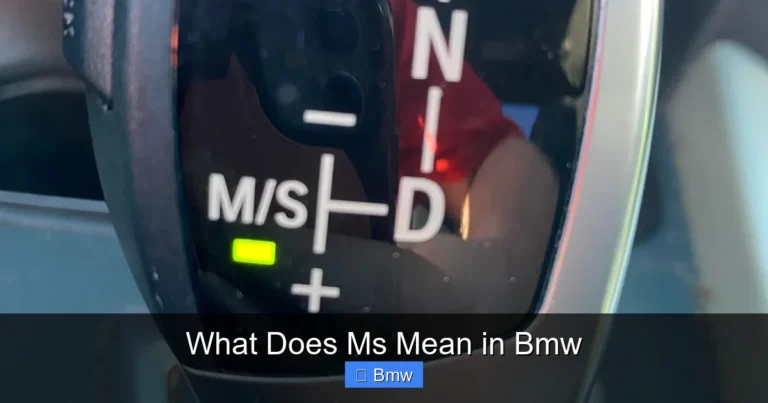
Your BMW’s driving mode selector (Eco Pro, Comfort, Sport, Sport+) plays a significant role. In Eco Pro mode, Auto Start-Stop is most aggressive and is almost always enabled by default. In Comfort mode, it’s still active but might be slightly less eager. In Sport and Sport+ modes, the system is typically disabled entirely by the factory settings. This is the easiest “disable” method of all: simply select a Sport driving mode. However, this also changes throttle response, steering weight, and transmission shift points, which you may not want for daily commuting. If you like the Comfort mode feel but hate the start-stop, you’ll need another solution.
The Easiest Method: The Dedicated Dashboard Button
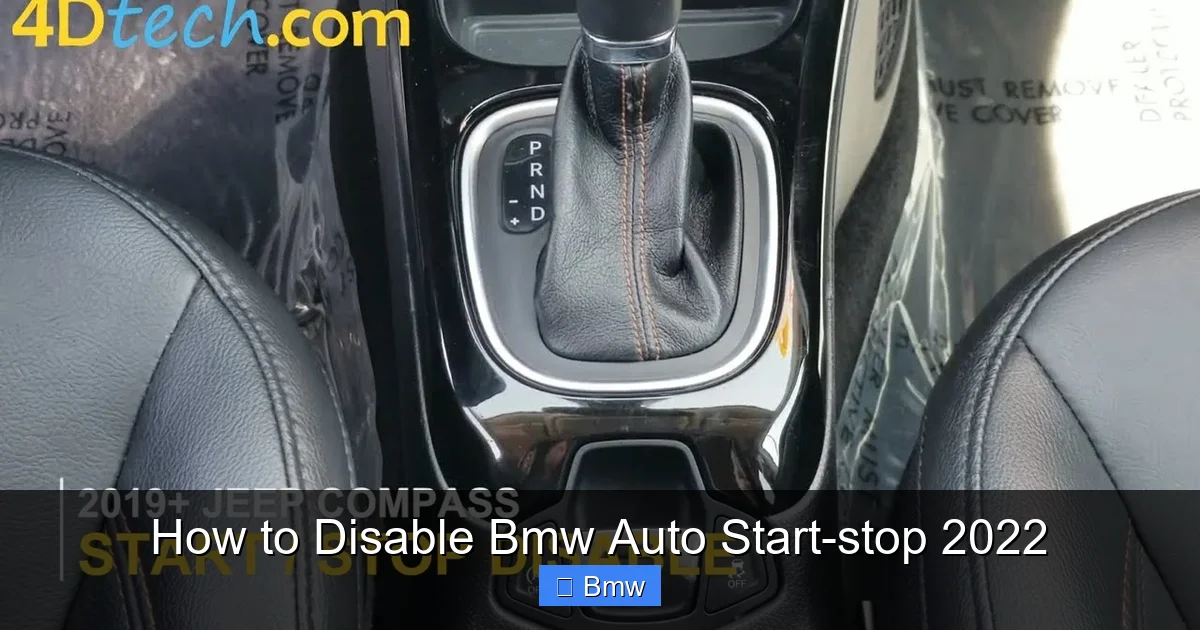
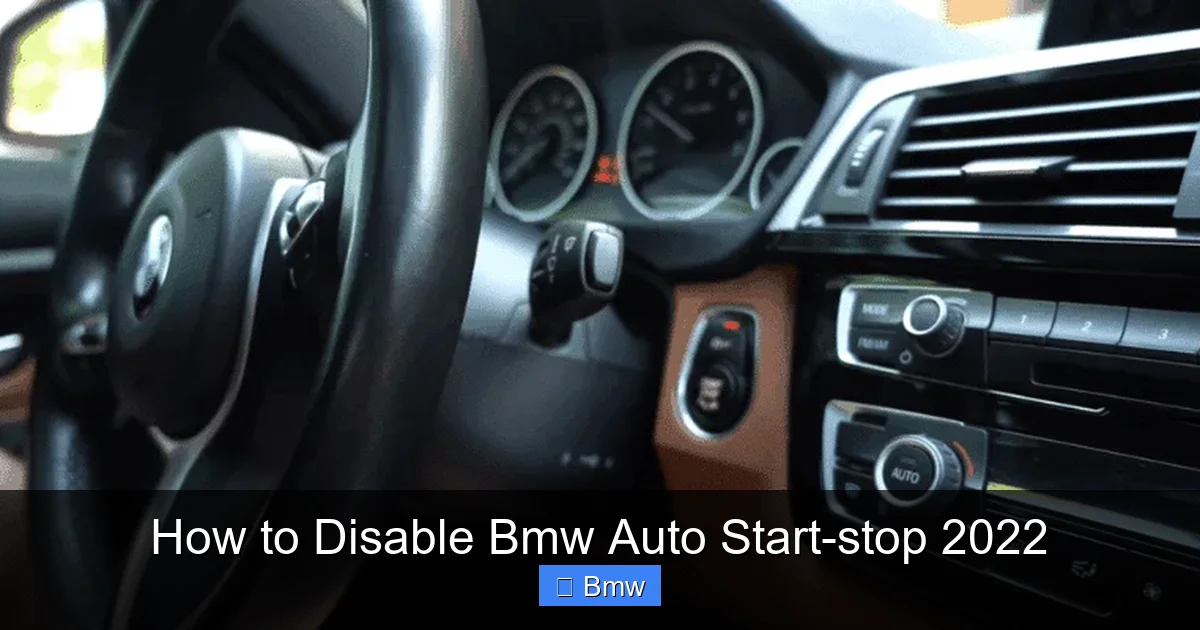
Every 2022 BMW equipped with Auto Start-Stop has a physical button to control it. This is your primary, immediate line of defense. Look for a button labeled with an icon of a car with a circular arrow inside it, often accompanied by the letters “A/SS” or “Start-Stop.” It’s typically located on the center console near the shifter or on the dashboard to the left of the steering wheel. Pressing this button once will deactivate the Auto Start-Stop system for the current drive cycle. You’ll see a small LED illuminate on the button itself, and a message will appear on your instrument cluster or iDrive screen confirming “Auto Start-Stop Deactivated.”
Visual guide about How to Disable Bmw Auto Start-stop 2022
Image source: i.ytimg.com
Here’s the crucial part: this setting is not permanent. It is stored in the car’s memory only until you turn the engine off. The next time you start the car, the system will re-enable itself according to the default setting (usually “On”). This button is perfect for situations where you know you’ll be in heavy traffic or on a steep hill and want a predictable driving experience for that trip. It requires no tools, no coding, and takes one second. For a permanent solution, you must go deeper.
Common Button Locations by Model
While the symbol is standard, placement can vary slightly:
- 3 Series (G20/G21), 4 Series (G22/G23): Usually on the center console, just behind the shifter, near the parking brake button.
- X3 (G01), X4 (G02): Often on the dashboard to the left of the steering column or on the center console.
- X5 (G05), X6 (G06): Frequently located on the center console, near the iDrive controller.
- 5 Series (G30/G31), 7 Series (G11/G12): Typically integrated into the button cluster on the center console.
If you can’t find it, consult your owner’s manual under “Auto Start-Stop Function” or “Driving Systems.”
Permanent Disable via iDrive Menu (Model Dependent)
This is the first digital method. Many, but not all, 2022 BMWs allow you to change the default behavior of Auto Start-Stop through the iDrive infotainment system. The path is generally consistent, but the exact menu name might differ. Here is the standard procedure:
- Press the iDrive knob to activate the menu.
- Navigate to “Vehicle” or “Car” settings.
- Select “Driving Systems” or “Efficiency Assistance.”
If this option exists, changing it here will make your selection the new default. The dashboard button will still work for temporary overrides. However, BMW has been streamlining menus, and on some newer 2022 models, particularly those with the latest iDrive 8 system, this specific toggle may have been removed from the user-facing menu, pushing the solution into the realm of coding. If you cannot find this setting, your car’s software likely does not include a user-configurable default for this feature.
Visual guide about How to Disable Bmw Auto Start-stop 2022
Image source: cdn.thedailyautomotive.com
The Professional Solution: Coding via BMW Diagnostic Tools
This is the most reliable and truly permanent method for any BMW, especially if the iDrive menu option is absent. It involves making a small software change in the car’s electronic control units (ECUs). The process is not “hacking” in a dangerous sense; it’s simply telling a module that controls the start-stop system to ignore its activation parameters. You have two main paths for this: using official BMW software or trusted third-party tools.
Visual guide about How to Disable Bmw Auto Start-stop 2022
Image source: thedailyautomotive.com
Using Official BMW ISTA (Rheingold)
This is the factory-level diagnostic and coding software used by BMW dealerships. It requires a compatible OBD-II cable (like the ENET cable for Ethernet-based models) and a laptop running a specific version of the software. Access is typically restricted to dealerships and authorized independent shops due to licensing. If you have access, the process involves:
- Connecting to the vehicle and reading out all ECU data.
- Navigating to the relevant module, often the DME (Digital Motor Electronics) or a dedicated Start-Stop control module.
- Finding the parameter related to “Auto Start-Stop activation” or “SSI (Start-Stop Inhibition).”
- Changing the value from “aktiv” (active) to “inaktiv” (inactive).
- Writing the change to the ECU and clearing any fault codes.
This method is bulletproof and fully reversible. However, it’s not user-friendly for the average car owner due to software cost and complexity.
Using Third-Party Tools: BimmerCode and BimmerLink
For the DIY enthusiast, apps like BimmerCode (for Android/iOS) and BimmerLink have become the standard. They require a compatible OBD-II Bluetooth or WiFi adapter (like the OBDLink MX+ or a Veepeak adapter). These apps provide a user-friendly interface to change many hidden BMW settings, including Auto Start-Stop on most 2022 models.
- Connect the adapter to your car’s OBD-II port (under the dashboard, near the driver’s knee).
- Open the BimmerCode app, connect to the adapter, and select your vehicle’s exact model and year.
- Navigate to the coding menu for the relevant module (usually DME or BDC).
- Look for the expert setting: “SSI (Start-Stop Inactivation)” or “Auto Start-Stop” with options like “On” or “Off.”
- Change it to “Off,” code the module, and disconnect.
- Pros: No coding knowledge needed. Truly plug-and-play for many. Often reversible by simply unplugging.
- Cons: Quality varies wildly. A cheap module can cause electrical gremlins, trigger check engine lights, or even interfere with other critical systems like the brake light switch. They may not be compatible with all 2022 BMW models or future software updates. There is no official support.
- Smoother Driving Experience: No more engine shutdowns at intersections. The car feels more responsive and predictable, especially in traffic.
- Reduced Wear (Theoretical): While BMW starters are heavy-duty, eliminating hundreds of extra start cycles per month can’t hurt long-term reliability.
- Immediate Power: No millisecond lag while the engine restarts. You have full torque the moment you press the gas.
- Climate Control Consistency: The AC or heater compressor, which runs off the engine, won’t cycle off and on, maintaining cabin temperature more steadily.
- Hilly Terrain: The system is notoriously hesitant on inclines, often shutting off just as you’re about to move, causing a roll-back. Disabling it solves this.
- Fuel Economy Loss: You will see a slight drop in MPG, especially in city driving. BMW’s official ratings are achieved with the system active. For most, the loss is 0.5-1.5 MPG, but it’s real.
- Increased Emissions: The system exists to meet stringent emissions regulations. Disabling it means your car will produce marginally more CO2 and pollutants in stop-and-go conditions.
- Warranty Concerns (Minimal): Software coding is generally not a warranty-voiding modification. However, if a dealer can prove that an aftermarket module caused a fault, they could deny coverage for that specific issue. This is rare for a simple disable.
- Resale Value: Some future private buyers may see a coded car as “tampered with,” though many will appreciate the feature being off. A dealer will almost certainly re-enable it before putting it on their lot.
- Defeats Engineering Intent: You’re overriding a system BMW spent millions developing. In extreme cold or heat, the system may stay off automatically to protect the engine and battery, which is a useful feature.
Important: These apps are powerful. Always read the descriptions carefully. Coding incorrectly can cause module errors. The change is permanent until you recode it back. For BMWs with the latest iDrive 8, the coding path might be slightly different, but BimmerCode updates its app support regularly. This is the most common DIY permanent solution. For context on how other brands handle similar systems, guides for Audi or Ford show a similar need for software changes.
Aftermarket Modules and Their Risks
If coding sounds too technical, the internet is full of “plug-and-play” modules that promise a permanent disable. These are small electronic devices that you wire into your car’s OBD-II port or specific sensor harnesses. They work by intercepting and altering the signals from the brake pedal sensor, battery sensor, or engine control unit, tricking the car into thinking conditions for start-stop are never met. While some are well-made and work reliably, the market is largely unregulated.
Pros and Cons of Aftermarket Modules
If you choose this route, buy from a highly reputable vendor with specific BMW 2022 compatibility and a good warranty. Read reviews from owners with your exact model (e.g., G01 X3, G20 330i). The risk of a $30 module causing a $500 diagnostic headache is real. For a more integrated and safer solution, investing in a proper coding tool or service is almost always worth it.
Weighing the Pros and Cons: Should You Do It?
Now that you know how to do it, should you? Let’s break down the implications.
The Case For Disabling
The Case Against Disabling
Step-by-Step Guide: The Recommended Path
Based on safety, reliability, and effectiveness, here is our recommended sequence for disabling Auto Start-Stop on your 2022 BMW.
Step 1: The 30-Day Button Test
Before you commit to any permanent change, use the dashboard A/SS button for an entire month. Get a feel for the car without the system. Drive in all your usual conditions—highway, city traffic, hills. Notice if you miss the tiny fuel savings (you probably won’t). This will confirm you actually want the change and aren’t just annoyed by a single frustrating commute.
Step 2: Check the iDrive Menu
Go through the menu path described in Section 3. If you find the “Auto Start-Stop” toggle under “Efficiency Assistance,” set it to “Off.” You’ve just permanently disabled it with zero effort. Test it for a week. If it holds, you’re done. If the menu option isn’t there, proceed to Step 3.
Step 3: Research Your Specific Model’s Coding
This is the most critical step. Your exact model, engine, and production date dictate the coding parameter. Go to forums like BimmerPost or BimmerFest and search for threads like “[Your Model, e.g., G20 330i] Auto Start-Stop coding 2022.” You will find the exact expert setting name and value needed. For most recent BMWs, it’s often “SSI” set to “aktiv” (change to “inaktiv”) or a simple “StartStop” set to “0” (off). Write this down.
Step 4: Acquire Tools and Code
Purchase a compatible OBD-II adapter (check BimmerCode’s website for a list of verified adapters) and download the BimmerCode app. Follow the app’s instructions meticulously. Select your vehicle, navigate to the DME or BDC module, find the expert setting you researched, change it, and code. The app will guide you through backups and writing the change. After coding, start the car and verify the A/SS button LED is off by default and the system does not activate at a stop.
Step 5: Document the Change
Take a photo of the changed setting in BimmerCode or note the original value. Keep this information. If you ever need to take the car to a dealer for a major service or want to sell it, you can easily revert the change to the factory default.
Alternative: Professional Coding Service
If you’re not comfortable with DIY coding, find a reputable independent BMW specialist. Explain you want the Auto Start-Stop system permanently deactivated via coding. They will use ISTA or a similar professional tool to do it in 15 minutes, usually for a fee of $50-$150. This is a safe and effective option. You might also discuss related tweaks, like disabling the seatbelt reminder chime or changing the default window operation, but always be clear about your primary goal.
Conclusion: Taking Control of Your Drive
Your 2022 BMW is a masterpiece of engineering, but even the best designs can have features that don’t align with every driver’s preference. Auto Start-Stop is one of those. The great news is that BMW provides a clear hierarchy of control: the instant-button for momentary relief, the iDrive menu for a software setting (on supported models), and the deeper coding for a universal, permanent fix. The method you choose depends entirely on your technical comfort and your car’s specific configuration.
We strongly advocate for the software-based permanent disable over aftermarket modules. It’s cleaner, more reliable, and fully integrated with the car’s own systems. The small investment in a BimmerCode adapter or a visit to a specialist pays for itself in daily driving satisfaction. Remember, you’re not breaking anything; you’re simply reconfiguring an optional efficiency feature that BMW itself allows technicians to modify. So take that deep breath at the stoplight, keep your engine running smoothly, and enjoy the drive exactly the way you want it. For more specific guides on other vehicle systems, from BMW alarms to remote starts on other brands, our site has you covered.
Frequently Asked Questions
Will disabling Auto Start-Stop void my BMW’s warranty?
No. Disabling the system via software coding (using BimmerCode or a dealer’s ISTA) is a reversible software parameter change. It does not modify any hardware and will not void your vehicle’s warranty. Aftermarket plug-in modules carry a very small risk if they cause an electrical fault, but coding itself is safe.
Can I disable Auto Start-Stop on a 2022 BMW with iDrive 8?
It depends. Some 2022 models with iDrive 8 still have the user menu toggle under “Vehicle Settings > Driving Systems.” However, many newer models have removed this option from the customer-facing menu. In these cases, coding via BimmerCode or a professional tool is the only permanent solution. Always check your iDrive menu first.
Does disabling Auto Start-Stop affect emissions testing or legality?
No. The vehicle’s core emissions control systems (catalytic converters, oxygen sensors, etc.) remain fully functional. You are only deactivating an auxiliary fuel-saving feature that shuts off the engine at stops. Your car will still pass official emissions inspections, as the test does not evaluate the start-stop function.
What’s the real-world MPG penalty for disabling the system?
For most drivers, the penalty is between 0.5 and 1.5 MPG in mixed city/highway driving. In pure, heavy stop-and-go traffic (like downtown cores), the loss could be slightly higher, potentially 2 MPG. For highway-centric drivers, the penalty is negligible since the system rarely activates at speed.
Is there any risk of damaging the starter motor by leaving the system off?
Actually, the opposite. The Auto Start-Stop system uses a specially designed, heavy-duty starter motor (often a belt-driven starter-generator) that is built to handle thousands more cycles than a traditional starter. By disabling the system, you are reducing the total number of start cycles your original starter motor will perform over the car’s life, potentially extending its longevity.
My 2022 BMW doesn’t have an A/SS button. How can I temporarily disable it?
If your specific model or market variant lacks the physical button, your only temporary override is to select a Sport driving mode (Sport or Sport+), which typically disables Auto Start-Stop automatically. If you want the Comfort mode feel without start-stop, you will need to pursue a permanent software coding solution, as there is no other user-activated toggle.