
How to Turn Off Manual Mode on a Jeep Grand Cherokee

Turning off manual mode on a Jeep Grand Cherokee is typically done by moving the gear shifter back to the “D” (Drive) position or pressing the designated “Auto” or “A” button, depending on your model year and trim. The system will automatically resume normal automatic shifting. If the manual mode indicator stays on, a simple restart of the vehicle often resets the system.
Key Takeaways
- Manual mode is a selectable feature: You engaged it intentionally via the shifter or a button; you can disengage it the same way.
- The primary method is the shifter: For most Grand Cherokees, returning the electronic shifter to the “D” position deactivates manual control.
- Some models have a dedicated button: Newer models (often 2019+) may have an “Auto” or “A” button on the steering wheel or shifter to toggle modes.
- A vehicle reboot often works: If the manual mode light lingers, turning the engine off and restarting usually clears it.
- It’s not a malfunction: The vehicle isn’t broken; it’s waiting for your input to return to full automatic operation.
- Consult your manual for specifics: Exact controls can vary slightly between model years (Laredo, Limited, Trailhawk, etc.) and powertrains.
- Safety first: Always ensure the vehicle is at a complete stop or moving at a steady, safe speed before attempting to change modes.
📑 Table of Contents
- Understanding Your Grand Cherokee’s Transmission: More Than Just a “D”
- The Classic Method: Return the Electronic Shifter to “D”
- Modern Models: Using the “Auto” or “A” Button
- What If It Won’t Turn Off? Troubleshooting Stubborn Manual Mode
- A Word on “Sport Mode” and How It Differs
- Model Year Specifics and Special Cases
- Conclusion: You’re Back in Control (Automatic Control)
Understanding Your Grand Cherokee’s Transmission: More Than Just a “D”
So, you’re piloting your trusty Jeep Grand Cherokee, and you’ve decided to take a little more control. You flicked the shifter sideways or tapped a paddle, and the “M” or a number light up on your dash. You’re in manual mode! Maybe you wanted to engine brake down a steep trail in your Trailhawk, or perhaps you just wanted to hold a gear for a quick pass on the highway. It’s a great feature. But now, you’re done playing race car driver, and you want the smooth, hands-off convenience of full automatic shifting back. How do you do it? It’s easier than you think, but the exact method depends on *how* you got into manual mode in the first place.
The Jeep Grand Cherokee, especially from the mid-2010s onward, uses a highly sophisticated electronic transmission control system. What we colloquially call “manual mode” or “Sport Shift” is actually the Transmission Control Module (TCM) allowing the driver to select the desired gear via electronic requests, while the system still protects against damaging shifts (like redlining). Turning it off isn’t about “disabling” a system; it’s about telling the TCM, “I’m done, you take over completely again.” This guide will walk you through every possible method for every relevant generation, so you can confidently get back to pure automatic driving.
The Classic Method: Return the Electronic Shifter to “D”
This is the most common and universal method for the vast majority of Jeep Grand Cherokee models equipped with the traditional electronic shifter (the one that moves like a T and has the slotted “D” position). If you engaged manual mode by moving the shifter from “D” to the left into the +/- gate, this is your way out.
Visual guide about How to Turn Off Manual Mode on a Jeep Grand Cherokee
Image source: threesets.com
Step-by-Step for the T-Style Shifter
1. Steady State: Ensure you are at a safe, steady speed. You don’t have to come to a full stop, but avoid doing this during heavy acceleration or deceleration.
2. Locate the “D” Position: Your shifter has a slot that says “D.” This is the main automatic drive position. From your current manual mode position (where you’re pushing the shifter up to upshift or down to downshift), you need to move it back to the center of that “D” slot.
3. Apply Gentle Pressure: Gently but firmly push the shifter back into the “D” slot until it clicks or seats properly. You might feel a slight detent.
4. Watch the Indicator: Look at your instrument cluster. The “M” light or the gear number display (showing 1, 2, 3, etc.) should immediately extinguish. The display should now simply show a “D” or nothing at all, indicating the transmission is back under full automatic control.
That’s it! You’ve successfully exited manual mode. The transmission will now shift on its own according to your driving style and throttle input. This method works for model years roughly 2011-2021 with the electronic shifter. For those with a more traditional console shifter, the principle is identical: move it from the manual gate back into the main “D” slot.
Modern Models: Using the “Auto” or “A” Button
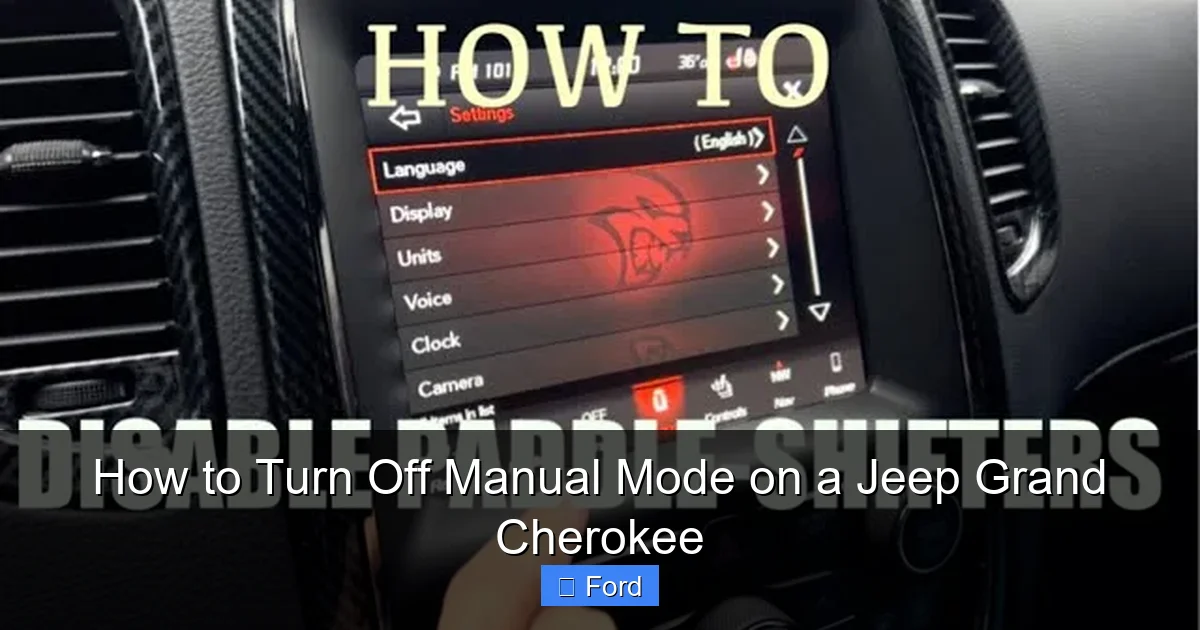
Starting with the 2020+ models (and some 2019s), Jeep began integrating a dedicated button to toggle between automatic and manual/sport shifting modes, often located on the steering wheel or the shifter itself. This is part of the “Drive Modes” system (like Auto, Sport, Snow, etc.) on higher trims. If your Grand Cherokee has a button labeled “Auto,” “A,” or sometimes a dual-paddle setup on the steering wheel, this is likely your primary control.
Visual guide about How to Turn Off Manual Mode on a Jeep Grand Cherokee
Image source: adventurejeep.com
Finding and Using the Toggle Button
1. Identify the Button: Check your steering wheel, typically behind the spokes on the right side, or on the gear shifter lever itself. Look for a button with “Auto” or an “A” symbol. On some models with paddle shifters, the left paddle might have a “+” and the right a “-“, but there is often a separate button to re-engage full automatic.
2. Press to Toggle: While the vehicle is in motion (or stopped, but in drive), simply press this “Auto” or “A” button. You should see the manual mode indicator on the dash disappear.
3. Paddle Shifters: If you only have paddle shifters (+/-) and no dedicated “Auto” button, you can usually exit manual mode by holding one of the paddles for a few seconds. Often, holding the “+” paddle for 2-3 seconds will command the highest gear and return control to the transmission. Consult your owner’s manual for the exact hold duration for your specific year.
This button-based system is designed for quick, intuitive switching. It’s the method you’ll use most often in the latest Grand Cherokees. If you’re ever unsure, a quick glance at the button itself—they often have a small icon of a shifter in “D”—will confirm its purpose.
What If It Won’t Turn Off? Troubleshooting Stubborn Manual Mode
You’ve moved the shifter back to “D.” You’ve pressed the “Auto” button. The little “M” or gear number on your dash is still glaring at you. Don’t panic. This is rarely a sign of a major transmission failure. It’s usually a temporary software glitch or a safety interlock you’ve inadvertently triggered.
Visual guide about How to Turn Off Manual Mode on a Jeep Grand Cherokee
Image source: driverlessrevolutions.com
The Master Reset: Turn the Car Off and On
This is the first and most effective troubleshooting step for almost any electronic vehicle quirk. Here’s how to do it correctly:
- Come to a complete, safe stop. Park the vehicle (or keep it in “N” if you’re on the side of the road).
- Turn the ignition completely OFF. Press the start/stop button until the engine stops and all dash lights go out (or turn the key to “OFF”).
- Wait 10-15 seconds. This allows the Transmission Control Module (TCM) to fully power down and clear its temporary memory.
- Restart the vehicle normally. Press the brake and start button (or turn the key to “ON”/”RUN”).
- Place the shifter in “D” and begin driving. In 99% of cases, the manual mode indicator will be gone, and the transmission will shift automatically.
Why does this work? The TCM is a computer. Like your phone or laptop, sometimes it needs a fresh start to clear a minor software hiccup. The power cycle resets its state, and it defaults back to the standard automatic program upon restart.
Check for Other Active Modes or Faults
If a restart doesn’t work, look around your dash and center console. Is another drive mode selected? If your vehicle has a rotary dial or buttons for “Auto,” “Sport,” “Snow,” “Eco,” etc., ensure it’s set to “Auto.” Sometimes selecting “Sport” mode will *enable* a more aggressive automatic shift pattern that *feels* like manual mode (it holds gears longer), but it’s still fully automatic. True manual mode requires a specific shifter movement or button press.
Also, check for any other warning lights. A persistent check engine light, transmission warning light, or a message like “Transmission Not in Park” can indicate a broader issue that is preventing the system from resetting. In this case, a diagnostic scan by a professional is needed. You might also want to check if any aftermarket accessories (like a shift lever upgrade) are interfering with the shifter position sensor.
A Word on “Sport Mode” and How It Differs
This is a common point of confusion. Many Grand Cherokee owners think they are in “manual mode” when they are actually in “Sport Mode.” They are not the same thing, and knowing the difference is key to solving your problem.
- Manual Mode (M): You select the exact gear. The transmission will not shift up or down on its own. You are in full control via the shifter or paddles. The dash shows “M” or a specific gear number (1, 2, 3…).
- Sport Mode (S): This is still fully automatic. The transmission’s programming is simply changed to hold gears longer for more responsive acceleration, and steering may feel heavier. You do not select gears; you just press the gas. The dash usually shows an “S” or a sporty icon. You cannot “turn off” Sport Mode to get to normal automatic—you simply select the normal “Auto” or “D” drive mode via the mode selector.
How to tell which you’re in: Look at your instrument cluster. If you see a specific gear number (e.g., “3”), you are in manual mode. If you see an “S” or a chevron/icon, you are in Sport Mode. To exit Sport Mode, use your vehicle’s drive mode selector (dial, buttons) to choose “Auto” or “Normal.” To exit manual mode, use the shifter or “Auto” button as described above. Understanding this distinction will save you a lot of confusion.
Model Year Specifics and Special Cases
While the core principles are the same, let’s quickly address some specific model years and trims to eliminate any last bit of doubt.
Pre-2011 (WK & WK2 Generation – Early Models)
These models have a more traditional, mechanically-linked shifter feel but are still electronic. The method is the same: move the shifter from the manual slot (often on the left side of the “D” gate) back to center “D.” There is no separate “Auto” button.
2011-2021 (WJ, WK2, WL Generations)
This covers the bulk of Grand Cherokees on the road. The “move shifter back to D” method is universal. The 2019-2021 models with the more advanced Uconnect system and steering wheel controls may also have the “Auto” button on the wheel. If you have paddle shifters, holding the “+” paddle is the standard exit.
2022+ (WL Generation – Current Model)
These have the most integrated system. The rotary electronic shifter on the center console is the primary control. To exit manual mode, you simply rotate the knob back to “D.” If you used the steering wheel paddles, a long-press on the “+” paddle will do it. The vehicle’s touchscreen menu for “Drive Modes” will also show the current transmission status.
Important Note for All Models: If your Grand Cherokee is equipped with the “Off-Road Pages” or “Selec-Terrain” system (common on Trailhawk and Overland trims), being in a specific terrain mode (like “Rock” or “Mud”) can sometimes influence shift behavior, but it does not force manual mode. You can always use the shifter/button method to override it.
Conclusion: You’re Back in Control (Automatic Control)
Turning off manual mode on your Jeep Grand Cherokee is not a mysterious mechanical procedure; it’s a simple electronic command. The core answer is this: you reverse the action you took to enter it. If you moved the shifter, move it back. If you pressed a button, press the “Auto” button. And if the system is being stubborn, perform the classic automotive troubleshooting move: turn it off and on again. This power cycle resets the Transmission Control Module and resolves most temporary glitches.
Remember, your Grand Cherokee’s transmission is designed to be robust and user-friendly. These features are here to enhance your driving experience, whether you want the engagement of manual control on a twisty road or the seamless comfort of full automation during your daily commute. Don’t be afraid to use the manual mode when you want it—it’s a blast. And now, you know exactly how to seamlessly switch back when you’re done. For more specific maintenance guides, like how to reset the oil change light on your Jeep Grand Cherokee, be sure to check out our other model-specific resources. Happy (and correctly shifted) driving!
Frequently Asked Questions
Will turning off manual mode damage my transmission?
No. Exiting manual mode is a standard, intended function. The Transmission Control Module is designed to seamlessly resume full automatic control without any wear or damage. It’s simply changing its shift algorithm.
My “M” light is on, but my shifter is already in “D.” What now?
This is a classic sign of a software glitch. The TCM thinks it’s still in manual mode. Perform a full power cycle: turn the vehicle completely off, remove the key (or press start/stop until everything is off), wait 15 seconds, and restart. This almost always resolves the issue.
Does putting the vehicle in “Sport” mode turn off manual mode?
No. Sport mode is a separate, fully automatic program. If you are in manual mode (showing a gear number), you must use your shifter or “Auto” button to exit it. Sport mode will not override manual mode. You must first exit manual mode, then you can select Sport mode if desired.
Can I permanently disable manual mode?
Not through standard user controls. Manual mode is a permanent feature of your vehicle’s transmission software. You cannot permanently turn it off. You simply choose not to engage it by not moving the shifter into the manual gate or not pressing the paddle shifters/buttons.
What’s the difference between the “+/-” on my shifter and the paddles on my steering wheel?
They do the exact same thing: they send a signal to the TCM to upshift (+) or downshift (-) while in manual mode. Which one you use is personal preference. Both require you to be in manual mode first (by moving the shifter left or pressing a manual mode button, depending on your model).
If I’m towing a heavy load, should I use manual mode?
This is a great question. For heavy towing, many experienced owners prefer to use manual mode to manually select a lower gear (like 2nd or 3rd) to help with engine braking on downgrades and to keep the transmission from hunting between gears. However, your Grand Cherokee’s automatic mode is also engineered for towing and has a “Tow/Haul” mode (if equipped) that adjusts shift points specifically for load. Consult your owner’s manual for the manufacturer’s recommendation for your specific engine and trailer weight.
