
How to Remote Start an Infiniti Q50 with a Key

Remote starting your Infiniti Q50 with a key fob is a convenient factory feature on most 2026 models. First, ensure your vehicle is in Park with all doors locked and the key fob within range. Then, simply press the remote start button on your fob twice in quick succession. The engine will run for a preset cycle (typically 10-15 minutes). Always confirm your vehicle is in a well-ventilated area and never leave the key fob inside the running car.
Key Takeaways
- Compatibility is Key: Remote start with the key fob is a factory-installed feature on most 2026 Infiniti Q50 trims, but you must confirm it’s enabled in your vehicle’s settings.
- The Simple Three-Step Process: The standard sequence is: lock all doors, press the remote start button (often a circular arrow icon) twice within a few seconds, and wait for the lights to flash/horn to honk.
- Range and Obstacles Matter: Effective range is typically 100-300 feet in open space, but walls, buildings, and other vehicles can severely reduce it.
- Safety is Non-Negotiable: Never remote start the vehicle in an enclosed garage or with obstructions near the exhaust. Always have the key fob with you before approaching the running vehicle.
- Maintenance Affects Reliability: A weak key fob battery is the most common cause of remote start failure. Replace it proactively every 1-2 years.
- It’s Different from an App: While many 2026 Q50s also have Infiniti’s connected services app, the physical key fob remote start works independently without a cellular or data connection.
- Know the Limits: The engine will shut off after a set time (usually 10-15 minutes) or if a door is opened, the brake is pressed, or the gearshift is moved out of Park.
📑 Table of Contents
- Understanding Remote Start in Your 2026 Infiniti Q50
- Prerequisites: Preparing Your Q50 for Remote Starting
- Step-by-Step: How to Remote Start Your Infiniti Q50 with the Key
- Troubleshooting: When Remote Start Doesn’t Work
- Advanced Features and Customization
- Maintenance and Long-Term Care
- Conclusion: Enjoy the Modern Convenience
Understanding Remote Start in Your 2026 Infiniti Q50
Picture this: It’s a cold winter morning in 2026, and you’re sipping your coffee inside your warm house. Your Infiniti Q50 is parked outside, covered in a blanket of snow. Wouldn’t it be perfect if you could start warming up the engine and cabin from the comfort of your living room before you even step outside? That’s the magic of the factory-installed remote start system, and if your Q50 has it, you control it right from your key fob. This isn’t an aftermarket add-on; it’s a built-in feature designed by Infiniti (Nissan’s luxury division) for your convenience and comfort. For many 2026 Q50 owners, this feature is standard or available on higher trims. It’s a sophisticated piece of technology that communicates securely between your key fob and the car’s receiver module. The system is designed with multiple safety protocols, ensuring the engine only starts when it’s absolutely safe to do so. Think of it as your car’s personal assistant, ready to obey your command from a distance, but only after you’ve followed the precise steps to make it happen. Understanding that this is a factory-integrated system, not a universal key fob function, is the first step to mastering it.
Factory vs. Aftermarket Systems
It’s crucial to know what you’re working with. A factory-installed system, like the one in a compatible 2026 Q50, is seamlessly integrated into the vehicle’s electronic architecture. It uses encrypted communication, meaning your key fob sends a unique coded signal that your car’s computer recognizes. This prevents interference from other remotes and enhances security. An aftermarket system, installed later, works differently and often requires additional components. Since this guide focuses on using your existing Infiniti key fob, we are exclusively discussing the factory-installed system. If your 2026 Q50 didn’t come with this feature from the dealership, the key fob simply won’t have the remote start button, and no amount of button-pressing will activate it. You would then need to explore aftermarket options, which is a different process entirely. For our purposes, we assume your vehicle has the feature from the factory.
Is My 2026 Q50 Compatible?
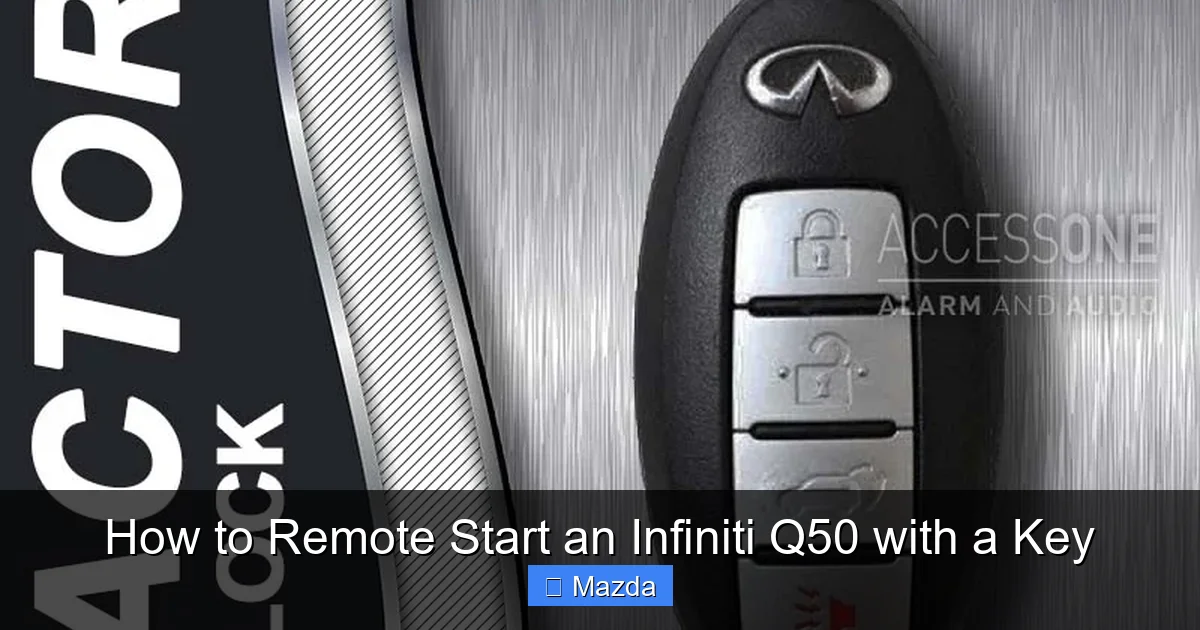
While most 2026 Q50 models likely include remote start as a standard or popular feature, it’s always wise to double-check. First, look at your key fob. Do you see a dedicated button with a symbol that looks like a circular arrow or a “remote start” icon? That’s your telltale sign. It’s often a separate button, sometimes red, and distinct from the lock and unlock buttons. If you can’t find it, consult your owner’s manual—the index under “Remote Start” or “Key Fob” will point you to the correct section. You can also check your vehicle’s settings menu on the dashboard display. Navigate to “Vehicle Settings” or “Driver Assistance” and look for an option to enable or disable remote start. If the option exists and is enabled, you’re good to go. If the option is missing or grayed out, your specific VIN may not have the feature equipped. In that case, an Infiniti dealership can run your VIN to confirm the factory build sheet. Don’t assume every key fob has it; the feature is tied to the vehicle’s build, not just the fob’s design.
Prerequisites: Preparing Your Q50 for Remote Starting
Before you even think about pressing that button, your Q50 must meet several conditions. The system has built-in safety interlocks that will prevent the engine from starting if any one of these prerequisites isn’t satisfied. It’s not being difficult; it’s protecting you and your vehicle. Think of these as the “green lights” you must see before the system will engage. Rushing this step leads to frustration when nothing happens. Taking 30 seconds to verify these conditions will save you time and confusion. These prerequisites are standard across most modern Infiniti/Nissan vehicles with factory remote start, making the process predictable.
Visual guide about How to Remote Start an Infiniti Q50 with a Key
Image source: access1alarm.com
The Absolute Essentials: Park, Lock, and Fob
Three things must be true:
- Transmission in Park (P): The gear selector must be firmly in the “P” position. The car’s computer needs to know the vehicle is stationary and not in gear. This is the primary safety lock.
- All Doors Locked: Every door, including the trunk, must be securely locked. The system interprets an unlocked door as a potential safety risk (someone could enter the vehicle while it’s running). Make sure you hear the lock mechanism engage.
- Key Fob Within Range: You must be within the operational range of the vehicle’s receiver, typically 100-300 feet in an unobstructed line of sight. Standing near a window or outside is fine. Being inside a building with metal framing or concrete walls can drastically reduce this range.
Additionally, the hood must be closed, and the parking brake can be either on or off, though it’s often recommended to set it. The vehicle must also have adequate fuel and battery voltage. If the battery is critically low, the system may refuse to start to avoid a complete discharge.
Key Fob Battery Health
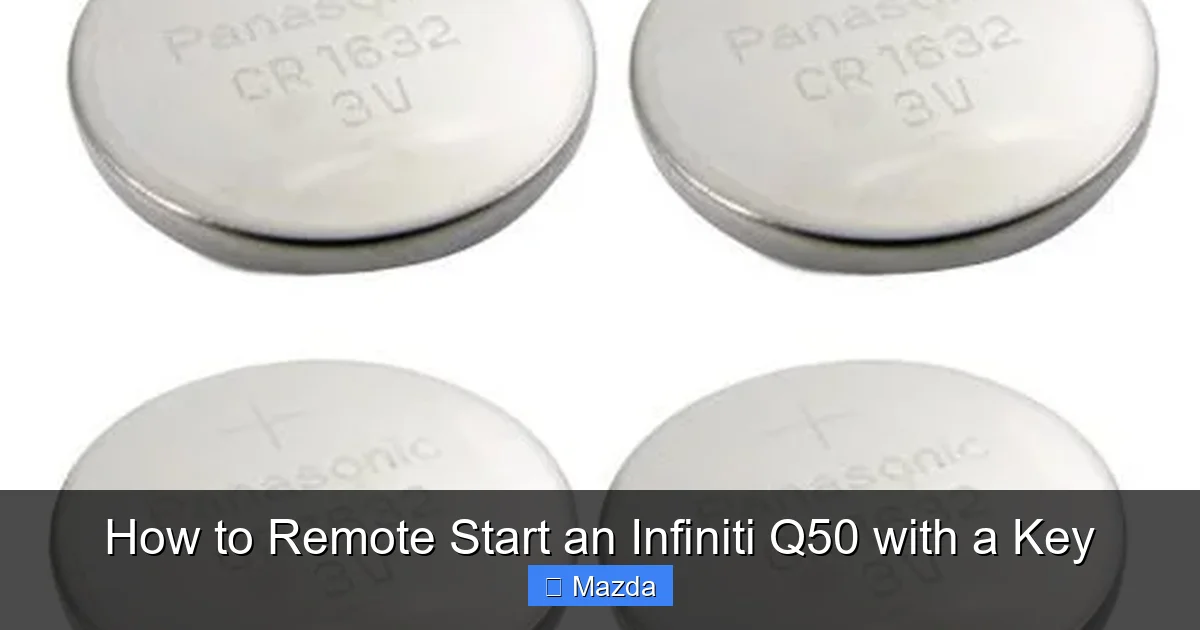
A weak key fob battery is the silent killer of remote start convenience. The signal strength diminishes as the battery drains. You might still be able to lock and unlock the car from your pocket, but the more power-hungry remote start signal may fail. If your remote start suddenly stops working but other fob functions are fine, suspect the battery. These are typically inexpensive coin cell batteries (like a CR2025 or CR2032). Replacing it is a simple DIY task—usually a small screw or slide-open panel on the back of the fob. Always use a fresh, high-quality battery. For a 2026 vehicle, you might be on your second or third fob battery. Proactive replacement every 18-24 months is a smart habit to avoid being stranded with a non-responsive fob. If you’ve replaced the battery and it still doesn’t work, the issue lies elsewhere.
Step-by-Step: How to Remote Start Your Infiniti Q50 with the Key
Now, for the main event. With your Q50 parked, locked, and you standing within range with your key fob in hand, follow these precise steps. The sequence is important because the system listens for a specific pattern of button presses. It’s a quick, two-tap motion. Don’t hold the button down; it’s a press-and-release action, twice. The entire process should take about 3 seconds.
Visual guide about How to Remote Start an Infiniti Q50 with a Key
Image source: remotesandkeys.com
The Activation Sequence
- Ensure All Conditions Are Met: Do a quick visual. Is the car in Park? Are all doors locked? Is the key fob in your hand?
- Press the Lock Button First (Often Required): On many Infiniti/Nissan models, you must first lock the doors using the lock button (the one with the closed padlock symbol). Press it once. You should hear the locks engage and see the hazard lights flash once. This step confirms the car is locked and primes the system. If your car is already locked, you can skip this, but pressing it again doesn’t hurt.
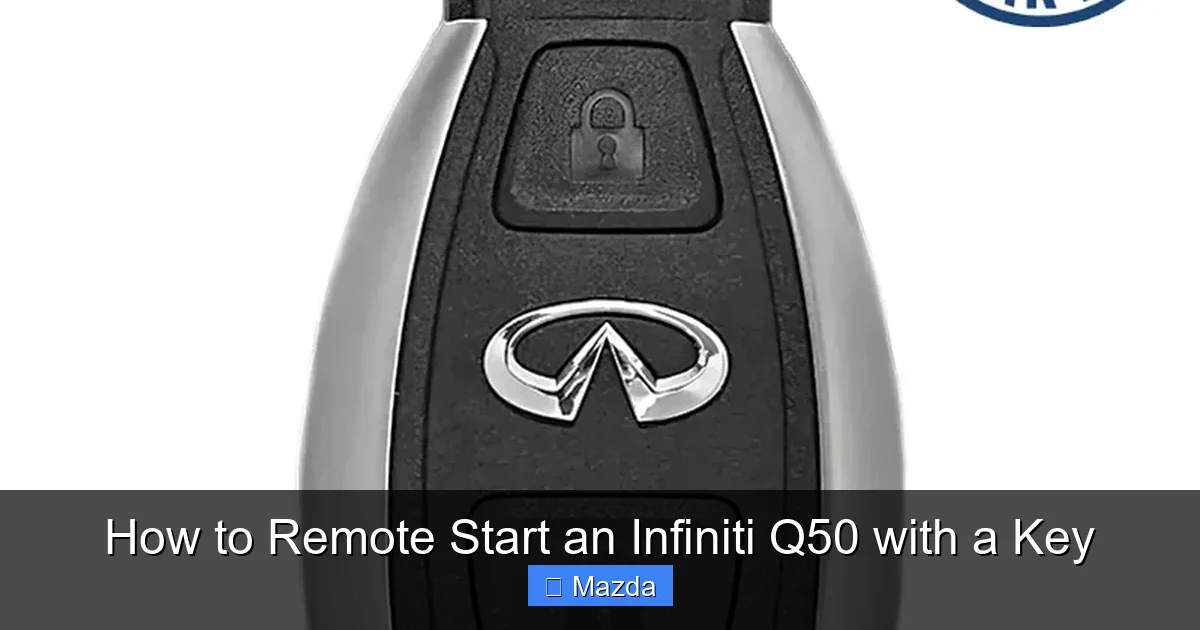
- Locate the Remote Start Button: Find the button with the circular arrow icon. It is usually separate from the lock/unlock buttons, often colored red or black.
- Press Twice, Quickly: Within about 3 seconds, press the remote start button firmly twice. Don’t hold it. A quick press-and-release, then another press-and-release. You should see the hazard lights flash twice and/or hear the horn honk briefly (this is your confirmation that the signal was received and the start sequence has begun).
What Happens Next?
After that successful double-press, the car’s computer will begin its startup sequence. You’ll hear the engine crank and then settle into a steady idle. The parking lights will remain illuminated, and the climate control system will activate, usually setting the cabin to a pre-determined temperature (often your last used climate setting or a default of 72°F/22°C). The engine will run for a preset duration—most commonly 10 minutes for a 2026 model, though some allow 15 minutes. This timer starts immediately upon engine ignition. After the time expires, the engine will shut off automatically. You can also extend the run time by repeating the remote start sequence while the engine is already running, but this is model-dependent. The system is designed to run only once per activation cycle to prevent waste and potential issues.
Entering and Driving the Vehicle
When you’re ready to leave, approach the car with your key fob. Because the engine is running and the car is in Park with doors locked, the system is in a “ready” state. Simply press the unlock button on your fob (or use the door handle if you have keyless entry) to unlock the doors. Do not open any door before unlocking with the fob, as that may trigger the anti-theft system and shut off the engine. Once inside, with your foot off the brake, press the brake pedal and shift into Drive or Reverse as you normally would. The car will recognize the key fob’s presence and allow normal operation. The remote start cycle is now complete, and you’re in control. Remember, the key fob must be inside the vehicle with you for the car to drive away; the system disables the engine if the fob is removed while the car is in gear.
Troubleshooting: When Remote Start Doesn’t Work
So you followed the steps perfectly, but nothing happens. No lights, no horn, no engine sound. Don’t panic. This is usually a simple fix. We’ll walk through the most common culprits in order of likelihood. Start with the simplest checks before assuming a major system failure.
Visual guide about How to Remote Start an Infiniti Q50 with a Key
Image source: freshinfiniti.com
First, Re-Check All Prerequisites
This sounds obvious, but it’s the most common mistake. Go through the list from Section 2 meticulously. Is the car definitely in Park? Sometimes the gear selector isn’t fully seated. Try shifting out of Park and back in again. Are all doors, including the trunk, securely locked? A slightly ajar trunk door will prevent start. Listen for the lock actuators. Is your key fob within clear range? Try standing right next to the driver’s door. Are you using the correct button? Double-check your fob layout against the owner’s manual diagram. Is the engine already running? The system won’t work if the engine is on. Is the parking brake on? While not always required, some models require the parking brake to be set. Try setting it.
Key Fob Battery and Signal Issues
If the prerequisites are all good, the next most likely issue is the key fob itself. Replace the battery immediately. Even if other functions work, the remote start signal requires more power. A fresh battery solves 50% of “sudden failure” cases. Next, check for physical damage to the fob. A cracked case or water damage can disrupt the internal antenna. Also, consider environmental interference. Are you near a strong radio tower, large metal structure, or another vehicle with a similar remote system? Try moving to a different location, like the other side of the car. Sometimes, holding the fob up to your chin (using your head as an antenna) can extend the signal range in a pinch. If you have a second, identical key fob, try using that one. If the second fob works, your primary fob may have internal damage or a weak battery despite being new.
Vehicle System Errors and Service Needs
If a new battery and perfect conditions don’t work, the problem may be with the car. Check your dashboard for any warning lights after you attempt to start. A check engine light, immobilizer light, or door ajar warning could be the culprit. The system is designed to refuse start if it detects a fault. Has your Q50 had recent service? Sometimes, a disconnected battery or software update can cause the remote start module to lose its programming or require a reset. A simple disconnect of the car’s negative battery terminal for 10 minutes can sometimes reset the body control module. However, this may also reset other settings like radio presets. If all else fails, the issue could be a faulty hood latch switch (which tells the car the hood is closed), a broken door lock actuator, or a failed receiver module. At this point, a diagnostic scan at an Infiniti dealership or with a qualified mechanic is necessary. They can read the specific error code from the vehicle’s computer that is blocking the remote start function. For issues like a flat tire warning that might be related to sensor faults, you can refer to guides on how to clear a flat tire warning on an Infiniti Q50, though this is rarely directly linked to remote start.
Advanced Features and Customization
The basic remote start function is just the beginning. For 2026 Q50 owners, the system often integrates with other vehicle settings to create a personalized comfort experience. Exploring your infotainment system’s vehicle settings menu can unlock additional control over how your remote start operates.
Climate Control Pre-Sets
When you remote start your Q50, the climate control system automatically activates. By default, it will use the last climate settings you had active when you turned the car off. Did you have the seat heaters on? The heated steering wheel on? Those will likely kick in. If you want to set a specific temperature for your remote start routine, simply adjust your climate controls to your desired setting (e.g., 72°F, defrost on) before you turn the car off. The system will remember this as the “remote start climate profile.” Some models may even allow you to set separate profiles for summer (max A/C) and winter (max heat) through the vehicle settings menu. This means your car can greet you with a perfectly tempered cabin every single time, without you having to fiddle with knobs after you get in.
Timer and Duration Settings
The standard runtime is usually fixed by the manufacturer (often 10 minutes). However, some model years or trims with advanced connected services might allow you to customize the run time via the Infiniti app or the vehicle’s settings menu. You might find options for “Extended Run Time” or “Remote Start Duration.” Be aware that longer run times consume more fuel and produce more emissions. Also, be mindful of local idling laws, which may restrict how long you can let a vehicle idle unattended. The system’s safety shut-off remains in place regardless of settings: opening a door, pressing the brake, or shifting out of Park will immediately stop the engine.
Maintenance and Long-Term Care
Your remote start system is reliable, but like any electronic component, it benefits from a little attention. Keeping it in top shape ensures it works when you need it most, especially during extreme weather.
Key Fob Care and Battery Replacement
Treat your key fob with care. Avoid throwing it in a purse or pocket with sharp objects, keys, or coins that can scratch the casing and buttons. A damaged case can compromise the internal antenna’s effectiveness. Consider using a simple leather key fob cover. As mentioned, battery replacement is the single most important maintenance task. Don’t wait until it dies. Set a calendar reminder for every two years. When replacing, ensure you get the correct battery type (check the old battery’s label or your manual). Insert it with the correct polarity (+ and -). After replacing, you may need to re-sync the fob with the car by pressing the lock and unlock buttons simultaneously for a few seconds, though often it works immediately.
System Checks and Professional Service
Periodically test your remote start function, not just in winter. Try it in the summer to cool the cabin. This ensures both the heating and cooling systems are responding. If you notice the range is getting progressively shorter, or if the horn confirmation is faint or missing, it’s an early sign of a weakening fob battery or a potential issue with the car’s receiver antenna (often located near the rearview mirror or in the trunk). If troubleshooting steps fail, don’t keep pressing buttons endlessly. Schedule a service appointment. A technician can perform a full diagnostic of the Remote Control Engine Starter (RCES) module and associated components. They can also check for any technical service bulletins (TSBs) from Infiniti regarding remote start firmware updates that might improve performance or fix bugs. For general key fob and starting issues across different brands, understanding the universal principles of how to start a car with the key fob can provide helpful context, but always defer to your Infiniti-specific procedures.
Conclusion: Enjoy the Modern Convenience
Mastering the remote start function on your 2026 Infiniti Q50 transforms your daily routine. That few seconds of button-pressing translates into minutes of comfort, whether you’re defrosting windows on a icy morning or cooling down a scorching hot cabin. The key is understanding that this convenience is governed by a simple but strict set of rules: Park, Lock, Double-Press. Always prioritize safety—never use it in an enclosed space, and always ensure the key fob is with you. By keeping your fob battery fresh and your vehicle’s systems healthy, this feature will remain a reliable part of your ownership experience for years to come. It’s a perfect example of how modern automotive technology, when understood and used correctly, seamlessly integrates into our lives to make them easier and more comfortable. So go ahead, give it a try on your parked Q50, and enjoy that warm or cool welcome every time.
Frequently Asked Questions
What is the exact range for remote starting my Infiniti Q50?
The effective range is typically 100-300 feet in an open, unobstructed area. However, this range can be significantly reduced by walls, buildings, other vehicles, and even heavy weather. Always test your range in your typical parking scenario.
How long will the engine run once I remote start it?
For a 2026 Infiniti Q50, the default remote start runtime is usually 10 minutes. Some models or settings may allow for 15 minutes. The engine will automatically shut off after this preset time, even if you haven’t driven yet.
Why does my remote start honk the horn but not start the engine?
The horn honk (or light flash) is your confirmation that the car received the signal. If the engine doesn’t start after that, it means one of the safety interlocks is active. Re-check that all doors are locked, the car is in Park, the hood is closed, and there are no warning lights on the dash. A weak key fob battery is also a common culprit.
Can I remote start my Q50 if the check engine light is on?
No. If the check engine light or any other malfunction indicator is illuminated, the remote start system will likely be disabled as a safety measure. You must address the underlying engine or system issue before the remote start will function again.
Is it better to use the key fob or the Infiniti app for remote start?
They serve different purposes. The key fob works instantly via direct radio frequency, requiring no cellular signal. The app (like Infiniti’s connected services) works from anywhere with a data connection but may have a slight delay. The key fob is more reliable for immediate, local use, while the app offers long-distance convenience. Both use the same underlying vehicle system.
What should I do if my remote start works sometimes but not always?
Intermittent failure usually points to a weakening key fob battery or inconsistent signal strength. Replace the battery first. Also, consider your environment—are you trying from behind a large obstacle? If the problem persists after a new battery, have the vehicle’s receiver module checked at a dealer.
