
How Do I Know If My Bmw Has Gesture Control?

Determining if your BMW has Gesture Control is straightforward with the right approach. You can often identify it by looking for a small camera near the rearview mirror or checking specific iDrive menu options. For absolute certainty, decoding your Vehicle Identification Number (VIN) or consulting your owner’s manual provides a definitive answer. This feature, available on many BMWs from the 2010s onward, lets you control certain functions with hand motions, enhancing convenience and the high-tech driving experience.
So, you’ve heard about BMW’s cool Gesture Control—the ability to swipe your hand in the air to adjust volume, answer calls, or change menus—and you’re wondering if your own car has it. That’s a great question! This intuitive feature, part of BMW’s suite of iDrive innovations, feels like something out of a sci-fi movie. But unlike a flashy exterior color, it’s not always immediately obvious. The good news is figuring it out is simpler than you think, and you don’t necessarily need to be a BMW technician. We’re going to walk through every reliable method, from quick visual spot-checks to digging into your car’s digital DNA. By the end, you’ll know exactly how to confirm whether your BMW is silently waiting for your next hand wave.
First, let’s clarify what we’re looking for. BMW Gesture Control is an infrared camera-based system that tracks predefined hand movements in a 3D space near the center console. Its primary job is to let you interact with the infotainment system without taking your hands off the wheel for too long. Common gestures include swiping left/right to change audio sources or scroll menus, and a circular motion to adjust volume. It was a flagship technology for BMW during the F30 (3 Series), F10 (5 Series), and F15/F16 (X5/X6) eras, often as part of the “Premium Package” or “Convenience Package.” Understanding this context helps set expectations—it wasn’t on every base-model BMW rolling off the line.
Our journey will start with the easiest, fastest checks you can do in your driveway. Then we’ll get more technical, exploring your car’s menus and its unique identifier, the VIN. We’ll also talk about specific model years and trims where this feature was most prevalent, and what to do if you discover your car is one of the many fantastic BMWs that doesn’t have it. Think of this as a friendly, step-by-step detective guide to unlocking your car’s secret capabilities.
Key Takeaways
- Visual Cues Are Your First Clue: Look for a small, dark camera lens typically housed in the trim around the rearview mirror or on the dashboard near the steering wheel.
- The iDrive Menu Holds the Truth: Navigate to “Settings” > “Driver Assistance” or “Controls” on your iDrive system to see if “Gesture Control” is a listed option.
- Your VIN is a Goldmine: Decoding your 17-digit VIN using BMW’s official website or reputable third-party tools will list factory-installed features, including Gesture Control.
- Model Year & Trim are Critical: Gesture Control was not standard on all models. It was most commonly bundled with higher trims (like Premium or Convenience packages) on 3 Series, 5 Series, X5, and X6 from approximately 2013-2019.
- The Owner’s Manual is Your Bible: It will have a dedicated section explaining Gesture Control functions if your vehicle is equipped with it, complete with diagrams and usage instructions.
- Professional Confirmation is Available: A BMW dealership can run a definitive electronic vehicle inquiry using your VIN to confirm all installed options and packages.
- It’s a Software-Dependent Feature: Even with the hardware, a system software update may be required for full functionality, which is something a dealer can address.
📑 Table of Contents
- The Quick Visual Inspection: Spotting the Hardware
- Your iDrive System: The Digital Confirmation
- The Ultimate Authority: Decoding Your VIN
- Model Year and Trim Level Guide: The Broad Brushstroke
- What If Your BMW Doesn’t Have Gesture Control?
- Putting It All Together: Your Action Plan
- Conclusion: Your BMW’s Secret Handshake
The Quick Visual Inspection: Spotting the Hardware
The most direct way to check for BMW Gesture Control is to find its “eye.” The system relies on a dedicated infrared camera, and BMW usually placed it in one of two very specific locations. Finding this small lens is a strong indicator that your car has the capability. It’s a physical piece of hardware, so if it’s there, the system likely is too (though software can sometimes disable it).
Location 1: The Rearview Mirror Housing
The most common and iconic location is integrated into the base of the rearview mirror, right where it attaches to the windshield. Look closely at the plastic trim surrounding the mirror’s stem. You’re searching for a tiny, dark, almost black circular or oval aperture—it’s smaller than a pea. It might be subtly labeled with a symbol that looks like a hand with waves radiating from it, or simply be a discreet hole. This placement gives the camera a clear, central view of the space between the front seats. If you see this, it’s a huge green light. Take your hand and slowly wave it in a horizontal swiping motion about 6-12 inches in front of the steering wheel, near the center console. If the camera is active and calibrated, you might see a small, faint blue or white light on the instrument cluster or iDrive screen briefly illuminate with each gesture, confirming it’s working.
Location 2: The Dashboard, Near the Steering Wheel
On some models, particularly certain X5 and X6 variants, BMW tucked the camera into the dashboard trim to the right of the steering wheel (for left-hand drive cars), just above the glove box or near the center air vent. Again, look for a small, dark lens. It’s less common than the mirror-mounted version but equally functional. The same test applies: wave your hand in the detection zone in front of you. If you’re unsure about the detection zone, consult your owner’s manual—it often has a diagram showing the precise area where gestures are recognized.
Pro Tip: The camera lens will be perfectly clean and clear. It’s not a dust cap or a random hole. If you find it, you’ve found the heart of the Gesture Control system. However, absence of the camera definitely means you don’t have the feature. It’s not an add-on you can install later; it’s a factory-integrated hardware system.
Your iDrive System: The Digital Confirmation
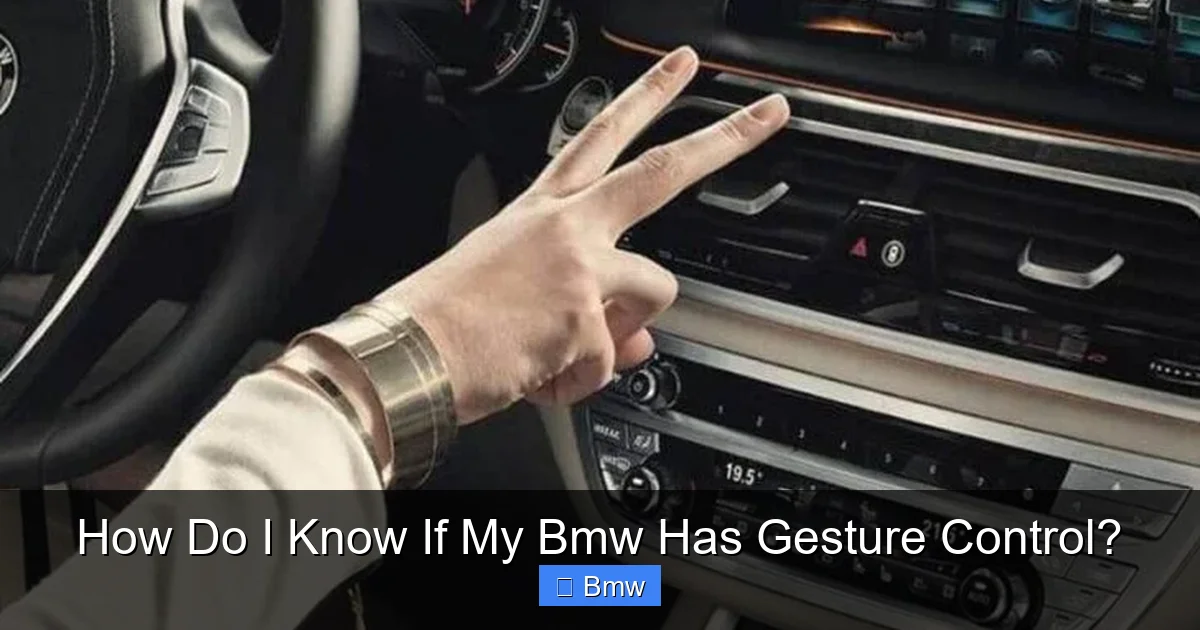
If you think you found the camera or just want to be absolutely sure, your BMW’s own infotainment system is the next best place to look. The iDrive menu structure is designed to expose all its capabilities. This method requires the car to be powered on (ignition on or engine running) and is completely non-invasive.
Visual guide about How Do I Know If My Bmw Has Gesture Control?
Image source: trucksauthority.com
Navigating the Settings Menu
The exact path can vary slightly depending on your iDrive generation (iDrive 4.0, 5.0, 6.0, 7.0, etc.), but the logic is consistent. Start by pressing the “Menu” button on the iDrive controller. Use the controller to navigate to “Settings”. Within Settings, you’re looking for sub-menus like “Driver Assistance,” “Controls,” or “System Settings.” Scroll through the list of options carefully. If your BMW is equipped with Gesture Control, you will find a dedicated entry for it. It might be called “Gesture Control,” “Hand Gesture Recognition,” or something similar. Selecting it will usually show an explanatory graphic or video demonstrating the available gestures. If you dive through all the sub-menus in Settings and Driver Assistance and find no mention of gestures, your vehicle does not have the feature enabled or installed.
What if the Option is Greyed Out or Missing?
Finding the menu option is the definitive proof. But what if you see a placeholder for it that’s greyed out or unselectable? This can occasionally happen. It usually points to one of two issues: either the physical camera hardware is present but the software module is not activated (a coding/dealership issue), or there’s a fault with the camera itself (dirty lens, disconnected wiring). A BMW service center can diagnose this with their diagnostic computers. On the other hand, if the entire option is absent from the menu tree, the hardware was never installed at the factory. This is the most common outcome for base-trim models.
While you’re in the iDrive settings, it’s a good moment to check for other related features. Gesture Control was often packaged with other tech like Active Driving Assistant (which includes lane departure warning and forward collision warning) or a Premium Package. Seeing those other features listed increases the likelihood that Gesture Control might also be present, but it’s not a guarantee. The only surefire way is finding its specific menu.
The Ultimate Authority: Decoding Your VIN
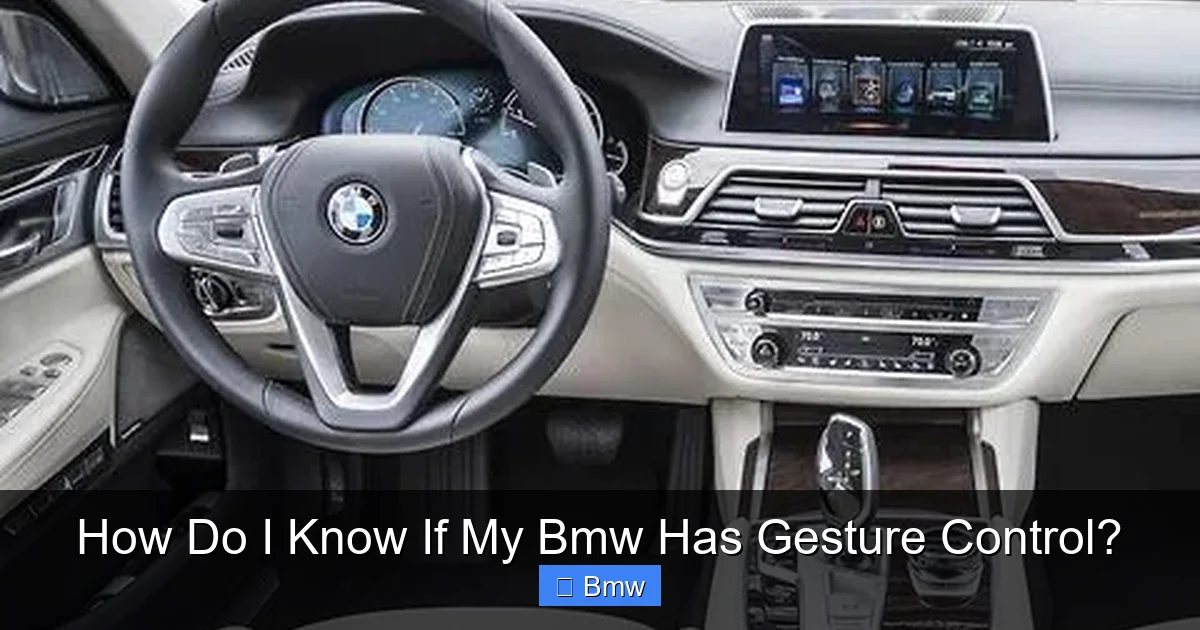
When you want a rock-solid, unambiguous answer, you turn to your car’s Vehicle Identification Number—its unique 17-digit fingerprint. Every BMW has a VIN, and within those characters lies a coded history of every factory-installed option and package. Decoding it is like reading your car’s birth certificate.
Visual guide about How Do I Know If My Bmw Has Gesture Control?
Image source: editorial.pxcrush.net
Finding and Understanding Your VIN
Your VIN is located in several places: on a metal plate on the driver’s side dashboard (visible through the windshield), on the driver’s side door jamb sticker, and on your registration and insurance documents. It’s a mix of letters and numbers. The key part for option decoding is typically the 7th digit, which indicates the body type, and more importantly, the 10th digit, which is the model year. However, the comprehensive list of options is encoded in a series of characters BMW’s system interprets. You don’t need to crack the code yourself.
Using Official and Third-Party Decoders
The best method is to use BMW’s own VIN decoder on their official website (often found under “Owner” or “Service” sections). You enter your full VIN, and it generates a detailed build sheet listing standard and optional equipment for your exact vehicle. This is the most accurate source. Alternatively, reputable third-party services like BMW VIN Decoder or BimmerPost’s VIN Check tool are excellent and often more user-friendly. They will clearly list packages like “Premium Package,” “Convenience Package,” and specific features like “Gesture Control.” If you see “Gesture Control” or the German term “Gestiksteuerung” on the decoded list, you have it. If it’s absent from the official options list for your specific build date and model, it was not installed.
Important Note: Be aware that VIN decoders might use different terminology. Look for keywords like “Gesture,” “Hand Recognition,” or “Infrared Camera.” Also, ensure you’re using the decoder for the correct market (e.g., US, EU), as package names can vary by region. This method is foolproof and works for any BMW, regardless of its current condition or iDrive software state.
Model Year and Trim Level Guide: The Broad Brushstroke
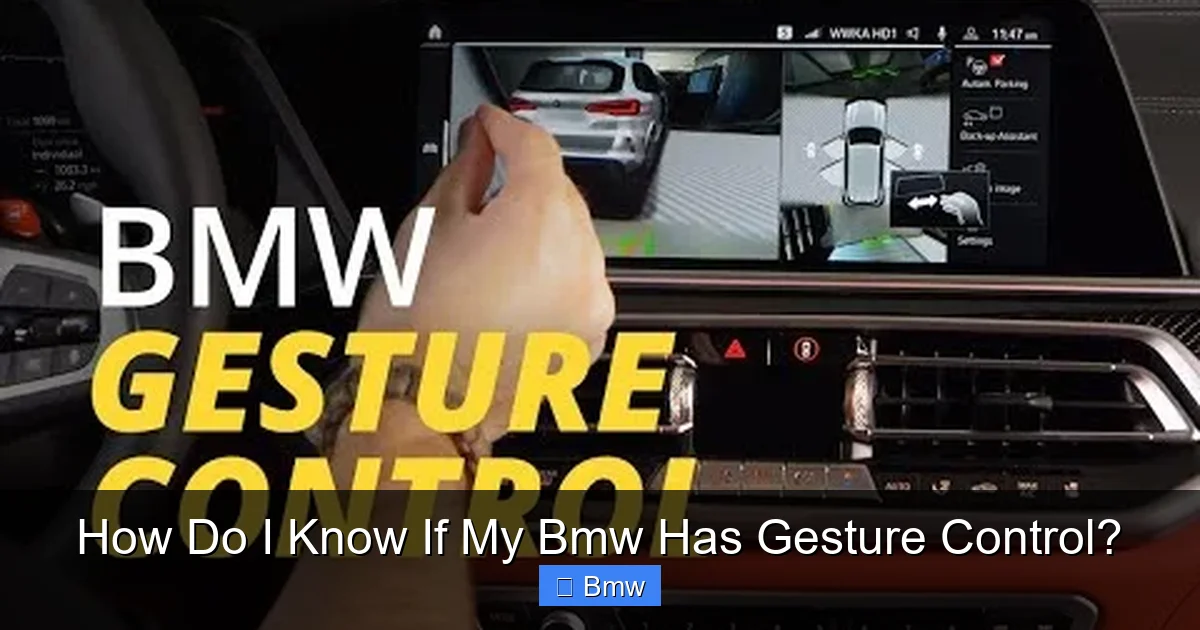
While the VIN is the specific answer, knowing the general landscape of which BMWs were offered with Gesture Control can help you form an educated guess before you go searching. This feature was a “premium” tech add-on, not a standard feature on most models.
Visual guide about How Do I Know If My Bmw Has Gesture Control?
Image source: i.ytimg.com
The Prime Candidates: F30 3 Series & F10 5 Series
Gestures first appeared as a standout feature on the F30-generation 3 Series (2012-2019) and the F10-generation 5 Series (2010-2017). It was almost never standard. You typically needed to option the Premium Package (in the US) or the Convenience Package (in Europe). On 3 Series models, this was common on the 328i/330i and above, especially on sedans and Gran Turismo variants. For the 5 Series, it was frequently found on 528i, 535i, and higher trims. If you own a base-model 320i or a 520d without any packages, the odds are very low.
SUVs and Later Models: X5, X6, and the Shift
The feature was also popular on the F15 X5 (2014-2018) and F16 X6 (2014-2019), again bundled with higher packages. As BMW moved to the G20 3 Series (2019+) and G30 5 Series (2017+), the focus shifted to iDrive 7.0 with its touchscreen, voice control, and enhanced digital displays. While Gesture Control hardware was still available, its prominence decreased, and it was often superseded by more intuitive interfaces. On newer models (G01 X3, G05 X5, etc.), it’s less common and may be part of even more comprehensive tech packages. Always verify with the VIN or menu for any post-2018 model.
The Exceptions and Base Models
It’s crucial to remember that even within a model year, a BMW with the same name (e.g., “BMW 330i”) could have wildly different options based on what the original owner ordered. A 2016 330i with the M Sport and Premium Package likely has it. A 2016 330i that was a lease return with no packages likely does not. Cars in fleet or corporate sales often had minimal options. So, while this guide gives you a probability, it’s not a substitute for checking your specific VIN.
What If Your BMW Doesn’t Have Gesture Control?
So you’ve done all the checks—no camera, no menu option, the VIN is silent on the matter. Don’t fret! Your BMW is still a masterpiece of engineering. But you might be wondering about alternatives or upgrades. The short, hard truth is that you cannot retrofit the factory Gesture Control system into a BMW that wasn’t built with it. The hardware (the specific camera) is not a plug-and-play component; it’s integrated into the vehicle’s wiring harness and requires specific coding to the vehicle’s head unit. The cost and complexity of adding it aftermarket would be astronomical and is not supported by BMW.
Embracing the Alternatives Your Car Already Has
Instead, explore the fantastic control systems your BMW does have. The primary alternative is the iDrive controller knob itself—a masterclass in tactile, eyes-on-the-road control. Spend some time learning its shortcuts; many functions can be accessed with just a few clicks. Voice commands via the “Voice Activation” button are incredibly powerful for navigation, phone calls, and media. You can say “Call John mobile” or “Play artist Taylor Swift” without touching anything. Steering wheel buttons are perfect for volume, track skipping, and cruise control. Many BMWs also have programmable “My BMW” buttons on the dashboard or door panels that can be set for one-touch access to favorite features. These systems are often faster and more reliable than a finicky gesture.
Aftermarket Tech: A Different Path
If you’re set on a gesture-like experience, the aftermarket world offers solutions. Companies like Nav-TV or Crutchfield sell integration modules that can add some gesture control capabilities (usually just volume) to certain BMW models by interfacing with the factory iDrive system. However, these are limited in function, require professional installation, and are not the seamless OEM experience. They also won’t add the infrared camera; they typically use a different sensor. For most owners, mastering the existing iDrive and voice systems is the most rewarding path.
Moreover, if you’re considering your BMW’s overall tech health, this is a good time to check on other systems. For instance, ensuring your car’s battery is healthy is crucial for all electronics. You can learn how to tell if a car battery is dead with simple tests. A weak battery can cause all sorts of electronic gremlins, from iDrive glitches to warning lights. Keeping your power source solid is foundational to enjoying any modern car feature.
Putting It All Together: Your Action Plan
We’ve covered a lot of ground. Let’s condense it into a simple, actionable checklist you can follow right now.
- Step 1: The 30-Second Look. Physically inspect the trim around your rearview mirror and the dashboard to the right of the steering wheel for a small, dark camera lens. If you find it, proceed to Step 2. If not, skip to Step 4.
- Step 2: The Wave Test. With the car on, wave your hand in a swiping motion in the space between the front seats. Watch the iDrive screen or instrument cluster for a small light or any menu change. If it responds, you have it!
- Step 3: The Menu Dive. Go into iDrive Settings > Driver Assistance/Controls. Look for “Gesture Control.” If it’s there and selectable, it’s confirmed. If it’s missing, your hardware might be faulty, or you never had it.
- Step 4: The VIN Decode. This is the definitive step for anyone. Locate your 17-digit VIN. Use the official BMW VIN decoder or a trusted third-party tool. Search the results for “Gesture Control,” “Gestiksteuerung,” or “Infrared Camera.”
- Step 5: Contextual Clues. Consider your model (e.g., 2015 535i), trim level (did it have Premium Package?), and whether it was a high-trim loaner or a base lease return. This informs probability but doesn’t replace Step 4.
- Step 6: Professional Verification. If you’re still unsure or planning to buy a used BMW, call your local dealer’s service department. Give them your VIN and ask them to check the build sheet for “Gesture Control.” They can do this instantly.
Following this plan will give you 100% certainty. Remember, the goal is not just to satisfy curiosity but to understand your vehicle’s capabilities. Knowing what your car has—and what it doesn’t—helps you use it more effectively and safely. If you discover you have Gesture Control, take the time to practice the gestures in a safe, parked environment. The sensitivity can vary, and it takes a deliberate, smooth motion to avoid accidental triggers. If you don’t have it, focus on mastering the brilliant iDrive controller and voice command systems that are the backbone of BMW’s infotainment.
This process of discovery connects you more deeply with your car. It’s part of the ownership experience. And while we’re on the topic of ownership, understanding your vehicle’s maintenance needs is just as important as knowing its tech features. For example, knowing how much BMW brake pads cost for your specific model helps you budget for essential service. Being an informed owner means you’re not surprised by repairs and can keep your BMW performing beautifully for years to come.
Conclusion: Your BMW’s Secret Handshake
Determining if your BMW has Gesture Control is a mix of simple observation, digital sleuthing, and understanding automotive history. It’s a feature that symbolized a bold step toward a more intuitive car interface, and while its prominence has faded in newer models in favor of touch and voice, it remains a beloved trick for many BMW enthusiasts. The methods we’ve discussed—the visual hunt for the camera, the menu exploration, the authoritative VIN decode—are your toolkit. Start with the easiest check and work your way to the most definitive. There’s a satisfying moment of confirmation when you either see the light flash on the dash or find that menu option, knowing your car has this little piece of futuristic convenience.
If your investigation reveals that your car is not equipped with it, view it as an opportunity. Your BMW is still packed with other advanced controls. Spend some time in the owner’s manual exploring everything from the programmable buttons to the nuances of the voice command system. You might find that a well-timed voice command is actually more efficient and safer than a hand wave. The ultimate goal of any in-car technology is to enhance the drive—to keep your eyes on the road and your mind engaged. Whether you achieve that with a gesture, a click, or a spoken word, the result is the same: a more connected, enjoyable, and modern driving experience. So go ahead, play detective, and unlock a new level of familiarity with your ultimate driving machine.
Frequently Asked Questions
Can I enable Gesture Control via software if my car has the camera but no menu option?
No, this is not a user-enabled setting. The software module for Gesture Control must be coded into the vehicle’s head unit by a BMW technician using professional diagnostic tools. If the hardware is present but the feature is inactive, a dealership can often activate it for a fee, but it’s not guaranteed and depends on the vehicle’s original build configuration.
Why might my Gesture Control be unresponsive even if my car has it?
Common reasons include a dirty or obstructed camera lens (the #1 culprit), extreme lighting conditions (very bright sunlight or darkness), or a temporary system glitch. Try cleaning the lens gently with a microfiber cloth. A system restart (turning the car off and on) can also help. If problems persist, it may require a software update or camera recalibration at a dealer.
Is Gesture Control available on all BMW models and years?
Absolutely not. It was primarily an optional feature on specific models from the 2013-2019 period, such as the F30 3 Series, F10 5 Series, and F15/F16 X5/X6. It was never standard and was rarely offered on 1 Series, 2 Series, 4 Series, or most 7 Series models. Newer G20/G30-generation cars have it much less frequently, if at all.
What’s the difference between BMW Gesture Control and the touchpad on the iDrive controller?
They are completely separate systems. Gesture Control uses an infrared camera to track hand motions in 3D space above the center console. The touchpad (on later iDrive controllers) is a physical surface you touch with your finger to draw gestures or navigate maps. Both offer touch-free or touch-based alternatives to the main knob, but the underlying technology and use cases differ.
If I buy a used BMW, how can I be 100% sure it has Gesture Control before purchase?
Always decode the VIN yourself using a reputable tool before buying. During the test drive, perform the visual camera check and try the wave test. Most importantly, ask the seller/dealer for a copy of the original window sticker or a vehicle history report (like CARFAX) that lists factory-installed options. A BMW dealership can also run a definitive build sheet inquiry for a small fee if you have the VIN.
Does having Gesture Control affect my car’s insurance or maintenance in any way?
No. It’s considered an infotainment convenience feature. It does not impact insurance premiums directly. For maintenance, it’s part of the vehicle’s electronic system. A faulty camera or control module would be diagnosed and repaired like any other electronic component, but it’s not a high-failure item. Keeping your car’s software updated is the main upkeep consideration.
