
How to Clear Emergency Call Malfunction on Bmw

Seeing an “Emergency Call Malfunction” or “SOS Call System Failure” message on your BMW’s iDrive screen can be alarming, but it’s often a fixable issue. The problem typically stems from a software glitch, a weak or disconnected 12V battery, or a faulty antenna module. In many cases, a simple system reset or battery reconnection can clear the error. However, if the message persists, it indicates a hardware failure in the telematics unit or its components, requiring a dealership or specialist to diagnose and replace the faulty part.
That little red triangle with an exclamation point and the words “Emergency Call Malfunction” appearing on your BMW’s iDrive display is enough to make any driver’s heart skip a beat. It’s not just another annoying service light; it’s a warning that your vehicle’s lifeline to emergency services may be compromised. Before you panic and call the dealer with your wallet open, take a deep breath. In many BMW models, from the 3 Series to the X5, this error can often be resolved without a costly visit. This guide will walk you through exactly what this system is, why it fails, and how to troubleshoot and clear the malfunction yourself, step-by-step.
We’ll break it down in simple terms. You don’t need to be a master technician to understand the basics. The key is to approach it logically: start with the simplest, most common causes (like a weak battery) and move toward more complex hardware diagnostics only if necessary. Let’s get your BMW’s SOS system back online and your peace of mind restored.
Key Takeaways
- The SOS system is critical for safety: BMW’s emergency call system (Telematic Control Unit – TCU) automatically contacts emergency services after a severe collision, making its proper function non-negotiable.
- A weak 12V battery is the #1 culprit: Low system voltage from an aging or failing main battery is the most common cause of telematics errors, as the SOS module requires stable power.
- Simple resets often work for glitches: Disconnecting the negative battery terminal for 15-30 minutes or performing a hard iDrive reset can clear temporary software faults.
- Physical damage is a major cause: Water leaks into the antenna module (often located in the rear spoiler or trunk) or damage to the roof-mounted antenna can trigger permanent failures.
- Don’t ignore persistent warnings: If the error returns after a reset, it signifies a failed component (TCU, antenna, SIM card) that must be professionally diagnosed and replaced.
- Post-repair coding is often required: Replacing the SOS module or antenna typically requires dealer-level coding/programming to integrate the new part with the vehicle’s network.
- Check for related system errors: An SOS malfunction may coincide with other warnings like “Drive Responsively” or “Charging System Malfunction,” pointing to a broader electrical issue.
📑 Table of Contents
Understanding Your BMW’s Emergency Call System (SOS)
Before we start fixing things, it’s crucial to understand what we’re dealing with. BMW’s emergency call system is a sophisticated piece of safety technology, often referred to as the Telematic Control Unit (TCU) or SOS module. Its primary job is to automatically dial emergency services if the vehicle detects a severe crash (via airbag deployment or sudden deceleration sensors). It can also be manually activated by pressing the SOS button on the overhead console or via the iDrive menu in some models.
How Does It Actually Work?
The system is a network of components working together:
- The TCU/SOS Module: The brain of the operation, usually hidden behind the dashboard or in the trunk.
- Antenna System: A dedicated antenna, often integrated into the rear spoiler, trunk lid, or roof, that communicates with cellular networks. A separate GPS antenna provides location data.
- Power Supply: It draws stable 12V power from the vehicle’s main battery, often through a dedicated fuse and wiring.
- SIM Card: Embedded within the TCU, this provides the cellular connection. In newer models, it may be part of the connected drive services.
- SOS Button: The physical button with a red or orange icon on the headliner.
When a crash occurs, sensors signal the TCU. The module then uses its cellular connection to establish a call with a BMW response center, transmitting critical data like location, time, and vehicle identification number. An operator can then alert police, fire, or medical services to your exact coordinates. It’s a brilliant system, but its complexity is also why it can malfunction.
Most Common Causes of an Emergency Call Malfunction
So, why does that dreaded message appear? The causes range from incredibly simple to quite complex. Here’s a breakdown of the usual suspects, starting with the most frequent.
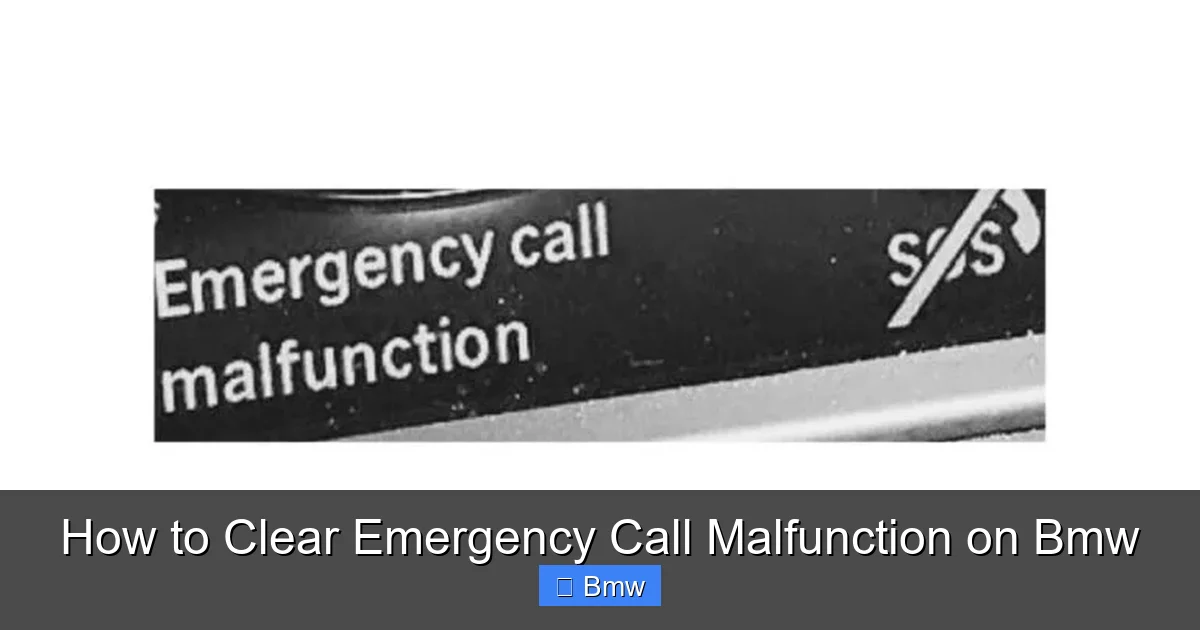
Visual guide about How to Clear Emergency Call Malfunction on Bmw
Image source: yourbmwblog.com
1. Weak or Failing 12V Battery (The Usual Suspect)
This is, by far, the most common cause across all BMW models, especially those over 5-7 years old. The SOS module, like all vehicle computers, requires a stable voltage (typically around 12.6V) to operate correctly. An old, sulfated, or marginally failing battery can cause voltage to drop below the module’s operating threshold during ignition cycles or even while the car is on. This low-voltage event confuses the TCU, causing it to throw a fault code and illuminate the warning. You might also see other electrical gremlins like iDrive resets or “Drive Responsibly” messages.
2. Software Glitch or Communication Error
Modern cars are rolling computers. Sometimes, the TCU or a related module (like the JBE – Junction Box Electronics) just has a temporary software hiccup. A failed handshake on the vehicle’s data bus ( MOST bus, Ethernet, etc.) can make the iDrive think the SOS system is offline. This is more common after a battery disconnect, a software update, or even just random electronic gremlins.
3. Faulty or Damaged Antenna Module
The antenna is the SOS system’s voice. If it’s damaged, its connection is loose, or water has infiltrated it (a very common issue in models where the antenna is in the rear spoiler), the system cannot establish a cellular link. The TCU detects this “no service” condition and logs a malfunction. Look for water leaks in the trunk or around the rear window.
4. Failed Telematics Control Unit (TCU)
The module itself can burn out. This can be due to age, a power surge (like a jump-start gone wrong), water damage, or a manufacturing defect. A failed TCU will not power up or communicate, triggering a permanent fault. This is a hardware failure that requires replacement.
5. SIM Card or Subscription Issue
While less common for a *malfunction* light (vs. a “Service Required” message), an expired or deactivated embedded SIM card can sometimes cause the system to flag an error. This is more of a service issue than a hardware fault.
6. Blown Fuse or Wiring Problem
A dedicated fuse for the SOS system or its antenna could blow. Similarly, damaged wiring—perhaps from chafing in the trunk or a poor ground connection—can interrupt power or signal.
Step-by-Step: How to Diagnose and Clear the Malfunction
Now for the practical part. Follow these steps in order. Always prioritize safety. If you are uncomfortable with any step, consult a professional.
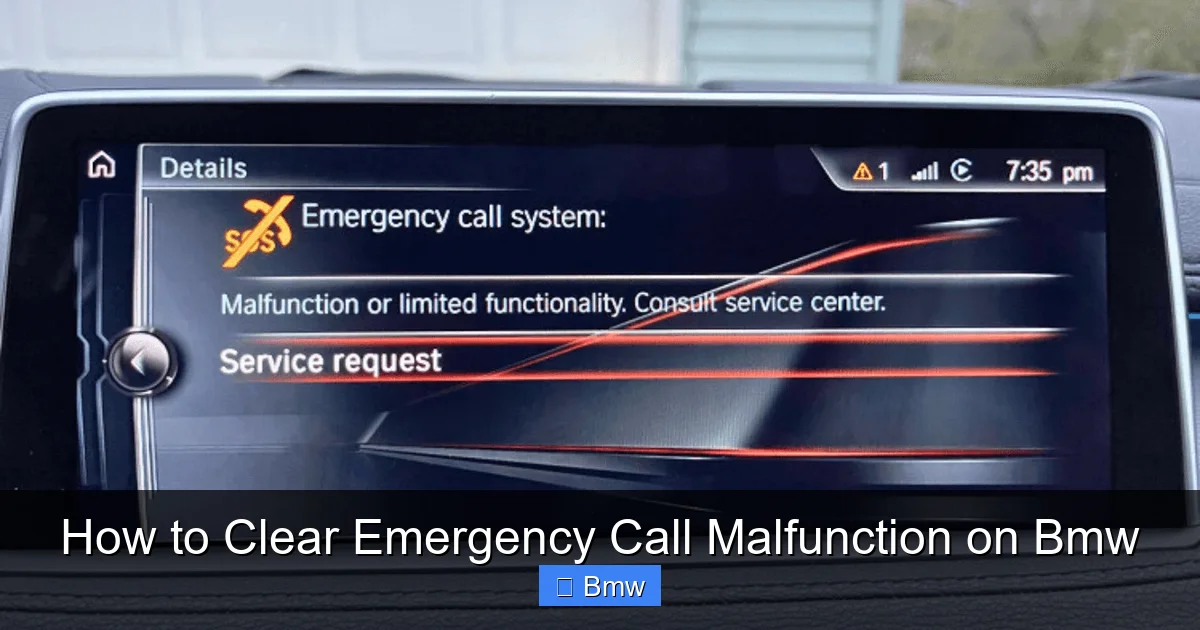
Visual guide about How to Clear Emergency Call Malfunction on Bmw
Image source: bmwinsights.com
Step 1: The Visual and Basic Check
Before grabbing tools, do a quick assessment.
- Check the SOS button: Press it. Does it illuminate or make any sound? A dead button could indicate a circuit issue.
- Inspect for water: Check your trunk liner and spare tire well for any signs of water. Smell for mildew. If wet, you likely have a leak affecting the antenna module.
- Note other warnings: Are there other lights on the dash? Charging system? ABS? A chain of electrical warnings points strongly to the main battery or a major ground issue.
Step 2: The 12V Battery Health Test (CRITICAL)
This is the most important diagnostic step. You need to know the true state of your battery.
- Tools Needed: A digital multimeter or a dedicated battery load tester.
- Procedure: With the car completely off and doors locked (to avoid dome light drain), measure the battery voltage at the terminals. A healthy, fully charged battery should read 12.6V or higher. Anything below 12.4V is weak. Below 12.0V is discharged/sulfated.
- Load Test: The true test is under load. Have someone try to start the car while you watch the voltage. It should not drop below 9.6V during cranking. If it drops to 9V or lower, your battery is failing and must be replaced. This is very likely your problem.
Action: If the battery is weak, replace it with a new, high-quality AGM (Absorbent Glass Mat) battery if your BMW requires one (most post-2010 models do). After replacement, the SOS error will often clear on its own after a few drive cycles. If your battery is newer and tests well, proceed to the next step.
Step 3: The Hard Reset (ECU/TCU Reboot)
This clears temporary software faults and forces all control units to re-initialize.
- Method A (Recommended): Disconnect the Battery.
- Turn off all accessories, remove the key/fob from the car.
- Open the hood and locate the negative (-) battery terminal. If your battery is in the trunk, find the terminal there.
- Using a 10mm socket, loosen and remove the negative cable clamp. Secure it away from the terminal so it can’t arc.
- Wait 30 minutes. This is crucial. It allows all residual power (capacitors) in the modules to drain completely, ensuring a true reboot.
- Reconnect the negative cable, tighten the clamp securely.
- Get in the car, close all doors, and do NOT turn on any accessories. Simply press the START/STOP button to turn on the ignition (do not start the engine). Wait 30 seconds for the iDrive to boot and modules to wake up.
- Start the engine. The SOS message may be gone. Drive the car for 15-20 minutes to allow systems to recalibrate.
- Method B: The “Fuse Pull” Reset (If battery access is difficult).
- Locate the fuse box (usually under the hood or in the glovebox). Find the fuse for the “Telematic Control Unit,” “SOS,” or “Comfort System” (consult your owner’s manual fuse diagram).
- Pull this fuse, wait 5 minutes, then reinsert it. This removes power from the TCU specifically.
- Perform the same startup procedure as above (ignition on, wait, start).
Note: After any battery disconnect, your radio may require a code, and window/mirror calibrations may need to be relearned. This is normal.
Step 4: Scan for Fault Codes
If the error persists after a good battery test and a hard reset, you need to know what the car is specifically complaining about. A generic OBD2 scanner won’t cut it. You need a full-system diagnostic scanner that can read BMW-specific modules.
- Tools: A professional-grade scanner like ISTA (Rheingold), ESI[tronic], or a high-end consumer tool like the Foxwell NT510 or iCarsoft BMW series that has TCU access.
- Procedure:
- Connect the scanner to the OBD2 port (under the dash, near the driver’s knee).
- Run a full vehicle scan, not just engine/transmission. Select the “Telematic Control Unit” or “SOS” module.
- Read and document all stored fault codes. Common codes might include:
- Errors related to antenna communication: e.g., “Antenna 1 No Communication” (often points to the roof/spoiler antenna).
- TCU internal faults: e.g., “TCU Control Unit Fault.”
- SIM card errors: e.g., “SIM Card Not Detected.”
- Power supply errors: e.g., “Voltage Too Low” (even if your battery is good, there could be a wiring issue).
- Clear the codes. After clearing, see if the light returns immediately or after a drive cycle.
This step is diagnostic gold. The code will tell you exactly where to look next. For instance, an antenna communication code points you to the physical antenna, while a TCU fault points to the module itself.
When DIY Fixes Fail: Hardware Failure and Professional Repair
If you’ve completed Steps 2 (battery test/replacement) and 3 (hard reset) and the light came back, or if your scan in Step 4 revealed a specific hardware fault code, you’re likely looking at a component replacement. At this point, professional help is strongly recommended.
Visual guide about How to Clear Emergency Call Malfunction on Bmw
Image source: bmwinsights.com
The Antenna Module Replacement
This is a common repair. The antenna module (which houses the cellular and GPS antennas) is often located:
- In the rear spoiler (E84 X1, F25 X3, etc.)
- In the trunk lid (E70 X5, F15 X5)
- On the roof (some 5 Series, 7 Series)
The Process: Accessing it usually involves removing interior trim panels in the trunk or rear shelf. The module is unplugged and unscrewed. The new module must be coded/programmed to the vehicle using dealer software (ISTA) to assign it the correct vehicle identification number (VIN) and configure its settings. Simply plugging in a new unit will not work. Labor time can be 1-3 hours depending on the model.
The TCU (SOS Module) Replacement
This is the “brain transplant.” The module is typically located behind the dashboard on the driver’s side or in the trunk. Access is complex, requiring removal of dash panels or trunk lining. Coding is absolutely mandatory. The new TCU must be programmed with the vehicle’s VIN, SIM card information, and integrated into the car’s electrical system network. This is a job for a BMW dealer or a well-equipped independent shop with ISTA access. Costs for parts + labor can range from $800 to over $1,500.
SIM Card Reactivation/Replacement
If your code points to the SIM, and your BMW ConnectedDrive services have lapsed (you didn’t renew your subscription), the SOS system may be deactivated. Contact BMW customer service or use the ConnectedDrive store in your iDrive to check your subscription status and reactivate the SOS service. In some rare cases, the physical SIM card inside the TCU can fail and needs replacement by a dealer.
Prevention and Long-Term Care
Once your system is fixed, you want it to stay that way. Here’s how to protect your investment:
- Maintain your 12V battery: This is the single most important thing. Test it twice a year. Replace it proactively every 4-5 years, even if it seems okay. Use only the specified AGM battery type and correct CCA (Cold Cranking Amps) rating.
- Address water leaks immediately: If you notice water in the trunk, have it diagnosed. The source could be a clogged sunroof drain, a damaged trunk seal, or a cracked antenna housing. Letting it go will corrode the antenna module.
- Use proper jump-starting procedures: Never connect directly to the battery terminals if you can help it. Use the designated jump-start terminals under the hood (if equipped). Incorrect jump-starting can send power surges that fry sensitive modules like the TCU.
- Keep software updated: While iDrive software updates are often done at the dealer, staying current can fix known bugs in module communication.
Conclusion: Safety First, Always
An “Emergency Call Malfunction” on your BMW is more than a nuisance; it’s a critical safety system being offline. Your approach should be methodical. Start with the battery—it solves most problems. Then try the definitive hard reset. If those don’t work, professional diagnostics with a proper BMW scanner are the only way forward. Remember, this system is designed to save your life in a severe collision. Cutting corners on its repair is a risk you shouldn’t take. While the cost of a TCU or antenna replacement can be high, it’s a small price for a feature that can summon help when you need it most. By understanding how it works and addressing the common causes proactively, you can keep your BMW’s lifeline active and drive with confidence.
Frequently Asked Questions
Will disconnecting my battery clear the emergency call error?
Yes, often it will. A full 30-minute battery disconnect performs a hard reset on all vehicle modules, including the Telematic Control Unit (TCU), and can clear temporary software faults that cause the malfunction. However, if the underlying cause is a weak battery or failed hardware, the error will return after a few drive cycles.
Can I drive my BMW with the emergency call malfunction light on?
Technically, yes, the car will still run. However, you should not. The SOS system is a mandatory safety feature in many regions. Driving with it disabled means you have no automatic emergency response in a serious crash. You also risk further electrical issues if the root cause is a failing battery. Get it diagnosed immediately.
How much does it cost to fix a BMW emergency call malfunction?
The cost varies wildly. If it’s a weak battery, replacement is $200-$400. If it’s a software glitch, a reset is free. For a faulty antenna module, expect $500-$1,200 for parts and labor. For a failed TCU, the total at a dealer typically ranges from $1,200 to $2,500+. Always get a proper diagnosis before authorizing repair.
Is the emergency call system linked to my BMW’s navigation or iDrive?
Yes, it’s deeply integrated. The TCU uses GPS data from the vehicle’s navigation system (or a dedicated GPS antenna) to determine location. It also communicates with the iDrive head unit to display status messages and provide the manual SOS call menu. A failure in one can sometimes affect the other.
My battery is new, but the error persists. What now?
A new battery rules out the most common cause. Your next steps are: 1) Perform a proper hard reset (30-minute disconnect). 2) If it returns, have the vehicle scanned with a professional BMW diagnostic tool to read the specific fault code from the TCU module. The code will indicate if it’s an antenna fault, TCU failure, wiring issue, or something else.
Can a weak battery cause other warnings besides the SOS light?
Absolutely. A failing 12V battery can cause a cascade of electrical warnings. You might see “Drive Responsibly,” “Charging System Malfunction,” iDrive resets, issues with power windows/locks, and even transmission warnings. Always check battery health first when multiple, seemingly unrelated electronic warnings appear.
