
How to Turn Off the Tire Pressure Light on a Toyota Corolla

The tire pressure light on your Toyota Corolla illuminates when tire pressure is low or a sensor malfunctions. To turn it off, you must first inflate all tires to the correct PSI, then use the vehicle’s reset procedure. This process varies slightly by model year but is always a simple, do-it-yourself task. If the light persists after a proper reset, a faulty sensor or other issue may require professional diagnosis.
That little yellow exclamation point inside a tire icon on your dashboard isn’t just an annoyance—it’s your Toyota Corolla’s Tire Pressure Monitoring System (TPMS) talking to you. It’s a critical safety feature designed to alert you when your tire pressure is low, which can lead to poor handling, increased tire wear, and even a blowout. But once you’ve topped off your tires to the correct pressure, how do you silence that persistent warning? Turning off the tire pressure light on a Toyota Corolla is a straightforward process, but the exact steps depend on your model year. This comprehensive guide will walk you through every step, from diagnosis to reset, ensuring you can handle this common task with confidence.
Key Takeaways
- Always Inflate First: The light will not reset if tire pressures are not exactly to the manufacturer’s spec. Check and adjust all four tires, including the spare if equipped.
- Model Year Matters: The reset procedure differs between older models (button on dash) and newer ones (menu in multi-information display). Know your Corolla’s year.
- Drive to Confirm: After resetting, drive at speeds above 40 mph for 10-20 minutes. The system needs to re-learn sensor signals and verify pressures are stable.
- Persistent Light = Problem: If the light returns immediately or flashes, it often indicates a faulty TPMS sensor, dead sensor battery, or system malfunction needing a technician.
- Safety First: Do not ignore the light. Driving on significantly underinflated tires is dangerous, causes uneven wear, and reduces fuel efficiency.
- Use Your Resources: Your owner’s manual is the definitive guide for your specific vehicle. You can also find model-specific guides for checking pressures, like for the 2021 Toyota Corolla.
- Seasonal Changes: Temperature drops of 10°F can lower pressure by 1 PSI. Check and adjust pressures when seasons change to prevent unnecessary warnings.
📑 Table of Contents
- Understanding Your Corolla’s TPMS: It’s Not Magic, It’s Science
- Step Zero: The Non-Negotiable Prelude – Check and Adjust All Tire Pressures
- The Reset Procedure: A Guide by Generation
- What If the Light Won’t Turn Off or Comes Back Immediately?
- Proactive Maintenance: Keeping the Light Off for Good
- Beyond the Button: Using Technology to Your Advantage
Understanding Your Corolla’s TPMS: It’s Not Magic, It’s Science
Before we start pushing buttons, it helps to understand what’s happening. Your Toyota Corolla is equipped with a TPMS that uses a small sensor inside each valve stem (on most models) to constantly monitor the air pressure. When the pressure in any tire drops 25% or more below the recommended level, the system triggers a warning—that’s your tire pressure light. The light will also come on if there’s a malfunction within the TPMS itself, like a dead sensor battery or a damaged sensor.
Direct vs. Indirect TPMS: Which Does Your Corolla Have?
Toyota has used two types of TPMS over the years. The vast majority of Corollas from the mid-2000s onward use a Direct TPMS. This means there is a physical sensor in each wheel that transmits a radio signal to the vehicle’s computer. These sensors have batteries that typically last 7-10 years. If a sensor battery dies, the light will come on and stay on until the sensor is replaced.
Some very early models (pre-2006) and certain hybrids may use an Indirect TPMS. This system doesn’t use physical sensors. Instead, it uses the existing wheel speed sensors from the Anti-lock Braking System (ABS). The car’s computer monitors the rotational speed of each wheel. A significantly underinflated tire has a slightly smaller diameter and will rotate faster than a properly inflated one. The system detects this difference and triggers the warning light. Indirect systems often require a “re-learn” procedure after tire rotation or pressure adjustment, which is essentially a reset.
For this guide, we will focus primarily on the direct TPMS system, as it’s the most common in Corollas you’ll encounter today. The reset process for indirect systems is typically the same or simpler, as it’s often just a matter of driving the car after correcting pressures.
Step Zero: The Non-Negotiable Prelude – Check and Adjust All Tire Pressures
This is the most critical step, and skipping it is why many people think the reset “didn’t work.” The TPMS light is a symptom, not the problem itself. You must treat the underlying cause—low pressure—before attempting to turn off the light. The reset procedure simply tells the car’s computer, “Hey, the driver has fixed the issue, you can stop warning now.” If the issue isn’t fixed, the computer will turn the light back on.
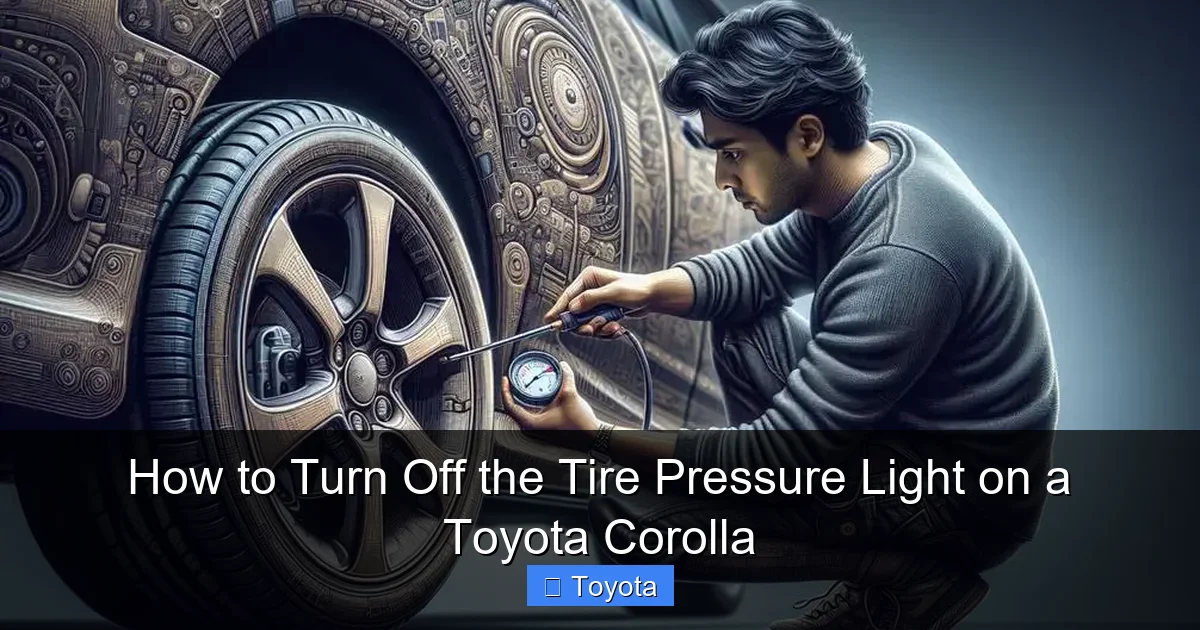
Visual guide about How to Turn Off the Tire Pressure Light on a Toyota Corolla
Image source: diycarexpert.com
Finding the Correct Pressure
Do not use the number on the tire sidewall. That is the maximum pressure the tire can hold. The correct pressure for your Corolla is found on a sticker located on the driver’s side door jamb (the B-pillar) when you open the door. It will list pressures for the front and rear tires, usually in PSI (pounds per square inch). For most modern Corollas, this is typically 32 PSI for all four tires, but always verify for your specific vehicle. The spare tire, if it’s a full-size one, will have its own recommended pressure on the sidewall.
How to Check and Inflate Properly
You’ll need a reliable tire pressure gauge. Digital gauges are easy to read. Check pressures when the tires are cold—meaning the car has been parked for at least three hours or driven less than a mile. Driving heats the tires and air inside, giving a falsely high reading. Remove the valve cap, press the gauge on firmly until you hear a hiss stop, and read the pressure. Compare to the door jamb sticker. If low, use an air compressor (at a gas station or your own) to add air in short bursts, re-checking frequently. It’s easy to over-inflate. If a tire is over-inflated, press the small metal pin in the center of the valve stem (like a ballpoint pen tip) to release air, then re-check. Once all tires are exactly to spec, replace the valve caps securely. For a detailed walkthrough on a specific model, see our guide on how to check tire pressure on a Toyota Corolla.
The Reset Procedure: A Guide by Generation
With your tires properly inflated, it’s time to reset the system. The method changed dramatically around the 2010-2011 model year and again for the 2019+ models with the standard Toyota Safety Sense 2.0 suite. Identify your Corolla’s generation to follow the correct steps.
Visual guide about How to Turn Off the Tire Pressure Light on a Toyota Corolla
Image source: diycarexpert.com
For 2009-2010 Models (Pre-2011 Redesign)
These models have a dedicated TPMS reset button, often located under the steering wheel on the lower dash panel, near the hood release. It’s usually labeled “TPMS” or has a tire icon.
- Turn the ignition to the “ON” position (do not start the engine). All dash lights will illuminate.
- Locate and press the TPMS reset button. Hold it for about 3 seconds. You should hear a beep and see the tire pressure light blink three times, then turn off.
- Release the button and start the engine. The light should remain off. Drive the car for 10-20 minutes at speeds over 40 mph to allow the system to confirm stable pressures.
Pro Tip: If the button is hard to find, consult your owner’s manual. It will have a diagram of the dash controls.
For 2011-2018 Models (Post-Redesign, Pre-2019)
This generation moved the controls into the multi-information display (MID) behind the steering wheel. There is no physical button.
- Ensure all tires are inflated to the correct pressure.
- Turn the ignition to the “ON” position (do not start).
- Use the arrow buttons on the steering wheel (often on the left spoke) to navigate to the “Vehicle Settings” menu on the MID.
- Scroll through the menu options until you find “TPMS” or “Tire Pressure.” Select it.
- You should see an option to “Initialize” or “Reset” the TPMS. Select it. The display may show “TPMS Reset in Progress” or a similar message. The tire pressure light on the dash will blink slowly.
- Once the process is complete (the light may go out or the display will show “Set”), start the engine and drive as described above.
Common Hiccup: On some 2014-2015 models, the menu path might be: Settings > Vehicle > TPMS > Initialize. If you can’t find it, your owner’s manual is your best friend.
For 2019 and Newer Models (With Toyota Safety Sense 2.0)
The latest Corollas integrate the TPMS reset into the full-color multi-information display with a slightly different menu structure.
- With the car parked and the ignition “ON” (engine off), use the steering wheel controls to access the “Menu” or “Info” screen on the MID.
- Navigate to “Vehicle Settings” or “Settings.”
- Look for “TPMS” or “Tire Pressure Monitoring System.”
- Select “Initialize” or “Register” (the wording varies). You may be prompted to confirm. Select “Yes” or “OK.”
- The display will show a progress bar or message. The dash light will blink during this process.
- After it completes (light off), start the car and drive for 15-20 minutes at highway speeds to complete the sensor re-registration.
Note: Some 2020+ models with the digital gauge cluster may require you to use the touch-sensitive buttons on the steering wheel or the small joystick on the instrument panel to navigate the menus.
What If the Light Won’t Turn Off or Comes Back Immediately?
You followed all the steps, inflated the tires perfectly, performed the reset, and the light went out—only to reappear 10 minutes later, or it never went out at all. This is a clear signal that the problem is not low pressure. Here’s what it likely means and what to do.
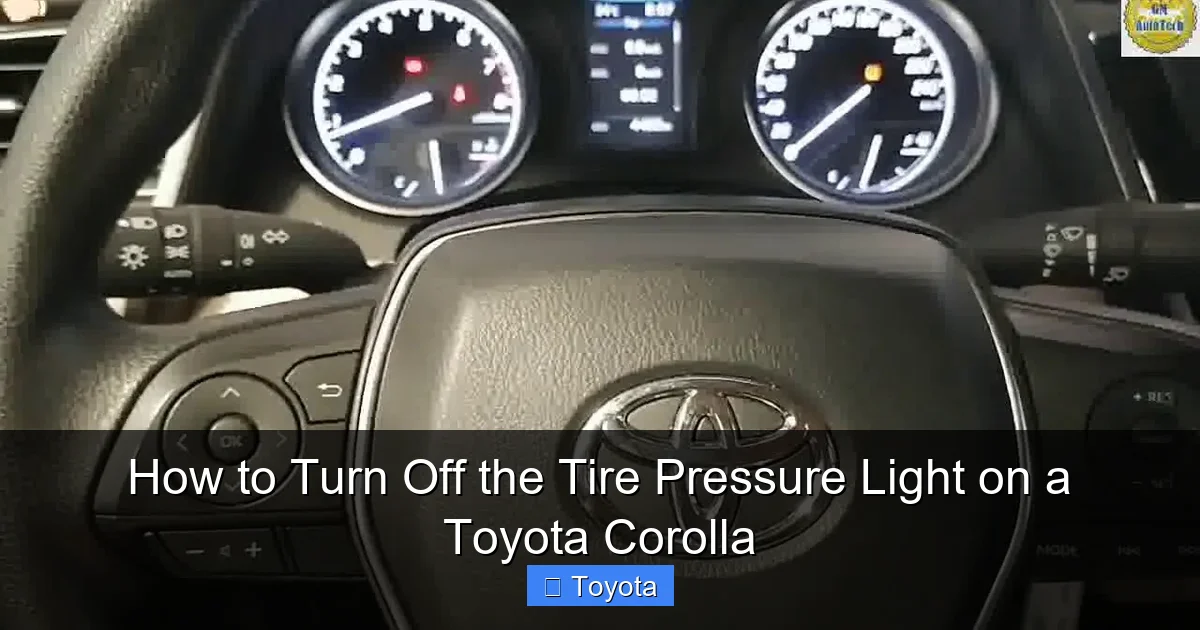
Visual guide about How to Turn Off the Tire Pressure Light on a Toyota Corolla
Image source: i.ytimg.com
Diagnosing a Stubborn TPMS Light
- Faulty or Dead Sensor: This is the #1 culprit, especially on cars 7+ years old. The sensor battery inside the valve stem has a limited lifespan. A dead sensor will trigger a “malfunction” code, often indicated by a flashing light for 60-90 seconds before staying solid. This requires sensor replacement.
- Damaged Sensor: Hitting a pothole or curb can physically damage the sensor or its stem. A slow leak from a damaged valve stem will also cause the light to return.
- Spare Tire is Low: If your spare is a full-size, temporary spare (often marked “T” or “TEMPORARY USE ONLY”), or even a compact spare that uses a TPMS sensor, its pressure can trigger the system. Check and inflate the spare to its specified pressure, which is usually higher than the main tires (e.g., 60 PSI).
- Recent Tire Service: If you just had tires rotated, replaced, or repaired, the sensors may need to be re-learned or manually reset. Sometimes a simple reset isn’t enough; a technician needs to use a scan tool to program the new sensor IDs to the car’s computer.
- Extreme Temperature Change: A rapid, significant drop in ambient temperature (like going from summer to winter) can lower pressure enough to trigger the light. After adjusting pressures, the light may need a reset cycle.
When to See a Professional: If you’ve confirmed all pressures are perfect and the reset procedure is followed correctly, but the light remains on, it’s time to visit a tire shop or dealership. They have a TPMS scan tool that can read the specific diagnostic trouble code (DTC) from your system. It will tell them exactly which sensor is faulty or if there’s a communication issue. Replacing a TPMS sensor typically costs $50-$150 per sensor for the part plus labor.
Proactive Maintenance: Keeping the Light Off for Good
An ounce of prevention is worth a pound of cure. By incorporating these habits into your routine, you can minimize TPMS warnings and extend the life of your sensors.
Check Pressures Monthly and With Temperature Shifts
Make it a habit to check all tire pressures at least once a month and before long trips. Do it again whenever there’s a major temperature swing of 20°F or more. Use your own gauge for consistency. This simple act catches slow leaks early and keeps your tires in the optimal range for safety, wear, and fuel economy.
Don’t Ignore the Spare
That full-size spare in your trunk or the compact one in the well is part of the system. Check its pressure every six months. Compact spares often require a very high pressure (60+ PSI) and can lose air quickly.
Be Mindful During Tire Service
When you get new tires, a rotation, or a repair, remind the technician. If they break the sensor on the valve stem (which can happen), they should replace it and re-program the new sensor to your car. Always verify the TPMS light is off before leaving the shop. If you have a Toyota with a maintenance light that’s also on, address both.
Consider Sensor Replacement Proactively
If your Corolla is 8-10 years old and you’re replacing tires, it’s a great time to replace all the TPMS sensors. The battery inside is likely nearing the end of its life. Replacing them at the time of a tire service saves you a second trip and labor later. Many shops will offer a package deal when you buy new tires.
Beyond the Button: Using Technology to Your Advantage
Modern Toyotas, including the Corolla, offer more than just a dashboard light. The Toyota app and some infotainment systems can provide real-time tire pressure readings.
Checking Pressure via the Toyota App
If your Corolla is equipped with Connected Services (via a subscription or trial), you can use the Toyota app on your smartphone. After linking your vehicle, the app can display the individual PSI for each tire. This is incredibly useful for confirming that all four tires (and the spare, if monitored) are exactly to spec before you attempt a reset. It eliminates guesswork and gauge error. For setup instructions, see our article on how to check tire pressure on the Toyota app.
Reading Pressures in the Car
Many Corolla models also let you view individual tire pressures on the multi-information display. The access method varies (often through the “Trip” or “Info” button on the steering wheel), but your owner’s manual will detail it. Seeing the exact number for each tire is the best way to ensure they are all equal and correct, which is essential for a successful reset.
Frequently Asked Questions
Can I reset the tire pressure light without starting the car?
Yes, the reset procedure is performed with the ignition in the “ON” or “ACC” position (power on, engine off). You must then start the engine and drive to complete the sensor re-registration process.
Why does my tire pressure light keep coming back on after I reset it?
The most common reason is that one or more tires are still not at the exact manufacturer-recommended pressure. If pressures are perfect and it returns, it usually indicates a failing TPMS sensor, a slow leak in a tire, or a damaged sensor that needs replacement.
How long do I need to drive after resetting the TPMS?
You should drive at a steady speed above 40 mph for at least 10-20 minutes. This allows the system to receive stable signals from all four sensors and confirm that no pressure is dropping. A highway drive is ideal.
Is it safe to drive with the tire pressure light on?
It depends on why it’s on. If it came on due to a 25% pressure drop, driving is unsafe and will damage your tires. If you’ve just corrected pressures and are driving to reset the system, it’s fine. If the light is solid after a reset or flashing, it indicates a system malfunction, and you should have it checked soon, though short-distance cautious driving is usually okay.
Will disconnecting the battery turn off the tire pressure light?
No. Disconnecting the battery may clear other codes, but the TPMS is a dedicated system. It will retain its memory and the light will remain on until the underlying issue (low pressure or sensor fault) is addressed and the system is properly reset via its specific procedure.
Do I need to reset the TPMS after adding air?
Yes, almost always. The TPMS computer stores the pressure at which it was last calibrated. After you add air to bring tires up to spec, you must tell the computer to update its reference point via the reset procedure. The system does not automatically reset itself.
