
How Long to Leave Battery Disconnected to Reset Car Computer Toyota

Resetting your Toyota’s computer by disconnecting the battery typically requires waiting at least 10-15 minutes to ensure a full power drain, but some models may need longer. This process clears fault codes and resets the ECU to factory settings, which can resolve minor electronic glitches. However, it’s not a fix for underlying mechanical issues and may require a “relearn” drive cycle for optimal performance.
Key Takeaways
- Minimum Wait Time: Always wait at least 10-15 minutes after disconnecting the negative terminal to ensure the ECU’s capacitors fully discharge and memory is cleared.
- It’s a Reset, Not a Repair: Disconnecting the battery clears temporary codes and resets the computer, but it will not fix persistent problems that triggered the check engine light in the first place.
- Post-Reset Relearn is Critical: After reconnecting, your Toyota’s computer must undergo a “relearn” or drive cycle to recalibrate sensors like the idle air control and fuel trim for smooth operation.
- Know Your Toyota’s System: Modern Toyotas with complex electronics or hybrid systems may have specific procedures; consult your owner’s manual first, as some require scan tool resets instead.
- Prepare for Side Effects: Be ready to reset radio presets, clock, window/seat memory, and potentially the tire pressure monitoring system (TPMS) after the disconnect.
- Safety First: Always disconnect the NEGATIVE (black) terminal first and reconnect it last to prevent short circuits. Wear safety glasses and ensure tools don’t touch metal.
- Alternative Methods Exist: For many error lights (like maintenance or TPMS), a manual reset via button sequences is often easier and safer than a full battery disconnect.
📑 Table of Contents
- Introduction: Why Would You Want to Reset Your Toyota’s Computer?
- How Your Toyota’s “Brain” Works: The ECU and Memory
- The Step-by-Step: How to Properly Disconnect a Toyota Battery
- The Critical Question: Exactly How Long Should You Wait?
- Reconnecting and The Vital “Relearn” Process
- Important Warnings, Side Effects, and Special Cases
- Frequently Asked Questions (FAQs)
Introduction: Why Would You Want to Reset Your Toyota’s Computer?
So, your Toyota’s check engine light is on, the idle feels rough, or maybe the fuel economy seems to have taken a nosedive. You’ve heard a commonDIY fix is to “reset the computer” by disconnecting the battery. It sounds simple, but the big question is: how long do you actually need to leave that battery disconnected? Getting the timing wrong means the old fault codes might stick around, and you won’t achieve the full reset you’re hoping for.
This guide is for Toyota owners—whether you drive a Camry, Corolla, RAV4, Tacoma, or a Prius—who want to understand the complete process. We’ll dive into the exact timing, the step-by-step safe method, what happens to your car’s systems, and the crucial steps you must take afterward. Think of this as your complete, no-fluff manual for performing a proper ECU reset on your Toyota.
How Your Toyota’s “Brain” Works: The ECU and Memory
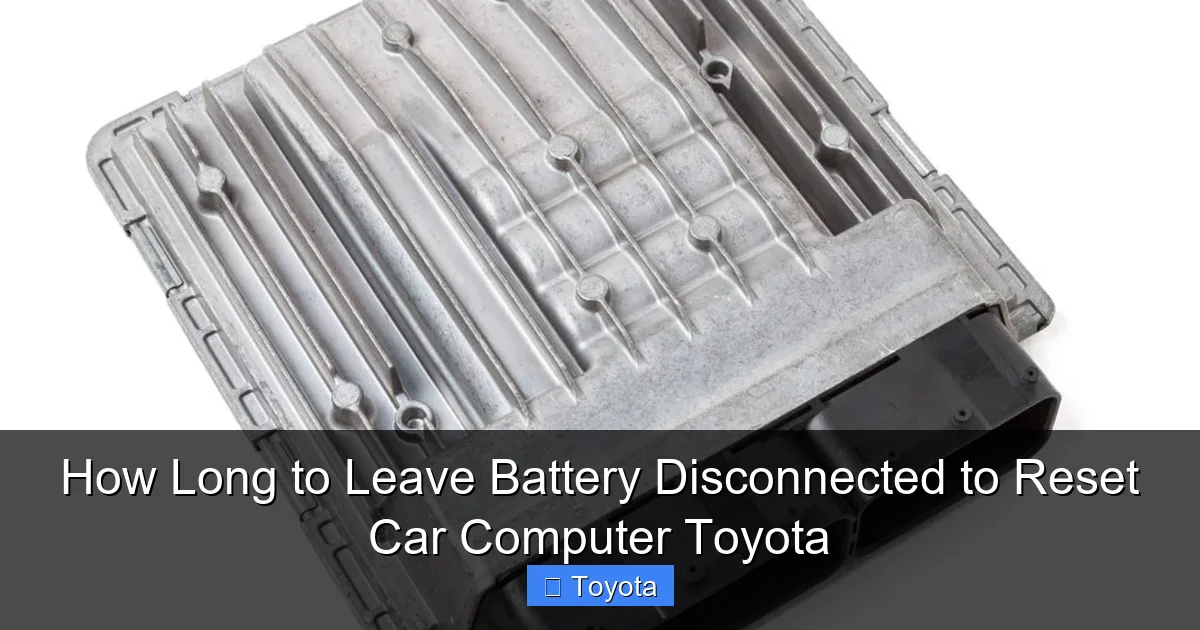
Before we talk about disconnecting anything, it helps to understand what we’re resetting. Your Toyota’s Engine Control Unit (ECU), also called the Powertrain Control Module (PCM), is the car’s main computer. It constantly monitors dozens of sensors—oxygen, airflow, throttle position, coolant temperature—and adjusts fuel injection, ignition timing, and other parameters for optimal performance, emissions, and efficiency.
Visual guide about How Long to Leave Battery Disconnected to Reset Car Computer Toyota
Image source: miro.medium.com
The ECU Has Memory: It Learns and Adapts
Modern ECUs don’t just run on factory preset maps. They “learn” or adapt to your specific driving style, the quality of your fuel, and even minor wear in sensors over time. This adaptive learning is stored in a type of memory called “keep-alive memory” (KAM) or “adaptive memory.” This memory is powered directly from the battery, even when the car is off. That’s why your radio presets and clock are lost when the battery dies—the same power source feeds the ECU’s memory.
When you disconnect the battery, you cut power to this memory. The goal is to drain the residual power stored in the ECU’s capacitors, which can hold a charge for a while. This is why the waiting period is so important.
The Step-by-Step: How to Properly Disconnect a Toyota Battery
Doing this correctly is about safety and effectiveness. Rushing or doing it wrong can cause electrical issues or be dangerous.
Visual guide about How Long to Leave Battery Disconnected to Reset Car Computer Toyota
Image source: uchanics.ca
Gather Your Tools and Prepare
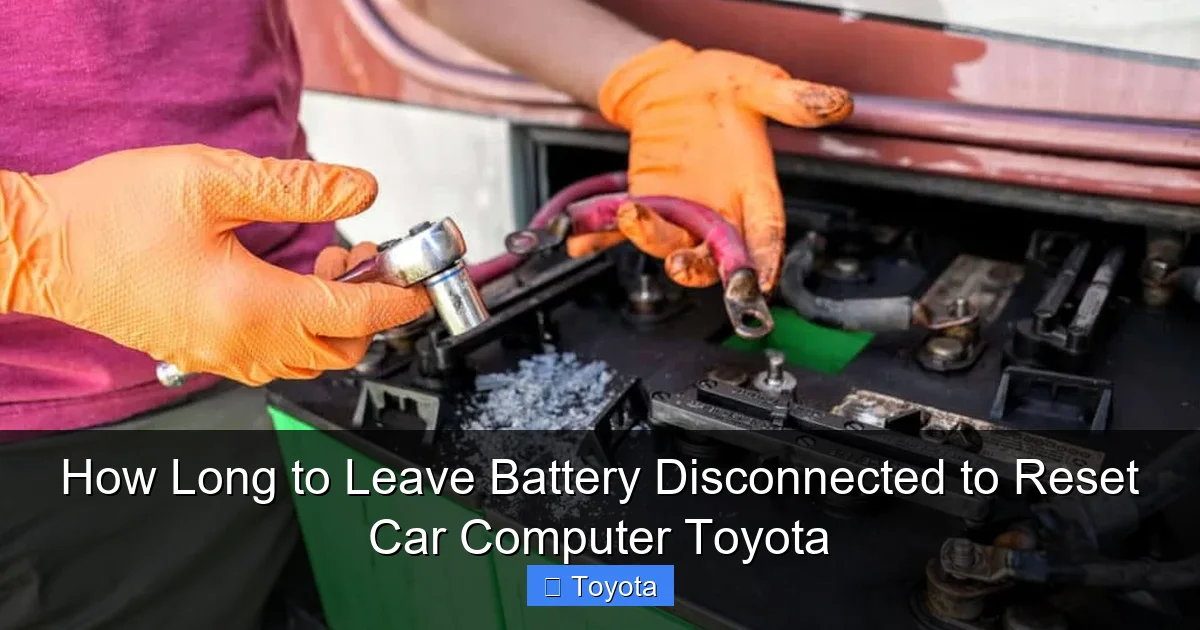
You’ll need a 10mm or 13mm wrench (common for Toyota battery terminals), a wire brush for cleaning, and safety glasses. Before you start, ensure your Toyota is in Park (P) with the parking brake engaged. Turn off all accessories—lights, radio, climate control. Open the hood.
The Correct Order: Negative First, Positive Last
This is non-negotiable for safety. The negative terminal (black, marked with a “-” symbol) is grounded to the car’s chassis. If you accidentally touch your wrench to any metal part while loosening the positive terminal first, you’ll create a short circuit, potentially causing sparks, burns, or damage to the electrical system.
- Loosen the NEGATIVE terminal: Using your wrench, loosen the nut on the black negative cable clamp. Once loose, carefully lift the clamp off the terminal post. Tuck the cable aside so it cannot touch the post or any metal.
- Loosen the POSITIVE terminal: Now, loosen the red positive cable clamp and remove it. Again, keep it isolated.
- Optional but Recommended: You can wrap the disconnected negative cable end in a non-conductive cloth or plastic bag and secure it away from the battery to prevent accidental contact.
Important Note: Some newer Toyotas have a large plastic cover over the battery. You’ll need to remove this first, usually by pressing tabs or removing a few clips.
The Critical Question: Exactly How Long Should You Wait?
This is the heart of the matter. The goal is to ensure a “hard reset,” where all volatile memory in the ECU and other modules is erased. The common advice you’ll hear is “10 minutes.” Is that enough?
Visual guide about How Long to Leave Battery Disconnected to Reset Car Computer Toyota
Image source: carmechan.com
The 10-15 Minute Rule: The Gold Standard
For the vast majority of Toyota models from the early 2000s onward, waiting 10 to 15 minutes is sufficient. This timeframe allows any residual electrical charge in the capacitors throughout the vehicle’s electronic control modules to dissipate completely. It’s a simple, reliable rule of thumb that works for a Camry, Corolla, RAV4, Tundra, and most others.
When You Might Need Longer: 30 Minutes or More
There are a few scenarios where extending the wait time is wise:
- If the battery was completely dead: A deeply discharged battery can cause modules to behave erratically. After jump-starting, a 30-minute wait ensures all systems are truly off.
- Older Vehicles with Multiple Modules: Some older models have separate control modules for the transmission, ABS, and airbags. Giving it 20-30 minutes helps ensure all these “slave” modules reset as well.
- If you’re troubleshooting a persistent issue: When clearing a tricky code, being extra cautious with a 30-minute wait can provide peace of mind that the reset was complete.
However, you generally do not need to wait hours or overnight. That is an old wives’ tale from even earlier vehicle technology.
What About Just Touching the Terminals?
Some mechanics use a technique called “capacitor draining” where they briefly touch the negative and positive terminals together with an insulated tool after disconnecting. This creates an immediate drain. We do not recommend this for DIYers. It can create a large spark, potentially damaging sensitive electronics or the battery itself. The timed wait is safer and just as effective.
Reconnecting and The Vital “Relearn” Process
After your patient wait, it’s time to reconnect. But your job isn’t done when the clamps are back on. This is where many people mess up and end up with a car that runs poorly.
Reconnecting In the Correct Order
You reverse the disconnect order:
- Connect the POSITIVE terminal first: Place the red clamp on the positive post and tighten the nut securely.
- Connect the NEGATIVE terminal last: Place the black clamp on the negative post and tighten it. This final connection will likely cause a small spark as the car’s systems power up—this is normal.
The “Relearn” Drive Cycle: Why Your Car Might Drive Weird
Here’s what happens next: your Toyota’s computer has been blanked. It has lost all its learned data about fuel trims, idle speed, and transmission shift points. It now has to start from scratch and relearn how to run your specific engine efficiently. This can cause:
- A slightly high or rough idle for the first 5-10 minutes of driving.
- Hesitant acceleration or unusual shifting (in automatics).
- The check engine light might stay on for a few drive cycles if the original problem isn’t fixed.
- Radio & Navigation: All presets, satellite radio activation, and navigation favorites will be lost. You may need the radio code (often in owner’s manual or glove box).
- Clock & Date.
- Power Windows & Sunroof: The “one-touch” up/down feature will need to be reprogrammed. Consult your manual—usually involves holding the switch in the full up/down position for a few seconds.
- Seat & Mirror Memory.
- Tire Pressure Monitoring System (TPMS): On many models, the TPMS light will illuminate after a battery disconnect, requiring a manual reset procedure. This is a very common side effect. You can find specific instructions for your model, like how to reset the tire pressure light on a Toyota Sienna or similar guides for your specific model year.
- For a Check Engine Light that won’t go away: If the light returns immediately after resetting, it means a real, active fault exists. The disconnect only hides the symptom temporarily. You need a proper diagnostic scan to find the root cause.
- On Hybrid Vehicles (Prius, RAV4 Hybrid): While generally safe, these have complex high-voltage systems. A complete power loss can sometimes require a specific “wake-up” procedure or, in rare cases, a dealer scan to reactivate certain systems. Always check your hybrid-specific owner’s manual first.
- If your car has a sophisticated audio or security system: Some aftermarket or factory premium systems have anti-theft features that lock out after a total power loss, requiring a code or dealer intervention.
What you must do: Drive the car normally for 20-30 minutes of combined driving. Include both gentle, steady-speed highway cruising and some stop-and-go city traffic. This varied driving cycle gives the ECU the data it needs to recalibrate. Avoid aggressive acceleration during this period. After this drive, the idle should be smooth, and the transmission should shift normally. If problems persist, the original fault is still present and needs diagnosis.
Important Warnings, Side Effects, and Special Cases
A battery disconnect is a blunt instrument. It has consequences you need to be aware of before you proceed.
What Gets Reset (The Annoying Part)
Be prepared to reset these manually:
When NOT to Disconnect the Battery
There are clear situations where this method is ineffective or risky:
The Safer, Smarter Alternative for Some Issues
For many dashboard warnings, a full battery disconnect is overkill. For example, if you just changed the oil and need to reset the maintenance light, or if you inflated the tires and need to reset the TPMS light, a manual button-press reset is faster, safer, and doesn’t cause all the side effects. You can learn specific procedures, like how to reset a Toyota maintenance light or reset the battery light on a Toyota Corolla, which are often much simpler.
Frequently Asked Questions (FAQs)
Will disconnecting the battery clear all error codes?
Yes, it will clear all stored diagnostic trouble codes (DTCs) from the ECU’s memory. However, if the underlying problem that triggered the code is still present, the code and check engine light will return after the computer completes its self-tests during the relearn drive cycle.
Can I damage my car’s computer by disconnecting the battery?
Not if you follow the correct procedure (negative first, positive last). The risk of damage is extremely low. The main risk is to other systems like your radio or security system, which may lock or require codes. There is also a small risk of a power surge when reconnecting, but this is rare with modern vehicles.
My Toyota has a start-stop system. Does this change anything?
No, the basic procedure remains the same. The start-stop system is managed by the same ECU. After the reset and relearn drive, the system should function normally again once the computer has gathered sufficient data.
What if the check engine light comes back immediately after I reconnect?
This is a strong indicator that a serious, active fault exists. The computer detected a problem during its initial power-on self-test. You should stop trying to reset it and instead have the vehicle scanned for codes at a shop or with a reliable OBD2 scanner to diagnose the actual issue.
Do I need to do anything special for a Toyota Tacoma or Tundra truck?
The procedure is identical to other Toyotas. However, some full-size trucks may have additional modules for trailer tow or off-road systems that also reset. The 10-15 minute wait rule and subsequent relearn drive are still sufficient for the main engine computer.
Is there a way to reset the computer without disconnecting the battery?
Yes, using an OBD2 scan tool that has a “clear codes” or “ECU reset” function. This is the professional method. It electronically clears the codes without power loss, so you won’t lose radio presets or require a lengthy relearn period for all systems. It’s the preferred method if you have access to a scan tool.
Frequently Asked Questions
How long should I wait before reconnecting the battery after a reset?
For a complete reset, wait at least 10-15 minutes after disconnecting the negative terminal. This ensures the ECU’s capacitors fully discharge. For stubborn issues or if the battery was very weak, waiting up to 30 minutes is a safe practice.
Will this reset my Toyota’s key fob or security system?
No, key fob programming is stored separately and is not affected by a simple battery disconnect. However, some factory security or audio systems may require a code to reactivate after a total power loss. Check your owner’s manual for your specific system.
My car runs rough after the reset. Is this normal?
Yes, this is a normal part of the “relearn” process. The ECU has lost its adaptive data and is rebuilding its fuel trim and idle strategies. Drive normally for 20-30 minutes, and the idle should smooth out. If the roughness is severe or persists, there may be an unrelated mechanical issue.
Do I need to reset the tire pressure light manually after a battery disconnect?
Almost certainly, yes. The TPMS system will typically require a manual reset procedure after a full battery disconnect. The light will not turn off on its own until you perform the reset sequence, which varies by model. Consult your owner’s manual.
Can I just reset the computer to pass an emissions test?
No. Emissions tests require that all vehicle readiness monitors have completed. These monitors are cleared by a battery disconnect and must run again. It typically takes several drive cycles (50-100 miles of mixed driving) for all monitors to set again. Attempting to test immediately after a reset will result in a failure.
Is there a fuse I can pull instead of disconnecting the battery?
Some vehicles have an “ECU” or “Backup” fuse that can be pulled to reset the computer. Do not do this on a Toyota without first consulting your owner’s manual. Pulling the wrong fuse can disable critical systems like the steering lock or airbags. The battery disconnect method, while more invasive, is the universally safe and known procedure.
