
How to Reset a Jeep Cherokee Computer

Resetting your Jeep Cherokee’s computer, or PCM/ECU, can help clear temporary fault codes and restore baseline settings after repairs. However, it’s not a fix for serious mechanical issues and can sometimes cause the vehicle to need a brief “relearn” period. This guide details the proper steps for a safe reset using the battery disconnect method, a scan tool, or fuse removal, and explains exactly when you should and shouldn’t perform one.
So, your Jeep Cherokee’s check engine light is on, or maybe it’s running a little rough after you replaced a part. You’ve heard that “resetting the computer” might fix it. But what does that really mean, and more importantly, how do you do it correctly without causing new problems? Welcome to your complete, no-nonsense guide to resetting the computer in your Jeep Cherokee.
First, let’s clarify terminology. The “computer” in modern vehicles is actually several computers, or modules. The main one is the Powertrain Control Module (PCM), which controls your engine and transmission. There’s also the Body Control Module (BCM), the infotainment system, and more. When most people talk about “resetting the computer,” they mean the PCM. This process clears its short-term memory, learned fuel adjustments, and stored diagnostic trouble codes (DTCs). It’s like giving it a fresh start. But a reset is a tool, not a magic wand. It won’t fix a broken part. If the problem persists, the light will come back. Think of it this way: if your smoke alarm keeps beeping because of a real fire (a mechanical problem), resetting it (clearing the code) just silences the alarm temporarily—the fire is still there. You must find and extinguish the fire (repair the issue) first.
This guide will walk you through everything. We’ll cover the three primary methods, their pros and cons, and the critical steps you must take before and after the reset. We’ll also bust some common myths. By the end, you’ll know exactly how, when, and why to reset your Jeep Cherokee’s computer, and when to skip the reset and head straight to a professional diagnosis.
Key Takeaways
- A “computer reset” clears temporary memory, not permanent problems: It erases learned fuel trims and stored diagnostic trouble codes (DTCs), but will not repair a faulty sensor, bad wiring, or mechanical failure.
- Disconnecting the battery is the most common DIY method: It’s effective but requires caution to avoid electrical spikes and will reset all vehicle electronics, including radio presets and seat memory.
- A scan tool with “ECU Reset” or “Clear Codes” function is the professional standard: This is the safest method as it communicates with the computer correctly and often allows for module-specific resets.
- Always diagnose before you reset: Use an OBD2 scanner to read and record any trouble codes. Resetting without addressing the underlying cause will cause the check engine light to return, often quickly.
- Post-reset, your Jeep may run differently for a short time: The PCM needs to “relearn” engine parameters based on current sensor data. This can cause minor idle or transmission shift quirks for 10-50 miles of driving.
- Some systems require specialized procedures: Resetting the Tire Pressure Monitoring System (TPMS) or oil life monitor often has a specific button sequence and is separate from a full PCM reset.
- Know when NOT to reset: If your Jeep is experiencing drivability issues (stalling, misfiring, poor performance), a reset is pointless until a proper diagnosis is completed.
📑 Table of Contents
- What is the Jeep Cherokee Computer (PCM) and What Does it Do?
- When Should You Reset Your Jeep Cherokee Computer?
- When You Should NOT Reset the Computer
- How to Reset a Jeep Cherokee Computer: The Three Main Methods
- What to Do AFTER the Reset: The Relearn Period
- Common Myths and Misconceptions About Resetting
- Conclusion: A Tool, Not a Cure
What is the Jeep Cherokee Computer (PCM) and What Does it Do?
Before we start pulling fuses, it helps to understand what we’re dealing with. The PCM is the brain of your Cherokee’s powertrain. It’s a sophisticated computer that constantly receives data from a network of sensors—oxygen sensors, mass airflow sensor, throttle position sensor, crankshaft position sensor, and dozens more. It processes this information in real-time to control fuel injection, ignition timing, variable valve timing, and transmission shift points. Its ultimate goals are to maximize power, minimize fuel consumption, and keep exhaust emissions within legal limits.
The PCM is a Learning Computer
One of the PCM’s most important jobs is “learning.” As your engine ages, components like fuel injectors and spark plugs wear slightly. The PCM monitors the oxygen sensor feedback over time and makes tiny, continuous adjustments to the fuel mixture—these are called long-term fuel trims. It also stores a “baseline” for optimal performance based on the specific, unique tolerances of your individual engine. When you replace a major sensor or component, or after a significant repair, the PCM’s learned data can become inaccurate. A reset wipes this learned data clean, forcing the PCM to start fresh and rebuild its knowledge based on the current, correct state of your engine. This is why a reset is often recommended after certain repairs.
What a Reset Actually Clears
When you perform a full PCM reset, you are typically erasing:
- Stored Diagnostic Trouble Codes (DTCs): The recorded faults that turned on your check engine light.
- Pending Codes: Faults that have been detected once but not yet confirmed enough to set a permanent code.
- Freeze Frame Data: A snapshot of sensor data at the moment a code was set, crucial for diagnosis.
- Learned Fuel Trims (Long & Short Term): The PCM’s adaptation for fuel mixture.
- Transmission Adaptive Learning: Shift points and pressure data stored by the Transmission Control Module (TCM), which is often integrated with or closely linked to the PCM.
- Idle Air Control (IAC) Position: The baseline for engine idle speed.
What it does NOT clear are permanent codes for serious failures (like a total communications loss with a module) or manufacturer-specific “permanent” codes that require multiple drive cycles without the fault to clear.
When Should You Reset Your Jeep Cherokee Computer?
Knowing when to hit the reset button is half the battle. Using it at the wrong time can mask a serious problem and make diagnosis harder later. Here are the prime scenarios where a reset is not just helpful, but often necessary.
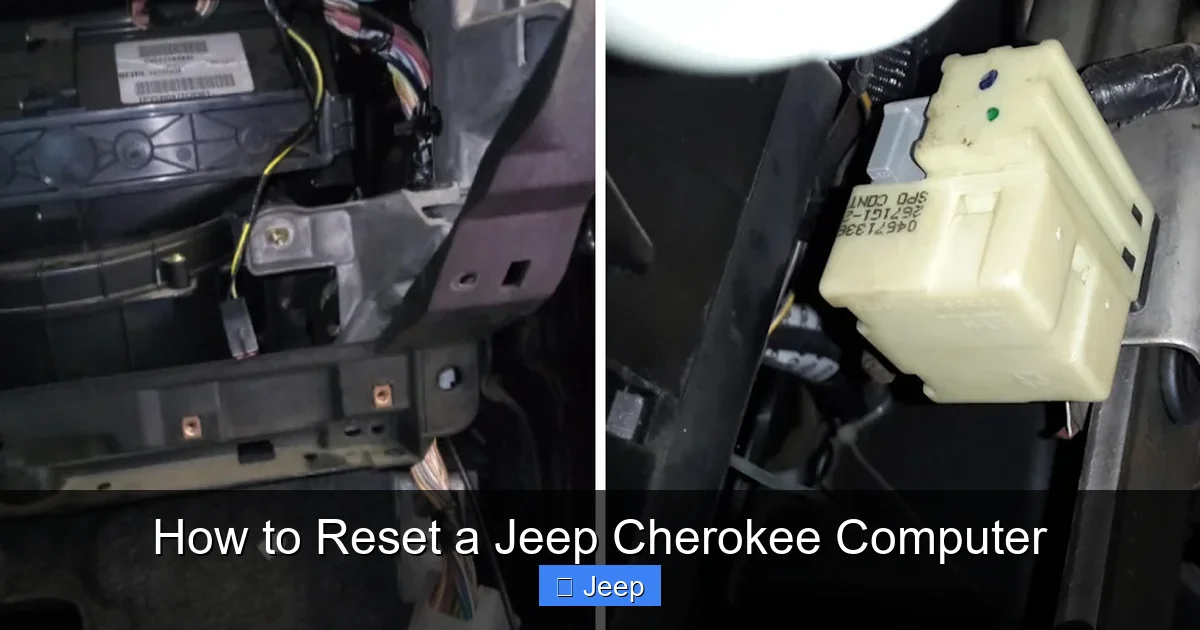
Visual guide about How to Reset a Jeep Cherokee Computer
Image source: jeepfixes.com
Scenario 1: After a Successful Repair
This is the #1 correct reason. If you or your mechanic replaced a component related to a stored check engine light—like an oxygen sensor, catalytic converter, fuel injector, or even the battery—you should perform a reset afterward. The old sensor data is now invalid. The PCM needs to start fresh and learn the new parameters. Resetting ensures the vehicle operates on accurate data and that any new codes that appear are genuinely new problems, not leftovers from the old part.
Scenario 2: To Clear a “Ghost” or Intermittent Light
Sometimes, a check engine light comes on for a very brief, one-time glitch—a loose gas cap, a momentary voltage drop, or a sensor that gave a weird reading once. The PCM sets a pending code. If the fault doesn’t reappear within a certain number of drive cycles, the light may go off on its own, but the code can remain stored in history. A reset clears this history, giving you a clean slate. This is also useful if you’ve fixed something like a loose gas cap and the light hasn’t turned off after a few drive cycles.
Scenario 3: After Battery Replacement or Disconnection
When you replace the battery or disconnect it for other work, the PCM loses all power and memory. It will automatically reset itself. However, this is an *uncontrolled* reset. It’s still a good practice to follow up with a controlled reset procedure (like the one below) after a battery replacement to ensure all modules are synchronized and to clear any codes that may have been set during the disconnection process (like voltage-related codes).
Scenario 4: Before a Professional Diagnostic
If you’re taking your Cherokee to a shop, clearing the codes yourself first can be a smart move. It gives the technician a clean starting point. If the light comes back on quickly, it indicates a very active, serious fault. If it takes a week to return, it might be an intermittent issue. This information can help prioritize the diagnostic process. Just be sure to tell the technician you’ve cleared the codes.
When You Should NOT Reset the Computer
Equally important is knowing when to leave the codes alone. Resetting in these situations is counterproductive and potentially dangerous.
Visual guide about How to Reset a Jeep Cherokee Computer
Image source: jeepfixes.com
If Your Vehicle Has a Drivability Problem
Is your Cherokee running rough, stalling, misfiring, shifting erratically, or has a loss of power? Do not reset the computer. The check engine light is a symptom, not the disease. The stored codes are your mechanic’s best clue to the root cause. If you reset them, you destroy that clue. The light might go off temporarily, but the problem will persist, and now you’ve lost the diagnostic trail. You’ve essentially turned off the fire alarm while the fire is still burning. Read the codes first, address the underlying issue, and then reset.
For Emissions Testing
In most states and provinces, a vehicle cannot pass an emissions (smog) test if the check engine light is on or if the PCM’s readiness monitors have not completed. A reset clears all readiness monitors (they show as “Not Complete” or “Incomplete”). You must then drive the vehicle under a specific set of conditions (a “drive cycle”) to allow all monitors to re-run and pass. This can take 50-100 miles of varied driving. If you reset the computer the day before your test, your Cherokee will fail because the monitors won’t be ready. Never reset right before an emissions test.
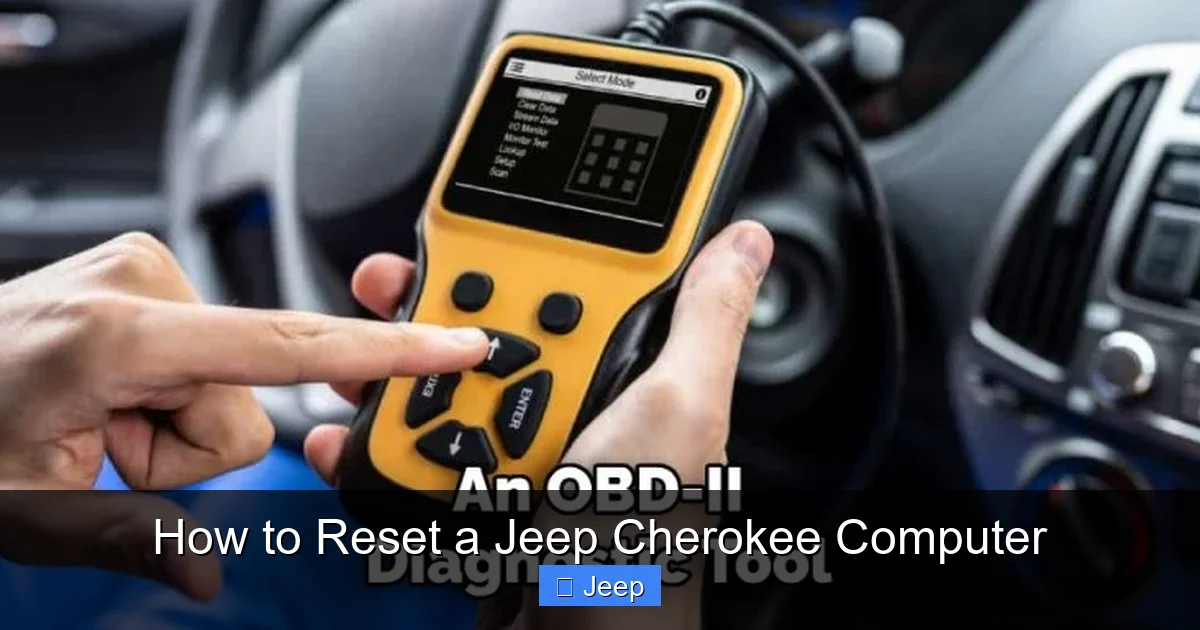
If You Have No Way to Read Codes
Blindly resetting is a bad idea. Use a simple OBD2 code reader (they cost as little as $20) to see what’s stored. At minimum, note down the codes. If you reset and the light returns immediately with the same code, you know the fault is very active. If it returns with a different code, your initial repair may have caused a new problem.
How to Reset a Jeep Cherokee Computer: The Three Main Methods
Now, the practical part. We’ll start with the most common DIY method and move to more professional options. These methods generally apply to Jeep Cherokee models from the early 2000s (KJ, KK) up through the current KL and WL generations. Always consult your owner’s manual for model-specific nuances.
Visual guide about How to Reset a Jeep Cherokee Computer
Image source: adventurejeep.com
Method 1: The Negative Battery Terminal Disconnect (The Classic DIY Method)
This is the old-school, no-tools-required (except a wrench) method. It works by completely removing power from the PCM for a period of time. It’s effective but has some important side effects.
Tools Needed: 10mm or 13mm socket/wrench (size varies by model year), safety glasses, gloves.
Step-by-Step:
- Safety First: Park your Cherokee on a level surface, engage the parking brake, and turn off the engine. Remove the key. Put on your safety glasses.
- Locate the Battery: Open the hood. The battery is typically in the engine bay on the driver’s side, but on some models (especially some KL Cherokees), it may be in the trunk under the cargo floor cover.
- Identify Terminals: The battery has a positive (+) terminal, usually marked with red or a red cap, and a negative (-) terminal, marked with black or a black cap.
- Disconnect the NEGATIVE Terminal: Using your socket/wrench, loosen the nut on the NEGATIVE (-) cable clamp. Once loose, carefully lift the clamp off the terminal and tuck the cable away so it cannot accidentally touch the battery post. Do not let the wrench touch both terminals at once.
- Wait: This is the critical step. You must leave the battery disconnected for at least 15-30 minutes. This ensures all residual power in the vehicle’s capacitors and modules is drained, fully resetting the PCM. Some technicians recommend 10-15 minutes; 30 minutes is a safe, thorough wait.
- Reconnect: Re-seat the negative cable clamp onto the negative terminal and tighten the nut securely. Do not overtighten and crack the battery post. Ensure it’s snug and won’t vibrate loose.
- Final Steps: Close the hood. You will now need to reset any other lost settings: radio presets, clock, power window/mirror preferences, and possibly steering wheel controls. Your Cherokee may also need a Transmission Relearn procedure (often just driving it through all gears) and may idle a bit high or rough for the first few minutes as the PCM rebuilds its fuel trims.
Important Notes on This Method:
- Radio Code: Many Jeep radios will lock and require a security code to reactivate after a battery disconnect. This code is often in your owner’s manual or on a card from the dealership. Have it ready.
- Window & Sunroof Initialization: On many models, the auto-up/down feature for windows and the sunroof will need to be re-initialized. Consult your manual; it usually involves holding the window switch in the “up” position for a few seconds after the window is fully closed.
- Potential for Electrical Spikes: While generally safe, disconnecting a battery under load can cause a voltage spike. The 15-30 minute wait mitigates this. For maximum safety, some turn the headlights on (with the battery still connected) for 30 seconds before disconnecting to drain residual capacitor charge, then turn them off before disconnecting the negative cable.
- Not for All Issues: If your Cherokee has a persistent, active fault, the light will return within a few drive cycles. This method does not fix the cause.
Method 2: Using an OBD2 Scan Tool with Clear Codes Function
This is the professional, preferred method. A scan tool communicates directly with the PCM and tells it to clear its memory safely, without the side effects of a full power-down.
Tools Needed: A basic OBD2 scanner with a “Clear Codes” or “Erase Codes” function. More advanced tools may have specific “ECU Reset” or “PCM Reset” options. Many affordable Bluetooth/WiFi scanners work with smartphone apps (like Torque Pro).
Step-by-Step:
- Connect the Scanner: Locate the OBD2 port under your Cherokee’s dashboard, usually on the driver’s side below the steering column. Plug your scanner into it.
- Turn On Ignition: Turn the key to the “On” (Run) position, but do not start the engine. The scanner should power on and connect to the vehicle.
- Read Codes First: This is non-negotiable. Before you clear anything, use the scanner to “Read Codes” or “Diagnose.” Note down every code (P####) and its description (e.g., P0171 – System Too Lean). Take a photo. This is your diagnostic record.
- Clear Codes: Navigate the scanner menu to find “Clear Codes,” “Erase Codes,” or “Reset DTCs.” Select it. The scanner will send the command to the PCM. You may hear relays click under the hood.
- Verify: After clearing, go back and “Read Codes” again. The screen should say “No Codes Detected” or “P0000.”
- Turn Off and Disconnect: Turn the ignition off and unplug the scanner.
- Test: Start the engine. The check engine light should be off. Drive the vehicle normally and monitor for the light’s return.
Advantages of This Method:
- No loss of radio presets, clock, or window memory.
- No need for a lengthy wait.
- It’s a clean, electronic command that’s how the PCM expects to be reset.
- You can often reset specific modules (like the TCM) separately if the tool supports it.
Disadvantage: Requires a scanner with the clear function (most basic ones have it).
Method 3: Pulling the PCM Fuse (A Middle Ground)
This method is less common but can work. It involves removing the fuse that supplies power to the PCM for a period of time. The challenge is identifying the correct fuse, as it’s often labeled “PCM,” “ECU,” or “Powertrain.”
Tools Needed: Fuse puller or needle-nose pliers, owner’s manual or fuse box diagram.
Step-by-Step:
- Locate Fuse Box: You’ll need the under-hood fuse box diagram (usually on the lid) or the interior fuse box diagram from your manual. Look for a fuse labeled for the PCM/Engine Control Module. It’s typically a 10A, 15A, or 20A fuse.
- Identify & Remove: Using the fuse puller or pliers, carefully remove the identified PCM fuse.
- Wait: Leave it out for 10-15 minutes.
- Reinstall: Place the fuse back into its slot securely. Ensure it’s the correct amperage and in the right position.
- Test: Start the vehicle. The light should be off. Drive and monitor.
Caution: This method can be tricky. Pulling the wrong fuse can disable other critical systems (like fuel pump or ignition). If you cannot positively identify the PCM fuse with 100% certainty, use Method 1 or 2 instead. Also, like the battery disconnect, this can cause a loss of other memory.
What to Do AFTER the Reset: The Relearn Period
You’ve reset the computer. The light is off. You’re done, right? Not quite. Your Cherokee now enters a “relearn” or “drive cycle” phase. The PCM is a blank slate and must gather new data to optimize performance. During this period (typically 10-50 miles of varied driving), you might notice:
- A slightly higher or fluctuating idle speed.
- Hesitant or firm transmission shifts (the TCM is also relearning).
- Minor transient engine stumbling.
- Fuel economy might be slightly worse until learning is complete.
This is normal and usually resolves on its own. To help the process:
- Drive Normally: Include a mix of city and highway driving. Vary your speed and engine RPMs.
- Allow Warm-up: Let the engine reach full operating temperature before aggressive driving.
- Avoid Hard Acceleration: For the first few drive cycles, be gentle. This helps the PCM learn idle and part-throttle conditions smoothly.
- Monitor: Keep an eye on the temperature gauge and ensure the engine warms up properly. If drivability issues are severe, persistent, or worsen, stop and have the vehicle scanned—a reset may have exposed a pre-existing problem.
If the check engine light returns, note the new code(s). If it’s the same code, the original problem was not fixed. If it’s a different code, your repair may have introduced a new issue. This is why the “Read Codes First” step is so vital.
Common Myths and Misconceptions About Resetting
Let’s clear the air on some persistent myths.
Myth 1: Resetting Will Fix a Misfire or Bad Performance
False. A misfire is a mechanical or ignition system failure (bad plug, coil, injector, compression loss). The PCM detects it and sets a code (P0300-series). Resetting clears the code, but the misfire is still physically happening. The light will return immediately or within a few engine cycles. You must diagnose and repair the cause of the misfire first.
Myth 2: You Must Disconnect the Battery for a “Real” Reset
False. A scan tool’s “Clear Codes” function performs the exact same electronic reset to the PCM’s memory that a battery disconnect does, but without the collateral damage to other settings. It is the technically correct method.
Myth 3: Resetting Erases All History, Making Diagnosis Impossible
Partially True, but Manageable. Yes, it erases freeze frame data and pending codes. That’s why you must always read and record the codes first. A good technician will do this before any reset anyway. For DIY, if you see a code, research it online before clearing. The code itself (e.g., P0420 – Catalyst System Efficiency Below Threshold) tells you what system is affected, even without freeze frame data.
Myth 4: A Reset is Needed After Every Oil Change
False, but related. Resetting the oil life monitor is a separate, simple procedure (usually via the vehicle settings menu or a button sequence). This does not reset the entire PCM. It only tells the BCM to reset the oil change interval counter. Do not confuse this with a full powertrain computer reset. For the correct oil life reset procedure on your specific Jeep Grand Cherokee model, you can find a dedicated guide here.
Conclusion: A Tool, Not a Cure
Resetting your Jeep Cherokee’s computer is a straightforward but powerful procedure. It’s an essential step after certain repairs and a useful tool for clearing temporary glitches. However, its power comes with a responsibility: to never use it as a substitute for proper diagnosis. Always read the codes first. Understand that a reset initiates a relearn period where the vehicle may behave slightly differently. And remember, if the check engine light returns—especially with the same code—the original problem was not resolved. The reset only cleared the symptom, not the disease. Use this knowledge wisely, and your Cherokee will reward you with reliable performance for miles to come. When in doubt, a professional scan and diagnosis is always the safest investment for your vehicle’s health.
Frequently Asked Questions
Will disconnecting the battery reset my Jeep Cherokee’s radio and settings?
Yes, disconnecting the negative battery terminal will reset the radio (often requiring a security code), clock, and any saved memory settings like seat positions or window preferences. Using a scan tool to clear codes avoids this issue.
How long does it take for the Jeep Cherokee computer to relearn after a reset?
The initial idle and shift adaptations may occur within the first 10-20 miles of driving. For the PCM to fully optimize fuel trims and all transmission shift points, it can take 50-100 miles of varied driving, including both city and highway conditions.
My check engine light came back after I reset the computer. What does that mean?
It means the original problem that triggered the code was not fixed. The PCM detected the fault again and relit the light. You need to read the new (or same) codes and diagnose the underlying mechanical, electrical, or emissions issue before attempting another reset.
Can I reset the computer if my Jeep Cherokee is running?
No. Never attempt to disconnect the battery or pull fuses while the engine is running. This can cause a severe voltage spike, potentially damaging sensitive electronics like the PCM, radio, or BCM. Always turn off the ignition and remove the key first.
Is there a way to reset just the transmission computer (TCM) separately?
Yes, on many models. A scan tool that can communicate with the Transmission Control Module (TCM) will have a specific option to “Reset TCM Adapts” or “Clear TCM Learned Values.” This is useful after a transmission service or solenoid replacement. The battery disconnect method will also reset the TCM as it loses power, but it’s a full-system reset.
Do I need a special scan tool for a Jeep Cherokee?
For simply reading and clearing generic OBD2 codes (which cover most engine/transmission issues), any standard OBD2 scanner will work. For accessing manufacturer-specific codes, body module systems, or for performing component-level tests, you may need a more advanced, professional-grade scan tool. For a basic PCM reset, a simple OBD2 reader with a “Clear Codes” function is sufficient.
