
How to Turn Off Gps Tracking on a Jeep Grand Cherokee

Disabling GPS tracking on your Jeep Grand Cherokee primarily involves managing settings within the Uconnect infotainment system or its companion app. You can turn off location services for privacy, but be aware this may deactivate connected navigation and emergency features. For a more permanent solution, physical methods like fuse removal exist but come with significant drawbacks and potential warranty issues. Always consider the legal and practical implications before proceeding.
Key Takeaways
- GPS tracking is enabled via Uconnect: Your Jeep’s built-in tracking is part of the Uconnect system, which uses cellular and GPS data for services like navigation, emergency assistance, and stolen vehicle recovery.
- Software disable is the first step: The primary method is turning off “Location Services” or “Vehicle Tracking” within the Uconnect app or the vehicle’s Settings menu under Privacy.
- Physical disconnection is a last resort: Removing the GPS fuse or antenna physically disables tracking but also kills navigation and may trigger system warnings or void warranties.
- Legal and safety trade-offs exist: Disabling tracking may affect warranty coverage, roadside assistance (SOS button), and stolen vehicle recovery programs like SiriusXM Guardian.
- Factory reset is not a full solution: A system reset may clear personal data but typically does not permanently disable the hardware’s GPS capability, which can be re-enabled.
- Privacy laws are on your side: In many regions, you have the right to disable tracking on your personal property, but leased or financed vehicles may have contractual restrictions.
- Consult your owner’s manual: Exact menu paths and options vary by model year and Uconnect version (e.g., Uconnect 4 vs. 5), so your manual is the definitive guide.
📑 Table of Contents
- Understanding GPS Tracking in Your Jeep Grand Cherokee
- The Uconnect System: Heart of the Tracking
- Methods to Disable GPS Tracking
- Step-by-Step Guide for Each Method
- Legal and Practical Implications of Disabling Tracking
- What Happens After You Disable Tracking?
- Conclusion: Taking Control of Your Data
Understanding GPS Tracking in Your Jeep Grand Cherokee
So, you own a Jeep Grand Cherokee and you’re wondering about that GPS tracking. Maybe you’ve read news stories about vehicle surveillance. Or perhaps you just value your privacy and want to know who can see where you go. It’s a valid concern. Modern vehicles, especially popular ones like the Grand Cherokee, are rolling computers on wheels. They collect a lot of data. One of the most common questions we get is about disabling that built-in location tracker.
First, let’s get one thing straight. When we talk about “GPS tracking” in your Jeep, we’re almost always talking about the system powered by Uconnect. This is Jeep’s (well, Stellantis’s) infotainment and connected services platform. It’s the brain that handles your music, maps, phone calls, and—critically—your vehicle’s connection to the outside world. That connection is a double-edged sword. It gives you amazing features like real-time traffic, remote start, and automatic crash response. But it also means your vehicle’s location can be determined, often without you actively using a map app.
It’s important to understand what this tracking actually is. It’s not a secret spy device (though it can feel that way). It’s a functional component. The GPS receiver in your Jeep gets signals from satellites to know its position. This data is used by the navigation system if you’re using it. But even when you’re not, the Uconnect system can periodically “ping” the vehicle’s location back to the manufacturer’s servers. This enables services like SiriusXM Guardian (or Uconnect Access), which includes stolen vehicle assistance. If your car is stolen, you can report it, and the company can help law enforcement track it. That’s a great feature! But it also means the capability exists whether you want it or not.
How Does the Tracking Work?
The system works through a combination of hardware and software. There’s a GPS antenna, usually discreetly placed on the dashboard or roof liner. There’s also a cellular modem (a SIM card) built into the Uconnect module. This modem provides the data connection. When location services are enabled, the system can transmit the GPS coordinates over that cellular network. This is why you need an active Uconnect subscription for many of the advanced tracking features. The basic “find my car” function might work for a trial period, but long-term, it’s a paid service.
So, can you turn it off? The short answer is yes, you can disable the software-side of this tracking. You can tell the Uconnect system, “Stop sending my location.” But you cannot easily or safely disable the hardware’s ability to receive a GPS signal without physically tampering with the vehicle. That’s a crucial distinction. When you follow the steps to “turn off” tracking, you’re usually just revoking permission for the system to share that data externally. The GPS receiver is still on and working; it’s just not phoning home anymore. This means your built-in navigation might still work if you’re using it, but services that rely on the cloud connection will be inactive.
The Uconnect System: Heart of the Tracking
To effectively manage tracking, you need to understand your Uconnect system. Jeep Grand Cherokees from the last decade have various versions: Uconnect 3, 4, 4C, 5, and now 5 with Alexa. The menu names and layouts differ slightly, but the core privacy settings are in a similar place. Think of Uconnect as the gateway. All commands—whether from your voice, the touchscreen, or the smartphone app—go through it.
Visual guide about How to Turn Off Gps Tracking on a Jeep Grand Cherokee
Image source: jeepfixes.com
The system is deeply integrated. It’s not an add-on; it’s part of the vehicle’s electrical architecture. This integration is why pulling a fuse can cause other problems. That single module (often called the “Radio” or “Infotainment” module) controls audio, settings, and connectivity. Disrupting it can lead to a cascade of warnings on your dashboard—check engine lights, ABS lights, you name it. That’s because other systems expect to be able to communicate with it. So, while physical disconnection is possible, it’s messy and not recommended for the average user.
Your primary tools for control are the Uconnect smartphone app and the in-vehicle Settings menu. The app is often the easiest place to find privacy toggles. It’s designed for remote management. The in-vehicle menu is more comprehensive but requires you to be in the car. Both ultimately change settings stored in the Uconnect module.
What Data Does Uconnect Collect?
Before disabling anything, know what you’re turning off. Beyond location, Uconnect may collect vehicle speed, diagnostic data (like engine trouble codes), and even information about your driving habits if you use certain apps. This data is used for product improvement, service personalization, and, of course, the subscribed safety features. When you disable location services, you’re primarily stopping the broadcast of your vehicle’s coordinates. However, some basic vehicle data for warranty or recall purposes might still be transmitted in an anonymized form. The fine print in your owner’s manual and Uconnect terms of service details this.
Methods to Disable GPS Tracking
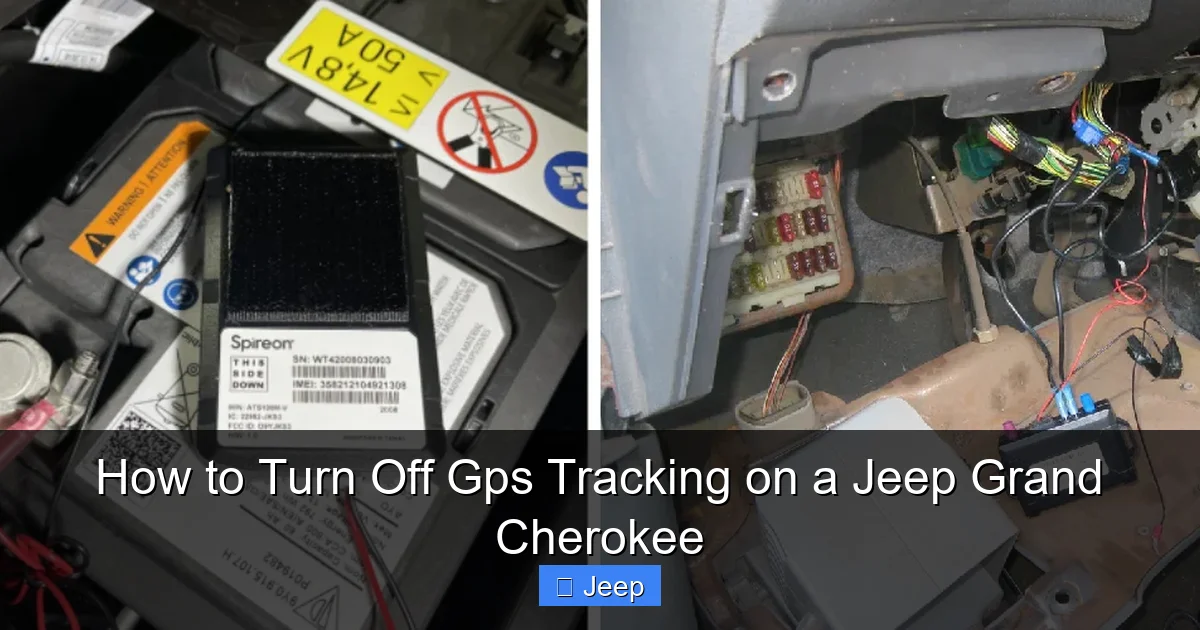
Now, to the meat of the issue. How do you actually do it? We categorize the methods into two main camps: Software/Configuration and Physical/Hardware. Software methods are safe, reversible, and what we recommend for 99% of users. Physical methods are invasive, risky, and should only be considered in extreme situations where software controls are completely unavailable or ineffective (e.g., a compromised system).
Visual guide about How to Turn Off Gps Tracking on a Jeep Grand Cherokee
Image source: jeepfixes.com
Let’s break them down.
Method 1: Disable via the Uconnect Smartphone App
This is the most user-friendly approach. The Uconnect app (available for iOS and Android) is a powerful remote control for your vehicle. Within its settings, you can manage privacy permissions. The exact path can vary, but generally:
- Log into the Uconnect app and ensure your vehicle is connected.
- Go to the Settings or Account section.
- Look for Privacy Settings, Vehicle Location, or Location Services.
- Toggle the switch to OFF or set permissions to “Never.”
You might also see options for “Share Vehicle Location” or “Remote Services.” Disabling these will prevent the app from showing your car’s location and stop the vehicle from sending location pings to the servers. This is a clean, software-based disable. The best part? You can turn it back on anytime from the same app if you ever want to re-enable features like remote start or find-my-car.
Method 2: Disable via the Vehicle’s Infotainment System
If you’re not a smartphone app person, or if you want to make the change directly in the car, the in-vehicle menu is your tool. Here’s the general process:
- Start your Grand Cherokee (or turn it to “ON” without starting the engine).
- On the Uconnect touchscreen, go to Settings (often a gear icon).
- Select Privacy or Vehicle Settings.
- Find the Location Services or Vehicle Tracking option.
- Set it to Disabled or Off.
On newer Uconnect 5 systems, the path might be: Settings > Vehicle > Privacy > Location Services. On older Uconnect 4 systems, it might be under Settings > System > Privacy. You may need to scroll. The terminology can differ—look for anything related to “sharing location,” “connected services,” or “telematics.”
Method 3: Physical Disconnection (Fuse Removal)
This is the nuclear option. The Uconnect module (the “brain”) is powered by a specific fuse in the vehicle’s fuse box. If you pull that fuse, the module loses power. No power, no GPS signal transmission, no cellular connection. It’s effectively dead. However, this is a blunt instrument with serious side effects.
- You lose ALL Uconnect functions: No radio, no Bluetooth phone/audio, no backup camera (if routed through the module), no voice commands, no settings memory. Your infotainment system will be a brick.
- You’ll get warning lights: The vehicle’s CAN bus network will notice a critical module has gone offline. Expect warnings for “Service Uconnect,” “Check Engine,” possibly ABS or stability control. These lights will stay on until the fuse is replaced and the system reinitializes.
- It may not be permanent: Some vehicles have backup power supplies or will throw error codes that a dealership can clear, revealing the tampering.
- Warranty and lease concerns: Tampering with electrical systems can void parts of your warranty. If you lease the vehicle, it’s almost certainly a violation of the lease agreement.
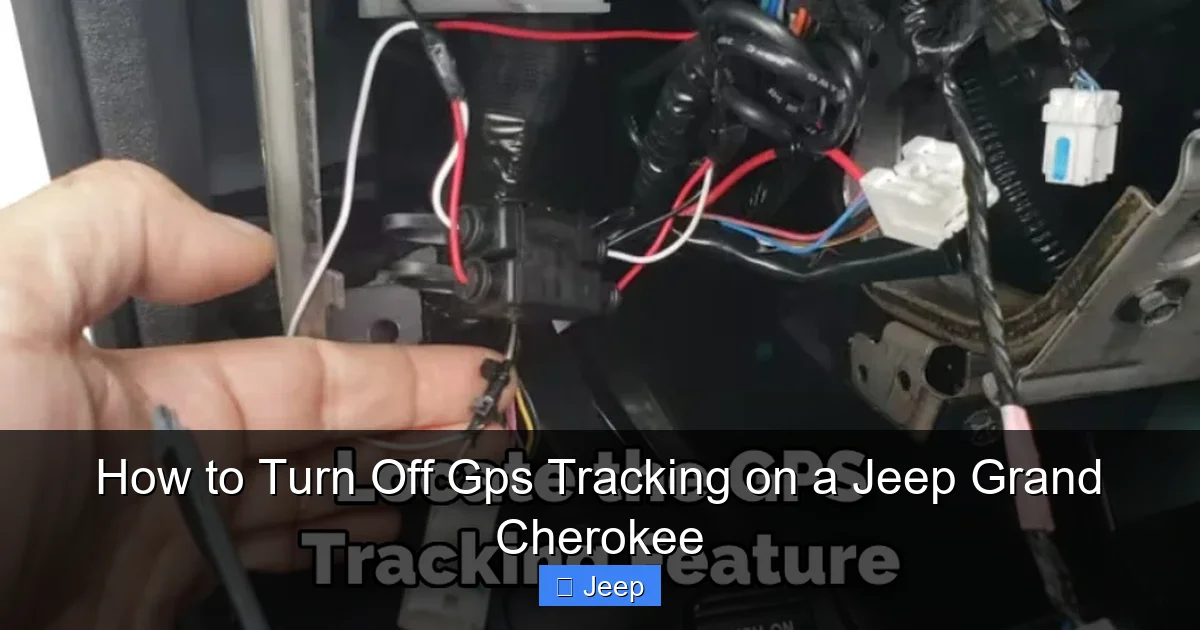
The fuse location is in the under-hood fuse box or interior fuse panel. You must consult your owner’s manual fuse diagram to identify the correct fuse (often labeled “Uconnect,” “Telematics,” “Modem,” or “RADIO”). Pulling the wrong fuse could disable critical systems like fuel pump or ignition. We strongly caution against this method unless you are prepared to accept all the consequences and know how to safely handle automotive fuses.
Method 4: Factory Reset of Uconnect System
A factory reset will return the infotainment system to its original state, wiping all paired phones, saved settings, and account logins. It might seem like it would disable tracking, but it’s often ineffective for that specific purpose. The tracking capability is baked into the system’s firmware and is usually re-enabled by default upon reset, especially if the vehicle still has an active Uconnect subscription tied to its VIN. A reset is good for selling your car or fixing glitches, but not for permanently disabling GPS hardware functions.
Step-by-Step Guide for Each Method
Let’s get practical. We’ll walk through the two safe, recommended methods in detail, with tips for different model years. Remember, your specific Jeep Grand Cherokee’s year and trim level (Laredo, Limited, Overland, Summit, etc.) determine the exact Uconnect version and menu names.
Visual guide about How to Turn Off Gps Tracking on a Jeep Grand Cherokee
Image source: jeepfixes.com
Detailed Steps: Uconnect App Method
1. Download & Log In: Ensure you have the latest “Uconnect” app from your app store. Log in with your Uconnect account credentials (the ones you set up when you bought the car or at the dealer).
2. Connect Your Vehicle: The app should show your Grand Cherokee as “Connected.” If it says “Disconnected,” you may need to be within cellular range of the vehicle or start the car to wake the modem.
3. Navigate to Settings: Tap the menu icon (usually three lines or “More”) in the bottom right or top corner. Look for “Settings” or “Account & Privacy.”
4. Find Privacy Controls: Within Settings, scroll to find “Privacy Settings,” “Vehicle Location Sharing,” or “Location Permissions.” On some models, it’s under “Connected Services.”
5. Disable Location: You should see a toggle switch next to “Share Vehicle Location” or “Enable Location Services.” Tap it to turn it OFF. A warning may pop up explaining what features will be disabled (e.g., “Remote Services, Find My Car, Send Destination to Vehicle”). Confirm.
6. Verify: The toggle should now show “Off.” Exit the app. The change is usually immediate but can take a few minutes to propagate to the vehicle’s systems.
Pro Tip: If you don’t see these options, your vehicle may not have an active Uconnect subscription, or the settings might be managed only through the in-vehicle menu. Also, some older models (pre-2018) have less granular privacy controls in the app.
Detailed Steps: In-Vehicle Menu Method
1. Power On: Sit in your Grand Cherokee. Turn the ignition to the “ON/RUN” position (do not start engine, but you can if you prefer). The Uconnect screen will boot up.
2. Access Settings: On the home screen, locate and tap the Settings icon (looks like a gear or wrench).
3. Find the Privacy Menu: This is the tricky part as it varies. Here are common paths:
- Uconnect 5 (2022+): Settings > Vehicle > Privacy. Look for “Location Services” or “Vehicle Data Sharing.”
- Uconnect 4 (2018-2021): Settings > System > Privacy. You might see “Vehicle Tracking” or “Connected Services.”
- Uconnect 3 (2014-2017): Settings > Vehicle > Uconnect Services. Look for “Location” or “Tracking.”
4. Disable the Feature: Once in the Privacy menu, you should see an option like “Vehicle Location” or “Send Vehicle Location”. Select it and choose “Off” or “Disabled.” There may be a confirmation screen. Read it and accept.
5. Exit and Test: Exit all menus. Try using the “Find My Car” feature in the Uconnect app (if you have it). It should now show a message like “Location Services Disabled” or fail to retrieve the location. This confirms success.
Important Note: In some model years, the option might be labeled “SiriusXM Guardian” or “Stolen Vehicle Assistance”. Disabling location services will deactivate these features. You might also see an option for “Diagnostic Data” or “Vehicle Health.” Disabling location does not necessarily stop all diagnostic data transmission.
What About the GPS Fuse Location?
For educational purposes only, here is how you would locate the fuse. We do not recommend doing this.
1. Open the hood. Locate the main fuse box (usually a black plastic box near the battery or engine bay fender).
2. Remove the fuse box cover. Inside, there’s a diagram sticker showing each fuse’s purpose.
3. Look for labels like “UCONNECT,” “TELEMATICS,” “MODEM,” or “RADIO”. In many Grand Cherokees, it’s Fuse F51 or F52 in the Power Distribution Center (PDC), but this is NOT universal. A 2022 model will be different from a 2015.
4. Using a fuse puller (or needle-nose pliers), carefully pull the fuse straight out.
5. To re-enable, simply push the fuse back into its slot.
Warning: Removing fuses can damage the socket if done improperly. Always use the correct tool and ensure the ignition is OFF. If you accidentally pull the wrong fuse, you could disable your fuel pump, starter, or lighting systems, leaving you stranded.
Legal and Practical Implications of Disabling Tracking
Before you flip that switch, let’s talk about what you’re giving up and what you need to know legally. This isn’t just a technical toggle; it has real-world consequences.
What Features Will You Lose?
Disabling location services essentially severs the vehicle’s connection to the cloud for location-based features. Here’s a non-exhaustive list of what stops working:
- SiriusXM Guardian / Uconnect Access: This includes the big one: Stolen Vehicle Recovery. If your car is stolen, you cannot call the center to have them track it. They may still be able to ping it for law enforcement in some cases, but the proactive feature is gone.
- Remote Services via App: No more remote start, lock/unlock, horn/lights, or climate control from your phone. These features rely on the vehicle receiving a command via its cellular link.
- Send Destination to Vehicle: You can no longer plan a trip on your phone and wirelessly send the address to your Jeep’s navigation system.
- Vehicle Health Alerts: Some diagnostic alerts (like a severe engine fault) may be sent to your app or email. These might be delayed or stopped.
- Roadside Assistance (SOS Button): The physical SOS button inside your vehicle (usually on the rearview mirror or overhead console) connects to a call center. They may still be able to get your location via the cell connection even if location services are off, but this is not guaranteed. In an emergency, every second counts, so disabling this could be dangerous.
- Wi-Fi Hotspot: If your Grand Cherokee has a built-in Wi-Fi hotspot, it will likely stop working as it uses the same cellular modem.
Warranty and Lease Considerations
This is a gray area. Tampering with any OEM system can be used by a dealer to deny warranty claims if they can prove the tampering caused a fault. For example, if you pull the Uconnect fuse and then your battery drains overnight (because the module is supposed to go into a low-power sleep mode, but the fuse removal disrupts that), the dealer might blame your modification. It’s a risk.
If you lease your Grand Cherokee, the lease agreement almost certainly prohibits “unauthorized modifications” to the vehicle. Removing fuses or altering the electrical system could be considered a violation, leading to fees or penalties at turn-in. Be sure to read your lease contract.
Privacy Laws and Your Rights
The good news is that in the United States, there is a growing movement towards data privacy. Laws like the California Consumer Privacy Act (CCPA) give residents the right to know what data is collected and to request its deletion. While these laws don’t explicitly say “you can disable your car’s GPS,” they support the principle that you, as the owner/lessee, have rights over the data generated by your property. In Europe, GDPR is even stricter.
However, there is a caveat for telematics data used for safety and warranty purposes. Manufacturers may argue that certain data collection is necessary for vehicle operation, recall management, or statutory compliance (like emissions). The location data for stolen vehicle recovery is often considered a safety feature you can opt out of, but you might need to formally notify the manufacturer or your dealer. Check your Uconnect terms of service.
A Word on Theft Recovery
We must be blunt: disabling GPS tracking makes your Jeep Grand Cherokee a less attractive target for professional thieves who look for cars with tracking systems. But it also makes it much harder to recover if it is stolen. Amateur joyriders might not care, but organized theft rings often avoid vehicles with active LoJack or factory tracking. If you live in an area with high auto theft rates, weigh this heavily. Some insurance companies offer discounts for vehicles with active tracking/anti-theft systems. Disabling it could affect your premium. Call your insurer before you make a change.
What Happens After You Disable Tracking?
So you’ve followed the steps in the app or menu. The toggle is off. Now what? What should you expect? And how can you be sure it’s really off?
Verifying the Disable is Successful
The best test is the “Find My Car” feature in the Uconnect app. After disabling location services:
- Log out of the app and log back in.
- Attempt to use the “Vehicle Location” or “Find My Car” function.
- You should receive an error message like “Location Services Disabled” or “Unable to retrieve location.”
- If it still shows your car’s location after a few minutes, the change hasn’t taken effect. Double-check the steps for your specific model year. You may need to restart the vehicle (power cycle) for the setting to apply.
Another, more technical method is to check for cellular activity. With the car parked and engine off, use a smartphone app that detects nearby Bluetooth or Wi-Fi signals. A Uconnect-enabled vehicle often broadcasts a Wi-Fi network name (SSID) like “Uconnect-XXXX.” If location is disabled, the Wi-Fi hotspot is usually also disabled, so that SSID should disappear. This is not foolproof but offers a clue.
Will the System Ever Re-Enable Itself?
Generally, no. Once you turn off location services via the app or menu, that setting is stored in the vehicle’s memory. It should persist across power cycles, battery disconnects, and even software updates (though a major update could potentially reset it). However, there are scenarios where it might revert:
- Factory Reset: If you or a dealer performs a full factory reset of the Uconnect system, all settings return to default, and location services will likely be re-enabled.
- Subscription Renewal: If your Uconnect subscription lapses and then you renew it, the reactivation process might reset some privacy preferences to “on.” You should check immediately after renewal.
- Dealer Service: Sometimes, when a dealer updates the Uconnect software or re-flashes the module for other repairs, they may inadvertently reset system settings. It’s a good idea to double-check your privacy settings after any major service visit.
Re-enabling Tracking Later
Need your remote start back? No problem. Just go back to the same menu in the app or vehicle and toggle location services back ON. All connected features will be restored. There’s no “lockout” or permanent disable. This reversibility is why the software method is so superior to the physical fuse pull—you maintain full control without collateral damage.
Conclusion: Taking Control of Your Data
Your Jeep Grand Cherokee is a powerful machine, and its Uconnect system is a key part of the modern driving experience. The ability to track its location is a feature with clear benefits for safety and convenience. But your right to privacy is equally important. As we’ve shown, turning off GPS tracking is not about dismantling your car; it’s about navigating a settings menu.
For the vast majority of owners, the solution lies in the Uconnect app or the vehicle’s Settings > Privacy menu. Spend 5 minutes there, toggle the switch, and you’ve effectively stopped your vehicle from broadcasting its whereabouts to the cloud. You’ll lose some connected perks, but you’ll gain peace of mind. Avoid the temptation to pull fuses or tamper with hardware—the risks of warning lights, system glitches, and warranty issues far outweigh any perceived benefit.
Finally, remember that this is your vehicle. You have the right to understand and control the data it generates. Read those privacy notices when you set up Uconnect. Check your settings annually. If you lease or finance, be extra cautious and review your contract. And if you ever sell your Grand Cherokee, be sure to perform a full factory reset and remove your account from the system to protect your personal information. Taking these simple steps ensures you enjoy your Jeep on your own terms, with full awareness of where your data—and your vehicle—are going.
Frequently Asked Questions
Will turning off GPS tracking affect my in-car navigation?
No. Disabling location services for “connected” features does not turn off the GPS receiver itself. Your built-in navigation system (if you have one) will still work perfectly, as it uses the same GPS hardware but processes the data locally without sending it to the cloud. You just lose features like sending destinations from your phone to the car.
Is it legal to disable the GPS tracking on my Jeep?
Yes, it is generally legal for the owner or lessee of a personal vehicle to disable tracking features. You own the data generated by your property. However, if you are leasing the vehicle, check your contract, as it may require the tracking system to be active for theft recovery purposes. Disabling it may violate your lease agreement.
Will disabling GPS make my Jeep more susceptible to theft?
Paradoxically, it might make it a slightly more attractive target to some thieves who know it lacks an active tracking signal, making it harder to recover. However, most thefts are crimes of opportunity. The bigger risk is that if your Jeep is stolen, you and law enforcement will have a much harder time locating and recovering it without an active tracking system like SiriusXM Guardian.
Can I permanently disable the GPS hardware so no one can ever track it?
Technically yes, by physically removing the GPS fuse or disconnecting the antenna, but this is not recommended. It will cause multiple system errors, disable all Uconnect functions (radio, Bluetooth), likely trigger dashboard warning lights, and may void your warranty or violate a lease. The software method is clean, reversible, and achieves the same privacy goal for most users.
If I disable tracking, can the dealer or Jeep still see my location?
When you properly disable location services via the menu or app, the vehicle should no longer transmit its location to Jeep’s servers. However, the cellular modem is still active for other purposes (like emergency calls). In a true emergency where you press the SOS button, the call center may attempt to triangulate your location via cell towers, but this is less precise than GPS. For routine data, your location should not be stored or shared.
Should I disable tracking if I’m concerned about privacy?
If your primary concern is the manufacturer or third parties having a record of your vehicle’s movements, then yes, disabling location services is a direct and effective step. Just be aware of the trade-offs: you lose remote convenience features and the robust stolen vehicle recovery service. For many, the privacy benefit outweighs the lost convenience. If you want maximum privacy with minimal hassle, using the software toggle is the best approach. For more extreme scenarios, consider the significant drawbacks of physical disconnection.
