
How to Turn Off Awd on a Dodge Challenger

Turning off AWD on a Dodge Challenger isn’t always straightforward, but it’s possible under certain conditions. This guide walks you through the process, safety tips, and when it’s necessary—helping you maintain control and performance.
Key Takeaways
- Most Dodge Challengers are RWD, not AWD: The standard drivetrain is rear-wheel drive, so AWD models are rare and typically limited to specific trims or aftermarket conversions.
- AWD cannot be manually disabled on factory models: Unlike some SUVs or crossovers, factory AWD systems in Challengers (if equipped) don’t have a simple “off” switch.
- Use the Eco mode or traction control settings: These can reduce AWD engagement and simulate a more RWD-like driving experience in compatible models.
- Aftermarket modifications may allow AWD disengagement: Custom setups with transfer case controllers or electronic switches can disable AWD, but they require professional installation.
- Disabling AWD affects handling and safety: Turning off AWD reduces traction in poor weather and increases wear on drivetrain components if not done correctly.
- Always consult your owner’s manual: Vehicle-specific instructions and warnings are critical before attempting any drivetrain changes.
- Professional diagnosis is recommended: If you suspect your Challenger has AWD or want to modify it, a certified mechanic should verify the system first.
📑 Table of Contents
- Understanding the Dodge Challenger’s Drivetrain Options
- Can You Actually Turn Off AWD on a Dodge Challenger?
- Aftermarket Solutions for Disabling AWD
- Safety and Performance Implications of Disabling AWD
- Step-by-Step: How to Reduce AWD Engagement (Without Full Disabling)
- When Should You Consider Disabling AWD?
- Conclusion: Making the Right Choice for Your Challenger
Understanding the Dodge Challenger’s Drivetrain Options
When it comes to American muscle cars, the Dodge Challenger stands out for its bold styling, powerful engines, and classic rear-wheel-drive (RWD) dynamics. For decades, the Challenger has been synonymous with RWD performance—delivering that raw, tire-smoking power to the rear wheels that enthusiasts love. However, with evolving technology and changing consumer demands, Dodge has introduced all-wheel drive (AWD) in select models, particularly in the more refined and luxury-oriented trims like the GT.
But here’s the catch: most Dodge Challengers are not AWD. In fact, the majority of models—especially the SRT, R/T, and Scat Pack variants—are built with a traditional RWD setup. The AWD option is primarily available on the Challenger GT, which was introduced to offer better traction in colder climates and appeal to buyers in regions with snow or rain. This means that if you’re driving a standard Challenger, chances are you don’t even have AWD to begin with.
So why the confusion? Many people assume that modern performance cars come with AWD as a default, especially with the rise of AWD in sports cars like the Ford Mustang Mach 1 or certain BMW M models. But Dodge has kept the Challenger true to its roots—favoring RWD for that authentic muscle car feel. The AWD system in the GT model is more of a comfort and convenience feature than a performance enhancer.
Understanding your specific model is the first step. Check your window sticker, owner’s manual, or the badging on your car. If you see “GT AWD” or “All-Wheel Drive” listed, then you have an AWD system. If not, you’re likely driving a RWD model, and there’s no AWD to turn off. This distinction is crucial because attempting to disable AWD on a RWD car could lead to unnecessary modifications or misunderstandings about your vehicle’s capabilities.
Can You Actually Turn Off AWD on a Dodge Challenger?
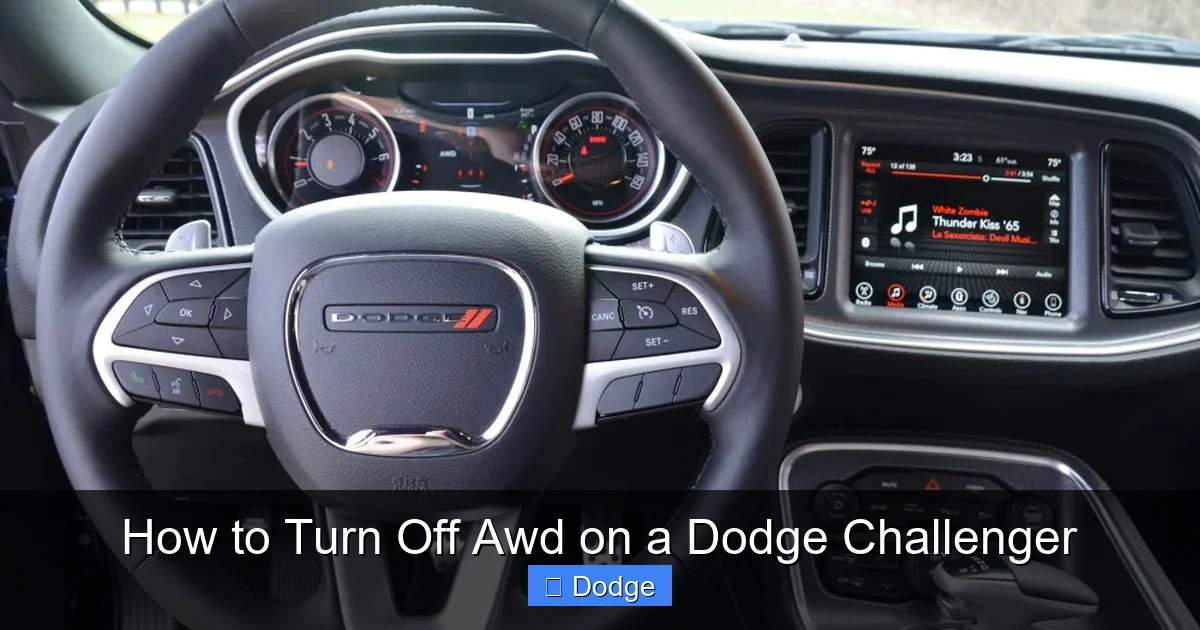
Visual guide about How to Turn Off Awd on a Dodge Challenger
Image source: dodgeforum.com
Now, let’s get to the heart of the matter: can you turn off AWD on a Dodge Challenger? The short answer is: it depends. If your Challenger is a factory-equipped AWD model—like the GT trim—then technically, the AWD system is always active. Unlike some SUVs or crossovers that offer a “2WD” or “AWD Off” mode, the Dodge Challenger does not come with a physical switch or dashboard button to disable AWD.
The AWD system in the Challenger GT is designed to be seamless and automatic. It uses a center coupling in the drivetrain to send power to the front wheels when needed, typically during acceleration, low-traction conditions, or when the rear wheels begin to slip. This system is managed by the vehicle’s electronic control unit (ECU), which constantly monitors wheel speed, throttle input, and road conditions to determine how much power to send forward.
Because the system is always on and automatically engaged, there’s no user-accessible “off” switch. You can’t simply press a button and say, “Okay, now it’s RWD only.” This design prioritizes safety and drivability, especially in adverse weather, but it can be frustrating for drivers who prefer the pure RWD experience or want to reduce drivetrain complexity.
That said, there are ways to reduce AWD engagement or simulate a RWD-like driving mode. For example, the Challenger GT includes an “Eco” mode that prioritizes fuel efficiency and can limit front-wheel power delivery. While this doesn’t fully disable AWD, it does shift the balance toward rear-wheel dominance, especially during light throttle inputs or highway cruising.
Another option is to adjust the traction control settings. By turning off or reducing traction control (via the ESC button), you allow more wheel slip and reduce the system’s tendency to engage the front wheels prematurely. However, this doesn’t disable AWD—it just changes how aggressively the system reacts to slip. It’s more of a workaround than a true solution.
In summary, you can’t fully “turn off” AWD on a factory Dodge Challenger, but you can influence how it behaves through driving modes and electronic settings. For true AWD disengagement, you’d need to look into aftermarket modifications—which we’ll cover next.
Aftermarket Solutions for Disabling AWD

Visual guide about How to Turn Off Awd on a Dodge Challenger
Image source: dodgeforum.com
If you’re serious about disabling AWD on your Dodge Challenger—especially if you want a pure RWD experience or are preparing the car for track use—aftermarket modifications may be your best bet. While factory systems don’t allow AWD to be turned off, the aftermarket offers several solutions that can give you more control over your drivetrain.
One popular option is installing an AWD disengagement switch or controller. These devices are typically wired into the vehicle’s transfer case or center differential and allow you to manually disable power delivery to the front wheels. Some systems use a simple toggle switch mounted on the dashboard, while others integrate with the car’s existing electronics for a more seamless experience.
For example, companies like ProTorque or custom tuning shops offer electronic AWD bypass modules that intercept signals from the ECU and prevent the front differential from engaging. These modules can be programmed to activate only under certain conditions—like when you’re on a track or driving in dry conditions—and can be turned off when you need full AWD for safety.
Another approach is a mechanical disconnect. This involves physically removing or disabling the front driveshaft or center coupling. While this is a more permanent solution, it effectively converts your AWD Challenger into a RWD vehicle. However, this method requires significant mechanical work and should only be done by a professional. It also voids most factory warranties and may affect resale value.
Some enthusiasts go even further by installing a manual transfer case or a clutch-based AWD system that allows driver-controlled engagement. These setups are more common in off-road or rally applications but can be adapted for performance driving. They give you the flexibility to switch between RWD and AWD on the fly, depending on road conditions.
It’s important to note that any aftermarket modification comes with risks. Disabling AWD can affect your car’s handling, especially in wet or snowy conditions. It may also trigger warning lights on the dashboard or cause issues with the vehicle’s stability control system. Additionally, improper installation can lead to drivetrain damage, costly repairs, or even safety hazards.
Before making any changes, consult with a certified mechanic or performance shop that specializes in Dodge vehicles. They can assess your specific model, recommend compatible parts, and ensure the installation is done safely and correctly. Remember: modifying your drivetrain is not a decision to take lightly.
Safety and Performance Implications of Disabling AWD

Visual guide about How to Turn Off Awd on a Dodge Challenger
Image source: i.ytimg.com
Disabling AWD on your Dodge Challenger isn’t just a mechanical decision—it’s a safety and performance one too. While some drivers prefer the feel of RWD, especially for drifting or track days, turning off AWD can have significant consequences on how your car behaves in real-world conditions.
First and foremost, AWD improves traction, especially in slippery or uneven terrain. Whether you’re driving on wet pavement, gravel, or light snow, AWD helps distribute power to all four wheels, reducing the chance of wheel spin and improving overall stability. By disabling it, you’re essentially removing that extra layer of safety, which can be risky in unpredictable weather.
For example, imagine you’re driving on a rainy highway and suddenly need to accelerate to merge into traffic. With AWD, all four wheels help pull you forward, giving you better grip and control. With AWD disabled, only the rear wheels are doing the work—increasing the risk of oversteer or loss of traction, especially if the road is slick.
Another consideration is drivetrain stress. The AWD system in the Challenger is designed to share the load between front and rear axles. When you disable it, all the power goes to the rear wheels, which can increase wear on the rear differential, axles, and tires. Over time, this uneven stress can lead to premature component failure, especially if you’re driving aggressively or towing heavy loads.
Performance-wise, disabling AWD might feel more “raw” or “connected” to some drivers, particularly those who enjoy the classic muscle car experience. RWD allows for easier drifting, better weight transfer during cornering, and a more direct steering feel. However, this comes at the cost of reduced grip and increased difficulty in maintaining control during hard launches or sharp turns.
It’s also worth noting that modern AWD systems are highly sophisticated. The Challenger’s system doesn’t just send power forward all the time—it’s intelligent and adaptive. It only engages the front wheels when needed, and often disengages them during steady cruising to save fuel. This means you’re not always driving in full AWD mode, even if the system is active.
Ultimately, the decision to disable AWD should be based on your driving habits, climate, and performance goals. If you live in a dry, warm area and primarily drive on paved roads, RWD might suit you better. But if you face rain, snow, or variable conditions, keeping AWD active is the safer and more practical choice.
Step-by-Step: How to Reduce AWD Engagement (Without Full Disabling)
Since you can’t fully turn off AWD on a factory Dodge Challenger, the next best thing is to reduce its engagement and make the car behave more like a RWD vehicle. Here’s a step-by-step guide to help you achieve that RWD feel without voiding your warranty or risking damage.
Step 1: Use Eco Mode
Start by switching to Eco mode. This driving mode prioritizes fuel efficiency and reduces throttle response, which in turn limits how often the AWD system sends power to the front wheels. To activate it, press the “Eco” button on the center console (usually near the gear shifter). You’ll notice smoother acceleration and less front-wheel involvement, especially during light driving.
Step 2: Adjust Traction Control Settings
Next, reduce or turn off traction control. Press and hold the ESC (Electronic Stability Control) button for a few seconds to enter “Partial Off” mode, or continue holding to fully disable it (if your model allows). This gives the rear wheels more freedom to spin, reducing the system’s tendency to engage the front wheels at the first sign of slip. Just remember: with traction control off, you’re responsible for maintaining control.
Step 3: Drive in Sport or Track Mode
If your Challenger has multiple driving modes, try Sport or Track mode. These modes sharpen throttle response and shift points, which can make the car feel more responsive and RWD-like. While they don’t disable AWD, they encourage more aggressive driving that can minimize front-wheel engagement during normal operation.
Step 4: Maintain Proper Tire Pressure and Tread
Uneven tire wear or mismatched tires can trigger the AWD system unnecessarily. Make sure all four tires are the same brand, model, and tread depth, and keep them inflated to the recommended PSI. This ensures consistent wheel speed readings and reduces false activation of the front differential.
Step 5: Avoid Sudden Acceleration on Low-Traction Surfaces
The AWD system is most likely to engage during hard launches or when driving on loose surfaces. By accelerating smoothly and avoiding aggressive throttle inputs on gravel, snow, or wet roads, you can keep the system from kicking in as often.
These steps won’t give you a true RWD experience, but they can help you feel more connected to the rear wheels and reduce the “all-wheel” sensation. It’s a compromise—but a safe and reversible one.
When Should You Consider Disabling AWD?
There are specific scenarios where disabling AWD—or at least reducing its influence—makes sense. Understanding these situations can help you decide whether it’s worth pursuing modifications or adjusting your driving habits.
One common reason is track or performance driving. On a dry race track, RWD offers better weight transfer, easier drift initiation, and more predictable handling. Many professional drivers prefer RWD for autocross or time attack events because it allows for finer control and more driver input. If you’re taking your Challenger to the track regularly, disabling AWD (via aftermarket means) could improve your lap times and driving experience.
Another scenario is towing or hauling. While AWD can help with traction when towing, it can also increase drivetrain resistance and reduce fuel efficiency. If you’re towing a trailer on a dry, flat road, switching to RWD (if possible) might improve mileage and reduce strain on the transmission.
Some owners also disable AWD for off-road or rally-style driving, where RWD can offer better maneuverability in tight spaces or on loose terrain. However, this is less common with the Challenger due to its low ground clearance and street-focused design.
Finally, there’s the aesthetic and nostalgic appeal. For many muscle car purists, RWD is part of the charm. The idea of a powerful V8 sending all its torque to the rear wheels—just like the classics of the 1960s and 70s—is hard to beat. If you value that raw, unfiltered driving experience, reducing AWD engagement can bring you closer to that ideal.
That said, always weigh the benefits against the risks. Disabling AWD isn’t just about performance—it’s about safety, reliability, and long-term maintenance. Make sure your decision aligns with your driving environment and skill level.
Conclusion: Making the Right Choice for Your Challenger
So, how do you turn off AWD on a Dodge Challenger? The honest answer is: you usually can’t—at least not without aftermarket help. Most Challengers are RWD, and the few AWD models don’t offer a factory “off” switch. But that doesn’t mean you’re stuck with a system you don’t want.
By using driving modes, adjusting traction control, and understanding your car’s behavior, you can significantly reduce AWD engagement and enjoy a more RWD-like experience. For those willing to go further, aftermarket modifications offer true disengagement—but they come with trade-offs in safety, warranty, and complexity.
Ultimately, the best approach is to know your car, know your needs, and make informed decisions. Whether you’re chasing track times, cruising down the highway, or just enjoying the roar of a V8, your Challenger is built to deliver excitement. And with the right setup, you can make it feel exactly the way you want.
Frequently Asked Questions
Can I turn off AWD on a Dodge Challenger GT?
No, the factory AWD system in the Dodge Challenger GT cannot be turned off using a dashboard switch or built-in feature. The system is always active and automatically engages when needed.
Is there a way to simulate RWD driving on an AWD Challenger?
Yes, you can use Eco mode, reduce traction control, and drive in Sport or Track mode to minimize front-wheel engagement and create a more RWD-like feel.
Will disabling AWD damage my Challenger?
Improperly disabling AWD can cause drivetrain stress, trigger warning lights, or affect handling. Always consult a professional before making modifications.
Do all Dodge Challengers have AWD?
No, only the GT trim comes with AWD. Most Challengers, including SRT and R/T models, are rear-wheel drive.
Can I install a switch to turn off AWD myself?
While aftermarket switches exist, installing them requires technical knowledge and may void your warranty. It’s best done by a certified mechanic.
Does turning off AWD improve fuel economy?
Reducing AWD engagement can slightly improve fuel economy by reducing drivetrain resistance, but the difference is usually minimal in real-world driving.