
How to Turn Off Interior Lights in a Dodge Challenger

Turning off interior lights in a Dodge Challenger is easy and helps preserve your battery. Whether you’re parked or want a darker cabin, this guide covers all methods—from door switches to dimmer controls.
So, you’re sitting in your Dodge Challenger, maybe parked under the stars or just trying to enjoy a quiet moment, and those interior lights just won’t quit. You close the doors, but the dome light stays on. Or maybe you’re prepping for a long road trip and want to make sure nothing drains your battery while the car’s off. Whatever the reason, knowing how to turn off interior lights in a Dodge Challenger is a handy skill every owner should have.
The good news? It’s simpler than you might think. Dodge designed the Challenger with user-friendly controls, and most interior lighting issues can be resolved in seconds—no tools, no mechanic, just a few smart tweaks. Whether you drive a 2010 model or a brand-new 2024 SRT Hellcat, the principles are largely the same. The key is understanding how the lighting system works and where to find the right switches.
In this guide, we’ll walk you through every method to turn off interior lights in your Dodge Challenger. We’ll cover factory settings, manual overrides, and even tips for custom setups. By the end, you’ll know exactly how to keep your cabin dark when you want it—and bright when you need it. Let’s get started.
Key Takeaways
- Understanding How to Turn Off Interior Lights in a Dodge Challenger: Provides essential knowledge
📑 Table of Contents
- Understanding the Dodge Challenger Interior Lighting System
- Method 1: Using the Overhead Console Switch
- Method 2: Adjusting the Headlight Dimmer Wheel
- Method 3: Disabling via Uconnect Settings (Newer Models)
- Method 4: Checking for Faulty Door Switches
- Method 5: Aftermarket Lighting and Custom Setups
- When to Seek Professional Help
- Conclusion
Understanding the Dodge Challenger Interior Lighting System
Before diving into how to turn off the lights, it helps to understand how they’re designed to work. The Dodge Challenger uses a combination of automatic and manual controls to manage interior lighting. These include the dome light (overhead light), map lights (near the rearview mirror), and sometimes ambient lighting in higher trims.
The system is primarily door-activated. That means when you open a door, the interior lights turn on automatically. When all doors are closed, they should turn off after a short delay—usually 30 to 60 seconds. This is a safety and convenience feature, helping you see inside the car when entering or exiting, especially at night.
However, sometimes the lights stay on even when the doors are shut. This could be due to a faulty door switch, a stuck latch, or simply because the system is set to stay on. Other times, you might just want the lights off for privacy, battery conservation, or a more relaxed driving atmosphere.
How Door Sensors Work
Each door in your Challenger has a small plunger-style switch that detects whether the door is open or closed. When the door opens, the switch sends a signal to the body control module (BCM), which then powers the interior lights. When the door closes, the switch disengages, and the BCM starts a timer before turning the lights off.
If one of these switches is dirty, misaligned, or damaged, it might not register that the door is closed. This causes the lights to stay on. Common signs include the interior light staying on even when all doors are shut, or the dome light flickering when driving over bumps.
Types of Interior Lights
Your Challenger may have several types of interior lights:
– **Dome Light:** The main overhead light, usually located in the center of the ceiling.
– **Map Lights:** Smaller lights near the rearview mirror, often used for reading.
– **Ambient Lighting:** Found in higher trims (like the Scat Pack or SRT models), these are soft LED strips along the doors, footwells, or dashboard.
– **Trunk Light:** A small light in the trunk that turns on when opened.
Each of these can be controlled differently, so it’s important to know which one you’re dealing with. Most of the time, the dome and map lights are the ones people want to turn off.
Method 1: Using the Overhead Console Switch
Visual guide about How to Turn Off Interior Lights in a Dodge Challenger
Image source: lightingtrendz.com
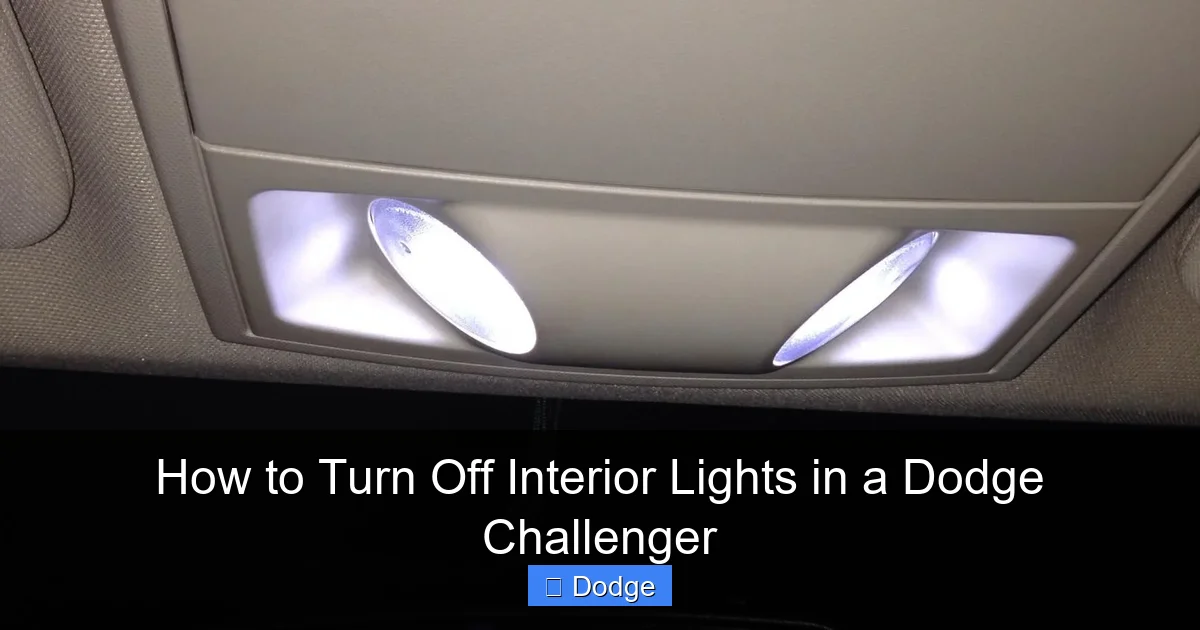
The quickest and most straightforward way to turn off interior lights in a Dodge Challenger is by using the overhead console. This is the panel on the ceiling, usually near the rearview mirror, that houses the dome light and map lights.
Look for a small button or switch labeled with a lightbulb icon. This is your interior light control. It typically has three positions:
– **Door (D):** Lights turn on when doors open and off when they close.
– **On (I):** Lights stay on regardless of door status.
– **Off (O):** Lights remain off, even if doors are open.
To turn off the lights permanently (until you change the setting), slide or press the switch to the “Off” position. This is ideal if you’re parked and don’t want any lights drawing power from the battery.
Step-by-Step Instructions
1. Sit in the driver’s seat and look up at the overhead console.
2. Locate the interior light switch—it’s usually a small sliding switch or a push-button with symbols.
3. Move the switch to the “Off” position (often marked with an “O” or a darkened icon).
4. Test by opening a door. The interior lights should not turn on.
If your Challenger has a push-button instead of a slider, you may need to press and hold it for a few seconds to lock the lights in the “off” mode. Some models require you to press the button while the lights are on to cycle through the settings.
Pro Tip: Use This for Battery Preservation
If you’re leaving your Challenger parked for more than a day—especially in cold weather—switch the interior lights to “Off.” Even a small draw from the lights can contribute to a dead battery over time. This simple step can save you from a jump start later.
Method 2: Adjusting the Headlight Dimmer Wheel
Visual guide about How to Turn Off Interior Lights in a Dodge Challenger
Image source: dodgeforum.com
Another way to control interior lighting is through the headlight dimmer switch, located on the left side of the steering column. This rotary wheel controls both exterior headlights and interior map/dome lights.
When you turn the wheel, it cycles through different lighting modes: parking lights, headlights, and off. But it also has a dimming function for the interior.
How to Use the Dimmer Wheel
1. Turn the key to the “On” position (you don’t need to start the engine).
2. Rotate the dimmer wheel all the way to the left—past the “Off” position for headlights.
3. You’ll feel a slight click or resistance. This is the lowest setting, which turns off the map and dome lights.
This method is especially useful if you want to keep the headlights off but still disable the interior lights. It’s a quick fix that doesn’t require touching the overhead console.
Important Note
This setting only affects the map and dome lights—not ambient lighting or door-activated features. Also, if you turn the headlights back on, the interior lights may reactivate depending on your model year. Always double-check after adjusting.
Method 3: Disabling via Uconnect Settings (Newer Models)

Visual guide about How to Turn Off Interior Lights in a Dodge Challenger
Image source: helpfulfix.com
If you drive a 2015 or newer Dodge Challenger, you likely have the Uconnect infotainment system. This system allows you to customize many vehicle settings, including interior lighting.
One feature called “Theater Lighting” controls how the interior lights behave when doors open and close. By default, the lights turn on when a door opens and fade out gradually after it closes—like in a movie theater.
How to Adjust Theater Lighting
1. Turn on the ignition (or start the engine).
2. Tap the “Settings” icon on the Uconnect touchscreen.
3. Select “Vehicle” from the menu.
4. Choose “Lighting” or “Interior Lighting.”
5. Find the “Theater Lighting” option and toggle it off.
When disabled, the interior lights will turn off immediately when the door closes, rather than fading out. This can help reduce battery drain and give you more control.
Bonus: Customize Ambient Lighting
In higher trims, you can also adjust the color and brightness of ambient lighting through Uconnect. While this doesn’t turn the lights off completely, you can set them to a very dim level or choose a color that’s less distracting at night.
To do this:
– Go to Settings > Vehicle > Ambient Lighting.
– Select your preferred color and brightness.
– Some models even let you sync the lighting with music or driving mode.
Method 4: Checking for Faulty Door Switches
If your interior lights won’t turn off—even after trying the above methods—there might be a mechanical issue. The most common culprit is a faulty door switch.
As mentioned earlier, each door has a small switch that tells the car whether the door is open or closed. If this switch is stuck, dirty, or broken, it can send a false “door open” signal, keeping the lights on.
How to Test Door Switches
1. Sit in the car and close all doors.
2. Watch the interior lights. If they stay on, try pressing firmly on each door latch while someone else watches the lights.
3. If pressing a latch causes the lights to flicker or turn off, that door’s switch is likely faulty.
You can also test this by manually depressing the switch (usually located in the door jamb) with a screwdriver or your finger. If the lights turn off when you press it, the switch is working—but may not be engaging properly when the door is closed.
Fixing or Replacing Door Switches
Replacing a door switch is relatively simple and costs around $10–$20 per switch. You’ll need to:
– Remove the door panel (usually held by clips and screws).
– Locate the switch in the door jamb.
– Disconnect the wiring harness and unscrew the old switch.
– Install the new one and reassemble.
If you’re not comfortable doing this yourself, a mechanic can handle it in under an hour.
Method 5: Aftermarket Lighting and Custom Setups
Some Challenger owners install aftermarket LED lighting for style or visibility. While these can look great, they often bypass the factory controls and may not turn off with the standard methods.
If you’ve added underglow, footwell lights, or custom dome lights, you’ll need to manage them separately. Most aftermarket kits come with a remote control or a switch that lets you turn them on and off.
Tips for Managing Aftermarket Lights
– Use a relay connected to the ignition so lights only work when the car is on.
– Install a master switch in an easy-to-reach location (like the center console).
– Avoid wiring lights directly to the battery unless you have a fuse and switch—this can drain the battery quickly.
If your aftermarket lights won’t turn off, check the remote battery or look for a physical switch. Some kits have a small toggle switch hidden under the dash.
When to Seek Professional Help
While most interior lighting issues can be fixed at home, there are times when you should consult a professional.
If the lights stay on even with all doors closed, the overhead switch set to “Off,” and the dimmer wheel turned down, there could be a deeper electrical issue. This might include:
– A faulty body control module (BCM)
– A short circuit in the wiring
– A malfunctioning fuse or relay
These problems require diagnostic tools and expertise. A certified Dodge technician can scan the vehicle’s computer system and pinpoint the issue.
Also, if you’ve recently had work done on the doors, electrical system, or interior, the lighting problem might be related. Always mention any recent modifications when seeking help.
Conclusion
Knowing how to turn off interior lights in a Dodge Challenger is more than just a convenience—it’s a smart way to protect your battery, enhance privacy, and customize your driving experience. Whether you use the overhead console, the dimmer wheel, or Uconnect settings, you have several easy options at your fingertips.
Remember, most lighting issues are simple to fix. Start with the basics: check the door switches, adjust the overhead control, and explore your vehicle’s settings. And if you’ve added custom lighting, make sure it’s properly integrated with your car’s electrical system.
Your Challenger is built for performance and style—don’t let a stubborn interior light dim your ride. With the tips in this guide, you’ll have full control over your cabin’s lighting in no time.
Frequently Asked Questions
Why won’t my Dodge Challenger interior lights turn off?
This is usually caused by a faulty door switch, a stuck latch, or the overhead light switch being set to “On.” Check each door’s switch and ensure the overhead console is set to “Off” or “Door.”
Can interior lights drain my car battery?
Yes, even small interior lights can slowly drain the battery if left on for days. Always turn them off when parking for extended periods.
How do I turn off ambient lighting in my Challenger?
In newer models, go to Uconnect > Settings > Vehicle > Ambient Lighting and adjust brightness or turn it off. Some trims allow full customization.
Do all Dodge Challenger models have the same lighting controls?
Most do, but features like Uconnect and ambient lighting vary by trim and model year. Always check your owner’s manual for specifics.
Can I disable interior lights permanently?
You can set them to “Off” via the overhead console, but they’ll reactivate if the switch is moved. For permanent disablement, consult a technician.
What if the lights flicker while driving?
This often indicates a loose or damaged door switch. Inspect the switches in each door jamb and replace any that are worn or misaligned.
