
How to Set Cruise Control in a Nissan Rogue

Setting cruise control in a Nissan Rogue is simple and enhances driving comfort on highways. This guide walks you through every step, from locating the controls to safely using advanced features like Intelligent Cruise Control.
Driving long distances can be tiring, especially when you’re stuck behind the wheel for hours on end. Your legs get stiff, your focus wavers, and maintaining a steady speed becomes a chore. That’s where cruise control comes in—a simple yet powerful feature that takes the pressure off your right foot and helps you drive more comfortably and efficiently.
If you own a Nissan Rogue, you’re in luck. This popular compact SUV comes equipped with intuitive cruise control systems that are easy to use, even for first-time drivers. Whether you’re cruising down the interstate or navigating a long stretch of highway, knowing how to set cruise control in a Nissan Rogue can make your journey smoother, safer, and more enjoyable.
But it’s not just about pressing a button and forgetting about it. Understanding how the system works, when to use it, and how to adjust it safely is key to getting the most out of your Rogue’s technology. In this guide, we’ll walk you through everything you need to know—from basic setup to advanced features like Intelligent Cruise Control. By the end, you’ll feel confident using this feature on your next road trip.
Key Takeaways
- Locate the cruise control buttons: They’re typically on the right side of the steering wheel, marked with icons like “CRUISE” and “SET.”
- Activate cruise control only on highways: Use it on open roads with consistent speed, not in city traffic or bad weather.
- Set your desired speed: Press “SET” once you reach the speed you want to maintain.
- Use “RES” and “COAST” to adjust: Tap “RES” to increase speed or “COAST” to slow down gradually.
- Cancel or resume easily: Tap the brake pedal to cancel, or press “RES” to return to your set speed.
- Upgrade to Intelligent Cruise Control (if equipped): This advanced system adjusts speed based on traffic flow and maintains a safe following distance.
- Practice in a safe area first: Before using on busy roads, test the system on an empty highway or quiet stretch.
📑 Table of Contents
Understanding Cruise Control in the Nissan Rogue
Cruise control isn’t a new invention—it’s been around for decades—but modern versions, especially in vehicles like the Nissan Rogue, are smarter and more reliable than ever. At its core, cruise control allows you to set a constant speed so you don’t have to keep your foot on the accelerator. This reduces fatigue, helps maintain consistent fuel efficiency, and can even improve safety by minimizing speed fluctuations.
The Nissan Rogue offers two main types of cruise control: standard cruise control and Intelligent Cruise Control (ICC), depending on your model year and trim level. Standard cruise control is available on most trims and works by holding your speed once you set it. Intelligent Cruise Control, found on higher trims like the SL and some SV models, goes a step further by using radar and cameras to monitor traffic ahead and automatically adjust your speed to maintain a safe following distance.
It’s important to know which system your Rogue has. You can usually tell by looking at the steering wheel controls or checking your owner’s manual. If you see buttons labeled “DISTANCE” or “SET–” and “RES+,” you likely have ICC. If it’s just “CRUISE,” “SET,” and “COAST,” you’re working with the standard system.
Both systems are designed to make driving easier, but they require different levels of attention. Standard cruise control assumes you’re in full control and will maintain your set speed regardless of traffic. ICC, on the other hand, can slow down or speed up based on the car ahead, but it still requires you to stay alert and ready to take over if needed.
Why Use Cruise Control?
You might be wondering: Is cruise control really worth the hassle? The short answer is yes—especially on long drives. Here’s why:
First, it reduces driver fatigue. Holding your foot in one position for hours can cause cramping and discomfort. Cruise control takes over that task, letting you relax your leg and focus on steering and traffic.
Second, it promotes fuel efficiency. By maintaining a steady speed, your engine doesn’t have to work as hard to accelerate and decelerate constantly. This can lead to better gas mileage, especially on flat highways.
Third, it helps you avoid speeding. It’s easy to creep over the speed limit when you’re focused on the road ahead. Cruise control keeps you at a consistent speed, reducing the risk of unintentional speeding and potential tickets.
Finally, it enhances safety when used correctly. While cruise control doesn’t replace attentive driving, it can help you maintain a predictable speed, which makes your driving behavior more consistent and easier for other drivers to anticipate.
When Not to Use Cruise Control
As helpful as cruise control is, it’s not meant for every situation. There are times when it’s better to keep your foot on the pedal.
Avoid using cruise control in heavy traffic, where speeds are constantly changing. The system isn’t designed to react quickly to sudden stops or lane changes, and relying on it in stop-and-go conditions can be dangerous.
Don’t use it in bad weather—rain, snow, ice, or fog. Slippery roads reduce traction, and cruise control can cause your wheels to spin if you hit a patch of ice or hydroplane. In these conditions, you need full control over acceleration and braking.
Also, avoid using it on winding roads or steep hills. Cruise control may struggle to maintain speed on sharp curves or steep inclines, and it won’t adjust for road conditions the way a human driver would.
In short: use cruise control on open, straight highways with light to moderate traffic. That’s where it shines.
Locating the Cruise Control Buttons
Visual guide about How to Set Cruise Control in a Nissan Rogue
Image source: voyagerinfo.com
Before you can set cruise control in a Nissan Rogue, you need to know where the controls are. Fortunately, Nissan keeps things simple and places the buttons within easy reach on the steering wheel.
On most Rogue models, the cruise control buttons are located on the right side of the steering wheel. You’ll typically see four or five buttons, depending on whether your vehicle has standard or Intelligent Cruise Control.
Here’s a breakdown of the most common buttons:
– **CRUISE**: This is the master switch. Press it to turn the cruise control system on or off.
– **SET–**: Use this to set your current speed as the cruise speed. You’ll press it once you reach your desired speed.
– **RES+**: Short for “Resume/Accelerate.” Tap it to increase speed or press and hold to accelerate gradually. If you’ve canceled cruise control, pressing this will return you to your previously set speed.
– **COAST**: This decreases your speed. Tap it to slow down slightly or hold it to decelerate more quickly.
– **CANCEL**: Found on some models, this button immediately disengages cruise control without turning off the system.
– **DISTANCE** (on ICC models): Adjusts the following distance when using Intelligent Cruise Control.
If your Rogue has a leather-wrapped steering wheel, the buttons may be slightly recessed or have a soft-touch feel. They’re usually backlit, so you can see them at night.
Identifying Your System
Not all Nissan Rogues have the same cruise control setup. Older models (2014–2016) typically have basic cruise control, while newer models (2017 and later) often come with Intelligent Cruise Control, especially on higher trims.
To confirm which system you have, check the buttons. If you see a “DISTANCE” button or if the “SET–” and “RES+” buttons are labeled with plus and minus signs, you likely have ICC. You can also look for a green cruise control icon on your dashboard that changes when ICC is active—sometimes showing a car with a distance bar.
If you’re unsure, consult your owner’s manual. It will list the exact features for your specific model year and trim.
Tips for First-Time Users
If you’ve never used cruise control before, don’t worry—it’s easier than it looks. Start by familiarizing yourself with the buttons while parked. Turn on the ignition (you don’t need to drive), and press the “CRUISE” button. You should see a cruise control icon light up on your dashboard.
Next, practice pressing “SET–” and “RES+” to get a feel for how they respond. This will help you avoid fumbling with the controls while driving.
Remember: cruise control won’t engage unless you’re driving above a certain speed—usually around 25 mph. So don’t expect it to work in city traffic or at low speeds.
Step-by-Step: How to Set Cruise Control in a Nissan Rogue
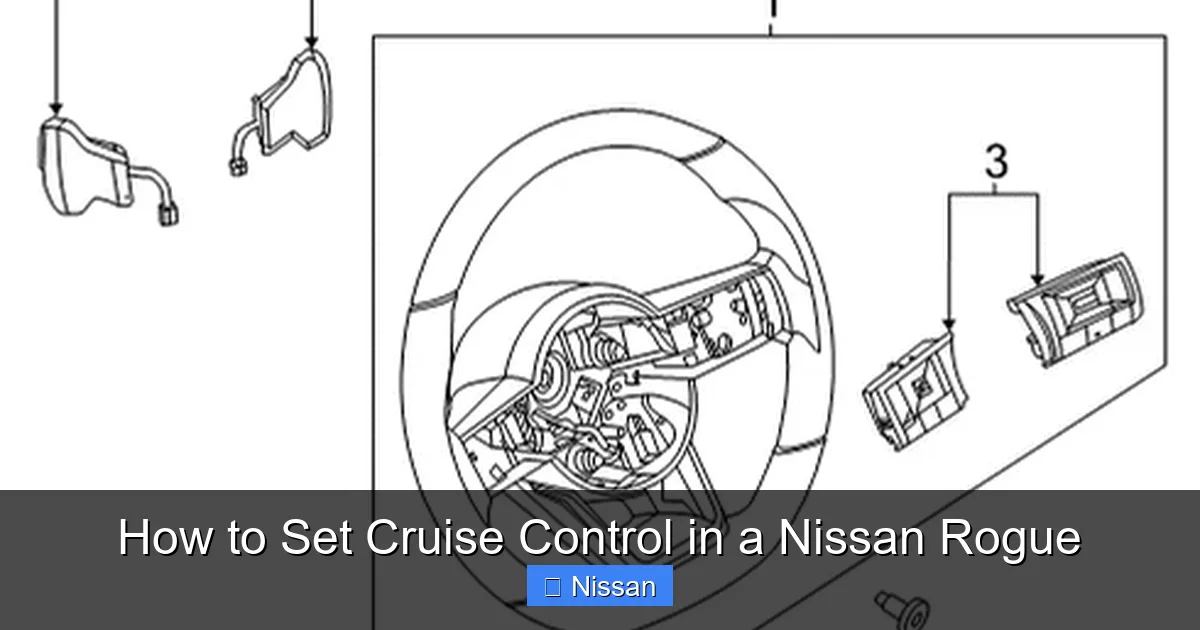
Visual guide about How to Set Cruise Control in a Nissan Rogue
Image source: nissanpartsdeal.com
Now that you know where the buttons are and what they do, let’s walk through the process of setting cruise control in your Nissan Rogue. Follow these steps for a smooth and safe experience.
Step 1: Get Up to Speed
First, drive to a safe, open road—preferably a highway or freeway with light traffic. Make sure you’re traveling at a steady speed, ideally between 40 and 70 mph. Cruise control works best at consistent speeds, so avoid using it in areas with frequent stops or speed changes.
Step 2: Turn On Cruise Control
Once you’re at your desired speed, press the “CRUISE” button on the right side of the steering wheel. You’ll see a cruise control icon appear on your dashboard—usually a green or white symbol that looks like a speedometer or a car with arrows. This means the system is active and ready to be set.
Step 3: Set Your Speed
With the system on, press the “SET–” button. This locks in your current speed as the cruise control speed. You’ll feel a slight click, and the icon on the dashboard may change or stay lit to confirm the speed is set.
At this point, you can take your foot off the accelerator. The car will maintain the speed you set, whether it’s 65 mph or 55 mph.
Step 4: Adjust Speed as Needed
If you want to go faster, tap the “RES+” button. Each tap increases your speed by about 1 mph. You can also press and hold “RES+” to accelerate more quickly—useful when merging onto a highway or passing another vehicle.
To slow down, use the “COAST” button. Tapping it reduces speed by about 1 mph, while holding it slows the car more rapidly. This is helpful when approaching a slower vehicle or preparing to exit the highway.
Step 5: Cancel or Resume
If you need to stop cruise control temporarily—say, to pass a car or respond to traffic—simply tap the brake pedal. This cancels cruise control, and the icon on the dashboard will turn off or change color.
To resume your previous speed, press the “RES+” button. The car will accelerate back to the speed you had set before canceling.
If you want to turn off cruise control completely, press the “CRUISE” button again or turn off the ignition.
Practical Example
Let’s say you’re driving on I-95 at 68 mph. You press “CRUISE” to activate the system, then “SET–” to lock in 68 mph. You relax your foot and enjoy the ride.
A few minutes later, you see a slower truck ahead. You tap the brake to cancel cruise control, pass the truck, and then press “RES+” to return to 68 mph.
Later, you approach a construction zone with a 55 mph limit. You press “COAST” a few times to slow down to 55, then press “SET–” again to lock in the new speed.
This flexibility makes cruise control a valuable tool for adapting to changing road conditions.
Using Intelligent Cruise Control (ICC)
Visual guide about How to Set Cruise Control in a Nissan Rogue
Image source: voyagerinfo.com
If your Nissan Rogue is equipped with Intelligent Cruise Control, you have access to a more advanced system that does more than just maintain speed—it also helps maintain a safe distance from the vehicle ahead.
ICC uses a radar sensor mounted behind the Nissan emblem on the grille and a camera near the rearview mirror to monitor traffic. When engaged, it can automatically slow down or speed up based on the flow of traffic, reducing the need for constant adjustments.
How to Activate ICC
The process is similar to standard cruise control, but with a few extra steps:
1. Press “CRUISE” to turn on the system.
2. Accelerate to your desired speed (usually 25 mph or higher).
3. Press “SET–” to set the speed.
4. Use the “DISTANCE” button to choose your following distance—typically three settings: far, medium, or close.
Once set, ICC will maintain your speed and adjust it if the car ahead slows down. If traffic comes to a complete stop, ICC can bring your Rogue to a stop as well (on most models), and resume when traffic starts moving again—usually within a few seconds.
Tips for Using ICC Safely
While ICC is helpful, it’s not fully autonomous. You must stay alert and keep your hands on the wheel. The system may not detect stopped vehicles in certain conditions, such as heavy rain or sharp curves.
Also, ICC works best on highways with clear lane markings and consistent traffic flow. Avoid using it in construction zones, heavy rain, or areas with frequent lane changes.
If the system disengages unexpectedly—indicated by a warning light or message—take immediate control and assess the situation.
Troubleshooting Common Issues
Even the best systems can have hiccups. Here are some common cruise control issues in the Nissan Rogue and how to fix them.
Cruise Control Won’t Turn On
If pressing “CRUISE” doesn’t activate the system, check the following:
– Is the ignition on? Cruise control won’t work if the car is in accessory mode.
– Are you driving above 25 mph? The system won’t engage at low speeds.
– Is there a warning light on the dashboard? A brake or ABS issue can disable cruise control.
– Is the brake pedal switch faulty? If the car thinks you’re pressing the brake, it won’t allow cruise control.
Speed Won’t Set or Holds Incorrectly
If “SET–” doesn’t lock in your speed, try pressing it again. Sometimes a light touch isn’t enough. If the speed fluctuates, check for loose connections or sensor issues, especially with ICC.
System Disengages Unexpectedly
This can happen if you tap the brake, press “CANCEL,” or if the system detects a problem. It’s a safety feature—don’t ignore it. If it happens frequently, have your vehicle inspected by a Nissan technician.
Safety Tips and Best Practices
Cruise control is a helpful tool, but it’s not a substitute for attentive driving. Follow these best practices to stay safe:
– Always keep your hands on the wheel and eyes on the road.
– Use cruise control only in appropriate conditions—highways, good weather, light traffic.
– Never use it while distracted (e.g., texting, eating, adjusting the radio).
– Be ready to take control at any moment, especially with ICC.
– Regularly check your owner’s manual for updates or recalls related to cruise control.
Conclusion
Learning how to set cruise control in a Nissan Rogue is a simple yet valuable skill that can make your drives more comfortable, efficient, and enjoyable. Whether you’re using the standard system or the advanced Intelligent Cruise Control, the key is to understand how it works, when to use it, and how to adjust it safely.
Start by familiarizing yourself with the buttons, practice in a safe environment, and always stay alert. With a little practice, you’ll be cruising down the highway with confidence, knowing your Rogue has your back.
So next time you’re planning a road trip or just commuting on the highway, give cruise control a try. Your legs—and your focus—will thank you.
Frequently Asked Questions
Can I use cruise control in the rain?
No, it’s not recommended. Wet or slippery roads reduce traction, and cruise control can cause wheel spin or loss of control. Always disable it in rain, snow, or icy conditions.
What’s the minimum speed for cruise control in a Nissan Rogue?
Most models require a speed of at least 25 mph to activate cruise control. Below that, the system won’t engage.
How do I turn off cruise control completely?
Press the “CRUISE” button again or turn off the ignition. Tapping the brake only cancels it temporarily—pressing “RES+” will resume your set speed.
Does Intelligent Cruise Control work in traffic?
Yes, but only to a point. It can slow down and stop with traffic, but it may not handle frequent stops and starts well. Stay alert and ready to take over.
Why won’t my cruise control set?
Check if you’re above 25 mph, the ignition is on, and there are no warning lights. A faulty brake switch or sensor can also prevent activation.
Can I adjust the following distance on ICC?
Yes. Use the “DISTANCE” button to choose between far, medium, or close settings based on traffic and weather conditions.
