
How to Turn Off X-mode on a Subaru Outback

Turning off X-Mode on your Subaru Outback is simple and can improve fuel efficiency and driving comfort on paved roads. This guide walks you through the process, explains when to disable it, and answers common questions to help you get the most out of your vehicle.
If you’ve ever driven a Subaru Outback, especially on a snowy mountain road or a muddy trail, you’ve probably noticed a little button labeled “X-Mode” on the center console. It’s one of those features that sounds mysterious at first—almost like a secret mode for off-road adventurers. And in a way, it is. X-Mode is Subaru’s intelligent traction control system designed to help you maintain control in challenging driving conditions. But what happens when you’re back on smooth, dry pavement? Do you really need X-Mode running all the time? And more importantly—how do you turn it off?
The good news is that turning off X-Mode on a Subaru Outback is incredibly simple. It doesn’t require a mechanic, a special tool, or a trip to the dealership. In most cases, it’s as easy as pressing a button. But understanding *why* you might want to turn it off—and *when* it’s safe to do so—is just as important as knowing *how*. Whether you’re a new Outback owner or you’ve been driving one for years, this guide will walk you through everything you need to know about X-Mode, including step-by-step instructions, practical tips, and expert advice to help you drive smarter and safer.
So, let’s dive in. We’ll start by explaining what X-Mode actually does, then show you exactly how to disable it, discuss the benefits of turning it off, and answer some of the most common questions Subaru owners have. By the end of this article, you’ll feel confident managing your Outback’s X-Mode like a pro—whether you’re navigating a rocky trail or cruising down the highway.
Key Takeaways
- X-Mode is designed for off-road and low-traction conditions: It enhances traction and stability on slippery or uneven terrain, but it’s not needed for everyday driving.
- You can turn off X-Mode with the push of a button: The process is quick and easy, typically involving the X-Mode button on the center console.
- Disabling X-Mode improves fuel economy: When active, X-Mode increases engine and transmission workload, which can reduce gas mileage.
- X-Mode automatically turns off at higher speeds: Most models deactivate the system when you exceed 25–30 mph, but manual deactivation is recommended for city driving.
- Knowing when to use or disable X-Mode is key: Use it for snow, mud, or steep inclines; turn it off for highways and dry pavement.
- Safety first: Always assess road conditions before disabling X-Mode to ensure optimal control and stability.
- Regular use of X-Mode isn’t harmful: While it’s not meant for daily driving, occasional use won’t damage your Outback’s systems.
📑 Table of Contents
What Is X-Mode and How Does It Work?
Before we get into how to turn off X-Mode, it’s important to understand what it is and why Subaru included it in the Outback in the first place. X-Mode stands for “Cross-Country Mode,” and it’s a sophisticated electronic system that enhances your vehicle’s performance in low-traction environments. Think snow-covered roads, muddy trails, steep hills, or gravel paths—any situation where your tires might struggle to grip the surface.
When you activate X-Mode, the system takes control of several key components in your Outback. It adjusts the engine’s power output, modifies the transmission’s shift patterns, and enhances the performance of the all-wheel-drive (AWD) system. It also integrates with the vehicle’s electronic stability control (ESC) and brake system to provide better traction and prevent wheel slip. For example, if one wheel starts to spin on ice, X-Mode can apply brake pressure to that wheel while sending more power to the wheels with better grip. This helps keep the vehicle stable and moving forward.
On newer Outback models (typically 2015 and later), X-Mode also includes Hill Descent Control (HDC). This feature automatically manages your speed when driving down steep inclines, allowing you to focus on steering without worrying about braking too hard or losing control. It’s especially useful when navigating mountain roads or off-road trails where gravity wants to take over.
But here’s the catch: X-Mode is not designed for everyday driving. It’s a specialized tool for specific conditions. When you’re driving on dry pavement, highways, or city streets, X-Mode can actually work against you. It restricts engine performance, limits top speed, and increases fuel consumption. That’s why knowing how to turn off X-Mode is so important—it helps you get the best performance and efficiency from your Outback when you’re not tackling tough terrain.
How to Turn Off X-Mode on a Subaru Outback
Visual guide about How to Turn Off X-mode on a Subaru Outback
Image source: citysubaru.com.au
Now that you understand what X-Mode does, let’s get to the main event: how to turn it off. The process is straightforward and only takes a few seconds. Here’s a step-by-step guide that works for most Subaru Outback models from 2015 onward.
Step 1: Locate the X-Mode Button
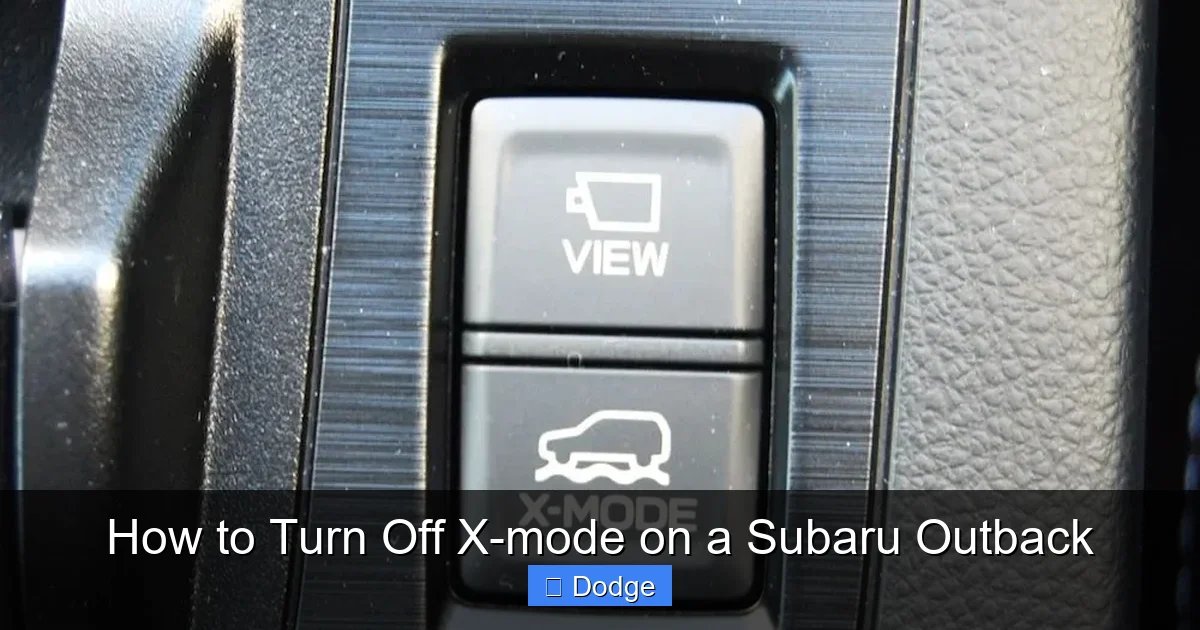
The X-Mode button is usually found on the center console, near the gear shifter. It’s a rectangular button with the words “X-MODE” printed on it, often with a small icon that looks like a mountain or a cross-country trail. On some models, the button may be slightly recessed or have a textured surface to make it easier to find by touch.
If you’re having trouble finding it, check your owner’s manual—it will have a diagram showing the exact location. The button is typically within easy reach of the driver’s seat, so you don’t have to stretch or lean over to press it.
Step 2: Press the X-Mode Button
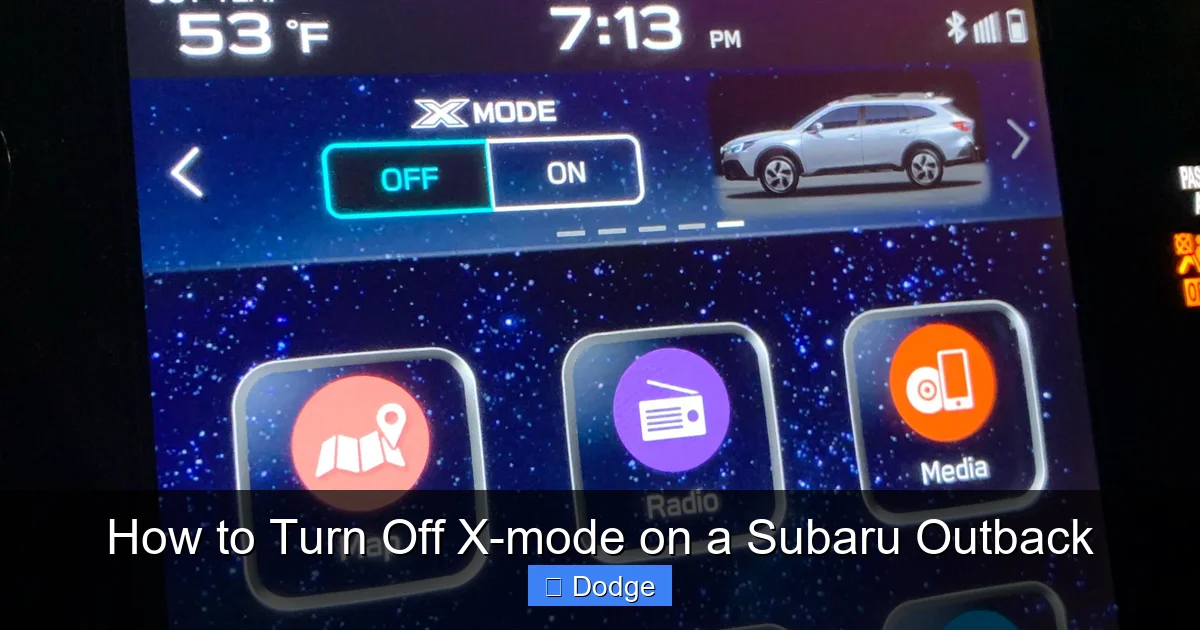
Once you’ve located the button, simply press it once. You’ll usually hear a soft click, and a light on the button or on the dashboard will illuminate, indicating that X-Mode is active. To turn it off, press the same button again. The light should go out, and you may hear a brief tone or see a message on the instrument cluster confirming that X-Mode has been deactivated.
On some newer models, the system may automatically turn off X-Mode when you exceed a certain speed—usually around 25 to 30 mph. This is a safety feature to prevent the system from interfering with normal driving. However, it’s still a good idea to manually turn it off if you know you’ll be driving on paved roads for an extended period.
Step 3: Confirm X-Mode Is Off
After pressing the button, take a quick look at your dashboard. If X-Mode is off, the indicator light should be dark. You might also notice a change in how the vehicle responds—engine power returns to normal, and the transmission shifts more smoothly. If you’re unsure whether it’s off, try accelerating gently. With X-Mode disabled, your Outback should feel more responsive and less restricted.
It’s worth noting that turning off X-Mode doesn’t reset any other vehicle settings. Your climate control, audio system, and driving mode (like “Sport” or “Eco”) will remain unchanged. Only the X-Mode system is affected.
Alternative Method: Using the Touchscreen (on Select Models)
On some newer Outback models with the larger touchscreen infotainment system, you may also be able to control X-Mode through the vehicle settings menu. To do this:
1. Tap the “Settings” icon on the home screen.
2. Select “Vehicle” or “Driving.”
3. Look for “X-Mode” or “Traction Control.”
4. Toggle the switch to turn it off.
This method is less common and usually only available on higher trim levels, but it’s good to know in case the physical button isn’t working or is difficult to reach.
What If the Button Doesn’t Work?
In rare cases, the X-Mode button might not respond. This could be due to a software glitch, a faulty button, or a problem with the vehicle’s electrical system. If pressing the button doesn’t turn off X-Mode, try the following:
– Turn the ignition off and back on. This can reset the system.
– Check the owner’s manual for any model-specific instructions.
– Visit a Subaru dealership or certified mechanic if the issue persists.
Remember, X-Mode is designed to enhance safety, so if it’s stuck on, it’s better to have it checked out than to ignore it.
When Should You Turn Off X-Mode?
Visual guide about How to Turn Off X-mode on a Subaru Outback
Image source: i.redd.it
Now that you know how to turn off X-Mode, the next question is: when should you do it? The short answer is: whenever you’re not driving in low-traction conditions. But let’s break that down a bit more.
Driving on Paved Roads
If you’re on a highway, city street, or any well-maintained road, X-Mode is unnecessary. In fact, keeping it on can reduce your fuel efficiency and make your Outback feel sluggish. The system limits engine power and keeps the transmission in lower gears to maintain traction, which isn’t needed on dry pavement. Turning it off will give you smoother acceleration and better gas mileage.
Normal Weather Conditions
On sunny days with clear roads, there’s no need for X-Mode. It’s designed for snow, ice, mud, or heavy rain—not for everyday commuting. If you activate it just because it’s “cool” or “fun,” you’re only putting extra strain on your vehicle’s systems.
Long-Distance Driving
If you’re planning a road trip or a long drive, make sure X-Mode is off before you hit the open road. The system can overheat if used for extended periods, and it’s not built for sustained high-speed driving. Plus, you’ll save fuel and reduce wear on your engine and transmission.
After Off-Roading or Winter Driving
Let’s say you’ve just come back from a snowy mountain pass or a muddy campsite. Once you’re back on regular roads, turn off X-Mode as soon as possible. There’s no benefit to keeping it on, and you’ll notice an immediate improvement in performance and efficiency.
When to Keep X-Mode On
Of course, there are times when X-Mode is not just helpful—it’s essential. Use it when:
– Driving on snow-covered or icy roads.
– Navigating steep, unpaved hills.
– Traversing muddy or rocky terrain.
– Experiencing heavy rain or flooding.
In these situations, X-Mode can be a lifesaver, helping you maintain control and avoid getting stuck.
Benefits of Turning Off X-Mode
Visual guide about How to Turn Off X-mode on a Subaru Outback
Image source: i1.wp.com
You might be wondering: “If X-Mode is so useful, why would I ever want to turn it off?” Great question. While X-Mode is a fantastic tool for tough conditions, it’s not meant to be used all the time. Here are some key benefits of disabling it when it’s not needed.
Improved Fuel Efficiency
One of the biggest advantages of turning off X-Mode is better gas mileage. When X-Mode is active, the engine works harder to maintain traction, and the transmission stays in lower gears longer. This increases fuel consumption—sometimes by as much as 10–15%. By turning it off on paved roads, you’ll notice your Outback runs more efficiently, saving you money at the pump.
Smoother Driving Experience
With X-Mode off, your Outback feels more responsive and agile. Acceleration is quicker, gear shifts are smoother, and the overall driving dynamics improve. You’ll especially notice the difference on highways or when merging into traffic.
Reduced Wear and Tear
Running X-Mode unnecessarily can put extra stress on your engine, transmission, and braking system. Over time, this could lead to increased maintenance costs or premature wear. Turning it off when not needed helps prolong the life of these components.
Quieter Operation
X-Mode can make the engine sound louder or more aggressive, especially when the system is actively managing traction. Disabling it results in a quieter, more comfortable ride—perfect for long drives or daily commutes.
Better Handling on Dry Pavement
On dry roads, X-Mode can actually reduce handling precision. The system’s traction control interventions may feel overly cautious or restrictive, making the vehicle feel less connected to the road. Turning it off restores the Outback’s natural handling characteristics.
Common Misconceptions About X-Mode
Despite its popularity, there are several myths and misunderstandings about X-Mode that can lead to confusion. Let’s clear up a few of the most common ones.
Myth 1: X-Mode Is Always On
Some drivers assume that X-Mode is permanently active or that it can’t be turned off. That’s not true. X-Mode is completely manual—you turn it on when you need it and off when you don’t. It doesn’t run in the background unless you activate it.
Myth 2: X-Mode Is the Same as 4WD
X-Mode is not a replacement for four-wheel drive. The Subaru Outback already has full-time all-wheel drive (AWD), which is always active. X-Mode simply enhances that AWD system with additional traction control and hill descent features. Think of it as a “smart AWD” mode for extreme conditions.
Myth 3: You Should Use X-Mode All Winter
Just because it’s winter doesn’t mean you need X-Mode every day. If the roads are clear and dry, there’s no benefit to keeping it on. Use it only when conditions are slippery or hazardous.
Myth 4: Turning Off X-Mode Is Complicated
As we’ve shown, turning off X-Mode is as simple as pressing a button. There’s no special procedure or technical knowledge required. It’s designed to be user-friendly.
Myth 5: X-Mode Can Damage Your Vehicle
Using X-Mode occasionally won’t harm your Outback. In fact, it’s built to handle regular use in tough conditions. The only potential issue is using it unnecessarily on paved roads, which can reduce efficiency and performance.
Tips for Using X-Mode Wisely
To get the most out of your Subaru Outback’s X-Mode system, follow these practical tips:
– Always turn off X-Mode when driving on paved roads.
– Use it only when traction is poor—don’t rely on it as a crutch for bad driving.
– Check your owner’s manual for model-specific details.
– If you’re unsure whether to use it, err on the side of caution—better safe than sorry.
– After using X-Mode, inspect your tires and undercarriage for debris or damage.
By using X-Mode responsibly, you’ll keep your Outback running smoothly and safely in any condition.
Conclusion
Turning off X-Mode on your Subaru Outback is a simple but important part of driving your vehicle efficiently and safely. While X-Mode is a powerful tool for off-road adventures and winter driving, it’s not meant for everyday use. By knowing when and how to disable it, you can improve fuel economy, enhance driving comfort, and reduce wear on your vehicle’s systems.
Remember: press the X-Mode button to turn it off, confirm the indicator light is out, and enjoy the smoother, more responsive ride that comes with normal driving mode. Whether you’re heading to work, taking a road trip, or exploring the great outdoors, understanding your Outback’s features—like X-Mode—helps you get the most out of every mile.
So the next time you’re behind the wheel, take a moment to check your dashboard. If X-Mode is on and you don’t need it, turn it off. Your Outback—and your wallet—will thank you.
Frequently Asked Questions
How do I know if X-Mode is on or off?
Look for the X-Mode indicator light on your dashboard or center console. If the light is illuminated, X-Mode is active. If it’s off, the system is disabled. You may also notice changes in engine response and transmission behavior.
Does X-Mode turn off automatically?
Yes, on most Subaru Outback models, X-Mode automatically deactivates when you exceed 25–30 mph. However, it’s still recommended to manually turn it off when driving on paved roads for better performance and fuel efficiency.
Can I drive long distances with X-Mode on?
It’s not recommended. X-Mode is designed for short-term use in low-traction conditions. Prolonged use can reduce fuel economy and increase wear on your vehicle’s systems.
Is it safe to turn off X-Mode in the snow?
Only if road conditions are safe and traction is good. If you’re driving on packed snow or ice, keep X-Mode on for better control. Turn it off once you reach clear, dry pavement.
Why won’t my X-Mode button work?
Try turning the ignition off and back on to reset the system. If the button still doesn’t respond, consult your owner’s manual or visit a Subaru service center to check for electrical or mechanical issues.
Does turning off X-Mode affect my warranty?
No, turning off X-Mode does not void your warranty. It’s a standard feature designed to be used as needed, and disabling it when not required is perfectly normal and safe.
