
How to Turn Off High Beam Assist in a Subaru

Turning off high beam assist in a Subaru is simple and can be done directly from the dashboard or steering wheel controls. This feature automatically switches between high and low beams, but you may want to disable it for driving in fog, heavy rain, or areas with frequent oncoming traffic.
Key Takeaways
- High Beam Assist (HBA) improves nighttime visibility by automatically switching between high and low beams based on surrounding traffic and lighting conditions.
- You can manually turn off HBA using the steering wheel controls or dashboard menu in most Subaru models from 2015 onward.
- Disabling HBA is useful in poor weather or dense urban areas where frequent beam switching can be distracting or unsafe.
- The process varies slightly by model and year, so consult your owner’s manual for exact steps.
- HBA can usually be re-enabled just as easily through the same menu or button sequence.
- Some Subaru models allow temporary override by pulling the headlight stalk, while others require menu navigation.
- Regularly check your headlight settings to ensure optimal safety and compliance with local driving laws.
📑 Table of Contents
Understanding High Beam Assist in Subaru Vehicles
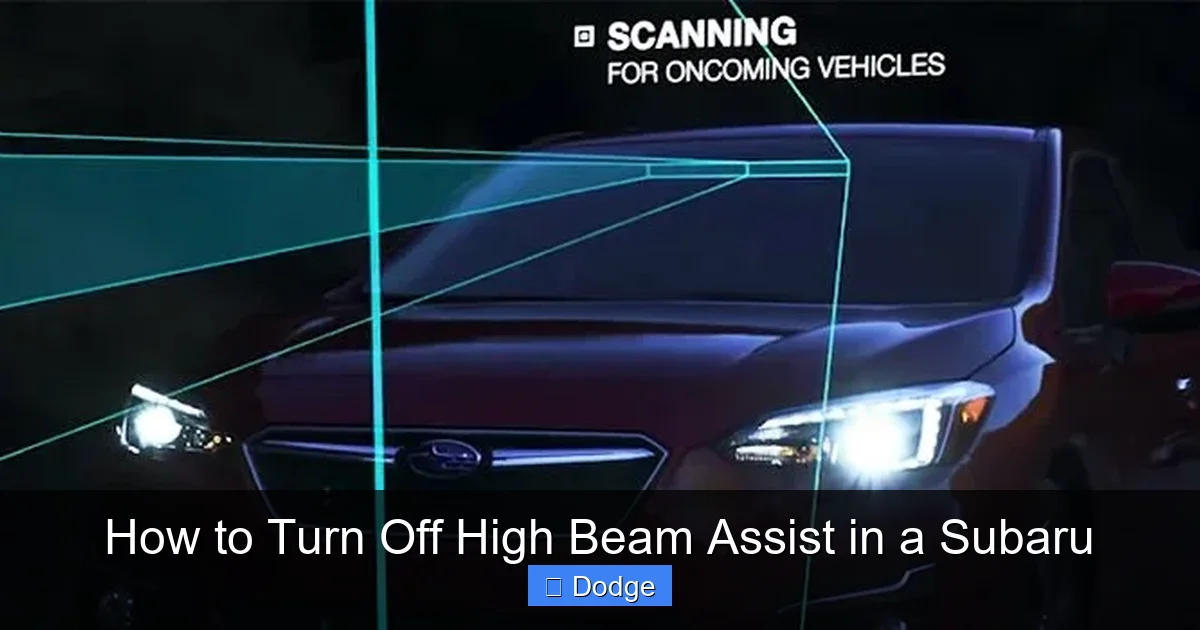
Driving at night can be challenging, especially when navigating poorly lit roads or dealing with oncoming traffic. That’s where Subaru’s High Beam Assist (HBA) system comes in—a smart safety feature designed to enhance visibility while reducing driver workload. HBA uses a front-facing camera, typically mounted near the rearview mirror, to detect other vehicles, streetlights, and ambient lighting conditions. When the road ahead is clear and no other vehicles are detected, the system automatically switches on the high beams for maximum illumination. As soon as it senses an oncoming car or a vehicle ahead, it switches back to low beams to avoid blinding other drivers.
This technology is part of Subaru’s broader commitment to safety, often bundled with other driver-assist features like EyeSight® Driver Assist Technology. Models such as the Outback, Forester, Legacy, and Ascent commonly come equipped with HBA, especially in higher trim levels. While the system is designed to make night driving safer and more convenient, it’s not perfect. Some drivers find the automatic switching too aggressive or delayed, especially in areas with frequent street lighting or sudden curves. Others may prefer manual control in specific conditions like fog, heavy rain, or snow, where high beams can reflect off moisture and reduce visibility.
Understanding how HBA works is the first step to deciding whether you want to keep it active or turn it off. It’s not a flaw in the system—it’s a matter of personal preference and driving conditions. Fortunately, Subaru has made it relatively easy to disable or re-enable the feature, giving drivers flexibility without compromising safety.
Why You Might Want to Turn Off High Beam Assist
Visual guide about How to Turn Off High Beam Assist in a Subaru
Image source: goldsteinsubaru.com
While High Beam Assist is a helpful tool, there are several scenarios where turning it off makes sense. One of the most common reasons is driving in adverse weather. In fog, rain, or snow, high beams can reflect off water droplets or ice crystals in the air, creating a “white wall” effect that actually reduces visibility. In these conditions, low beams are often more effective because they illuminate the road closer to the vehicle without scattering light upward. If HBA keeps switching to high beams during a storm, it can be disorienting and even dangerous.
Another situation where disabling HBA is beneficial is in urban or suburban areas with frequent street lighting. In well-lit environments, high beams are rarely needed, and the system may toggle between high and low beams unnecessarily, which can be distracting. Additionally, some drivers report that HBA doesn’t always detect motorcycles, bicycles, or vehicles with dim headlights as quickly as it should, potentially causing brief moments of glare. This delay can be unsettling, especially on winding roads or highways with frequent oncoming traffic.
Some drivers also prefer the sense of control that comes with manually managing their headlights. Just like with cruise control or lane-keeping assist, having full command over your vehicle’s lighting can increase confidence, particularly for those who drive at night regularly. Lastly, if you’re driving in a region with strict traffic laws about high beam usage, or if you’re frequently pulling over or driving slowly in residential zones, turning off HBA can prevent accidental high beam activation.
Step-by-Step Guide to Turning Off High Beam Assist
Visual guide about How to Turn Off High Beam Assist in a Subaru
Image source: cdn.oem-production.subaru.com.au
Turning off High Beam Assist in a Subaru is straightforward, but the exact steps depend on your model and year. Most Subaru vehicles from 2015 onward with EyeSight® technology allow you to disable HBA through the multi-information display (MID) on the dashboard or via steering wheel controls. Here’s a general guide that applies to popular models like the Outback, Forester, and Legacy.
Using the Steering Wheel Controls
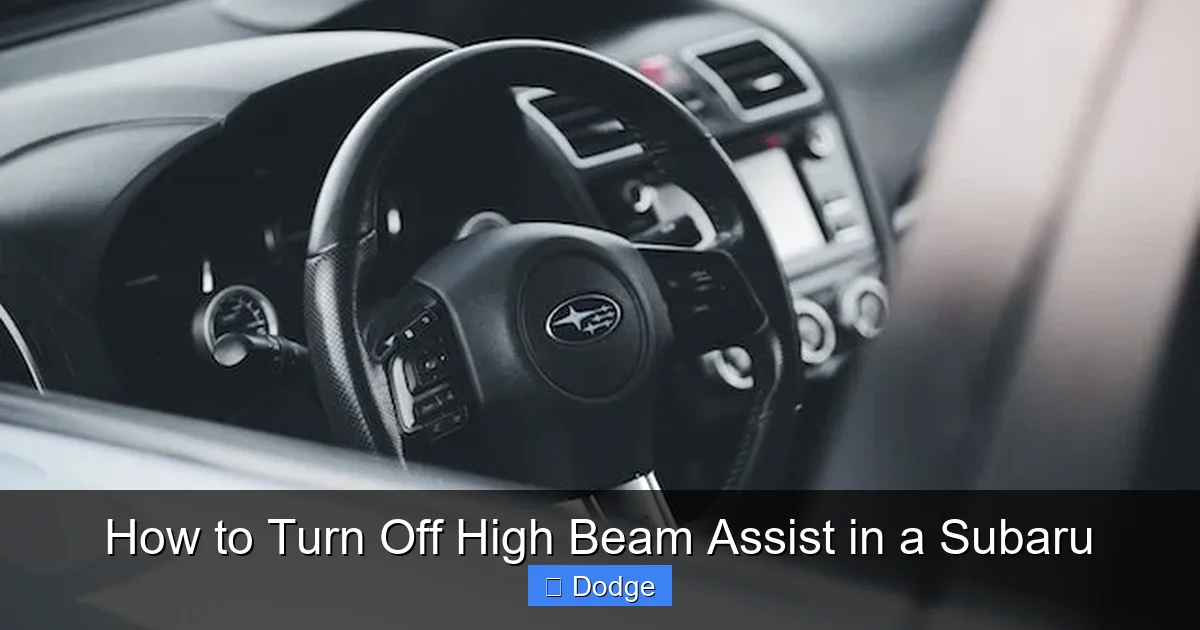
Start by ensuring your vehicle is on and the ignition is in the “ON” position. Locate the steering wheel controls on the left side—these typically include buttons for audio, cruise control, and vehicle settings. Look for a button labeled “INFO” or “DISP” (Display). Press this button repeatedly until you see the vehicle settings menu on the dashboard screen.
Navigate through the menu using the arrow buttons (usually up and down) until you find an option labeled “Lighting,” “Headlights,” or “High Beam Assist.” Once you’ve highlighted the HBA option, press the “Enter” or “OK” button (often the center button or a dedicated “SET” button). You should see a toggle or checkbox next to “High Beam Assist.” Use the arrow keys to switch it to “Off” and confirm your selection.
After turning it off, the HBA icon on your dashboard (usually a headlight symbol with a curved arrow) should disappear or dim, indicating the feature is inactive. You can re-enable it at any time by following the same steps and switching the toggle back to “On.”
Using the Dashboard Menu (Touchscreen Models)
In newer Subaru models with a touchscreen infotainment system—such as the 2020+ Ascent or 2021+ Outback—you may access HBA settings through the main menu. Start by tapping the “Settings” icon on the home screen, then select “Vehicle” or “Driver Assistance.” Look for “Lighting” or “Headlight Settings” and tap to open the submenu.
Within this menu, you’ll find an option for “High Beam Assist.” Tap it to reveal an on/off toggle. Simply switch it to “Off” to disable the feature. The system may prompt you to confirm your choice—tap “Yes” or “Confirm” to complete the process. As with the steering wheel method, the HBA indicator on the dashboard will change to reflect the new setting.
Temporary Override with the Headlight Stalk
In some Subaru models, you can temporarily override HBA by manually controlling the headlights using the headlight stalk on the left side of the steering wheel. To do this, pull the stalk toward you to activate high beams manually. If HBA is active, this action may override it for as long as you hold the stalk. However, once you release it, the system may resume automatic control.
For a more permanent override, try switching the headlight stalk to the “Auto” position, then quickly pulling and releasing it twice. On certain models, this sequence disables HBA until the next ignition cycle. This method isn’t universal, so check your owner’s manual to confirm if it applies to your vehicle.
Model-Specific Instructions for Popular Subaru Vehicles
Visual guide about How to Turn Off High Beam Assist in a Subaru
Image source: madisonrising.com
While the general process for disabling HBA is similar across Subaru models, there are subtle differences depending on the year and trim level. Below are detailed instructions for some of the most common Subaru vehicles equipped with High Beam Assist.
Subaru Outback (2015–2024)
In the Outback, HBA is typically controlled through the EyeSight® menu. With the vehicle on, use the “INFO” button on the steering wheel to access the multi-information display. Scroll to “Vehicle Settings” > “Lighting” > “High Beam Assist.” Toggle the setting to “Off.” On 2020 and newer models with the STARLINK touchscreen, you can also go to Settings > Vehicle > Driver Assistance > High Beam Assist and switch it off.
Subaru Forester (2019–2024)
The Forester uses a similar system. Press the “DISP” button on the steering wheel to cycle through display options until you reach the settings menu. Navigate to “Lighting” and find “High Beam Assist.” Turn it off using the arrow and enter buttons. In models with the 8-inch touchscreen, access the feature via Settings > Vehicle > Lighting > High Beam Assist.
Subaru Legacy (2020–2024)
The Legacy’s HBA can be disabled through the MID or the infotainment system. Use the steering wheel controls to go to “Vehicle Settings” > “Lighting” > “High Beam Assist” and toggle it off. Alternatively, on touchscreen models, go to Settings > Vehicle > Driver Assistance > High Beam Assist.
Subaru Ascent (2019–2024)
In the Ascent, the process is nearly identical. Use the “INFO” button to access the menu, then navigate to “Lighting” > “High Beam Assist” and turn it off. On models with the larger display, the setting is also available under Settings > Vehicle > Lighting.
Always remember that these menus may vary slightly based on software updates or regional specifications. If you can’t find the option, consult your owner’s manual or visit a Subaru dealership for assistance.
Troubleshooting Common Issues
Even with clear instructions, you might encounter issues when trying to turn off High Beam Assist. One common problem is the HBA setting not saving after the vehicle is turned off. This usually happens if the menu isn’t properly confirmed or if the vehicle’s software needs an update. To fix this, try turning the ignition off and on again, then re-enter the menu and ensure you press “OK” or “Confirm” after making changes.
Another issue is the HBA icon remaining on the dashboard even after disabling the feature. This could indicate a system glitch or a need to reset the EyeSight® system. To reset, turn off the vehicle, wait 30 seconds, then restart it. If the problem persists, check for any dashboard warning lights related to the camera or sensors. Dirt, snow, or ice on the front camera (located near the rearview mirror) can interfere with HBA functionality. Clean the camera lens gently with a soft cloth and mild glass cleaner.
Some drivers report that HBA reactivates after a software update. Subaru occasionally pushes updates that reset certain driver preferences. If this happens, simply follow the steps above to disable it again. In rare cases, a faulty camera or sensor may prevent HBA from working correctly. If you notice inconsistent behavior—such as high beams not switching off when they should—schedule a diagnostic check at a Subaru service center.
Safety Tips and Best Practices
Disabling High Beam Assist doesn’t mean you should neglect proper headlight usage. Whether the system is on or off, always use high beams responsibly. Only activate them on dark, unlit roads when no other vehicles are nearby. Remember to switch back to low beams when approaching or following another vehicle, and avoid using high beams in fog, rain, or snow.
If you frequently drive at night, consider practicing manual headlight control in a safe, empty area to build confidence. This will help you react quickly in real-world situations. Additionally, keep your headlights clean and properly aligned. Dirty or misaligned lights reduce visibility and can affect how well HBA (or your manual control) works.
Regular maintenance is also key. Have your vehicle’s lighting system inspected during routine service visits. This includes checking bulb condition, alignment, and the functionality of automatic features like HBA. If you live in an area with harsh winters, make a habit of clearing snow and ice from your headlights and the front camera after storms.
Finally, remember that HBA is just one part of Subaru’s safety suite. Features like Adaptive Cruise Control, Lane Departure Warning, and Pre-Collision Braking work alongside HBA to keep you safe. Disabling one feature doesn’t compromise the others, but it’s important to understand how they interact. For example, if you turn off HBA, you’ll need to manually manage your lights, but EyeSight® will still monitor traffic and assist with braking or steering if needed.
Conclusion
High Beam Assist is a valuable feature that enhances nighttime driving safety by automating headlight control. However, it’s not always the best choice for every situation. Whether you’re driving in bad weather, navigating city streets, or simply prefer manual control, knowing how to turn off High Beam Assist in your Subaru gives you greater flexibility and confidence behind the wheel.
The process is simple and can be completed in just a few steps using your steering wheel controls or infotainment system. While the exact menu path may vary by model, the core principle remains the same: access the lighting or driver assistance settings and toggle HBA off. If you encounter issues, cleaning the camera, resetting the system, or consulting your owner’s manual can often resolve them.
Ultimately, the goal is to drive safely and comfortably. Whether you keep HBA on or off, the most important thing is to use your headlights wisely and stay aware of your surroundings. With this guide, you’re now equipped to make the best choice for your driving style and conditions.
Frequently Asked Questions
Can I permanently disable High Beam Assist in my Subaru?
No, you cannot permanently disable High Beam Assist—it will reset to its default setting (usually on) after each ignition cycle. However, you can easily turn it off every time you start the vehicle using the dashboard or steering wheel controls.
Will turning off HBA affect other safety features like EyeSight®?
No, disabling High Beam Assist does not affect other EyeSight® features such as Adaptive Cruise Control or Pre-Collision Braking. These systems operate independently, so you can safely turn off HBA without compromising overall safety.
Why does my HBA keep turning back on after I disable it?
This usually happens because the setting didn’t save properly or the system reset after an update. Make sure to confirm your selection in the menu and restart the vehicle. If it continues, check for software updates or consult a Subaru technician.
Can I turn off HBA while driving?
Yes, you can disable High Beam Assist while the vehicle is in motion. Simply access the settings menu using the steering wheel controls—no need to stop the car. However, ensure your attention remains on the road.
Does HBA work in all weather conditions?
HBA may not function optimally in heavy fog, snow, or rain due to reduced camera visibility. In such conditions, it’s often safer to turn it off and use low beams manually to avoid glare and reflection.
Is High Beam Assist available on all Subaru models?
No, HBA is typically available on higher trim levels and models equipped with EyeSight® technology. Check your owner’s manual or vehicle specifications to confirm if your Subaru has this feature.
