
How to Fix Key System Error on a Nissan Sentra

If your Nissan Sentra shows a “Key System Error” message, don’t panic—this common issue often stems from a weak key fob battery, faulty ignition switch, or communication glitch. With the right troubleshooting steps, you can resolve it quickly and get back on the road without costly dealership visits.
Key Takeaways
- Replace the key fob battery first: A dead or weak battery is the most common cause of key system errors in Nissan Sentras.
- Check the key fob’s physical condition: Damaged buttons, water exposure, or internal damage can disrupt signal transmission.
- Ensure the key is inside the vehicle: The Sentra’s push-button start requires the key fob to be inside the cabin to function properly.
- Try the emergency start procedure: Use the physical key blade or backup method to start the car when the fob isn’t recognized.
- Inspect the ignition switch and antenna ring: Worn components around the steering column can interfere with key detection.
- Reset the vehicle’s electrical system: A simple battery disconnect can clear temporary glitches in the key recognition system.
- Visit a professional if problems persist: Persistent errors may indicate deeper electrical or module issues requiring diagnostic tools.
📑 Table of Contents
What Is a Key System Error on a Nissan Sentra?
If you’ve ever hopped into your Nissan Sentra, pressed the start button, and seen the dreaded “Key System Error” message flash across the dashboard, you’re not alone. This warning can be confusing and stressful—especially when you’re in a hurry. But what exactly does it mean?
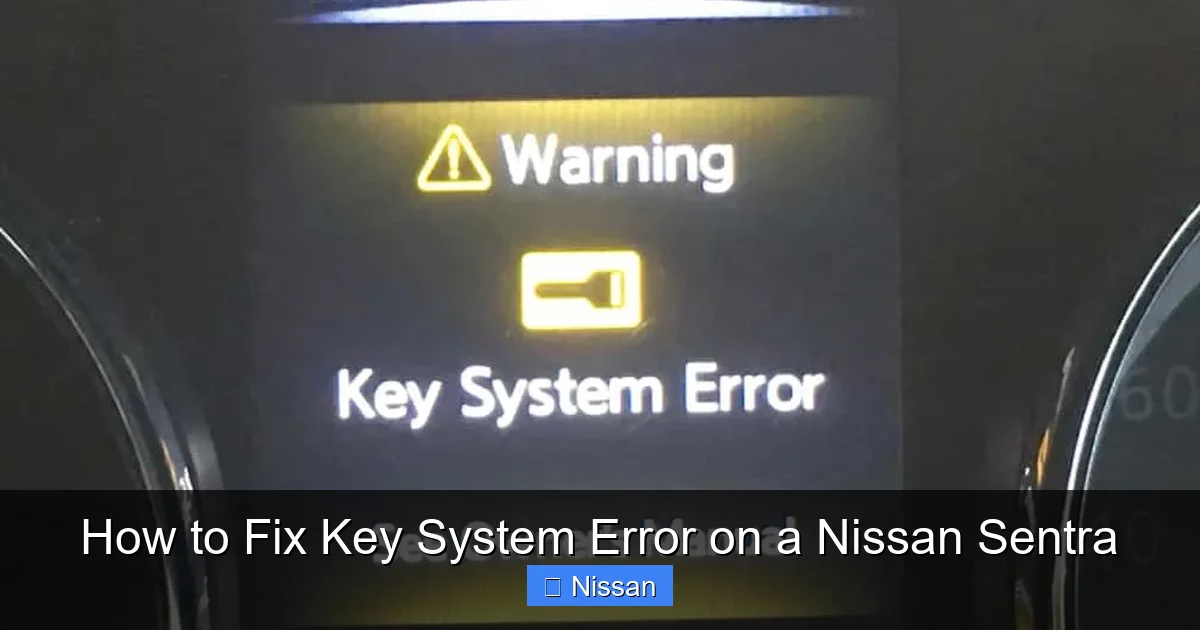
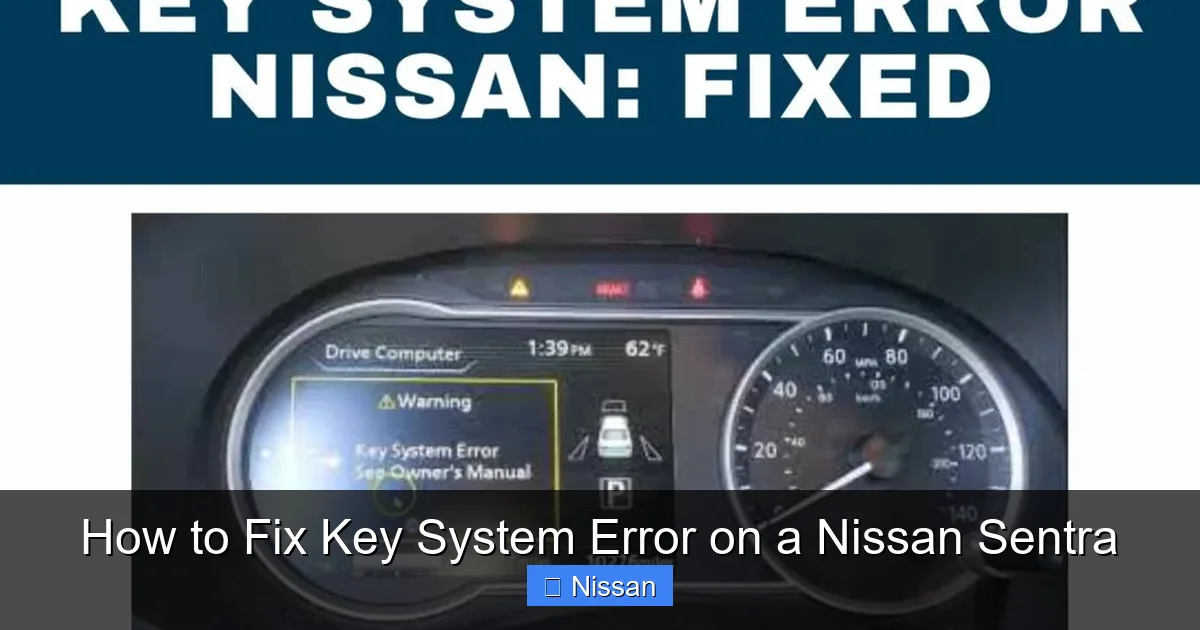
The “Key System Error” message typically appears when your vehicle’s immobilizer system can’t detect or communicate with your key fob. Modern Nissan Sentras use a smart key system, which relies on radio frequency signals between the key fob and the car’s onboard computer. When this communication breaks down—whether due to a dead battery, interference, or hardware failure—the car refuses to start as a security measure.
This system is designed to prevent theft. Without a properly authenticated key, the engine won’t crank. While it’s frustrating when it malfunctions, the good news is that most key system errors are fixable at home with a few simple steps. In this guide, we’ll walk you through everything you need to know—from diagnosing the root cause to implementing proven fixes—so you can get your Sentra running again without unnecessary stress or expense.
Common Causes of Key System Errors in Nissan Sentras
Before jumping into solutions, it’s important to understand why your Nissan Sentra might be throwing a key system error. Identifying the root cause saves time and prevents you from replacing parts unnecessarily. Here are the most frequent culprits:
1. Weak or Dead Key Fob Battery
The number one cause of key system errors is a low or dead battery in your key fob. Most Nissan Sentra key fobs use a CR2032 coin cell battery, which typically lasts 2–4 years. When the battery weakens, the fob can’t send a strong enough signal to the car’s receiver, especially if you’re standing more than a few feet away.
Visual guide about How to Fix Key System Error on a Nissan Sentra
Image source: theautoinsiderblog.com
For example, you might notice that the car starts when you press the fob directly against the start button (using the emergency start method), but not when the fob is in your pocket or purse. This is a classic sign of a dying battery.
2. Damaged or Malfunctioning Key Fob
Physical damage can also cause key system issues. Dropping your fob, exposing it to water, or wearing out the internal circuitry can disrupt its ability to communicate with the car. If the buttons feel sticky, unresponsive, or the fob looks cracked or swollen, it may need replacement.
Even minor damage—like a bent antenna inside the fob—can reduce signal strength. Some owners report that their fob works intermittently after being left in a hot car or washed in a laundry machine (yes, it happens!).
3. Faulty Ignition Switch or Antenna Ring
The ignition switch area in your Sentra contains a small antenna ring that reads the key fob’s signal when you press the start button. Over time, this ring can wear out, become misaligned, or develop electrical faults. If the antenna isn’t detecting the fob—even with a good battery—the car won’t start.
This issue is more common in older Sentras (2013–2019 models) and may require professional inspection. Signs include the error appearing even when the fob is placed directly on the start button.
4. Electrical Interference or Signal Blocking
Electronic devices like smartphones, GPS units, or even strong radio signals can interfere with the key fob’s transmission. If you’re near a cell tower, power line, or using a phone charger while trying to start the car, it might block the signal.
Additionally, some aftermarket accessories—like dash cams or alarm systems—can emit frequencies that disrupt the key system. Try starting the car away from other electronics to rule this out.
5. Vehicle Battery Issues
A weak or dying car battery can also cause key system errors. The immobilizer system relies on stable voltage to function. If the car battery is low, the system may not have enough power to authenticate the key fob, even if the fob itself is working.
This is especially common in cold weather, when batteries lose efficiency. If your headlights dim when you press the start button, or the dashboard lights flicker, check your car battery first.
6. Software or Module Glitches
Like any computerized system, the Sentra’s key recognition system can experience temporary software hiccups. These glitches may cause the car to “forget” the key fob or fail to recognize it despite everything being in working order.
These issues are usually resolved with a simple reset, but in rare cases, they may require a software update from a Nissan dealership.
Step-by-Step Guide to Fixing a Key System Error
Now that you know the common causes, let’s walk through a practical, step-by-step process to fix the key system error on your Nissan Sentra. Follow these steps in order—they’re designed to go from simplest to most complex, so you can stop as soon as the problem is resolved.
Step 1: Replace the Key Fob Battery
This is the first and most important step. A new battery costs less than $5 and takes just a few minutes to install.

Visual guide about How to Fix Key System Error on a Nissan Sentra
Image source: key-programmer.org
- Locate the small notch on the side of your key fob. Use a flathead screwdriver or a coin to gently pry it open.
- Remove the old CR2032 battery. Note its orientation (positive side up).
- Insert the new battery in the same position.
- Snap the fob back together and test it.
After replacing the battery, try starting the car normally. If the error disappears, you’re done! If not, move to the next step.
Step 2: Use the Emergency Start Procedure
If the car still won’t start, your Sentra has a backup method to get you moving. This is called the “emergency start” or “manual start” procedure.
- Hold the key fob directly against the start button (the one with the “Power” symbol).
- Press the brake pedal (for automatic transmission).
- While holding the fob to the button, press the start button firmly.
The car should recognize the fob and start. This method bypasses the need for long-range signal detection and confirms whether the fob itself is working.
If the car starts this way, the issue is likely a weak signal—probably due to a low battery or interference. Replace the battery if you haven’t already, and avoid storing the fob near metal objects or electronics.
Step 3: Check the Key Fob’s Physical Condition
Inspect your key fob for visible damage. Look for cracks, water stains, or swollen areas. Press each button to ensure they click properly and aren’t stuck.
If the fob has been dropped or exposed to moisture, it may need professional repair or replacement. Nissan dealerships can often reprogram a new fob, but third-party options are available at a lower cost.
Tip: Avoid keeping your key fob in your pocket with loose change or keys, as metal can block the signal. Use a dedicated key pouch or keep it in a signal-friendly location.
Step 4: Ensure the Key Is Inside the Vehicle
The Nissan Sentra’s push-button start system requires the key fob to be inside the cabin—not in the trunk, glove box, or outside the car. If you’re trying to start the car with the fob in your pocket while standing outside, it won’t work.
Even if the fob is inside, make sure it’s not buried under blankets, in a metal container, or near other electronics. The signal needs a clear path to the antenna ring near the steering column.
Try placing the fob on the passenger seat or center console, then attempt to start the car. If it works, the original location was blocking the signal.
Step 5: Reset the Vehicle’s Electrical System
A full electrical reset can clear temporary glitches in the key system. This is especially helpful if the error appeared suddenly after a jump-start, battery replacement, or software update.
- Turn off the car and remove the key fob.
- Open the hood and disconnect the negative terminal of the car battery using a wrench.
- Wait 10–15 minutes to allow the vehicle’s computer systems to fully reset.
- Reconnect the battery terminal and tighten it securely.
- Reinsert the key fob and try starting the car.
This process resets the immobilizer system and may restore normal key recognition. Be aware that some settings (like radio presets or clock time) may need to be reset afterward.
Step 6: Inspect the Ignition Switch and Antenna Ring
If none of the above steps work, the issue may be hardware-related. The antenna ring around the ignition switch can wear out or become misaligned, especially in high-mileage vehicles.
To check this, you’ll need to remove the steering column cover (usually held by a few screws). Look for the small ring near the start button—it should be clean and properly seated. If it’s loose, cracked, or corroded, it may need replacement.
Warning: This step requires some mechanical skill. If you’re not comfortable working around the steering column, consult a professional. Improper handling can affect airbag deployment or steering function.
Step 7: Visit a Nissan Dealer or qualified mechanic
If you’ve tried everything and the key system error persists, it’s time to seek professional help. A certified technician can use diagnostic tools to read error codes from the immobilizer system and pinpoint the exact issue.
Common professional fixes include:
- Reprogramming the key fob
- Replacing the antenna ring or ignition switch
- Updating the vehicle’s software
- Replacing the Body Control Module (BCM) in rare cases
While dealership service can be expensive, it’s often the only way to resolve complex electrical issues. Some independent shops also offer Nissan-specific diagnostics at a lower cost.
Preventing Future Key System Errors
Once you’ve fixed the problem, you’ll want to avoid it happening again. Here are some proactive tips to keep your Nissan Sentra’s key system running smoothly:
Keep the Key Fob Battery Fresh
Replace the CR2032 battery every 2–3 years, even if it seems to be working. Preventative replacement is cheaper and easier than dealing with a dead fob at the worst possible time.
Visual guide about How to Fix Key System Error on a Nissan Sentra
Image source: enginediary.com
Buy a pack of batteries and keep one in your glove box or emergency kit. That way, you’re always prepared.
Protect the Key Fob from Damage
Store your key fob in a protective case to prevent drops, scratches, and water exposure. Avoid leaving it in hot or humid environments, like a car dashboard in summer.
If you have multiple keys, consider labeling them so you don’t accidentally use a damaged fob.
Maintain Your Car Battery
Test your car battery annually, especially before winter. A healthy battery ensures all electronic systems—including the immobilizer—have the power they need.
If your battery is more than 4 years old, consider replacing it proactively. Many auto parts stores offer free battery testing.
Avoid Signal Interference
Keep your key fob away from smartphones, tablets, and other electronics when starting the car. If you use a phone mount near the dashboard, try moving it or turning off Bluetooth temporarily.
Also, avoid aftermarket accessories that plug into the OBD-II port unless they’re certified for your vehicle. Some can interfere with onboard systems.
Regular Software Updates
Ask your Nissan dealer about available software updates for your Sentra. These updates can fix bugs in the key system and improve overall performance.
While not all models receive frequent updates, it’s worth checking during routine maintenance visits.
When to Seek Professional Help
While most key system errors can be resolved at home, there are times when professional assistance is necessary. Here’s how to know when to call in the experts:
- The error persists after replacing the battery and trying the emergency start method.
- Multiple key fobs are affected (suggesting a vehicle-side issue).
- You notice other electrical problems, like dashboard warning lights or unresponsive controls.
- The car starts intermittently or stalls unexpectedly.
- You’re uncomfortable performing electrical or mechanical repairs.
A certified Nissan technician has access to specialized tools like the Consult III diagnostic scanner, which can read detailed error codes and test individual components. They can also reprogram or replace key fobs and modules with factory precision.
Don’t wait too long—ignoring a persistent key system error can leave you stranded. Schedule an appointment as soon as possible if home fixes don’t work.
Conclusion
Dealing with a “Key System Error” on your Nissan Sentra can be frustrating, but it’s rarely a sign of a major mechanical failure. In most cases, the issue stems from a simple fix—like a dead key fob battery or a temporary glitch—that you can resolve yourself with a few basic steps.
By following the troubleshooting guide above, you can diagnose and fix the problem quickly and confidently. Start with the battery, use the emergency start method, and work your way through the steps until the car starts. And remember: prevention is key. Regular maintenance, careful handling of your key fob, and awareness of signal interference can save you from future headaches.
If all else fails, don’t hesitate to consult a professional. Your safety and peace of mind are worth the investment. With the right approach, you’ll be back on the road in no time—ready to enjoy your Sentra’s reliability and comfort once again.
Frequently Asked Questions
Why does my Nissan Sentra say “Key System Error” when the key is inside?
This usually means the car can’t detect the key fob’s signal. The most common cause is a weak or dead battery in the fob. Try replacing the battery or using the emergency start method by holding the fob against the start button.
Can I drive my Sentra if it shows a key system error?
No, the car won’t start if the key system error is active. The immobilizer prevents the engine from cranking until the key is authenticated. You’ll need to fix the issue before driving.
How much does it cost to fix a key system error on a Nissan Sentra?
Costs vary. Replacing a key fob battery is under $10. A new fob ranges from $100–$300, plus programming fees. Professional diagnostics or part replacements can cost $200–$500, depending on the issue.
Can a dead car battery cause a key system error?
Yes. A weak car battery may not provide enough power for the immobilizer system to function. Check your car battery voltage—below 12.4 volts may cause electrical issues, including key recognition problems.
Do I need a dealership to reprogram my Nissan key fob?
Not always. Some independent shops can reprogram fobs, but Nissan dealerships have the most reliable tools. For complex issues or new fobs, a dealer is often the safest choice.
How long do Nissan Sentra key fob batteries last?
Most CR2032 batteries in Nissan key fobs last 2–4 years. Replace them proactively to avoid unexpected failures. Signs of a dying battery include reduced range or intermittent starting.
